Tag: safety

  • Facebook’s “Messenger Kids” App Launches on Android

    Facebook’s “Messenger Kids” App Launches on Android

    Today, Facebook released the Android version of their Messenger Kids app. This means it’s available on iOS, Android, and Kindle now. That should pretty much cover most families. Facebook Messenger Kids puts the control in the parent’s hands, making it easy by building it into the Facebook App and Messenger App that you likely already use. You can decide who they are allowed to chat with and approve or deny friend requests.

    CHECK OUT: Facebook Messenger for Kids! for even more info about the app.

    My family uses Messenger Kids, albeit with some strict time limits (1hr per day) which we enforce through Circle (all devices) and unGlue (our older child.) It is a great way to help them get a feel for chatting through a messenger without strangers, bullies, or the constant notifications or FOM0 (Fear of Missing Out) that can accompany tech addiction. Facebook built in a lot of the controls and made the app kid-friendly by not allowing gifs that don’t originate in the Kids Messenger app and not allowing messages to be sent to unapproved friends.

    What Parents Should Know

    Since settings are controlled through your Facebook account, parents don’t have to have the same type of device as their child. You can set up your kids’ messenger app on his Android through your iPhone, for example. Keep in mind how addicting it can be to message your friends. Remember not to give them access to approve or disapprove of their friends on Messenger, this defeats the entire purpose. I know it can get tiresome to always have to sign off on everything they want to do online but Facebook makes it pretty easy with notifications on your own app.

    Use something to manage their time, like unGlue.  Talk to your kids about only messaging people they know in person and let them know what to do if someone asks them something they aren’t comfortable with. They should know that they can come to you when there is trouble. Messenger Kids is a good idea from Facebook and they did a lot of work to learn what parents would want out of a messaging app for their kids. Now the app is available on all devices so, if your kids have people they want to talk with, use this as a way to keep them in touch safely.

  • Facebook and Snapchat Join the “Time Well Spent” Movement

    Facebook and Snapchat Join the “Time Well Spent” Movement

    What is “Time Well Spent?”

    The Time Well Spent movement is a project of the Center for Humane Technology who exists to “Reverse the Digital Attention Crisis and Realign Technology with Humanity’s Best Interest.” The idea is that we have been trained to focus so much on social media and technology that we are missing out on the quality time we’re meant to have in our lives. The CHT works to educate parents, teachers, and industry leaders on the dangers of our addiction to technology and what we can do to overcome that addiction.

    Taking time to enjoy nature and have real face to face conversations are things we’ve taken for granted and the Time Well Spent movement is trying to get us back to those beneficial offline activities. We have begun to see some major social networks take notice of the desire for healthier tech use. As you’ll read below, awareness of these problems has lead to some actual changes for some of the most popular social media networks.

    Snapchat Redesign

    Not long ago Snapchat redesigned their app to be more user-friendly. They’ve also quietly added features that allow you to silence conversations for a while and added new styles of text to your snaps. The silencing feature is an obvious attempt to join the “Time Well Spent” movement.

    The do not disturb feature allows you to silence groups or individuals so that you don’t get notifications from them but don’t have to leave the conversation completely this allows you to keep a streak going while taking some time off of Snapchat, it also allows you to silent someone for a bit without making them feel like you’re ignoring them. Being able to silence conversations on Snapchat can make it easier to take a break without completely silencing your phone. Sure, you want to be accessible but you may not want to be as accessible as we can be these days with social media. I say good on Snapchat for adding this new do not disturb feature.

    Facebook Timeline Changes

    Facebook has been taking strides to encourage their users to use the platform in a more healthy way. From notifying you when you’re reading fake news to lowering the frequency of viral video content in your timeline or removing reasons to just blindly scroll Facebook without purpose. These changes seem to have led to a decrease in time spent on Facebook to the tune of 50 million hours per day.

    Zuckerberg has spent quite a bit of time talking about the responsibility Facebook has as the leading social media platform to encourage users to be more responsible with their activity online. It seems that they were willing to take this belief seriously even to the point of temporarily affecting their bottom line. Facebook’s new stats show a decrease in revenue, likely based on the usage decrease. While income was down during the last quarter of 2017, Facebook predicts that their numbers will level off as ad appearances on your timeline decreases but serious/meaningful engagement increases.

    What Parents Should Know

    I’ve never fully believed that the blame for addiction or overuse of tech and social media falls on developers. Yes, they can create services that encourage healthier use, and it’s good that some of them are beginning to think in that direction. The responsibility, however, falls on users to keep a healthy attitude. If our kids are who we are worried about then the responsibility to teach and model a healthy digital lifestyle falls to parents.

    Monitor the time you’re spending on social media. Set limits for yourself using some kind of software, like unGlue. Learn about the clues to whether news articles are fake or reliable, how to report people online that are causing problems, and how to avoid spammers and phishers. You should take the role of educating your kids on “Time Well Spent” seriously enough to model it for them yourself. 


  • Google Has Proof they’re Finally Taking App Store Security Seriously

    Google Has Proof they’re Finally Taking App Store Security Seriously

    The Google Play app store has been known to be a bit of the wild wild west. There were copycat apps, apps with adult content, and apps with malware or spyware. Google now has some proof that they’ve been hard at work putting an end to all of the nonsense. In a recent report, Google said they removed more than 700,000 malicious apps last year. That’s 70% more than they removed in 2016. They say that most of the removed apps were copycats and many contained pornography or extreme violence, both of which are against the Play store policies. Most importantly of all, of the apps that were removed, 90% were rejected before they even made it to the store. This means they were never able to deceive users.

    This is very good news for Android users. It means that Google’s algorithms, AI, and “machine learning, techniques are working well and keeping apps that could put your security at risk from ever being installed on your phone. The openness of Google’s play store was always a major reason I wouldn’t own an Android phone. This update, as I said, is proof of how serious Google is taking security. There is still, however, a major risk associated with the use of an Android phone. It is a popular reason some folks prefer Android even though it is against their recommended usage policies. No matter how secure the Google Play store becomes, you aren’t protected if you are downloading apps and other files from other sites and apps. “Sideloading” apps is not recommended by Google and can put your security at risk.

    What Parents Should Know

    I spoke with a mom of a young teenager a few months ago about some strange stats on her monitoring software on his Android phone. It turns out, while she had turned off app downloads to keep him from installing adult apps or time wasters, he had been finding other ways to install apps on his phone. The Google Play Store removing unsecured and malicious apps can keep your kids safe from some of the dangers out there but if they are installing apps in other ways, you’ve lost all confidence that they’re protected. You should have some sort of monitoring software installed. Use something like unGlue, Accountable2You, or Circle to monitor what your kids are doing on their phones and keep an eye out for apps that don’t seem legit.

    A good way to know if they are sideloading apps is by looking for the term “APK Installer” in their recent activity. If you have the phone set to ask for permission or to disallow app installation and you see the “APK Installer” running, they may be sideloading. My advice is to keep an eye out for this and if you see it, ask them about what apps they are using. Maybe even have a look at what is installed on their phone. If you don’t recognize the app, do some research and uninstall it if you don’t approve. Most importantly, talk to your child about the importance of only downloading approved apps from the Google Play store. Let them know is as much about internet privacy and security as it is keeping them away from inappropriate content. Google is doing their part by monitoring and managing their app store, you can do yours as a parent by keeping an eye on what your kids are using on their Android device. 


  • Why I Told My 10 Year Old EVERYTHING About Pornography

    Why I Told My 10 Year Old EVERYTHING About Pornography

    Disclaimer: This post is a bit different than usual but it hits to the heart of why this blog exists. Thank you for understanding.

    Yesterday my 10-year-old son asked me what pornography is. Honestly, I thought he knew. I talk about it a lot when I speak and in podcasts and videos. I was surprised at his question but I answered him. I told him what porn is and why we avoid it.

    I told him that it affects your brain like drugs and causes your synapses to stop firing properly. I told him that what you see sticks in your mind and imprints as a template for what you prefer sexually. I explained, also, that the pornography industry is well known for abuse and sex trafficking. I told him EVERYTHING. Even though he’s only 10. Why did I tell him these things?

    First, because he asked. If we don’t take advantage of our kids’ curiosity we miss a chance to help them learn in a way that they’ll never forget. What’s worse is when we say “Ill tell you when you’re older” so they go find another way to learn about it now. Then we find out they googled “porn” or asked a friend about it and we come down on them. We get scared and explode at them and the shame cycle begins.

    I know this cycle well. That’s the second reason I told him the whole truth. I was 10 when my friend’s older brother brought in a VHS tape and said: “You guys HAVE to check this out.” From then on it was years of seeking out scrambled HBO or Cinemax. Sneaking up to the living room late at night to try and find something online to meet the insatiable appetite. Years of shame, of hiding, of never being satisfied. I was getting more broken with every video and every image. My mind was fracturing and I was losing who I was.

    When I was 18 I got busted. A super high phone bill (because that’s how the internet used to work) caused my mom to ask questions and I told her the truth. I told her I couldn’t sleep at night until I had “fed the beast.” That’s what it was like for me. I couldn’t function until that urge was given a release. She took away the computer and I started digging into scripture. I would read a verse and then write eight to ten pages about how it could apply to my life. I would dig into word meanings and unpack the context so I could fully understand what The Word said about who I am. That new habit changed me.

    Fast forward four or so years and now I am married. This is the third reason I am not shy to talk to my kids about sexuality and pornography. I married the most pure and righteous woman I’ve ever met. She had been taught to be pure and guard her heart while I was watching adult videos in secret. We are an incredible match but our intimacy wasn’t a match made in heaven. Imagine the confusion that comes from the two different ideas we had about sex. My mind was still wrecked from the fictional, abusive things I had seen. I had no clue how to respect and honor my wife in our intimacy. It has taken ten years to work all of it out and issues still surprise us every now and then.

    Our society isn’t afraid of sex. The culture your kids live in isn’t waiting for them to “come of age” before teaching them their truth about sexuality. The church isn’t helping. They’re too scared to speak up because people get uncomfortable. I fielded many frustrated parents when we, as a youth ministry, would try and teach healthy attitudes about relationships and sexuality. Moms and Dads HAVE to educate their kids and let them know how to understand purity, not as the absence of desire or sex, not as a discomfort with their body and what it needs, but as a healthy knowledge of why God created sex and in what context it can contribute to the overall wholeness of who you are and the relationship you have with your spouse.

    Share this to spread the word and if you feel the need to discuss this more, feel free to comment or send me an email. Let’s get this thing right. Let’s raise children who are less broken than we were.

  • Soon, All Tech Will Know Your Face…Get Used to It!

    Soon, All Tech Will Know Your Face…Get Used to It!

    Facial recognition is one of the hot-button topics of 2017. iPhone is featuring it now, several social media platforms have been using it for a while to help you tag your friends in photos. In fact, Facebook has just announced how they’re using facial recognition to help the blind learn more about photos on their timeline. Artificial intelligence in our social media timeline tells us what images and posts we want to see first, it identifies who is in our photos, it even decides what ads we will be most likely to click on. Social media isn’t the end of facial recognition AI, though. As I prepare to head to Las Vegas for the Consumer Electronics Show (thank you, by the way, your readership of this blog made that possible) I see more and more smart-home and gaming tech using facial recognition for their main functionality.

    Security

    The application of facial recognition in security tech should be pretty obvious. Amazon has a camera that you mount outside your door that will only allow approved delivery people into your home to drop off your packages. Smart security tech will use motion sensors and facial recognition to identify who enters a room and determine if they belong or not. If you aren’t approved, an alert goes to the homeowner and they can decide to alert the authorities or not based on seeing the picture that the security device took of you.

    Smart Home Tech

    Smart home technology isn’t early market anymore, it’s actually becoming more of a mainstay in the American household. People are calling out to Alexa, Google, and even Cortana more an more every day. The latest technology will be featuring the ability to recognize you and adjust the “settings” of your home accordingly. Think lights dimmed, music on to your playlists, coffee part started, and your tv turned on to your favorite channel. Most of the latest smart home tools are putting cameras on their devices and making facial recognition standard in their algorithms. That means that more and more “affordable” or “budget” devices will be scanning your face. When you pay less for similar tech, what you usually save money on is the privacy and security side of things. You have to be careful to understand the security settings and privacy policies of any “smart” device you purchase.

    What Parents Should Know

    Every single new tech development has the challenge of balancing convenience and progressiveness with security and privacy. Having your lights come on because a device saw your face walk into a room sounds like a really convenient thing. Being alerted by Facebook when someone uploads a picture of you is a great idea. It can help you keep photos you don’t like of yourself off of the internet or just help you make sure you are tagged in the photo you’re in. If all of these new technologies can ensure that your identity is secure then it’s a great way to use the latest developments to add convenience to your life. 

    My advice with the newest releases is always to wait a while. Let the lawsuits and hackers do what they will before you own one of the devices and your personal data is in jeopardy. Once it’s been out for a while then maybe integrate it into your life, but only if you know how to set it up and secure it properly.

  • PODCAST: 2017 in Review and What’s to Come in 2018

    PODCAST: 2017 in Review and What’s to Come in 2018

    Exciting new things coming in 2018 for BecauseFamily. This episode rounds out the rest of 2017 and gives you a heads up as to what to look out for in the coming year.

    Social Media Links

    Facebook: http://facebook.com/4pointfamilies
    Instagram: http://instagram.com/becausefamily
    Twitter: http://twitter.com/becausefamily

    Newsletter Signup

    Ministry Updates:: http://eepurl.com/R7Btr
    Weekly Blog Posts:: http://eepurl.com/cvnhXD

    Websites

    Ministry Site:: http://becausefamily.org
    Tech Blog:: https://safe.becausefamily.org
    Michael’s Speaking Info:: http://kmichaelprince.org

    Donate and Affiliate Links

    http://BecauseFamily.org/partnership

  • Social Media News: Youtube, Snapchat, and Instagram Update Information

    Social Media News: Youtube, Snapchat, and Instagram Update Information

    Here’s a rundown of the social media news for this week thus far.

    Snapchat is changing “everything.”

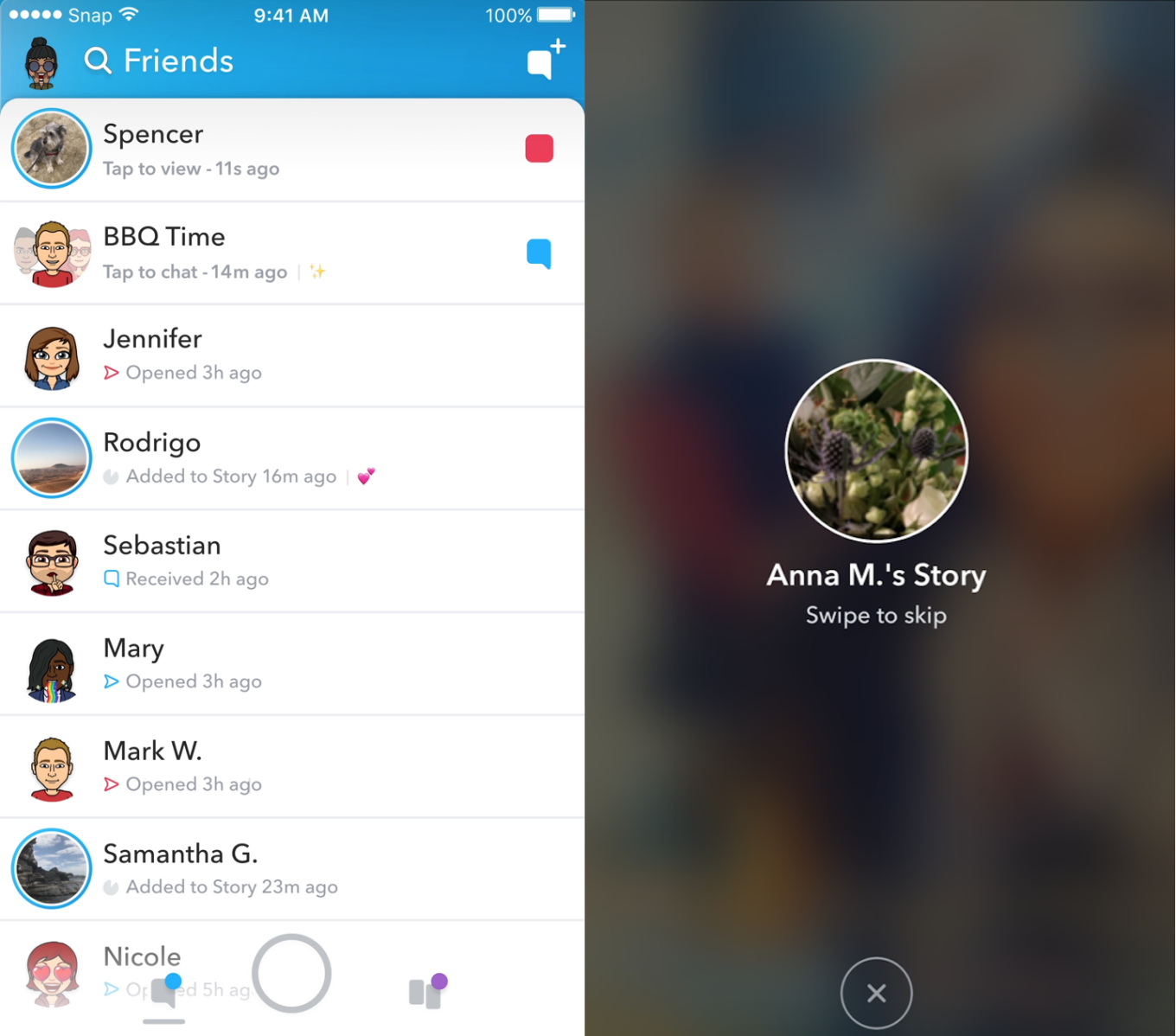
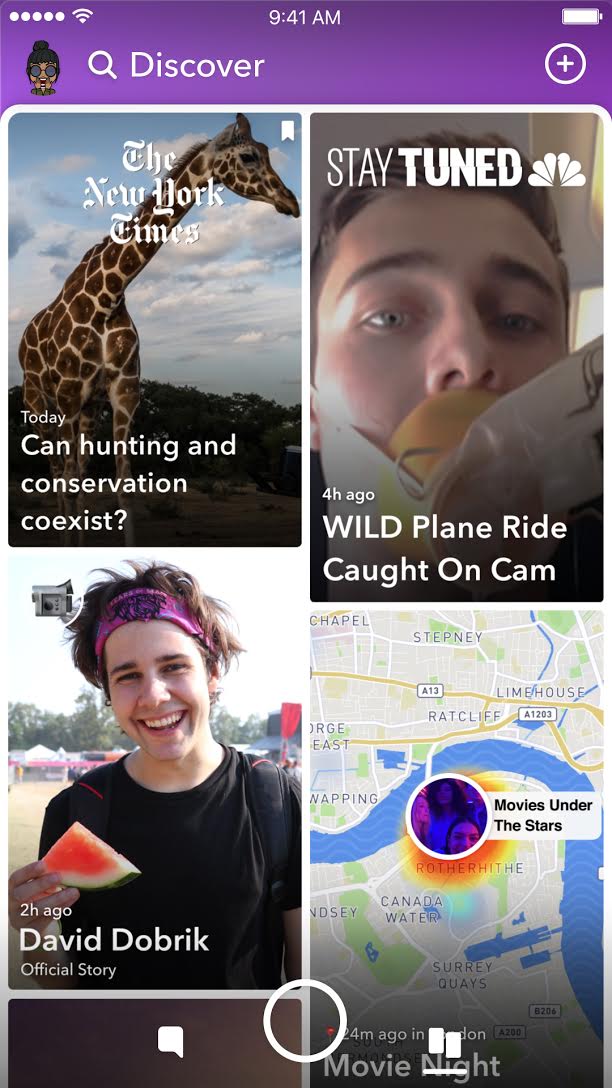
    In an attempt to increase both user numbers and ad revenue, Snapchat is making some major UI (User Interface [the buttons, controls, and setting options on an app or software that allow you to use the app or software.]) changes. In a video by CEO Evan Speigel, he claims that the new Snapchat will separate your social from the media. He says that “your friends aren’t content, they’re relationships” and should be kept separate from the paid advertising and influencer content on the Discover page.

    The app will still feature the “swipe right/swipe left” control style with the left being your friends and right being the Discover page. The Discover page seems to be going through a bit of an upgrade too with animated thumbnails (title images) and including more content from influencers along with the paid media articles. Snap Inc. is hoping this change will make the Snapchat app more appealing to more users and increase buy-in from those who have installed it but don’t use it much. Only time will tell.

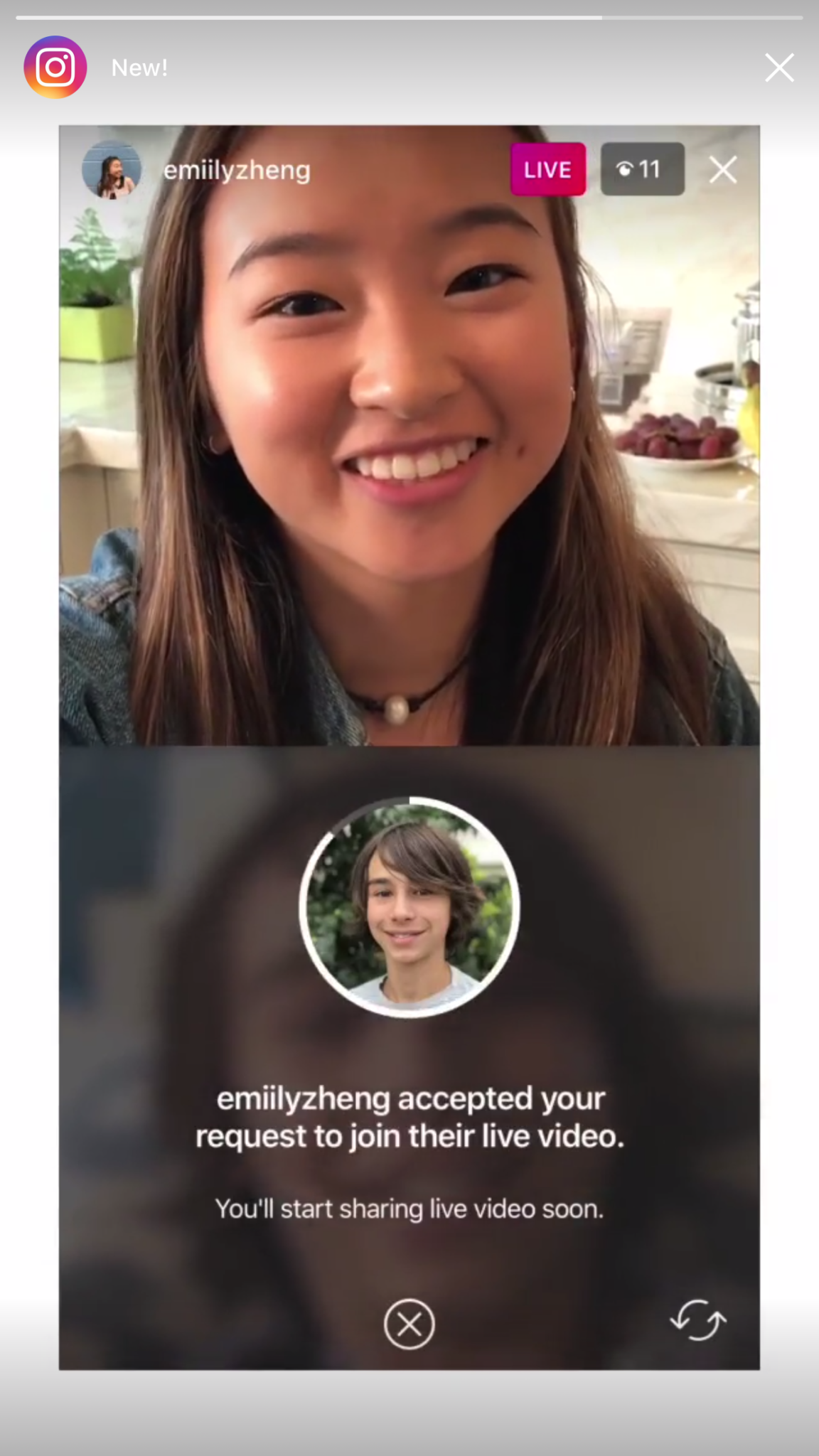
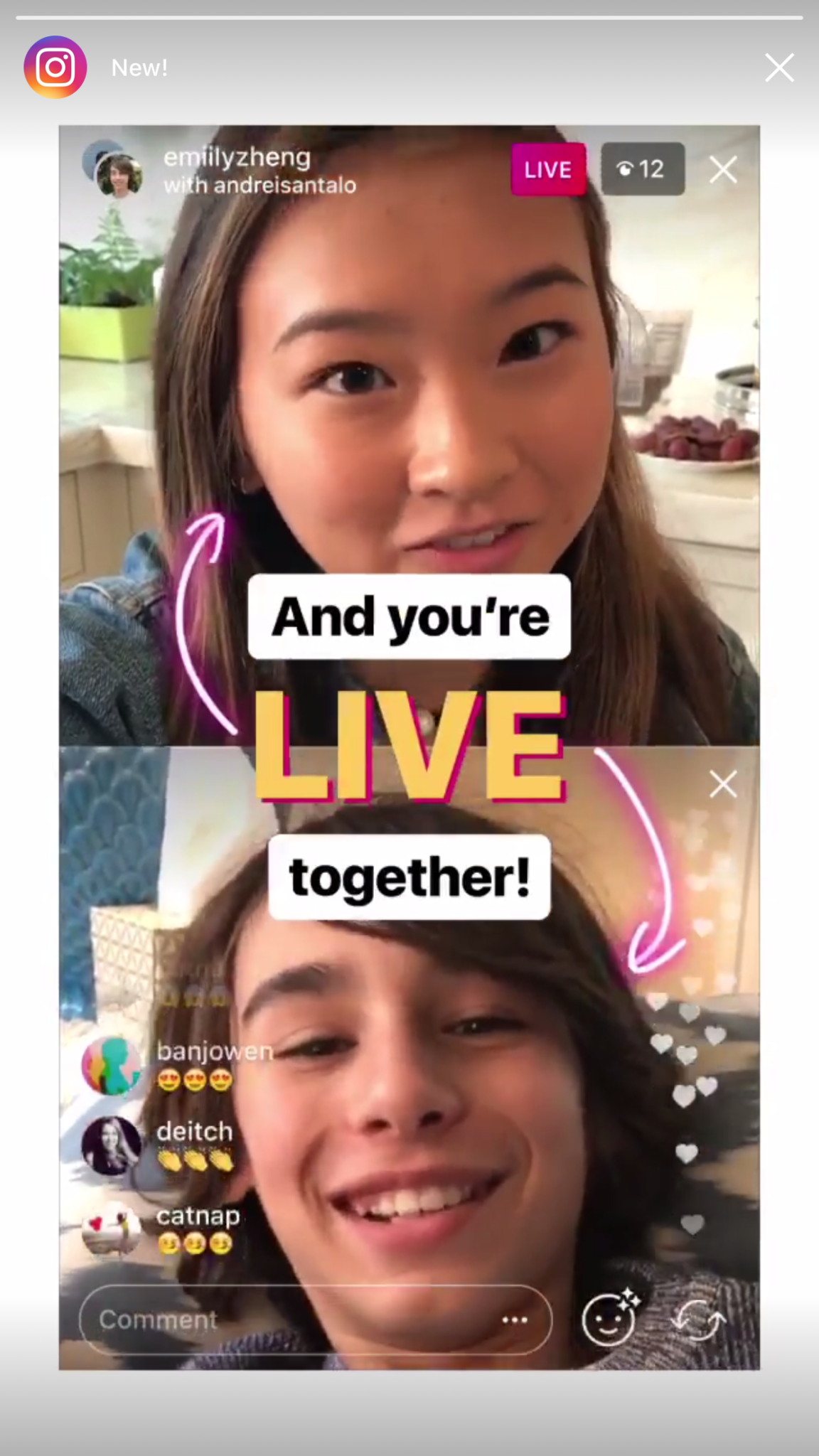
    Instagram now lets you ask to join live stories.

    Instagram released the ability to join a friend’s live story just a few weeks ago. The feature has gained some popularity but they’re hoping that the latest addition will make the Live story an even more integral part of the Instagram experience. The latest update allows audience members to request to join a live video on their friend’s Instagram. It isn’t as much an added feature as it is a streamlining of one they released previously.

    Being able to ask to join a live story will increase the visibility of many Instagram accounts and could cause users to spend more time on Instagram. That, at least is what the company is counting on.

    Youtube is soon adding a “stories” type feature of their own.

    The Story feed was started by Snapchat, perfected by Instagram, and flopped on Facebook. Now Youtube wants in on the action. Reels is Youtube’s answer to the latest social trend. This addition lets content creators create quick 30 second vertical videos to keep their followers updated on what’s happening. It lets vloggers and video creators make more content with less commitment.


    The biggest difference from the other Story features is that Youtube’s Reel videos will not disappear and they can make multiple Reel videos. Youtube has been trying to make their app more social and it’s obvious that Reels are a huge step in that direction. They haven’t announced when Reels will be released but you can count on the S.A.F.E. Family Tech Blog to let you know when they do.

    What Parents Should Know

    It’s always important for parents to understand what their kids’ favorite apps are capable of. For many of our children, Social Media apps are the most commonly used. These recent updates should help you be informed about what your children can do with these apps. My advice is always to download these apps for yourself so you can play with all the features. Talk to your kids about what the apps are best used for and what behavior you believe to be healthy or not healthy on social media. Use examples and share about difficult social experiences you’ve had that would have been even worse if they had been online. Strengthen your child’s sense of self-awareness and confidence to ensure they represent themselves in a healthy way online. Most of all, keep an eye on what your kids are posting on their social media accounts and continue to stay informed so that you can be ahead of the social media curve.

  • Snapchat’s New Filters Can Recognize Items in your Photos

    Snapchat’s New Filters Can Recognize Items in your Photos


    Snapchat’s new camera filters can now identify items in your photo and recommend AR graphics, borders, or stickers for you to add. The action is automatic and will insert recommendations into the filter carousel. To my knowledge you cannot turn off this feature, it is now a stock part of the Snapchat camera. The camera can recognize pets, sports equipment or events, food, and even specific locations.

    These are powerful tools for Snapchat users, especially paired with their geofilters which is strictly based on your location data. Besides just making your recommended filters more relevant, these new filters will make it easier for advertisers to target their ads more specifically. Turning off your location information won’t be enough anymore, your camera can now give advertisers clues (automatically based on software and algorithms) as to where you spend your time. This is big news for advertisers and even bigger news for tech safety and security specialists. 

    What Parents Should Know

    My advice is to always turn off the location data on your kid and young teen’s phone. I recommend only sharing location information when you’ve left somewhere, never while you’re there. There are many reasons for that advice, including not alerting people that you aren’t home and not making it easier for predators to figure out where you spend your time. If your camera is using the things in your photos to tag your location then you have lost control over your location data. That, to me, is a problem. Snapchat has been on my uninstall list for a while and this news just strengthens my case against it. Snapchat’s goal is to service financially and they are now making decisions to make their product the best advertising tool available to brands all over the world. This means forsaking the privacy and security of their users and most of their users are your teens. Uninstall Snapchat now. There…I said it.

  • The Best Way to Keep Your Kids Safe On Youtube

    The Best Way to Keep Your Kids Safe On Youtube

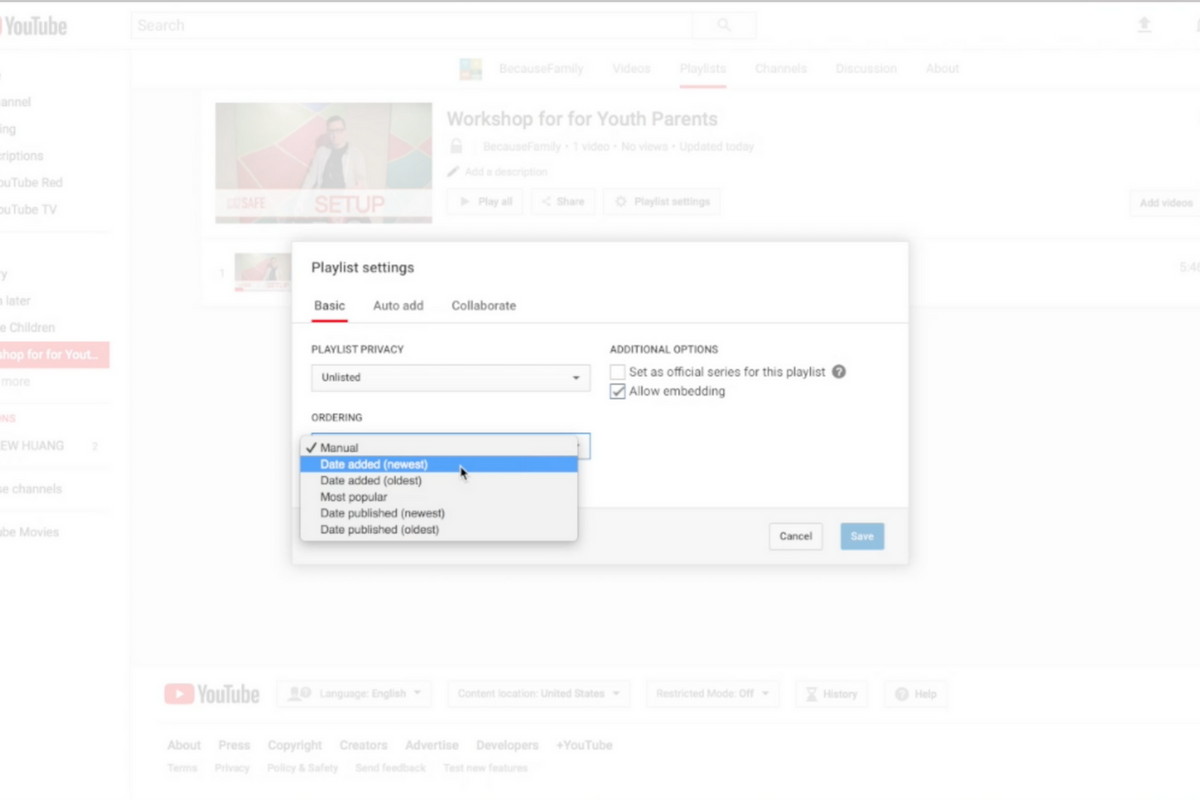
    Parents are always asking me for advice on keeping their kids safe on YouTube. Especially parents of older kids who may feel like YouTube Kids is a bit too young for their liking. I recommend building approved playlists. Find videos on YouTube that you are ok with them watching and put them in a playlist. This will allow them the freedom to watch videos without you pulling up each one while still keeping them safe from happening upon something inappropriate. You can also add playlists to your library that have been created by another channel. Then, you just have to discuss with your kids that they should only watch videos from the playlists you’ve put in the library. This keeps things safe. Watch the video below to learn how to build these playlists and hear more about why it’s a good idea.


    This is also a great idea for teachers and ministers who may want to show videos but don’t want something showing up unintentionally. If you’re playing videos from your playlist, you won’t accidentally show some video you haven’t pre-screened. YouTube can be an awesome tool but there is a lot of content on there that may not be classroom friendly. Use this tutorial to help you set up playlists and keep that stuff off your screen.

    UPDATE: Here’s a video tutorial to help you set up a playlist on the mobile app.

  • Digital Tools for Halloween Safety

    Digital Tools for Halloween Safety

    Halloween is a bit of a crazy holiday. We take our kids out to do all of the things we almost never let them do at any other time. “Let’s go walk around in the cold, talk to strangers, take candy from them, and then eat most of it in one night.” It may sound a bit crazy to let our kids do all that, but we do it. I’m recommending, though, that you don’t throw all of your safety concerns out the window. Use these three “tech guy” tips to help your family be safe during this Halloween.

    Get GPS Tracking

    First of all, it’s important to know where you are and where your kids have run off to. In the hustle and craziness of Halloween trick or treating it’s easy for our kids to get lost in the fun of it all and get out of sight. Also, your older kids want to head out with friends and enjoy a Halloween party or maybe just go trick or treating but you could be concerned about where they’ll end up going. Technology has you covered. Start tracking their location with the GPS chip that’s already included on their mobile device.

    Accountable2You has a great GPS tracking option that you can set up easily within their mobile browser app. It will send location reports and allow you to check in at any time from the dashboard on their site. This feature is available for Android AND iOS.

    On your iOS devices, you can use the built-in messaging app to share location as well. You just have to use their phone to set up permissions for that device to share their location with you. When you go to your messaging app you’ll be able to click on the (i) on the upper right-hand corner and it will take you to their information. There will be a map with their current location on it right up top. 

    Have a Good Flashing Light

    Walking around in the dark can be scary at Halloween. Not just because of ghosts and ghouls but cars driving and not paying attention. My advice is to shed some light on the situation. Don’t bother heading to buy some kind of flashing light when a simple app can give you the same effect from the LED in your smartphone. Here is one we found forAndroid and one for iOS.

    LED Flashlight Selene & Flash (Android)

    Full disclosure, I’m not able to test this app since I don’t have an Android device. It is, however the highest rated strobe app in the Google Play store. This app features adjustable strobe speed. It has simple controls and, according to reviews, just works. GET IT HERE

    “Light” LED Flashlight and Strobe (iOS)

    I did try this app out and it works well enough to use on Halloween. If you depended on your phone to multitask while you’re using your strobe light, this isn’t the app for you. When you close the app, the light stops. I didn’t find an app that didn’t shut off when closed, though, so this one made my list. I mostly decided to recommend it because the controls are simple, intuitive, and very responsive. You can set the brightness of the light and adjust the speed of the strobe with simple buttons on the right and left of the on-off switch. There are also settings to make the light flash to music and translate type to morse code. This is, overall, a pretty neat app. CHECK IT OUT

    Light your nighttime neighborhood trick or treating with some kind of strobe light. This will keep you and your kids visible and safe.

    Go “Old School” with a Walkie-Talkie

    No, don’t buy some cheap thing that won’t let you communicate unless you’re still in earshot anyway. Get an app. Really, I have one recommendation for this one, it’s Heytell. This app works cross-platform which means you can use your Android phone to send a quick voice message to someone with an iPhone, no problem. A walkie-talkie app is perfect for Halloween because it uses your data connection, so you’re never out of range. It lets you ask for that quick location update or schedule that meeting time with your kids by sending them a notification when you’ve sent a message. The message is then saved until they open the app to listen to it. Just like a voicemail, just without the annoyance of a phone call.

    Install HeyTell or the walkie-talkie app of your choice onto your and your kids’ phones and be amazed at how connected you can be while they’re out having fun, getting candy, and talking to strangers. Just make sure they’re visible in the darkness with some sort of flashing lights, and of course, have that GPS connected so you can get an update on their location with a simple glance at your phone.

    Have a safe and fun Halloween!