Tag: safety

  • A Parents’ Guide to Among Us

    A Parents’ Guide to Among Us

    This is a Parents’ Guide to Among Us
    This guide is intended to inform parents to help them make quality decisions for their families. The rating is based on my opinion of playing Among Us and viewing others playing the game as well.

    The rating below is based on the game content. Online interactions will always increase the risk of unwanted content.

    Violence – 3
    Language – 4
    Sexual Content – 5
    Positive Message – 2
    Monetization -2

    Total Score – 16  out of 25
    (The higher the rating, the safer the game is for kids.)

    ESRB Rating – Among Us has an ESRB rating of 10+. It is rated 9+ in the app stores and Common Sense Media gives it a rating of 10+.

    About the Game

    Among Us is an online multiplayer game of social deduction, teamwork, and betrayal. You play as crewmates on a space ship or space station who are trying to prepare the ship for take off. You have tasks that you all must complete to win the game. The catch is that there is an imposter Among Us. This (or these) imposter(s) can sabotage your efforts to prepare your ship, they can also kill you or your crewmates. When a dead body is found, a meeting is called. The entire crew discusses what has happened and what they’ve seen that could give hints as to who the imposter is. They then all vote and if someone gets a majority of votes, they are ejected from the ship. If that person was an imposter, the crew wins, otherwise, it’s back to the ship to complete your tasks and hope the imposter doesn’t get to you first.

    This game has a little bit of everything. There are simple puzzles, social interactions, mystery, and even some opportunity to be a little dark by killing your friends in-game. The graphics are simple and a bit silly, but the gameplay is so fun that it doesn’t matter. This is truly a social game and cannot be played on your own. There is a “freeplay” mode in which you can explore the map and get familiar with puzzles but it is really just for preparing to play online multiplayer.

    Violence

    One of the key themes in Among Us is murder. The imposter is trying to sabotage the ship by whatever means necessary. This usually includes killing crew members. You kill by simply tapping or clicking an icon when you’re close enough to a crewmate. There is then a short animation of your murder. Sometimes you slice them in half, sometimes your small companion (in-game purchase) will shoot them, and sometimes a spear-like tongue will come from you and pierce them in the face. While the animations are a bit graphic, they aren’t really bloody or gory, and they very cartoon/silly. The characters don’t look like humans, they are better described as colorful walking spacesuits so when they are killed, there isn’t much realism.

    Language

    There is no dialog or narration in Among Us. This means that there is no adult language in the game itself. This is a game, however, that is meant to be played with other people over the internet. When you play a multiplayer game online you are always opening yourself up to unsavory language. In Among Us, this happens in the chat which is used to discuss murders and vote out crewmates. There is a censor mode that is on by default. This censor will use symbols to block out adult language and other inappropriate comments. This doesn’t mean that players don’t use these words. You’ll often see sentences with words asterisked out and most of us can tell by the number of symbols and the context of the sentence what words were meant. It is nice that a censor is included and on by default, it is simple to deactivate with one click/tap and is not password protected.

    Sexual Content

    Again, there is no sexual content in Among Us. The style of the game doesn’t lend itself to that kind of material. This is another issue, however, that is greatly impacted by online play. While the censor mentioned above will block some sexual comments, most make it through. While playing the game I saw many players with suggestive usernames. Nothing obvious but definitely innuendo. When these names were commented on in chat, however, they were mostly met with annoyance by other players who just wanted to play the game and were therefore not amused.

    In other words, there will always be people who think their immature sexual jokes and comments are funny but in such a social game you’ll also find a majority of players who aren’t interested in that kind of humor. These players usually kick out or shut down the inappropriate players pretty quickly.

    Positive Message

    I guess we can talk about teamwork and trust here but in reality, this game is just all about having fun. There is no real moral to Among Us, it is intended to be a clone of the classic party game Mafia but set in space. Playing with friends is easy through their local or private game settings and this allows for kids to have fun with friends even though we can’t be around each other all of the time these days. I think this is what made Among Us the breakout game of 2020 even though it has already been released for two years.

    Monetization

    Among Us does have in-game purchases but they aren’t game-changing. You can buy packs of costumes, skins, and even pets. The prices are between $1 and $3 per pack and the game is definitely playable without spending more than the $4.99 it cost on the PC. The mobile version (free for Apple and Android) has ads that can be removed for $1.99. I recommend removing these ads because some of the games advertised should, in my opinion, be rated for adults only.

    What Parents Should Know

    Among Us is a game that I have been playing quite often lately. It is easy to pop in and do a ten or fifteen minute round and then log off. I have played in public rooms with friends as well, that was quite fun as we were able to work together (trying not to cheat) to complete tasks and win. It can be a time drainer as you always want to play another round. I find myself saying “one more round” a few times before I actually quit the game. Like Fortnite or other online multiplayer games, kids aren’t going to want to drop out in the middle of a game so giving them a warning about getting off their screen will be better than saying, “Put it away, now!” Trust me, you’ll have less conflict if you say “Be finished after this round, alright?” and then hold them to that.

    The only real danger in this game is from strangers online. While that is always a concern with online multiplayer games, rounds are so short and fast-paced in Among Us that there isn’t much time for “grooming” or bullying especially since there is no private or direct messaging. You can stay in the same “Lobby” to play with the same people but it is so easy to back out and go into another game if you need to that I wouldn’t expect too much trouble from people in chat in Among Us.

    As with most games, my recommendation is that parents understand Among Us, how it works, and what their kids like about it. Know who they are playing with online and if they are playing with strangers, be sure they feel comfortable coming to you if they see something that makes them feel strange. This game is simple enough and quick enough that many parents should be able to play along with their kids some as well. Do this. It would be really fun for you to get into their world a little bit, plus you may just enjoy the game yourself.

  • What Parents Need to Know About the Latest Gaming Tech

    What Parents Need to Know About the Latest Gaming Tech

    Technology is a significant part of all our lives, but more so for our children. After all, they grew up in an era surrounded by technology. In fact, our previous post on what your kids do online found that most, if not all, older children are very much inclined to spend their money on tech, such as new smartphones, Netflix subscriptions, and finally, video games. If given the opportunity, younger children may be equally invested in these things as well. Here is what parents need to know about the latest gaming tech.

    Of course, that’s not to say that gaming is bad. Multiple studies have emphasized ways that video games can benefit your kids, from better coordination to sharper cognitive ability. But there are aspects that every parent should look out for when it comes to gaming tech, and we’ll introduce those in a bit.


    What gaming tech should you expect your children to be on now?


    Video games and technological advancements are heavily intertwined, and new technology comes and goes every year. This year, we’ve witnessed the next generation of consoles, with the newest Xbox and PlayStation coming out for the holidays. The metal core PCBs on these devices are built out of materials that allow for better heat dispersion, ensuring smoother performance even for high-end games. They also boast a lot of neat features like haptic feedback and motion-triggered 3D audio that aims to boost the gaming experience. Your children are definitely going to want one.

    However, with new technology comes new threats, and you have to pay attention to what they are doing if you want to ensure they game safely.


    What should parents be wary of?

    Data Privacy


    Users give a lot to access online gaming stores, such as birthdates and mailing addresses. The former is there to check the age of the user, which is needed to block them from certain games until they’re older. Mailing addresses are asked so the system can accurately compute for taxes when the user buys a new title. Both are equally dangerous when exposed. It’s highly encouraged that you get physical copies from your nearby GameStop or Best Buy instead.


    “Always On”


    Since much of the modern consoles’ features are tied to the Internet (such as streaming, social sharing, and online play), they will always have the option to have their built-in wireless connection turned on automatically. While this is convenient, it could also leave your kids vulnerable to breaches. Since a lot of games are single-player, have them turn off this feature when they don’t need to be connected to the Internet. This will lessen the chances of someone hacking into the console.


    Motion Tracking


    As mentioned, upcoming consoles will have a feature called motion-triggered 3D audio. This is where the console tracks the user’s movements so that the game’s sound is projected to where they’re seated. The biggest downside to this is that the game will ask for permission to track human movement in your house, which you shouldn’t give. Turn off this feature when it comes. If your kids want to experience 3D sound, you can always have them plug in some earphones.

    Protecting your kids is not about taking them away from things that you deem dangerous. This will only make them want more, sometimes going behind your back to get them. Instead, support their hobbies. Work with, and not against them, to thwart the dangers that they pose.

  • Family Tech Safety Tips for Social Distancing

    Family Tech Safety Tips for Social Distancing

    I have written nearly 400 articles since 2016. Most of them are still relevant in today’s social media and internet safety climate. While we are all being asked to limit our social contact and kids are staying home from school I thought it would be helpful to put together some Family Tech Safety Tips. Here is a list of articles that can help in this time of social distancing. These articles speak for themselves as to how they can help your family during this time. Feel free to contact me on our Facebook Page if you have questions about keeping your family safe online during the next few weeks.  Please use these links to help you keep your kids healthy and safe during this time. Our prayers are with you and your family as we all work together to make the right decisions to protect each other.

    Accountability Software

    TUTORIAL: How To Use Accountability Software

    Filters

    Circle is the WIFI Filter for You!


    Messaging

    Mobile Device Vocabulary Lesson 3: Messaging

    New Video Series will Help You Find Your Favorite Parental Control Software


    Educational Apps

    New Tech Products for Your Youngest Children

    Toys Teach Computer Science and Coding

    Screen Time Limits

    iOS 12’s Screen Time App Changes Everything!| Video

    Android FamilyLink is A Great Parental Control Solution, Albeit with One Major Flaw.

    Kids and Gaming

    Fortnite Chapter Two | A Parent’s Guide

    Call of Duty Modern Warfare | A Parent’s Guide

    How “Kids Games” Give Predators Unmonitored Access to Children


    Here is a link to the whole list of video game parent guides.

    https://safe.becausefamily.org/category/gaming/

    Staying Active

    Ten Screen Free Things to Do This Week!


    Social Media Troubles

    Research Finds Another Link Between Social Media and Depression

    How Your Teen Uses Social Media Differently Than You

    Social Media, Globalization, and Our Kids’ Convictions

  • CES2020 | Protecting Your Family’s Privacy and Data

    CES2020 | Protecting Your Family’s Privacy and Data

    Walking the show floor at CES can be a major assault on the senses. Every booth has music and lights and giant screens or projectors showcasing the latest and best of their technology offerings. One thing that is cutting through all of the noise, however, is the need for tech companies to earn the trust of their target consumers. Voice control, smart home technology, and data mining for convenience in retail are on the rise. The companies who use our information to make our lives easier have to convince us that they are going to stop there. The good news is that it seems they are understanding this truth.

    Protecting Your Family’s Privacy and Data

    Robin Raskin, the founder of Living in Digital Times, said that trust will be a major theme at CES this year. I spent several days on the CES show floors and I can tell you this is the truth. Car manufacturers are explaining how their tech is built to keep you safe. They are saying that the information gathered about you is meant to make the goal of safety more attainable. Convenience is being showcased at nearly every booth on the floor as well. Convenience requires data, so it is no surprise to see these exhibitors featuring their privacy policies upfront for all to see. Even toy makers are touting their focus on privacy. The connected toys your children will play with shouldn’t be tracking their every move.

    Trust and Responsibility

    Protecting your family’s privacy and data is a huge responsibility. The responsibility for data privacy, security, and trust are shared, though. We, as consumers need to know the role we play in protecting our information. There are key factors we must keep in mind when thinking about security. Our passwords are very important. We must make sure we have different passwords across our online accounts. Also, be careful to use passwords that aren’t too easy to guess. Finally, we have to remember to set the security settings on our new smart devices when we take them out of the box. That new thermostat or camera is connected to the internet. That makes it susceptible to hacking and therefore security settings must be set. If your device offers “two-factor” authentication then set that up as well. It can seem inconvenient but it will protect you from a lot of trouble in the future.

    Companies can only do so much to protect your data and security. They can give you tools to protect yourself but they can’t force you to use them. Check out my other articles on data privacy HERE.

    One last important tip is that you only buy smart home devices from well-known, trusted companies. Most of the time, these larger tech companies have had multiple levels of scrutiny concerning their privacy policies. Some smaller developers from other countries will have had less accountability for what they do with your information. Their products cost less and seem to work in the same way but you aren’t guaranteed the safety settings some of the larger companies will give you. All of these products are a privacy risk but you’re likely to have more transparency from a larger, more established company.

    A Caveat.

    Some privacy/security startups are making big waves right now. They are smaller companies that have security and privacy in “front-of-mind” as they develop their technology. My advice is to ask questions and look for more info on their privacy policies. Some of this new security tech is very cool and will be very helpful. Others are taking advantage of the new focus on privacy to sell more stuff that doesn’t work. Be a wise consumer. That is the most critical step in protecting your privacy.

  • Be S.A.F.E. Online During the Holidays

    Be S.A.F.E. Online During the Holidays

    **This post is an updated version of an article from 2017. 

    The Holidays are a time of fun, family, faith, and food. Everyone coming together can be super fun for the entire family. There can also be some struggles here and there, especially when it comes to what shows up on the screens in the house. Your younger kids could end up seeing too much social media on their teenage cousin’s smartphone. Uncle so and so can show Youtube videos to some family with adult language and content not noticing the children in the room. Heres a few tips to try and keep your Holiday internet safe and family friendly.

    Protect Your Kids

    Encourage a host home internet filter.

    Ask the family member or friend who’s hosting your festivities if they have some sort of content filter on their wifi. Many routers have a basic filter and some folks may even have another filter system in place. If there isn’t an option, recommend one like Circle. If they don’t have kids or aren’t interested in filtering their wifi long term you can recommend a free trial with something like Mobicip or NetNanny. This usually allows you to use the filter for seven days to a month at no cost. Offer to help them set it up and then you can breathe a little easier when your kids are using their wifi.

    Keep devices with screens in a common area.

    Intentional poor behavior will happen in private. If you keep the screens around everyone else you’re much less likely to have an incident. Make a rule that screens should be kept in the most common area of your Thanksgiving meeting place. The living room full of people or the dining room around a busy table is a great place to let kids spend whatever time on screens you’ve allowed while adult eyes can glance down to see what’s being viewed. This will also keep sneaky cousins from pulling up something age appropriate for their younger family members.

    Talk to your kids.

    Your kids need a safe place. They need to know that if they see something inappropriate online they can come to you and receive no judgment or criticism.  It’s critical that they are allowed to explain what they saw and how it made them feel. Discuss your screen boundaries ahead of time, your kids should know what you expect even if you aren’t able to get the whole extended family onboard with your plan. Tell them if you want them staying off screens completely. Let them know not to look at older kid’s phones or tablets while they play. Think ahead of the likelihood of your kid seeing something they shouldn’t and try to head that off at the pass. Accidents happen but if you and your kids are on guard, you should be able to have fun without too much worry.

    Protect Your Privacy

    Turn off camera location settings.

    Your camera defaults to save your location every time you take a photo. This tags those photos with where you were when you snapped that pic. Then, when you share the image on Instagram, Facebook, or Snapchat your location is uploaded with the image. This means that with the right software your location can be extracted from that photo and used for unseemly reasons. 

    • Go into your settings app and access your “location” settings.
    • Go to the camera app settings under “location” and tell your phone never to use “location” while using your camera.

    Changing these settings will keep your location data off of your pictures.

    Advise family members not to tag their location on their Holiday posts.

    Finally, you’ll want to be careful not to tag your location on your photos. Yes, pictures of the pie, stuffing, turkey, and gravy boat have become as much a part of the holiday tradition as the cornucopia, but when you share it you’ll want to leave the address of the host off of your status update. Sharing your address with public social media posts is never a good idea. This can lead to all kinds of dangers. Imagine the images of all the neat and expensive stuff in the host home. Now imagine you’re a local who likes to break and enter to take things every now and then. What better way to identify a target than creep Instagram holiday posts for the people with the coolest stuff. Then, find the posts with their address tagged on the photo and off you go. Share away, but share with wisdom.

    The holidays should be a time of rejoicing and happiness. We should stuff ourselves with food and enjoy being together. Following these steps can help you stay safe and help keep your holiday party guests safe as well. 

  • Youtube’s New Kids Content Policies Explained

    Youtube’s New Kids Content Policies Explained


    Starting today, all creators are required to mark their content as made for kids or not made for kids in YouTube Studio. -YouTube Creators Email

    YouTube will be limiting the data they collect form videos that are targeting children. This is in effort to comply with the FTC’s demands that they be responsible for the information they gather on their site which lists children among their most frequent audience members. Wording in the email suggests that YouTube is “helping” creators comply with COPPA as well as meeting the demands the Federal Trade Commission put on YouTube as a media company.

    YouTube will use an algorithm to monitor content for child centric content and flag it as such if it is not flagged by the creator of the video. The email reminds creators to be vigilant to properly tag their videos if they are made for children as failure to comply could cause them to be in violation of the FTC’s demands.

    The FTC has outlined what constitutes children’s content and YouTube has that information available on their support page. YouTube’s announcement briefly defines children’s content as:

    • It is directed to children as the primary audience (e.g. videos for preschoolers).
    • It is directed to children but children are a secondary audience (e.g. cartoon video that primarily targets teenagers but is also intended for younger kids).

    YouTube’s guidelines state that they may override content creator’s settings if their content seems to be geared toward kids but isn’t marked as such. This could result in content creators being demonetized or held accountable in some other way for not properly categorizing their content.

    What Parents Should Know

    The FTC fined YouTube for their inability to comply with COPPA and told them they had to have a plan by next year to keep children’s data private on their site. Many thought YouTube Kids was the solution but so few parents actually used the kid version of YouTube so children remain a major audience for YouTube’s main site and app. The information creators give YouTube about their videos and channels will help YouTube know what videos to collect data from that will be used for advertising in the future. Also, the advertising on videos marked as “for children” will be different, focusing on the content of the video as an indicator of the audience rather than viewing data from the viewers themselves.

    These changes, in my opinion, are a step in the right direction for YouTube. Their collection of data from young audiences have been a point of contention for tech safety experts, security and privacy agencies, and family advocacy groups for several years now. The policies handed down by the FTC are in direct response of some of these experts and agencies asking for an investigation into YouTube for their lack of compliance with COPPA.

    As parents we rarely think about our kids digital footprint being collected and used against them but it is happing every time they log on to an app or game. It is important, however, to remember that the trail they leave behind online will follow them for the rest of their lives. The things they buy, the sites they visit, the videos they watch, and the games they play are all being compiled to create a profile on them that will be used to market to them online for years to come. If parents remember that our children’s web traffic is being collected we can take steps to protect them from excessive data collection. Encourage them to use messenger apps that are made just for kids. [Facebook Messenger Kids, not WhatsApp or FB Messenger.] Remind them that what they share online becomes public the moment they share it. Tell them they should only use video and game apps that are intended for children and made by major developers who are more likely to comply with COPPA. Parents are responsible for the safety of their children, as well as their privacy and security so take the steps you can to keep their data private.

  • How “Kids Games” Give Predators Unmonitored Access to Children

    How “Kids Games” Give Predators Unmonitored Access to Children

    I was contacted this week by a parent who was shocked to find that adults had been chatting with her young son in Disney Heroes, Battle Mode, an app rated 9+ in the Apple App store. She sent me screen shots in which players were asking her son if he was a boy or girl. They asked how old he was and where he was from. One of them even confessed, “I am not a kid. LOL.”  Obviously, when his mother found these messages she was extremely concerned, she removed access to that game and set some limits for their whole family for a while. Then, just a few hours later I received a link from a concerned parent about an app in which people are posing as employees of the game company and asking children to send pictures “without a shirt on” to prove their age. She asked if this was true and my response was that yes, these things are happening every single day. Here’s why these predators can gain such easy access to our kids.

    Disney Heroes Battle Mode

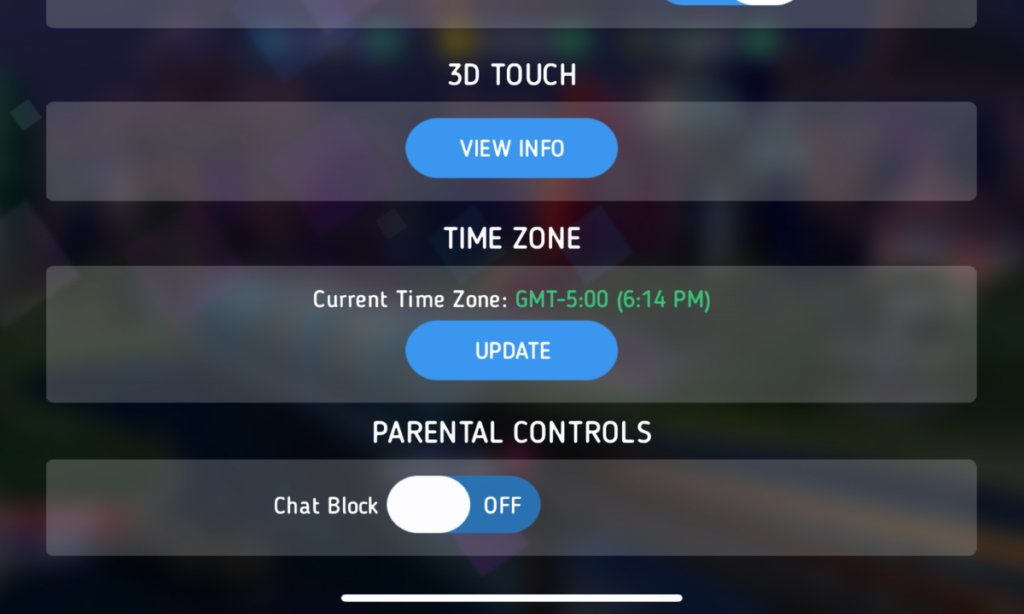
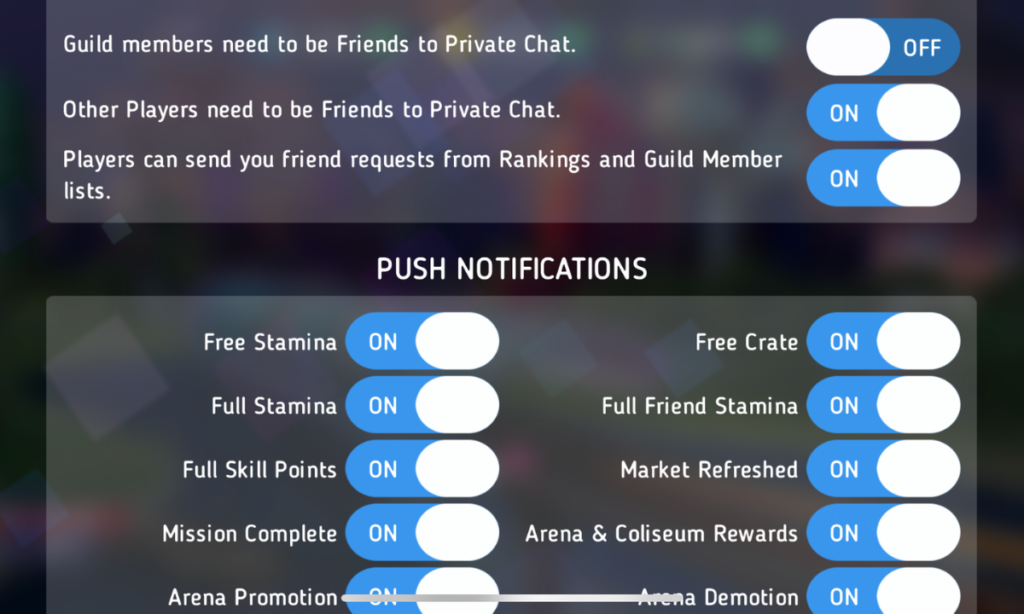
    After hearing about the trouble with Disney Heroes Battle Mode I downloaded the app to see what it was all about. After a short cenimatic and then playing through the tutorial you get a notification that the app has purchases built-in and that you shouldn’t be under 13 (app is rated 9+ in the app store. if you want to play. I simply tapped continue and moved right past the warning. No age verification, no password, no face id, nothing. Once in the app I started looking through the settings. I did find controls for the chat feature, including a password protected on/off toggle for chat access. This was good to see, especially since the issue I was researching had to do with chatting.

    The problem is that apps like Disney Heroes give parents a false sense of security. The app is made by Disney, the company’s name on anything makes many parents think that the product is made with their kids’ health in mind. This could not be further from the truth. Disney is out for exactly what every other major corporation is out for, their financial bottom line. We have to remember that data is big money and apps that are made for kids collect just as much data as any other app. Data that is personalized to a user is worth more money which means app developers need users to make an account to sort and identify their data more easily. The easiest way to convince app users to create an account is by making it the only way they can chat with friends in the game.

    What Parents Should Know

    I recommend taking a look at the game your kids play on their pones or tablets. Just because the game features cartoon characters doesn’t mean there aren’t adults playing the game. If the game has a social feature like chat or friend-mode you can be sure that your kids will be contacted by strangers. Look in the settings, preferences, or options of the games to see if there is a way to turn off chat mode. If they don’t allow you to disable social features, I would uninstall the game and encourage your child to find a different game to play.

    We must remember that the companies that make these games offer them for free because their money comes from in-app purchases and advertising. In order to make money they have to keep people playing the games as long as possible. Research shows that there is no better way to keep someone in your app than social engagement. People will be sure to keep coming back if they have friends in the game to play with or against. This means that they will continue to put these social features in their games and while app stores may rate these games as safe for younger children, my rule is that if it has a social element it should be for kids older than 13. Even then you should ensure that you child understands what they should do if they are approached online by a stranger and encourage them to tell you if someone makes them uncomfortable in any social engagement online. We can do our best to protect them from this software but nothing is more affective in preventing these dangerous encounters than teaching them how to recognize them and end the conversations immediately.


  • “Ninja” Moves Gaming Stream to MIXER and Twitch Shows Porn on His Channel

    “Ninja” Moves Gaming Stream to MIXER and Twitch Shows Porn on His Channel

    Ninja (Tyler Blevins) switched his streaming content over to Microsoft run “Mixer” on August 1st and has been migrating his viewers over to the service over the past couple of weeks. He took to Twitter to express his disgust over the fact that Twitch was running ads for other streamers on his channel’s landing page. The disgust didn’t stop there though, somehow a channel that was showing hardcore pornography was featured on Ninja’s page and this made him understandably upset. Again, Ninja posted about his frustration on Twitter and the CEO of Twitch was quick to apologize.

    There is a lot of discussion in the gaming and streaming world about who owns the channels that streamers use to broadcast and who should be able to decide what is aired on the channel when the streamer isn’t live. Obviously, this affects you, as a parent in several different ways. First of all, your kids are likely going to be watching Ninja over on Mixer now. Secondly, you need to know that pornography can show up on these live streaming services very easily. You also should be aware of the money and politics currently involved in the video game streaming industry. It’s a major business now, and your kids are the target consumer.

    What is Mixer?

    Mixer started out as “Beam,” a streaming platform that claimed to offer a better service and higher quality streaming ability that competitor Twitch. In 2016 Beam was purchased by Microsoft and in 2017 Beam was rebranded as Mixer. The service still works to compete against Twitch but claims to offer a better ad share program to gamers as well as a better viewing experience for fans. The service has already made a few deals with pro-gaming leagues and now has acquired Ninja as an exclusive streamer on their platform. Just like Twitch, Mixer offers multiple types of streams including video gaming, tabletop gaming, vloggers, IRL (in real life), podcasts and more.

    Ok, Fine. Here’s What I Think About Fortnite


    Since being purchased by Microsoft, Mixer is now available on Xbox, and on Chromecast and other streaming devices. It is becoming more and more popular and Ninja’s exclusive contract will guarantee even more growth. Twitch is suffering the same fate that many market leaders share. It can be difficult to balance making the kind of profit that a company that size needs to operate and keeping the same charm that your service had when it gained all of the popularity that you profit from. It seems that there is room in the video game live-streaming market for another service.

    What Parents Should Know

    Video game streaming and esports are some of the fastest growing forms of entertainment ever. Advertisers are jumping on board and monetizing every minute your kids spend watching other people play video games. When you think about it, the video itself is a form of product placement for the game they are playing. When advertisers get involved, things often get messy. Content creators get tired of their media being turned into a way for someone else to make money. This makes them go look for a better deal. This is what has happened with Ninja.

    You need to be aware that when people broadcast on live-streaming services there is usually a live chat going at the same time. Your kids can be in contact with strangers from all over the world. Also, it is very difficult to keep inappropriate content off of live streaming channels due to the fact that is being broadcasted in near real time. You should know what your kids enjoy watching on Mixer, Twitch, YouTube Live, and any other live-streaming platforms they watch. Know that many gamers use adult language and discuss adult topics on their streams. Most of the time those apps are rated 17+ because of the potential for adult content. Keep that in mind when deciding what you allow your child to watch online.

  • FB Messenger Kids “Error” Allowed Thousands of Kids to Talk to Unapproved Strangers

    FB Messenger Kids “Error” Allowed Thousands of Kids to Talk to Unapproved Strangers


    Facebook Messenger kids was created to give children a safe place to communicate through text, stickers, video, and gifs with friends that are pre-approved by their parents or guardians. This week, however, the kids’ messenger app has had to send notifications to thousands of parents about their children having access to strangers in the app. 

    What happened is that a technical error allowed kids to create a group message with friends who would then invite their own friends who, while approved for them, may not have been approved by the parents of the first child. Confusing? Ya, this is possibly why the flaw was even possible in the first place. Facebook says they have alerted parents whose children may have had this type of interaction and that they’ve disabled any chats that were created, using this flaw. The story isn’t over, though, as some are calling for the FTC to look in to the error since it may have resulted in a COPPA violation.

    Released Today: Facebook Messenger For Kids!

    What Parents Should Know

    The moral of this story centers around trust. It is important that, while we may trust our children, we can’t always trust who our kids are in contact with. We definitely shouldn’t blindly trust the companies who make the hardware and software that our children are using. When our kids use an app like Messenger Kids, the whole point of the app is that it gives parents control. When the control is hindered, even by a “technical error,” that is a severe violation. We can, however, take actions to protect our kids from dangerous effects that could come from these errors.

    I recommend having a copy of the messenger kids app on your phone logged in to your child’s account. My wife and I are each logged in to one of our kids’ messenger kids apps and can see when they get messages and what the messages are about. We are notified when they receive a message and can look to see who it is from and even read it. I have, a time or two, jumped into the app to tell a friend to stop messaging since my son was past his allowed time for social media that day. I received a “yes sir,” and there were no more messages until the next day. We also use BARK to monitor their messages and alert us of any dangerous or inappropriate content.

    Parents are gate keepers. Our job is to be sure our kids are growing up with guidance through every area of life. If they aren’t being taught how to manage social media and internet use safely then they will struggle to make healthy decisions when they are older. Messenger Kids is a good tool to help your kid learn the right way to use a messenger but it won’t work if you are uninvolved, pretending that the creators of the app only have your kid’s best interest in mind. The truth is that they want to provide you a service to make a profit. We cannot overlook that. It is our responsibility, and ours alone, to teach our kids how to be safe online. We should take it seriously. We should hold companies accountably when they have errors that put our kids at risk but ultimately we should be the ones making sure our children are protected on every app, site, and software they use.

  • ALERT! Kids Can Get to Pornhub from Snapchat in 5 Clicks

    ALERT! Kids Can Get to Pornhub from Snapchat in 5 Clicks

    We don’t like Snapchat. It has a history of allowing content that isn’t appropriate for kids even though the app is rated 12+ in the app store. The app is built around disappearing messages that are a nightmare for trying to prevent predatorial communication and sexting. Now, Protect Young Eyes has written an article highlighting the fact that, in just a few taps on your screen, you can get from Snapchat’s home page to Pornhub, the most popular pornography site on the internet. They even included a video that shows how easy it is to navigate to the adult site without ever leaving Snapchat’s app.

    Monitor Song Lyrics with Bark!

    What Does This Mean for Parents?

    Most filters for iPhone don’t monitor browsers in apps like Snapchat and Facebook. This is why the ability to connect to adult websites within these apps is so dangerous. It only takes a few taps on your screen to go from the Snapchat story to the “Premium” page on which you can click links to all of their other accounts. These links don’t open other apps that would be blocked by Screen Time or other parental control software. Instead, it opens in a browser within Snapchat, allowing access without being blocked by your filter or sometimes even reported by your Accountability software. The only real way to keep your kids off of those sites is to limit which apps they are allowed to use by blocking the app altogether.