Category: Tips

  • You Can Now See What Advertising Data Twitter Has on You

    You Can Now See What Advertising Data Twitter Has on You

    A new update today from Twitter allows users to look at the information that’s been gathered about them by Twitter and by “partner” advertisers. Not only can you view this information but you can edit it as well. If you don’t like a category you’ve been placed in, you can simply uncheck that option and opt out of the advertising for that topic. I took it for a spin and was surprised at a few of the assumptions that were made.

    First of all, I was on the list for pretty much every type of food. Packaged food, fresh food, deli meats, non-dairy milk, and the list goes on and on. Apparently I’m an eater. I was also labeled the mother of 3+ children. It’s half right. I’m the FATHER of four kids. Obviously I am being targeted for minivans and pick up trucks and family vacation packages. It was even pretty spot on with my annual income. Kind of crazy, really.

    Here’s how you can check out your Twitter ad data for yourself:

    What Parents Should Know

    It’s pretty safe to assume that if Twitter has this information about you then your other social media platforms have the same information or even more. This info can be helpful to us because it helps connect us with the products we want or need. It can be troublesome, though, to think about all of the data that’s been gathered about us and especially our kids. I recommend you use this new feature as a tool. If you have a Twitter account then use the steps above to go check out your ad data and learn about what you reveal about yourself with your online behavior. Then, talk to your kids about what you’ve found. If your kids have a Twitter account then you should have them go take a look at their information as well. Then have a conversation with them about how they represent themselves online and what this date means in real life. Here are a few talking points.

    1. Advertisers track information from all of your internet activity. Not just what you post on social media.
    2. When you click “I Accept” on any Terms and Agreements for a website or social service you’re agreeing to allow them to have this advertising information.
    3. Since this advertising info is being collected you should keep that in mind while you surf the internet. Remembering that info is being saved could help you think twice about unhealthy internet habits.

    Using a tool as vast as the internet has its tradeoffs. You’re going to have to give a little in order to get the benefits that the world wide web has to offer. In this case, twitter is allowing you to see a bit of what you’re paying. Thankfully, they’ve also given you a bit of control. Being able to turn off advertising options for different topics is a cool feature that I hope will show up on more social media services. In the mean time, remember to keep talking to your kids about how they use the internet and be sure to be a good example yourself.

  • How To Control What You See on Every Social Media Timeline

    How To Control What You See on Every Social Media Timeline

    One of the most common complaints I hear from parents is that they never see the posts they want to see on their social media timelines. They will scroll through their Facebook or Instagram feed looking for an interesting post, something from family, or even their own children and instead be bombarded with articles about politics or silly memes or chain letter type posts that want you to click like and share for some reason. If your feed is crowded with this sort of chatter it makes enjoying the purpose of social media very difficult. If you’re like me, you use your social media feeds as a way to keep up with friends and family, to promote the work that you do, and to be entertained and laugh at silly internet things. Well, the algorithms designed by those who build these social media platforms are created to give you the best experience. The problem is that it’s all based on your behavior on the site or in the app. If your behavior contributes to the clutter then you’re just going to get more clutter. Here are some tips to help you sort out the mess that may be your social media feeds.

    Remember who is on what social media service.

    There are different audiences on different social media sites. The split is based on a number of factors. Age, career, and gender are the major contributors. Twitter, for instance is more popular for young professionals looking to network and build a community of like minded business people. Instagram is a whole lot of young people and young parents who got tired of the clutter in Facebook and Twitter and just enjoy sharing photos. Facebook has a very large middle aged demographic and has seen a major decrease in young users over the past several years. Snapchat is full of youngsters but is growing rapidly in the 18-25 demographic. The reasons that people choose the platform that they choose can seem pretty obvious and it’s important to keep those reasons in mind as you use social media. You aren’t going to care too much about the photos of a ton of young parents and teens if you’re a middle aged parent who’s adult kids who have no children of their own yet so you may not open an Instagram account. As soon as your 22 year old daughter and son-in-law have a baby, though, and post photos of her online. Instagram is where you’ll want to be.

    Don’t like and join every FB page or group you’re invited to.

    Facebook Pages are created for advertising and promotion. They all link to a business, blog, or something of that nature. Because of this they’ll post nonstop and any time you react to one of their posts in any way you’re telling Facebook to show you more of what they post. So, if you’re a follow of a Facebook page, say the BecauseFamily Page, for instance, and you want to see more of the great resources and articles that they share, you’ll want to interact with their posts more. If you follow a page like Silly Kittens Playing Piano (I think I made that up but it’s probably out there somewhere) that posts fifty pictures a day that you don’t really even find that funny, you’re going to see more of those photos than you see most other things. Especially if you have ever clicked the like button on any of them.

    You see, the algorithm on Facebook gives you posts from the pages and groups you’re apart of based on how often you react to those posts. When you click the like button on every kitten picture you see, you’ll eventually see almost nothing but cat pictures on your Facebook feed. Now, if that’s what you want then awesome, but if you’re trying to keep tabs on what your kids are posting online, those cats are going to get in the way. You should probably click like a lot less. That’s my next tip.

    Leave the Like Button Alone!

    The like button on Facebook or the heart icon on Instagram and Twitter is basically a little “show me more” button. This is you telling the algorithm that you enjoy that kind of content and want to keep seeing it. The problem with this is we treat the Like button as passive aggressive head nod toward the content we’re seeing. You have to understand, it’s more than a head nod. It’s a subscription. You may be seeing tons of posts that you think are stupid or posts from people you barely even know. If you are, it’s because you’ve been clicking like as if it’s the same thing as a casual grin across the room. I’m sorry to say it but it’s your own fault.

    A couple of years ago I swore off of the the like button. I decided that if a post isn’t worth a comment, I wouldn’t react at all. After a couple months of that behavior, my Facebook feed started to become enjoyable. I see the geeky stuff that I like more than I see anything else, I don’t see much annoying click bait content anymore, and my friends and family are front and center and they don’t even have to tag me in their posts. I’ll often show my wife something hilarious that has come across my Facebook feed and she’ll ask me why my feed is so awesome. I don’t click like on ANYTHING I will tell her. Now, I will add that likes on comments within a post are an exception. I’ll often click like on a reply to one of my comments. That doesn’t add to the clutter since it’s on a post I have already commented on, thus deeming it worthy of being filed with the algorithm as something I’d like to see more of.

    Lastly on this topic, it’s important to remember that nobody gets blessed, goes to heaven, or receives better medical care because of a Facebook like. That’s called click bait and it only exists to help the page that shared it get more traffic and sell more advertising. 

    Only open posts from people you want to hear more from.

    Sometimes we see a post that peaks our interest and before we know it we’ve dived head first down a rabbit hole. When you click on a post on Facebook or Twitter, the algorithm remembers it and feeds you more posts by that poster. That means the rabbit hole doesn’t end when you’ve closed the article. It will continue on your feed from now on. The most important thing when deciding what links to click on on social media is who is posting it. If you don’t want to see more from that person or poster then you shouldn’t click the link. Also, it’s important to consider the original poster, not just the person who shared it. This info can help you populate your feed with only people who’s word you trust and respect and fewer of the random and nonsensical articles that seem to be so prevalent in our social media feeds these days.

    Use the “Follow,” “Notifications,” or “See First” options. 

    A great way to make sure you don’t miss a post by someone you care about is to tell Facebook you’d like to “See if First.” You can also tell Instagram or Twitter to notify you when someone you want to follow posts something. You can watch this video to see how to set up notifications on most of your accounts.

    Take Control

    Social Media algorithms are often treated like an enemy that we struggle to fight against. Every time Twitter or Instagram or Facebook changes the way they order your news feed petitions start showing up to put it back the way it was. The truth, though, is that these algorithms are tools. It’s a form of artificial intelligence that was designed to give you more of what it thinks you want. It decides what you want based on how you act. This means that if you don’t like what you’re seeing on your timelines, you need to change what you’re doing on your social media accounts. I’ll ignore the obvious life application here and just recommend that you apply some of the above advice to how you handle your online experience. Get back to me in six months and you can thank me for how much more “well behaved” your timeline has been recently.

  • Parental Control Options for Your Kids’ Chromebook

    Parental Control Options for Your Kids’ Chromebook

    The Chromebook is unique because it isn’t really a full fledge computer. They are designed to just run a browser so you can access the internet. This makes them affordable and easy to use. Because of this the Chromebook is often the chosen computer for schools. So your child may have been assigned a Chromebook when they were enrolled in school. While they must have content controls set while they are on school property there aren’t any regulations requiring schools to keep them protected while off campus. Here are some options for how you can protect your kids while they use their Chromebooks.

    Supervised User

    UPDATE: Google has discontinued Supervised User in favor of FamilyLink.

    This is an account based system that’s built into the Chrome browser. It allows you to set filters, monitor sites visited, prevent installation of apps, turn on safesearch, and change settings. You do have to use blacklists or whitelists to block websites, there is not an automatic filter built in. I recommend using THIS LIST of blacklist sites provided by a University in France. It’s a pretty extensive set of blacklists and will take some effort to set up but if you don’t want to just set the Chromebook to only access a few domains then copy pasting sites from these lists is your best option. You can access the supervised accounts by going to chrome.google.com/manage.

    Click THIS LINK to see Google’s set up instructions for a supervised user account.

    MobiCip

    One of the only full service filter and monitoring apps for Chromebook, Mobicip offers a plugin that you can download from the Chrome app store. Mobicip will give you customizable filters, time limit controls, and usage reports and its pretty easy to set up. You just download the extension from the Chrome app store and then login. It takes you through the setup steps and lets you set your desired filter levels. Once it’s all set up you can make changes from anywhere using their web based controls dashboard. Their SUPPORT page has good How-To resources to walk you through the process.

    If you want more controls than the Supervised User option gives you then Mobicip is a pretty good choice. It’s $39.99 per year for all of the features mentioned above for up to five devices. If you are going to need to protect more than twenty devices (I’ve met families with upwards of 30) then you’ll have to get a quote for their “Enterprise” option. Mobicip is a good option and will give you quite a bit of control.

    Accountable2You

    The final option is an accountability software. This, combined, with the Supervised User Account may be all you need.  Accountability software doesn’t block content. This software will keep an eye on what’s being viewed and then red flag and report anything that it deems inappropriate. This allows you to more easily see when something questionable has been viewed. Otherwise you’ll spend time sifting through link after unrecognizable link to find something that may be naughty. You can even set up Accountable2You to send you a text message when an inappropriate site was accessed. The software works across all of your devices including Chromebook and is $6.99 per month for six devices and $9.99 per month for twenty devices. They have easy setup instructions on their SUPPORT page and have excellent customer service.

    Whether your kids got Chromebooks from you to help with schoolwork or they were school issued, it’s critical that you have some sort of parental control solution set up. I recommend using one or more of these to set up a plan to help your kids be safer online. The statistics say that only one out of every three kids who saw something inappropriate online was looking for it. The fact that you have well behaved children doesn’t apply here. The internet isn’t well behaved and we have to make the effort to keep them safe.

    This article contains affiliate links…

  • This Bot Predicts Your Photo’s Awesomeness

    This Bot Predicts Your Photo’s Awesomeness

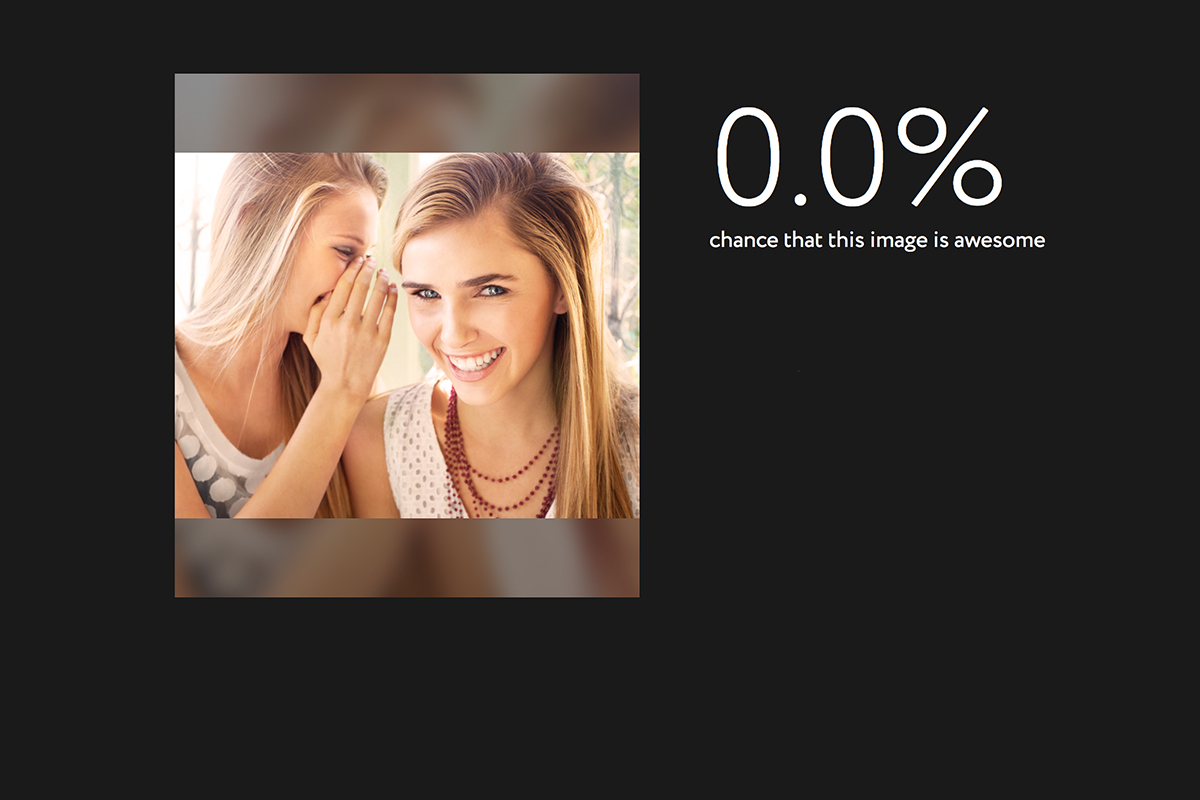
    The selfie is this generation’s business card. We use these photos to say who we are and what we’re all about. We try to put our best face forward and represent ourselves as what we’d like others to think about us. Everypixel Aesthetics uses artificial intelligence to tell you whether or not humans will think your photo is awesome. Its created to scan your stock photos to help you choose what to use for your designs but is it a stepping stone to using AI to define beauty?


    While this photo of me scored 100% on the awesomeness scale (and labeled me a Young Adult) I don’t feel as if most of us would put a lot of credit on an AI and it’s opinion of our photo. I do, however, wonder about our young teens. As discussed in an earlier post about the adolescent brain and another post about the narcism of the Instagram selfie taker, our young people can sometimes have poor judgement when it comes to self esteem. With apps like Tinder, After School, and Wishbone our kids are letting their photos or photos of what they love be judged and voted on by a simple tap of a screen or swipe. This level of constant scrutiny can give our kids some very serious identity issues. What feelings could the opinion of an artificially intelligent bot cause to rise up in our kids?

    What Parents Should Know

    (The opinion is strong in this one.)

    Everypixel Aesthetics is in beta. It’s not a widely known service and it’s intended to rate stock photos, not to judge your looks. My apprehension is about what can result from giving AI the ability to rate someone’s photo. What about sites/apps like PrettyScale that will tell you if you’re pretty or not based on some pre-designated programing? What will something like that do to our kids’ self image? While that sort of app is always intended for entertainment it’s important to know our children and give them the confidence that can only come from knowing truly who they are. Helping our sons and daughters know that their beauty is based on more than their outside appearance is a major job of the parent. 

    I recommend learning all you can about what your child may consider beautiful or ugly. Keep them from using silly image rating apps and websites until you know they can truly see it as entertainment and laugh off a potential negative result. Everypixel Aesthetics gave some pretty interesting looking photos very low scores. I don’t know why or what institutes an “awesome” picture but imagine your daughter uploading a picture of herself and getting a low score. How could that make her feel? I think we should take an active role in helping our children develop a high self esteem while protecting them from influences on the outside that will hinder that progress. What do you think?


  • Fake News and Your Family

    Fake News and Your Family

    I’ve been hesitant to write about the fake news issue. While there have been plenty of stories come out about how the tech world is battling the fake news problem I have yet to be able separate the issue from people’s political feelings and so I’ve left it alone. Today, tech news sites are talking about the latest shot fired in the fake news war and it centers around the most popular site on the internet, Google.

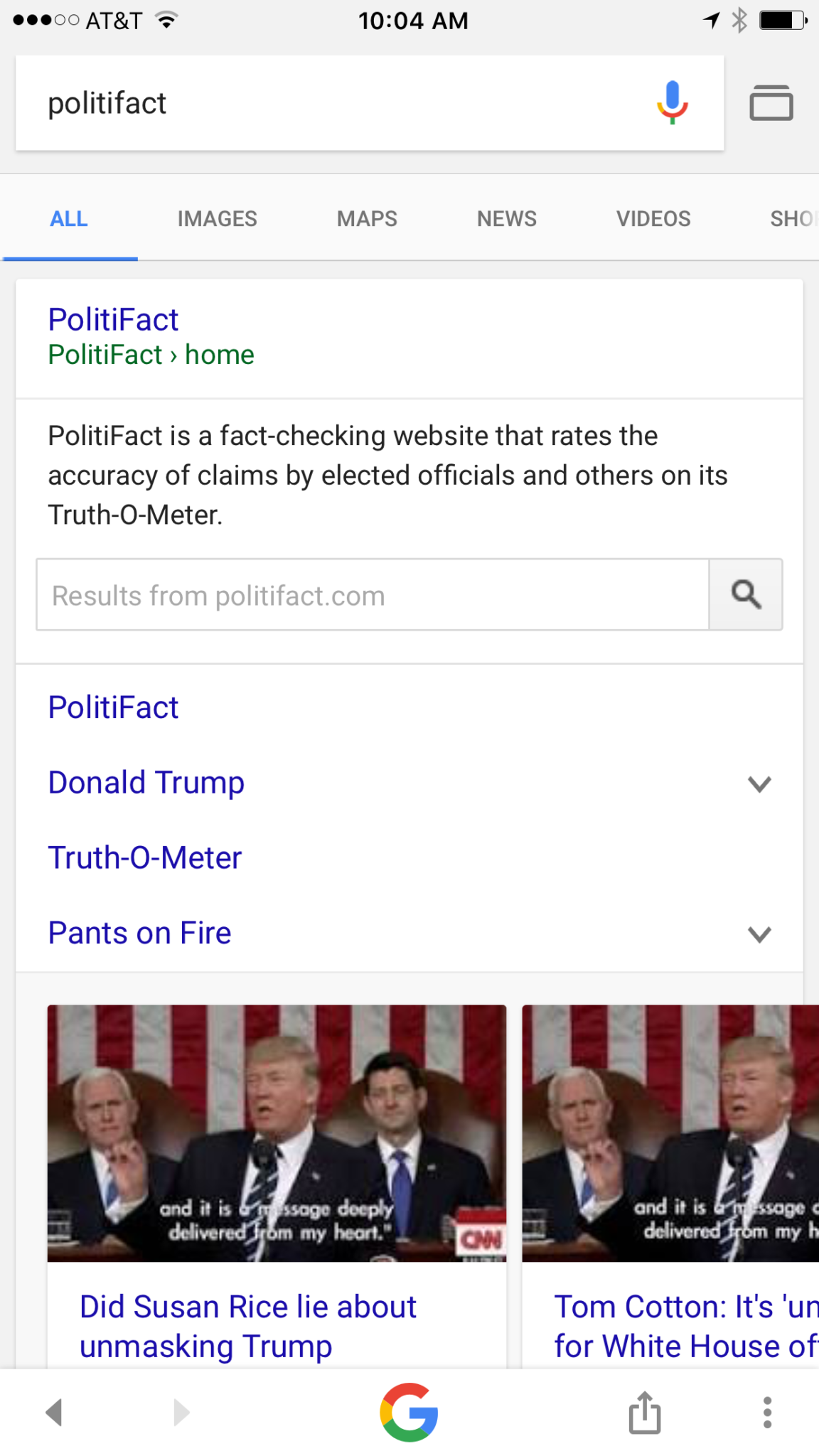
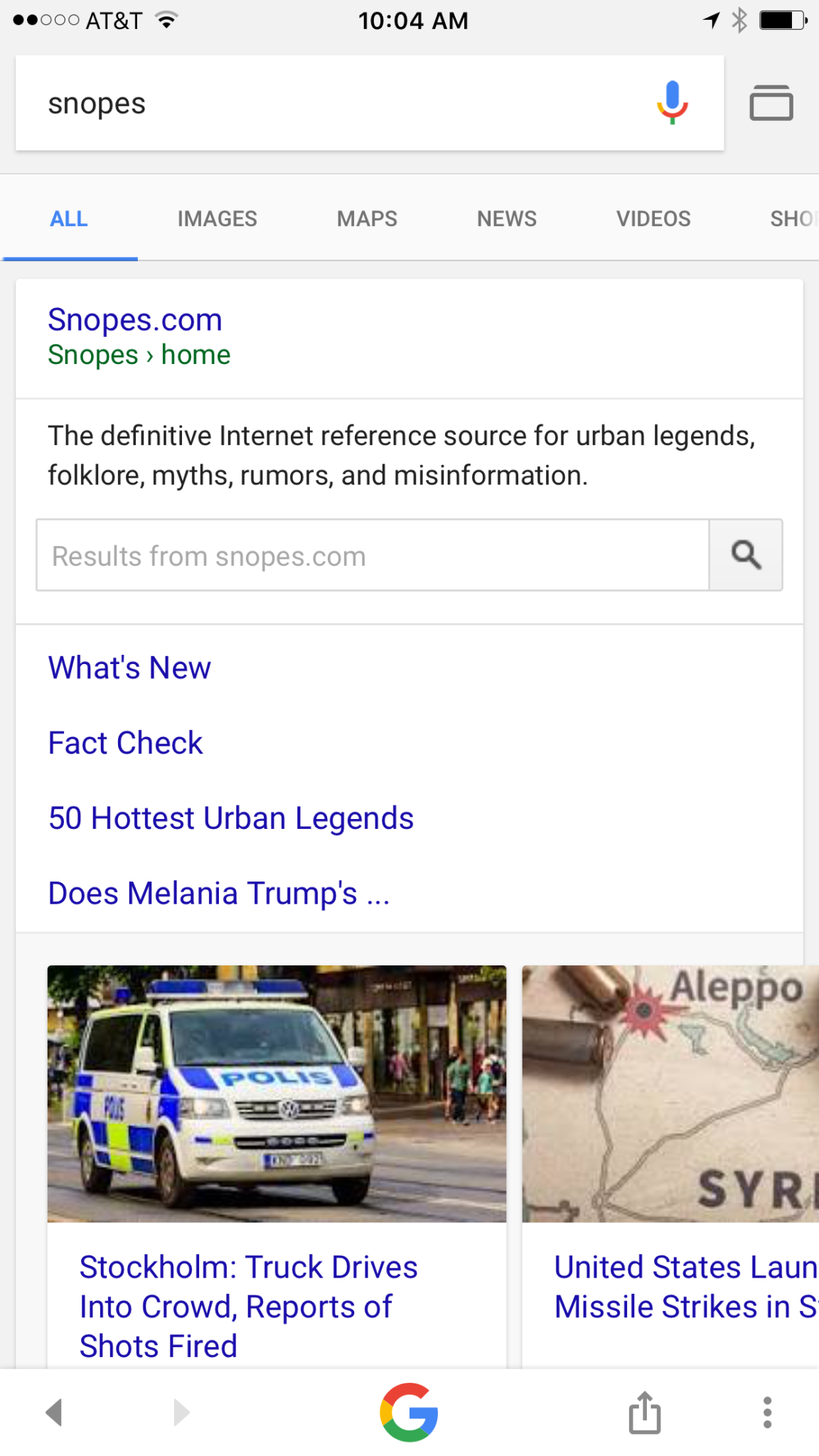
    Google is going to be featuring fact check links on many news stories in your search results. The need for more fact checking has become more and more obvious as the internet becomes full of user generated content. The issue with UGC is that you can say whatever you want and, until recently there weren’t a lot of ways to prove your story right or wrong. Links underneath some Google search results will now feature fact check information from sites like Politifact and Snopes. These should help those seeking true news and information to have a better understanding of the sources for the articles they’re using for their research.


    What Parents Should Know

    Fake news isn’t a kids and teens problem. Many adults share stories without finding out where the information came from. It isn’t difficult to recognize a satirical news site from a real news site. Fake news sites work to disguise themselves as real news. Satire is an obvious attempt at humor while fake news is usually just created to get clicks and sell advertising. You see, the more clicks a site gets the more money they make from advertisers on their sites. Writers on these sites will write a story based on the number of clicks it will get and not the accuracy of their information. Often these stories will be twists on something that is true while sometimes it’s just a completely made up article with a “clickbait” headline. We can’t continue to share these articles for so many reasons; the biggest reason is that it further confuses our society and divides us.

    Your children deserve a world where news is actual news. No matter your beliefs or political leanings you don’t want your kids to have to function in a society where there is no difference between factual news and an inflated false story written by some kid in a basement in Ohio (no offense to Ohio.) You should learn to fact check. Spend some time on Politifact.com or Snopes.com and dig around for the issues that are most important to you. Teach your kids what it means to site sources and look for the purest form of information or news. Yes, you can read about the latest tech news from me and I’ll related it to parenting and protecting your children online; that’s great, but if want to know more about Google’s fact checking search results you can go read their blog to get the information straight from the source.

  • Adolescent Neuroscience and Online Safety

    Adolescent Neuroscience and Online Safety

    You hear it all the time. “Kid’s these days.” or “I just don’t get teenagers.” There’s a myth that our teenagers are becoming more and more selfish and entitled. In reality, however, adolescence is nothing new. William Shakespeare wrote of the craziness of the teen years in The Winters Tale,

    I would there were no age between ten and three-and-twenty, or that youth would sleep out the rest; for there is nothing in the between but getting wenches with child, wronging the ancientry, stealing, fighting.

    Teenagers of “the good ol’ days,” while they may have had jobs earlier in life or were thrown into battle before they could legally buy a beer, were still teenagers and dealt with the same issues as our kids do these days. The issues may be highlighted these days by the availability of technology and the hyper-connectedness of our culture. Young people have the entire world at their fingertips and can have face to face type interactions with anyone from anywhere. This is what is new and some recent studies in neuroscience have shed light on some of the biological reasons for a teen’s selfishness, risk taking, and lack of self control. Watch this Ted Talk from neuroscientist Sarah Jayne Blackmore.


    What Parents Should Know

    You, most of all, should be encouraged that your teen is just like every other teen. Their outbursts and seeming lack of responsibility is largely based on biological reasons. They aren’t stupid or handicapped, they are developing and this affects their behavior, especially online. A book by David Walsh called Why Do They Act That Way? reminds parents of the “use it of lose it” factor of brain development.

    During development your brain synapses are growing and they literally have to connect to each other in order for you to learn something. During the development of adolescence if you are not guided into proper choices the synapses in your brain will never connect. This means you could struggle with those types of decisions for the rest of your life. With the advent of social media and our dependency on screens for entertainment this necessity for guidance in healthy behaviour is even more evident.

    When your son or daughter tells you that they want a smart phone because all the other kids have one, this is an opportunity to help their brain develop a proper attitude. When your 13-year-old son has been watching YouTube videos for six hours a day setting time limits on your Wi-Fi is helping him practice self-control. When your daughter received a message from somebody she doesn’t know and you see it on your monitoring app and immediately tell her to block that person you’re teaching her how to make good decisions.

    Let this post encourage you. You are the mom or dad, and it’s up to you to help your young adult grow to be a contributing member of society. Their biology can get in the way but your guidance can show them how to make the right decisions. Hang in there, keep doing the hard stuff, we’ll keep giving you the info you need.

  • What Can You Learn from Search Bar Auto-Complete

    What Can You Learn from Search Bar Auto-Complete

    I have no better advice for parents than putting your eyes on the devices your kids use as often as possible. As long as you’re communicating with your child it isn’t spying to take a peek at what their friends are posting on social media or what they’ve been searching for in their web browser. I do not, however, advise that you let yourself get too worked up over the recommended search results or auto-complete results in the social media apps your kid/teen uses. It can be frightening to type in a couple of letters and get a dropdown full of accounts you’re unsure of or search terms you wouldn’t want them to be searching for. The initial reaction of parents is usually to be concerned that this means their child has been looking for something inappropriate in the past. That isn’s always the case and I’ll try to explain why.

    Instagram, Facebook, Pinterest, and other photo or video sharing sites use algorithms that combine your past searches, popular items on their site, and your location to recommend the search results that may interest you. I don’t recommend parents take suggestions from these apps as evidence that their child was doing something inappropriate. You can, however, on many of those sites go find a search history and actually see what they have typed in the search bar in the past. This information is also deletable though. Regardless, looking at the search history is a much better way to monitor what your child is doing on these sites than assuming something from the first two letters you type in to the search bar.


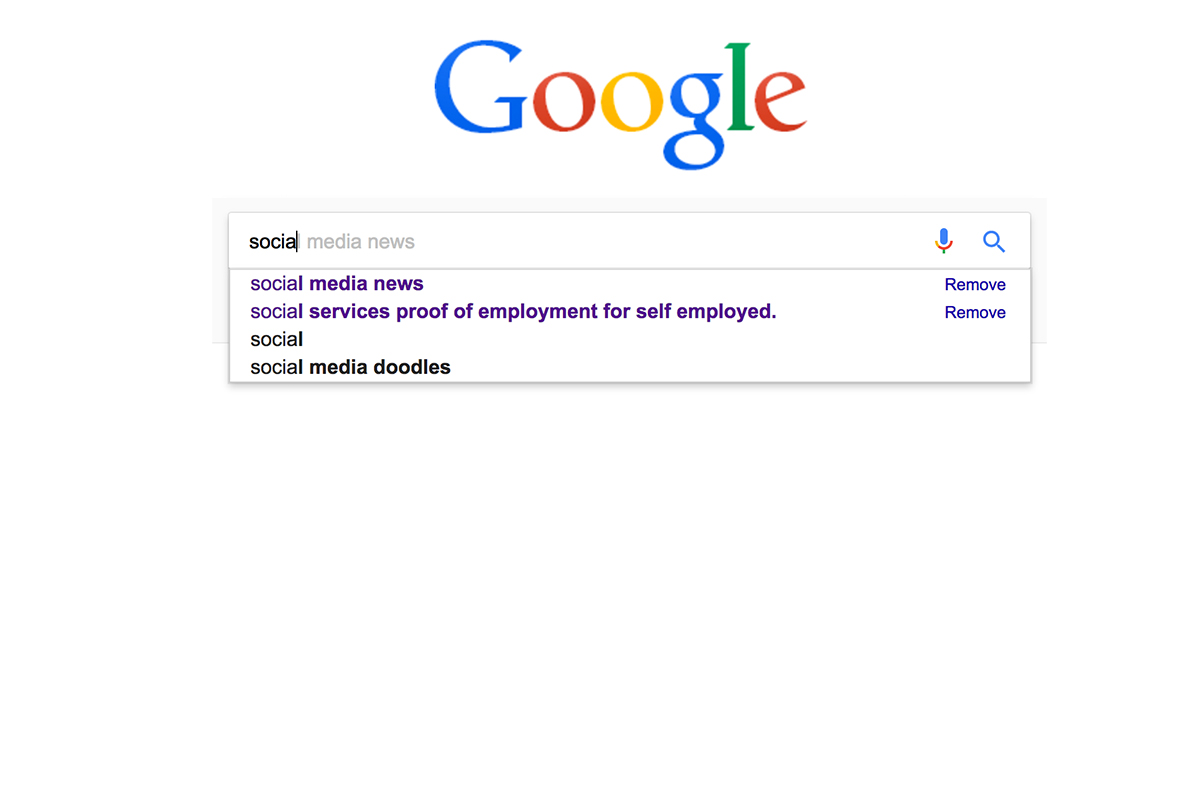
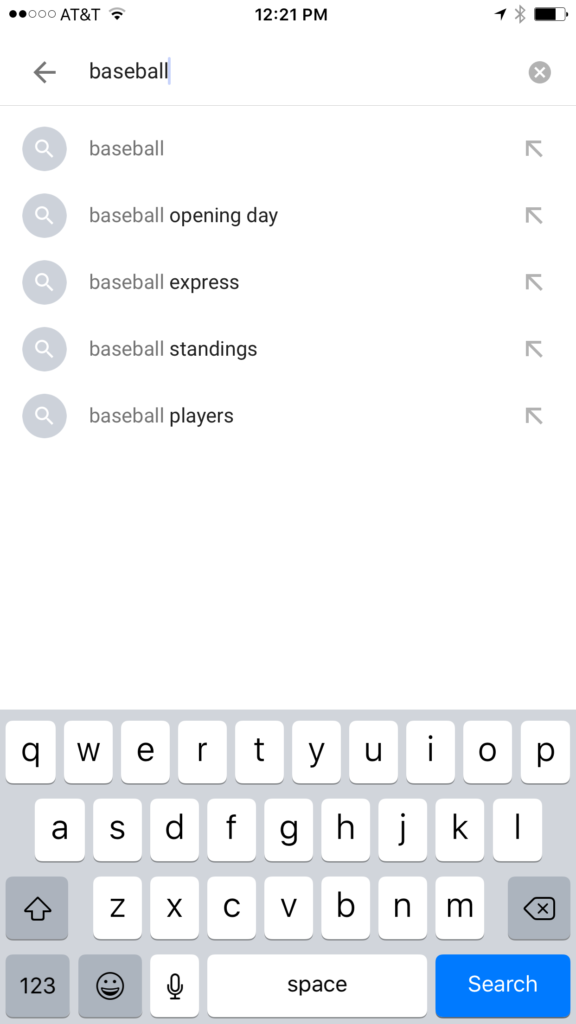
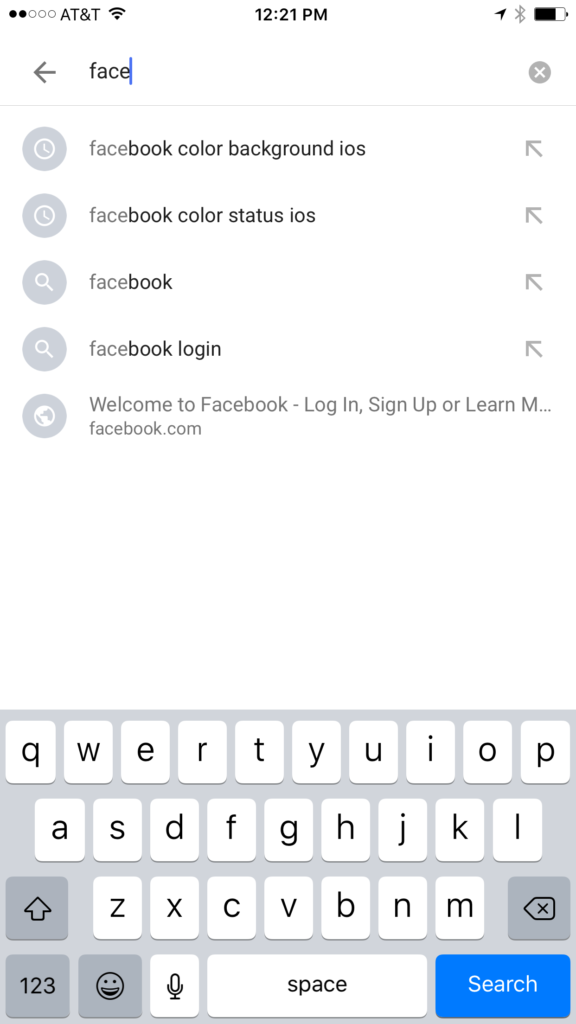
    Google and YouTube are the two most popular search engines on the internet. Thankfully, they’re a bit easier to monitor. The Google app has identifiers to help you know why it’s recommending certain things. You’ll see a clock icon if the recommendation is from search history and a magnifying glass icon if it is just recommended based on other data. On your browser the auto-complete results are a different color and you receive an option to remove them if they’re from history. YouTube, being a part of Google, uses the same methods to identify auto-complete search items.


    What Parents Should Know

    There is a lot to consider when you’re trying to monitor your child or teen’s online activity. Because so much of the internet is now consumed with photo and video sharing it goes without saying that some of the content you wouldn’t want your child accessing makes it’s way to those platforms almost immediately. This being said, there are better ways to monitor than trying to creep through search histories. I recommend using a good accountability software like Accountable2You or a filter like NetNanny. Another option is to install the social media apps they’re using and get to know how the search bars work for yourself. Find out if it’s using your history to establish the items it recommends for you or not. As you get used to it you’ll be able to get a better feel for what’s happening in your child’s account when you check their device.

    Remember that communication is key. Your kids should know you’re looking at their devices and social media accounts. Rules are good but without conversation and relationship they create conflict. Your goal is to set boundaries that will help your children develop healthy habits. A healthy approach to monitoring and regulating their internet usage will speak volumes to them about your family’s online safety standards.


  • Amazon Prime Video Jumps on the Parental Control Bandwagon

    Amazon Prime Video Jumps on the Parental Control Bandwagon

    Our children get access to media through streaming content more than any other method. Many of the streaming content providers have allowed parents to protect their children using parental controls. Amazon prime video has just added that feature as well.

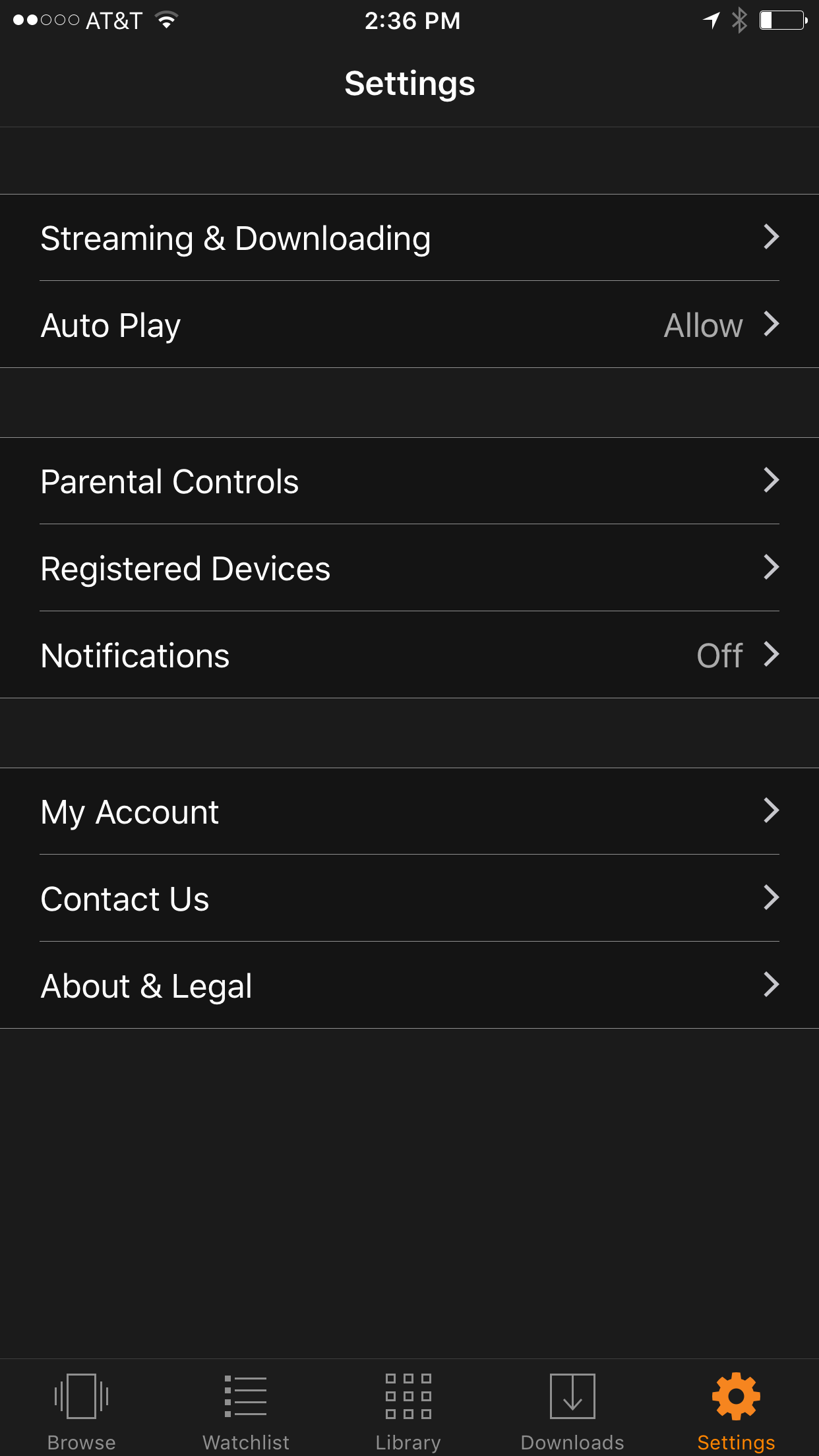
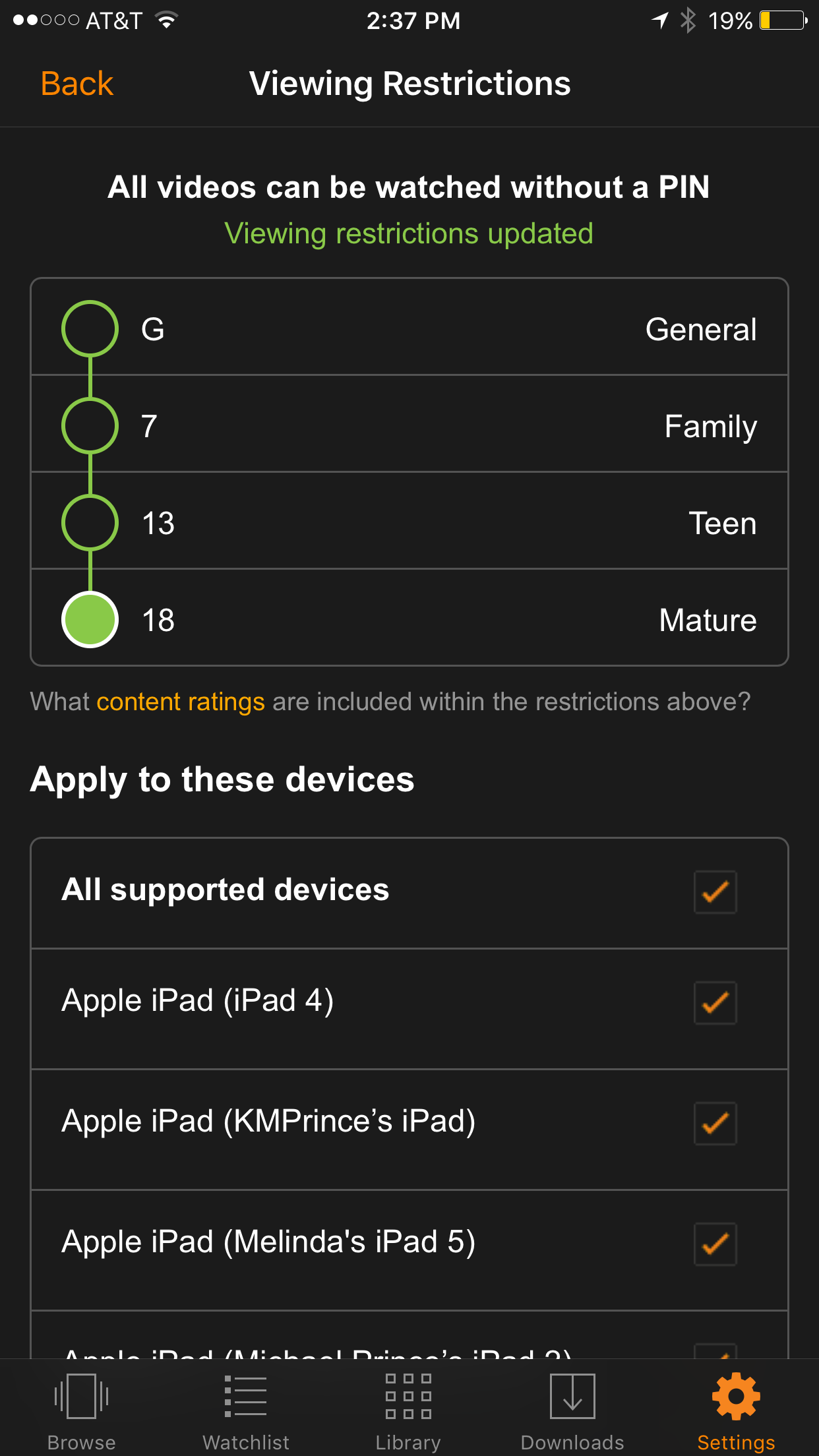
    We recently cancelled our Netflix subscription and switched over to Amazon prime because many of the shows our children enjoy have moved over there as well. Now you can ensure that your kids are only seeing shows intended for their age group. It’s really simple to set up; the photos below will show you how. (Photos show the iOS app, Android may differ slightly.)

    Go into your settings and tap Parental Controls.

    Set your desired age restriction and what devices should be included in the restrictions. 

    On iPhone you can also set up your Touch ID to bypass the settings when a video above the age restrictions is selected.

    What Parents Should Know

    Parental controls are a great feature but it’s also important to know what your children are watching. Parental Control settings batch all children’s programming together. It may not take into account the fact that some kid’s shows are geared towards older kids while others suitable for your preschooler. Kid shows, while not containing gore or sexual content, may still have violence and even some language at times. You should know what shows your kids like and why, I advise you even sit down and watch the show with them every now and then.


    Get Our Latest Posts in Your Inbox

    * indicates required


  • Use Twitter’s New Tools to Protect Your Kids from Trolls

    Use Twitter’s New Tools to Protect Your Kids from Trolls

    Surprisingly, more of our teenagers are using twitter than you may think. The common attitude among young people is it’s a good place to express yourself even if you’re not sure anyone is listening. Twitter is still a place for teens to go public with their thoughts and opinions. The potential problem with such expression is that there are always those out there wanting to counter your opinion. Often this takes on the form of trolling or bullying. Twitter has released some tools that can help their users filter out some of those trolls and parents need to learn how to use them.
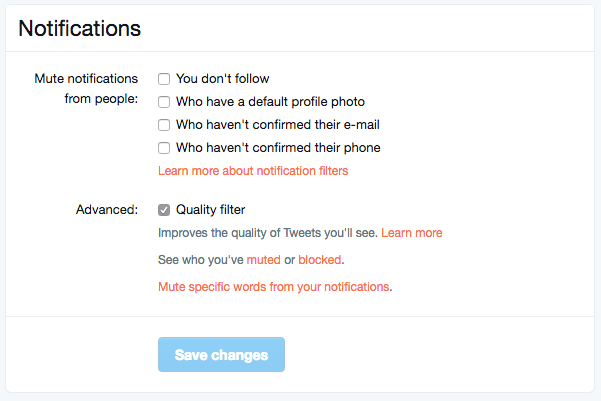

    Twitter was in the news last year because of a common theme of internet trolls bullying users, especially celebrities. This caused Twitter to begin working on some new ways to “clean up” what you see in your feed. In the last several days Android and Desktop Twitter users were given the power to block notifications of posts from certain types of accounts, including those who haven’t verified their email address and phone number. The common practice of these trolls is to create fake accounts just for the sole purpose of messing with someone. They don’t verify the account or even include a profile picture, displaying the default bird’s egg logo instead. The new tools developed by Twitter will allow these trolls to be filtered out by simply clicking a couple of checkboxes.


    What Parents Should Do

    Suicide is now the third leading cause of death among teens and a teen that is cyberbullies is ten times more likely to think about killing themselves. These statistics are a reality in this digital world and are a wake up call that parents need to take the opportunity to filter content in their kids social media feeds seriously. These notification filters can help remove some of the negative and hurtful people that just seem to want to make trouble on Twitter.


    Take note of the above picture. If you go to the notifications tab on twitter you’ll see a Settings link on the upper right. Click that link and you should see something similar to this image. It’s pretty straight forward but if you turn off notifications for anyone who hasn’t set up their profile picture, validated their email, or linked their phone number you’ll eliminate many of those troll accounts that cause so much trouble. Remember that Twitter and other social media sites contain “User Generated Content” and therefore, can’t be considered safe for anyone under 17. This means you should keep an eye on what your child or teen seeing on Twitter and have conversations with them about it. As them why they use Twitter. Find out if they’ve ever been teased or bullies on the app. If so, ask what they did about it and who they told. Kids who talk about being bullied are far less likely to take drastic measure as a result of it so open the lines of communication and be present when they need you. You should be that safe place they can come to with any problem. Bullying on social media is no exception.

    Follow all of our posts to keep in the loop on family relevant tech topics. Sign up for our weekly update newsletter. 


    Get Our Latest Posts in Your Inbox

    * indicates required


  • Schools are Sending Home More Technology and it’s Worrying Parents

    Schools are Sending Home More Technology and it’s Worrying Parents

    When It’s Out of Your Hands

    More and more schools are giving students tablets or laptops to help them with their school work. Much of the newest curriculum is either fully digital or integrated with a digital resource of some kind. This means that there are more devices being placed in our children’s hands and parents aren’t even able to decide if they should have them. Schools are required to have protections set on their in-house networks but there are no guarantees that your children are protected at home. There have been multiple instances reported of children coming in contact with adult content on school computers. This story from last fall highlights the inability for the school to guarantee their tech is safe when not in their own building. The conversation always goes to the same place. The responsibility for safe internet use outside of the school or library falls with the parents. What does that mean for us as mom and dad?

    What Parents Should Know

    I recieve questions all of the time about how to protect kids on their school computers. I’ve been scheduling workshops for parents at private schools and helping school leadership learn how to protect their students. Internet safety in school and on school issued devices is a serious matter. Too many schools aren’t set up properly to filter adult content and monitor messaging or internet searches. This means it’s up to parents to be sure your kids are safe.

    I recommend a couple of things. First of all, if it’s all just too much for you then ask that your child be allowed to keep the tablet or computer at school. Many schools will let your child check the computer in before they leave and check it out again when they come to school the next day. This is a good option if you’re concerned about how safe your home network may or may not be. I, of course, recommend securing your home wifi network and devices as soon as possible, though.

    Secondly, you can talk to your school administration about better security measures. What kind of internet safety setup does the school have in place? Do they apply safety settings per device? Per classroom? Is the school network protected? If so, is only their network safe or do they have protections that will follow your kids home as well? If you can’t answer any of these questions then you don’t know enough about your school’s internet safety policies. You need to have some conversations.

    Third, I would recommend talking with your child as often as you can about how they use the internet at school and at home. These conversations will help them feel comfortable to come to you if something inappropriate turns up online. They should report anything suspicious or dangerous to school officials and you and it’s up to you to help them know that.

    A New Standard

    Schools will most likely not stop issuing technology to their students any time soon and it is only getting harder and harder to protect our kids from hostile content and overuse of screen time. Remember to keep track of how much time your kids are spending online and include school in those numbers. If they are doing three hours of school work on the computer and them watching videos for two hours at home they have spent five hours online that day. Is that the healthiest internet habit you can set for your family? You decide, and then implement your plan.