Category: Tips

  • Snap INC and NBC are Working on Snapchat Scripted Shows

    Snap INC and NBC are Working on Snapchat Scripted Shows

    While our TVs are getting more and more similar to our computers and our Computers are being used to watch TV, Snapchat is taking steps to make their Social Media platform another major purveyor of original video content. Snap INC announced today that they’re joining with NBC to turn your phone into another TV. Since everyone’s eyes are always on their phones, NBC sees an opportunity to put their content on what people are already viewing.

    Snap Inc, the company that owns Snapchat is launching its first scripted series with NBCUniversal and the Duplass Brothers’ Production company, Donut. Not only are they working on scripted shows, they’re also building a studio to be ready to film content made to fit the vertical format of a Snapchat story. 

    What Parents Should Know

    There was a time when we were super careful what we allowed our kids to watch. If the shows are on the Social Media apps they are already using for hours every day, it’s going to get more difficult to keep tabs on what content they’re watching. Moms and dads should be aware of what shows are being produced for Snapchat, Musical.ly, Facebook, YouTube, and any other video streaming service.

    The Duplass’ brothers are known for producing more mature content so the fact that their company is working on this shows provides evidence that Snap INC is trying to appeal to a more adult audience. This could pose a problem for those with younger teens who use Snapchat. My advice is to keep your eyes on the shows that are being released and talk to your kids about what they’re watching on their phones. Screen or WiFi/Data bedtimes are a good idea, as are time limits. Whether you use something like Circle or GoogleWiFi to set your bedtimes or use the more manual, “phones in the basket” approach, you should be aware of how much time is spent watching shows, and what shows are being watched.

  • Here’s How to See if the Equifax Hack Leaked Your Information

    Here’s How to See if the Equifax Hack Leaked Your Information

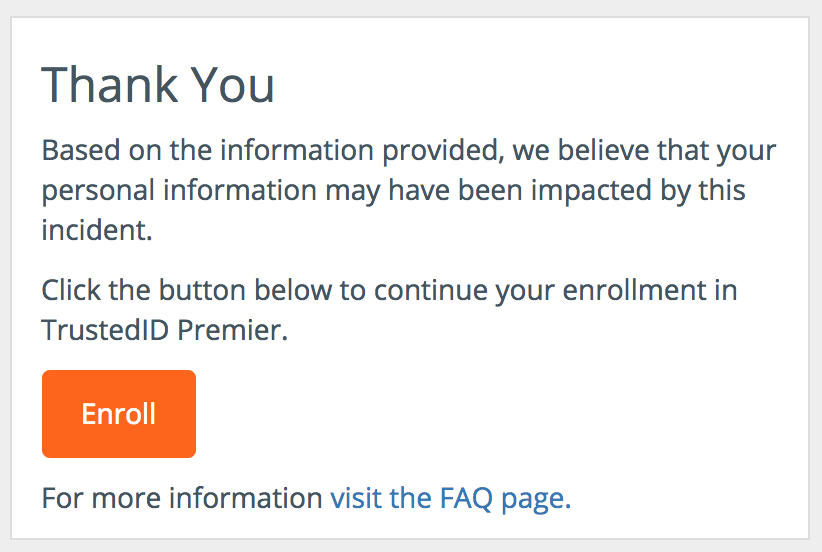
    Reports yesterday confirmed that Equifax, a credit report bureau, was hacked and that the hack leaked private information of over 143 million Americans. The information leaked includes names, social security numbers, drivers license information, addresses, and birth dates. Some credit card numbers and credit dispute documents may have been leaked as well. Equifax will alert those whose credit card numbers were affected by mail. You can find out if any other information was leaked by submitting some info into their site. Then, if you were affected, you can enroll in one year free of their premium ID Protection plan, “Trusted ID.” This will give you the ability to check your score and credit report, scan your social security number, and lock your credit score. Hacks like this are becoming far too common and it’s likely only going to increase in frequency. This is why you should take precautions to protect yourselves and your family.

    How to Protect Yourself and Your Family

    Passwords

    Most people who are affected by these hacks are hurt the worst by their lack of proper, strong, and effective passwords. You should follow a few rules when setting passwords. 1. Never use the same password twice. If a hacker gets a hold of your username and login information for a site, they can try that information on any site on the internet and if you have an account and used the same login info, they’re in. 2. Use strong passwords or pass phrases. Don’t use simple words or obvious information. Never use password as your password and don’t use any set or any length of chronological numbers. 3. Use a password manager. A PW manager like LastPass or Avast Passwords will allow you to set a different, strong password for every site you use and manage them by having one strong password that you use to login to your manager.

    Check for “Secure” Sites

    Never put any sensitive information on any site that doesn’t have a green lock symbol at the top of your browser next to the address bar. Sites that don’t have this should never be used to make credit card purchases, enter sensitive contact information, or share location data.

    You should also use the tools Equifax provides to keep tabs on your credit report and check for transactions you don’t recognize. Setting up an identity theft protection plan may not be a bad idea either. Especially since our lives are becoming increasingly dependant on what we do online, and what we do online seems to be becoming increasingly easier to exploit. 


  • YouTube Rebrand and New Style Is Going Live Today

    YouTube Rebrand and New Style Is Going Live Today

    YouTube has launched an update for their app and their in-browser site. The update features a whole new theme (dark-mode,) a new logo, speed controls, and more compatibility with different video dimensions. The logo and dark mode are welcomed changes among YouTube users and the ability to work better with verticle smartphone videos seems to be a no brainer these days. Much of the update has been available as a beta test for some users but the availability went public today. New gesture controls allow you to fast forward or rewind videos and they’re hinting at the ability to swipe between previous and next videos. Finally, they are continuing to update the app to feature recommended videos on the lower third of the screen during playback. While you may only watch YouTube videos within your Facebook timeline when your friends share them. Your kids are using YouTube every single day and it’s one of the top search engines in the world. This update is a big deal.

    What Parents Should Know

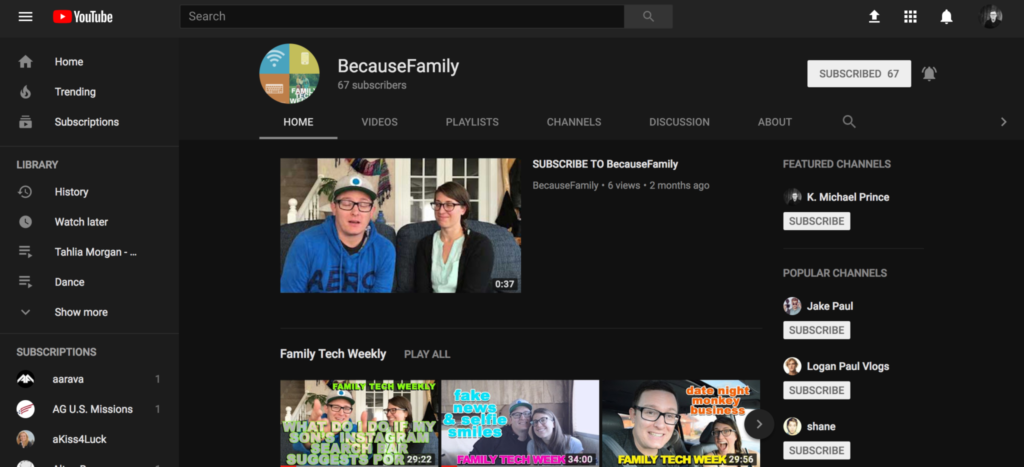
    Many of our kids spend hours per day watching videos on YouTube. Some of them even produce their own content. You can guarantee that they have noticed (or were anticipating) this update. Why not use the knowledge you learned in this article to start up a conversation with them about their activity on the site and app. Ask them about their channel. How many subscribers do they have? What kind of content do they produce? What kind of things do people say in comments? You should know these things and this update is a welcome way to bring up the topic.

    Here is some advice for you to wrap up this article. I recommend subscribing to your kids’ YouTube channel if they have one. If you don’t know if they have one or not you should ask. Even better is the option or logging in to their account on your own device so that you get notifications whenever they get comments and messages. Maybe you could share a channel or account with them. Then you can see their viewing history and know what kinds of videos they are watching based on what’s being recommended by YouTube. Either way, you should be involved with what video content your kids are taking in and producing. Using this latest update to spark the conversation is a great idea.

  • How Your Teen Uses Social Media Differently Than You

    How Your Teen Uses Social Media Differently Than You

    I’ll never forget when this mother came to me and asked me why her kid is using all of these different social media sites. “I can barely keep up with Facebook. How does she do it?” The answer is simple. Your kids use social media in a much different way than you do. All of their friends are there and they all use it in the same way. While you can’t be (and shouldn’t be) expected to change how you use your social accounts in order to mimic your teen; insight into how they see the social media world can go a long way to help you keep them safe.

    They Use Each Platform Differently

    Believe it or not, there is a different way to use each social media platform. Snapchat has a purpose, as does Instagram, and even Facebook. Your teenager understands these differences and most likely uses each one accordingly. Snapchat exists to stay constantly connected with your friends. They keep up their streaks (consistent daily messages) and share the details of their lives on the private posts they send their friends. They then post the more broad and appealing snaps publicly for all to see on their story. Their Instagram is all about public posting and putting their best foot forward. (Whatever that may mean.) Facebook, if they’re there at all is for sharing the stuff they want the authority to see. It’s considered the most public of their social media connections and they use it as such. While you may take a photo on Instagram and connect it to your Facebook, Twitter, and LinkedIn, your teens don’t do that much. Each platform has its purpose and is used in a way that it’s meant to be used.

    They Use It  to Meet New People

    Social media has long been a great way for some of us to keep in contact or make contact with old friends. When we meet people in person we quickly go follow them on their social media profiles. The opposite is often true for your teenager. Young people use social media to find and begin relationships with new people. There are apps dedicated to this activity, some of which will even let you randomly connect and video chat or send private messages to these strangers. There are no such things as strangers for your teens when it comes to their online activities. People on social media are potential new friends to them. It could be a sense of anonymity or security that comes from being online instead of face to face that causes this attitude but either way your teenagers are meeting new people on social media all the time.

    They Self Edit

    I think I used the phrase “best foot forward” earlier and that’s the truth. While some of us may air our dirty laundry or share prayer requests or complaints about what’s happening in life on social media most teenagers don’t behave that way. They prefer to put forward the best version of themselves, even if it is over filtered and made up. The masks and filters available on the cameras in their favorite social media apps give them the ability to doctor up their photos in such a way that makes them seem cuter, or thinner, or smoother complected. They write their descriptions to portray the same image. They’ll do their best to come up with the most clever caption for their photo or they’ll use the emoji that is the most popular and interesting to get the reaction that they want. The most common practice is deleting or archiving posts that don’t get enough likes. Not only do they edit themselves before they post, they’ll edit their entire account by only allowing posts with the most likes and comments to continue to exist. Young people use social media to portray the version of themselves they want everyone to think is truly them. This is probably one of the main reasons they live on social media.

    They Live There

    You probably remember when you started using Facebook or Instagram. You can probably go back in your photo archives and find the first few pictures you took with a Snapchat style filter or mask. For most of us, social media is something that we’ve added to our lives and we use it to document and share much of what we do in our lives. For your teen, though, the realities can often become blurred. Many teenagers live on or through their social media accounts. Since the version of themselves they’re showcasing on social media is the filtered and edited version, teens often prefer to experience that life to the one they live offline. When I speak to teens, I always remind them that their online lives and offline lives are one in the same but they rarely put that together on their own. Any thing that happens to them MUST be shared. Many times they’ll even make decisions about real life based on what it will look like when they share it online. They aren’t like us. We’re talking about digital natives, the world they live in is a gray area between what’s done on the internet and what is done every day in real life.

    What Parents Should Know

    There are many ways that teens use social media differently than their parents. These are just a few examples but they should be eye opening ones. The only way to help our kids understand the blurred vision they can often have is to gently advise them as to what is healthier. Have conversations with them about what they could do instead of worrying so much about how they represent themselves online. Help your kids build confidence by using your own words and actions to show them how much value they have. The generation of teenagers that are growing up today have a confusing road ahead of them and moms and dads (or aunts uncles grandmas and grampas) are the only ones who can help them unravel the confusing path they have to travel.

  • Family Safe Eclipse Coverage

    Family Safe Eclipse Coverage

    Everyone has an idea of how you should safely view today’s eclipse. Use the glasses, don’t use the glasses, use a pinhole projector (we’ve made ours) watch live coverage. However you want to view the eclipse in person, you need to know a few things before choosing which live stream coverage you’re wanting to use. For some reason, those who cover events like the eclipse aren’t always scientists or educators and they may give dumb, or even dangerous advice. They might even have non-age appropriate language or other content in their videos, coverage, or advertising. Here are a few of the channels and videos that we recommend so that you can learn about and enjoy live coverage of today’s total eclipse.

    Live Feed

    NASA: 

    I’m only listing this one option. They have a pre-show with more science facts than you can handle and then live coverage from multiple parts of the country. You know the information and advice will be good because these are some of our country’s absolute best scientists. Enjoy!

    Education:

    National Geographic: https://youtu.be/cxrLRbkOwKs

    Some great educational videos about the eclipse and other science facts. National Geographic is a trusted source for nature and science information and education.

    Sci Show Kids: https://www.youtube.com/channel/UCRFIPG2u1DxKLNuE3y2SjHA

    Sci Show Kids is a great way to teach your kids any scientific information. They have some very good videos about today’s eclipse.

    Sci Show Space: https://www.youtube.com/user/scishowspace/search?query=eclipse

    Sci Show Space has great scientific learning videos as well and is perfect for those who are a bit older. The link above is to a search for the eclipse videos on their channel.


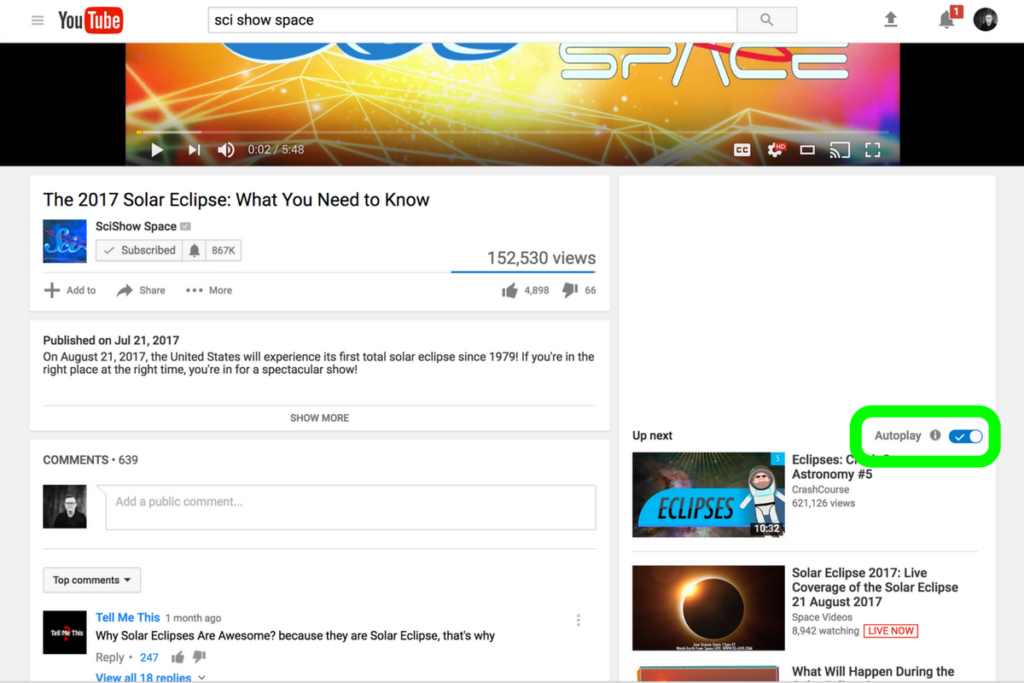
    Be smart about what videos you show your kids and whether or not you allow follow-up videos to autoplay. Turn autoplay off to avoid accidentally exposing them to content you didn’t expect and aren’t ready for them to see. The eclipse is a great opportunity to teach your children some science facts but you have to be wise with what tools you use. Hopefully, the resources listed in this article will give you an idea of where to start. Be safe, and have fun.

  • PODCAST: Parental Controls Showdown – Android v iPhone

    PODCAST: Parental Controls Showdown – Android v iPhone

    FAMILYTECHWEEKLY: The parental control showdown! Which OS has better built in parental controls? iOS or Android?

    Buy a book for an underprivileged family: https://www.facebook.com/donate/22627…

    Social Media Links

    Facebook: http://facebook.com/4pointfamilies
    Instagram: http://instagram.com/becausefamily
    Twitter: http://twitter.com/becausefamily

    Newsletter Signup

    Ministry Updates:: http://eepurl.com/R7Btr
    Weekly Blog Posts:: http://eepurl.com/cvnhXD

    Websites

    Ministry Site:: http://becausefamily.org
    Tech Blog:: https://safe.becausefamily.org
    Michael’s Speaking Info:: http://kmichaelprince.org

    Donate and Affiliate Links

    http://patreon.com/becausefamily
    http://BecauseFamily.org/partnership

    Music by Kevin MacLeod at http://Incompetech.com


  • The S.A.F.E. Approach to Raising Digital Natives

    The S.A.F.E. Approach to Raising Digital Natives

    The globalization of our world has led to so many benefits for our children. Endless information at their fingertips, education can be more exciting and entertaining, and distant family and friends are only a few screen taps away. With every benefit, however, comes a new challenge. Adult content, cyberbullying, sexting, and access to strangers and predators are changing statistics in our world and not for the better. Physiologists are calling our kids digital natives. They will never know a world that isn’t ruled by the screen, the like button, the selfie, and the Google search. It can seem like such a scary world but there are ways to keep our kids safe. We, as parents, just have to take the initiative to learn and apply a strategy. We at BecauseFamily.org call that strategy S.A.F.E.

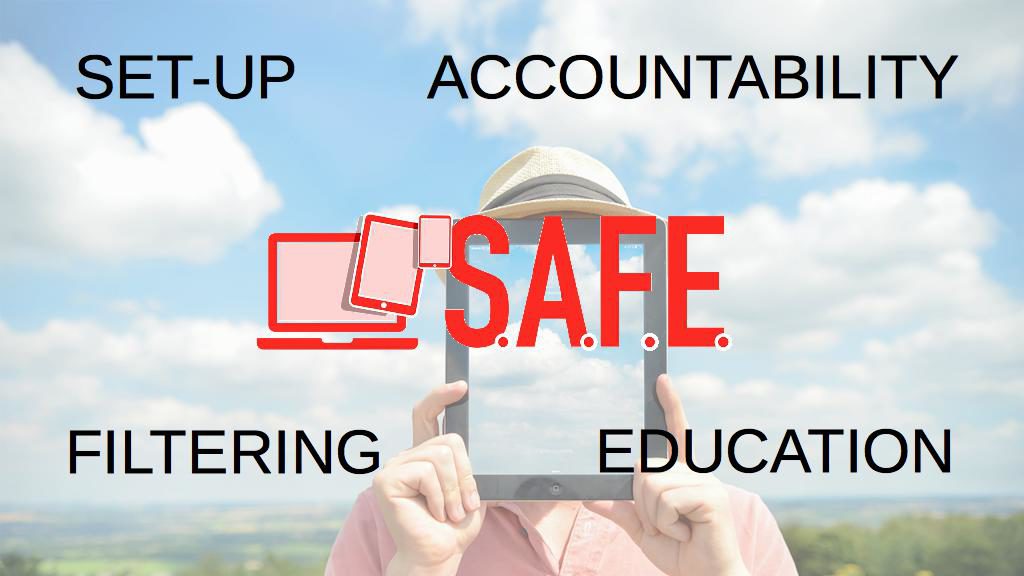
    S.A.F.E. stands for Setup, Accountability, Filtering, and Education. It should be an easy way to remember the steps you must take to give your kids access to the technology that can enhance their lives while still setting boundaries that will keep them from the dangers of being always connected to the entire world. Let’s unpack the S.A.F.E. strategy.

    Setup

    The developers of your computer, tablet, and smartphone know that you need some sort of way to keep your kids safe while they use their device. Because of this, almost every device on the market now has some sort of Parental Controls built into the operating system. This means that parents should be able to implement some sort of safety strategy on their devices without spending any money or downloading any extra software.

    There are some exceptions, for instance, Android phones didn’t get built in parental controls until the 7.1 version of the operating system and Windows didn’t get it right until Windows 8. My advice is to find out what operating system your device is running and do a google search for parental controls on that OS. Once you’ve found what’s available, set them up immediately. This will give you, while basic, some protections on the tech that your children use.

    Accountability

    The easiest way to explain the benefit of accountability software is by describing a high-security building. The alarm is set, the doors and windows are closed, locked and break proof. There is even a super high tech laser grid that will set off the alarm if you cross its path. There are still, however, cameras installed. The cameras show you what went on when the rest of the security breaks down. Accountability software is the security camera of your internet safety plan. Accountability software doesn’t block content, it reports inappropriate websites to a pre-determined accountability “partner” through a text or email. This allows you to see what has gone on if something unsavory has been accessed on a computer or other device under your care. When you’ve seen what was found you will be able to have conversations with those you’re holding accountable and take the necessary actions to keep that kind of “breach in security” from happening again.

    Filtering

    Web filters DO block content. The idea is to let the good things in the internet pass through while filtering out the bad. There are three levels of filtering available on most devices. The first is the built in filters, these are usually pretty basic with an on off switch and not much customizability.

    Secondly is the option to purchase and download third party software that will block content. These options usually give you a bit more control and let you set filter levels by age, ratings, or content type and keywords.

    Third, you have your whitelist and blacklist settings. Most built in filters have this option but it takes your filter to the next level. Putting a website link in your black list will make it inaccessible on the device that the filter is set up on. This is useful if a site doesn’t necessarily have adult or dangerous content on it but you don’t want your kid or teen visiting the site. For instance, they watch too much YouTube and got bad grades. You can just blacklist the YouTube website on their devices and watch the studying commence.

    Whitelisting is the opposite. This allows you to either give a free pass to sites that have been blocked previously by your filter or some filters let you set up a browser to only view websites on the whitelist. I use this for my older kids to use my laptop. They only use three or four websites so that’s all that’s on the whitelist. The rest of the internet is completely closed to them. Filters are the initial protection phase of internet safety. It’s your first line of defense and should be the second step you take…the first is education.

    Education

    This phase really has two parts to it: research and conversation. Parents should give time every day to researching some of the latest information pertaining to internet safety. One good way to do this is the tech blog that I write found at safe.BecauseFamily.org. This site has daily tech news, up to date tutorials, and even a podcast recapping the week’s family relevant technology stories. I also recommend doing a regular Google search for a “dangerous app list.” You’ll often find some of the accountability and filtering resources have put together lists to help parents identify misleading or dangerous apps.

    Conversation is the key to this entire plan. If you aren’t transparent with your kids or teens about your plan for internet safety it will not work. I never recommend sneaking around to monitor your kids’ internet activity. In my experience, you’re much better off having them on your team. Discuss healthy tech habits with your kids and let them help you work through your plan and consequences for breaking the boundaries you’ve set up.

    Finally, remember that this plan is fluid. It’s going to work if you put effort into it but things do change. It’s critical that you stay informed on what’s going on in the technology world. When I do workshops to help families with these tech topics the questions are the most relevant and interesting part of the meetings. I recommend looking up our website and shooting us an email if you have any questions. Definitely, keep an eye on our blog at safe.BecauseFamily.org and learn all you can about the digital world your kids are growing up in. It can be hard work and seem overwhelming but there is no task that will bring more positive change.

    Bio

    K. Michael Prince is a husband, father of 4, blogger, speaker, author, and podcaster. He wrote “What’s in Your Pocket? A parents guide to protecting your children online.” and is the lead editor for a family tech blog (safe.BecauseFamily.org.) He is the director of BecauseFamily, a non-profit that works to empower and equip parents to be the first influence in their kids lives and train parents on raising digital natives.

    To learn more about how to host a workshop (in person or skype) at your home, church, or organization, contact us using the info below.

    Email: BecauseFamily@gmail.com

    Or go online to BecauseFamily.org

  • Facebook Stories is Going Public

    Facebook Stories is Going Public

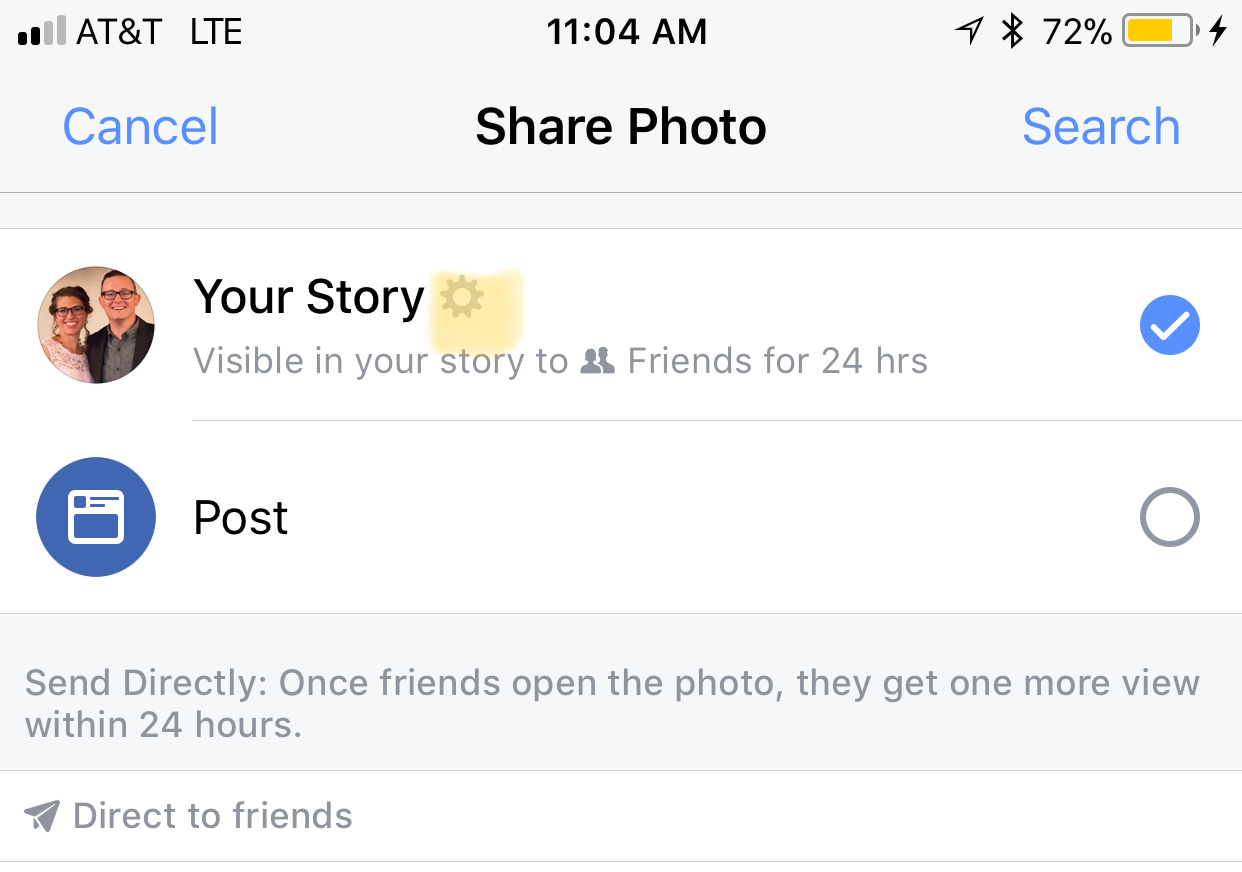
    Instagram, WhatsApp, and Snapchat have proven that 24-hour disappearing story feeds are the latest social media trend. Facebook is trying to increase user-ship of their stories feature by allowing people to post publicly. After a recent Facebook update, you can now change the privacy settings on your story posts to make them visible to anyone on Facebook. 

    Facebook Stories is really the only version of the daily posts feature that has been lagging behind in user-ship. Celebrities and brands will now be able to use Facebook stories to promote publicly just as easily as they can on Instagram and Snapchat. This may be an attempt for Facebook to increase the number of people using their stories feature but it’s likely, also, a way to entice more advertisers into using the feature.

    What Parents Should Know

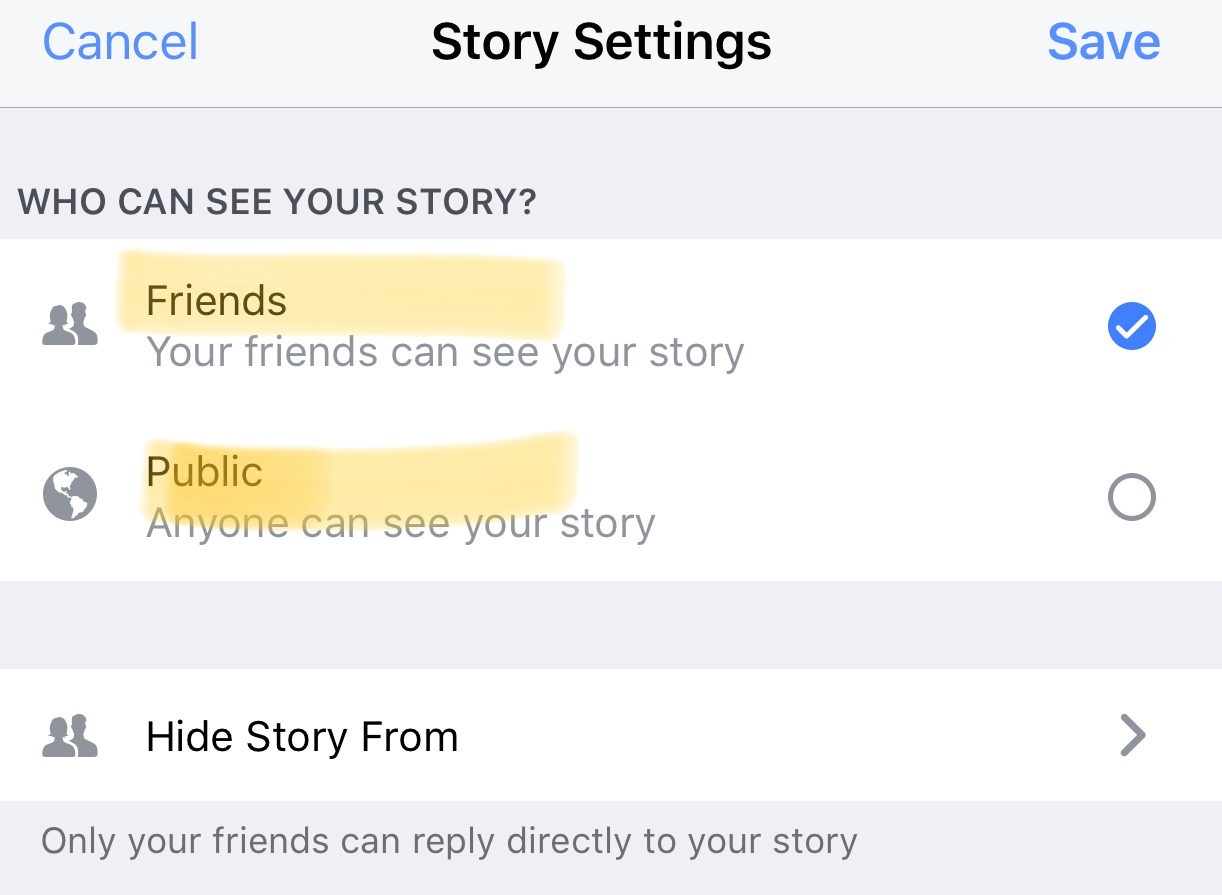
    Any option to share something publicly should be known to parents. If your kids use Facebook and enjoy posting their daily activities on their Story feed you should know how to check and see if they’re posting publicly. Below is a slideshow of how to check the privacy settings on Facebook Stories.

    Be sure to check out what your kids have been sharing publicly and talk to them about the permanence of anything shared online. It’s also a good idea to talk to them about what to do if they receive contact from people they don’t know on any social media platform. As parents, we are the ones responsible for our kids’ safety and privacy online. Learn the ways these social media services have provided for you to keep them safe and private.

  • Internet Safety Training in Your Home

    Internet Safety Training in Your Home

    I approached the mother of a family we have been friends with for a while and asked if she would be willing to host one of our first Digital Boundaries Workshops. She immediately began to tear up and say absolutely yes. I was thrilled but concerned and confused by her tears. She confessed that, while we had discussed setting up internet safety solutions in her home nearly a year earlier, we had never made the scheduling work and she felt horrible. Especially because her son, who was in third grade, had just been caught searching for information on some very adult topics online. A younger child on the school bus had told him what he should search for and curiosity immediately took over. “We need to do something as soon as possible.” she said, “I wish we hadn’t waited, I hope it’s not too late.” We did a workshop for her just a couple weeks later.

    This response is all too common. Our work for families gets far more attention from parents who’ve been through some kind of related struggle than those who want to set up preventative measures to keep their family from such a story becoming their reality. Our children are being called digital natives by psychologists. This is a label that identifies them as a generation that’s so used to technology, it’s like it’s their native tongue. If you’ve spent any time with a young child or teen you’ve probably been impressed with their ability to maneuver digital devices. It’s hard for parents to keep up. It’s even harder if you’re an older parent or a grandparent who feels left behind by the online world. My “Setting Digital Boundaries” living room workshop is an easy way to get some training that will set you on the path towards understanding the digital world your kids are growing up in. Starting next month (August 2017) these workshops will be available both live and through skype.

    What Happens at a Workshop?

    I jokingly tell people that our Setting Digital Boundaries Workshop is like a Mary Kay party. You invite your friends over and serve up some snacks. After everyone has had some time to arrive and say hello we begin the presentation. Instead of selling you make up I’ll be teaching you and your friends how to protect your children online. After updating you on some of the latest dangers and threats available to your kids online I teach you our internet safety plan that I call S.A.F.E. (Setup Accountability Filtering and Education)


    Each section of this presentation will be spent unpacking the four keys of our S.A.F.E. plan all the while highlighting some of the best resources you can use to protect your family. Each section ends with a time for questions. The sessions last anywhere from 40 to 60 minutes and afterward, I always stay available to answer more questions and give feedback on some of yours and your friends’ tech safety needs.

    These workshops are so valuable because of how quickly the internet safety atmosphere changes. Our book is helpful for getting you started and teaching you some of the terms that you need to understand to protect your kids online. A book, however, can’t give you step by step help with your internet safety goals. A blog post or YouTube video can’t listen to your specific internet safety needs and diagnose the best plan for protecting your family. That’s what makes Setting Digital Boundaries Workshops so critical.

    Email Us to book a workshop and go to BecauseFamily.org to learn more about what we teach and how you can partner with us financially to help us keep these workshops free.

  • Video Chatting Apps You Should Uninstall NOW

    Video Chatting Apps You Should Uninstall NOW

    Chat Roulette was a challenge that became its own website. The idea was that people could log on to the site and be connected with someone from around the world at random. The website isn’t as popular as it once was but there are many apps that simulate that experience and some of those apps are gaining popularity. Here are some of the ones climbing the app store charts. The ranking listed is for the Social Media category in the iOS App Store as of the publishing date of this article. I’ve only listed the live video or random connection chatting apps in the top fifty.

    Melon #14

    Melon is making the news as the latest video chatting fad. It connects you with new people based on social media friends and offers private messaging, video chat, and a people search feature. It’s gaining popularity and being featured in articles that are blasting it for the frequency of cyberbullying and the high concentration of males looking for girls that will do whatever they ask on camera.


    Live.Me #16

    Live.Me touts the ability to chat with stars and celebrities and broadcast to anyone all over the world. You can find anyone from anywhere or just look to see who is broadcasting around you. There is also the ability to search by topic or interest. Live.Me uses “gifts” and “diamonds” to allow you to share things with other users and even advertises the ability to “date” virtually through the app.


    Monkey #25

    I’ve written about Monkey before. This app was created by a couple of teens who dropped out of high-school to launch a tech startup. It quickly gained a reputation for having too much nudity and not taking some of the responsibility for the content found in the app. This app has been on the FamilyTechBlog uninstall list for a while now.


    MeetMe #35

    Formerly called “MyYearbook,” MeetMe is a app that advertises itself as a way to “meet new people.” The app uses your location to find people near you and information that you’ve entered to connect you with people who share your interests. It’s popular in the app store as it’s been around for quite a while and has the largest fan base. MeetMe offers private chat and video chatting as well as live video broadcasting.


    Climbing the Charts:

    YouNow #52

    Live stream video chat is pretty much all YouNow is about. You can broadcast yourself, find broadcasters, and even join the broadcast as a video guest. The app store listing calls for you to build your fanbase and become a YouNow celebrity. There are some complaints on in the reviews about accounts that have been reported for inappropriate content not being removed because they are popular on YouNow.


    CAM #56

    CAM is popular because it allows you to select the gender you’d like to chat with. It automatically connects you with someone and even automatically texts an invite to everyone on your contacts list without your permission. This practice has caused it to dip in the standings but some continue to use the app because they like the ability to chat or flirt with people they are attracted to.


    What Parents Should Know

    I don’t usually recommend any of these type of app for your teens or kids. Not only is it dangerous to connect with random people who could be broadcasting whatever they’d like for you to see. It’s also a problem because of the potential for predators. Any connection with strangers is dangerous. Some of these apps use your location to connect you and it’s therefore possible to meet people online that you may meet up with later. My advice is to uninstall any of these apps if you see them on your kids phones or tablets. There is no reason to use one of these apps to connect with friends since you can use Instagram or Facebook Messenger to do that now. Uninstall on sight.