Tag: resources

  • We Bought Four Amazon Echo Dots!

    We Bought Four Amazon Echo Dots!

    Well, it is Prime Day and as usual, there are some deeply discounted items available on Amazon. My family usually looks but doesn’t buy on Prime Day, hoping to be able to predict the discounts we may see on Cyber Monday or Black Friday in a few weeks. We especially avoid any smart speaker or digital assistant hardware since we have always had (well informed) privacy issues and concerns. This year it has been different. We caved and bought Amazon Echo Dots for the whole family. Here’s why.

    They’ll Be Perfect for Our New Home

    Our forever family home is being built and we are planning a move-in just a few months from now. We are going to have more space for the six of us than we have ever had, especially in the kids’ rooms, the master suite, and the kitchen/dining great room. We’ll be a bit more spread out than we’ve ever been and the Echo has some great options for communicating throughout your home without having to scream up the stairs or down the hallway. The intercom feature was a deal sealer for both my wife and myself. The kids are pretty excited too.

    Digital Homeschool Help

    More of us are homeschooling than ever now and with four kids, all doing school work nearly every day, we need help sometimes. YouTube can be great to present some complicated concepts in helpful ways (7th-grade math, anyone) but my kids looking at screens and using a Google Search for spelling or calculator solutions isn’t the safest proposition. Alexa (the Virtual Assistant on Amazon Echo) will answer your spelling, language arts, science, and math questions with no risky search results or screen use at all. It is more important for my kids to know how to get information than it is that they know the info when they pass a grade. Alexa and other Virtual Assistants are the new waves of information access and they aren’t going away. They’re only getting smarter and faster.

    Less Screen Time

    My kids, like all kids, love to sit around and look at a phone or tablet. We are constantly having to get on to them about their obsessive behavior. We try to set better examples, we don’t always succeed, but giving them alternatives is very helpful. The Echo Dot is a smart speaker without a screen. At night, when the kids want to listen to a podcast or music for bedtime they can ask Alexa to play it for them instead of having their screens in their faces right up to when they fall asleep. Studies have shown this isn’t good for their sleep and can actually very detrimental to their development. With parental controls on the subscription services we use and on Alexa itself, we can ensure that our kids aren’t looking at their screens and are only listening to music and podcasts we’ve approved of.

    Safety and Security Upgrades

    All of this is great but digital safety and data security are always an issue. Especially with artificial intelligence that is designed to learn about you in order to be more useful to you. There is an obvious trade-off. You’re giving it information in exchange for convenience. I believe most of us consider that an acceptable exchange, considering Alexa and Google Home have been some of the fastest tech product to be integrated into people’s homes. The truth is that we have been making this exchange for a long time without really thinking about it. Every post on Facebook, Twitter, or Instagram, every search on Google, and every purchase or browsing session on Amazon has been used to build a database of advertising information about you. This can be scary to many but in all honesty, that ship has sailed and you raised the sails for it to do so.

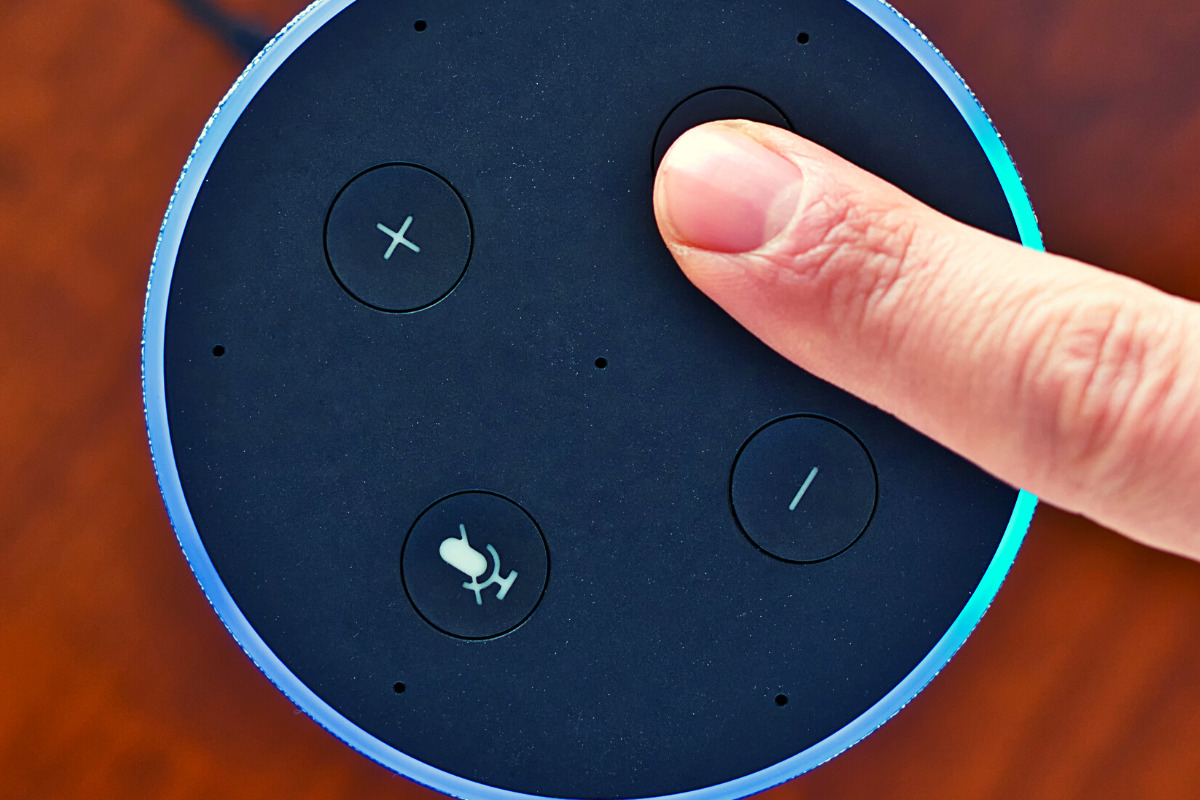
    When you use these sites, you allow them access to your information. Alexa is no different and my family has considered the risks and decided it’s worth it. First of all, we already get targeted ads because we do so much of our shopping on Amazon and searching on Google. Secondly, the latest models of Amazon Echo Dot have added features like a hardware button to turn off the microphone that makes us feel like we can avoid being listened to when we don’t want to be listened to.

    Risk/Reward

    When you narrow it down it is a consideration of opportunity cost. You have an opportunity for convenience but it will cost some of your info. At a $19.99 price point, the Echo Dot is a great deal right now on Prime Day so we bought four of them. They’ll be here in a couple of days and I’ll set one up and let you know how it all goes. Stay tuned for my (late but in-depth) review of the Amazon Echo Dot as a tool for controlling kids’ screen time.

    If you shop the Amazon Prime Day today, consider using http://smile.amazon.com and signing up to support our non-profit, Four Point Families. You’ll have to search for Four Point Families and select it as the organization you’d like to partner with. Then Amazon will send .5% of your purchase our way to help us continue to protect families. Thanks.


     

  • What Parents Need to Know About the Latest Gaming Tech

    What Parents Need to Know About the Latest Gaming Tech

    Technology is a significant part of all our lives, but more so for our children. After all, they grew up in an era surrounded by technology. In fact, our previous post on what your kids do online found that most, if not all, older children are very much inclined to spend their money on tech, such as new smartphones, Netflix subscriptions, and finally, video games. If given the opportunity, younger children may be equally invested in these things as well. Here is what parents need to know about the latest gaming tech.

    Of course, that’s not to say that gaming is bad. Multiple studies have emphasized ways that video games can benefit your kids, from better coordination to sharper cognitive ability. But there are aspects that every parent should look out for when it comes to gaming tech, and we’ll introduce those in a bit.


    What gaming tech should you expect your children to be on now?


    Video games and technological advancements are heavily intertwined, and new technology comes and goes every year. This year, we’ve witnessed the next generation of consoles, with the newest Xbox and PlayStation coming out for the holidays. The metal core PCBs on these devices are built out of materials that allow for better heat dispersion, ensuring smoother performance even for high-end games. They also boast a lot of neat features like haptic feedback and motion-triggered 3D audio that aims to boost the gaming experience. Your children are definitely going to want one.

    However, with new technology comes new threats, and you have to pay attention to what they are doing if you want to ensure they game safely.


    What should parents be wary of?

    Data Privacy


    Users give a lot to access online gaming stores, such as birthdates and mailing addresses. The former is there to check the age of the user, which is needed to block them from certain games until they’re older. Mailing addresses are asked so the system can accurately compute for taxes when the user buys a new title. Both are equally dangerous when exposed. It’s highly encouraged that you get physical copies from your nearby GameStop or Best Buy instead.


    “Always On”


    Since much of the modern consoles’ features are tied to the Internet (such as streaming, social sharing, and online play), they will always have the option to have their built-in wireless connection turned on automatically. While this is convenient, it could also leave your kids vulnerable to breaches. Since a lot of games are single-player, have them turn off this feature when they don’t need to be connected to the Internet. This will lessen the chances of someone hacking into the console.


    Motion Tracking


    As mentioned, upcoming consoles will have a feature called motion-triggered 3D audio. This is where the console tracks the user’s movements so that the game’s sound is projected to where they’re seated. The biggest downside to this is that the game will ask for permission to track human movement in your house, which you shouldn’t give. Turn off this feature when it comes. If your kids want to experience 3D sound, you can always have them plug in some earphones.

    Protecting your kids is not about taking them away from things that you deem dangerous. This will only make them want more, sometimes going behind your back to get them. Instead, support their hobbies. Work with, and not against them, to thwart the dangers that they pose.

  • Monitor Song Lyrics with Bark!

    Monitor Song Lyrics with Bark!

    Listen to any of the current top ten songs and you’ll find all sorts of content that may not be considered appropriate for children. Profanity, sexual content, violence, and suicidal ideation abound in today’s popular music. How can we, as parents, keep an eye on what our children are listening to without having to go through and read lyrics for every song on every playlist? Bark is offering a pretty good solution with their latest update. The AI-based message monitoring system now monitors lyrics on Spotify.

    Connecting your accounts to Bark is pretty simple with the Android app but demands a bit more tech expertise to connect to iOS (due to Apple’s strict anti-monitoring policies.) You have to download Bark’s software to your computer and then set your child’s iPad or iPhone to back up to that same computer in order for Bark to monitor the device. Spotify, however, connects on the account level which means set up is a simple as logging in to Spotify and giving Bark permission to access data in the app. That does mean that shared accounts will be monitored as one so your listening habits will be monitored as well and then reported to you as if your kids listened. We raised our Spotify subscription to the 14.99 price in order to set up separate accounts for our kids. This means they can be monitored separately giving us more accurate reports.

    Reports from Bark are notifications about specific songs with the lyrics listed along with recommendations for discussing the songs with your children. We saw immediately that some of the songs our son was listening to had some lyrics that were a bit more violent than we would approve of. We were able to discuss this with him and he removed them from one of his playlists immediately. The songs were in no way “explicit” since we have turned off access to explicit content on his Spotify app but the Bark system allows you to set the sensitivity so that it will report songs that even hint at innuendo, violence, or other adult content. Our approach is to always err on the side of caution so we have sensitivity turned all the way up.

    Bark’s message monitoring has also resulted in quality conversations with our children, even within just a few days of activating the software. We were notified that our daughter had been “bullied.” It turned out she was just telling her brother to stop texting her over and over again. The AI noticed that she was asking him to stop and he was continuing to message her and it flagged it. That is EXACTLY the kind of thing we want to be notified of. Her brother was just being annoying but if that was some older boy asking for pictures or a friend telling her something inappropriate or mean, we want to be notified. For us, a false alarm is evidence that the software is working and we are happy to weed through false reports so that we’ll be sure to get the one that could save us and our children from a lot of trouble.

    Song lyrics, videos, messages, and social media posts are helping shape our kids’ worldviews. We should be on guard against the kinds of content that don’t meet our family’s standards. Bark allows you to do that without your kids’ privacy being interfered with. You don’t see all their messages, just the ones that Bark flags as potential dangers. This means they can have their phone or tablet, message their friends, watch their shows, and listen to their music without you always asking what they’re doing. You won’t have to ask because you’ll be alerted if they do something you don’t approve of. Just remember that we never recommend spying on our kids without their knowledge. Talk with them about Bark and any other software you use to report content. Let them know why you are using the software and talk with them about any reports you receive. This is how we help them build a healthy attitude towards tech.

    You can get Bark by clicking THIS LINK, using the promo code: BF56WBD, or clicking the banner near the top of this article. We are an affiliate of Bark and will receive a small donation when you pay Bark for your subscription. Thank you for protecting your kids and for supporting this blog and our ministry.

  • Ten Screen Free Things to Do This Week!

    Ten Screen Free Things to Do This Week!

    Today marks the first day of Screen Free Week 2019. We have become so used to doing everything on our phones, TVs, tablets, and computers that it can be difficult to think of things to do when we unplug. It can especially be difficult for our kids who spend so much time on screens every day. Here are some ideas to help you start thinking of how you’ll spend your time this Screen Free Week. I’m sure that whichever activity you chose to do you’ll be blown away at how good it was for you to be screen free, even if only for a little while.

    1. Read Books

    No, I mean a physical book. With paper and glue and pages and everything. Many of us are spoiled to our audio books and ebooks. We carry around a library of hundreds of volumes and read whichever we want, whenever we want. This Screen Free Week, why not forget about the books in your digital library and take a look at some of the adventures you have on your actual bookshelf. You’ll be amazed at how cathartic it can be to just turn a real page instead of swiping to the next set of pixels that make up the story.

    2. Share a Screen Free Meal

    Having a meal with friends and family can be a great way to reconnect and charge up that need for social interaction. Food brings people together. Unfortunately, our phones can often get in the way of this beneficial time. Celebrate Screen Free Week by choosing to keep your phones away from the table during meals together. Look each other in the eye, have conversations, and share the time with your friends and family.

    3. Play Board Games

    You can pull out the old classics like Monopoly and Life or maybe sit down to a newer hit like Settlers of Cataan, Forbidden Island, or Dice Forge. Whatever board games you choose, you and your family and friends can enjoy screen free entertainment. Personally, I look forward to Dungeons and Dragons every week when I sit down with some guy friends, eat snacks, roll dice, and tell a story together. A story filled with imagination, humor, and adventure. Don’t underestimate the power of time around a table playing a game.

    4. Play Outside

    Trade in Screen Time for some Green Time! Get outside and get moving. Play a sport, run a race, skip, hop, jump, run, anything you can think of outside will be so good for you. Your body will thank you for the exercise and your brain will thank you for the release.

    5. Go for a Hike

    Screen Free Week is a wonderful time to get out and experience the beauty nature has to offer. You’re bound to have a hiking trail just a short drive from your home. Maybe it is just through a park in the city but it will be great to slow down, walk through nature, and stop and look at what the beauty all around you. Bend down and look at those leaves or that insect working away. Feed some ducks or squirrels. You’ll be amazed at how wonderful life is beyond the six inch space in front of your eyes that your phone often tends to occupy.

    6. Act Out Your Own Play

    We love to be entertained. Netflix, Youtube, Hulu, and Amazon Prime make their money off of our desire to escape reality by enjoying a movie or series. Take this week without screens to create your own entertainment. Play an improve game or charades to get your imagination moving. Get some friends together and act out some of your favorite scenes from the movies and shows that you love. How fun will it be to play the characters you love and laugh with your friends as you channel that inner child.

    7. Play a Musical Instrument

    How long has it been since you’ve picked up that guitar in the corner of your room? How long has that violin been sitting in its case, untouched? Without the distractions of y0ur screens this week you can take some time to play that instrument you’ve been neglecting. Maybe you aren’t a musician. Why not try something new? Borrow an instrument from a friend or just bang out a beat on your knees with some pencils. Make some music this Screen Free Week!

    8. Write in a Journal

    Social Media is often the place where we share our deepest feelings. Many of us look for validation by posting what we think about this thing or that. Since you’re avoiding screens more this week, start practicing a new train of thought. When you have an opinion you think would make a good Tweet or status update, write it down in a journal instead. Write down your deepest thoughts on all of the topics you usually post about publicly. You may find that journaling gives you the same cathartic feeling without the drama of other people’s comments and debate.

    9. Do an Art Project

    Our screens train us to consume consume consume. Why not take this break from consuming so much media as a chance to do some creating. I have a weekly goal to create more than I consume. I ask myself every day what I’ve created that I can be proud of. Often my creations are videos, blog posts, and podcasts but I can look back and say I created something instead of just consuming all day long. Give yourself a chance this week to be more creative. Make something awesome. Do some art. Maybe sidewalk chalk, or a craft project, perhaps you can knit or crochet. Do something creative that you can look back on at the end of the week and actually see the product of your time. It is so very rewarding.

    10. Plant a Garden

    Again, Screen Free Week is a great time to get outside. The spring weather is just waiting to be enjoyed. This early in the spring, it is also a great time to plant a garden. Go get some flowers and plants and set yourself up a nice patch of nature. Your kids will love helping and digging around in the dirt and your whole family will love seeing the plants come to life as the spring and summer progress.

    Beyond Screen Free Week

    There are lots of things you can do without your screen. If you are like me, Screen Free Week is a great reminder to adjust my priorities. Hopefully this Screen Free Week, you can remember the importance of time in which you intentionally unplug and spend time with those you love. Use tools like Screen Time to monitor that amount of time you spend using your devices. It is amazing what good just being aware of your screen time can do for you. Have a happy happy Screen Free Week.

    For 101 more Screen Free Week ideas visit ScreenFree.org!

    Listen to this post as a podcast below:

  • A Warning For Parents Buying Android Tablets for their Kids this Christmas

    A Warning For Parents Buying Android Tablets for their Kids this Christmas


    Android Tablets are a great option for parents who want to get their kids some form of screen device without breaking the bank. The addition of Android FamilyLink has made Android and even better choice for our kids’ introductory tech device. They are affordable, fairly easy to use, and most all apps our kids want to play or use are available through the Google Play store. There is, however an issue that faces parents when they are ready to set up these devices for their kids: compatibility.

    Compatibility is the ability of a device to run the software you are trying to install on the device. Android FamilyLink requires operating system 7.0 or higher in order to work on your child’s device. That means that if your device runs an older version of Android, the app that connects your parental control settings to their device won’t even be available to install from the app store.

    I ran into this problem today while helping a family set up controls on the brand new tech devices they had purchased for their two girls. I initially thought it odd that on one device I could login an account as a child and on the other I could only make a basic adult Google account. Then, halfway through setup I realized that one tablet would run FamilyLink while the other would not. Both of these devices had been purchased from the same place on the same day and were brand new, not refurbished or used, but the operating system was different in each tablet. One was running Android 4.4 while the other, the one that let me set up FamilyLink, was running Android Version 7.1.

    I understand that newer software will not work on older devices but these are two devices being sold at the same time as brand new. There is nothing, without further investigation, that would cause a parent to expect they couldn’t do all the same things on both tablets. The truth, though, is that not all Android Tablets are equal. We won’t get into opinions on Apple vs Android but I will make this comparison: when Apple updates their operation system ( iOS) they ping all of the devices at once and encourage installation of the newest version of the software. Android, however, is a crap shoot. You have to go see if your device will be compatible with the newer software every time a new one comes out. The main reason for this is that different companies make phones that run Android while Apple makes the device, the operating system, the app store. Basically the whole shebang.

    People have different tastes and whether it’s the way the software functions, the look and feel of the phone, or just not wanting to spend as much money, Android will always be a significant part of the smart device market. My advice isn’t to just always use Apple products. I will encourage parents, instead, to always look at the specifications of any device you want to buy and see what operating system it is compatible with. If you are buying an Android product and want to instal FamilyLink, the device must run 7.0 or higher for the FamilyLink Children and Teens app to show up as downloadable in the Google Play Store. Otherwise, you’ll be looking for some third party app or combination of third party apps to add parental control functionality to your devices.

    Need help? Shoot me a message HERE.

  • 5 Kinds of Apps Parents Should Look Out For

    5 Kinds of Apps Parents Should Look Out For

    It’s that time again, time for BecauseFamily to release our list of apps you should look out for on your kids phones. Unfortunately things change so fast that is seems silly to just throw a list together and tell you to look for those particular icons. Instead, this is a list of app categories that you should be aware of. Some are very malicious and can be dangerous for your kids, some aren’t inherently dangerous but can have some risk associated with them. The list below is not exhaustive, though, I have included several examples of some of the most popular apps that come up when you search for these particular types of app in the app stores. Hopefully this will help you make quality decisions as to what apps your kids have and don’t have on their devices.

    Photo Vaults

    These apps allow users to store private images and videos behind a password of some kind. Oftentimes hidden behind a calculator, camera, or music icon, these apps are intended to fool people into ignoring them and are disguised well. Of course these apps can pose a problem for parents who are worried about their child(ren) sending or receiving inappropriate images or videos. Having a supposed safe place to hide them could make more kids prone to take the risk. Some examples of photo vault apps include:

    Social Gaming

    Many games come with built in friend messaging and ways to connect with players you didn’t already know. This is considered social gaming and it’s standard with most mobile games. Many games seem like they are intended for a younger audience but are actually played by people of all ages. Language, sexual innuendo, and much more can be expected in these “in-game” chat rooms. Also, predators have been known to use messaging in some of these games to identify, target, and groom their prey. Some examples of these social games are:

    Apps with Disappearing Messages

    Cyberbullying and sexting have become a major issue for many junior high and high school administers. Parents are also concerned that their kids are sending and receiving messages they shouldn’t be distributing. Disappearing messages can encourage more of this behavior since it enhances the sense of anonymity. It’s critical our kids understand that what you send over the internet should always be considered permanent and that just because something said it has disappeared doesn’t mean it’s gone. Some examples of apps that allow you to delete messages after sending are listed below:

    Dating Apps

    Online dating is nothing new, apps that connect singles for chatting, dates, and much more are all the rage as well. Sometimes they become trendy among teens also. The following apps are meant to connect older users for romantic purposes but have no foolproof way to be sure kids don’t use the app:

    Live/Life Streaming Apps

    It seems like every social media platform encourages its users to “go live” as often as possible. Live streaming broadcasts you to all of your followers and allows them to engage through comments and questions. Oftentimes you can even broadcast publicly and allow anyone who would like to watch you. Life-streaming is when kids, teens, and adults broadcast much of every day of their lives. The following apps allow kids to life stream to their audience:


    Try Not to Freak Out

    Please keep in mind that just because you see one of these apps on your kids’ phone or tablet doesn’t mean they are using the app for the wrong reasons. Much of this list is based on a risk that is associated with the app, not an automatic danger as soon as it is installed. We need to be vigilant when it comes to our kids’ online activity. Not because of fear or mistrust but from a place of wisdom. Remember to keep communication open with your kids. You should be a safe place to come if something negative does happen to them online. I never recommend spying on your children without their knowledge and I always recommend over communicating with them about the steps you are taking to keep them safe and what you expect from them while they use their connected devices. Be sure to download the PDF of our internet safety resource list!

  • PODCAST: Date Night Monkey Business

    PODCAST: Date Night Monkey Business

    Amazon is changing the parental controls game, Instagram has 200 mil users, and MONKEY is a hotbed for predators.

    FAMILY TECH WEEKLY EPISODE 3

    Social Media Links

    Facebook: http://facebook.com/4pointfamilies

    Instagram: http://instagram.com/becausefamily

    Twitter: http://twitter.com/becausefamily

    Newsletter Signup

    Ministry Updates:: http://eepurl.com/R7Btr

    Weekly Blog Posts:: http://eepurl.com/cvnhXD

    Websites

    Ministry Site:: http://becausefamily.org

    Tech Blog:: https://safe.becausefamily.org

    Michael’s Speaking Info:: http://kmichaelprince.org

    Donate and Affiliate Links

    http://BecauseFamily.org/partnership

    Music by incompetech.com

  • Three Apps that Can Help Any Parent

    Three Apps that Can Help Any Parent

    We spend a lot of time on this site talking about what apps you shouldn’t let your kids have. For this Friday post I would like to share a little bit about some apps you should get for yourself. I found as I dig around the internet that there are new resources for parents being released all the time. Digital resources are a new way to help you be safer, more organized, and more efficient.

    1. Mothership (by FamilyTech)

    Mothership is a great way to organize all the tasks that you need done in your home. It will pair with other apps like chore monster to distribute some of the needed duties to the members of your family. Mothership is a great idea for the family who is looking for ways to reward kids for doing chores and ways to organize the things everybody needs to get done. There’s even an app I can help mom and dad’s reward each other for accomplishing the tasks they need to do, it’s called Honeydo. We just recently wrote about the fact that Disney circle will connect with mothership to use screen time as a reward.

    2. Daniel Tiger App for Parents

    If you have young children like we do and you may find yourself constantly watching Daniel Tiger. That’s not so bad since some of the songs Daniel tiger sings can help you convince your kids to do the right thing. This app takes that into account. With songs, ideas for conversation starters, and follow up questions, The Daniel tiger for parents app gives you some cool tools to help you bring their love of the character into their learning. The Daniel tiger for parrots app is free on iTunes or android.

    3. Life 360

    As your kids get older you’ll find yourself off and wanting to keep track of where they might be. The life 360 app makes that as simple as opening a map and see for yourself. This app is created to help you stay connected to your family runs on a mobile device and let you if you found the numbers on the map communicate with them, and receive alerts when they arrived at their destination. You can even pay for more features that will allow you to get an alert if they use the phone while driving and many other cool features. These features only cost you about $2.99 a month or $25 a year. That is a small price to pay always know where your kids are and if they’re safe.

    The internet can be a dangerous place. But it also can be very useful. If we as parents learn how to leverage the benefits of digital life we can help our family be more organized, safer, and smarter. Keep informed of the latest trends in social media and other family relevant tech news by subscribing to our mailing list. You’ll also get free access to the online version of our Setting Digital Boundaries Workshops.


    Get all the latest family tech news in your inbox.

    * indicates required


  • Snapchat isn’t Just a Messenger Anymore

    Snapchat isn’t Just a Messenger Anymore

    It may have all started with “secret” messaging but it hasn’t stopped there. Soon public sharing became the norm on Snapchat, a feature that was copied by many other Social Media networks soon after it’s release. Then, Snapchat’s “Discover” page was released, this was a way for news and media corporations to reach the users of Snapchat with their messages and advertising. Lately, Snap Inc. has been working towards becoming a serious form of entertainment for it’s users, incorporating videos and even original show content into their network. Today, VICELAND has announced they’re producing several new shows exclusively for Snapchat. They’re starting with a “reality” dating show titled “Hungry Hearts with Action Bronson.”

    VICELAND Productions is following several other studios in making original shows for Snapchat. Networks including NBC, CBS, and A&E have already announced that they’re making versions of their existing shows for viewing on Snapchat. These studios are seeing the growing adoption of Snapchat as an opportunity to reach a broader audience with their shows and content. One of the fastest growing demographics on Snapchat is the 18-35 age-group, one of the main target audiences for the late night and primetime television networks. With this trend towards entertainment content on our social media apps, it’s important that parents are aware of what these apps are becoming, we have to make good decisions on whether or not we want our kids consuming the media they’re producing.

    What Parents Should Know

    Snapchat isn’t a trend and it’s not just a messenger anymore. What was once the “Secret Message App” or the “Sexting App,” as some called it, is now a major source of media for those who use the social media platform. This means we have to treat it differently than we do many social media apps. Keeping track of who they are friends with on these networks isn’t enough anymore. We have to keep a few things in mind if we are going to allow our kids to use Snapchat, Instagram, or any of these other apps that give advertisers and media content creators a direct outlet to our kids.

    Same Media as TV, Movies, YouTube, or Games.

    The creators of the content that will be made available through social media (Facebook has been signing agreements with media companies too) aren’t producing special more family appropriate shows. They will be making content that will reflect every other media outlet they produce for. Think YouTube Red, Netflix, or Amazon Prime. In fact, some of the rules that apply to broadcast television don’t apply to shows that are streamed online. This means that you’re more likely to see content like on Game of Thrones or Orange is the New Black than something with more restrictions like Blacklist or CSI. Don’t let the fact that these programs are being produced for free public streaming online fool you. They won’t be family friendly or edited for content.

    No Parental Control

    Snapchat currently has no parental control options. Their app is geared towards teenagers so they most likely won’t feel the need to add parental restrictions any time soon. The terms and agreements on most social media services allow for accounts to be created as long as you’re 13 years old or older. The question you have to ask is whether or not you’re ok with your 14-15 year old watching online reality dating shows or politically fueled sketch comedy. If you aren’t ok with these things then you have to make a choice about whether or not snapchat is welcomed on your kid’s phones or tablets.

    All or Nothing

    Social media apps are basically creating an “all or nothing” atmosphere for content created by these media outlets. Once you have an account on Snapchat, you have access to all that is contained in the app. Every person can be a friend or follower, every feed can be found and viewed, and every original show, no matter the target audience, will be available for viewing. With no parental control options the question isn’t what Snapchat content will be allowed, it’s “all or nothing.” They can see all of it, or none of it, those are your only choices. 

    Whatever you choose, you need to be educated about what these social media apps are producing. Keep checking in to Safe.BecauseFamily.org for up to date tech news that’s relevant for your family. Also, sign up for our Safe Online Newsletter. Just fill in the short form below.


    Sign Up for the Latest Family Tech News in Your Inbox

    * indicates required


  • Kids Online Too Long? Put the Power of Time Limits in Their Hands with UnGlue

    Kids Online Too Long? Put the Power of Time Limits in Their Hands with UnGlue


    Every now and then a resource comes along that we can’t wait to tell you about. Today, we are excited to show you UnGlue. We are always looking for the newest and simplest way to protect your kids online and UnGlue is answering the time limit question with some pretty great new ideas. Check out the video below to see the heart behind their cool new time limits software.


    “Kids are the ones that are hooked… they’re the ones using these devices …  And it’s not even their fault… they’re fighting with the best minds in the industry that are set on having them scroll just a little bit more. Just one more like, one more picture, one more chat, one more Pokémon, one more level. And they’re losing,” – Alon Schwartz (CEO of UnGlue

    UnGlue runs with the idea that kids truly want to do better at managing their screen time by placing the power in their hands. In fact, the founder of UnGlue doesn’t like to call their service “Parental Controls.” While parents do set the time limits, the kids are able to decide what they do with that time. UnGlue doesn’t only turn off internet access at a certain time, it designates between productive and “entertainment” internet activity. Parents establish the amount of time their kids are allowed to spend being entertained on a screen and their child is then able to use the time as they choose. They can even store up unused time to use later for some good ol’ fashion binge watching or playing. The UnGlue concept is a new one and, I think a great one.

    The only thing more important than keeping kids safe from the dangers of internet use and over use of the internet is teaching them how to be responsible in those areas for themselves. UnGlue puts the power in their hands and allows you to show them, through their own experiences, how they can better manage their time and be more effective and productive every day. In fact, I would go as far as to say that most of us parents could use an education on screen time management.

    I could go through all of the ways UnGlue allows you to set up their mobile app but I’ll just point you to their website and let you watch this video below. UnGlue is FREE to use so go check it out and email us at BecauseFamily@GMail.org to let us know how your experience was.