Tag: parents

  • 5 Kinds of Apps Parents Should Look Out For

    5 Kinds of Apps Parents Should Look Out For

    It’s that time again, time for BecauseFamily to release our list of apps you should look out for on your kids phones. Unfortunately things change so fast that is seems silly to just throw a list together and tell you to look for those particular icons. Instead, this is a list of app categories that you should be aware of. Some are very malicious and can be dangerous for your kids, some aren’t inherently dangerous but can have some risk associated with them. The list below is not exhaustive, though, I have included several examples of some of the most popular apps that come up when you search for these particular types of app in the app stores. Hopefully this will help you make quality decisions as to what apps your kids have and don’t have on their devices.

    Photo Vaults

    These apps allow users to store private images and videos behind a password of some kind. Oftentimes hidden behind a calculator, camera, or music icon, these apps are intended to fool people into ignoring them and are disguised well. Of course these apps can pose a problem for parents who are worried about their child(ren) sending or receiving inappropriate images or videos. Having a supposed safe place to hide them could make more kids prone to take the risk. Some examples of photo vault apps include:


    Social Gaming

    Many games come with built in friend messaging and ways to connect with players you didn’t already know. This is considered social gaming and it’s standard with most mobile games. Many games seem like they are intended for a younger audience but are actually played by people of all ages. Language, sexual innuendo, and much more can be expected in these “in-game” chat rooms. Also, predators have been known to use messaging in some of these games to identify, target, and groom their prey. Some examples of these social games are:


    Apps with Disappearing Messages

    Cyberbullying and sexting have become a major issue for many junior high and high school administers. Parents are also concerned that their kids are sending and receiving messages they shouldn’t be distributing. Disappearing messages can encourage more of this behavior since it enhances the sense of anonymity. It’s critical our kids understand that what you send over the internet should always be considered permanent and that just because something said it has disappeared doesn’t mean it’s gone. Some examples of apps that allow you to delete messages after sending are listed below:


    Dating Apps

    Online dating is nothing new, apps that connect singles for chatting, dates, and much more are all the rage as well. Sometimes they become trendy among teens also. The following apps are meant to connect older users for romantic purposes but have no foolproof way to be sure kids don’t use the app:


    Live/Life Streaming Apps

    It seems like every social media platform encourages its users to “go live” as often as possible. Live streaming broadcasts you to all of your followers and allows them to engage through comments and questions. Oftentimes you can even broadcast publicly and allow anyone who would like to watch you. Life-streaming is when kids, teens, and adults broadcast much of every day of their lives. The following apps allow kids to life stream to their audience:


     

    Try Not to Freak Out

    Please keep in mind that just because you see one of these apps on your kids’ phone or tablet doesn’t mean they are using the app for the wrong reasons. Much of this list is based on a risk that is associated with the app, not an automatic danger as soon as it is installed. We need to be vigilant when it comes to our kids’ online activity. Not because of fear or mistrust but from a place of wisdom. Remember to keep communication open with your kids. You should be a safe place to come if something negative does happen to them online. I never recommend spying on your children without their knowledge and I always recommend over communicating with them about the steps you are taking to keep them safe and what you expect from them while they use their connected devices. Be sure to download the PDF of our internet safety resource list!

  • iPhone, Netflix, and Instagram are Dominating Teen’s Time Online

    iPhone, Netflix, and Instagram are Dominating Teen’s Time Online

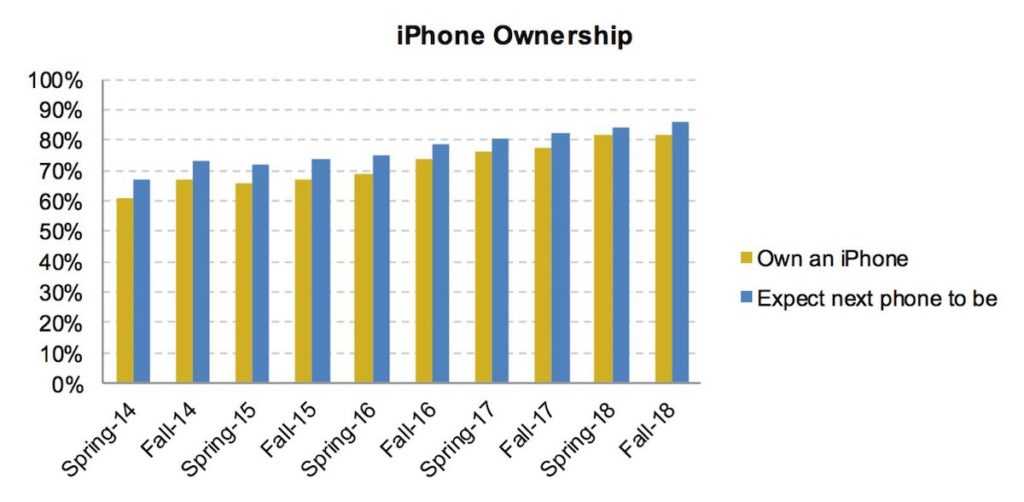
    A new survey by research firm Piper Jaffaray called “Taking Stock with Teens” has highlighted some of the most noticeable trends in teenagers’ purchasing habits and tastes. The survey polled more than 8,000 teenagers about how they spend their money and what influences their purchase decisions. The average age of teens surveyed is 16 and the survey is done every spring and fall. The Fall 2018 survey revealed a dominating presence by iPhone, Netflix, and Instagram.

    The survey concluded that 82% of teens owned an iPhone and 86% planned to buy an iPhone for their next smartphone. The iPhone has dominated the marketshare for a while now but it’s still growing in the Teen market. Only 10% of teens said they planned to buy an Android phone. Nearly half of those surveyed said that the brand of a product had a major influence on their decision to purchase.

    Instagram is now the social media leader among teenagers passing up Snapchat and Netflix provides the most streaming video to our adolescent kids at 38% of the share vs 33% for YouTube. Other interesting info from the survey is that food is the highest budget priority for teens, they prefer to shop online, and the majority of video game purchases are now made through online download.

    What Parents Should Know

    This info is meant to help marketers plan their products and advertising campaigns but it can go a long way to help moms and dads and other guardians of kids better understand how our teenagers tick. The emphasis on the iPhone speaks to the exclusive nature of the brand, the appeal of feeling like you belong to a niche group causes kids to move towards a brand that is considered to be more premier than the rest. Instagram has passed snapchat by adding much of the features that kids loved about Snapchat without changing the core timeline of the app. Snapchat has admitted to making a mistake by altering what made their app popular with the younger crowd. After going public, Snap made decisions to buffer their ability to become a marketing destination for companies. This undermined their core fanbase of kids and teens who are more likely to skip an ad or unfollow an account that seems to be too “pitchy.”

    Netflix is now a more popular video streaming service among teens than YouTube, though not by much. The focus on original content and many of our kids’ favorite stars creating shows and movies for Netflix is driving them to use the streaming service. There has also been a surge in younger people enjoying television shows from the past twenty years or so because of Netflix’s ability to keep those shows streaming on their service. While YouTube is pushing their own TV solution, Netflix is just continuing to build upon the genres they created and it seems to be drawing in folks from most demographics.

    I want to conclude by mentioning again that kids are buying their video games through online downloads. This means that the restrictions on games have to be set digitally or your kids can buy whatever games they’d like. If you have set up their Xbox Live or Playstation accounts to make purchases then they can buy whatever games they’d like without any restriction. You have to set that up yourself. There is no longer a cashier at the store who will ask to see your kids id when they try to buy a game that is rated M for mature. It is up to you to get those settings set up.

    This data is super helpful for us, as parents, to understand our kids’ preferences and influences. Information like this can help us make quality decisions and chose the right battles when trying to protect our kids from adult content, online predators, cyberbullying, and other dangers of using the internet with no filters or boundaries. Subscribe to our newsletter, our YouTube account, our Twitter and Facebook, and to our podcast to stay in the know as to what’s happening in the digital and connected culture your kids are growing up in.

  • PODCAST: Our Top Posts from the Past Three Weeks

    PODCAST: Our Top Posts from the Past Three Weeks

    In the new iteration of the Family Tech Update Podcast, we’ll be sharing the audio from our most recent top posts. In today’s episode, we’ll be discussing Call of Duty Black Ops 4, shopping in social media, Facebook’s new touchscreen smart speaker, and new research about screens and the cognitive health of our children.

    If you enjoy this podcast please consider subscribing on iTunes and sharing it with some friends. Also, you can enter to win 6 months free with Accountable2You’s accountability software by simply EMAILING ME a question to ask on the front end of the next podcast episode.

    Enjoy!

    Music by Keven Maccloud at Incompetech.com

    Read More:

    Parent Guide: Call of Duty Black Ops 4

    Facebook Portal is a Microphone, Camera, Smart Speaker, and Screen for Your Home

    New Research Includes Screen Time Limits as Critical for Childrens’ Cognitive Health

    Instagram and Snapchat go Full Consumer Sales, Will Your Kids Migrate?


  • NetNanny | Let’s Review Video

    NetNanny | Let’s Review Video

    Let’s Review Video

    Net Nanny features one of the strongest filters available, custom settings, time management, alerts, and much more. In this video, I walk you thought the NetNanny website and we discuss its pros and cons. I share some of the set up woes I experienced with NetNanny but why I think those have been updated. 

    You can learn more at NetNanny.com 

  • New Research Includes Screen Time Limits as Critical for Childrens’ Cognitive Health

    New Research Includes Screen Time Limits as Critical for Childrens’ Cognitive Health

    The elements that create a healthy environment for our children are ever-changing. We want them to understand how to eat right, get exercise, get an education, stay off drugs, and so much more. A new study in Canada has isolated three critical factors for our kids’ health, and not surprisingly, the amount of time they spend on a screen is one of the major players.

    Jeremy J Walsh of the Children’s Hospital of Eastern Ontario published the study that surveyed more than four thousand children ages eight to eleven. They measured cognitive abilities and the amount of time kids spent in active play, sleeping, and on screens. These three factors proved key to high cognitive health in children. The strongest results were from children who slept for 9 to 11 hours per night, spent at least 1 hour per day in active play, and spent less than two hours per day on screens. The study did not differentiate between types of screen time (entertainment/education) but researches say they are continuing their studies in that direction. 

    The report stated that sleep and screen time were the categories most strongly related to cognitive health and that only five percent of children surveyed met the requirements on all three categories. Sadly, nearly one third of the children in the study didn’t meet any of the requirements at all. 

    What Parents Should Know

    You’ve probably heard the fact that many of the developers of the most popular tech products have strict screen time limits for their kids. As do family tech safety experts, myself included. Research is continuing to show that unlimited access to screens can be detrimental to our health and especially to our children’s health. Childhood obesity, mental health, and even suicide rates are rising in the United States, right alongside the number of people who would consider themselves addicted to their screens and to social media. 

    I am looking forward to seeing what the researchers conclude concerning the types of screen time children are having. Smaller studies have shown that young kids learn less when they learn on screens, so I wouldn’t be surprised if cognitive health is affected just as negatively by screen time used for education as it is for entertainment. We will have to wait and see. 

    In the meantime I recommend using Apple’s Screen time, Accountable2You, or UnGlue to monitor the amount of time your child is using their screens. Include the amount of time you know they spend in front of a screen at school as well. Remember that four rounds of Fortnite is about two hours (if you’re pretty good at it) and that game is available on every device your kid has. YouTube videos, social media scrolling, and messaging all add up to two hours of screen time rather quickly too. This is why it is so important to monitor their time spent and even limit it with software or hardware on your wifi and data connection. 

  • Life360 Location Tracking for Families | Lets Review Video

    Life360 Location Tracking for Families | Lets Review Video

    Here is the next installment of our Lets Review video series. In this video I look at Life 360. They advertise themselves as “Your new family circle.” The app provides location tracking, driving behavior monitoring, arrival and departure notifications, and in app family messaging. All of these features are good and important. You may be surprised, however, at why I don’t recommend the app. 

    Features that are available in other apps, hard to find price lists, and a paywall for support are just the beginning of why I’m not jumping for joy about the Life360 app. Check out the video for a lot more of my thoughts. 

  • Instagram and Snapchat go Full Consumer Sales, Will Your Kids Migrate?

    Instagram and Snapchat go Full Consumer Sales, Will Your Kids Migrate?

    If it seems like every time you find the social media platform you like it gets ruined by marketers and salespeople that’s because that is exactly what is happening. First it was advertising, random ads showing up in between your friend’s IG Stories about their kids and coffee shop visits, now we’re seeing actual shopping being added to social media. Snapchat and Instagram seem to be going the way of Facebook by adding ways for companies to add products to their stories so you can shop right inside the app. 

    Instagram has expanded their discover section (when you tap the search icon) to include a shopping tab. This tab will be populated with products that are relevant to your activity on Instagram and will lead you to story posts that allow you to tap on products directly to make a purchase. Snapchat is also going to be adding in-app shopping with “Collections.” Collections will show up in between your friend’s stories and on the Discover page. These posts will give you the ability to actually select items you’d like to buy from within the app.

    What Parents Should Know

    You can expect to see these new shopping features roll out on Instagram and Snapchat over the next several days. Some have already been added. Your kids will notice them too and I expect a couple of different responses. First, kids are used to being advertised to. It happens to them all day long every single day. There is advertising in social media, in their games, and between all of the YouTube videos they watch. Many kids won’t be phased and may even find some useful stuff to buy in Instagram or Snapchat. 

    Secondly, I can see kids getting annoyed with the over focus on ads and migrating to a different option for their social media experience. Many kids already enjoy messaging through ad lite options like WhatsApp and Kik. They video chat with their friends through Houseparty, WhatsApp, GroupMe, or WeChat instead of Snapchat, IG, and Facebook messenger. I imagine their social media profiles will become more of a place to present the best versions of themselves instead of where they go to mindlessly scroll a timeline and connect with friends. 

    As parents, we should always know what apps our kids are using to connect with their friends. Do these apps require age verification are the default settings open and public so that anyone on the app can contact our kids? These are the questions we have to ask ourselves and our kids when they move from one social media platform to the other. Instagram is already so full of moms and dads that many kids are setting up secret “spam” accounts to avoid their oversight. The shopping features being added could lead to more kids moving on to other apps. Keep an eye on their downloads and on this site to see what they’re downloading. 

  • iOS 12’s Screen Time App Changes Everything!| Video

    iOS 12’s Screen Time App Changes Everything!| Video

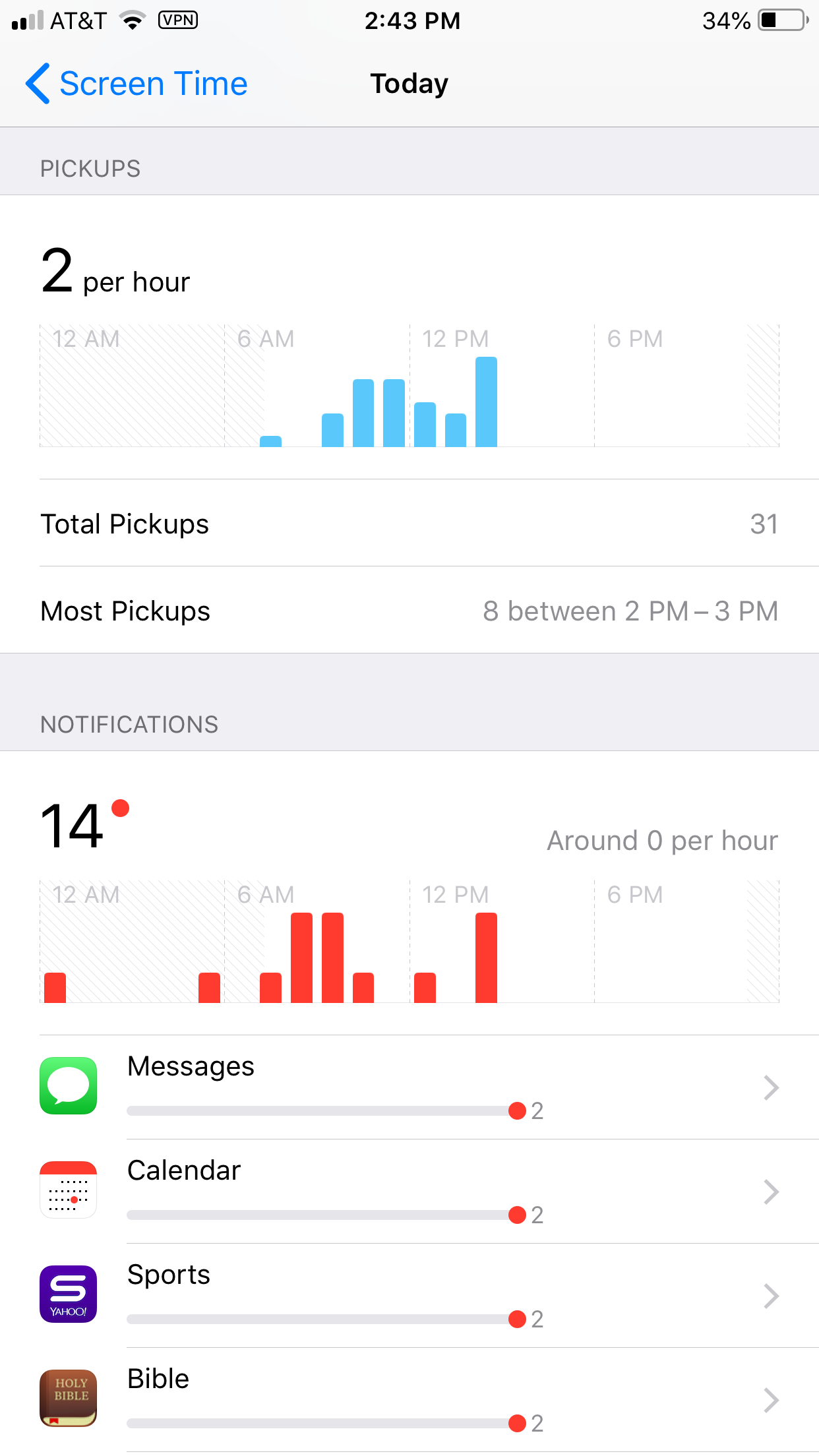
    Apple’s latest operating system is out and features something parents have needed to see for a while. Screen Time is a way to monitor the amount of time spent on your device and set limits for yourself as well. You can set limits for certain apps, schedule time off, and even check to see how often you get notifications and from what apps.

    Scheduling “Downtime” is as simple as an on and off switch but is customizable as well with the ability to set apps to “always allow” change privacy and restrictions. Yes, restrictions have been moved from their own category in the General settings to a sub category within Screen Time. Don’t worry, though. All of your screen time settings can be password protected. App usage and data can be seen without a password but settings can’t be changed unless you enter your four digit code.

    There is much more about how Screen Time works in the video above.

    What Parents Should Know

    This is one of the biggest steps toward the total parental control package built in to a phone. If the filter was a bit stronger (it can be improved through usage) it would almost have it all. I still recommend an accountability software and something to monitor messaging.

    This addition by Apple is a step towards taking responsibility for the risks and addictive nature of their products. Speaking, myself, as one who feels like I’m missing a body part when I don’t have my phone, it is really good to have a reminder of how much time we actually spend looking at our screens. Set up screen time for your kids and teach them how to be mindful of the time they spend on their devices. Set it up for yourself too and hold yourself responsible for the amount of time you spend on your devices. Lead by example and put the phone down every now and then.

  • Great News if Your Teen Has an Android or a Chromebook!

    Great News if Your Teen Has an Android or a Chromebook!

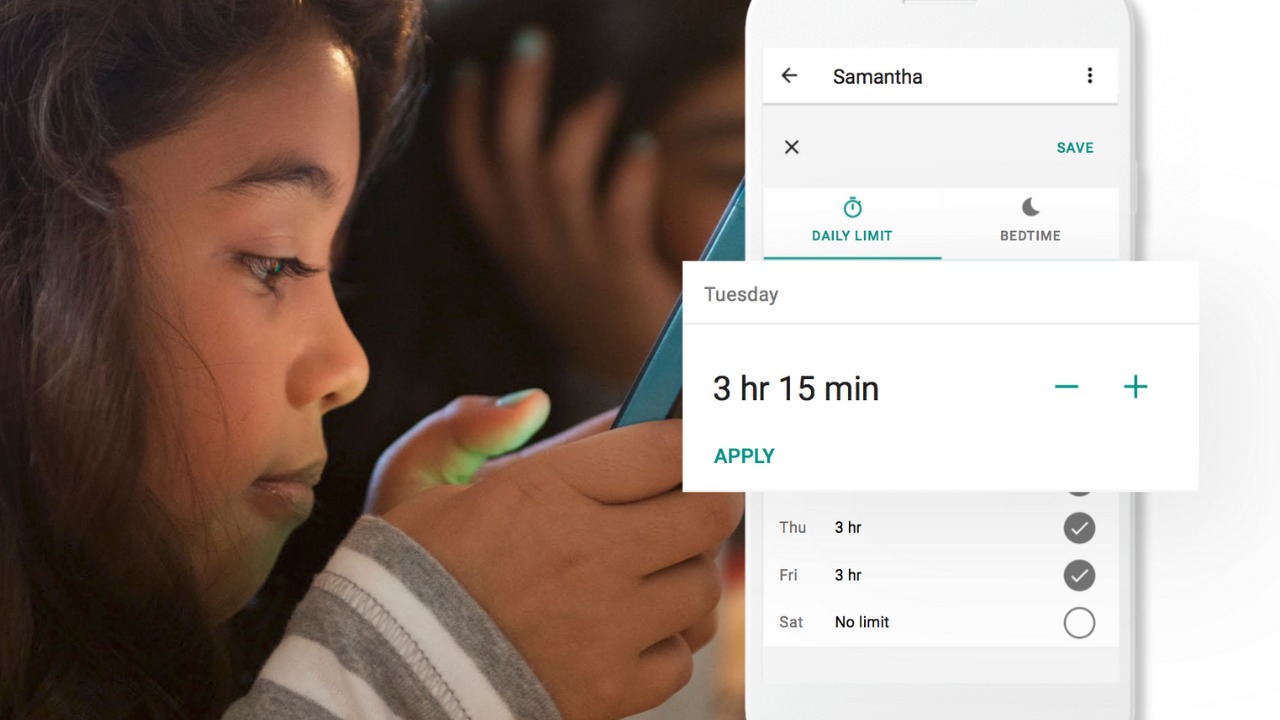
    Android Family Link was released last year to some success. The features are good enough and being able to change kid’s settings from your own phone is super helpful. There were some downsides, however. One of which was that it was geared mostly towards younger kids. That has changed today as google announces features for Teenagers in the FamilyLink app. 

    Android FamilyLink allows you to

    • Approve your child’s downloads and purchases from Google Play and limit the visibility of content in the Google Play Store based on maturity ratings
    • Manage settings such as SafeSearch for Google Search
    • Review your child’s app permissions on Android, such as microphone, camera, location, and contacts access
    • Change the content filtering setting and turn search on or off in the YouTube Kids app
    • Reset your child’s Google Account password
    • Set screen time limits on your child’s Android devices
    • See the location of your child’s signed-in and active Android devices
    • Manage the activity settings for your child’s Google Account
    • Allow a second family member to exercise most of the same controls you have over your child’s account.

    The features for teens adds the ability for your teen to disable the FamilyLink supervision setting. You will be notified if they disable it but the option is still there. 

    Chromebooks

    Schools all over the country are giving their students Chromebooks. The parental control options for Chromebook have been severely lacking for several months since Google disabled the Supervised User feature. The reason they ended support for Supervised User is to make room for FamilyLink and it’s finally here. 

    FamilyLink will soon give you all the same controls on Chromebook as you have on mobile devices. Right now you can only change account settings and content filters. Soon there will be screen time and app store management as well. 

    What Parents Should Know

    FamilyLink is a good parental control solution and it’s only getting better. They’ve added some good features and options for your older kids is also a good step. Issues I’ve had with FamilyLink in the past are the weak filter (currently only as good as Google’s Safesearch) and issues with backwards compatibility. They still recommend your kid’s device run Android version 7 or higher while some devices running Android 5 or 6 may work with FamilyLink. 

    I like what FamilyLink has to offer by way of screen time management and app store controls. A major problem parents have with Android is the ability to download apps outside of the app store. They control what their kids see on the Google Play Store but children can download things from outside the app store sometimes. Many parents don’t know how this is done and how to stop it so it poses a major problem. 

    The ability for teenagers to disable FamilyLink is kind of moot since it notifies parents. That makes me wonder why it’s put there in the first place. Perhaps to give teens the illusion of control or freedom since that’s something the adolescent desires more than anything. If you use FamilyLink for your teenager be sure to let them know you’ll find out if they disable it. The filter is kind of weak and there is no way to monitor messaging or get alerts if negative content has been viewed. I recommend a good accountability software for this. Get something that will work for phones and Chromebook. It’s critical that you know what your kids and teenagers have seen online and what they are doing. This allows you to have conversations with them about their decisions and the dangers and risks involved. 

  • Common Sense Media Releases Six Year Study on Teens and Social Media

    Common Sense Media Releases Six Year Study on Teens and Social Media

    Non-Profit research and resource organization, Common Sense Media, released their six year study of teenager’s use of social media. The survey based study polled more than a thousand teenagers from ages 13-17 and from all walks of life. Some of the results were surprising while most were exactly what you’d expect.

    In the video above, I walk through some of their findings and my thoughts on them but I’ll list some of the highlights below:

    Teens use social media now more than ever before.

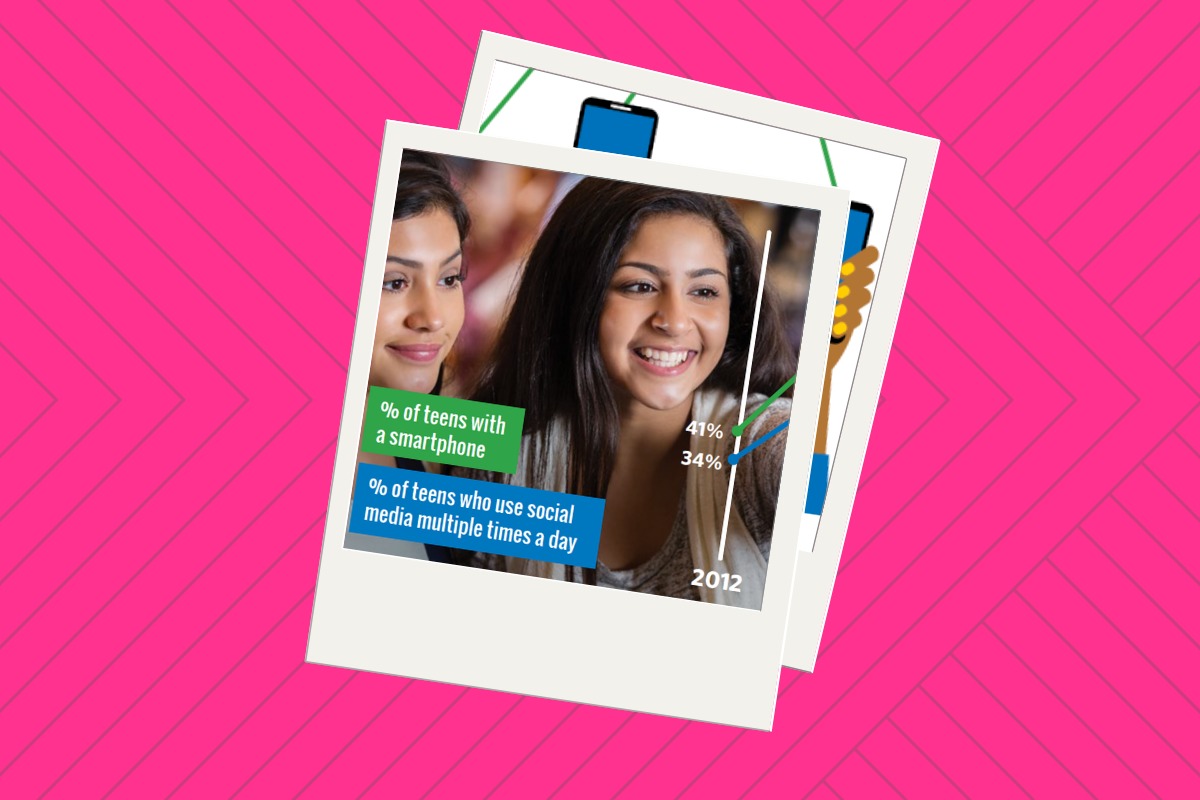
    Put this down in the not surprising category. The study found that there was a large increase in the number of teens who say they use social media in 2018 compared to 2012. Also, Facebook isn’t as commonly used by teens as it was six years ago with Snapchat and Instagram being the favorite of most of those surveyed.

    Social media is very important to most teenagers.

    Also not surprising is that many teens aren’t too good at self regulating their device usage and that many prefer social media interaction above face to face.

    Social media plays a critical role in the lives of most of those polled in this study. They agree that there are positive and negative affects but most feel that there are more benefits to their social media use than negative impacts. Those who were considered to have a low “social-emotional well being” were found to have more negative impacts from social media and most of those impacts were from bullying, racism, and sexism. Also not surprising is that many teens aren’t too good at self regulating their device usage and that many prefer social media interaction above face to face.

    Teenagers are wise to tech companies’ attempts to manipulate their users.

    A large majority of teens say that they believe tech companies manipulate their customers to encourage more device use. They admit that, sometimes because of this, they are often distracted by their devices when they should be doing something else. Many say that digital obsession is a problem for their parents as well. Also, quite an eye opening find.

    What Parents Should Know.

    Social media isn’t a phase and it is not something that you can keep your kids from forever. The most important thing is that when they begin to log in to social media accounts, they have an idea of what it means to do so safely. Model healthy social media and technology use for your children and try not to be hypocritical about your screen time limits. Talk to your kids about the time they spend online and let them know that they can come to you when something inappropriate or dangerous happens. 

    Know your child and if they seem to be the type who would be affected negatively by the use of social media then you shouldn’t allow them to use it. Encourage more face to face interaction with their friends and facilitate that with rides and your schedule. Finally, know that social media is a serious topic for your teen, a negative attitude that lacks any empathy to that fact will cause your advice to fall on deaf ears. Speak to your kids about healthy tech use and let them know this is a partnership, not a dictatorship where what you say goes and they’ll have to obey because you said so.