Facebook is testing a new feature that will allow you to unsend messages after you’ve sent them. As long as you decide to take the message back within 10 minutes you can undo your typos, unintentional rants, or inappropriate messages. This feature currently isn’t available in all markets but will be very soon.
What Parents Should Know
Anytime a Messenger has the ability to delete messages you’ve already sent, I see red flags. One of the problems with our young people using messenger apps is the false idea that they are anonymous or that they can hide what they said. Being able to send disappearing messages on Instagram and Snapchat has put them on my uninstall list. This new feature for Facebook Messenger might be a dealbreaker as well.
Always discuss with your kids the idea that anything posted online should be considered there forever. Even though a message says it could be deleted doesn’t mean it wasn’t saved by the recipient before you removed it. Also, the increase in cyber bullying and sexting can sometimes be attributed to the ability to take back messages you’ve already sent. Young people could be more inclined to send a sensitive message if they think they can just delete it later. Predators also use disappearing messages to allow them to groom there pray without any evidence being compiled.
Keep communication about social media open with your kids. Use something like Bark to manage what they are sending and receiving. And model good examples on how to use a Messenger app in a healthy way.
Facebook can’t stay out of the news. Going to Washington to testify about their privacy breeches, chain messages about hacked accounts, and copycats creating fake profiles to trick people’s friends. Today, the social media giant is in the the news for a different reason, they’ve released a smart speaker. Now you can keep Facebook Messenger always running in your home. Sound good?
Facebook Portal is a touchscreen smart speaker that seems to be created mostly to keep you connected with friends and family through messenger. The camera follows your face while you chat, allowing you to walk around the room or even talk with more than one person and then zoom in to focus on one or the other. The team claims that they use a 2d tracking technology, not face id in order to locate people in the room. This is to curb possible privacy concerns when it comes to facial recognition. Portal and Portal Plus also have an on/off switch for the mic, and a privacy clip that you can attach to cover the camera lens. It’s almost like the folks at Facebook think you don’t trust them with your privacy.
portal.facebook.com
The smart speaker also connects to Spotify and Pandora and will use Alexa to connect to some smart home appliances and devices. You can watch videos on Facebook and Facebook Watch and they claim that more video partners are coming soon. (YouTube, Amazon Prime, and Netflix anyone?) One feature everyone thinks is neat is the ability to read stories for children through chat and use augmented reality filters to increase the fun of story time. The example used features the story of the three little pigs and not only does it progress through story artwork as you read but it puts the mask of the characters on the reader while they read that character’s lines. A fun idea to make young ones sit down and chat with grandma, gramps, or auntie for a while longer.
portal.facebook.com
What Parents Should Know
My family doesn’t have a smart speaker in our home. Not even the one Amazon made for kids. I don’t like having an “always on” microphone hanging around. I’m pretty particular with how my data is used. I don’t mind Amazon using my shopping history to recommend things for me to purchase but I’d rather they not do so using my conversations with my wife.
Facebook is trying to ease users minds with their privacy focus on Portal. The audio chip that hears you call the wake word (Hey Portal) is separate from the one that sends audio to Facebook and even that is encrypted end to end. (The data is scrambled up for its whole journey across the internet from your device to Facebook and then to the recipient, if applicable.) They include the clip to cover the camera and even an on/off switch to disconnect the power to the microphone and camera.
These devices preach a message of connection and try to focus especially on connecting with older members of your family and to your kids. We know that connection over a screen isn’t always as beneficial as face to face connection but sometimes it IS our only option. In this case, a free standing device that exists mainly just for these kinds of connections (think, telephone in the 1980s) isn’t too outside the box. Even with all of their privacy additions, though, I still have a concern about putting a device with a camera and microphone in it in my living room that was designed by and always connected to Facebook.
If it seems like every time you find the social media platform you like it gets ruined by marketers and salespeople that’s because that is exactly what is happening. First it was advertising, random ads showing up in between your friend’s IG Stories about their kids and coffee shop visits, now we’re seeing actual shopping being added to social media. Snapchat and Instagram seem to be going the way of Facebook by adding ways for companies to add products to their stories so you can shop right inside the app.
Instagram has expanded their discover section (when you tap the search icon) to include a shopping tab. This tab will be populated with products that are relevant to your activity on Instagram and will lead you to story posts that allow you to tap on products directly to make a purchase.Snapchat is also going to be adding in-app shopping with “Collections.” Collections will show up in between your friend’s stories and on the Discover page. These posts will give you the ability to actually select items you’d like to buy from within the app.
What Parents Should Know
You can expect to see these new shopping features roll out on Instagram and Snapchat over the next several days. Some have already been added. Your kids will notice them too and I expect a couple of different responses. First, kids are used to being advertised to. It happens to them all day long every single day. There is advertising in social media, in their games, and between all of the YouTube videos they watch. Many kids won’t be phased and may even find some useful stuff to buy in Instagram or Snapchat.
Secondly, I can see kids getting annoyed with the over focus on ads and migrating to a different option for their social media experience. Many kids already enjoy messaging through ad lite options like WhatsApp and Kik. They video chat with their friends through Houseparty, WhatsApp, GroupMe, or WeChat instead of Snapchat, IG, and Facebook messenger. I imagine their social media profiles will become more of a place to present the best versions of themselves instead of where they go to mindlessly scroll a timeline and connect with friends.
As parents, we should always know what apps our kids are using to connect with their friends. Do these apps require age verification are the default settings open and public so that anyone on the app can contact our kids? These are the questions we have to ask ourselves and our kids when they move from one social media platform to the other. Instagram is already so full of moms and dads that many kids are setting up secret “spam” accounts to avoid their oversight. The shopping features being added could lead to more kids moving on to other apps. Keep an eye on their downloads and on this site to see what they’re downloading.
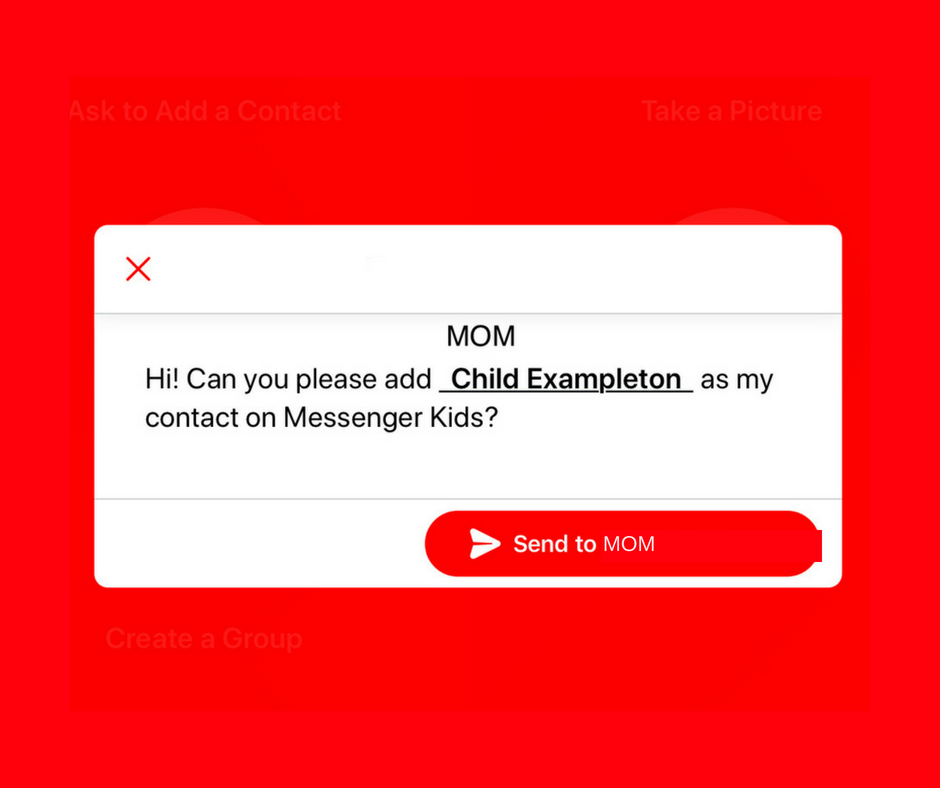
A parent controlled messenger was the dream of the FB Messenger Kids team when they created their app. They could be finding it a bit tricky to balance the security parents want with the ease of use kids need. Now a code will be available to help your kids identify themselves in the Messenger Kids app. This is a code they can use to send a friend request to other users. Parents will still receive permission requests but it will save the trouble of having to search for the potential contact’s parent’s FB account and send a request.
Obviously, this method will only work for friends who already use FB Messenger Kids. The code is also an “opt-in” feature, meaning parents will have to turn it on in their own Facebook app for their kids to receive the four-word identifier. The video above features a quick walkthrough of how to turn it on. You can also set up bedtimes in the Messenger Kids controls on your Facebook app’s settings page.
What Parents Should Know
The addition of bedtime settings is a great option for parents whose kids use FB Messenger. The jury is still out on the identifier code, though. It is intended to make adding friends easier but it remains to be seen if that will be the case. Asking your kids to remember their code so they can tell their friends is a bit reminiscent of phone numbers from our own childhoods. If they don’t know their friend’s code, they’ll still receive an option to ask parents to connect them, simply by name.
I always recommend limiting screen time for your kids, especially time on social media. The FB Messenger app is still one of the best, most secure options for your kids to keep in touch with friends and family. The stickers, challenges, video chat, and built-in AR games make it a lot of fun albeit easy to throw a lot of time into. This is why the bedtime and screen time limits are so important.
We all love playing “Don’t Smile.” You know, it’s that game where you have to look at your friend until one of you gives in and cracks a grin. First to smile loses. That’s one of the new games offered for you and up to seven of your friends on Facebook Messenger. Except in the AR game, your face becomes a cartoon-like grin to emphasize your good sense of humor and lack of self-control.
Facebook is really pushing the video chatting option in their messenger app which is the number two most popular of its kind after (also owned by Facebook.) Using the camera to add graphics to your face for a game is only the beginning as they are working towards AR shopping and have already featured some augmented reality advertising.
Browsing the Internet on Facebook
New research from Mixpanel features Facebook as a major mobile browser competitor in the United States. While Safari (iPhone’s stock browser) and Chrome (Google’s browser offering) remain solid at the one and two spots respectively the browser inside of the Facebook app is interestingly above Firefox, Opera, or any other browser for that matter.
A browser is an app you use to surf the internet. One of the main reasons that Facebook’s built-in browser is gaining so many users is the fact that so many of us get our news, media, and entertainment through the social media service nowadays. When you see an article you are interested in and click on it Facebook will take you to that article without leaving the app. That’s their built-in browser.
While Facebook has faced scrutiny for their data handling, fake news, and other privacy issues, it is obvious that they still hold a major share of the market where social media is concerned. People are still using Facebook’s app to connect, be informed, and be entertained.
What Parents Should Know
Screen time management becomes harder and harder as new features are added to our kids’ favorite apps. The developers of these apps want their users to connect through their app and be as social as possible. They want their app to be the new “hangout” location for those who use their service. Parents still need to be on top of how much time our kids are spending on social media. The dangers of cyberbullying, sexting, contact with predators, and access to inappropriate content increase as our kids spend more time online. Manage their screen time and teach your older kids to have healthy screen time habits. Studies have shown that actual, physical interaction with friends is much healthier than video chat. Encourage and provide safe opportunities for this type of interaction.
It is also important for parents to know that their kids can access the internet within their favorite social media apps. Facebook, Instagram, and Snapchat all have their own browsers and the data mentioned above highlights the popularity of the ease of use those browsers offer. What they don’t offer are content filters. If your kids can access Facebook, Instagram, or Snapchat they can access all of the internet and to my knowledge, there is no way to filter out adult content within those in-app browsers. Most parental control apps don’t control content within the browsers of social media either. This should be enough for you to only allow your kids to use these apps if they are older, haven’t had problems with accessing adult content in the past, and are mature enough to make healthy browsing choices.
I have had an extension installed in Google Chrome for a while that limits the amount of time I spend scrolling on Facebook. I can scroll and scroll until eventually hitting a limit that I set for myself. My only frustration is that it didn’t work in the app. Well, now I can breath easier since Facebook is releasing a new system for monitoring and controlling the amount of time you spend in their apps. The folks at Facebook say they want your time in their apps to be interesting and inspiring, not mind-numbing so they’ve introduced some new options and a dashboard.
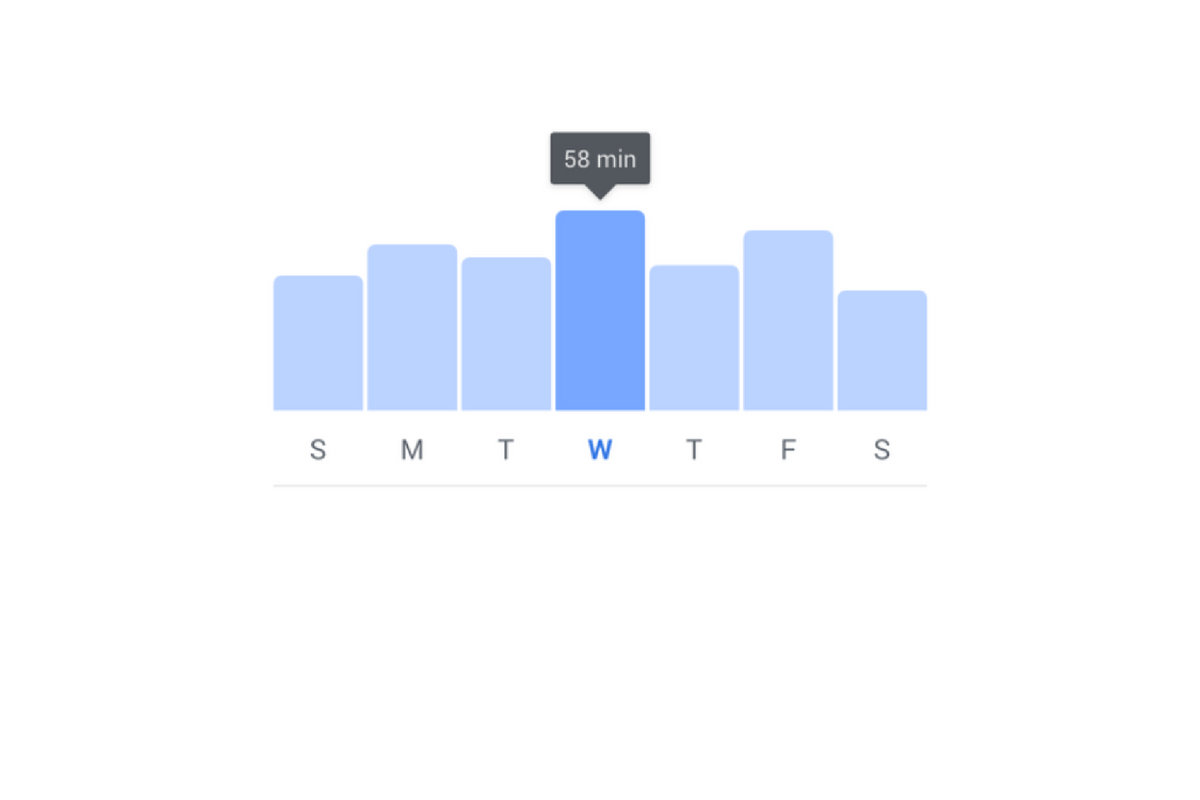
The new dashboard will show you how much time you’ve been spending in the app. You’ll also be able to set reminders and schedule a time to turn off notifications. The reports and settings will be found by tapping on the menu on the lower right of the Facebook app and by opening the settings in your Instagram app. You’re looking for the item called “Your Time on Facebook” in the FB app and on Instagram, you’ll open “Your Activity.”
Facebook is hoping that this will encourage the more thoughtful use of their apps and alleviate the addictive nature of the infinite scrolling social media timeline. Since the “Time Well Spent” movement began, companies have been taking more responsibility to find ways to help people be more intentional with their social media use. The past ten or so years have proven that social media isn’t going away and that folks will use it even to their own detriment.
NOTE: I, personally, haven’t received the update with these features yet as it is rolling out in batches over the next month or so. As soon as I do, though, you’ll see a tutorial on how to check your time spent and manage your settings on both Instagram and Facebook.
What Parents Should Know
This is a good opportunity to discuss the need for online time management with your kids. Since these companies are beginning to take it so seriously, we can use the news to encourage members of our families to do the same. Tell your kids about the features and ask them to use it, even if just to check in on the amount of time they’ve spent. It is amazing what changes you might make when you realize how much of your day is spent mindlessly scrolling a social media feed. If your kids are younger, I advise you to use these and any other resource you can to help them be thoughtful with their time online. Discuss time management with them and help them make healthy decisions so they’ll grow up with good habits.
Over the next several months, Facebook will be paying closer attention to profiles that seem to belong to underage users. Some recent attention from politicians and documentaries have highlighted the ineffectiveness of the company’s honor and reporting based age verification system, stating that kids of any age can create a profile and begin using Instagram or Facebook against the company’s age policy and the government’s regulations. COPPA states that kids’ data can’t be collected without the permission of their parents, this is why social media services have age restrictions in effect. The problem has been enforcement. Companies like Facebook and Snapchat have wanted to allow users to create a profile without too much invasion of their privacy or freedom of speech but this leads to an easy way for underage users to cheat the system.
Facebook now says they are going to be having their content reviewers actively seek out profiles that seem to be run by younger Facebook or Instagram users and require them to present a legal form of identification in order to prove their age. Previously, this was only done if an account had been reported by another user, this meant that the first line of defense against underage usage was simply the other people using the service. Obviously, this hasn’t been effective enough. Even though Facebook’s user age has increased over the past several years, Instagram is still very popular with the younger audience. Whether parents are allowing their kids to use Instagram or whether they are signing up without their parent’s knowledge, Facebook is going to be going to new lengths to remove those underage accounts.
Most social media is not intended for users under the age of 13. This is for legal reasons as well as for safety reasons. I usually recommend waiting until your child is 16 or older before opening them up to the social media world. User-generated content, the potential for meeting strangers, and highly politicised and polarizing material can be hard for younger kids to navigate and digest. It’s good for kids to be exposed to the realities and dangers of the online world while under some sort of supervision but Facebook, Snapchat, Instagram, and most other Social Media outlets don’t offer very helpful options for that supervision.
I think it’s good that Facebook is cracking down on these underage accounts, even if it is to protect themselves from further scrutiny. In my opinion, we will all benefit from more people looking out for the proper, healthy, and safe usage of the most popular social media services of our time. The first line of defense should always be mom and dad but hopefully, these companies are waking up to see that they have to be of some assistance to families as well.
Family Tech Update: What is IGTV? Facebook Messenger Kids wants to teach your kids kindness. What was up with the rocket launch in FORTNITE? Will eSports ever be in the Olympics?
There have been a few important updates in Facebook Messenger Kids lately. The first of which is a focus on kindness and digital citizenship. The app has added features to walk kids through kind online behavior and safety on social media. The app has kids agree to a pledge that asks them to be kind, respectful, safe, and have fun in the app. They’ve also added stickers and other creative content that will encourage sending kind messages.
Facebook has also added the ability for more than one parent to manage a kids app. This will allow both mom and dad to keep an eye on who is asking their kids to friend them on messenger. They recently removed the requirement for parents to be Facebook friends of each other in order to allow their kids to chat but this feature is a very parent-friendly addition. It is, in fact, a direct response to feedback from parents whose kids use the app.
Facebook also announced that they’ll be releasing something called “Appreciation Mission” which will introduce children to some ways they can show appreciation to friends and family on Facebook Messenger Kids.
What Parents Should Know
Many experts are concerned about the amount of harassment and mistreatment on social media as well as the general overuse of our screens. A feature that helps kids understand the importance of kindness online is a very good idea. Thus far, Facebook Messenger for Kids is the best option out there to give your kids the freedom of a social media messenger within the boundaries you’ve decided are necessary to keep them safe. Be sure to follow the guidelines of the app and set some time limits to be sure your kids aren’t overusing their screens as video and photo messaging can make the time pass very quickly.
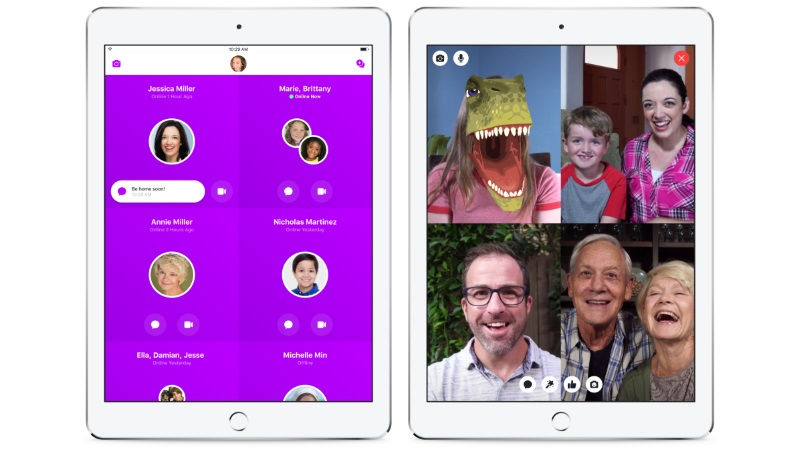
When Facebook Messenger for kids was released several months ago, I immediately installed it for my kids and began to test it out. I like that parents have to approve every single friend request. I was glad that it is encrypted, no data is collected, and that kids don’t have to open their own Facebook account. Finally, I was impressed that they built it with its own kid-friendly GIF library and camera filters. Now, Facebook has made a small change that could be helpful for many parents.
You no longer have to be Facebook friends with the parents of the friends your kids want to contact on Messenger. The approval requirements haven’t changed. Your children aren’t allowed to make contact with anyone you haven’t pre-approved and any request will be sent to your Facebook account for easy approval or denial. This update will just free parents up to allow their kids to chat with friends regardless of being mere acquaintances with that friend’s mom and/or dad.
What Parents Should Know
I still think that Facebook Messenger for Kids is one of the better messaging apps for kids. It’s easy to set up and use and there is no data collection, account setup, or advertising.
Here, however, is my warning: You should probably know your kids’ friends’ parents if they’re going to be chatting online. I’m not saying you should follow them on Facebook and be online BFFs, just that you want to be sure your children are chatting with other children. You give up a certain level of security when you aren’t looking out to see who your kids are talking to. With Facebook messenger kids the only way to find out who they’re talking to is through the account of their parents. Friend request their parent and then unfollow them if you must but you should be able to see what you can about their family to make sure your kid is only messaging other kids.