Tag: facebook

  • Family Tech Update: “The Time Well Spent Movement” {podcast]

    Family Tech Update: “The Time Well Spent Movement” {podcast]

    There’s a movement to take back our time and curb our tech addictions. What does it mean for families and how can we take charge of tech addictions? Plus: Snaps can be embedded on any site, and coding is king, but not on a screen!

    unGlue Affiliate Link

    Facebook: http://facebook.com/becausefamily
    Instagram: http://instagram.com/becausefamily
    Twitter: http://twitter.com/becausefamily

    Newsletter Sign up

    Ministry Updates:: http://eepurl.com/R7Btr
    Weekly Blog Posts:: http://eepurl.com/cvnhXD

    Websites

    Ministry Site:: http://becausefamily.org
    Tech Blog:: https://safe.becausefamily.org
    Michael’s Speaking Info:: http://kmichaelprince.org

    Donate and Affiliate Links

    http://BecauseFamily.org/partnership


  • Two Ways Your Snaps Can End Up Anywhere On the Web

    Two Ways Your Snaps Can End Up Anywhere On the Web

    One of my initial internet safety tips for parents is to turn off location data for their camera. Many of them do this immediately upon hearing my advice. The problem, however, is that they then jump over to Facebook and Snapchat to use that camera and their location settings are as public as can be. Today’s news gives us even more information about how your location data is used by Snapchat and Snapmap.

    Embedding

    Snap has opened up the ability to “embed” a snap into a website. This means that if your snap is public, a code can be copied and pasted so that your post shows up on the site that contains the embed code. It’s easy to do and really isn’t a new concept since public Facebook videos and photos can be embedded by default as well. I’ve embedded a snap from Disney on Ice in Des Plaines, Illinois:

    SnapMap

    Snapmap went into browsers today. This means that you don’t have to have the Snapchat app to see public posts overlayed onto a map of anywhere in the world. Concentrations of Snaps show up as colored dots that range from light blue (few Snaps) to bright red (high concentration of Snaps.) When you click on these colors you see the Snaps in a slideshow style format. They appear as most recent first and move to the past as you click or watch until the end of each post.

    Most of the Snap-map posts highlight breaking news (i.e. the recent ice storm in my area or a basketball game or concert) but it will sometimes feature posts from the general user if their posts are relevant and set to public. Posts are curated by a team of news editors. The idea is that Snapchat wants news organizations and sites to use their map to highlight current events and breaking news in real time. This offers a real opportunity to see real news, as it happens. It could also be dangerous if your kids aren’t setting their Snapchat settings to private or friends only.

    What Parents Should Know

    Location privacy is a major concern for parents. We post more of our private lives online than ever before and a map that highlights where we are and what we are up to can be considered a privacy disaster. Especially when it comes to our kids. Users of Snapchat are meant to be 13 years old or older. Some kids under than 13 spend a lot of time on the app, though, and their snaps are, therefore, available to be used as news coverage on this public map. I consider this a real problem for parents.

    I would recommend that if your kids use Snapchat, you ensure that they have their profiles set to private or friends only. Disable the Snapmap (put it in Ghost Mode) so that what they are posting won’t show up. Not taking these precautions could lead to your home address being featured on Snapchat’s map and even someone else’s website. Take location privacy serious. Talk to your kids about staying private, encourage them to never post anything they wouldn’t be comfortable being seen by anyone in the world. The internet isn’t private and social media is growing increasingly more public. Your kids need to understand that.

  • Facebook and Snapchat Join the “Time Well Spent” Movement

    Facebook and Snapchat Join the “Time Well Spent” Movement

    What is “Time Well Spent?”

    The Time Well Spent movement is a project of the Center for Humane Technology who exists to “Reverse the Digital Attention Crisis and Realign Technology with Humanity’s Best Interest.” The idea is that we have been trained to focus so much on social media and technology that we are missing out on the quality time we’re meant to have in our lives. The CHT works to educate parents, teachers, and industry leaders on the dangers of our addiction to technology and what we can do to overcome that addiction.

    Taking time to enjoy nature and have real face to face conversations are things we’ve taken for granted and the Time Well Spent movement is trying to get us back to those beneficial offline activities. We have begun to see some major social networks take notice of the desire for healthier tech use. As you’ll read below, awareness of these problems has lead to some actual changes for some of the most popular social media networks.

    Snapchat Redesign

    Not long ago Snapchat redesigned their app to be more user-friendly. They’ve also quietly added features that allow you to silence conversations for a while and added new styles of text to your snaps. The silencing feature is an obvious attempt to join the “Time Well Spent” movement.

    The do not disturb feature allows you to silence groups or individuals so that you don’t get notifications from them but don’t have to leave the conversation completely this allows you to keep a streak going while taking some time off of Snapchat, it also allows you to silent someone for a bit without making them feel like you’re ignoring them. Being able to silence conversations on Snapchat can make it easier to take a break without completely silencing your phone. Sure, you want to be accessible but you may not want to be as accessible as we can be these days with social media. I say good on Snapchat for adding this new do not disturb feature.

    Facebook Timeline Changes

    Facebook has been taking strides to encourage their users to use the platform in a more healthy way. From notifying you when you’re reading fake news to lowering the frequency of viral video content in your timeline or removing reasons to just blindly scroll Facebook without purpose. These changes seem to have led to a decrease in time spent on Facebook to the tune of 50 million hours per day.

    Zuckerberg has spent quite a bit of time talking about the responsibility Facebook has as the leading social media platform to encourage users to be more responsible with their activity online. It seems that they were willing to take this belief seriously even to the point of temporarily affecting their bottom line. Facebook’s new stats show a decrease in revenue, likely based on the usage decrease. While income was down during the last quarter of 2017, Facebook predicts that their numbers will level off as ad appearances on your timeline decreases but serious/meaningful engagement increases.

    What Parents Should Know

    I’ve never fully believed that the blame for addiction or overuse of tech and social media falls on developers. Yes, they can create services that encourage healthier use, and it’s good that some of them are beginning to think in that direction. The responsibility, however, falls on users to keep a healthy attitude. If our kids are who we are worried about then the responsibility to teach and model a healthy digital lifestyle falls to parents.

    Monitor the time you’re spending on social media. Set limits for yourself using some kind of software, like unGlue. Learn about the clues to whether news articles are fake or reliable, how to report people online that are causing problems, and how to avoid spammers and phishers. You should take the role of educating your kids on “Time Well Spent” seriously enough to model it for them yourself. 

     

  • Now ANYONE Can Make a Facebook Camera Filter!

    Now ANYONE Can Make a Facebook Camera Filter!

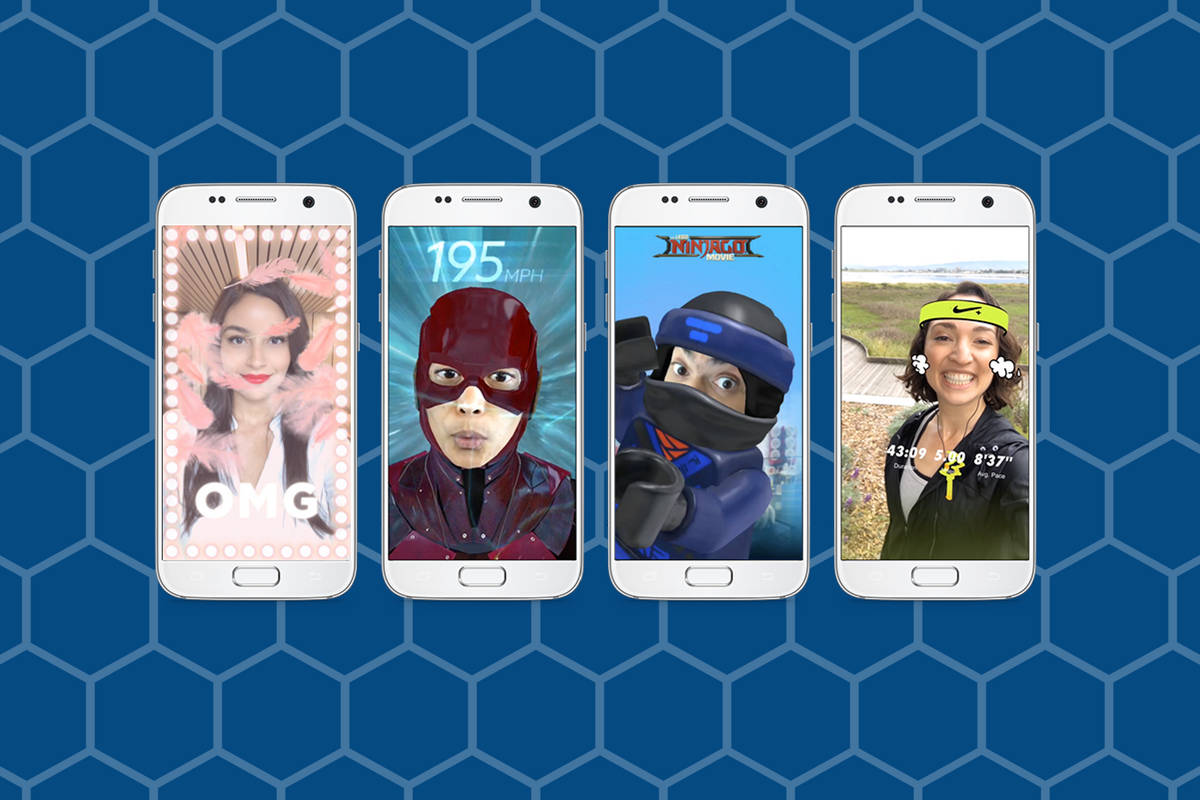
    Augmented Reality (AR) and Location Filters have become a mainstay of the social media camera. Snapchat started and Instagram, Facebook quickly followed suit, and before you know it, we’re all posting images and videos of ourselves with animated beards, mustaches, and hats. Your favorite fancy additions to your photos have always been created by select developers or advertisers so that those who run our favorite social media outlets can keep tabs on what’s being allowed on their platform. That has now, officially, changed. Facebook has opened up their public Filter and AR creator tools.

    “Starting today, we’re expanding availability of the platform and the AR Studio creative tool to everyone.” – https://www.facebook.com/FacebookforDevelopers/

    It’s truly as simple as going to the facebook developers site and downloading the AR software. Making non-AR overlays is even easier. The tool is built into the website. You simply upload your images and move them around wherever you’d like on the screen. You can use the tools to resize and edit your image as well as to remove the background so you get a transparent effect. While making a 3D mask takes some coding and design experience, making an overlay is a pretty simple process that just about anyone should be able to do.


    What Parents Should Know

    Obviously, there is no stopping the “AR train.” We all love taking photos with those crazy filters and it’s so neat to put some strange creature on your countertop and film it playing the guitar. Until now, we could trust that content being posted as filters on the Facebook camera had been created by legitimate developers and didn’t contain anything that wasn’t allowed by Facebook’s guidelines. Allowing public access to these tools basically makes filters and AR User Generated Content. I made one for FamilyTechBlog in about six minutes. There was no approval process (as far as I could tell) which leads me to believe that inappropriate content will only be identified by a “user flag and review” system. This could lead to who knows what kind of violent or adult-oriented filters showing up on our Facebook (and most likely eventually Instagram) camera.

    My advice for parents is to continue to talk to your kids about what content they use and see on their social media accounts. User Generated Content means that most of what has been posted hasn’t been edited or reviewed by anyone who can pull down non-approved posts. Algorithms and a flag system can only get so far in protecting our families from dangerous content. Parents should always be seeing what is posted by their kids and what their kids are seeing in the apps they use.


  • Released Today: Facebook Messenger For Kids!

    Released Today: Facebook Messenger For Kids!

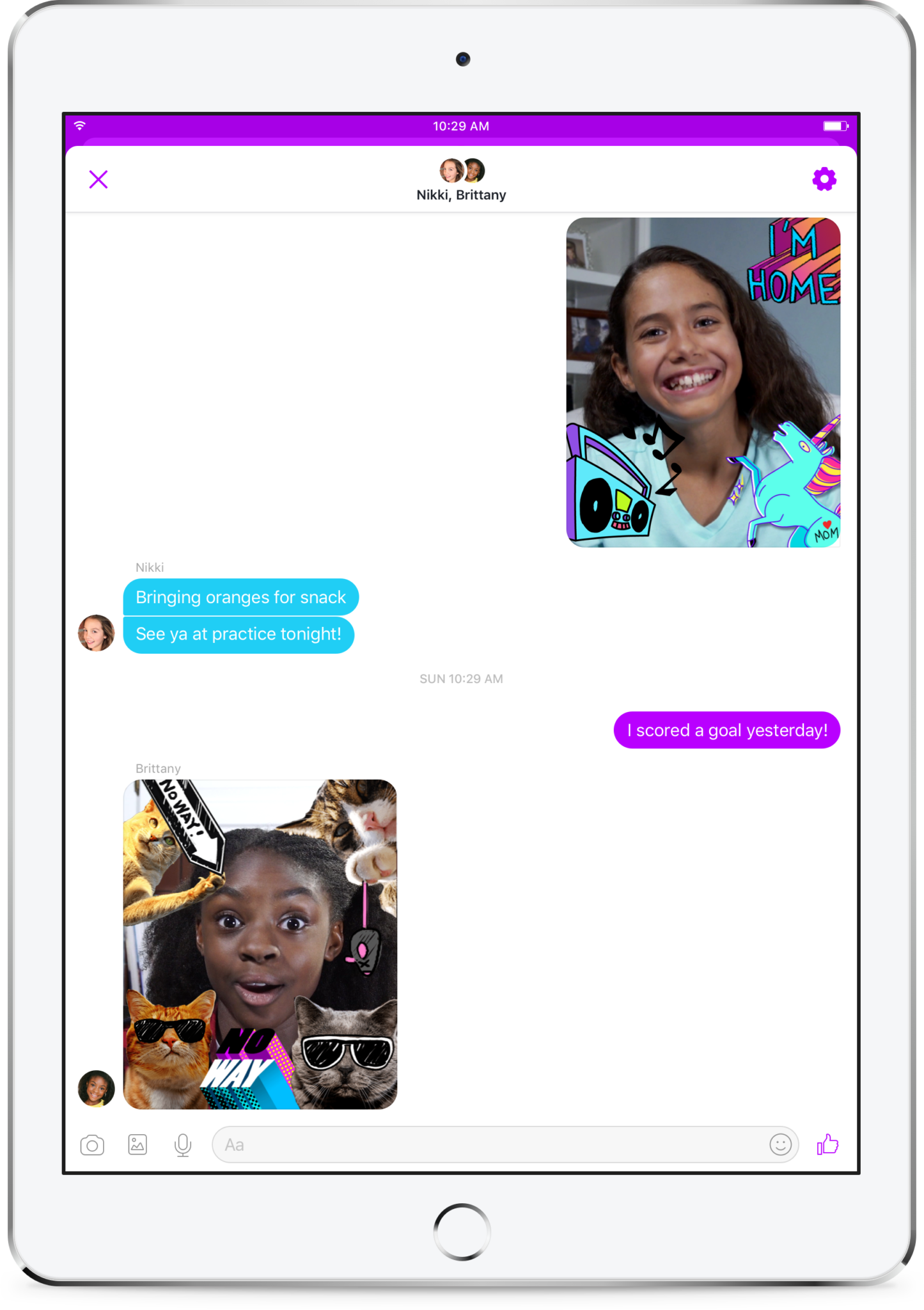
    Kids love social media. They like sending messages to friends and family. They absolutely love using filters and masks to share silly images of themselves. The problem is that social media wasn’t created for kids. It is for grown ups. That makes the social media world dangerous for our -13 kids. Enter Facebook, who is now trying to make social media and messaging safer for our children. Messenger Kids was released in the U.S. today on ios and the new app brings some favorite Facebook messenger features to our youngest family members.

    You set up your child’s account for them and they don’t need a Facebook profile to use Messenger Kids. Once you’ve downloaded the app and logged in with your own Facebook info, it will let you add your kids to the app and then ask them to take a photo and enter some information. Then, as simple as that they’re able to chat with you. To add contacts you search or browse your friend list and give your child permission to contact them by clicking “Add.” It can all be done from your own Facebook settings without access to your child’s device. They can also ask permission to add someone to their messenger app.

    As far as privacy and settings, Facebook has to be pretty specific with their rules. For example, Messenger Kids doesn’t collect ad data, their profile won’t show up in search, there is no advertising within the app, and there is no automatic account upgrade once your kids reach Facebook’s approved age. This is good news and proves that Facebook put some thought and research into what would make the Messenger Kids app fun and safe for kids. Messages don’t disappear and can’t be deleted or hidden. If an inappropriate image is sent, the child can report and the parents will be alerted that their kid has reported something that made them uncomfortable. One of the very few cons of the app is that parents can’t see videos or messages that their kids have sent and received except for taking the device and looking for themselves.  This is also, likely, due to privacy concerns and legal issues but it sure would be nice to at least be able to see messages that have been reported by our kids.

    What Parents to Should Know

    It isn’t very often I can fully recommend an app to parents but so far, I’m feeling like Messenger Kids meets my standards. The GIF options are curated by editors, not an algorithm and the filters are carefully selected and designed just for kids. Control is in the hands of the parent and that is exactly what I’m always wanting to see when it comes to apps designed for kids. The concern about time management does remain, however, so it is important to make sure your children are spending enough time doing other things. Messaging with family and friends can be fun but it is still screen time and it has been proven that kids need more than just screen time as entertainment. Use time management apps or just your own enforcement to be sure that your kids are only using Messenger Kids as long as you’ve decided is healthy.

    It’s great to see an app that brings features that kids love into a safer environment for them. I downloaded this app and have set up an account for my 10-year-old son. He has already enjoyed sending messages, using the camera filters, and even playing an AR game that is included. Why don’t you check the app out too and send me a message or email me and let me know what you think?


  • Partner with BecauseFamily on #GivingTuesday

    Partner with BecauseFamily on #GivingTuesday


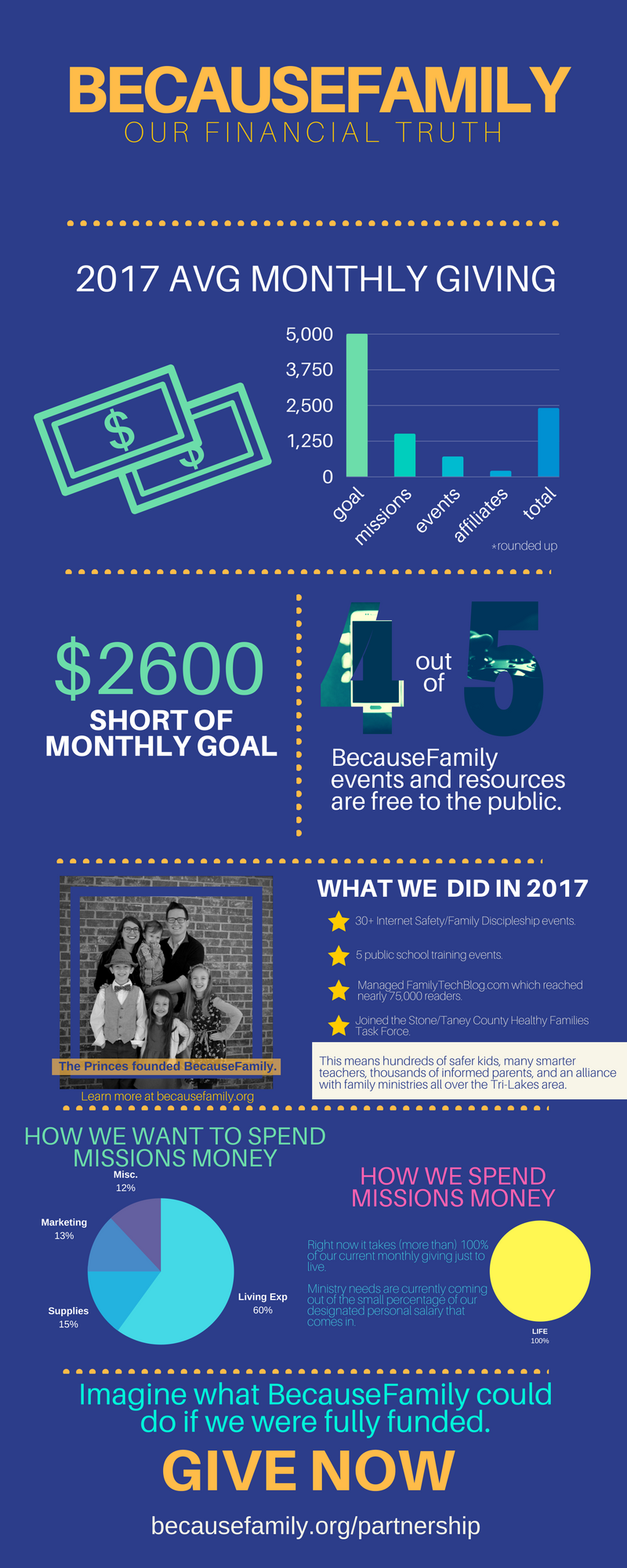
    BecauseFamily exists to inspire and equip parents to be the first influence in the lives of their children. We do that by hosting workshops, seminars, and events. We also do that with this blog. The goal of Family Tech Blog is to help parents be informed about the digital world their kids are growing up in. The blog is free, Living Room Workshops are free, the podcast is free, our YouTube videos are free! All free! We keep them free with the goal of removing any barrier to parents learning the things they need to know to raise digital natives. We can’t keep producing your free content without financial partnership.

    BecauseFamily is a non-profit ministry and can only do what we do because of the generosity of those who give monthly and those who donate at our fundraiser events. Offline, BecauseFamily does even more than what you see on this blog. We are in area schools, educating teachers on how to keep their classroom internet safe. We work with families to set up restrictions and parental controls on their devices. We speak in our area churches and organizations and share the tools and resources we’ve found that can help keep kids S.A.F.E. online. BecauseFamily is working every single day to keep parents informed, teens secure, and kids safe. Your gift to BecauseFamily can help us keep our work going.

    Visit BecauseFamily.org/partnership to sign up to give. Thank you for reading the Family Tech Blog and for sharing this post. We have big plans for our work for families and we can only accomplish these plans with your help.


  • VIDEO: Three iOS 11 Features Parents Need to Know

    VIDEO: Three iOS 11 Features Parents Need to Know

    More than half of all iPhone users are now using iOS 11 and there are some major changes. The biggest change is the control center. This has become a lot more useful with the iOS 11 update and there are some features that parents should know so that they can use them to further protect their kids.

    Screen Recording

    Screen recording hasn’t been built into iPhone until this update. It’s a way to capture what’s happening on your screen and then save it as a video in your photos. This feature is cool and very useful for projects like making this video but there is a bit of a concern with kids sending messages and them being recorded without their knowledge. Keep your eye on this one.

    Quick Guided Access Button

    Guided access is an awesome way to keep you younger kids safe. The quick access button allows you to get to you GA settings quickly and use the feature to keep your kids safe. Do Not Disturb While Driving

    Do Not Disturb While Driving

    This is one that’s been needed for a while. The Do Not Disturb While Driving feature lets you just tap a simple button in your control center and not be distracted by texts until you turn it off. Pretty good idea, even if it has been a long time coming.

    There are more details and some screen capture of these features in use in the video below:


  • You May Soon Share Your Instagram Stories on Facebook

    You May Soon Share Your Instagram Stories on Facebook

    Facebook Stories still hasn’t taken off. Despite putting them on the desktop site and constantly encouraging you to use the feature in the app, Facebook hasn’t been able to increase usership of their stories feature. In fact, if you look at the top of your Facebook timeline you will probably notice that only one or two of your six hundred Facebook friends have actually posted a story for you to look at. In their latest attempt to lure users onto stories, Facebook may soon allow you to share your Instagram story to Facebook. 

    Instagram is testing a “share to facebook” feature in the story camera. Once you’ve taken your video or photo for Instagram stories, you’ll then be able to share it to Facebook or share screenshots to Twitter. This is one of the first times we’ve seen Instagram test a feature that will integrate directly into Facebook, even though both networks are run by the same company. We haven’t seen them cross over much since Facebook bought Instagram in 2012.

    What Parents Should Know

    Instagram stories is still the most popular feature of its kind in social media. Hundreds and millions of teens and adults alike use stories every day to share what’s been going on and what they’re into. Facebook, while they are obviously reaping the benefits of Instagram’s success, they’re also wanting to block Snapchat out of the picture completely. Pulling the 2 billion Facebook users into the story feature could go a long way to make Facebook’s social media selections stand far above those of Snapchat. Most likely, however, your kids are still going to be using the service that their friends are on and the fact that parents don’t really “get” Snapchat makes it more appealing to them. Be sure you spend some time using Snapchat, Instagram, and Facebook so you’re familiar with all of the social media options available to your kids and teens. Set notifications so you’ll know when your kids are posting, and you can even log in as their accounts on some of the social media services. Whatever method you use, don’t be outside of the loop when it comes to your kids’ social media preferences. Talk to them about it, follow them on their favorite social media accounts, and use their login information to stay informed as they post and receive private messages.

  • How Your Teen Uses Social Media Differently Than You

    How Your Teen Uses Social Media Differently Than You

    I’ll never forget when this mother came to me and asked me why her kid is using all of these different social media sites. “I can barely keep up with Facebook. How does she do it?” The answer is simple. Your kids use social media in a much different way than you do. All of their friends are there and they all use it in the same way. While you can’t be (and shouldn’t be) expected to change how you use your social accounts in order to mimic your teen; insight into how they see the social media world can go a long way to help you keep them safe.

    They Use Each Platform Differently

    Believe it or not, there is a different way to use each social media platform. Snapchat has a purpose, as does Instagram, and even Facebook. Your teenager understands these differences and most likely uses each one accordingly. Snapchat exists to stay constantly connected with your friends. They keep up their streaks (consistent daily messages) and share the details of their lives on the private posts they send their friends. They then post the more broad and appealing snaps publicly for all to see on their story. Their Instagram is all about public posting and putting their best foot forward. (Whatever that may mean.) Facebook, if they’re there at all is for sharing the stuff they want the authority to see. It’s considered the most public of their social media connections and they use it as such. While you may take a photo on Instagram and connect it to your Facebook, Twitter, and LinkedIn, your teens don’t do that much. Each platform has its purpose and is used in a way that it’s meant to be used.

    They Use It  to Meet New People

    Social media has long been a great way for some of us to keep in contact or make contact with old friends. When we meet people in person we quickly go follow them on their social media profiles. The opposite is often true for your teenager. Young people use social media to find and begin relationships with new people. There are apps dedicated to this activity, some of which will even let you randomly connect and video chat or send private messages to these strangers. There are no such things as strangers for your teens when it comes to their online activities. People on social media are potential new friends to them. It could be a sense of anonymity or security that comes from being online instead of face to face that causes this attitude but either way your teenagers are meeting new people on social media all the time.

    They Self Edit

    I think I used the phrase “best foot forward” earlier and that’s the truth. While some of us may air our dirty laundry or share prayer requests or complaints about what’s happening in life on social media most teenagers don’t behave that way. They prefer to put forward the best version of themselves, even if it is over filtered and made up. The masks and filters available on the cameras in their favorite social media apps give them the ability to doctor up their photos in such a way that makes them seem cuter, or thinner, or smoother complected. They write their descriptions to portray the same image. They’ll do their best to come up with the most clever caption for their photo or they’ll use the emoji that is the most popular and interesting to get the reaction that they want. The most common practice is deleting or archiving posts that don’t get enough likes. Not only do they edit themselves before they post, they’ll edit their entire account by only allowing posts with the most likes and comments to continue to exist. Young people use social media to portray the version of themselves they want everyone to think is truly them. This is probably one of the main reasons they live on social media.

    They Live There

    You probably remember when you started using Facebook or Instagram. You can probably go back in your photo archives and find the first few pictures you took with a Snapchat style filter or mask. For most of us, social media is something that we’ve added to our lives and we use it to document and share much of what we do in our lives. For your teen, though, the realities can often become blurred. Many teenagers live on or through their social media accounts. Since the version of themselves they’re showcasing on social media is the filtered and edited version, teens often prefer to experience that life to the one they live offline. When I speak to teens, I always remind them that their online lives and offline lives are one in the same but they rarely put that together on their own. Any thing that happens to them MUST be shared. Many times they’ll even make decisions about real life based on what it will look like when they share it online. They aren’t like us. We’re talking about digital natives, the world they live in is a gray area between what’s done on the internet and what is done every day in real life.

    What Parents Should Know

    There are many ways that teens use social media differently than their parents. These are just a few examples but they should be eye opening ones. The only way to help our kids understand the blurred vision they can often have is to gently advise them as to what is healthier. Have conversations with them about what they could do instead of worrying so much about how they represent themselves online. Help your kids build confidence by using your own words and actions to show them how much value they have. The generation of teenagers that are growing up today have a confusing road ahead of them and moms and dads (or aunts uncles grandmas and grampas) are the only ones who can help them unravel the confusing path they have to travel.

  • Facebook Adds GIFs and Live Video to the in App Camera

    Facebook Adds GIFs and Live Video to the in App Camera

    If your Facebook feed is like mine there are only one or two people using the FB Stories feature at any given time. Instagram and Snapchat pretty much own the story market but Facebook is still chasing that “all inclusive social media app” unicorn.  Today, the app updated to include the ability to go live from the FB Story camera, to turn your images/video into a nifty GIF, and to share text over a colored background. (Much like the text status backgrounds available on your FB timeline.) It’s a bit surprising that the story feature hasn’t caught on as quickly on Facebook as it did on Instagram which has more users on Stories than Snapchat has over their entire app. There are more people using Facebook every day but they seem to prefer the timeline method to the 24-hour stories.

    One thing is certain, however, the apps that are popular with the younger crowd are the ones that get the most out of their stories feature. Facebook is, obviously, trying to attract that same crowd again since their average user’s age has increased over the past several years. Buffing up Facebook Stories is an attempt to reach out to that exact demographic. We’ve seen a small surge in the number of younger users to join or re-join Facebook but it’s nowhere near the growth that we’ve seen on Instagram and Snapchat.

    What Parents Should Know

    You still can’t take Facebook off of your apps to watch list. Your kids most likely prefer Instagram or Snapchat (if you allow them to use it) but some of these new features, which are designed to attract the teen and pre-teen demographic, could draw some kids back to Facebook. My advice is for parents to have their teen’s login information and to check in every now and then. You’ll want to see what messages they’ve received and what is showing up on their and their friend’s story. For many younger people, the fact that their parents use Facebook is a deterrent for them but some of the camera features and other new additions could cause them to change their minds. It’s important that you know if they have a Facebook account and keep an eye on what is going on there.