Tag: advice

  • The Weirdest Tech Trends at CES

    The Weirdest Tech Trends at CES


    Attending CES for my second year gave me a completely different outlook on the experience. Not only was I less interested in walking around the major company’s booths to see them talk about the same stuff they were marketing last year, I also noticed some trends that I’m hoping will go away. As I will say in my conclusion, I am a huge fan of new tech and usually want to own the latest products. Some stuff, however, was too silly even for me. It was also too silly not to share with you.

    Smart Pet Tech

    We have had tech for our pets for quite a while now. Microchips identify our dogs and their owners and can help us locate them when they’re lost. Many products have come out that allow us to keep our pets fed without actually having to remember to put food in a bowl more than once or twice a week. It seems, however, that some of the latest pet tech exists just to hop on the trend train. Especially the trend of calling your product smart.

    Dogness JS04 is a smart dog leash. Yep, a retractable dog leash that apparently has enough tech in it to be called “smart.” Truthfully, all this leash does is allow you to connect a speaker, a light, or a container for your poop bag. Other pet tech gave you useful tools like a self cleaning litter box, doggie doors that only open for your dog, and even an indoor doggie toilet. Much of the pet tech, however, was just created to sell something that they could call smart.

    Companion Robots

    Apparently you need a robot companion. Not only do you need one, so do your kids. The CES show floor was loaded with small robots for your kids and many of them were simply plush toys with a built in screen and/or voice assistant. Some companion robots will tell you stories, some help translate languages, many of them dance, and even more can be used to control the smart devices in your home. Most of these companions require you to look at or even touch the screen on their face to use them and only a couple had any parental screen time control built in.

    My question is why do my kids need a robot as a companion? I have four children, the one thing they do not need is another companion. While I guess an expensive stuffed animal with a voice assistant in it is still cheaper than having more kids, can this toy with cheap artificial intelligence actually be a friend to my child? Maybe it can help my kid learn some things, maybe it can be fun, but in reality it’s never going to be more than a toy, is it? The people developing these robots speak of them like they’re the new pet. Like your family is going to buy, name, and care for a stuffed animal robot like it does your dog Fifi…I don’t think so.

    Voice Assistant Bathroom

    Haven’t you ever just walked into your bathroom and wished you could tell your toilet seat to open and it does what you say? Remember the last time to went to the bathroom and just wished the inside of your shower or toilet would glow with green LEDs? No? I haven’t wished any of these things either but apparently CES isn’t about giving people what they wish they had but for showcasing things that people will assume they need since it’s a thing now. I understand that for someone who physically can’t bend down and lift a toilet seat, this product is a game changer. That’s awesome! My point is that they aren’t branding and marketing this tech as health products, this is considered high end technology for your home. I’m sure many will consider it just that and buy a glowing toilet so they can impress their friends at their next cocktail party.

    Foldable Smartphones

    Some products come out because the technology required to make the product is just so darn cool. The foldable phone is one such product. OLED screens are super duper thin and can work while rolled, folded, and bent. They’re being put into televisions and wall hangings and even entertainment centers in which the tv screen rolls up inside the table and then rises at the flip of a switch. As I played with a couple of foldable screens at CES I saw some neat uses for them. I wasn’t impressed with the foldable phone though. The features were pretty neat I guess but I’m just not interested in one tech device becoming all of my tech devices rolled (literally) into one package. If I have a tablet and a phone and a laptop I use them for different things and want them to be different things. I don’t need my tablet to fold down into a phone or vice versa. I truly think this trend is exactly that, trendy, and I don’t think we’ll be talking about foldable phones in five years.

    I Still Love New Tech

    Some of the trends you see at a trade show like CES are ridiculous but the cream truly rises to the top. The market tends to balance out and eliminate products that are too silly to survive. I couldn’t help but laugh, though, as I walked the show floor and looked at the majority of the booths selling smart versions of things that don’t really need to be “smart.” It was entertaining to see products that were mind bogglingly new at last year’s CES be basically copied and rebranded by other, smaller companies. That’s the way things work, I get it, but I see why some tech writers only cover CES every other year.

    What tech trends do you think are silly? What are interesting to you? Would you like your toilet to obey your voice commands? Comment below and tell me the reason you think that “smart” product I think is silly would absolutely change your life. 

  • A Warning For Parents Buying Android Tablets for their Kids this Christmas

    A Warning For Parents Buying Android Tablets for their Kids this Christmas


    Android Tablets are a great option for parents who want to get their kids some form of screen device without breaking the bank. The addition of Android FamilyLink has made Android and even better choice for our kids’ introductory tech device. They are affordable, fairly easy to use, and most all apps our kids want to play or use are available through the Google Play store. There is, however an issue that faces parents when they are ready to set up these devices for their kids: compatibility.

    Compatibility is the ability of a device to run the software you are trying to install on the device. Android FamilyLink requires operating system 7.0 or higher in order to work on your child’s device. That means that if your device runs an older version of Android, the app that connects your parental control settings to their device won’t even be available to install from the app store.

    I ran into this problem today while helping a family set up controls on the brand new tech devices they had purchased for their two girls. I initially thought it odd that on one device I could login an account as a child and on the other I could only make a basic adult Google account. Then, halfway through setup I realized that one tablet would run FamilyLink while the other would not. Both of these devices had been purchased from the same place on the same day and were brand new, not refurbished or used, but the operating system was different in each tablet. One was running Android 4.4 while the other, the one that let me set up FamilyLink, was running Android Version 7.1.

    I understand that newer software will not work on older devices but these are two devices being sold at the same time as brand new. There is nothing, without further investigation, that would cause a parent to expect they couldn’t do all the same things on both tablets. The truth, though, is that not all Android Tablets are equal. We won’t get into opinions on Apple vs Android but I will make this comparison: when Apple updates their operation system ( iOS) they ping all of the devices at once and encourage installation of the newest version of the software. Android, however, is a crap shoot. You have to go see if your device will be compatible with the newer software every time a new one comes out. The main reason for this is that different companies make phones that run Android while Apple makes the device, the operating system, the app store. Basically the whole shebang.

    People have different tastes and whether it’s the way the software functions, the look and feel of the phone, or just not wanting to spend as much money, Android will always be a significant part of the smart device market. My advice isn’t to just always use Apple products. I will encourage parents, instead, to always look at the specifications of any device you want to buy and see what operating system it is compatible with. If you are buying an Android product and want to instal FamilyLink, the device must run 7.0 or higher for the FamilyLink Children and Teens app to show up as downloadable in the Google Play Store. Otherwise, you’ll be looking for some third party app or combination of third party apps to add parental control functionality to your devices.

    Need help? Shoot me a message HERE.

  • The Family Tech Blog Needs You

    The Family Tech Blog Needs You

    As you make your #givingtuesday plans please consider BecauseFamily. As a small startup non-profit I can guarantee that your donation goes to help us protect kids and teens by bridging the technology gap between them and their parents.

    No VP or CEO pockets to line with cash, no big fancy expensive parties or fundraisers to finance. Just a guy doing his best to spread the word about the importance of screen safety for our families. Please donate and share.

    Visit becausefamily.org/partnership to learn more.

  • Player Unknown’s Battleground is Temporarily Free on Xbox

    Player Unknown’s Battleground is Temporarily Free on Xbox

    This is just a brief notice to let parents know that PUBG, a battle royale game similar to Fortnite but more realistic and graphic, is free today and for a limited time on Xbox. The game usually costs $29.99 but has been marked down for the rest of the week and likely the weekend. The version for iOS and Android has been free since release.

    Check Out: 5 Kinds of Apps Parents Should Look Out For

    What Parents Should Know

    Player Unknown’s Battleground is similar to Fortnite in that you parachute onto an island and try to be the last player standing. That is about where the similarities end, though. The graphics, while not nearly as polished, are more realistic and the death animations are geared a bit more towards adults. This news is important for parents who keep their credit card number or csv from their kids as a way to force them to ask permission to download a game. Since PUBG is free right now, this method of monitoring may not be effective since a payment won’t be necessary.

    I always advise that parents know what their kids are playing on their game consoles and that you discuss with them that there is a healthy and safe way to play and that they should make those good choices. Avoiding strangers and keeping from sharing too much personal information is the best start for your multiplayer gaming safety conversation. Just remember that like Call of Duty’s Blackout, PUBG may seem like its “basically Fortnite,” but it is very different.


  • What’s With Kids Watching Other Kids Play with Toys?

    What’s With Kids Watching Other Kids Play with Toys?

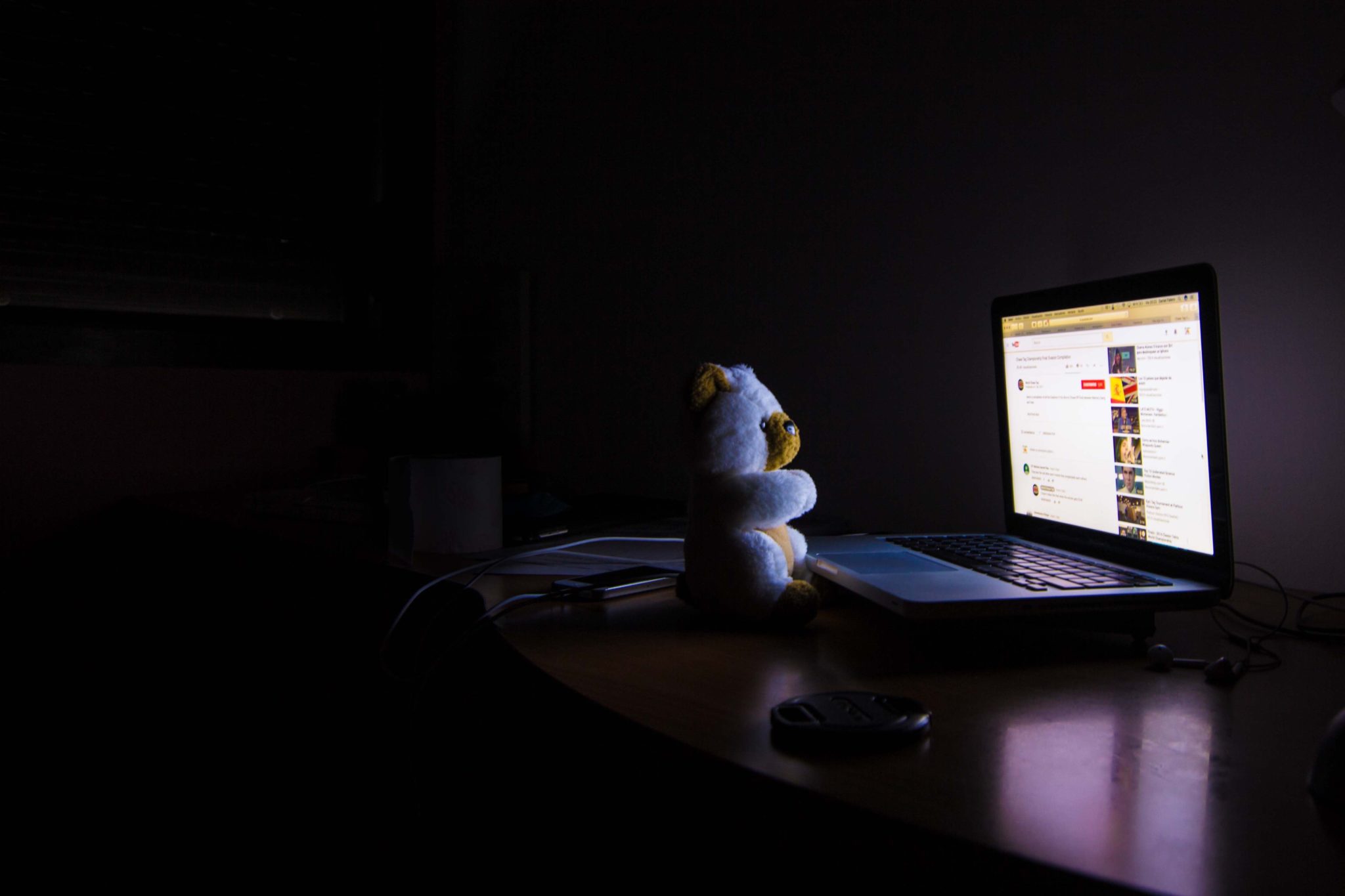
    It was originally called “unboxing” and it’s not new. Tech nerds have been watching online videos of other people open and try out products for more than fifteen years. YouTube coming in 2005 aided in a surge in popularity in the unboxing genre, which is now one of the most popular categories on the video streaming site. What has taken parents by surprise recently is how much their own children like to watch other kids play with toys on YouTube.

    Companies are lining up to have kids play with their products on their YouTube channels and many of these channels are receiving marketing deals to add to their hundreds of thousands of dollars per month of ad revenue from YouTube itself. One such channel, “FunToys Collector Disney Toys Review” has more than ten million subscribers and is estimated to have made over $550,000 so far in 2018. Often (but not always,) these YouTube stars are often given toys to open for free. They usually have to post a notice that they received products for the video, but viewers don’t care. They just want to see what the latest toy can do outside the box.

    These videos can serve a purpose, however. They allow us to see what products are like before we buy them. Many people admit to watching review videos online before deciding to make a purchase. We read Amazon reviews to help us decide which vacuum we want to get. These toy videos can help parents weed out toys their kids may think they are interested in until they see them unboxed and used. Unboxing is one thing, but what about watching other kids play with the toys, is that weird?

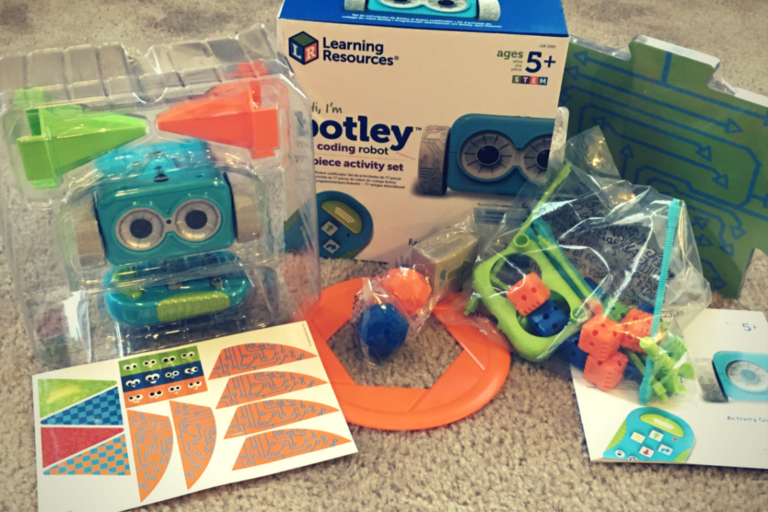
    Check Out: Botley the Screen Free Coding Ed Robot Product Review

    Our desire to see people use things we don’t have isn’t reserved only for children. We watch reality shows about the drama in the lives of the richest members of our society. There are entire channels dedicated to people buying extravagant homes and their popularity is driven by the desire to see others who have what we cannot or have not attained. We sit and watch shopping infomercials, never buying anything, but watching how the items can be used. Lets Play videos and eSports also speak to this need, allowing video game fans watch games perform at higher levels and maybe even play games that fans aren’t able to get their hands on right away. It’s a form of entertainment and it meets what some psychologists say are critical instincts that are within all of us.

    Memetic Desire

    At the risk of sounding like a neuroscience and psychology nerd, I’d like to explain some of the instinctual foundations of our love for unboxing and product demo videos. Memetic desire is the type of longing that comes from seeing someone else enjoy something. When you order the salad and your date orders the cheeseburger and you just have to have a bite is an example of memetic desire. The burger didn’t sound good when you were ordering but seeing your date enjoy it made it irresistible. The popularity of these videos is likely due in great part to our memetic desire. Watching someone open up the next iPhone will create in us the desire to obtain that device for ourselves. It’s normal, and it isn’t even too bad of a thing as long as it doesn’t turn to jealousy.

    Memetic desire can breed discontentment. For this reason we should be careful with what attitude our kids enjoy these unboxing videos. Are they loving watching someone else play and use their imagination? That’s all well and good. If they are watching and then demanding that you allow them to go purchase that toy, there is the problem. There haven’t been any studies to ascertain any danger to allowing your kids to watch unboxing and product review videos. If there is any risk, it’s likely based on the personality and behavior of your child.

    The best advice that experts give is for you to monitor and limit screen time. Whether they are watching someone play a video game, playing a game themselves, watching toy demos, or even watching a PBS show about math, too much screen time rewires the brain in an unhealthy way and should be avoided. If your kids are watching these video too much, the reason is simple. You are allowing them to do so. You can be the parent, use your knowledge of what these videos are all about and the amount of screen time that is healthy (usually an hour or less per day) to set boundaries for your kids. Use tools like unGlue or Accountable2You to keep track of the time spent on their devices. Take responsibility for your children’s online activity and you’ll create a safer and healthier environment for them to grow in. 

  • Musical.ly is now Tik Tok

    Musical.ly is now Tik Tok

    Today marks a major transition for one of the most popular apps for young teens and tweens. Musical.ly, the lip syncing video app, has been merged with Tik Tok. Tik Tok is another video sharing app that is run by Chinese company, ByteDance. The company acquired Musical.ly in 2017 and has now turned the two apps into one.

    The ultimate goal of this transition is to combine users. Musical.ly has had 100 million users while Tik Tok boasts upwards of 500 million. Putting them together is a move to become a worldwide social video super app.

    What Parents Should Know

    First of all, you need to know what the Tik Tok app is when you see it on your kids’ phones. It is Musical.ly. Musical.ly has been on our uninstall list for a while now because of the social sharing aspect. Now, with 500 million more users, the number of connections your kids can make in the app has increased.

    I advise you to be aware of what apps are installed when your kids phone. Again, we recommend you uninstall TickTock if you see it. Many parents are involved in their child’s usage of the app and that is up to you but I never recommend allowing kids or young teens to use such a social software without supervision.

  • YouTube Boasts 8 Million+ Flagged Videos Removed, is That Enough?

    YouTube Boasts 8 Million+ Flagged Videos Removed, is That Enough?

    A new report from YouTube has disclosed the removal of over 8 million videos that didn’t lineup with their content guidelines. Most of the videos were removed by their algorithms system. Videos that contained sexual content, extreme violence, hate speech, or terrorism all made the list of removed content. Some had been flagged by the system, some by viewers, and a few by YouTube employees who watch for non-compliant material on the video site.

    Many of the videos that were flagged by YouTube’s software were removed before they even received a single view. These algorithms can scan the videos through the processing system and deny them before they’re made public. Does this mean that YouTube is a lot safer for Felix?

    Check Out: Youtube Kids

    What Parents Should Know

    This is a major step in the right direction for YouTube. Unfortunately it’s never going to be full proof. The only real way to monitor inappropriate content is for human eyes to be on that content. Also, as parents it’s tough to allow another person, much less a company, to decide what is appropriate for our families and what is not.My advice, as always, is that parents have their eyes on the stuff their kids are watching whenever possible. If not possible then be sure to use tools like Guided Access or android family link or kid mode to be sure kids can’t explore YouTube unmonitored or unfiltered. YouTube does have a safe mode as well as a separate app for kids (YouTube Kids) and I recommend these tools as well.

  • Snapmap Featured User Sourced Videos of the Florida School Shooting

    Snapmap Featured User Sourced Videos of the Florida School Shooting

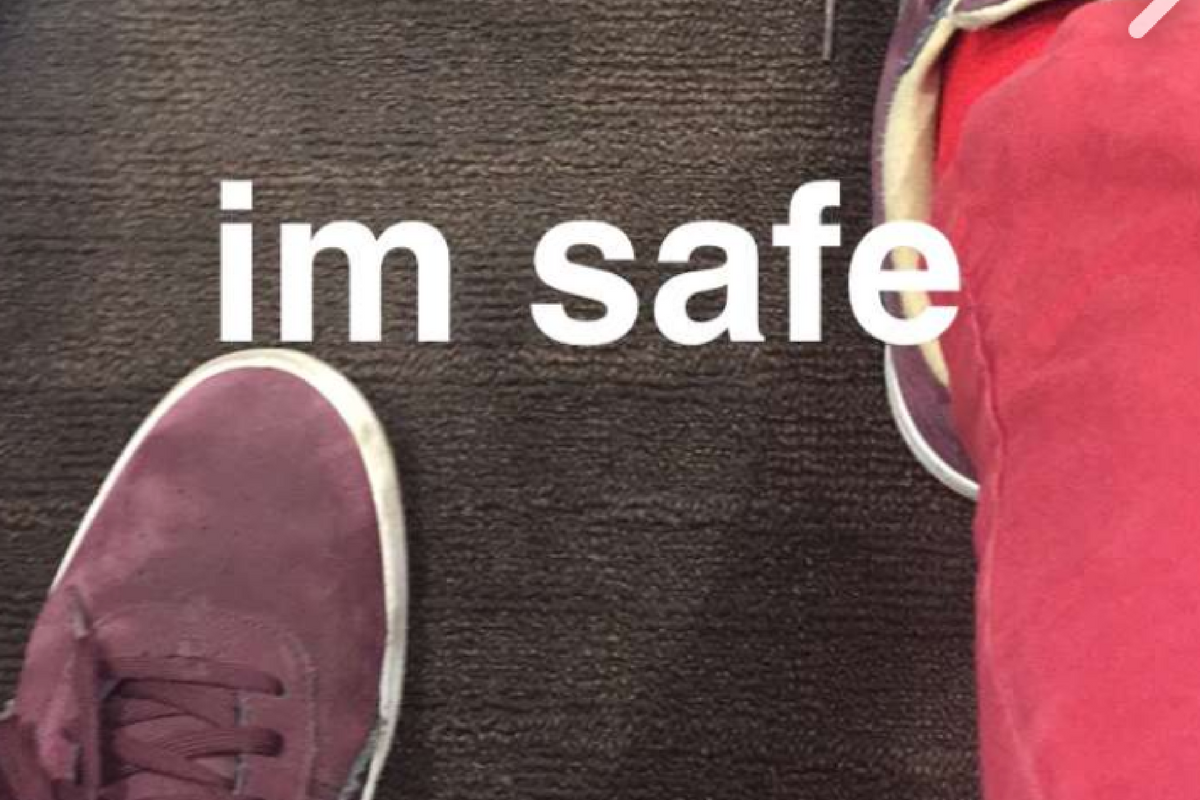
    Snapchat’s “Snapmap” feature highlights news stories that are curated by their team of news editors. The team chose to feature posts from the school shooting in Parkland Florida on their map yesterday. It was comprised of Snaps from students in the school, news outlets, and passersby whom the editors thought had posted something that contributed to the viewers understanding of what was going on during the shooting. You can see that editing was done before the Snaps were put on the map because a “Warning Graphic Content” posts start the slideshow, followed by a video of what seems to be the inside of a classroom in which you can hear the gunshots from nearby. Language is bleeped out and there are no actual victims shown but you do see a couple of students who are talking about watching their friends be killed right next to them.

    Snapchat hired a former CNN exec to lead their team of news editors and they say their news team is doing their best to follow the right journalism practices. They are working to remove overly sensitive content and choosing to only feature Snaps that contribute properly to the story they are covering. Snapchat’s main audience is under 18 which likely contributed to the fact that they had so much content to use to cover the shooting in a High School. This also means though that our kids who use Snapchat, and anyone else using their map in a browser, can have access to on the scene footage of what is happening during events like this. A school shooting is a national tragedy and social media is becoming one of the most common ways that people learn about what is happening or has happened. Snapchat is attempting to provide a curated look at this news, but is that what we want our kids to see when they look at their phones?

    What Parents Should Know

    As mentioned above, posts from Snapchat are not automatically sent to the map. These posts are curated and especially selected and edited before being added. While I’m grateful for some oversite from Snapchat when it comes to sharing this news, I have to question whether or not I would want my 13 or 14-year-old to have access to some of the images seen during the shooting on Wednesday. Just seeing something so dangerous portrayed in such a real way can be damaging and cause fear in our kids. We have to look out for this and know if this is something our child can handle or not. For some of them it may be fine but for others, they aren’t mature enough to deal with that much realism.

    (Opinion warning!) I can’t tell you what’s right for your kids, I will, however, give credit to Snapchat for trying to bring some truth to the news by using information from people who are actually there. I will also keep this info from my kids for a while. There are enough things that cause fear in our lives, I wouldn’t want added influences like their social media accounts to increase that fear. Snapchat is on my uninstall list for a lot of reasons, I’m grateful they aren’t just putting every public post from one of these tragic events onto a feed that your and my kids could see but I will think long and hard before allowing my child access to this source of news.

  • CES2018: Experts Say Parents Should Play WITH Their Kids More

    CES2018: Experts Say Parents Should Play WITH Their Kids More


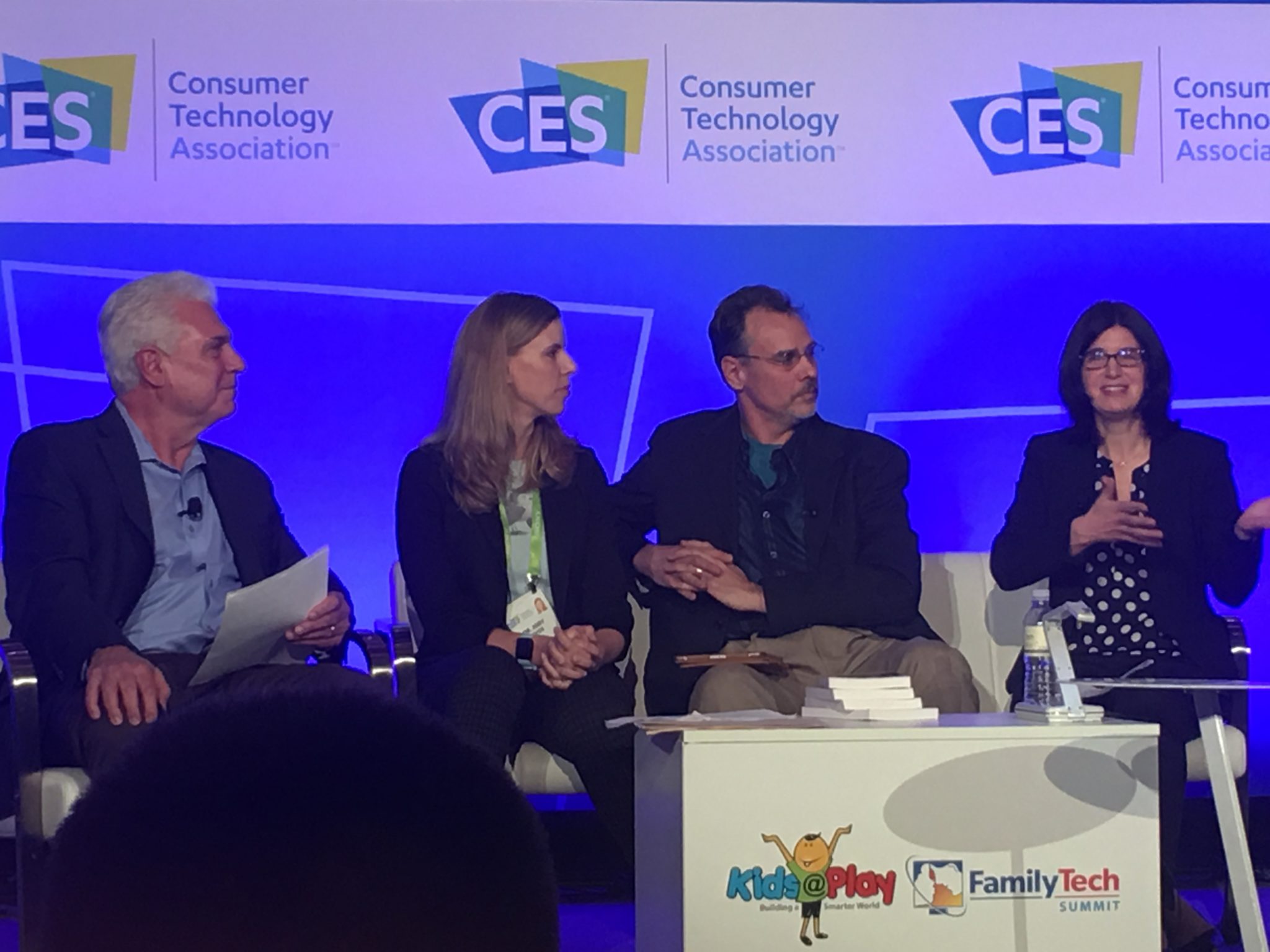
    There was a lot of conversation about playing at the CES2018 Kids@Play Family Tech Summit. Joining Living in Digital Times‘ founders and producers were inventors, developers, and psychologists. They were all there to discuss the importance of technology in the world we live in and the responsibility of tech developers to know how to create products that are helpful and not harmful. There were conversations about the amount of screen time that is acceptable for kids. There were many new tech gadgets that seek to teach kids about technology without requiring screen usage to do the educating. One of the main focuses of the day’s events, however, was playing. How much time should kids play and what can we learn from how they play? The day started with a panel consisting of a couple a renowned child/family psychologist, a psychologist responsible for Child Development and Learning at Mattel, the president of The Toy Association, and the Vice President of PBS Kids Digital.


    Play IS the “Secret Sauce.”

    Fred Rodgers said, “Play is the work of childhood.” Educators and toy manufacturers are taking this idea seriously. You will have noticed how more and more toys have some kind of educational element to them. This is no accident. The toy industry is taking note of the importance in play for a child’s development and education. The problem, as discussed in this panel at CES, is that many parents lack the ability to truly play and therefore, forget the benefit it has for their kids.

    “Play is how kids explore the world.” Sarah Dewitt – VP, PBS Kids Digital


    “Some parents see play as a luxury…we’re doing a lot of work to show parents the benefits of play.” – Dr. Jody Sherman Levos – Dir. Child Development and Learning at Mattel


    They say that the key is balance. In fact, I heard that word hundreds of time throughout the discussions that day. We have to work to maintain a proper balance. We should balance how busy kids are doing homework with a healthy amount of play. We also need to keep a proper attitude about how busy we, as parents, are and keep from being so busy we can’t spend time playing and exploring with our children. Parents are letting tech do more than it should do and play roles in their lives it was never meant to play. Erik Fisher, child/family psychologist said: “Tech isn’t the trouble. It’s time with your kids.” he also stated that “our kids are, in some ways, becoming guinea pigs.”

    We have used tech to teach our kids to read, entertain them, or even just keep our kids busy. The general consensus is that kids under two shouldn’t have much screen time at all and then they should be slowly introduced to toys and apps that are used mainly for educational purposes. Most importantly is that parents spend time playing with tech alongside their kids. Not only does this increase a parent’s awareness of the benefit (or lack thereof) of the device their kid is using, it also gives kids a sense of security that they can talk to you about the tech they love. This, of course, is always recommended by experts and by those of us at BecauseFamily. Imagine how easy it will be for your 13 years old to talk to you about their time on social media that day if they’ve been discussing their tech usage habits with you since they were four years old.

    The Takeaway

    Remember that kids don’t have to be inundated with technology to become the next tech giants. In fact, many west coast tech executives send their children to tech-free schools. While technology can add a layer to our kids’ play and education, it’s important that we talk to our kids about their play. Encourage them to be creative and color outside the lines. Remember what it was like to be a kid and allow them to mess up and do it wrong without negative consequences. Most of all, don’t let tech usage, even for educational purposes, outweigh the other areas of play that are so important for your kids.

  • Tools to Monitor Your Own Screen Time in 2018

    Tools to Monitor Your Own Screen Time in 2018

    Happy New Year!

    The first of the year has come and we are all trying to make ourselves a little better. Maybe you’re concerned about you and your family’s increased screen time. This is normal, we’re all thinking about what we can change in the new year and spending less time looking at a screen is on the top of many lists. These tools can go a long way to help you identify the amount of time you spend on your device, narrow down what you’re doing that sucks up so much of your time, and even set boundaries to alert you or block access when you’ve reached your desired limits.

    Accountable2You

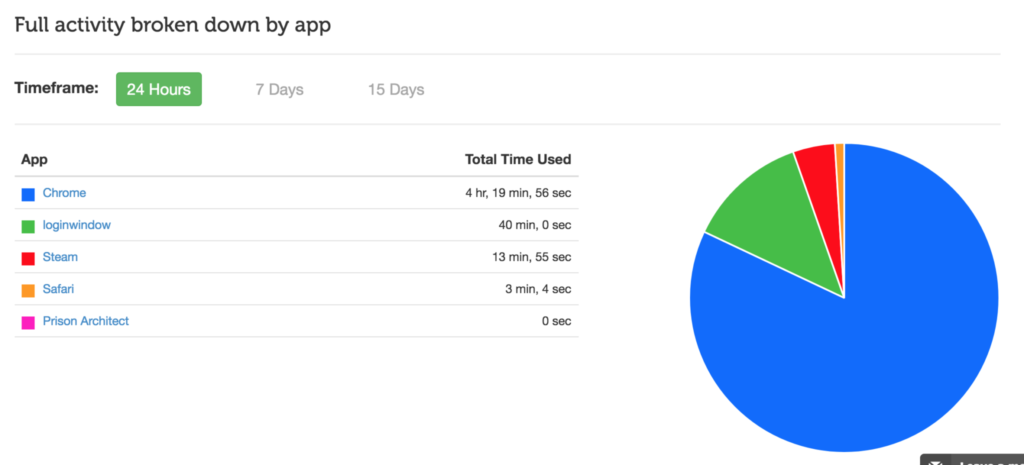
    No matter what device you use, Accountable2You can help you keep track of what you’ve been doing online. The online dashboard will give you an App Usage report, complete with a circle graph of how you spend your time online. Whether you use this to keep track of your kids’ devices or your own screen time, it’s an easy to read way to be aware of how you’re spending your days.

    Accountable2You is an accountability software at heart. It will notify you if there anything inappropriate has been accessed by those you’re keeping an eye on. It’s easy to set up, affordable (6.99 for 10 devices and 9.99 for 20,) and it works for every device. Even the Chromebook your kid got from school. It’s what I use and the best part is that if you sign up with our link, our non-profit will get a bit of help every month because of your payment.

    Android Family Link

    Android’s first stab at native parental controls focuses mainly on time management. That is, in fact, almost all it focuses on. Google FamilyLink is designed to allow parents to set time restrictions, time limits, and bedtimes as well as monitor the amount of time spent using the device. This will be accomplished by a complete disabling of the device once time limits or restricted times are reached. A tool like this could easily be used to limit or monitor yourself as well. If you, like me, spend most of your time in front of your computer for work, you may want to be able to set limits on how much time you spend on your phone or tablet for recreation purposes. FamilyLink should be a pretty good way, if you have an Android device, to cause your entire device to shut down when your limit is reached, or even just take a look every few days to see how much time you’ve spent on those devices.

    iPhone Battery Meter

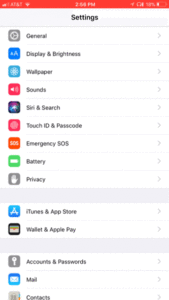
    For iOS users, Apple has built in a way to keep an eye on what you’re spending your time on while using your device. Your battery meter can be used to monitor your own screen time. It will even sort your time by app used and separate it into “on screen” and “background” time. To use this, simply go to your settings app and open the Battery section. When the usage area loads, tap on the clock icon on the upper right of that section. You can set your timeframe to be 24 hours or 7 days. This gives a pretty good snapshot of how you spend your time on your iOS device. Try it, you may be surprised.

    Moment App (iOS only)

    The Moment App uses your battery meter to build a nicely laid out report for you to keep track of the time you spend on your phone. Moment is only available for iOS (Android app is in development.) It automatically tracks your usage and allows you to see simple reports that separate your usage by the apps you spend time on. Moment lets you coach yourself on your screen time habits so that you can make changes if you want. You can set up time limits and Moment will notify you if you’ve gone over the time you’ve allowed.

    This app works pretty well. I used it for about a month and definitely made some changes to the amount of time I spend on my phone. Since it’s free you can even consider using Moment to install on other devices in your family and setting up limits for them. It will be up to them to put the phone or tablet down when they are notified but there’s something to be said for teaching your older kids to take the responsibility into their own hands. Moment is a free app but there are premium features (including extra family controls) that you can pay for.

    UnGlue

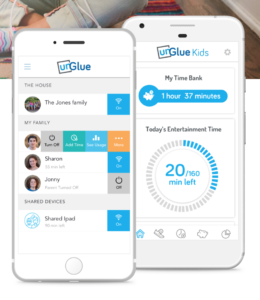
    UnGlue was created to give the power of screen times to the kids themselves. The website touts a plan to “give kids the power to learn healthier habits – within your boundaries.” UnGlue uses a scheduler to set up your kids’ screen time allowance. You can give them control of how they spend their time by giving the rewards for things like chores and exercise. Unglue works from just an app, no separate device to hook up. The basic UnGlue package gives you access to screen usage reports only. You can use this free feature to keep an eye on the time you spend online. Further features will cost up to $9 per month. UnGlue is fairly new and has been updated quite a bit recently. It will work on iOS or Android and even on your home devices. (With the full-featured service.) Go check out UnGlue and tell them FamilyTechBlog.com sent you.


    Circle

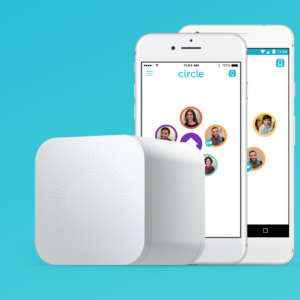
    I’ve spent a lot of time talking and writing about Circle. I recommend this parental control tool to everyone I speak to and I even use it myself. Circle lets you filter by age and category and limit screen time for your kids but it’s been cool for us to have a profile for ourselves. This profile lets us see, in one glance, how much time we’ve spent on every single one of our devices. When you’ve built your profile, you just add the devices you use to be monitored under your account, this results in a very useful and detailed report on how much time you’ve spent in front of your screens. It even monitors your smart tv, BlueRay, and gaming system usage. Circle is a $99 investment for in-home wifi protection, (with the option to pay $10 monthly for on the go monitoring) but in my experience, it’s an all-in-one parental control system. You can buy circle at Amazon or at Best Buy and Bed Bath and Beyond.

    Whatever you do, start.

    New Year’s Resolutions are notoriously easy to forget about but my advice is that you just get started. When you begin my tracking how much time you spend on your screens, you’ll find yourself truly motivated to make a change. It worked for me. Using Moment and my battery life meter led to my decision to not start using my phone until I’ve had breakfast with my family. We’ve even started doing some Social Media Free Saturday’s a couple of times per month. Whatever your goals are, you’ll never accomplish it if you never begin so grab hold of one of these tools and get started!