Tag: advice

  • Diagnosing Your Tech Safety Needs with 3 Questions

    Diagnosing Your Tech Safety Needs with 3 Questions

    After I do a workshop and unpack the many threats and resources related to internet safety I am met with several different responses. One of the most common is the overwhelmed parent who wants to do something to help their kids be safe but doesn’t know where to start. These are the parents that I try to set up a consultation with to diagnose their internet safety needs. Here are the three questions I ask to help them make a plan and what their answers tell me.

    Question 1: How many devices are in your home?

    First of all I need to know how many phones, tablets, computers, game systems, smart TVs, and such you have floating around your house. I get all kinds of answers to this question and they all require a different approach. The main thing I need to know is who uses what devices and if everyone has their own. If everyone is using their own then something like Circle is a good idea because you can give each family member a profile and assign their devices to their account, thus, applying restrictions to each device depending on who uses it. If there are shared deices in the home it changes things. This requires you to use something like net-nanny or an accountability software like Accountable2You so that you can either have different accounts per device (on computers) or have an overall scan to catch and report any unsavory activity. This allows you to approach each situation and correct what’s allowing inappropriate content to get through. Try taking an inventory of all the electronic devices that are in your home. This will help you have a better understanding of your internet safety needs and what solutions will work best.

    Question 2: What are your devices mostly used for?

    You’ll need different options for devices that are used for research than for entertainment only. If your child likes to wander around on YouTube then you’ll want to set up the safe-search settings and install something that can keep some of the more mature content away from them. If they’re searching Google for school or other projects then you’ll have to be sure your internet filter and accountability software are strong. Smaller children can be protected by settings or apps that lock them out of other apps and browsers while your older kids can be trained by time limits, bed times, and wifi pausing features. The purpose of the device will go a long way to define the settings you’ll need to lock them down in the best, most helpful way.

    Question 3: Who are you protecting?

    The gender, age, and previous behavior of your kids are important for determining how you should protect your kids online. Older kids need to be protected from things they may seek out while younger kids usually happen upon inappropriate content on accident. Girls (often boys as well) should be monitored on social media, boys are especially prone to constant video gaming, and any child who’s been caught doing something unsavory in the past should have more strict boundaries set up for them. Knowing who you’re protecting is just as important as knowing what devices you have and what they’re used for.

    It’s Time to Evaluate!

    So now it’s up to you to start asking yourself these questions. Maybe sit down with your family and discuss the questions together. Talk with them about what healthy boundaries would look like in your home and task some of your older kids with seeking out some internet safety solutions. Work together to find the filters, accountability software, time management apps, and devices that are right for your family. Building this plan as a team will help you find keep the plan in place as you have all contributed to the strategy equally. As always, please send us an email or comment on this post if we can help you with your plan in any way.

  • New Operating Systems Coming for iPhone and Android

    New Operating Systems Coming for iPhone and Android

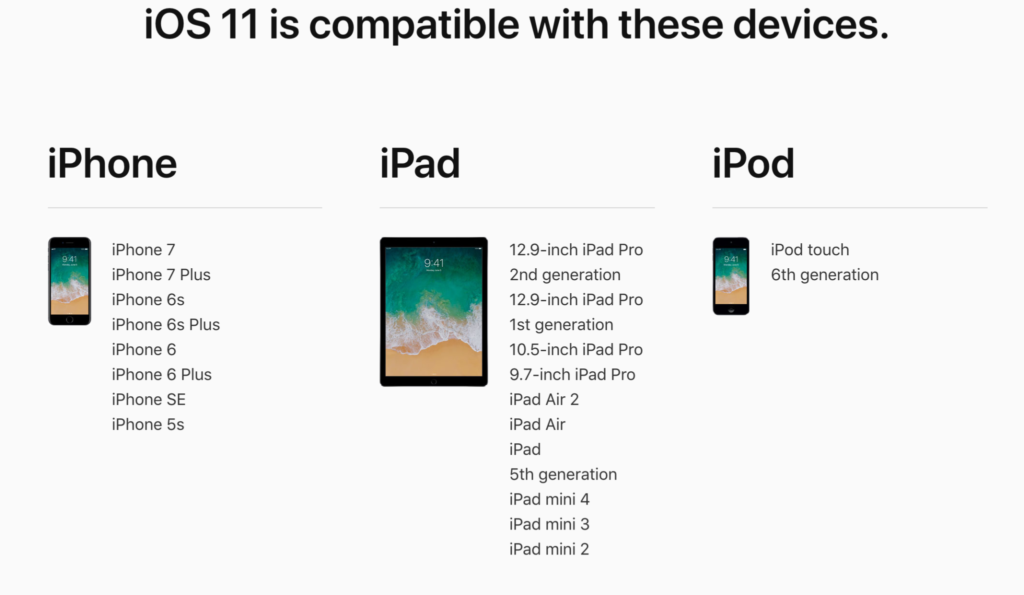
    The last few weeks have been loaded with updates from the two major tech brands in the industry. Google’s I/O event was May 17-19th and they had some major announcements including virtual reality, augmented reality, and a brand new operating system for Android, Android O. Apple’s Worldwide Developer’s Conference (WWDC) was this week, June 5-9th, and they’ve made similar announcements including a new version of their smartphone operating system that they’ve branded iOS 11. These two new systems will run the majority of the newer phones and tablets being released so it’s important to understand what each is offering. Here’s a rundown:

    Android O

    Android’s newest system should be made public this Fall. The most significant features are design changes in the Settings Menu and User Interface (UI.) Many of the smaller changes are things users won’t notice such as changes in how the OS will handle security and background operations, as well as channels or categories for notifications. Also, picture-in-picture support, notification badges that will appear on app icons, and better bluetooth support will definitely be features that makes Android O a step up for it’s users.

    iOS 11

    A new dock, multitasking with drag and drop, a files app, and better Apple Pencil support make iOS 11 a major upgrade for iPad. iPhone users will notice more apps in messenger, an app store that looks and works completely differently, and a new and improved Siri, including a new voice. The control center, the lock-screen, notifications screen, maps, Apple Music, and AirPlay are all getting improvements as well. iOS 11 is also slated to release this fall.


    What Parents Should Know

    There haven’t been any announcements on Parental Control improvements for either of these operating systems. When the test version of iOS 11 is released I’ll be giving it a full look-over and writing a review for you. One thing that parents will enjoy from iOS 11 is the ability to turn on an automatic Do Not Disturb while driving. The phone will sense your movement and speed and automatically silence any notifications until you’ve stopped. This will be a good way to keep your older kids safe while they are on the road. As for Android, they recently put out a new Parental Control option for their OS and it’s proving to be a pretty good setup. It’s only available on newer devices, however, and we still don’t know what changes have been made for when Android O is released.

    I always recommend keeping on top of updates when they are made available. Both of these new Operating Systems should be available this fall and you should be sure, if your devices are compatible, that you’re upgrading soon after release.  This isn’t just important to get any of the new features but also because security and privacy updates come with these new systems. The apps you use, including the ones you use for internet safety and monitoring will update to keep up with the latest software and if your devices are behind you’ll start to see holes in your security. Keep your eye on the update section of your settings menu and when it shows that a new version is available you should install immediately. You can also keep checking in to this site as I will keep you informed on the latest releases as well as how they can affect your family.

  • Social Media, Globalization, and Our Kids’ Convictions

    Social Media, Globalization, and Our Kids’ Convictions

    We’ve got “covfeve”, Hillary Clinton speaking about politics at a programming conference, Kathy Griffin vs Donald Trump on Twitter, Mark Zuckerberg and Elon Musk talking about the President’s climate change beliefs, and all other kinds of tech notables using their platform to promote their political and ethical beliefs. There’s no doubt that our kids are growing up being more aware of the polarized political landscape we live in than ever before.

    I remember knowing there was a President when I was a kid. I remember hearing a thing or two about impeachment and adultery but I didn’t care or pay too much attention. I was a preteen and I had more important things to deal with. Mainly video games, girls, and baseball. I don’t remember hearing anything about politics while I was in middle school or high school. I registered to vote when I was 18 and voted for who my family said would be a good choice. Now, the people who run our favorite entertainment companies openly state their disdain or support for our government officials. Protests have hashtags and political videos and memes go viral equally because of people agreeing and disagreeing with them. It’s obvious to our kids now that we are living in a volatile political situation.

    Political opinion is formed by who you grow up listening to. It used to be formed by parents, grandparents, and the culture in your local community. Globalization now allows our kids access to every opinion from any voice they want to hear from. Many times these voices are people mom and dad may not be comfortable with. Declaring whether or not that is a good thing is not the intent of this article. My goal with this article is to give understanding to parents who are confused about why their kids grow up to think differently than they do.

    Your children live in a globally influential world instead of the small section of the country that we grew up in. I grew up in Texas, New Mexico, and Missouri and believed the better part of what I was raised to believe. The global landscape of social media (which is just the state of the internet in our culture) has caused many of those beliefs to shift or even outright be changed. Not just for me but for most in my generation and younger.

    Parents should be aware, whatever your thoughts are on today’s hot political topics, that your voice is most likely not the loudest voice in your children’s lives. The Snapchat Discover page, that YouTube vlogger, Instagram influencers, and even Twitter are telling them whatever message they’re more interested in soaking in. The algorithm’s on these platforms provide them with a steady stream of reinforcement for whatever it is they’ve been tapping or clicking on up to this point. Opinion isn’t being formed by their church, their school, or their family like it used to. It’s formed by anyone and everyone in the entire world. Whatever your thoughts on what your kids should believe or where they should form these beliefs, I just wanted you to know where it’s actually coming from. 

  • Teaching Your Kids Healthy Tech Habits

    Teaching Your Kids Healthy Tech Habits

    One of the most popular questions I get when I do tech safety workshops for parents is “how do I set restrictions for my older teen?” I think the most important thing to remember is that you’re not just setting restrictions, you’re teaching healthy habits. The brain of an adolescent is developing in such a way that your guidance is critical as they navigate these murky digital waters.

    I like the term healthy when it comes to internet use because right and wrong is subjective. Your sixteen year old may believe that it’s ok to watch YouTube videos for five hours on a Saturday afternoon but you can use facts to help him understand that it may not be healthy. Our conversation with our teenagers shouldn’t be about what digital habits are right and wrong but what is healthy. Here are three critical factors to keep in mind while teaching healthy tech habits.

    Relationship

    Boundaries without relationship become rules and rules were made to be broken. Because of your healthy relationship you can help your teenager understand that the rules exist to protect them. You can create a safe place for them to come to when they need guidance on their tech habits, about how they’ve been treated online, or about regrets regarding something they’ve seen or done online.

    As parents we shouldn’t close the door to conversation with instant judgement or constant nagging about the time they spend online. I recommend using digital means to keep track (with their knowledge) of what they do online and only bringing it up when it becomes a consistant problem. Relationship is the most important part of any internet safety strategy.

    Transparency

    Openness and transparency is key, not just on your teen’s part but on your part as well. It is critical that you are transparent with them about your tech habits. They need to understand that you’re trying to get it right as well and that the habits they develop now will affect them as they grow older. The best way for them to learn this is by watching you and hearing about how you’re having to deal with these same issues now. Whether you’re trying to keep them from dangerous content or help them avoid tech addiction, they should understand that you’re trying to protect yourself from those things too. The quickest way to cause your teen or young adult child to stop taking you seriously is for you to not practice what you preach.

    Time Management

    Obviously time management will be critical as your child graduates high school and enters college. Between jobs, studying, and extra activities they’ve probably already had to develop some form of time management skill. The lure and appeal of constantly available video, music, and gaming entertainment can make time management more difficult now than it’s ever been.

    You have to help your teen understand what good time management looks like. Point them towards content on the tech that they enjoy, like YouTube videos, podcasts, or productivity apps and other tools that will help them learn more about healthier time management habits. Encourage them to use these tools alongside some of the entertainment they consume.

    All three of these steps are related to each other and will greatly impact one another. If you don’t have a good relationship with your child that encourages communication, if you aren’t being a good example, and if you aren’t teaching and showing time management skills your kids are going to have a hard time navigating healthy tech habits. Online life is a real part of our world and it’s too important to ignore so utilize these steps and let me know what others you have used that have been successful.

  • Four Blue Whale Challenge FACTS

    Four Blue Whale Challenge FACTS

    There are a lot of misconceptions about the Blue Whale Challenge. Some are calling it the latest threat to our kids while others are saying it’s being blown out of proportion. The short video below unpacks some of the facts that I’ve discovered as I look deeper into this trending topic.


    The Facts:

    1. Kids ARE hurting themselves because of this the Blue Whale Challenge
    2. There have been zero (0) confirmed suicides resulting from the Blue Whale Challenge.
    3. Authorities are concerned we are going to turn this into something because of the popularity we’re giving it.
    4. There are steps you can take and you should take them now.

    What Parents Should Know

    There are always reasons to take a trend like this seriously. We, as parents should be vigilant to keep an eye on what our kids are doing online while not allowing the trendiness of a topic like the Blue Whale Challenge cause us to inflate it into even more of an issue. Be wise and take the steps you know to take to keep your kids safe online.

    My Advice:

    1. Know who they talk to online.
    2. Follow them on your social media accounts.
    3. Have their login information for EVERY social media account they have.
    4. Keep an eye out for the signs of depression or other struggles.
    5. Talk to your children openly about the dangers of buying into these trends and communicating with people you don’t know.
  • 5 Apps that are Tech Safety Expert Approved!

    5 Apps that are Tech Safety Expert Approved!

    When I do Digital Boundaries Workshops I begin by sharing all of the dangers of unsupervised internet and mobile device use. I then walk through the best practices for keeping your kids safe in the digital landscape they are navigating. I also, spend a lot of time answering questions. I received a question this week that I hadn’t been asked ever before. “What are some apps that you would recommend for my family.” Huh…I hadn’t thought of that as much. I spend so much time looking at the dangers that are so prevalent online that I often ignore some of the resources that can be fun for families. Here’s a list of five apps that I approve of.

    Social Media

    Instagram

    While I always recommend parents keep to the age restrictions recommended by the terms of agreements on a social media platform (usually 13 plus;) I also know how popular social media is and that your teen is going to want to open an account as soon as you’ll allow them. When you’re ready to give them permission, I recommend you start with Instagram. The first reason is pretty simple. Instagram is easy to monitor. You can easily put your kids’ account(s) on your installation of Instagram and keep close tabs on what they’re doing on it. You can even use that method to be notified when they get a direct message.

    Any social media opens you up for some problems. They say it isn’t great for self image and self esteem and there is always inappropriate content that can be accessed because of the fact the content is posted by users but if you’re going to give in and allow some form of Social Media then Instagram is a better starting point than Snapchat or Twitter. There a a lot of reasons and I’ve written about most of those already.

    Gaming

    Ballz

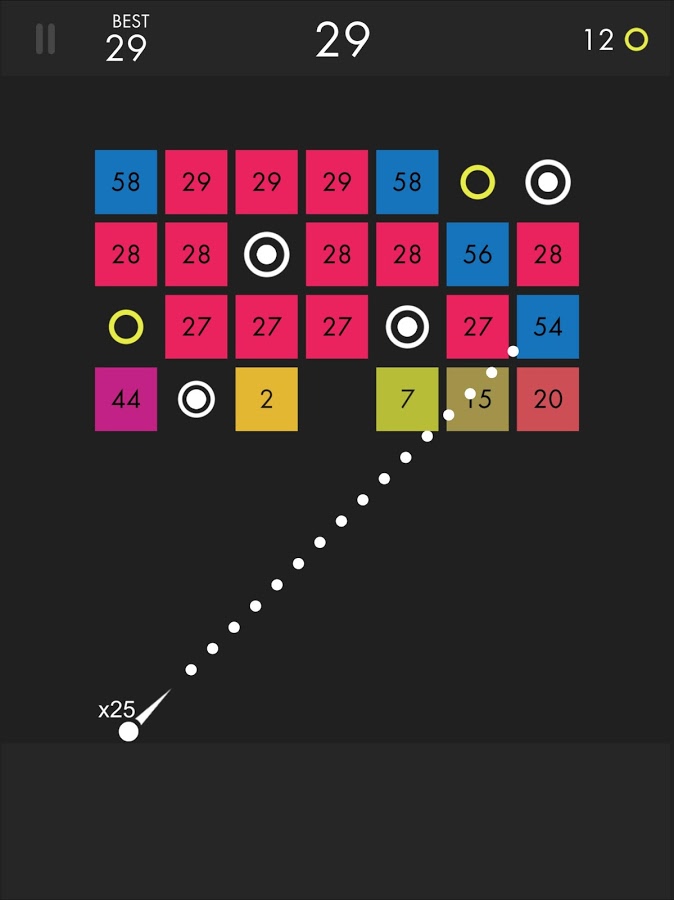
    This game is super fun and addictive. It’s a pretty basic concept. You swipe back and release to launch a ball to bounce around the game-board and break up blocks. The blocks have numbers on them that show how many times you need to hit the block to make it go away. You collect more “ballz” and launch them all at the same time. (I’ve launched as many as 110 at once.) This becomes extremely satisfying when you fire all of the balls towards the blocks and watch the numbers on them decrease as quickly as the block is hit by each ball. Like I said, while it’s satisfying, it’s also very very addicting.

    This game is approved because, while it has ads, the ones I’ve seen have all been for more games by the same developer. This has kept anything inappropriate from creeping up as a banner ad. I approve because it should be pretty safe and because it is just so darn fun to watch all those little balls bounce around and devastate the the game-board full of blocks.

    Research/Education

    Kiddle

    Kiddle isn’t an app. It’s a website. You can very easily save the site to be an icon on the home screen of your phone and then tell your kids to use it as their search engine. I’ve written quite a bit about Kiddle already, so go read about how the search engine works and let your kids research and learn without fear of coming up on anything nasty or scary.

    Entertaiment

    Amazon Prime and Freetime

    Amazon Prime’s kids profiles are some of the best because the shows are curated by human editors. That means that actual people have looked at the shows and determined that they are actually safe for kids. Freetime is a special way to subscribe to only kids content so that you can be sure that they’re not seeing and adult targeted shows. If you don’t have Freetime you won’t have access to kids profiles but you can still set parental controls so that content above a certain age range won’t be accessible without a pin number. Kids can’t see these shows and movies without the pin but they’ll still be able to see the thumbnail image in their “carousel.”

    YouTube Kids

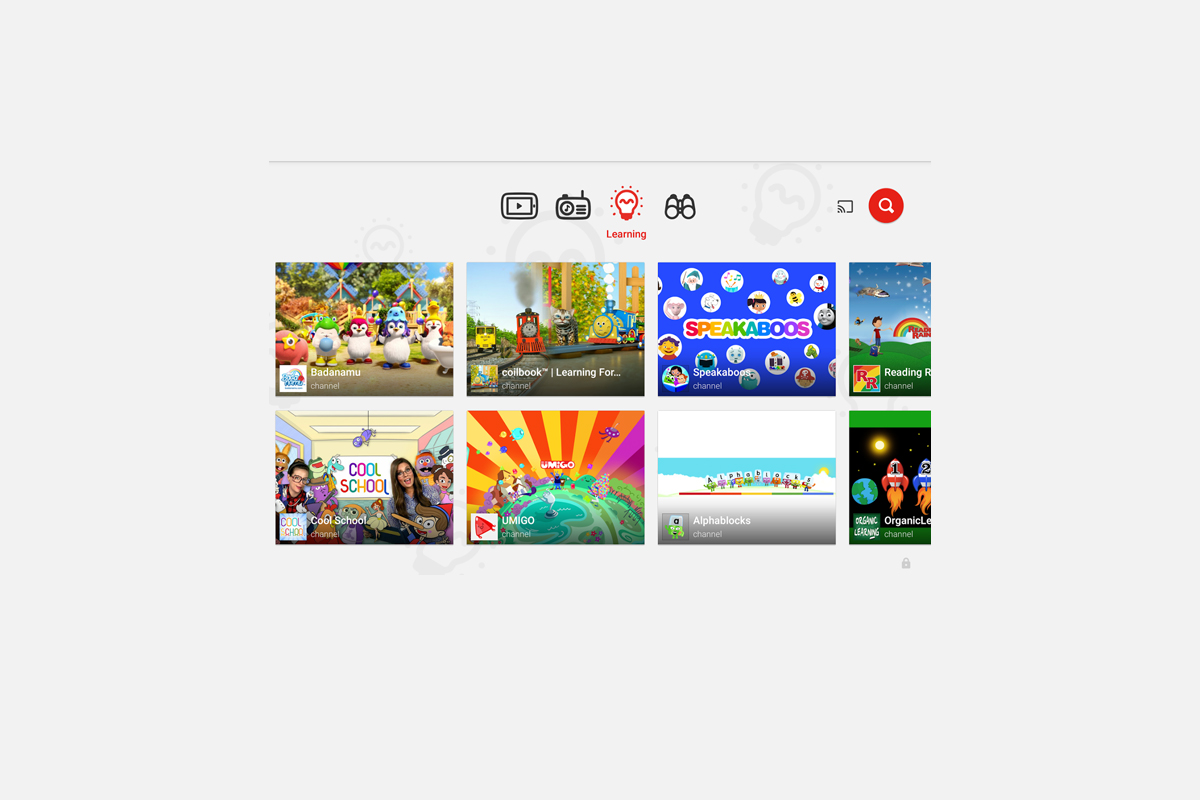
    YouTube kids is a good option simply because of the popularity of YouTube for our children. Kids love watching all different kinds of content on YouTube and YouTube Kids makes it possible to allow them to watch their favorite channels without potentially finding videos that aren’t appropriate for their age. YouTube Kids separates their content by topics like music, education, and shows so kids can find what they want pretty easily. The only downside to YouTube Kids is that it’s monitored with an algorithm and depends on reports from parents to remove suspicious and inappropriate content. This has caused some concern for parents in the past but if you are going to allow you kids to watch YouTube then YouTube Kids is absolutely a better option.

    That Being Said

    I’m not used to thinking about what apps parents should install but I’m grateful for the question this week to give me the idea for this article. Please remember that all of these apps constantly add new content and features and sometimes that makes them less appropriate for kids. As for right now, though, I give these five apps a green light for your kids’ devices as long as you and they use the apps in the way they’re designed to be used.

  • Why Your Teen Posts Her Feelings On Social Media

    Why Your Teen Posts Her Feelings On Social Media

    I’ve seen them called “vaguebook posts.” It’s the status on social media that hints at some sort of trouble or drama but doesn’t go into detail. It can be annoying to see these things on our Instagram or Facebook feeds but sometimes they’re not just cries for attention, they’re cries for help. Teens are being taught (rightfully so) that it’s better to express their feelings than to hold them inside. Studies are showing that more and more young people are admitting to having bouts with depression, anxiety, and even suicidal thoughts. Social media has become a safe place for them to express how they feel. The problem is that it can often open them up for criticism and unwanted attention. 

    The 12-month prevalence of MDEs (major depressive episodes) increased from 8.7% in 2005 to 11.3% in 2014 in adolescents and from 8.8% to 9.6% in young adults (both P < .001). – Pediatrics Journal Study

    The reasons for these increasing numbers could be related to increased awareness of the symptoms of depression but regardless of the reason, they are statistics that parents should pay attention to. Mental Health professionals are championing more awareness and openness about depression and anxiety. They agree that being outspoken about how you feel can lead to prevention, early detection, and even increase the likelihood of sufferers getting professional help. The problem, however, may be that this transparency is happening in a public forum like Social Media. This is where parents come in.

    What Parents Should Know

    I am not a psychologist  or licensed counselor. I don’t have a professional opinion on the mental health of your teenager. I do, however, have a professional opinion of their activity on Social Media. As a family internet safety expert I see parents struggle to open the lines of communications with their teens. An emotional post on social media should be seen as an open door. There is no more important thing in the life of your young adult or teenager than the ability to be transparent with you about how they feel. If they are posting on social media about depression, anxiety, and especially suicide, it’s time to bring that conversation into a face to face meeting. Posting such transparent posts (even if they’re vague) on social media opens your child up to more bullying and harassment which could be what’s contributing to the problem in the first place. They should be advised to express those thoughts vocally to someone they trust.

    My advice is to start the conversation with your child even before you see any sign of depression. Ask them how they are doing and feeling. Ask them if they feel overwhelmed and if there is anything happening in their lives that you should know about. If you are seeing true signs of these depressive episodes then don’t hesitate to seek out a licensed counselor that can mediate your discussions with your teen. The world they are growing up in is very different than it was even twenty years ago. The standards that kids are asked to live up to are higher. Criticism is more public and the media is teaching messages that conflict with what many of feel is healthy for our kids to believe. This problem is real and it isn’t going to solve itself. We, as parents, have to step up and help our teens make quality decisions when it comes to their feelings and mental health. Take the first step today. Have a conversation.


    Sign up for our email list to get our family internet safety checklist and the Safe Blog Uninstall List.

    Get Our Latest Posts in Your Inbox

    * indicates required


  • Musical.ly Teams Up with Apple Music to Sell You More Stuff

    Musical.ly Teams Up with Apple Music to Sell You More Stuff

    Musical.ly allows users to film themselves lip-syncing and performing current pop music hits and scenes from movies or TV shows. It has become one of the most popular apps for teens and pre-teens and a connecting point for music artists and their fans. In fact, there are now Musical.ly stars who are seeing success in more mainstream markets as well. Most of them are quite young teenagers. Today, Musical.ly has announced that they’re partnering with Apple Music to provide the song clips that make up their lip sync library. They will also be promoting subscriptions to the music streaming service and allowing Apple Music subscribers to listen to full versions of songs.

    Musical.ly grew a ton in 2016 and has seen a tapering off in their young audience during the beginning of 2017. This move seems to be a way to bring more value and financial stability to Musical.ly while putting Apple’s music streaming service in front of another audience. Apple Music has been chasing Spotify for subscriptions and the aren’t gaining ground. This is an obvious attempt to target Musical.ly’s young audience with their option for streaming music. Allowing full versions of the songs kids are lip syncing to in the app is adding value that many of the app’s users will see as valuable. Possibly valuable enough to ask their parents for a subscription to Apple Music. That is if they don’t have the ability to sign up on their own.

    What Parent’s Should Know

    I have been pretty outspoken on my disdain for Musical.ly in the past. One of the major reasons is the lack of an age restriction to sign up and the CEO’s attitude about it. Now I see another potential hang up for parents who’s kids use the app. There are already songs available on the app that many parents may feel are unsuitable for the age of their kids that use the app. Now the entire songs will be available if you are one of the 20million families who have an Apple Music subscription. If you don’t have a subscription be warned that the app will be consistently asking your pre-teen if they’d like to sign up for one. Also, there are likely to be features made available that won’t be useful without an account with Apple Music. How many times will your 13 year old have to be blocked from using a song until they start asking you to subscribe for them. Advertising is still, however, the least of my worries with Musical.ly.

    Parents of young teens should pay close attention to what their kids do on Musical.ly. If your young daughter is spending a lot of time singing and dancing in front of her camera know that there is no age verification so the fourteen year old boy who watches every one of her videos could actually be anyone, anywhere, of any age. In this day and age where kids are being asked to meet up by strangers and actually saying yes, there is no reason for your kid to be unsupervised on an app like Musical.ly. I recommend and uninstall if your kid is under 17 and then to closely monitor their use of the app. 

  • YouTube Kids Coming to Your Smart TV

    YouTube Kids Coming to Your Smart TV

    The kids version of YouTube kids has been talked about a lot. Mostly because of breaches in their algorithm based filtering system. Cartoons are disguised as silly kid shows and take a turn towards the inappropriate. The way YouTube Kids governs their content has been under scrutiny for months with mere apologies as a response. Well, now this service may be coming to your Smart TV.

    Specifically, the app will come to the following TVs: all 2015-2017 LG webOS TVs (via the LG content store); all 2013-2017 Samsung Smart TVs and Blu-ray players (via the Samsung App Store); and, following a firmware update, 2016-2017 Sony TVs (with the exception of Android TV, which is coming soon). – Techcrunch

    YouTube Kids is an effort to allow children to gain access to the content that’s appropriate for them without coming in contact with more inappropriate videos. YouTube has even launched some original content, featuring some successful kid related YouTube entertainers. Millions have adopted this service and use it as a way to entertain their children. As mentioned above, there is always a concern when algorithms are used to filter adult content. I recommend parents eyes are on YouTube Kids often. In fact, I had a little rant about it the other day.

    Follow Us On Facebook

    What Parents Should Know

    As I said, Parents shouldn’t accept YouTube’s algorithm as a foolproof way to keep your kids from seeing something they don’t want them see. There are those out there who disguise their more adult oriented entertainment as kid shows for whatever reason. Moms and dads should be checking in on what their kids are watching. I think the move to smart tvs is a good thing because making the screen bigger allows parents to more easily see what is being viewed. If YouTube Kids is available on your tv, maybe you could let them watch their toy unboxing videos on there next time and peak in on what they’re watching every now and them.