
Lesson 1 – Why you should know this basic Mobile Device Vocabulary
To handle a language skillfully is to practice a kind of evocative sorcery. – Charles Baudelaire (Poet)
Working with digital devices requires the knowledge of a certain language. If you understand what certain words mean you are able to know what is happening in a certain device with just a glance. As parents, it is imperative that we can understand the activities our children are engaging in on their smartphones, tablets, and computers. This is why the thirteen words in this tutorial, of sorts, will be so powerful in your hands as a parent.
Over the next five days I will walk you through thirteen words, phrases, and acronyms that will clue you in to what some of the apps and games your kids use are all about. You have to know what the apps are designed to do and what they are capable of. The knowledge of the words in these articles are going to give you the tools you need to understand exactly what your child can do on that software or app.
Are they able to send pictures? Can they chat with strangers? Does this app want to know where they are? Just a simple reading of the description in the app store should give you all of that information but you have to know what words you’re looking for. Let’s start with one you’ve probably seen before: “Push.”
What is “Push?”
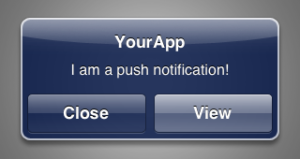 Push is a common term that means an app or software is able to send a notification or message to the user quickly and spontaneously without any action required from the user. A push notification is what will alert you when you get a new email or text message. It’s what buzzes when your favorite baseball team is starting the game or someone pins something about your favorite topic on Pinterest. Most apps ask you when you first install them if you’d like push notifications turned on. Most of the time we tap ok or yes without thinking about it much. I’ll tell you why, as parents, you should think about it a bit more.
Implications for Parents.
Push notifications are a marketer’s dream. It’s instant access to users without them even looking for it. Many companies pay top dollar to be able to send push notifications in social media apps and games use notifications to keep you logging in and playing. People who create online content like podcasts, blogs, and videos use push notifications to alert their audience directly when they’ve posted a new creation. This is super helpful for content creators but can be a bit of a nightmare for parents.
I often teach that we, as parents, have to be careful how much marketing we allow our kids to consume. These notifications are a great way for the brands, shows, and artists that sell to your kids to access them directly. Worse yet, it feels to your children like some sort of relationship since they’re being alerted directly.
At best these push notifications can cause a distraction, alerting your kids about messages or videos to waste time on while they should be doing homework, spending time with family, or sitting in church or school. Worst case, notifications like these can be dangerous. For instance, when they’re getting notified that some magazine has posted it’s newest article about sex on Snapchat. (See my rant on that topic here.) Or, when that messenger app alerts them that someone they don’t know has sent them a greeting. There are too many negative consequences of leaving a kids notifications all set to ON. Parents have to intervene.
Knowing what apps your children are using and what they are capable of is critical. Check the descriptions of your kids’ favorite apps in their app store and see what it says about push notifications. Then, you can modify the settings of that app or of the phone/tablet itself and turn notifications off for the apps you don’t want alerting them at all times. This is one great way to keep some of what can be so dangerous online away from our kiddos.
Be sure to sign up for a subscription to our site to learn twelve more of these vocabulary words and how they can help you better protect your children online. They’ll be posting every day this week. See you then!