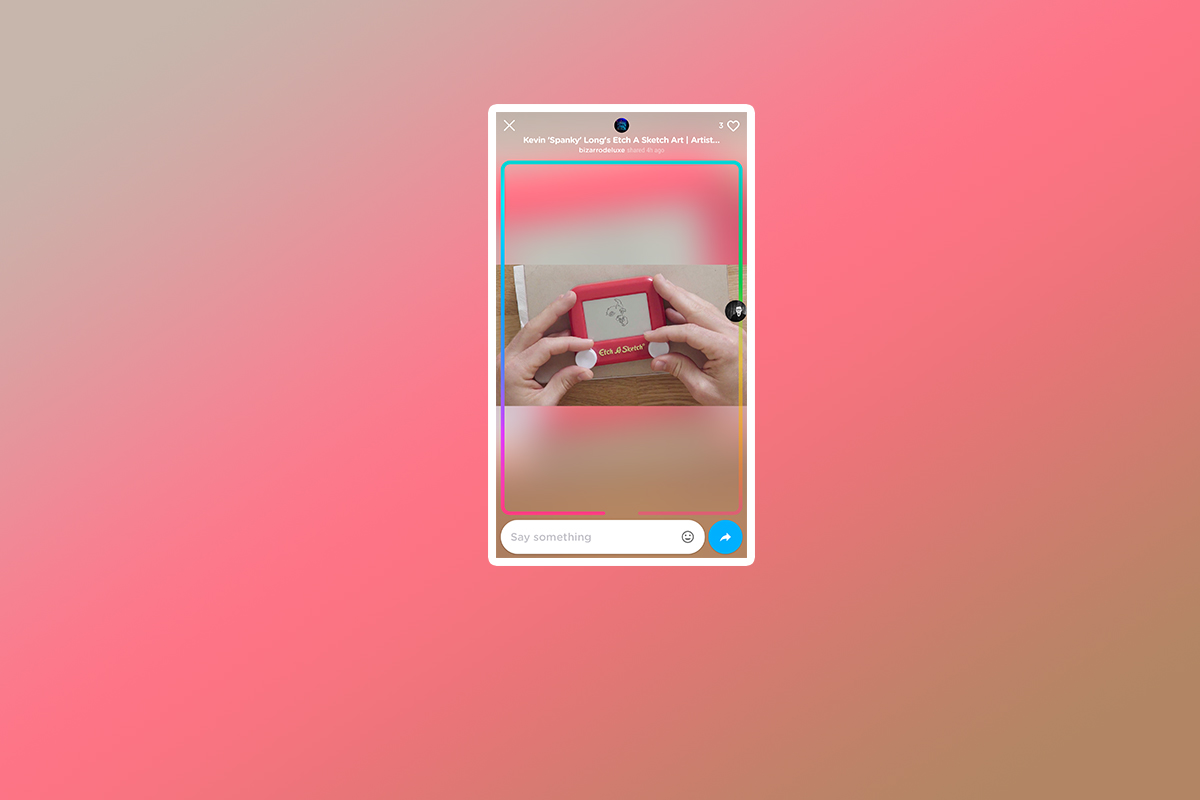
Youtube’s Uptime is still in the invite phase but I got my passcode today and spend some time playing around with it. The idea behind Uptime is watching videos with your friends even when they aren’t physically with you. This app allows you to watch select YouTube videos and leave emoji’s or comments during the video. Your small avatar photo slides around the progress bar, which is a rainbow line that wraps around the video, and your comments or emoji posts show up at the time you sent it during the video. If you’re sitting and watching at the same time as a friend who follows you on the app you can interact with each other as if you were sitting together.
 My initial reaction to the app was that it is a bit cluttered, there are icons and avatars everywhere and it’s a bit difficult to know what to do at first. There obviously aren’t a lot of people on it yet since it’s in invite only so there aren’t a lot of new videos being shared by the community. It’s mostly the ones that are curated by the developers of the app. In fact, while you can search for a video to share, many of them aren’t available to use in Uptime so you’re left kind of having to recirculate the ones that you can already watch. There will be more videos added in the future, I’m sure, so this is just a part of getting into the app during the early stages.
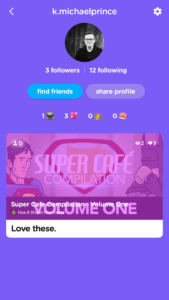
Your profile is taken from your Google account just like YouTube so, while you can, you don’t have to create a new account. The profile page features videos you’ve shared and a few reward counter icons. It keeps track of how many videos you’ve posted, how many people have liked what you post, how many times you’ve been featured and Sushi. I honestly couldn’t find any information about what the “Sushi” icon means. Uptime currently doesn’t allow premium videos, YouTube Red videos or music videos. This app is taking the it’s que from Facebook, Instagram, and Snapchat’s live video options and giving people a way to enjoy video content together at the same time.

What Parents Should Know
First of all Uptime is currently invite only. You can download the app and watch their intro video but then you’ll be asked to submit your email address to get an invite. I entered my email about a week and a half ago and received my invite code today. The invite only phase means it’s not likely being used by most of our kids as of yet. I predict that it will catch on pretty quickly though once it’s fully public. Uptime doesn’t allow videos that are considered age restricted. I did, however, see some videos with adult language and some suggestive themes. I would caution you to remember that their definition of restricted may be less strict than your own. If the app catches on with your kids and their friends make sure you know what they’re watching and learn how to report any videos that you don’t believe are acceptable.
It will be important to know who your kids are watching videos with and, of course, what videos they’re actually watching. Remember that comments are User Generated Content and can be difficult to filter. In the FAQ, the Uptime app is very clear that when you watch a video and are commenting on it, anyone else who is watching that video can see what you say. Remind your kids that since anyone can join them on that video they should consider it a public place. It is still important to not share personal or location information. It’s important to remember that with all online activity.
Uptime seems like a novelty that many young teens and teenagers would enjoy. That’s why I’m telling you to keep your eye on it. In fact, if you’d like an invite code I can send you one. Email me at KMichaelPrince@Gmail.com with the subject “Uptime Code.” I’ll send you an invite as quick as I can. Then we can watch a few videos together.
Also, sign up for our newsletter for a weekly wrapup of all of our posts from the previous five days.