Tag: youtube

  • Snapchat isn’t Just a Messenger Anymore

    Snapchat isn’t Just a Messenger Anymore

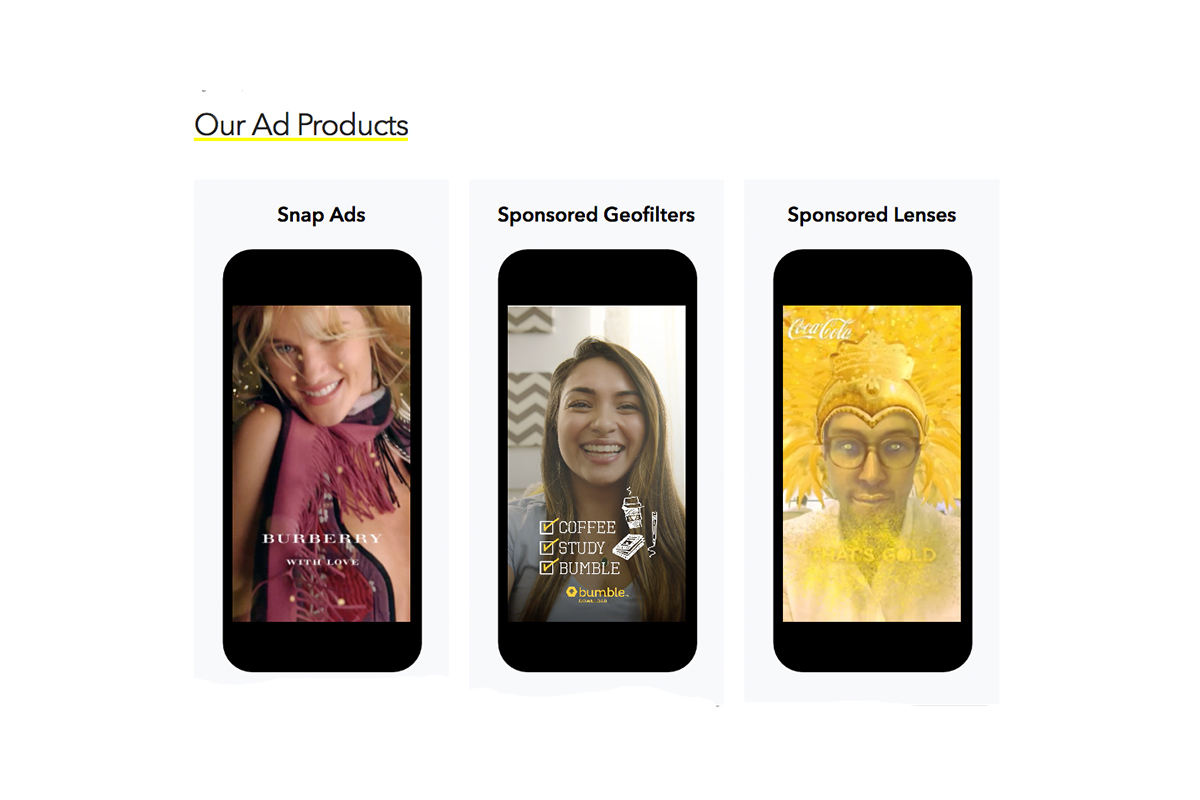
    It may have all started with “secret” messaging but it hasn’t stopped there. Soon public sharing became the norm on Snapchat, a feature that was copied by many other Social Media networks soon after it’s release. Then, Snapchat’s “Discover” page was released, this was a way for news and media corporations to reach the users of Snapchat with their messages and advertising. Lately, Snap Inc. has been working towards becoming a serious form of entertainment for it’s users, incorporating videos and even original show content into their network. Today, VICELAND has announced they’re producing several new shows exclusively for Snapchat. They’re starting with a “reality” dating show titled “Hungry Hearts with Action Bronson.”

    VICELAND Productions is following several other studios in making original shows for Snapchat. Networks including NBC, CBS, and A&E have already announced that they’re making versions of their existing shows for viewing on Snapchat. These studios are seeing the growing adoption of Snapchat as an opportunity to reach a broader audience with their shows and content. One of the fastest growing demographics on Snapchat is the 18-35 age-group, one of the main target audiences for the late night and primetime television networks. With this trend towards entertainment content on our social media apps, it’s important that parents are aware of what these apps are becoming, we have to make good decisions on whether or not we want our kids consuming the media they’re producing.

    What Parents Should Know

    Snapchat isn’t a trend and it’s not just a messenger anymore. What was once the “Secret Message App” or the “Sexting App,” as some called it, is now a major source of media for those who use the social media platform. This means we have to treat it differently than we do many social media apps. Keeping track of who they are friends with on these networks isn’t enough anymore. We have to keep a few things in mind if we are going to allow our kids to use Snapchat, Instagram, or any of these other apps that give advertisers and media content creators a direct outlet to our kids.

    Same Media as TV, Movies, YouTube, or Games.

    The creators of the content that will be made available through social media (Facebook has been signing agreements with media companies too) aren’t producing special more family appropriate shows. They will be making content that will reflect every other media outlet they produce for. Think YouTube Red, Netflix, or Amazon Prime. In fact, some of the rules that apply to broadcast television don’t apply to shows that are streamed online. This means that you’re more likely to see content like on Game of Thrones or Orange is the New Black than something with more restrictions like Blacklist or CSI. Don’t let the fact that these programs are being produced for free public streaming online fool you. They won’t be family friendly or edited for content.

    No Parental Control

    Snapchat currently has no parental control options. Their app is geared towards teenagers so they most likely won’t feel the need to add parental restrictions any time soon. The terms and agreements on most social media services allow for accounts to be created as long as you’re 13 years old or older. The question you have to ask is whether or not you’re ok with your 14-15 year old watching online reality dating shows or politically fueled sketch comedy. If you aren’t ok with these things then you have to make a choice about whether or not snapchat is welcomed on your kid’s phones or tablets.

    All or Nothing

    Social media apps are basically creating an “all or nothing” atmosphere for content created by these media outlets. Once you have an account on Snapchat, you have access to all that is contained in the app. Every person can be a friend or follower, every feed can be found and viewed, and every original show, no matter the target audience, will be available for viewing. With no parental control options the question isn’t what Snapchat content will be allowed, it’s “all or nothing.” They can see all of it, or none of it, those are your only choices. 

    Whatever you choose, you need to be educated about what these social media apps are producing. Keep checking in to Safe.BecauseFamily.org for up to date tech news that’s relevant for your family. Also, sign up for our Safe Online Newsletter. Just fill in the short form below.
     

    Sign Up for the Latest Family Tech News in Your Inbox

    * indicates required


  • The Risks of a Fully Connected Home Part 3

    The Risks of a Fully Connected Home Part 3

    Security and advertising are the most obvious concerns when it comes to connecting your appliances and devices via smarthome technology. We must take precautions to protect our identity and our privacy. We should also be careful in our new wifi connected homes with the content that can come across these connections. In this final part of our Connected Home series we’ll talk about the content available on our smarthome devices and what we can do to filter that content.

    Unsupervised Content

    After a recent Setting Digital Boundaries workshop a  mother asked me what I knew about the parental controls on Amazon Echo. I hadn’t ever set one up and hadn’t really looked into them so I didn’t have many answers for her at the time. She told me why she had asked: her daughter likes to ask Echo to play songs that she likes but she’s young and her words don’t always come out sounding like they should. This causes the Echo to mis-hear what is said and the devices has, more than once, played a song that is not from any playlist they’ve set up and is not at all appropriate for a young toddler. With the increasing popularity of the Amazon Alexa and Google Home parental controls are becoming a major topic on tech forums and blogs. The reason it’s such a major part of the discussion is because there aren’t (yet) any real parental controls.

    On the Amazon products you can set a pin to make purchases. This will keep your child from making an order and you being shocked to find a two hundred dollar doll house at your door. That’s about it, though. There aren’t any music or video rating limits that you can set. There aren’t any separate voice commands that will let Alexa know the child is in the room. So far, there isn’t much. Google only has the filter settings you’ve given YouTube to protect from inappropriate content. These filters are strictly for video content though and won’t block explicit lyrics.

    It’s likely that more effective parental controls will become a reality on these popular products sooner rather than later but until then you should take precautions to keep your children from encountering more of the internet then you’re ready for them to connect to. 

    What Parents Should Know

    My advice is to hold off on extensive use of Alexa, Echo, or Google Home until real parental control options are made available. If you have already been using these devices or you’ve decided you can’t live without them I recommend setting up what restrictions are available. Protect yourself from surprise purchases with a pin on your Alexa or Echo and set your YouTube filter to protect your children from videos you wouldn’t want them to see. Other apps or web video and audio services that have parental controls may protect your family when connected through your smarthome device as well. Right now this is about all you can do but if you’re going to use these devices then something is better than nothing.

    Should Your Home Be Connected?

    The level of connectivity in your home is obviously a choice your family has to make. There are absolute benefits to having your house connected to a network and working together to make your life easier. The reality, though, is that these conveniences could come at a cost. Some may feel the cost isn’t that high and some may say it’s unfounded fear or foil hat conspiracy theory. My advice is to just stay informed. No matter your decision become a student of the way your connected home works. Reset passwords often, and don’t store your personal data somewhere that is easily accessible through your smart home device network. If you just use common sense and think ahead of the potential risks you may be able to be wired up like it’s the year 2025. Just do it with wisdom.

  • YouTube Kids Adding Original Shows and SmartTV Support

    YouTube Kids Adding Original Shows and SmartTV Support

    YouTube Kids has now been around for over two years. I’m still amazed how many parents don’t know about the curated kids streaming app. It is a pretty good safe alternative to YouTube’s more open and unsecure content. An announcement today could make YouTube Kids an even better option for your family.

    Today YouTube announced that they are going to launch four new original shows on the kids app. The shows will use people who already have a strong YouTube presence and be available only to YouTube RED subscribers. Shows like “Fruit Ninja; Frenzy Force” will be designed for younger kids while there will be a couple of shows, such as “Hyperlinked” (starring tween YouTube Music stars L2M) that are geared for children a bit older. There are more shows scheduled for the lineup and they range from animated cartoons to unscripted reality shows.

    Along with this announcement, YouTube has said they will soon be rolling out support for YouTube Kids to be viewed on SmartTVs from Samsung and LG. This will mean that content from YouTube Kids can come to life on a larger screen and be viewed more easily by more of the family at the same time. It seems that YouTube is really working to become a major player in the streaming entertainment world. New YouTube Red shows are coming out all the time and you can see many YouTube stars being interviewed on more mainstream media talk shows like Jimmy Fallon to promote YouTube’s original content. We are entering a new age in digital entertainment so be ready and pay attention.

    What Parents Should Know

    YouTube Kids is a good option for parents whose children enjoy watching videos on the streaming service. It’s a lot better than the YouTube app in which they can be as few as two clicks away from some type of violent or inappropriate adult content. While YouTube Kids is better, it isn’t without it’s faults. You will still want to put your eyes on what your children are watching every now and then. The original content means that, if you’re a RED subscriber, you will have a bit more than the clips from PBS shows, lets play, toy unboxing, and science videos. That’s a good thing but you’ll want to be aware of which shows are designed for what age audience. The trend is for messages in kids entertainment to lean towards kids a few years older than the target age of the shows.  That means you young daughter could be watching a show by music sensation L2M about what it’s like to be in High School. This could lead to eventual trouble if you aren’t aware of the message they are getting from the show.

    I always recommend parents having a total knowledge of what their children are spending their time doing. These original content shows may be designed for children but it’s important to remember that only you can decide if they were designed for your children. Nobody knows your kids like you do so only you can make the right entertainment decision for them. You should just allow unsupervised viewing of anything you’ve never seen, even if it is meant for children. Should your kids watch streaming content on YouTube Kids? If they are already using YouTube then absolutely yes. Should they watch the original content and use your tv to view it like other shows? That’s entirely up to you, just be sure your decision is based on knowledge, not a trust that the term “KIDS” always means safe.

  • VIDEO TUTORIAL: Turning off Safari in iOS

    VIDEO TUTORIAL: Turning off Safari in iOS


    If you have an accountability software and/or a filter installed on your kids’ iPhone, iPad, or iPod you’re wasting your time unless Safari is also disabled. You will want to disable the ability to download new apps as well. In this video tutorial I explain why you’ll want to take these critical steps and walk you through the steps themselves.  (more…)

  • Mobile Device Vocabulary Lesson 1

    Mobile Device Vocabulary Lesson 1


    Lesson 1 – Why you should know this basic Mobile Device Vocabulary

    To handle a language skillfully is to practice a kind of evocative sorcery.  – Charles Baudelaire (Poet)

    Working with digital devices requires the knowledge of a certain language. If you understand what certain words mean you are able to know what is happening in a certain device with just a glance. As parents, it is imperative that we can understand the activities our children are engaging in on their smartphones, tablets, and computers. This is why the thirteen words in this tutorial, of sorts, will be so powerful in your hands as a parent. (more…)

  • Should Your Teen Use Snapchat?

    Should Your Teen Use Snapchat?


    I think Snapchat is a bad idea, and not for the reasons you may think.

    The video below gives a pretty good description of my feelings and what I think parents should do when they see Snapchat on their kids’ phone. (more…)

  • KNOW YOUR MOVIE RATINGS

    KNOW YOUR MOVIE RATINGS


    What’s that movie rated?

    It’s too important to ignore. While we are protecting our children online, we also have to work to protect them from other content they shouldn’t be accessing. That includes movies designed for those above their maturity level. This short feature we did in 2015 unpacks the supposed mystery behind the movie ratings system in order to help parents make quality decisions for their children’s viewing habits. Watch the video below… (more…)