Tag: youtube

  • Your Gun Video Searches May Take You to Pornography Sites

    Your Gun Video Searches May Take You to Pornography Sites

    After the shooting in February, many user generated content sites are making changes to how they handle media about firearms. YouTube is the latest to make changes to their guidelines with an emphasis on videos about assembling, building, and customizing guns.

    Videos that feature “instructions on manufacturing a firearm, ammunition, high capacity magazine, homemade silencers/suppressors, or certain firearms accessories … This also includes instructions on how to convert a firearm to automatic or simulated automatic firing capabilities.” are not permitted on YouTube. – Youtube Guidelines
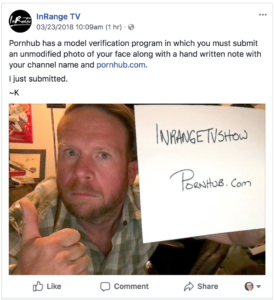
    Since these changes have taken effect, some of the channels that feature firearms are going to be making changes to how they broadcast their content. Obviously, their videos are no longer welcome on YouTube so some are looking for a different outlet. PornHub, one of the leading adult video sites on the internet, is the destination of one popular firearm focused channel. InRangeTV, stating that “YouTube’s newly released vague and one-sided firearms policy makes it abundantly clear that YouTube cannot be counted upon to be a safe harbor for a wide variety of views and subject matter,” has begun to upload new and past content to PornHub as of this week.

    What Parent’s Should Know

    People of all ages are fascinated by guns. I’ve had dads and teens and even older elementary aged kids ask me if filters that they have installed would block their favorite gun videos and sites. The fact, now, is that more of those niche interest videos will be moving onto sites like PornHub.

    Even Google searches for gun videos will likely now result in links to sites that feature pornography and other extreme content. This brings a subject that is often considered interesting by many conservatives of all ages into the world of content that they would not consider appropriate. So what should parents do?

    My recommendation, if your kids enjoy watching videos about guns and will follow them anywhere the Internet takes them, is to install accountability software and a filter to any of their devices. A filter will block content you don’t want them to see. Accountability software will help you find if they got a hold of any websites you don’t approve of. I recommend Accountable2You because they have frequent updates and their iOS app will scan any browser on an iPhone or iPad. And as far as filters go, Net Nanny is also a good quality option.

    Whatever your views on guns and the age appropriateness of videos about guns I think we can all agree that putting content kids may be interested in viewing on sites made explicitly for adults is a dangerous proposition. Be vigilant and do something to keep your kids off of the sites.

  • PODCAST: Social Media isn’t For the Users Anymore

    PODCAST: Social Media isn’t For the Users Anymore

    Family Tech Update: Entertainment Software Rating Board will Warn Parents of In-Game Purchases in Video Games – Movie Pass Reveals that They Collect Much More of Your Data than You Thought – Netflix Testing “Patches” to Reward Kids’ Binge-Watching – and Social Media isn’t For Users Anymore!

    Show Notes:

    Facebook’s algorithm change
    Instagram never going back to chronological
    Pay for reach…
    For Parents
    there’s a system behind social media
    marketers are paid to manipulate the system
    Companies make decisions based on marketing opportunities
    Social Media isn’t made for the user anymore
    No social media until 17…

    Social Media Links

    Facebook: http://facebook.com/BecauseFamily
    Instagram: http://instagram.com/becausefamily
    Twitter: http://twitter.com/becausefamily

    Newsletter Sign up

    Ministry Updates:: http://eepurl.com/R7Btr
    Weekly Blog Posts:: http://eepurl.com/cvnhXD

    Websites

    Ministry Site:: http://becausefamily.org
    Tech Blog:: https://safe.becausefamily.org
    Michael’s Speaking Info:: http://kmichaelprince.org

    Donate and Affiliate Links

    http://BecauseFamily.org/partnership

    Music Creative Commons

  • PODCAST: Three Apps Your Kids Should Uninstall

    PODCAST: Three Apps Your Kids Should Uninstall

    Family Tech Update: These apps can be seriously dangerous for your kids. Adult content, privacy issues, stranger danger, all kinds of issues here, and some of them are only rated 12+!

    Social Media Links

    Facebook: http://facebook.com/becausefamily
    Instagram: http://instagram.com/becausefamily

    Twitter: http://twitter.com/becausefamily

    Newsletter Sign up

    Ministry Updates:: http://eepurl.com/R7Btr
    Weekly Blog Posts:: http://eepurl.com/cvnhXD

    Websites

    Ministry Site:: http://becausefamily.org
    Tech Blog:: https://safe.becausefamily.org
    Michael’s Speaking Info:: http://becausefamily.org/bookings

    Donate and Affiliate Links

    http://BecauseFamily.org/partnership

    All music/audio effects are public domain.

  • Here is our Uninstall List for This Spring

    Here is our Uninstall List for This Spring

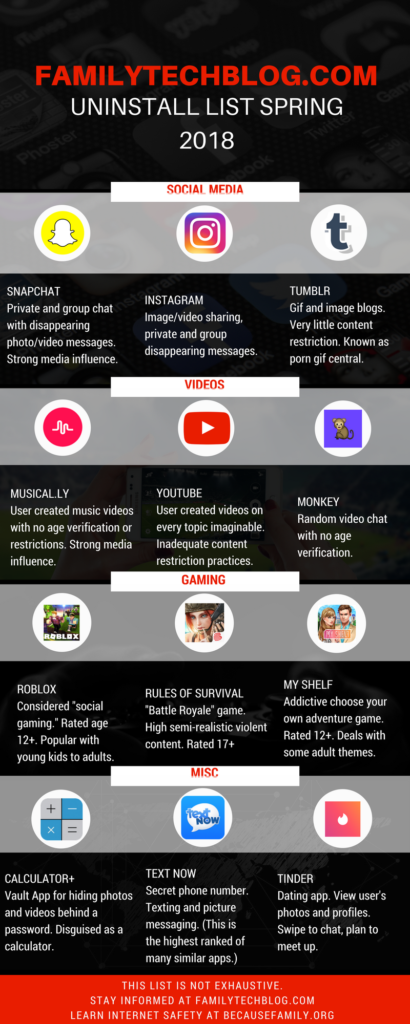
    Some apps are just annoying, some are a bit risky, others should just be uninstalled. This is the list of apps that FamilyTechBlog thinks should be removed from your kids’ phones on sight. No, this isn’t an exhaustive list. There are plenty more apps that can be dangerous. Our list features some of the most popular apps in each category and apps that highlight a certain genre that may need to be avoided altogether.

    Feel free to click on the image below to see the large version of the infographic. If you want some help with internet safety resources and strategies, contact us here. Also, share this post with everyone you know. Let’s make a difference and spread something helpful on our social media timelines for a change.

    FAMILYTECHBLOG.COM UNINSTALL LIST
    SPRING 2018

    CLICK FOR LARGER VERSION

    Please consider keeping resources like this free to you by donating $5 to our non-profit organization.
    Visit BecauseFamily.org/partnership to give.

  • The FamilyTechBlog Uninstall List for Spring 2018

    The FamilyTechBlog Uninstall List for Spring 2018

    Please consider keeping resources like this free to you by donating $5 to our non-profit organization.
    Visit BecauseFamily.org/partnership to give.

  • Social Media News: Youtube, Snapchat, and Instagram Update Information

    Social Media News: Youtube, Snapchat, and Instagram Update Information

    Here’s a rundown of the social media news for this week thus far.

    Snapchat is changing “everything.”

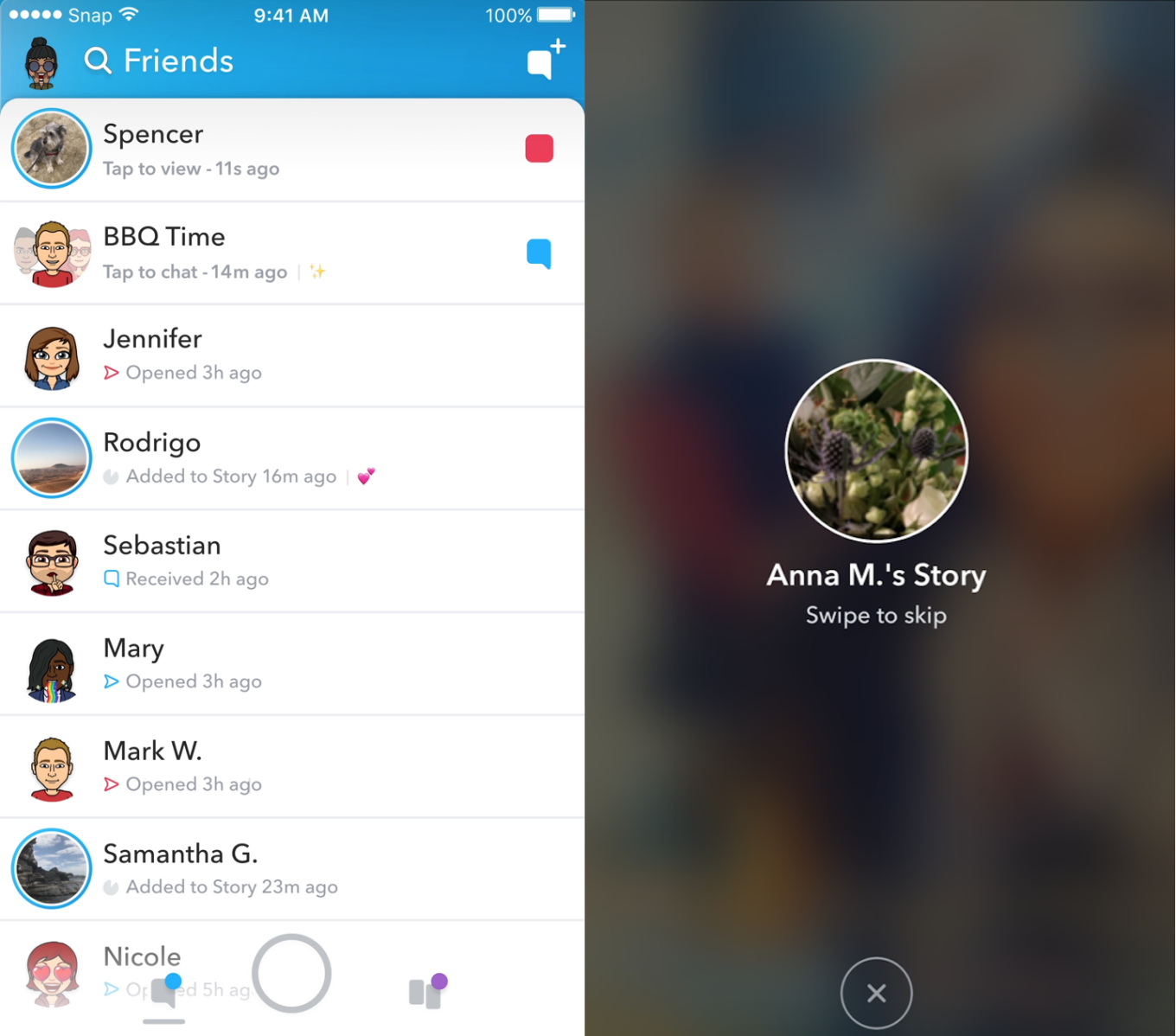
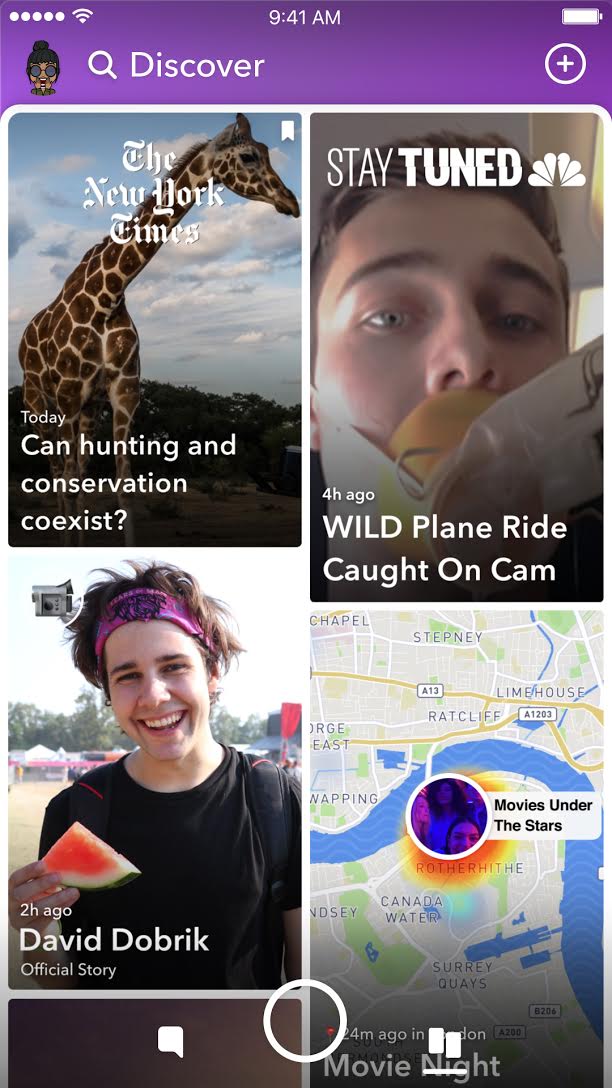
    In an attempt to increase both user numbers and ad revenue, Snapchat is making some major UI (User Interface [the buttons, controls, and setting options on an app or software that allow you to use the app or software.]) changes. In a video by CEO Evan Speigel, he claims that the new Snapchat will separate your social from the media. He says that “your friends aren’t content, they’re relationships” and should be kept separate from the paid advertising and influencer content on the Discover page.

    The app will still feature the “swipe right/swipe left” control style with the left being your friends and right being the Discover page. The Discover page seems to be going through a bit of an upgrade too with animated thumbnails (title images) and including more content from influencers along with the paid media articles. Snap Inc. is hoping this change will make the Snapchat app more appealing to more users and increase buy-in from those who have installed it but don’t use it much. Only time will tell.

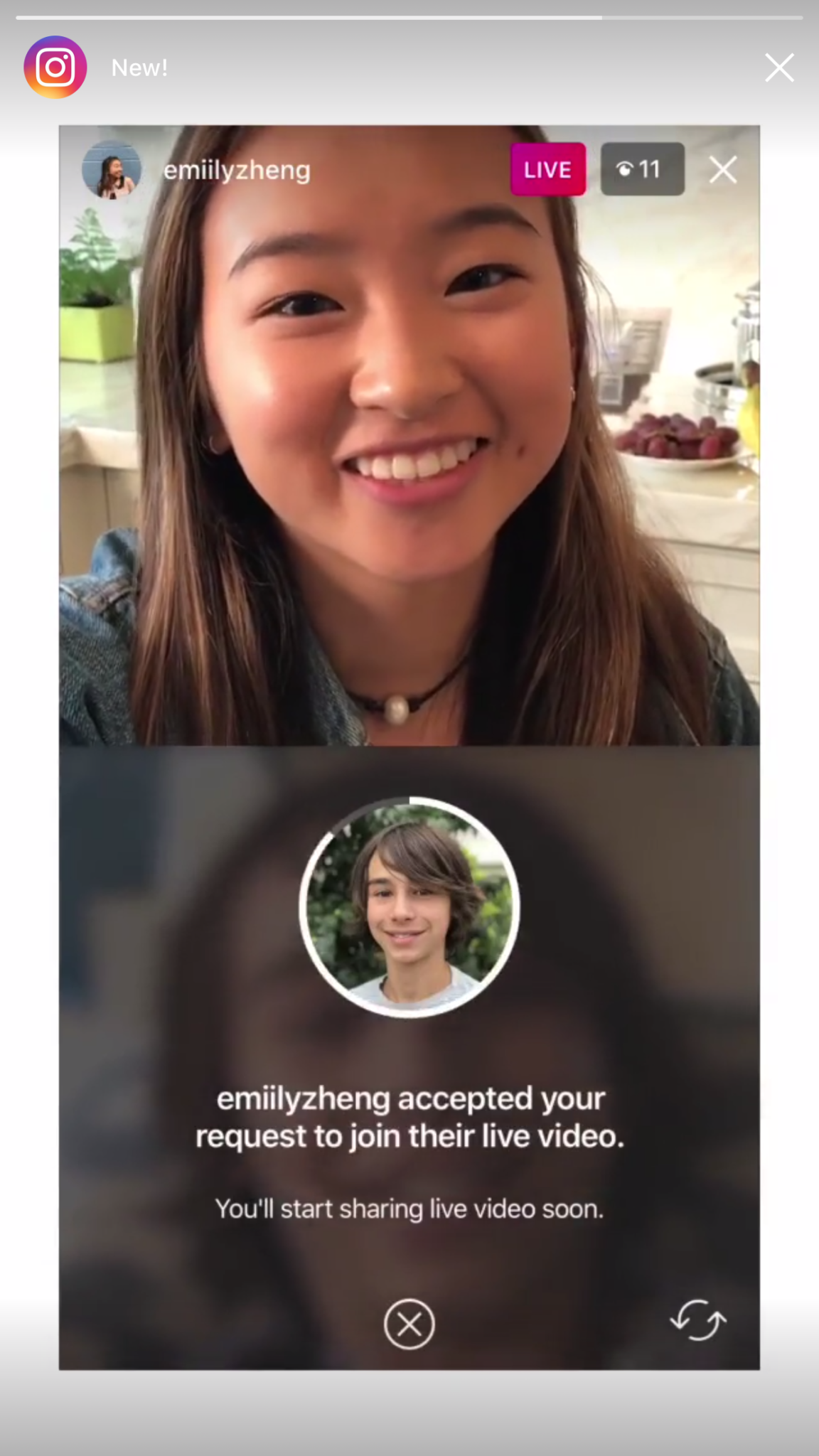
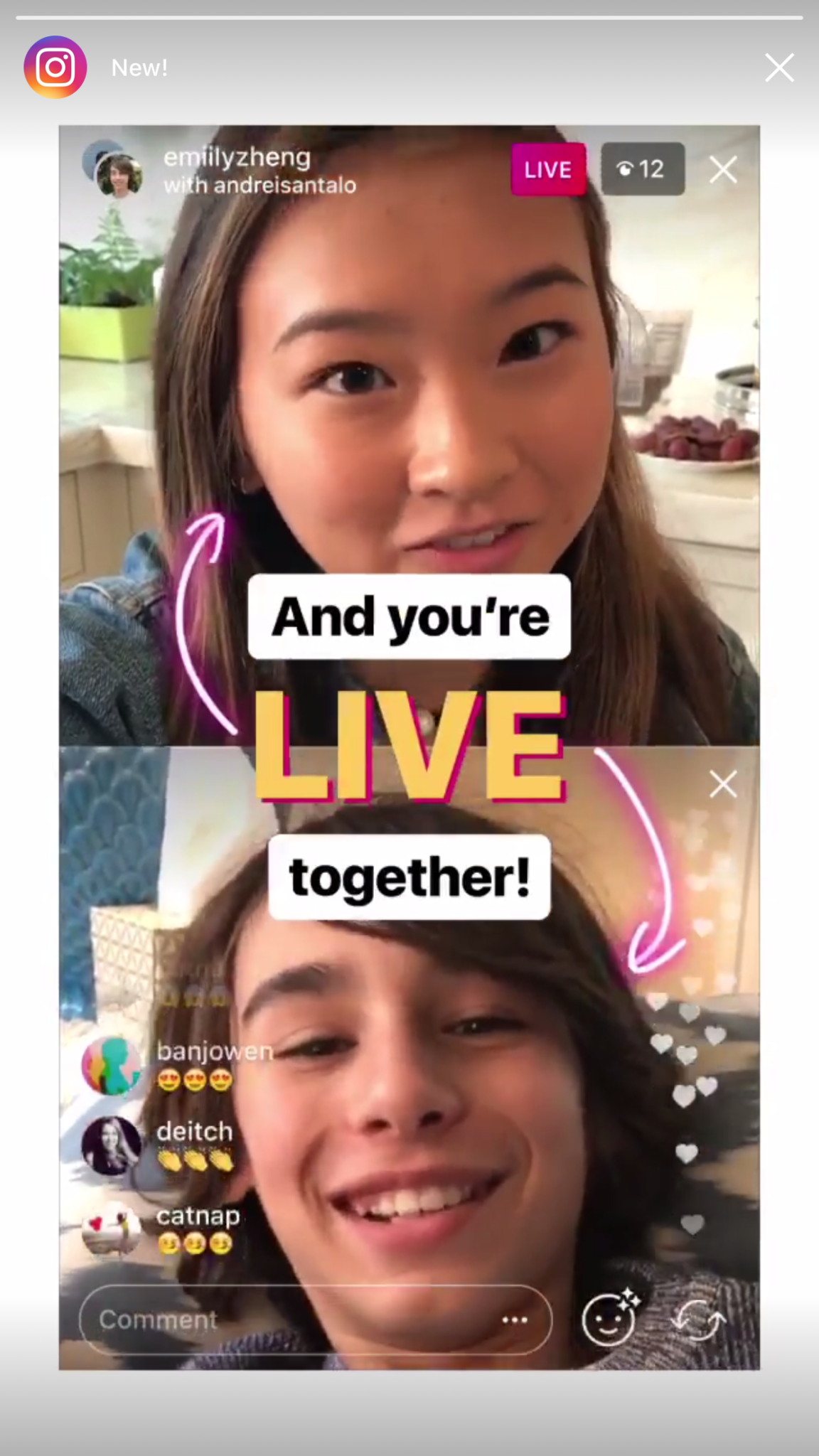
    Instagram now lets you ask to join live stories.

    Instagram released the ability to join a friend’s live story just a few weeks ago. The feature has gained some popularity but they’re hoping that the latest addition will make the Live story an even more integral part of the Instagram experience. The latest update allows audience members to request to join a live video on their friend’s Instagram. It isn’t as much an added feature as it is a streamlining of one they released previously.

    Being able to ask to join a live story will increase the visibility of many Instagram accounts and could cause users to spend more time on Instagram. That, at least is what the company is counting on.

    Youtube is soon adding a “stories” type feature of their own.

    The Story feed was started by Snapchat, perfected by Instagram, and flopped on Facebook. Now Youtube wants in on the action. Reels is Youtube’s answer to the latest social trend. This addition lets content creators create quick 30 second vertical videos to keep their followers updated on what’s happening. It lets vloggers and video creators make more content with less commitment.

    The biggest difference from the other Story features is that Youtube’s Reel videos will not disappear and they can make multiple Reel videos. Youtube has been trying to make their app more social and it’s obvious that Reels are a huge step in that direction. They haven’t announced when Reels will be released but you can count on the S.A.F.E. Family Tech Blog to let you know when they do.

    What Parents Should Know

    It’s always important for parents to understand what their kids’ favorite apps are capable of. For many of our children, Social Media apps are the most commonly used. These recent updates should help you be informed about what your children can do with these apps. My advice is always to download these apps for yourself so you can play with all the features. Talk to your kids about what the apps are best used for and what behavior you believe to be healthy or not healthy on social media. Use examples and share about difficult social experiences you’ve had that would have been even worse if they had been online. Strengthen your child’s sense of self-awareness and confidence to ensure they represent themselves in a healthy way online. Most of all, keep an eye on what your kids are posting on their social media accounts and continue to stay informed so that you can be ahead of the social media curve.

  • More Violence on Youtube Kids; Here’s Youtube’s Answer

    More Violence on Youtube Kids; Here’s Youtube’s Answer

    Another week, another story about Youtube kids not removing junk before some kids have seen it. The most recent claim is that videos featuring Paw Patrol characters showed them dying and mourning each other at their graveside. This is obviously a startling discovery for any parent to come across on Youtube but especially when it shows up on an app that has been marketed as being safe for kids.  The good news is that updates on YouTube’s review policies may help keep some of that content off the app.

    The policy is using Youtube’s existing “restricted-content” feature to protect our kid’s eyes from videos of their favorite characters doing bad things. Restricted content is automatically not allowed on Youtube kids. This means that if a video has been approved to be on Youtube but not for viewers under 18, then it won’t automatically show up on YouTube kids just because it was uploaded to the main site.

    Some videos don’t violate our policies, but may not be appropriate for all audiences. In these cases our review team may place an age restriction when we’re notified of the content. Age-restricted videos are not visible to users who are logged out, are under 18 years of age, or have Restricted Mode enabled. – Youtube Help

    I am always cautious of trusting apps that use a “restriction” mode because their restrictions are always based on user reports. If enough people see something and flag it as inappropriate then the content is removed. The problem is that people have to see the video, image, or post in the first place. Youtube thought of that too, though, and have a pretty simple solution for YouTube kids. Videos won’t show up on Youtube Kids until a few days after they’ve been uploaded to Youtube’s main site. This, hopefully, will help weed out many of the videos that look like they’re intended for children but truly aren’t.

    What Parents Should Know

    It’s important to understand how the video streaming services we use filter their content. Youtube Kids recently added profiles and age-based video recommendations to help parents use the app more effectively. Limiting the ability for restricted videos to make money and keeping them off of a logged out, underage, or restricted user’s feed is another major step in the right direction. The best feature, in my opinion, is giving newly uploaded videos a couple of days to be reported before they are put on Youtube Kids.

    My advice remains the same when it comes to viewing videos online. Parents should always know what your kids are watching. Keep an eye on what they are doing on their tablet or another screen. Have them use their device nearby where you are or in a common area so that you can hear what they’re watching and even go in and put your own eyes on it every now and then. It isn’t always the most convenient thing to keep checking in on what your kids are watching but it isn’t smart to trust algorithms and the reporting of strangers for our kids’ safety and mental health. Put in the effort. You’ll be glad you did.

  • The Best Way to Keep Your Kids Safe On Youtube

    The Best Way to Keep Your Kids Safe On Youtube

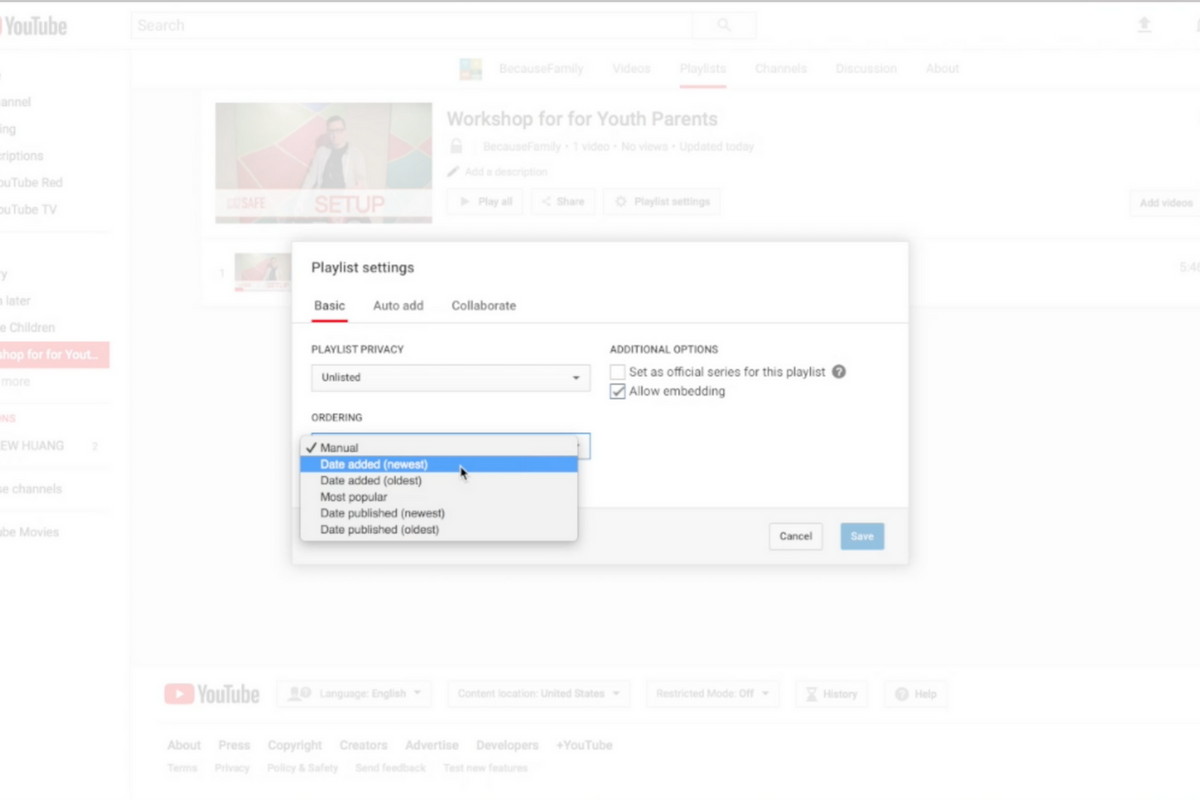
    Parents are always asking me for advice on keeping their kids safe on YouTube. Especially parents of older kids who may feel like YouTube Kids is a bit too young for their liking. I recommend building approved playlists. Find videos on YouTube that you are ok with them watching and put them in a playlist. This will allow them the freedom to watch videos without you pulling up each one while still keeping them safe from happening upon something inappropriate. You can also add playlists to your library that have been created by another channel. Then, you just have to discuss with your kids that they should only watch videos from the playlists you’ve put in the library. This keeps things safe. Watch the video below to learn how to build these playlists and hear more about why it’s a good idea.


    This is also a great idea for teachers and ministers who may want to show videos but don’t want something showing up unintentionally. If you’re playing videos from your playlist, you won’t accidentally show some video you haven’t pre-screened. YouTube can be an awesome tool but there is a lot of content on there that may not be classroom friendly. Use this tutorial to help you set up playlists and keep that stuff off your screen.

    UPDATE: Here’s a video tutorial to help you set up a playlist on the mobile app.

  • Update the YouTube Kids App, You’ll Be Glad You Did

    Update the YouTube Kids App, You’ll Be Glad You Did

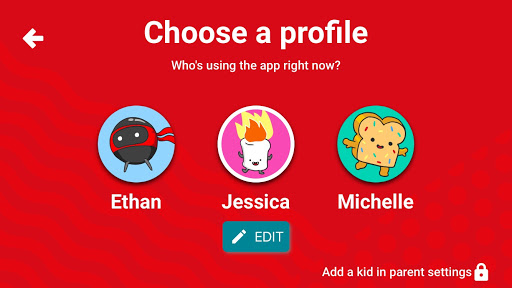
    We are big fans of YouTube Kids. While it isn’t foolproof, it is the best option available right now to let your kids enjoy their favorite videos on YouTube.The newest version makes it even more useful for parents. This update allows you to add profiles with a birthdate and a new avatar to ensure your kids are getting content appropriate for their age and interests. This will be super helpful for parents like us, who have multiple kids using one device. My recommendation is that you update your YouTube Kids apps as soon as possible and if you haven’t used it yet, what are you waiting for? Go download it.

    Stay tuned for a video review of the YouTube Kids update soon.