Snapchat’s “Snapmap” feature highlights news stories that are curated by their team of news editors. The team chose to feature posts from the school shooting in Parkland Florida on their map yesterday. It was comprised of Snaps from students in the school, news outlets, and passersby whom the editors thought had posted something that contributed to the viewers understanding of what was going on during the shooting. You can see that editing was done before the Snaps were put on the map because a “Warning Graphic Content” posts start the slideshow, followed by a video of what seems to be the inside of a classroom in which you can hear the gunshots from nearby. Language is bleeped out and there are no actual victims shown but you do see a couple of students who are talking about watching their friends be killed right next to them.
Snapchat hired a former CNN exec to lead their team of news editors and they say their news team is doing their best to follow the right journalism practices. They are working to remove overly sensitive content and choosing to only feature Snaps that contribute properly to the story they are covering. Snapchat’s main audience is under 18 which likely contributed to the fact that they had so much content to use to cover the shooting in a High School. This also means though that our kids who use Snapchat, and anyone else using their map in a browser, can have access to on the scene footage of what is happening during events like this. A school shooting is a national tragedy and social media is becoming one of the most common ways that people learn about what is happening or has happened. Snapchat is attempting to provide a curated look at this news, but is that what we want our kids to see when they look at their phones?
What Parents Should Know
As mentioned above, posts from Snapchat are not automatically sent to the map. These posts are curated and especially selected and edited before being added. While I’m grateful for some oversite from Snapchat when it comes to sharing this news, I have to question whether or not I would want my 13 or 14-year-old to have access to some of the images seen during the shooting on Wednesday. Just seeing something so dangerous portrayed in such a real way can be damaging and cause fear in our kids. We have to look out for this and know if this is something our child can handle or not. For some of them it may be fine but for others, they aren’t mature enough to deal with that much realism.
(Opinion warning!) I can’t tell you what’s right for your kids, I will, however, give credit to Snapchat for trying to bring some truth to the news by using information from people who are actually there. I will also keep this info from my kids for a while. There are enough things that cause fear in our lives, I wouldn’t want added influences like their social media accounts to increase that fear. Snapchat is on my uninstall list for a lot of reasons, I’m grateful they aren’t just putting every public post from one of these tragic events onto a feed that your and my kids could see but I will think long and hard before allowing my child access to this source of news.
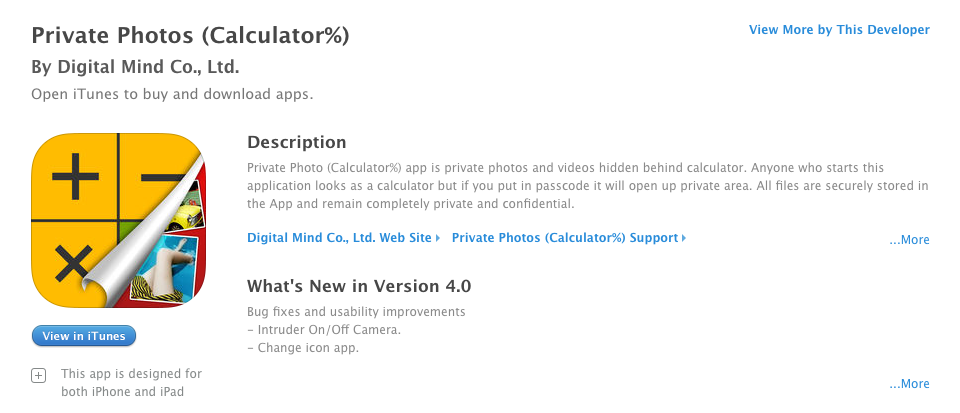 You would normally look at a calculator app and not think anything of it but these apps will allow you to hide files behind a code that unlocks access when it’s entered into the calculator. In most of these apps, the calculator actually works as well. The best way to identify if your kids are trying to hide things from you with one of these apps is to look at it’s page in the app store. The description will mention the abilit
 y to hide files. If you find that your kids have one of these apps on their smartphone or tablet I recommend you uninstall immediately.