Tag: video

  • Be S.A.F.E. Online During the Holidays

    Be S.A.F.E. Online During the Holidays

    **This post is an updated version of an article from 2017. 

    The Holidays are a time of fun, family, faith, and food. Everyone coming together can be super fun for the entire family. There can also be some struggles here and there, especially when it comes to what shows up on the screens in the house. Your younger kids could end up seeing too much social media on their teenage cousin’s smartphone. Uncle so and so can show Youtube videos to some family with adult language and content not noticing the children in the room. Heres a few tips to try and keep your Holiday internet safe and family friendly.

    Protect Your Kids

    Encourage a host home internet filter.

    Ask the family member or friend who’s hosting your festivities if they have some sort of content filter on their wifi. Many routers have a basic filter and some folks may even have another filter system in place. If there isn’t an option, recommend one like Circle. If they don’t have kids or aren’t interested in filtering their wifi long term you can recommend a free trial with something like Mobicip or NetNanny. This usually allows you to use the filter for seven days to a month at no cost. Offer to help them set it up and then you can breathe a little easier when your kids are using their wifi.

    Keep devices with screens in a common area.

    Intentional poor behavior will happen in private. If you keep the screens around everyone else you’re much less likely to have an incident. Make a rule that screens should be kept in the most common area of your Thanksgiving meeting place. The living room full of people or the dining room around a busy table is a great place to let kids spend whatever time on screens you’ve allowed while adult eyes can glance down to see what’s being viewed. This will also keep sneaky cousins from pulling up something age appropriate for their younger family members.

    Talk to your kids.

    Your kids need a safe place. They need to know that if they see something inappropriate online they can come to you and receive no judgment or criticism.  It’s critical that they are allowed to explain what they saw and how it made them feel. Discuss your screen boundaries ahead of time, your kids should know what you expect even if you aren’t able to get the whole extended family onboard with your plan. Tell them if you want them staying off screens completely. Let them know not to look at older kid’s phones or tablets while they play. Think ahead of the likelihood of your kid seeing something they shouldn’t and try to head that off at the pass. Accidents happen but if you and your kids are on guard, you should be able to have fun without too much worry.

    Protect Your Privacy

    Turn off camera location settings.

    Your camera defaults to save your location every time you take a photo. This tags those photos with where you were when you snapped that pic. Then, when you share the image on Instagram, Facebook, or Snapchat your location is uploaded with the image. This means that with the right software your location can be extracted from that photo and used for unseemly reasons. 

    • Go into your settings app and access your “location” settings.
    • Go to the camera app settings under “location” and tell your phone never to use “location” while using your camera.

    Changing these settings will keep your location data off of your pictures.

    Advise family members not to tag their location on their Holiday posts.

    Finally, you’ll want to be careful not to tag your location on your photos. Yes, pictures of the pie, stuffing, turkey, and gravy boat have become as much a part of the holiday tradition as the cornucopia, but when you share it you’ll want to leave the address of the host off of your status update. Sharing your address with public social media posts is never a good idea. This can lead to all kinds of dangers. Imagine the images of all the neat and expensive stuff in the host home. Now imagine you’re a local who likes to break and enter to take things every now and then. What better way to identify a target than creep Instagram holiday posts for the people with the coolest stuff. Then, find the posts with their address tagged on the photo and off you go. Share away, but share with wisdom.

    The holidays should be a time of rejoicing and happiness. We should stuff ourselves with food and enjoy being together. Following these steps can help you stay safe and help keep your holiday party guests safe as well. 

  • Dangerous Random Live Video Chatting Apps are Dominating Social Media

    Dangerous Random Live Video Chatting Apps are Dominating Social Media

    A reader sent me this article written in the Washington Post today and I wanted to post my response. The article outlines the problems that Apple is having keeping “unwanted sexual content” out of apps on their iOS App Store. Apps like Monkey, Yubo, and ChatLive are all apps that allow you to chat live with random people, often only connecting you based on the gender you say you’d like to chat with. The problem with these apps is that most of them have no way to verify your identity, gender, age, or anything. This means that kids who use these apps are chatting with random strangers, many of whom are much older than them and have nefarious intentions.

    The complains in the article are centered specifically around “unwanted sexual material.” As you can imagine, the consequences of this content is often our young kids seeing images of people in mature circumstances whether they were seeking that kind of content or not. When you can just chat with someone randomly, you never know who is going to show up on your screen. When the person that shows up is in a compromising position, you’ve already seen it and it is impossible to unsee it at that point. Our kids are being shown this nonsense and the developers of apps are monetizing some of the only ways you can filter the content. (i.e. Monkey making you spend their in-app currency called “bananas” to select what gender you want to chat with). Those who run the app stores (Google or Apple) often say they do their best to keep apps with inappropriate content off of their stores, especially when it comes to apps that children use, but once they’ve labeled the app 17+ they pretty much shift the responsibility to the adult who is caring for the child.

    The Monkey App will be a Hotbed for Predators

    What Parents Should Know

    Two years ago I wrote an article about the dangers of the app Monkey and how it would become a hotbed for predators and “unwanted sexual content.” Today, Monkey is mentioned in the Washington Post article as one of the main companies with this content in their app, citing: “About 2 percent of all iOS reviews of Monkey, ranked 10th most popular in Apple’s social networking category earlier this month, contained reports of unwanted sexual experiences, according to The Post’s investigation.” Does 2% constitute a “hotbed?” I don’t know. But I will say it is a cause for great concern, especially since this is only a percentage of the reviews that mentioned the problem, mostly parents who saw that their children had been assaulted with adult content in the app. It doesn’t measure those who saw it and didn’t report it for one reason or another. I had been contacted by Allen Loh, head of global expansions for the Holla Group, operators of the Monkey App, six months ago or so and he assured me that they were working to address some of the safety and content concerns within the app. I have reached out again to get updated information about these issues but have not, as of yet, received a response.

    iOS 12’s Screen Time App Changes Everything!| Video

    The only real way to ensure your child is protected from the unwanted content in apps like these is to use the restriction settings built in to your operating system. Apple’s Screen Time has a restrictions setting in which you can set a maximum age rating for apps that your child can download. If your 15 year old has an iPhone, you can set the restriction to 12+ to ensure that apps rated 17+ won’t be available. Android users can use FamilyLink to set App Store restrictions for their younger children. These restrictions, however, will be automatically set to “adult” when your child turns 13.

    As I always say, the most important thing is communication with your child. You have to make them aware of the dangers of chatting with random strangers on the internet. As obviously dangerous as that sounds, these apps are branded and marketed as a fun way to meet new people. They build an environment that is like going to the mall or the movies back in our day, but instead it is all within the anonymity an app. Unfortunately, within an app, the weirdo who wouldn’t go out into public and make advances at your kids is there waiting to find someone he can groom, send adult pictures to, or violate in some other way. Parents need to create a safe space for our kids to come when they feel threatened or violated by someone online or in an app they use. Many of the stories of parents finding unwanted sexual content within an app were made known only because their child knew to come to them when they saw something that made them uncomfortable or feel violated. Do everything you can to protect your children’s hearts, eyes, and minds and then be sure they know they can come to you if something inappropriate comes across their screen.


  • Family Link’s New Features are Great but Still Not Good Enough

    Family Link’s New Features are Great but Still Not Good Enough

    Android has updated their Family Link parental controls feature. The above video will take you though what they’ve done and give you some questions to ask yourself about using the service.

    Make sure your device is compatible.

    The site is very clear that Family Link is only compatible with newer android devices. Go into the settings on your kid’s device and tap the ABOUT button in the menu to see if your software version is 7.0 or newer. If it isn’t your child may not be able to install Family Link which will mean you can’t use the software to set limits and restrictions.

    Double check their privacy policies.

    COPPA regulates the collection of children’s data without parent permission. You have to create an account for your child to use Family Link and to do that you must give permission for Google to collect some of their data. The video explores a bit more of what information they can collect and what they do with that data.

    Be aware that your kids get full control at 13.

    If you are one that wants to be able to see what your older child is doing on their device you’ll have to use the child’s phone to adjust parental control settings with Family Link as control is shifted to the child at age 13.

    Do your homework!

    As I mention in the video above and the podcast episode below, you need to familiarize yourself with the benefits and limitations of Google’s Family Link software. Visit families.google.com to see their information about it and check out our other articles and videos about Family Link as well. You can never be too informed.


  • Monitor Song Lyrics with Bark!

    Monitor Song Lyrics with Bark!

    Listen to any of the current top ten songs and you’ll find all sorts of content that may not be considered appropriate for children. Profanity, sexual content, violence, and suicidal ideation abound in today’s popular music. How can we, as parents, keep an eye on what our children are listening to without having to go through and read lyrics for every song on every playlist? Bark is offering a pretty good solution with their latest update. The AI-based message monitoring system now monitors lyrics on Spotify.

    Connecting your accounts to Bark is pretty simple with the Android app but demands a bit more tech expertise to connect to iOS (due to Apple’s strict anti-monitoring policies.) You have to download Bark’s software to your computer and then set your child’s iPad or iPhone to back up to that same computer in order for Bark to monitor the device. Spotify, however, connects on the account level which means set up is a simple as logging in to Spotify and giving Bark permission to access data in the app. That does mean that shared accounts will be monitored as one so your listening habits will be monitored as well and then reported to you as if your kids listened. We raised our Spotify subscription to the 14.99 price in order to set up separate accounts for our kids. This means they can be monitored separately giving us more accurate reports.

    Reports from Bark are notifications about specific songs with the lyrics listed along with recommendations for discussing the songs with your children. We saw immediately that some of the songs our son was listening to had some lyrics that were a bit more violent than we would approve of. We were able to discuss this with him and he removed them from one of his playlists immediately. The songs were in no way “explicit” since we have turned off access to explicit content on his Spotify app but the Bark system allows you to set the sensitivity so that it will report songs that even hint at innuendo, violence, or other adult content. Our approach is to always err on the side of caution so we have sensitivity turned all the way up.

    Bark’s message monitoring has also resulted in quality conversations with our children, even within just a few days of activating the software. We were notified that our daughter had been “bullied.” It turned out she was just telling her brother to stop texting her over and over again. The AI noticed that she was asking him to stop and he was continuing to message her and it flagged it. That is EXACTLY the kind of thing we want to be notified of. Her brother was just being annoying but if that was some older boy asking for pictures or a friend telling her something inappropriate or mean, we want to be notified. For us, a false alarm is evidence that the software is working and we are happy to weed through false reports so that we’ll be sure to get the one that could save us and our children from a lot of trouble.

    Song lyrics, videos, messages, and social media posts are helping shape our kids’ worldviews. We should be on guard against the kinds of content that don’t meet our family’s standards. Bark allows you to do that without your kids’ privacy being interfered with. You don’t see all their messages, just the ones that Bark flags as potential dangers. This means they can have their phone or tablet, message their friends, watch their shows, and listen to their music without you always asking what they’re doing. You won’t have to ask because you’ll be alerted if they do something you don’t approve of. Just remember that we never recommend spying on our kids without their knowledge. Talk with them about Bark and any other software you use to report content. Let them know why you are using the software and talk with them about any reports you receive. This is how we help them build a healthy attitude towards tech.

    You can get Bark by clicking THIS LINK, using the promo code: BF56WBD, or clicking the banner near the top of this article. We are an affiliate of Bark and will receive a small donation when you pay Bark for your subscription. Thank you for protecting your kids and for supporting this blog and our ministry.

  • What Are Browser Cookies? How Do They Work?

    What Are Browser Cookies? How Do They Work?

    Facebook and Google have both had their major development announcement events over the past couple of weeks. They have both focused highly on privacy, and what they’re going to do to protect users data. This comes as no surprise because many governments have called them to action in this department saying that they have to protect their users’ data more securely. Since privacy is such a major topic as these events, the term cookies is being thrown around all over the place. You’ll see article after article talking about what Google is going to do with your cookies and what Facebook is doing with your cookies and how advertising companies are tracking you using your cookies. You even get a little pop-up banner when you go to a new website that says, “Hey there, we use cookies.”

    What’s the big deal about cookies?

    There was a day where when you would log onto a website, you were basically visiting it for the first time every time. Cookies help make sure that when you go to a website that website remembers you and may even remember what you did the last time you were there. Here is how that works: I open my browser and sign on to a site, as if to say: “Hi, my name is Michael and I’m going to www.teachmeaboutcookies.com.” That website hands me a “cookie” and says keep this for when you return. We’ll look for this cookie, and when we will remember you so you won’t be starting from the very beginning when you log on to our website.” That is called a first party cookie. First party cookies are how websites remember that you logged in so you don’t have to log in every time you go there or how Amazon remembers what’s in your shopping cart so you can go back to Amazon.com two or three times this week and add things to your cart and order it all at once later without having to log in again every time you go. That’s how a first party cookie works.

    Here’s how third-party cookies work. I go onto teachmeaboutcookies.com and they give me that cookie that I need to have so that I will be recognized again when I return to the website. That cookie is stored in my browser. However, there are ads on this page. There’s an ad from YouTube telling me to go watch these videos, there’s an ad from safe.becausefamily.org saying, “Hey, you should learn about tech safety interested in cookies.” These ads have little bits of code in the website you’re visiting and are now sending cookies to your browser and saving them there. Every time you go to any website on the internet with advertising it is adding more third-party cookies which are all being stored in your browser. All of that ad tracking data is saved in your browser through their cookies so when you go to other websites they will know what ads you’ve seen and responded to and will put ads for more things similar to that on other websites that you visit. That’s how third-party cookies work.

    The reason “browser cookies” has been in the news these days is not because of the first party cookie being put onto your website to make it easier and more convenient for you to use that website. We like not having to log in every time we visit a website, we are happy to go back to a shopping cart in which everything has been saved or revisit a form we started days ago and continue filling it out from right where we left off. We can do this because of first-party cookies. The latest issues are coming from third-party cookies. The government and many privacy agencies and internet safety experts, including myself, would like for companies to be held a little more accountable for what they do with those third-party cookies.

    What Parents Should Know

    Cookies and other web traffic information is often taken and then sold to help other ad agencies that you never connected with in the past create profiles on you. Then you can be advertised to more effectively and therefore buy more stuff. The issue gets even bigger because our kids are using these websites and apps and this data is being collected on them. Even they are having profiles created that track how they use the internet and the apps that they use for advertising purposes. Companies are beginning to wake up to the fact that people don’t want their data sold and traded all over the place like it’s the stock market. They’re starting to do things like Google announced with Chrome being more strict on how websites use cookies that they store on your browser. Safari has done the same thing recently. There are other browsers such as Brave or Duck Duck Go that are very strict on how advertising code is used when you surf the internet. There are even certain laws requiring companies to be transparent about how they use cookies on their website. That’s why you get those annoying little pop-ups that you just click ok on just to get them out of the way. I recommend you click more information next time go and see what they do with the information that they get from you and you browse their website. You might be surprised.

    Unfortunately, opting out of that cookie storage is not really that simple to do. However, you can go in and clear your cookies on any browser that you use. I advise you to ask yourself this question. Do the websites that I’m using need my web browsing information in order to serve me properly? Some websites actually do. Amazon can’t really sell me stuff I’m interested in if it’s not allowed to collect the type of data it needs to know what I’m interested in. Facebook can’t allow me to just log on a check my notifications real quick without entering a password without first-party cookies allowing it to. Ask yourself, “Does this website need my information to work? If so, great, I’ll allow it. Otherwise, if you’re just browsing or you’re just looking at something or if you’re on somebody’s blog or something then there is no reason for them to collect your information. You must protect your cookies.

    Listen to this article in the podcast below:

  • Memes: A Parent’s Guide

    Memes: A Parent’s Guide

    The term Meme was coined by Richard Dawkins in his book “The Selfish Gene.” It was simply defined as any form of media that was passed from person to person until it reached a massive level of popularity. Nowadays we would call that going viral. It is difficult to put your finger on a single meme as the first one or even to identify how some of today’s most popular memes got their start. In this article we’ll look at the history of memes, how we got to where we are, and what it parents need to know about Memes. Keep in mind that you can see some Meme examples in the video above.

    History of the Meme

    It didn’t take long once the internet was available to most people for Memes to become a major part of how people spent their time online. In 1991 we saw such memes as the dancing baby, motivational posters, and the hamster dance being passed along in emails and forums. These images, videos and gifs were passed from person to person and inbox to inbox, shooting this silly content to Meme stardom.

    Then came the 2000s, some would say this was the golden age for memes due to the rise of YouTube, Social Media, and Viral Videos. This took us from sharing content within a limited access forum or the contact list in our email to sharing them on our public social media page to be re-shared over and over again to thousands or millions of people. This period is where we were blessed with the rick roll, Chuck Norris jokes, turn down for what, cat videos, and Vine videos.

    We are currently living in the age of the modern Meme. Most originating on Reddit before they become popular on other social media sites, Memes are going mainstream in television, radio, politics, and marketing. Memes are used to promote idealogical ideals. Memes like the Harambee meme are an outlet for those who are bothered by certain things in society to express their belief or concern. Politicians even capitalize on the popularity of their own Memes, sharing them on their social media accounts to gain recognition and strengthen support.

    The Dank Meme

    Dank usually means dark, damp, and gross. When it comes to Memes, dank is a positive term. A dank Meme is usually one that can be used and reused with different other Memes added. Sometimes popular sound clips or songs from a Meme will make its way through a whole bunch of different videos. Something like the “oof” of a dying Roblox character being dubbed over videos of people falling or otherwise hurting themselves. This is what a dank meme usually is.

    The Memes you see gain popularity on your social media account. That Condescending Willy Wonka image with someone’s sarcastic comment typed onto it is a dank meme, having been reimagined several times, thus gaining more popularity.

    What Parents Should Know

    Memes are an easy way to express yourself. It can be a fun way for kids to have a laugh or share what they think about certain issues. My problem with some Memes is that they tend to simplify complex concepts. Something as complicated as political beliefs are packaged as Memes and expressed in a shallow, unhelpful way. The Meme is a limited genre, only allowing so much space for sharing what you think. This can cause confusion and can ultimately be polarizing.

    Memes also have a tendency to take us in a circle of reasoning. We share more Memes that we think are funny because of the statement they are making and this tells the algorithm of the social media account we use that we want to see more Memes like this. We then are simply only fed a steady diet of the same thoughts, repackaged as dank Memes and our view is never questioned or challenged in a way that can be healthy and help shape who we are.

    Finally, we have to be careful because Memes can often be very adult oriented. Memes are an expression that has been limited to those who understand them. When we start into the Meme rabbit hole, whether it’s on Reddit or Youtube, we can tend to find ourselves getting to some strange and even dark places. I am not squeamish and there are a lot of Memes that I’m a fan of and I share regularly when I see them repackaged in a way I find humorous. I did, however, get into some content while researching this article that just made me feel stupider for seeing it. See what I go through to help you out?

    Thanks for reading. Share this article with a friend who needs to know what a Dank Meme is.

    You can listen to this post as a Podcast below:

  • Does Your Kid Need a Fitness Tracking Smartwatch?

    Does Your Kid Need a Fitness Tracking Smartwatch?

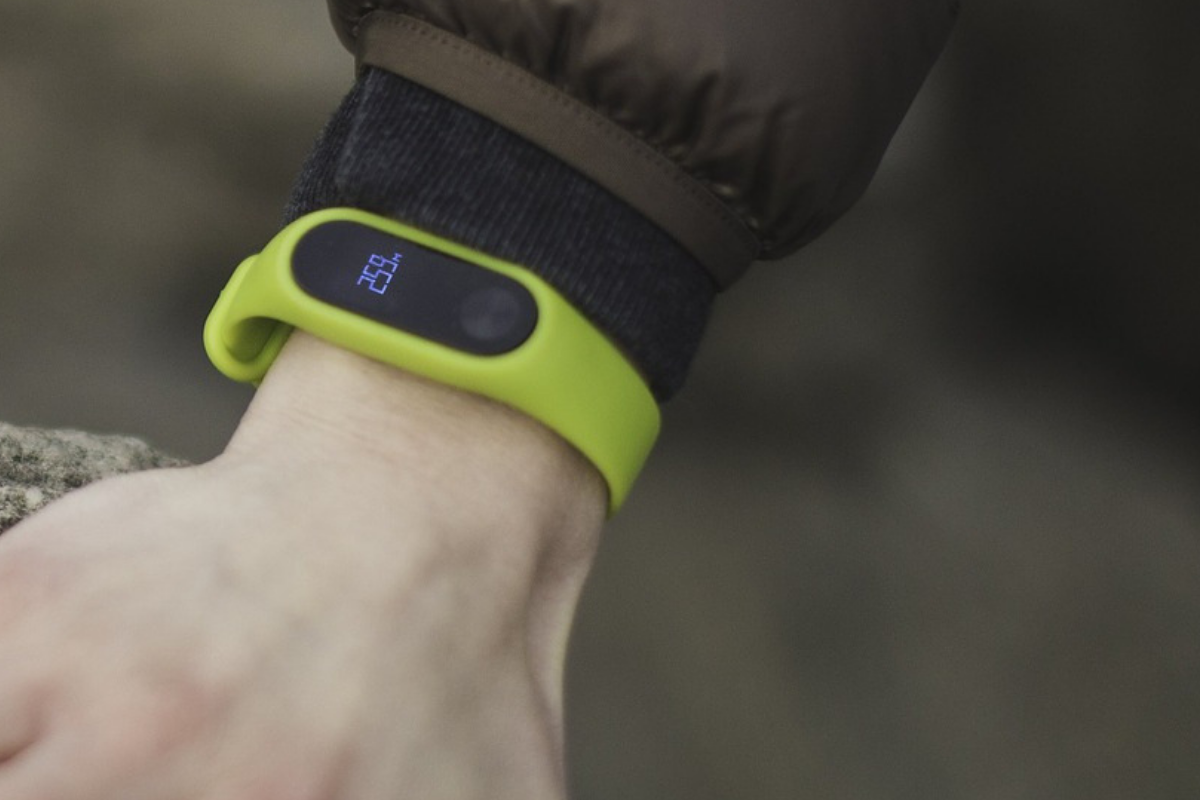
    We all want our kids to be healthy. Parents are always telling me they’re concerned that their kids play video games too much and just need to play outside for a bit. I agree. Couldn’t agree more! The fitness wearable (think Fitbit and Apple Watch) industry has made some huge promises about giving us motivation and inspiration to get out and get moving. The wearable trend is making its way to children now too. Garmin and Fitbit have both put out new products that are made for kids. These wearables serve as a watch, a step tracker, a sleep habit monitor, and even reward your kids for meeting goals with achievements and celebrations. My eleven year old son likes wearing a watch. He doesn’t necessarily care about tracking his steps or heart rate, but I’m sure he would love a Fitbit. Should I get him one. I have to ask a few questions first.

    Do Fitness Wearables Work?

    There have been multiple studies since the invention of the Fitbit that have tested the effectiveness of these health tracking watches. Of course the earliest studies featured products that could only track your steps. These “one trick” smart watches weren’t very smart but they promised to get you out and moving so you’d be healthier. The studies showed that those who were originally committed to fitness stayed pretty committed and were a little bit more effective at working out since they could monitor what they had done. People who were given an incentive to work out using their Fitbit tracker did exercise more but no more than those without a Fitbit who received the same incentives, also they stopped excercising as much when the incentives ended. Finally, the extra activity that was logged didn’t result in increased health outcomes. Basically, you are going to be as committed to fitness with a fitness wearable as you would be without one, the same thing is true about your kids.

    Does Your Kid Need a Fitbit or Garmin?

    These products can help those who use them keep track of the amount of activity they are getting. They can use this information to make better decisions about what they do through their day. As mentioned above, however, awareness doesn’t always equal action. Especially when it comes to fitness. Nobody will tell you you shouldn’t do something to keep your kids from being healthy. You know your child. You know if they will be inspired or intimidated by activity tracking and goal setting. You know if they will use their watch for ten days and then set it down, never to pick it up again. Finally, you are the only one who knows for sure if your child will just loose the Smartwatch within ten minutes of putting on their wrist.

    You have to take all of these factors into account when deciding if a fitness tracker is right for you child. As for which ones work best, I don’t have any data to provide you with a conclusion on that. I do, however, have a few family tech safety tips to encourage you to think about while you decide on a wearable for your kids.

    1. Data Security
      It is pretty obvious that the companies that sell fitness wearables use your data quiet liberally. They have to use it to affectively communicate your health information to you and to keep records for you to access later. Fitbit requires parents to make accounts for their children in order for their kids to use their products. By creating this account parents are giving Fitbit permission to access their children data and us it according to their Privacy Policy for Children.
    2. Smartphone Sync
      Most (basically all) of these devices require you to sync with a smartphone of some kind. While it is possible for you to sync the device up with your own phone, your child will see another opportunity to try and convince you that they need a smartphone of their own. Let’s be honest, none of us need our kids to have more points to support the argument that they need a smartphone. Maybe they already have one, great, maybe they have a device they are only allowed to use at home, that’s good too. Be sure you’re allowing them time to sync and use those apps in junction with the smartwatch or you kind of defeat the purpose.
    3. Location Sharing
      The security policies for Fitbit and Garmin both state that they do not automatically collect location data from Fitbit accounts created for children. However, they do collect IP addresses which often contain location data, and you are able to share your location manually which kids could do without realizing it. It is especially important, if you are concerned about leaked or sold location data, that you don’t allow your kids to use a fitness wearable that is connected to an adult’s account. These accounts do share location information by default.

    Be Fit, With or Without a Fitbit

    I’m not going to tell you what to do. As I said above, you know your child and their habits. You know if they are active or not. Some of these wearables can save lives, for kids with diabetes for example, but those are specific situations and, in my opinion, the absolute best and intended use of these products. Most of us have discipline and motivation problems and a fitness tracker can only bring our lack of a healthy lifestyle to our attention, we still have to do something about it. I speak as one who loves pizza and begrudgingly runs about six miles every two weeks. I am “preaching to the choir” as they say, and while I think an Apple Watch or one of the latest Fitbit Smartwatches would be cool to have, the truth is, there are data security issues to discuss, and the trade off for increased health outcomes aren’t guaranteed. Lets just get our kids to a playground more often, and maybe even get out there and play tag with them.

  • Here’s How YouTubers and Streamers Make Money

    Here’s How YouTubers and Streamers Make Money

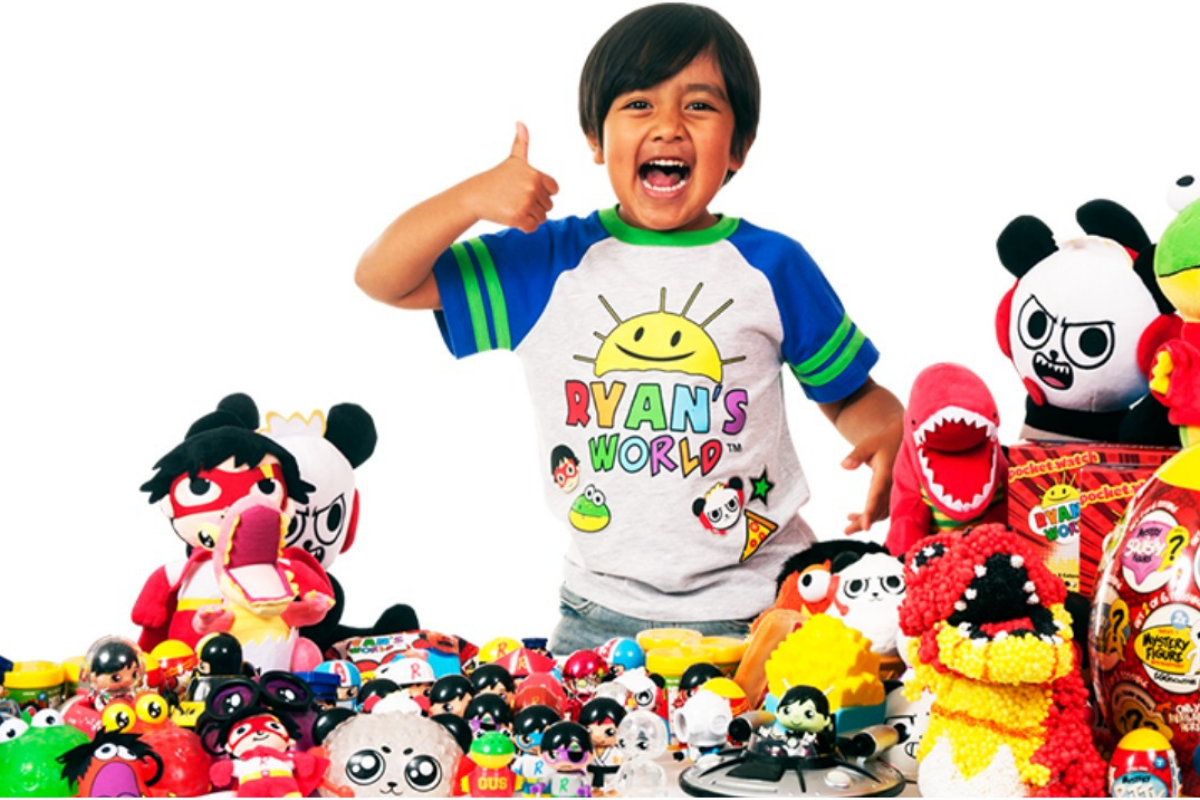
    The top earners from YouTube have been released in an article from Forbes and on the top of the playlist is a seven year old boy who opens and plays with toys on his channel. Ryan Toysreview features short videos that include product unpacking, play, challenges, and of course, seven year old Ryan. His videos each have view counts in the millions and that has amassed an estimated 21 million dollars to him during the past year. Ryan and his family aren’t the only content creators creating million dollar companies out of their videos. The top ten list includes vloggers, make up artists, and gamers, all who post weekly to daily videos and rack up millions of views on each one.

    When I speak to parents about the kind of money gamers and other content creators can make on YouTube and Twitch I see their eyes open wide with wonder. They have no clue how doing something like gaming or unpacking toys can result in millions of views, much less millions of dollars. There are several ways that online content creators make money, some are fairly conventional and some may surprise you. Here’s a quick breakdown for those of you who can’t imagine making internet videos as a career choice.

    Traditional Advertising

    Pretty much all YouTubers “monetize” their videos. This means that they allow YouTube to put ads into their content and then get paid a little bitty bit every time someone sees a video or clicks on an ad banner. The rules and settings for this form of advertising is always changing and can often be frustrating to deal with. For instance, if your videos contain any content that belongs to someone else, the YouTube algorithm can sometimes flag your content as “demonetized.” That means, while your fans will see your videos, you won’t be able to make any direct ad income from it. Or, in some rare circumstances, you will have to share ad income. Below is a video that I made with my family a couple of years ago, it is a parody of a song by One Direction. Since the music is copyrighted, my video was demonetized even though the lyrics were all changed to fit our family parody.

    Product Placement/Sponsorships

    These regulations can be a pain for some content creators and so they choose to use other methods of advertising. Product placement and sponsorships are becoming some of the leading examples. There are many ways YouTubers and streamers can make their content fit with sponsorship deals. Channels that feature trick shots and other sports topics will be sponsored by active wear companies or stores that sell sports equipment. Our channels and blog are affiliated with sites and software that help parents with accountability monitoring and filtering.

    Sometimes these sponsorships are soft or quiet which means they just have the equipment or products in their videos without much mention other than maybe in the video description. Mostly, though, you’ll see content that is made as a special sponsorship video or series and many times they’ll be labeled as “sponsored” by the creators. This is very common in unboxing or gaming videos where the creator is opening toys that were sent to them for free (maybe also with some form of financial payment) to highlight that toy or gamers are playing and doing commentary on a game that they got access to a week before release to build hype for the upcoming sales of the game. Our article and video featuring Botley was one that we were able to do because the company sent us the coding robot to play with and write about.

    Direct Viewer Support

    Finally, we come to direct viewer support. This method is indicative of the time we live in where people are drawn towards benevolence and away from fees and subscription pricing. People also prefer not to have products pushed on them in a non relevant way like commercials on TV or even in-line ads during a YouTube or Facebook video. This direct viewer support is a way for those who enjoy a creator’s content to literally give back to that creator and support them in their effort to make their videos full time. Gamers will stream live on Twitch.tv for six to eight hours several days a week and their viewers will reward them with small donations of a buck, five dollars, or more just to have their screen names read live on the stream. Creators will thank their supporters with mentions called “shout outs” during or at the end of their videos. There are content creators that make hundreds of thousands of dollars a year just on their viewer support alone.

    There aren’t many creators who only use one method of monetization for their videos. The combination of traditional online advertising, product placement and sponsorships, and direct viewer support has allowed many gamers, vloggers, make up artists, and more to leave behind a traditional full time job and make internet videos for a living. This is the world we live in now. Entertainment looks a lot different than it did ten or even five years ago. Imagine what it will look like ten years from now.

    What Parents Should Know

    This article is meant to be informative and to answer a question I am asked quite often. There is a world of internet content available to our kids. Some of it is interesting and informative or educational and some of it isn’t meant to be seen by your seven year old. There has been research to show how addictive the short and fast paced videos on YouTube can lead to attention problems and issues at school so limiting screen time is important for our younger kids. As your kids get older, you’ll see their desire to consume web content increase and you will want to give them the freedom to do so more and more. This is good as long as you’ve had boundaries in the past and taught them to be aware of the time they are spending on their phone or computer.

    When your son or daughter tells you they want to play video games or make internet videos for a living, don’t look at them like they are stupid. While not everyone will become a millionaire by making online content, there are many who have made it their full time job (myself included.) Just remind them that many of the things they’ll need to know to be successful they will still learn in school. Let them know that the work of an internet content creator is not easy and the expectations from viewers can be excruciatingly heavy. The most important thing they’ll have to be able to do if they are going to be online for a living is not give up. Tell them to practice that with the things they are into now. Don’t quit that sport, maintain your high grades, keep going to dance or piano classes. Whatever that thing is, learning the ability to see it through will be what can drive them to success in any venture in life. Even if it’s opening toys on videos on the internet.

  • Tumblr to FINALLY Ban Adult Content

    Tumblr to FINALLY Ban Adult Content


    *WARNING: this post uses quotes with direct language about pornography and graphic content.

    While most social media sites that allow user generated content have been working to protect their users from unwanted adult images and videos, Tumblr has been happy to be known as “porn GIF central.” Last month, however, their app was pulled from the iOS app store for child pornography and that seems to have caused the developers to reconsider their policies. Earlier this week, Tumblr announced that they are changing their sensitive content guidelines and will be blocking such posts in the future.

    Tumblr defines sensitive content as:

    photos, videos, or GIFs that show real-life human genitals or female-presenting nipples, and any content—including photos, videos, GIFs and illustrations—that depicts sex acts. – Tumblr help center.

    Their guidelines also mentions what type of posts will not cross their line to be considered “sensitive:”

    Examples of exceptions that are still permitted are exposed female-presenting nipples in connection with breastfeeding, birth or after-birth moments, and health-related situations, such as post-mastectomy or gender confirmation surgery. Written content such as erotica, nudity related to political or newsworthy speech, and nudity found in art, such as sculptures and illustrations, are also stuff that can be freely posted on Tumblr. – Tumblr help center.

    Their terms now state that content that is considered sensitive will not be allowed and that any sensitive posts that have been posted previously and not marked as explicit will be flagged and removed. Accounts that have been treated as explicit in the past (you can tag your own account as explicit) will maintain their explicit status and be allowed to continue posting, however, posts, both past and future, that are considered explicit under the new guidelines will be treated as such and removed.

    What Parents Should Know

    Very simply put, Tumblr is still going to allow some forms of sexual content and nudity in their app, as long as it can be labeled as political, newsworthy, or health and social justice related. Many other social media outlets already have these guidelines so Tumblr, while not allowing “hardcore” sexual content, there are still going to be images, videos, and GIFS, that you don’t want your children to see. My advice is, as always to keep an eye on what your children are using social media for, if they are sending messages to friends, you want to be sure they are wholesome and healthy communication and that they are only talking to people they know. If they are using it for artistic inspiration then you should know they could come across content you may consider sensitive, even if Tumblr does not.

    Bark is a good way to keep an eye on what your children are sending in social media messages. It uses an artificial intelligence to watch out for dangerous conversation for you and send you an alert if something about suicide, self harm, sexting, or bullying is sent or received. As I always say, the most important thing you can do is speak to your child about what they do online and what they use their social media for. You may hear from them that Tumblr is all safe now and that they should be allowed to download it, but let this article be your warning that what Tumblr considers safe may not be the same as what you consider safe.

  • Common Sense Media Releases Six Year Study on Teens and Social Media

    Common Sense Media Releases Six Year Study on Teens and Social Media

    Non-Profit research and resource organization, Common Sense Media, released their six year study of teenager’s use of social media. The survey based study polled more than a thousand teenagers from ages 13-17 and from all walks of life. Some of the results were surprising while most were exactly what you’d expect.

    In the video above, I walk through some of their findings and my thoughts on them but I’ll list some of the highlights below:

    Teens use social media now more than ever before.

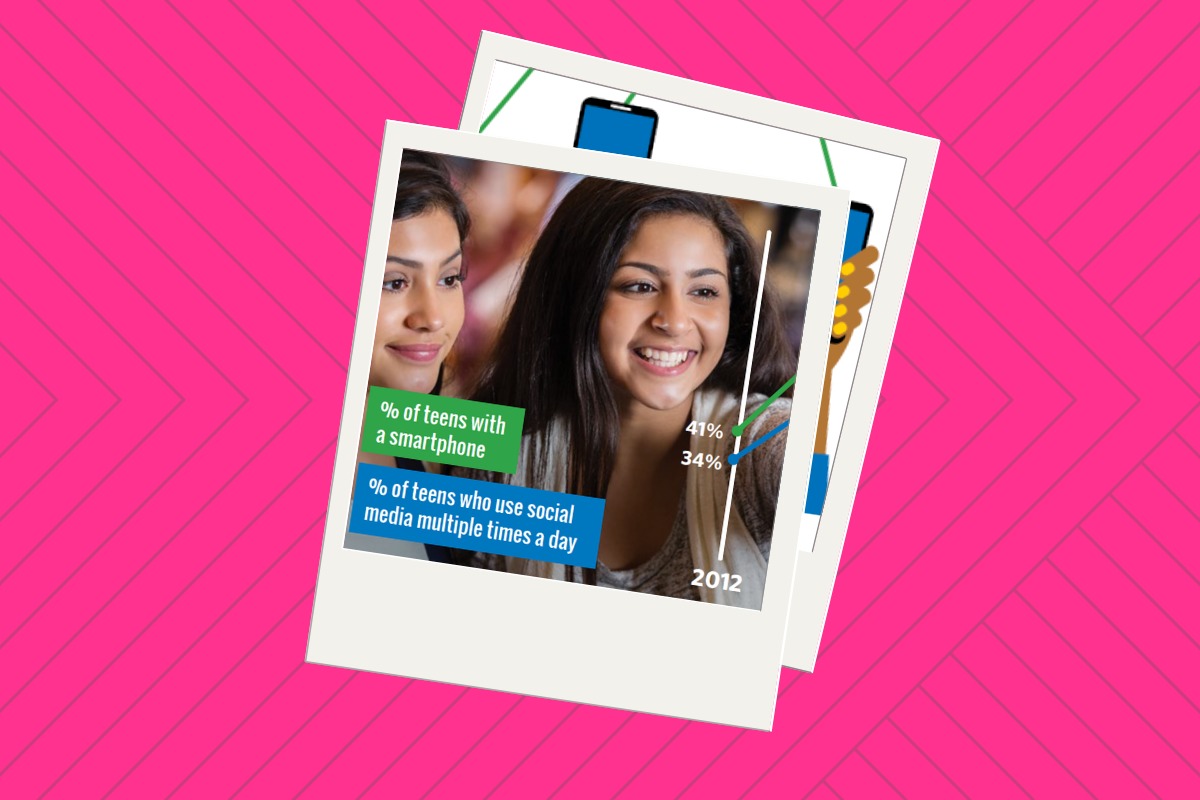
    Put this down in the not surprising category. The study found that there was a large increase in the number of teens who say they use social media in 2018 compared to 2012. Also, Facebook isn’t as commonly used by teens as it was six years ago with Snapchat and Instagram being the favorite of most of those surveyed.

    Social media is very important to most teenagers.

    Also not surprising is that many teens aren’t too good at self regulating their device usage and that many prefer social media interaction above face to face.

    Social media plays a critical role in the lives of most of those polled in this study. They agree that there are positive and negative affects but most feel that there are more benefits to their social media use than negative impacts. Those who were considered to have a low “social-emotional well being” were found to have more negative impacts from social media and most of those impacts were from bullying, racism, and sexism. Also not surprising is that many teens aren’t too good at self regulating their device usage and that many prefer social media interaction above face to face.

    Teenagers are wise to tech companies’ attempts to manipulate their users.

    A large majority of teens say that they believe tech companies manipulate their customers to encourage more device use. They admit that, sometimes because of this, they are often distracted by their devices when they should be doing something else. Many say that digital obsession is a problem for their parents as well. Also, quite an eye opening find.

    What Parents Should Know.

    Social media isn’t a phase and it is not something that you can keep your kids from forever. The most important thing is that when they begin to log in to social media accounts, they have an idea of what it means to do so safely. Model healthy social media and technology use for your children and try not to be hypocritical about your screen time limits. Talk to your kids about the time they spend online and let them know that they can come to you when something inappropriate or dangerous happens. 

    Know your child and if they seem to be the type who would be affected negatively by the use of social media then you shouldn’t allow them to use it. Encourage more face to face interaction with their friends and facilitate that with rides and your schedule. Finally, know that social media is a serious topic for your teen, a negative attitude that lacks any empathy to that fact will cause your advice to fall on deaf ears. Speak to your kids about healthy tech use and let them know this is a partnership, not a dictatorship where what you say goes and they’ll have to obey because you said so.