
Tag: updates

  • Kids, Social Media, and COVID-19

    Kids, Social Media, and COVID-19

    Instagram bans Coronavirus filters.

    There is a lot going on these days. We have to have some clarity for our kids when it comes to Social Media and COVID-19. As with any modern trend, Coronavirus has gone viral. Not just in the obvious sense. Filters on Instagram, which can be created and posted by nearly anyone, have been featuring images of the Coronavirus strain or filters that turn your face green and put the word Coronavirus above your forehead. Instagram has stated that they are afraid these filters are insensitive and possibly promote false facts about the virus. Because of this, the social media service is blocking all filter search results that use COVID-19 or Coronavirus.

    Facebook, Google, and Instagram bringing CDC and WHO information to top of feed and search results.

    “To help people get relevant and up-to-date resources, we will start showing more information from WHO and local health ministries at the top of Instagram’s Feed in some countries.”

    Social media feeds have been used by companies to highlight certain relevant news stories like election days and disaster response information over the past few years. COVID-19 information is now being offered through these in-feed posts on your social media thread. The major difference is that these posts are being highlighted and placed at the top of your feed. The idea is that the best way to fight misinformation on social media is by providing instant access to correct information.

    Google’s home page features an animated “DO THE FIVE” link that leads you to the five steps to prevent the spread of COVID-19 along with search results relevant to learning more about the virus.  These tips are intended to stop the spread of false ideas about the virus that put people in danger. It is critical that we work together to explain the truth about COVID-19 and only get our information for trusted sources. I write this blog for parents and guardians to help them protect kids but many people simply need to know how to protect themselves from false information. Be wise during this unique time in our history.

    Kids, Social Media, and COVID-19 Facts

    Articles and Memes

    There is a lot of nonsense going around concerning COVID-19 and much of it is in the form of memes. Images touting super cures or false prevention measures. Some are claiming government conspiracy and ways that they are lying to us. It can be difficult to weed out who is sharing facts and who is just making stuff up. The key is in the source. We have to check the sources of our information. Some guy in Texas isn’t going to have the super cure for COVID-19, some older lady in Wyoming doesn’t have an inside scoop on what the government is doing to distract us during this election cycle. If there is no source mentioned at all, ignore the content.

    Memes play on our sense of humor or lack of trust. It is easy to believe someone telling us the government made a virus to distract us from something else when we kind of believe that sort of thing already. When our expectations are developed by the movies and tv shows we’ve seen, articles and memes can point us down the wrong path simply by appealing to those expectations.

    Memes: A Parent’s Guide


    Articles can be just as dangerous in times like this. We must know the difference between a news report and an opinion piece. When it comes to things like viral outbreaks opinion writing is next to irrelevant. If the opinion is from someone with relevant credentials who has been commissioned to write something to help the general public during this time, that’s one thing. Some guy on Medium, however, writing about how we should ignore certain CDC advice shouldn’t be taken seriously. He’s writing his opinion and it being on the internet doesn’t make it useful, especially in such a volatile time.

    Once we learn to pay attention to the sources of our information we should be teaching our children to do the same. They need to know that there are people out there writing for entertainment or even with malicious motives in mind. Those people shouldn’t be used to form our opinions on anything, much less something as dangerous as a viral pandemic. Use wisdom, teach your children to do the same, and say a little prayer for those who have to be out and about protecting the rest of us.

     

  • Family Tech News From Apple’s Developer Conference

    Family Tech News From Apple’s Developer Conference

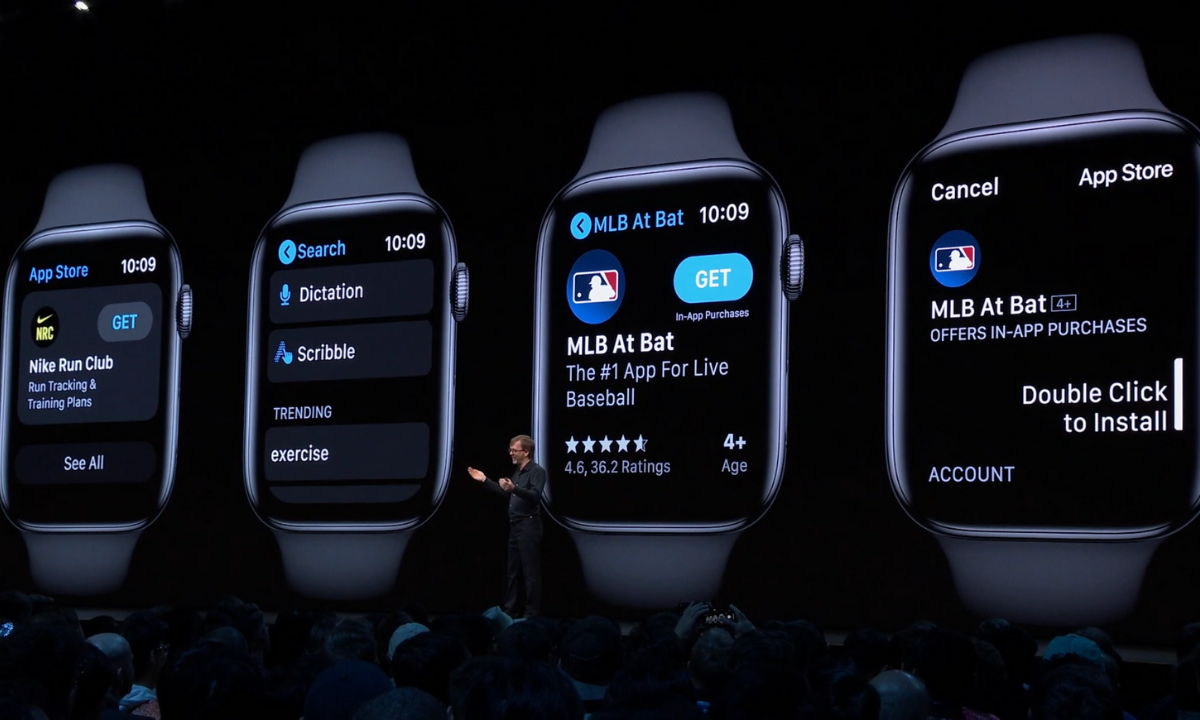
    WWDC was held last week at Apple’s Headquarters in Cupertino, California. Every year, the tech giant hosts a conference for developers and media from all over the world. The company’s Project Managers and Chief Officers all take their turns on stage to discuss what they’ve been working on over the past year in order to increase the hype around Apple’s products and software. Much of what is announced at WWDC targets developers and “tech-heads” who can’t wait to find out how to make apps for Apple products or what the next big thing is going to be. Some of Apple’s new feature’s however could bring some peace of mind to parents. Here is a break down:

    Apple TV+

    Apple’s streaming video device has been great for viewing other services but Apple’s streaming service itself has been lackluster. One thing that has been missing for a while is the ability to make separate accounts or profiles for viewers, including children. Apple announced at WWDC that this is changing. They are making it possible to create profiles for every member of your family. Your viewing history and suggestions will be sorted according to your accounts and best of all, your recommendations won’t be overloaded with shows that your children love to watch.

    Apple Music/iTunes

    iTunes is officially no more as Apple will be separating iTunes offerings into multiple apps. Books, Podcasts, and Music will all be separate now on the MacOS. When you plug in your iPhone to sync with your Mac, nothing will happen. Your phone will sync in the background. It has become pretty apparent that most folks don’t need software to manage their music collection. Streaming music has taken over and iTunes wasn’t very good at that job. Apple Music is taking over the music service and Podcasts is mainly accessed through the mobile app, not on desktop.

    iTunes has been around since 2001 and while there are those who have become used to the software, most have been aggravated by frequent updates and overuse of computer resources. Apple is likely accurate in thinking the software won’t be missed by very many people.

    Apple Arcade

    Apple is also working their way into the video game streaming world with Apple Arcade, due to release this fall. Apple Arcade will consist of a series of exclusive games made just for their system and will be playable through your phone, tablet, Mac Computer, or Apple T+. They have a controller that you can use with AppleTV but are adding support for Playstation 4 and Xbox One controllers as well. The 100 or so available games are a bit weak looking but they are sure to find some developers who are willing to put out some quality content for Apple before too long. They’re going to have to in order to compete with Google’s Sadia and the new service coming soon from Sony and Microsoft.

    iOS 13

    Probably the most relevant of updates from WWDC has to do the Apple’s latest smartphone operating system, iOS13. The software boasts a new dark mode, faster app launches and downloads, faster Face ID unlock, and a new (to Apple at least) “swipe” style typing system.

    Dark Mode is cool and faster downloads and unlocking features are great but the iOS update doesn’t really have anything going on that is relevant to parents besides their focus on data security. More on that below.

    Photos and Video

    Photos in iOS13 is getting an overhaul as well. With the ability to pinch to zoom in your galleries and a new sorting method that groups photos together based on the date they were taken. Photos will also include a new smart gallery that will remove images like screen shots from your view, only showing the photos you’ve taken with your camera.

    Privacy is a Key Theme

    Every update at this year’s WWDC had privacy as a key theme. Directors and Developers mentioned over and over again what Apple does and doesn’t do with your data. Apple Maps uses encrypted data to help you find your way, the photos app does its date and location tracking locally, and they even mentioned a new “Sign in with Apple” that allows you to sign in with your Face ID and create accounts with individual dummy email addresses.

    Data security and privacy has been in the news a lot lately and Apple has been very vocal about their desire to keep their user’s information secure. Whether it is a direct attack against other tech companies who have made most of their money by collecting and selling data or just an honest desire to maintain their user’s trust, the result should be a bit more confidence that your information is safe if you are using their products. I always advise, however, that you continue to make efforts to protect your own privacy. Be careful what you share online. Turn off location access to apps that don’t require that information to work properly and most importantly, teach this approach to privacy to your children.

    You can listen to this article as a podcast on Family Tech Update.
    You can subscribe on Stitcher, Spotify, or Apple Podcasts using the links below the player.

  • Surprise! Fortnite for Android is a Security Nightmare!

    Surprise! Fortnite for Android is a Security Nightmare!

    Fortnite is the biggest of big deals in gaming. Kids play it, adults play it, boys play it, girls play it, and it’s making Epic Games tons and tons of money but their desire to not share that money with Google may be putting some of their millions of players at risk. Namely the players who are installing the game on their Android phones.

    “With Fortnite’s influence over more than 125 million players, teaching people to download apps outside of the official store is exposing millions of people to a risky practice, researchers warned.” – CNET

    Experts are warning that Fortnite’s “side loading” method of installation, which bypasses the Google Play Store, is opening up users to a ton of security risks. One such risk was found by Google’s team only two days after the game officially launched on Epic’s site. The flaw allowed hackers to exchange the game file for any file they wanted as long it was named the same thing as the installation file it replaced. This meant hackers could have put whatever malware, spyware, or virus into another file and millions of devices would have been infected. Also, since it’s release, over 1/3 of the malicious files found by Google security experts have been Fortnite themed. 

    The solution to this is obviously to roll out an update, herein lies the biggest issue with side loading software, it is difficult to push a forced security update out without an app store. This means that users will either have to seek out an update or allow it to install when they boot up the game. If someone has the game installed for a while without playing it, any corruption will stay in their phone until an update is found or forced by opening the app. 

    What Parents Should Know

    If your child wants to play Fortnite, I recommend letting them do so on their computer or a console. My advice is to not allow your child to play the game on Android at all. I recommend not allowing side loading of apps at all either as this opens their device up for major security threats. If you are using Android Family Link to manage app installations then sideloading will completely undermine your methods of parent control. If you’re monitoring activity and see something called An .APK file you’ll know that side loading is happening and you should talk to your kids about what they’re installing on their device.

  • PODCAST: What is eSports and will it be in the Olympics?

    PODCAST: What is eSports and will it be in the Olympics?

    Family Tech Update: What is IGTV? Facebook Messenger Kids wants to teach your kids kindness. What was up with the rocket launch in FORTNITE? Will eSports ever be in the Olympics?

    Social Media Links

    Facebook: http://facebook.com/becausefamily

    Instagram: http://instagram.com/becausefamily

    Twitter: http://twitter.com/becausefamily

    Youtube: http://youtube.com/c/becausefamily 

    Newsletter Signup

    Ministry Updates:: http://eepurl.com/R7Btr
    Weekly Blog Posts:: http://eepurl.com/cvnhXD

    Websites

    Ministry Site:: http://becausefamily.org
    Tech Blog:: https://safe.becausefamily.org
    Michael’s Speaking Info:: http://kmichaelprince.org

    Donate and Affiliate Links

    http://BecauseFamily.org/partnership

    Music by Kevin MacLeod at http://Incompetech.com

  • PODCAST: Does Your Kid Even Need a Phone?

    PODCAST: Does Your Kid Even Need a Phone?

    Family Tech Update:

    Snapchat’s new message delete feature, new video games going to mobile for free, and John Wilkerson joins me to discuss getting your kids started with screen time and when (or if) thet need their own phone.

    Links Mentioned:

    Accountable2You.com (Promo Code: BecauseFamily)

    Dumb Phones for Your Kids

    John Wilkerson

    The Wired Homeschool

    Project Movie Time

    Social Media Links

    Facebook: http://facebook.com/becausefamily
    Instagram: http://instagram.com/becausefamily
    Twitter: http://twitter.com/becausefamily

    Newsletter Sign up

    Ministry Updates:: http://eepurl.com/R7Btr
    Weekly Blog Posts:: http://eepurl.com/cvnhXD

    Websites

    Ministry Site:: http://becausefamily.org
    Tech Blog:: https://safe.becausefamily.org
    Michael’s Speaking Info:: http://kmichaelprince.org

    Donate and Affiliate Links

    http://BecauseFamily.org/partnership


  • Social Media News: Youtube, Snapchat, and Instagram Update Information

    Social Media News: Youtube, Snapchat, and Instagram Update Information

    Here’s a rundown of the social media news for this week thus far.

    Snapchat is changing “everything.”

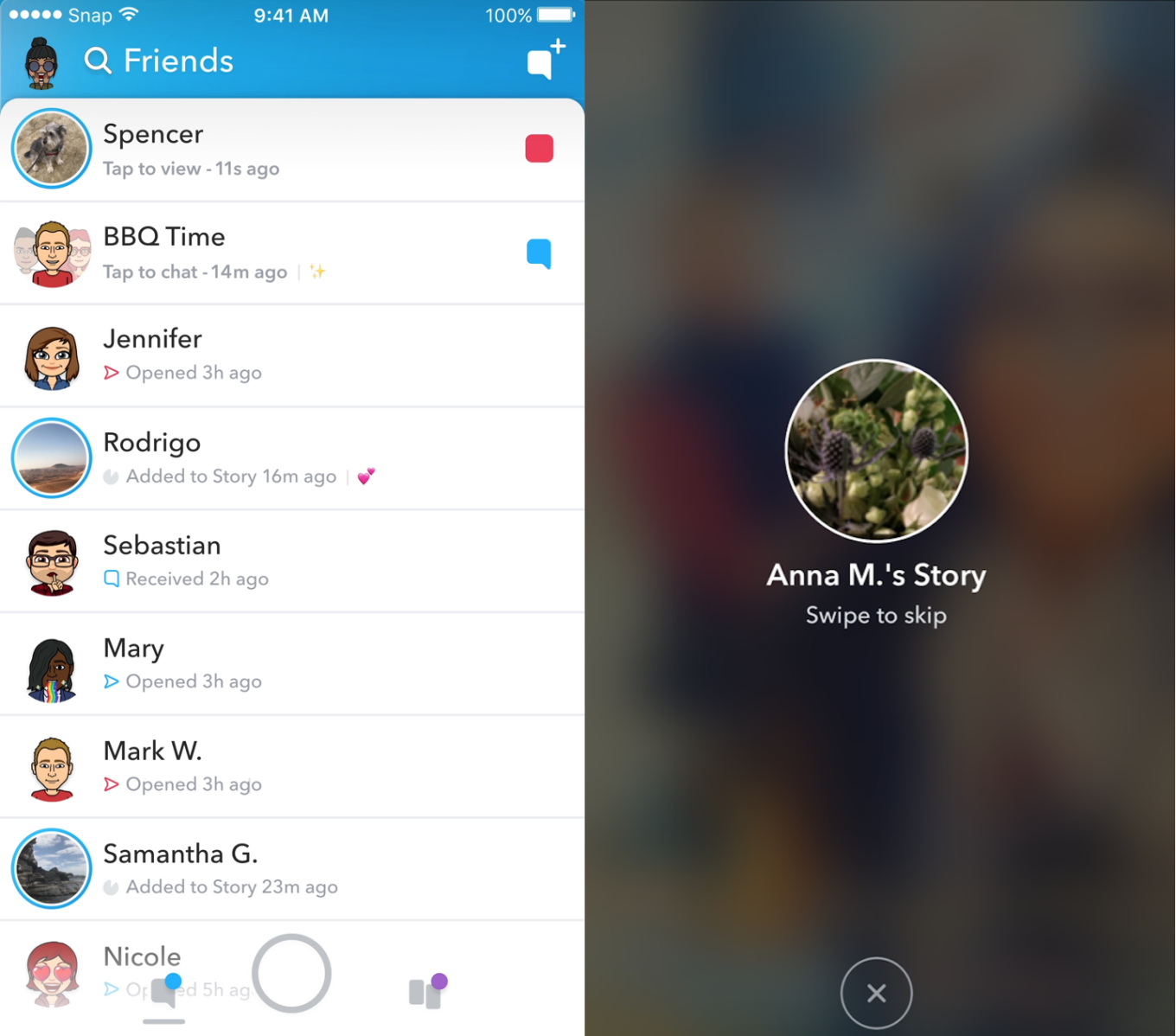
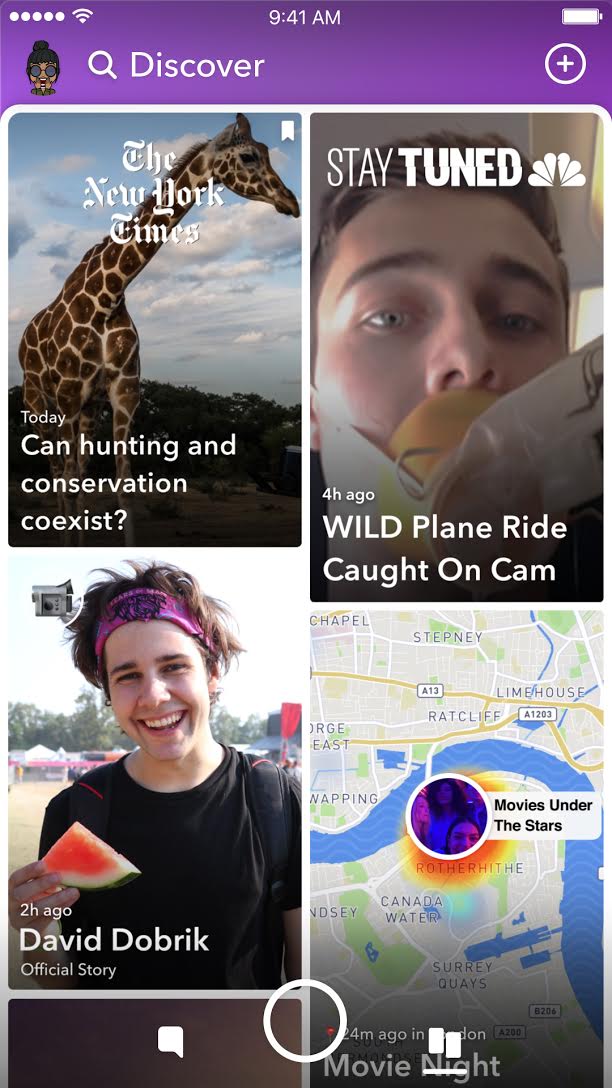
    In an attempt to increase both user numbers and ad revenue, Snapchat is making some major UI (User Interface [the buttons, controls, and setting options on an app or software that allow you to use the app or software.]) changes. In a video by CEO Evan Speigel, he claims that the new Snapchat will separate your social from the media. He says that “your friends aren’t content, they’re relationships” and should be kept separate from the paid advertising and influencer content on the Discover page.

    The app will still feature the “swipe right/swipe left” control style with the left being your friends and right being the Discover page. The Discover page seems to be going through a bit of an upgrade too with animated thumbnails (title images) and including more content from influencers along with the paid media articles. Snap Inc. is hoping this change will make the Snapchat app more appealing to more users and increase buy-in from those who have installed it but don’t use it much. Only time will tell.

    Instagram now lets you ask to join live stories.

    Instagram released the ability to join a friend’s live story just a few weeks ago. The feature has gained some popularity but they’re hoping that the latest addition will make the Live story an even more integral part of the Instagram experience. The latest update allows audience members to request to join a live video on their friend’s Instagram. It isn’t as much an added feature as it is a streamlining of one they released previously.

    Being able to ask to join a live story will increase the visibility of many Instagram accounts and could cause users to spend more time on Instagram. That, at least is what the company is counting on.

    Youtube is soon adding a “stories” type feature of their own.

    The Story feed was started by Snapchat, perfected by Instagram, and flopped on Facebook. Now Youtube wants in on the action. Reels is Youtube’s answer to the latest social trend. This addition lets content creators create quick 30 second vertical videos to keep their followers updated on what’s happening. It lets vloggers and video creators make more content with less commitment.



    The biggest difference from the other Story features is that Youtube’s Reel videos will not disappear and they can make multiple Reel videos. Youtube has been trying to make their app more social and it’s obvious that Reels are a huge step in that direction. They haven’t announced when Reels will be released but you can count on the S.A.F.E. Family Tech Blog to let you know when they do.

    What Parents Should Know

    It’s always important for parents to understand what their kids’ favorite apps are capable of. For many of our children, Social Media apps are the most commonly used. These recent updates should help you be informed about what your children can do with these apps. My advice is always to download these apps for yourself so you can play with all the features. Talk to your kids about what the apps are best used for and what behavior you believe to be healthy or not healthy on social media. Use examples and share about difficult social experiences you’ve had that would have been even worse if they had been online. Strengthen your child’s sense of self-awareness and confidence to ensure they represent themselves in a healthy way online. Most of all, keep an eye on what your kids are posting on their social media accounts and continue to stay informed so that you can be ahead of the social media curve.

  • Superzoom on Instagram and Share Links in Snapchat

    Superzoom on Instagram and Share Links in Snapchat

    Every update announced by the developers of the apps your kids use isn’t earth shattering but you should still know what’s going on. This week has been a pretty slow internet safety update week but some teen favorite social media platforms have released some updates in the last couple of days.  These updates are mostly cosmetic seasonal features but they’ll be interesting to your kids so they’re worth learning about.


    Instagram Superzoom

    Remember the dramatic chipmunk? He’s the cute little guy on the youtube video that gave an epic, three-level zoom, dramatic (and comical) look. There was a song and everything. Instagram has added a feature to their camera that can give you that same hilarious zoom in effect. The product manager for Instagram said they’ve seen users making funny “zoom in” videos in their story and wanted to give them a tool to make this easier. The feature zooms into whatever you’ve told the camera to focus on, it will work on the front or rear facing camera, and even features the dramatic orchestration you’d expect to hear from such an epic shot. This feature comes today along with some Halloween filters and masks.

    Snapchat Link Sharing

    Snapchat will now let you share links from other apps in iOS. Pulling up the “share sheet” or sharing menu will now show you the option to share in Snapchat. This is a pretty big change for Snapchat who previously didn’t do much to affect usage outside of the app itself. Links will still open within Snapchat’s web browser but more and more content can now make its way into the app through the accessibility of link sharing. Also, Snapchat is changing the way you view Snaps from within the app by letting you press and hold a friend’s name anywhere in the app to open their Story. Finally, there is a new feature that will allow you to go into “Ghost mode” temporarily, setting your location to stay hidden for 3 hours, 24 hours, or “until I turn it off.”

    What Parents Should Know

    Every update brings more features that our kids love on their social media apps. We should know what these features are and what they mean for how our kids use the app. Camera effects and modes add interest and fun but may cause the young kid you’ve been keeping off of social media to ask you even more if they can join. Truthfully, Snapchat is late in the game when it comes to link sharing. It’s been possible in so pretty much every other social media app out there for a long time. Being able to bring links into Snapchat from any other app increases the potential for it to be used to share different sites between users. This could include sites you’d consider inappropriate. My advice is to turn on built-in filters on your iOS devices as they should make it harder if not impossible to access adult content on any browser on the phone.


  • Snapchat Brings the “Real World” to Your Story with Context Cards

    Snapchat Brings the “Real World” to Your Story with Context Cards

    Snapchat is hoping to make your Snaps and public story even more beneficial to advertisers. This is becoming more and more possible as they continue to update. The recent addition of “Context Cards” may be the feature that sets Snapchat apart as a social media advertising. Context Cards is an informational feed that highlights content from Snapchat’s partners. This content will include information like phone numbers, menus, maps, and ratings.

    Context Cards display information about the Snap you’re viewing – powered by amazing content from our partners like TripAdvisor, Foursquare, Michelin, and goop. – SnapInc.com

    Here’s how it will work. You will see a Snap shared to a public story and it will say “More” at the bottom. When you swipe up you’ll see the timeline style list of different information cards. Continue swiping up to see more or tap on the information to learn more or perform an action. You can hail an Uber or Lyft ride, make a call, view a menu, or see reviews or a website. The goal is to take you to the information you need without leaving Snapchat, as well as to encourage advertisers to build more ads for Snapchat Stories.

    What Parents Should Know

    These new features in Snapchat are meant to encourage more real-world engagement. You probably noticed the video featured college kids going all over town joining their friends at their current party location. They use Context Cards to know exactly where their friends are and what they’re doing there and even how to get there themselves. The problem for parents is that your kids aren’t members of the age group that is featured in this video. Decisions made to strengthen a company’s advertising abilities can often introduce more safety or privacy concerns for our younger users.

    I recommend encouraging your kids’ to have location information turned off for Snapchat. The especially should turn their SnapMap to ghost mode. Young users should always set location and sharing settings to as private as possible. Leaning towards privacy is going to render Context Cards basically useless on Snapchat. This may annoy your kids. (It may not because it may just look like annoying advertising.) If it does annoy your kids I recommend you stand your ground and still encourage them to keep their online presence as private as possible.

  • Snapchat News: Are You Being Recorded?

    Snapchat News: Are You Being Recorded?

    Snapchat has been busy with updates lately. The latest numbers show their user numbers barely rising when compared to Social Media giants like Facebook and Instagram. Some of these features are just to lure more users and some are to increase revenue. Either way, you should know what they’ve added.

    Sky and AR Filters

    Snap Inc. is working very hard to highlight the creative possibilities with their Snapchat camera. The sky filter allows you to change what the sky looks like. This feature shows off the ability for the Snapchat camera to detect what’s being photographed and then apply effects. You can turn a clear sky cloudy, a day sky to night, or just add a rainbow. Augmented reality filters were updated last week and you can now place your bitmoji (an animated character that you make look like you) onto different spaces in your photo or video and record different animations.

    iOS Update Allows Capturing of Your “Private” Snaps

    iOS 11 was released last week and it includes the ability to record your screen by simply tapping a button in your control panel. This has been cause for concern for Snapchat users. Especially for those who use Snapchat for very private or personal conversations. As of the publishing of this article, Snapchat currently has no way to alert you that what you’re sending or even your live chat is being recorded. This means that as our kids are chatting with their friends, those friends can record their messages and then post them later. This could be a pretty big problem. It is likely that Snap Inc. will eventually add the ability to be notified when someone is screen recording your Snaps. You’ll see an article about it here, for sure, when that happens.

    Ads will Open New Games, Videos, and Interactive Ads

    Snapchat also announced a partnership with content creators who will be providing new ways for Snapchat users to experience ads. The new format for ads will include videos, interactive ads, and built-in games. Their goal is to cause users to interact more with advertising in Snapchat and lure more marketers to the platform. 

    What Parents Should Know

    Snapchat continues to be a popular social media platform for teens and preteens. Internet Safety experts show concern about Snapchat because of its Discover page, private messaging and video messaging, and disappearing photos and videos. It is important to stay informed as to what the app is capable of when they release updates. Hopefully, this information can help you make a quality decision on what to do with your teen’s Snapchat account.

  • Update Your iPhone Today or Get Hacked Tomorrow

    Update Your iPhone Today or Get Hacked Tomorrow

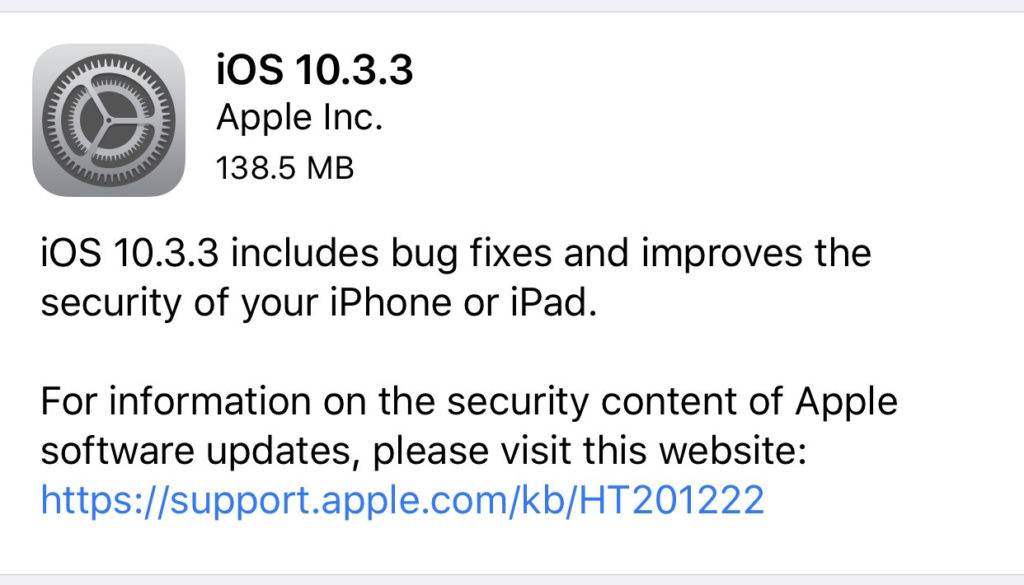
    Most of the posts on this blog are about how to keep your kids safe from pornography, cyberbullying, predators, and other threats like that. However, protecting your and your children’s devices from hackers is equally as important. That’s why you need to know about yesterday’s iPhone update. The latest version of iOS 10 will sure up a gap in security that would allow hackers to use the wifi chip in your device to gain access to your iPhone or iPad. This means that you don’t have to do anything to allow them access, just be close enough to their wifi network with your phone’s wifi connection turned on. That’s a crazy easy hack.

    Here’s what you should do. Install the latest update TODAY. You should have been asked yesterday (Wednesday July 20th) if you’d like to update, if you ignored it then it’s time to go into your settings, tap on general, and then software update. On the update page click install now and plug your phone in to power. This will get you all secure. If you have an Android phone you received an update a couple of weeks ago that should have fixed the issue. If you’ve been ignoring that update then stop doing that and install now. I’ve written in the recent past about the importance of updating your operating system and this news is just more evidence of how urgent some of these updates can be.