Tag: tips

  • We Bought Four Amazon Echo Dots!

    We Bought Four Amazon Echo Dots!

    Well, it is Prime Day and as usual, there are some deeply discounted items available on Amazon. My family usually looks but doesn’t buy on Prime Day, hoping to be able to predict the discounts we may see on Cyber Monday or Black Friday in a few weeks. We especially avoid any smart speaker or digital assistant hardware since we have always had (well informed) privacy issues and concerns. This year it has been different. We caved and bought Amazon Echo Dots for the whole family. Here’s why.

    They’ll Be Perfect for Our New Home

    Our forever family home is being built and we are planning a move-in just a few months from now. We are going to have more space for the six of us than we have ever had, especially in the kids’ rooms, the master suite, and the kitchen/dining great room. We’ll be a bit more spread out than we’ve ever been and the Echo has some great options for communicating throughout your home without having to scream up the stairs or down the hallway. The intercom feature was a deal sealer for both my wife and myself. The kids are pretty excited too.

    Digital Homeschool Help

    More of us are homeschooling than ever now and with four kids, all doing school work nearly every day, we need help sometimes. YouTube can be great to present some complicated concepts in helpful ways (7th-grade math, anyone) but my kids looking at screens and using a Google Search for spelling or calculator solutions isn’t the safest proposition. Alexa (the Virtual Assistant on Amazon Echo) will answer your spelling, language arts, science, and math questions with no risky search results or screen use at all. It is more important for my kids to know how to get information than it is that they know the info when they pass a grade. Alexa and other Virtual Assistants are the new waves of information access and they aren’t going away. They’re only getting smarter and faster.

    Less Screen Time

    My kids, like all kids, love to sit around and look at a phone or tablet. We are constantly having to get on to them about their obsessive behavior. We try to set better examples, we don’t always succeed, but giving them alternatives is very helpful. The Echo Dot is a smart speaker without a screen. At night, when the kids want to listen to a podcast or music for bedtime they can ask Alexa to play it for them instead of having their screens in their faces right up to when they fall asleep. Studies have shown this isn’t good for their sleep and can actually very detrimental to their development. With parental controls on the subscription services we use and on Alexa itself, we can ensure that our kids aren’t looking at their screens and are only listening to music and podcasts we’ve approved of.

    Safety and Security Upgrades

    All of this is great but digital safety and data security are always an issue. Especially with artificial intelligence that is designed to learn about you in order to be more useful to you. There is an obvious trade-off. You’re giving it information in exchange for convenience. I believe most of us consider that an acceptable exchange, considering Alexa and Google Home have been some of the fastest tech product to be integrated into people’s homes. The truth is that we have been making this exchange for a long time without really thinking about it. Every post on Facebook, Twitter, or Instagram, every search on Google, and every purchase or browsing session on Amazon has been used to build a database of advertising information about you. This can be scary to many but in all honesty, that ship has sailed and you raised the sails for it to do so.

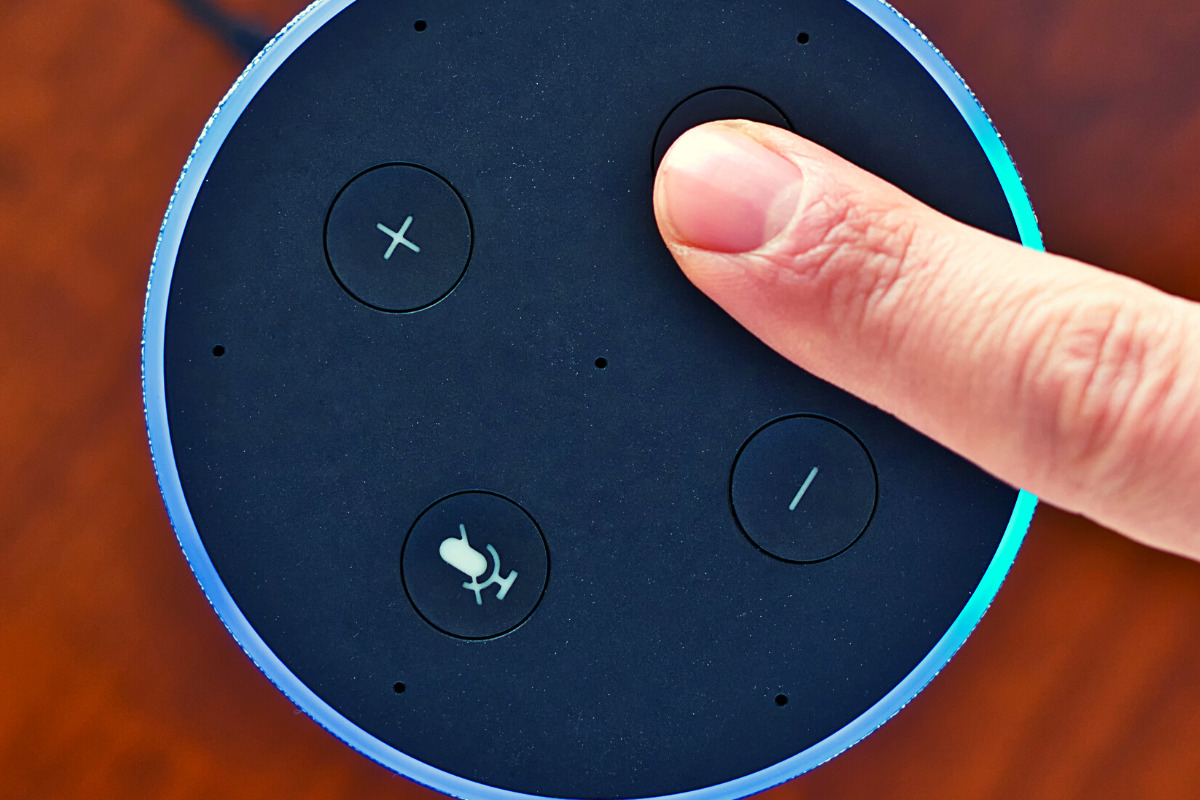
    When you use these sites, you allow them access to your information. Alexa is no different and my family has considered the risks and decided it’s worth it. First of all, we already get targeted ads because we do so much of our shopping on Amazon and searching on Google. Secondly, the latest models of Amazon Echo Dot have added features like a hardware button to turn off the microphone that makes us feel like we can avoid being listened to when we don’t want to be listened to.

    Risk/Reward

    When you narrow it down it is a consideration of opportunity cost. You have an opportunity for convenience but it will cost some of your info. At a $19.99 price point, the Echo Dot is a great deal right now on Prime Day so we bought four of them. They’ll be here in a couple of days and I’ll set one up and let you know how it all goes. Stay tuned for my (late but in-depth) review of the Amazon Echo Dot as a tool for controlling kids’ screen time.

    If you shop the Amazon Prime Day today, consider using http://smile.amazon.com and signing up to support our non-profit, Four Point Families. You’ll have to search for Four Point Families and select it as the organization you’d like to partner with. Then Amazon will send .5% of your purchase our way to help us continue to protect families. Thanks.


     

  • What Parents Need to Know About the Latest Gaming Tech

    What Parents Need to Know About the Latest Gaming Tech

    Technology is a significant part of all our lives, but more so for our children. After all, they grew up in an era surrounded by technology. In fact, our previous post on what your kids do online found that most, if not all, older children are very much inclined to spend their money on tech, such as new smartphones, Netflix subscriptions, and finally, video games. If given the opportunity, younger children may be equally invested in these things as well. Here is what parents need to know about the latest gaming tech.

    Of course, that’s not to say that gaming is bad. Multiple studies have emphasized ways that video games can benefit your kids, from better coordination to sharper cognitive ability. But there are aspects that every parent should look out for when it comes to gaming tech, and we’ll introduce those in a bit.


    What gaming tech should you expect your children to be on now?


    Video games and technological advancements are heavily intertwined, and new technology comes and goes every year. This year, we’ve witnessed the next generation of consoles, with the newest Xbox and PlayStation coming out for the holidays. The metal core PCBs on these devices are built out of materials that allow for better heat dispersion, ensuring smoother performance even for high-end games. They also boast a lot of neat features like haptic feedback and motion-triggered 3D audio that aims to boost the gaming experience. Your children are definitely going to want one.

    However, with new technology comes new threats, and you have to pay attention to what they are doing if you want to ensure they game safely.


    What should parents be wary of?

    Data Privacy


    Users give a lot to access online gaming stores, such as birthdates and mailing addresses. The former is there to check the age of the user, which is needed to block them from certain games until they’re older. Mailing addresses are asked so the system can accurately compute for taxes when the user buys a new title. Both are equally dangerous when exposed. It’s highly encouraged that you get physical copies from your nearby GameStop or Best Buy instead.


    “Always On”


    Since much of the modern consoles’ features are tied to the Internet (such as streaming, social sharing, and online play), they will always have the option to have their built-in wireless connection turned on automatically. While this is convenient, it could also leave your kids vulnerable to breaches. Since a lot of games are single-player, have them turn off this feature when they don’t need to be connected to the Internet. This will lessen the chances of someone hacking into the console.


    Motion Tracking


    As mentioned, upcoming consoles will have a feature called motion-triggered 3D audio. This is where the console tracks the user’s movements so that the game’s sound is projected to where they’re seated. The biggest downside to this is that the game will ask for permission to track human movement in your house, which you shouldn’t give. Turn off this feature when it comes. If your kids want to experience 3D sound, you can always have them plug in some earphones.

    Protecting your kids is not about taking them away from things that you deem dangerous. This will only make them want more, sometimes going behind your back to get them. Instead, support their hobbies. Work with, and not against them, to thwart the dangers that they pose.

  • How COVID 19 is Changing Kid/Family Media

    How COVID 19 is Changing Kid/Family Media

    This is an audio article: Listen to the full article below.

    How COVID 19 is Changing Kid/Family Media

    Click here for the full Tech Crunch Interview

    • Popular kids apps now see 24hr screen time access
    • Less education on screens and more entertainment
    • More companies are adding kid and family content to their platforms
    • Kids are spending time with each other in “virtual environments.”
      • Kids miss their friends
      • This was already a trend, now it has been accelerated
    • Tech companies are seeing kids as innovative inspiration for their products
    • The tech industry will see a major boom after this COVID19 crisis.
    • Large public events are taking place in digital spaces (Roblox awards show had 600,000 kids in attendance.)

    What Parents Should Know

    This isn’t going away.

    This dependence on Technology was already becoming the new normal. It is now been accelerated due to lockdown. Don’t expect this to change.

    Become Familiar With Your Kids’ Technology

    You can’t be blind to the connected, digital world your kids live in. Focus on the difference between productive/educational time and educational time. It’s about quality of time spent more than the quantity.


  • What the heck is a Quibi?

    What the heck is a Quibi?

    We’ve all seen ads for Quibi and it has officially launched. So what the heck is a Quibi? I first heard about Quibi at CES in 2019. I wasn’t sure what it was all about except that a lot of celebrities from different genres were endorsing (and likely investing) in the app. Turns out Quibi is a video streaming app designed for use on your mobile device. It was founded by Jefferey Katzenberg, of Disney productions fame, and features short, high-quality television shows news reports, sports features, and movies.

    Right now, the content on Quibi seems to be 100% original. In fact. A lot of the shows on Quibi are produced by and starring the celebrity backers that you see in the commercials. Shows star the likes of Chance the Rapper, Lebron James, Liam Hemsworth, and Chrissy Teigen.

    What the Heck Is a Quibi?

    Quibi features short-form content or normal length content split into short-form episodes. You can usually watch an episode in five to ten minutes and with episodes releasing daily it doesn’t take too long to get to the end of a series. I found myself interested in a show called Murder House Flip, a blend of true crime and home improvement. The first story, renovating a house where a gruesome murder took place thirty years ago, took three episodes to complete. Total running time was similar to that of a half-hour show on TV if you account for ad breaks.

    image: Quibi

    Watching Murder House Flip is where it clicked for me. Quibi isn’t all that different than television except for being formatted for your mobile device. It is a new concept for high definition, highly produced shows, and movies to flip to verticle mode when you tilt your phone but that’s about where the innovation stops in my opinion. Television has always been featured in short bits, split up by advertising. The difference here is that the content is a bit shorter overall, including the advertising content. I think Quibi is more of a tv channel than a world-changing app.

    What Parents Should Know

    There is currently no content on Quibi for children. The shows on Quibi, like most streaming services, are rated 14+ up to Mature. You will hear adult language and see some adult themes as well. Most content wouldn’t even be very entertaining for most younger viewers. I would rate the app 16+. As I mentioned above, the idea that Quibi is innovative is only partly accurate. Younger digital natives will see this concept as new. One show being split into several parts separated by ads is pretty new to young ones who are used to clicking play and binging, ad-free, and interruption-free with whole seasons of shows being released all at once. Those of us who lived through Saturday morning cartoons and TGIF every week aren’t so impressed.

    I will remind you that the content on Quibi is considered rated teen or higher. Many of the shows feature adult language, extreme violence, and some sexual content. While you may enjoy Quibi, since the shows are new and feature some celebrities that we all love, I wouldn’t recommend it for your kids.


  • This Digital Citizenship Curriculum May Not Be as Helpful as You Think

    This Digital Citizenship Curriculum May Not Be as Helpful as You Think

    I end every workshop and nearly every video and podcast telling parents to talk to their kids about digital citizenship, screen time balance, and internet safety. I often point them to videos or articles I have made or written that will help them with these topics. Cornell University, in partnership with Common Sense Media, have put together a resource for schools that claims to be perfect to help you, the parent, talk to your kids about these critical topics.

    “Social Media Test Drive” is a curriculum created to help teachers and parents guide their kids through healthy internet use and digital citizenship. The lesson plans for younger children were good. They featured fun videos with cartoon characters singing about what to do if you see a bully and why you shouldn’t talk to strangers online. Some of the curriculum for older kids, however, gave me some red flags.

    Minimizing Research

    The videos that I watched that were created for older kids and teenagers did a good job of presenting research that shows how dangerous too much social media or screen time can be. Unfortunately, most of the videos then downplayed the research by comparing it to anecdotal evidence that is gained simply from the way they know kids feel about using their devices and social media. It felt as if the video was pandering to young people, encouraging them that there aren’t many dangers online as long as they know how to use the internet properly.

    “Find Your Tribe”

    One of the things that is increasingly dangerous about social media and internet usage is exactly the same thing that many will say is a great benefit. The ability for kids (or anyone for that matter) to go online and find a group of people who think exactly like they do and believe exactly the same things they do. This seems like it would be a good thing. In fact, one of the Common Sense Media training videos called it “Finding your tribe.” The problem comes when you surround yourself with so many like minded people that you are no longer encouraged or even able to think critically about the things you see, hear, and experience. We should be hearing voices that contradict each other sometimes so that we can grow in our understanding of the world. The internet can be good for that. We can learn about new ideas, new places, and new types of people. The problem is that when we dive into social media by clicking like or double tapping every post of every person who agrees with us on everything we think, we are telling the algorithms to feed us more and more of the same thing. This is tricking us (not just our children or teens) into thinking that everyone who is right thinks exactly like we do. This is a dangerous attitude and if “your tribe” means people who won’t challenge you when you’re wrong. I hope my kids never find theirs.

    Relevance to the Point of Irrelevance

    Unfortunately these videos remind me of the after school specials we all made fun of when we were kids. The young guy standing in front of motion graphics and reading a script about how to use the internet wisely. It’s been done before. It was done with cigarettes, it was done with drinking and driving, now it’s being done with the internet. It all reminds me of the end credits scene for Spiderman Homecoming where Captain America shows up give a speech on patience. As I mentioned above, it seems to be pandering and I can imagine it being laughed off by most kids in the age group it is intended for. Even with the obsolescence of the “after school special concept” these videos attempt to be cool, especially by downplaying the dangers of phone usage and encouraging kids to just “be careful.” They try so hard not to say anything that will make students shut down that they barely say anything helpful at all.

    It Falls to the Parents

    Ultimately these issues are the responsibility of us as the parents of our children. Only we know what it will take to get them to understand the truth about their time online. We are the only ones that can set the standards of internet use in our families. We are the ones who can set the limits we feel are best and do it in a way that helps our children feel that they are partners with us as we work towards developing healthy tech habits together as a family.

    We should use the resources at our disposal, accountability software, filters, message monitoring, and built in parental control settings can all go a long way to help us keep our kids safe and teach them how to protect themselves. There are truly dangerous things on the internet. These things shouldn’t be glorified or blown out of proportion but they shouldn’t be ignored or downplayed either. We, as the gatekeepers of our homes, must decide what level of discretion we will use in protecting our children. We can rely on our schools or other companies or organizations to do it for us.

  • How “Kids Games” Give Predators Unmonitored Access to Children

    How “Kids Games” Give Predators Unmonitored Access to Children

    I was contacted this week by a parent who was shocked to find that adults had been chatting with her young son in Disney Heroes, Battle Mode, an app rated 9+ in the Apple App store. She sent me screen shots in which players were asking her son if he was a boy or girl. They asked how old he was and where he was from. One of them even confessed, “I am not a kid. LOL.”  Obviously, when his mother found these messages she was extremely concerned, she removed access to that game and set some limits for their whole family for a while. Then, just a few hours later I received a link from a concerned parent about an app in which people are posing as employees of the game company and asking children to send pictures “without a shirt on” to prove their age. She asked if this was true and my response was that yes, these things are happening every single day. Here’s why these predators can gain such easy access to our kids.

    Disney Heroes Battle Mode

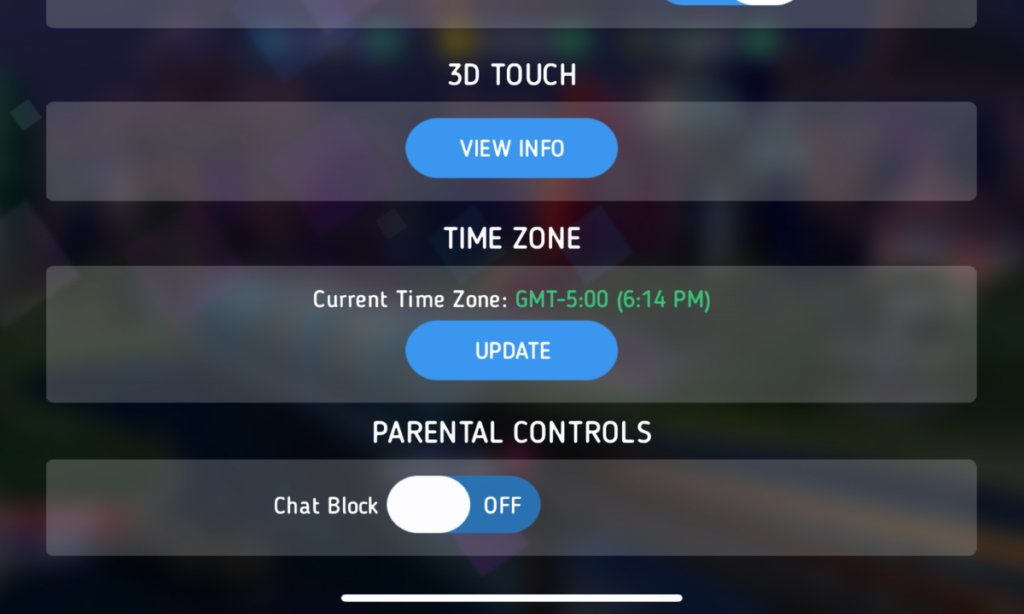
    After hearing about the trouble with Disney Heroes Battle Mode I downloaded the app to see what it was all about. After a short cenimatic and then playing through the tutorial you get a notification that the app has purchases built-in and that you shouldn’t be under 13 (app is rated 9+ in the app store. if you want to play. I simply tapped continue and moved right past the warning. No age verification, no password, no face id, nothing. Once in the app I started looking through the settings. I did find controls for the chat feature, including a password protected on/off toggle for chat access. This was good to see, especially since the issue I was researching had to do with chatting.

    The problem is that apps like Disney Heroes give parents a false sense of security. The app is made by Disney, the company’s name on anything makes many parents think that the product is made with their kids’ health in mind. This could not be further from the truth. Disney is out for exactly what every other major corporation is out for, their financial bottom line. We have to remember that data is big money and apps that are made for kids collect just as much data as any other app. Data that is personalized to a user is worth more money which means app developers need users to make an account to sort and identify their data more easily. The easiest way to convince app users to create an account is by making it the only way they can chat with friends in the game.

    What Parents Should Know

    I recommend taking a look at the game your kids play on their pones or tablets. Just because the game features cartoon characters doesn’t mean there aren’t adults playing the game. If the game has a social feature like chat or friend-mode you can be sure that your kids will be contacted by strangers. Look in the settings, preferences, or options of the games to see if there is a way to turn off chat mode. If they don’t allow you to disable social features, I would uninstall the game and encourage your child to find a different game to play.

    We must remember that the companies that make these games offer them for free because their money comes from in-app purchases and advertising. In order to make money they have to keep people playing the games as long as possible. Research shows that there is no better way to keep someone in your app than social engagement. People will be sure to keep coming back if they have friends in the game to play with or against. This means that they will continue to put these social features in their games and while app stores may rate these games as safe for younger children, my rule is that if it has a social element it should be for kids older than 13. Even then you should ensure that you child understands what they should do if they are approached online by a stranger and encourage them to tell you if someone makes them uncomfortable in any social engagement online. We can do our best to protect them from this software but nothing is more affective in preventing these dangerous encounters than teaching them how to recognize them and end the conversations immediately.


  • Does Your Kid Need a Fitness Tracking Smartwatch?

    Does Your Kid Need a Fitness Tracking Smartwatch?

    We all want our kids to be healthy. Parents are always telling me they’re concerned that their kids play video games too much and just need to play outside for a bit. I agree. Couldn’t agree more! The fitness wearable (think Fitbit and Apple Watch) industry has made some huge promises about giving us motivation and inspiration to get out and get moving. The wearable trend is making its way to children now too. Garmin and Fitbit have both put out new products that are made for kids. These wearables serve as a watch, a step tracker, a sleep habit monitor, and even reward your kids for meeting goals with achievements and celebrations. My eleven year old son likes wearing a watch. He doesn’t necessarily care about tracking his steps or heart rate, but I’m sure he would love a Fitbit. Should I get him one. I have to ask a few questions first.

    Do Fitness Wearables Work?

    There have been multiple studies since the invention of the Fitbit that have tested the effectiveness of these health tracking watches. Of course the earliest studies featured products that could only track your steps. These “one trick” smart watches weren’t very smart but they promised to get you out and moving so you’d be healthier. The studies showed that those who were originally committed to fitness stayed pretty committed and were a little bit more effective at working out since they could monitor what they had done. People who were given an incentive to work out using their Fitbit tracker did exercise more but no more than those without a Fitbit who received the same incentives, also they stopped excercising as much when the incentives ended. Finally, the extra activity that was logged didn’t result in increased health outcomes. Basically, you are going to be as committed to fitness with a fitness wearable as you would be without one, the same thing is true about your kids.

    Does Your Kid Need a Fitbit or Garmin?

    These products can help those who use them keep track of the amount of activity they are getting. They can use this information to make better decisions about what they do through their day. As mentioned above, however, awareness doesn’t always equal action. Especially when it comes to fitness. Nobody will tell you you shouldn’t do something to keep your kids from being healthy. You know your child. You know if they will be inspired or intimidated by activity tracking and goal setting. You know if they will use their watch for ten days and then set it down, never to pick it up again. Finally, you are the only one who knows for sure if your child will just loose the Smartwatch within ten minutes of putting on their wrist.

    You have to take all of these factors into account when deciding if a fitness tracker is right for you child. As for which ones work best, I don’t have any data to provide you with a conclusion on that. I do, however, have a few family tech safety tips to encourage you to think about while you decide on a wearable for your kids.

    1. Data Security
      It is pretty obvious that the companies that sell fitness wearables use your data quiet liberally. They have to use it to affectively communicate your health information to you and to keep records for you to access later. Fitbit requires parents to make accounts for their children in order for their kids to use their products. By creating this account parents are giving Fitbit permission to access their children data and us it according to their Privacy Policy for Children.
    2. Smartphone Sync
      Most (basically all) of these devices require you to sync with a smartphone of some kind. While it is possible for you to sync the device up with your own phone, your child will see another opportunity to try and convince you that they need a smartphone of their own. Let’s be honest, none of us need our kids to have more points to support the argument that they need a smartphone. Maybe they already have one, great, maybe they have a device they are only allowed to use at home, that’s good too. Be sure you’re allowing them time to sync and use those apps in junction with the smartwatch or you kind of defeat the purpose.
    3. Location Sharing
      The security policies for Fitbit and Garmin both state that they do not automatically collect location data from Fitbit accounts created for children. However, they do collect IP addresses which often contain location data, and you are able to share your location manually which kids could do without realizing it. It is especially important, if you are concerned about leaked or sold location data, that you don’t allow your kids to use a fitness wearable that is connected to an adult’s account. These accounts do share location information by default.

    Be Fit, With or Without a Fitbit

    I’m not going to tell you what to do. As I said above, you know your child and their habits. You know if they are active or not. Some of these wearables can save lives, for kids with diabetes for example, but those are specific situations and, in my opinion, the absolute best and intended use of these products. Most of us have discipline and motivation problems and a fitness tracker can only bring our lack of a healthy lifestyle to our attention, we still have to do something about it. I speak as one who loves pizza and begrudgingly runs about six miles every two weeks. I am “preaching to the choir” as they say, and while I think an Apple Watch or one of the latest Fitbit Smartwatches would be cool to have, the truth is, there are data security issues to discuss, and the trade off for increased health outcomes aren’t guaranteed. Lets just get our kids to a playground more often, and maybe even get out there and play tag with them.

  • Highlights from CES2019 Media Day One

    Highlights from CES2019 Media Day One


    Above are the highlights from my first day at CES. This day is a media-only event and features press conferences from major brands, a “trends to watch” presentation, and a pre-show floor event called “Unveiled.” In this video, we will hear some of the tech trends that are being discussed at CES this year and show you some of the kid/family tech that I’m excited to learn more about when the show floor opens. Keep tuning in to the blog, our YouTube channel, and our social media for more of the only tech blog covering CES exclusively to protect children and teenagers online.


  • A Warning For Parents Buying Android Tablets for their Kids this Christmas

    A Warning For Parents Buying Android Tablets for their Kids this Christmas


    Android Tablets are a great option for parents who want to get their kids some form of screen device without breaking the bank. The addition of Android FamilyLink has made Android and even better choice for our kids’ introductory tech device. They are affordable, fairly easy to use, and most all apps our kids want to play or use are available through the Google Play store. There is, however an issue that faces parents when they are ready to set up these devices for their kids: compatibility.

    Compatibility is the ability of a device to run the software you are trying to install on the device. Android FamilyLink requires operating system 7.0 or higher in order to work on your child’s device. That means that if your device runs an older version of Android, the app that connects your parental control settings to their device won’t even be available to install from the app store.

    I ran into this problem today while helping a family set up controls on the brand new tech devices they had purchased for their two girls. I initially thought it odd that on one device I could login an account as a child and on the other I could only make a basic adult Google account. Then, halfway through setup I realized that one tablet would run FamilyLink while the other would not. Both of these devices had been purchased from the same place on the same day and were brand new, not refurbished or used, but the operating system was different in each tablet. One was running Android 4.4 while the other, the one that let me set up FamilyLink, was running Android Version 7.1.

    I understand that newer software will not work on older devices but these are two devices being sold at the same time as brand new. There is nothing, without further investigation, that would cause a parent to expect they couldn’t do all the same things on both tablets. The truth, though, is that not all Android Tablets are equal. We won’t get into opinions on Apple vs Android but I will make this comparison: when Apple updates their operation system ( iOS) they ping all of the devices at once and encourage installation of the newest version of the software. Android, however, is a crap shoot. You have to go see if your device will be compatible with the newer software every time a new one comes out. The main reason for this is that different companies make phones that run Android while Apple makes the device, the operating system, the app store. Basically the whole shebang.

    People have different tastes and whether it’s the way the software functions, the look and feel of the phone, or just not wanting to spend as much money, Android will always be a significant part of the smart device market. My advice isn’t to just always use Apple products. I will encourage parents, instead, to always look at the specifications of any device you want to buy and see what operating system it is compatible with. If you are buying an Android product and want to instal FamilyLink, the device must run 7.0 or higher for the FamilyLink Children and Teens app to show up as downloadable in the Google Play Store. Otherwise, you’ll be looking for some third party app or combination of third party apps to add parental control functionality to your devices.

    Need help? Shoot me a message HERE.

  • The Family Tech Blog Needs You

    The Family Tech Blog Needs You

    As you make your #givingtuesday plans please consider BecauseFamily. As a small startup non-profit I can guarantee that your donation goes to help us protect kids and teens by bridging the technology gap between them and their parents.

    No VP or CEO pockets to line with cash, no big fancy expensive parties or fundraisers to finance. Just a guy doing his best to spread the word about the importance of screen safety for our families. Please donate and share.

    Visit becausefamily.org/partnership to learn more.