Tag: time limits

  • How Video Game Developers can Help Parents

    How Video Game Developers can Help Parents


    I think video games can be fun and good for my kids if kept in the right context. We have very strict rules about gaming in our home and do our best to limit our kid’s access, screen time, and exposure to some of the gaming content available. Unfortunately many developers build their games (even kids’ games) that make screen time and other restrictions hard for parents. If I could speak to a room full of game devs, here a few of the things I would say.

    1 Let me save the game whenever I want.

    My children have a strict 30 minutes per day rule on our xbox. They understand when they sit down to play they they have a limited amount of time. My kids know that they’ll be “kicked off” the xbox after a half hour so they save often. They save their Minecraft worlds because they can’t build the crazy epic structures they’ve planned in just 30 minutes. 

    The problem rises when we play games, like the Lego games, that don’t allow you to save your game whenever you want. You have to reach certain milestones or the end of levels to save. When the xbox kicks you out of the game, it resets the game causing you to lose your progress. This means mom or dad have to either continually add time to the limits for the day until they can save the game or we just have to deal with the kids’ frustration for wanting to see the next levels of this game but not being able to because of our time limits. We, as parents, don’t mind being the bad guy but a simple save mechanic built into the pause menu sure would make life easier.

    Parent Guide: Call of Duty Black Ops 4

    2 Password protect your content controls.

    The most popular comment on my review for last year’s Call of Duty game is “hey man, you can turn off the graphic violence.” I’ve replied to most of those comments with, “Cool, but it isn’t password protected so it may as well not be there.” Can we please put content restriction settings behind some sort of pin code? It isn’t that difficult to do. I don’t want my kids playing games that are meant for adults, but some families are ok with their fourteen year old playing a Rated M game if the gore is turned off. Unfortunately, most warm blooded 14 year old boys are into or at least interested in that sort of violent content in film and video games. That means they’ll often turn the restrictions off when mom and dad aren’t looking.

    Maybe that’s a bit too restrictive as your kids get older but isn’t that the parent’s decision to make? Game developers make their games with over the top graphic violence and pretend that their target audience is adults. The reality is that at least half of those who play your games are below the recommended age. This is why they add a content restriction in the game, however, that restriction isn’t helpful if it is only buried a couple of levels deep into your settings menu and doesn’t require any sort of passcode to change.

    3 Don’t force me to make an account to play your game.

    It is already frustrating to have to have an account for everything I do online. Then I have to create separate accounts for each of my kids to let them play games or use apps with parental control settings turned on. If I want each of my kids to have their own settings or their own way through the game I have to have an account for them on our gaming system. When I turn on a game and see that the developer of that title wants me to create yet another profile, on their site this time, it is infuriating. I don’t want to give you my email address. I paid to play your game, isn’t that enough? I get having an online account so I can play multiplayer but games that require me to have a profile with your company even to play the local offline campaign is simply data mining. I don’t need it. Especially with my kids information.

    Parents Guide: Apex Legends (Titanfall Battle Royale)

    What Can Parents Do?

    This post may be a bit ranty but I’m not the only parent I know who has complaints about these issues. It’s hard enough protecting our kids from cyberbullies, adult content, and predators. We have enough drama from our kids alone when we want to simply limit their screen time. The last thing we need is some setting or lack thereof in a video game to make it even harder. The truth, however, is that it’s unlikely a game developer will see this article or video. We have to take responsibility as parents. Either we have to take the role of gatekeeper and keep our kids from games that pose these problems or we have to just have the conflict when it arrives because it’s worth it. It’s worth it to have kids who know how to function when screens are turned off. It’s worth it to have kids that are safe from violent thoughts, nightmares, and attention problems. It’s worth it to protect our kids private information and data from collection by gaming companies and who knows who else.

    Talk to your kids about the limits you’ve set. Take a stand when they try to bypass your settings. Don’t let them play games that cause their behavior to change or keep them interested to the point of obsession. Protect their information by only creating accounts for them on sites that absolutely require it and when you do, use an alias. We live in a new world. A world where data is a form of currency and your kids gaming behavior can be used in so many ways so it is invaluable to the companies that create these games. We have to be responsible for our own family’s Internet safety and healthy tech habits. We can ask developers to make it easier and hope for the best but when it all comes down to it, it is up to you and me.


    Podcast:

  • iOS 12’s Screen Time App Changes Everything!| Video

    iOS 12’s Screen Time App Changes Everything!| Video

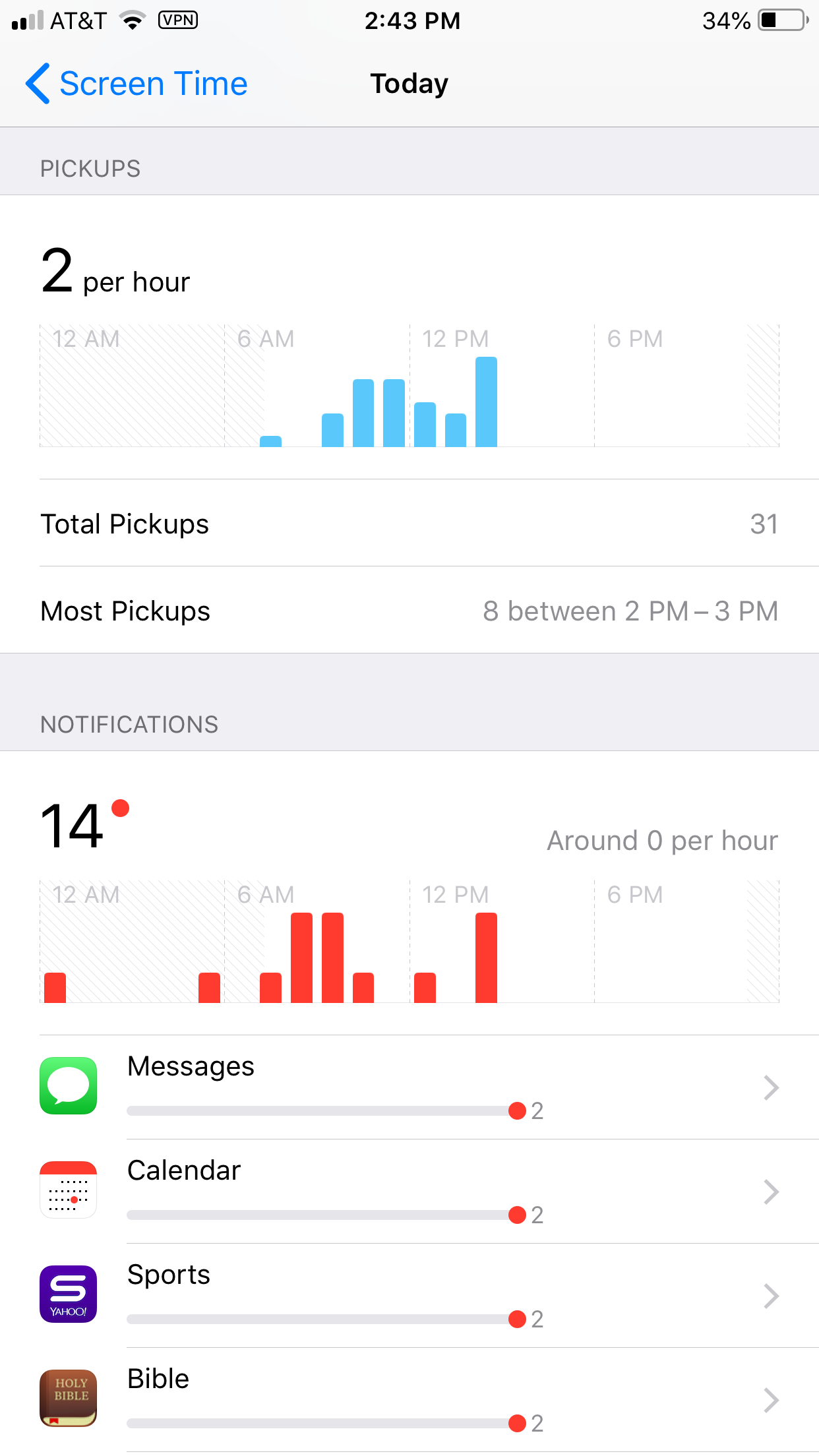
    Apple’s latest operating system is out and features something parents have needed to see for a while. Screen Time is a way to monitor the amount of time spent on your device and set limits for yourself as well. You can set limits for certain apps, schedule time off, and even check to see how often you get notifications and from what apps.

    Scheduling “Downtime” is as simple as an on and off switch but is customizable as well with the ability to set apps to “always allow” change privacy and restrictions. Yes, restrictions have been moved from their own category in the General settings to a sub category within Screen Time. Don’t worry, though. All of your screen time settings can be password protected. App usage and data can be seen without a password but settings can’t be changed unless you enter your four digit code.

    There is much more about how Screen Time works in the video above.

    What Parents Should Know

    This is one of the biggest steps toward the total parental control package built in to a phone. If the filter was a bit stronger (it can be improved through usage) it would almost have it all. I still recommend an accountability software and something to monitor messaging.

    This addition by Apple is a step towards taking responsibility for the risks and addictive nature of their products. Speaking, myself, as one who feels like I’m missing a body part when I don’t have my phone, it is really good to have a reminder of how much time we actually spend looking at our screens. Set up screen time for your kids and teach them how to be mindful of the time they spend on their devices. Set it up for yourself too and hold yourself responsible for the amount of time you spend on your devices. Lead by example and put the phone down every now and then.

  • T-Mobile Customers Can Now Get a Rebranded Circle, They’re Calling it FamilyMode

    T-Mobile Customers Can Now Get a Rebranded Circle, They’re Calling it FamilyMode

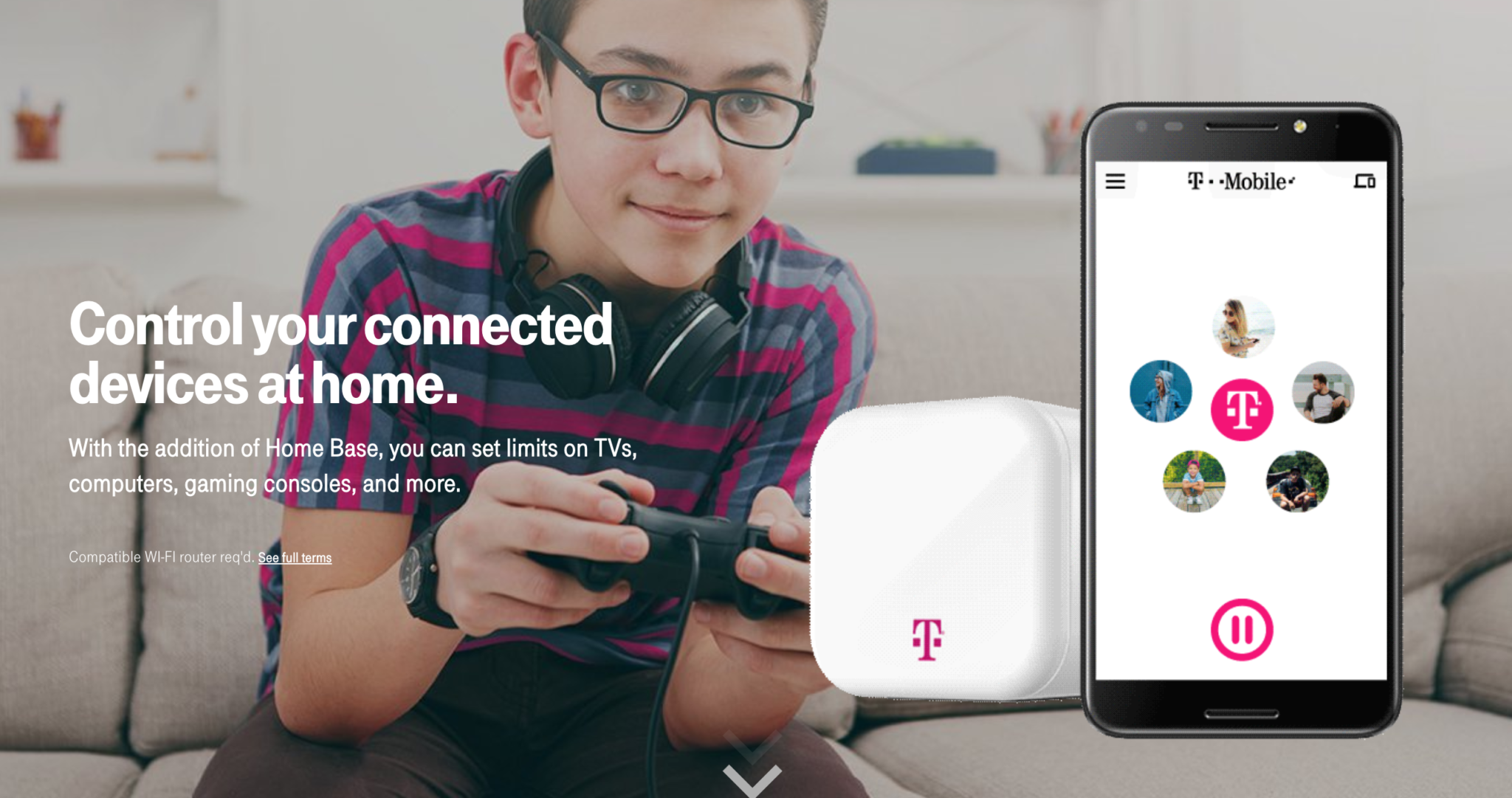
    Circle is one of my favorite parental control solutions to recommend to families. It’s easy to set up and the settings really work well. T-Mobile has caught on to this great service and is adding it to the offerings to their wireless customers. Verizon also added pressure controls recently and now T-Mobile is joining the club. The app is completely rebranded with T-Mobile is pink and black color scheme and the image of the Circle device itself even has a T-Mobile logo on it.

    Circle allows you to build profiles for each family member and set parental controls and filters for their profile. This protects your home Wi-Fi and with CircleGo you’re able to protect them over data no matter where they are as well. Time limits, usage reports, and tons of other information are also available on the Circle app. T-Mobile has patched into these resources and is offering them to their customers.

    What Parents Should Know.

    If you’re a T-Mobile customer the $20 price point for the device plus $10 a month to take the safety with you is well worth it. We highly recommend circle and even use it ourselves. My advice is to take advantage of this deal and this great opportunity to protect your family on their devices.

  • PODCAST: Kindle Fire/Amazon FreeTime App Review

    PODCAST: Kindle Fire/Amazon FreeTime App Review

    FAMILYTECHWEEKLY: Is the kindle fire the answer to all of your parental control questions? We don’t think so…here’s why.

    Sponsor this podcast! http://patreon.com/becausefamily

    Social Media Links

    Facebook: http://facebook.com/becausefamily
    Instagram: http://instagram.com/becausefamily
    Twitter: http://twitter.com/becausefamily

    Newsletter Signup

    Ministry Updates:: http://eepurl.com/R7Btr
    Weekly Blog Posts:: http://eepurl.com/cvnhXD

    Websites

    Ministry Site:: http://becausefamily.org
    Tech Blog:: https://safe.becausefamily.org
    Michael’s Speaking Info:: http://kmichaelprince.org

    Donate and Affiliate Links

    http://BecauseFamily.org/partnership

    Music by Kevin MacLeod at http://Incompetech.com

  • Amazon is Changing the Parental Controls Game

    Amazon is Changing the Parental Controls Game

    Many parents purchase their children a tablet without taking built in parental controls into consideration. Amazon’s addition of the Parent Dashboard should cause most parents to lead towards a Kindle Fire tablet. Amazon FreeTime has been available for a little while and allows parents to set child profiles, manage content, set time limits and bedtimes, and feature’s curated content. The Parent Dashboard, launching today, takes FreeTime to the next level by giving parents a breakdown of their kids digital habits. The app will allow parents who have set up FreeTime to see the time your kids have spent on certain apps. You can see what they’ve been reading and watching and it even suggests discussion starters for the content your children have been consuming.

    FreeTime features tens of thousands of apps, books, websites, and videos. The built in web browser only allows pre-approved content and features age appropriate Amazon prime videos. All of this content is curated by an actual editorial team. They watch videos through to the end and read every page of every book to be sure it’s suitable for the age group it’s listed under. This is not filtering based on algorithms, it’s work done by live people to help you protect your kids. They’re keeping in mind that you don’t want your kids to run in to something online that they’re not ready to see. In factKurt Beidler, director and general manager of Amazon FreeTime, told Digital Trends: “We take a conservative approach.” 

    What Parents Should Know

    It seems like the internet safety market is always trying to play catch-up with the latest online and social media trends. The stuff we don’t want our kids to see always seems to creep its way onto every platform. The only true way to keep inappropriate content away from our kids is for human eyes to make the distinction between what is suitable and what is not. The human editorial team for Amazon FreeTime is one of the first of its kind, surveying content with a conservative, kid’s health comes first mindset that we can hopefully take comfort in.

    I don’t usually recommend getting devices for our young children but I understand that many parents or grandparents will insist. If that is you or someone you love, may I suggest the Kindle Fire Kid Edition. This thing comes pre-loaded with the kid friendly content and a 12 month subscription to FreeTime. Yes, FreeTime is a pay subscription based service. It’s $2.99 per child or $6.99 per family. That’s not a lot to pay for your own team of content curators working to help your children be safer online. No, I don’t have an affiliate link to promote. I just think this is a great option for families.

    I do recommend, as always, talking to your children about what is appropriate online and what is not. I recommend they know that you are the safe place to come to if they see something that they shouldn’t see. Obviously the goal is to keep this from happening and using Amazon FreeTime with the Parent Dashboard is a great step in that direction.

  • Parental Control Hardware “Circle” Announces Integration with “FamilyTech” Apps

    Parental Control Hardware “Circle” Announces Integration with “FamilyTech” Apps

    Circle is one of our favorite resources to recommend to families. With its simple to use app and customizable, profile based filters Circle is one of the most accessible parental control options out there. At a price tag of only $99 it’s affordable too. Today, Circle announced Circle Connections, the roll out of integrations of some new resources to make it one of the most extensive filter and time management apps available. These integrations will soon add the ability to stop notifications from social media apps while your child is driving and allow you and your kids to use Amazon Alexa to set and monitor your time limits. Launching first, however, is a partnership with FamilyTech.

    The new platform, Circle Connections, allows Circle users to connect other partner apps, devices, and services to offer rewards, automate features, and much more. These other pieces of Circle help leverage some of the biggest drivers of family life: screens, physical activity, teen driving, and social media.

    FamilyTech launched late last summer and is a chore/time management system developed by CEO Chris Bergman. The system features four apps. Mothership, the hub for setting chores and giving rewards. ChoreMonster, an app for kids that rewards them for meeting their chore goals. Honeydo, a way for couples to communicate what needs to be done and get more accomplished. And Landra, the home productivity solution for older kids and teenagers. This partnership is going to set Circle up to be one of the most extensive time management and parental control options available to parents.

    For Example

    With Circle’s time limits, the integration with FamilyTech can do a lot for parents. Imagine your child has an excellent week of chores. The choremonster app asks what reward they would like and they choose to extend their bedtime. ChoreMonster will communicate with Circle and their bedtime will be extended to whatever reward time you’ve set up. Pretty much automated rewards. That sounds awesome.

    As mentioned, some of the functionality will be released in future updates but the integration with FamilyTech is rolling out now. If you have circle, be sure to update often and take a look at what FamilyTech’s apps can do for you. If you don’t have Circle yet, maybe this will be a pretty good reason to give it a go.

  • Kids Online Too Long? Put the Power of Time Limits in Their Hands with UnGlue

    Kids Online Too Long? Put the Power of Time Limits in Their Hands with UnGlue


    Every now and then a resource comes along that we can’t wait to tell you about. Today, we are excited to show you UnGlue. We are always looking for the newest and simplest way to protect your kids online and UnGlue is answering the time limit question with some pretty great new ideas. Check out the video below to see the heart behind their cool new time limits software.


    “Kids are the ones that are hooked… they’re the ones using these devices …  And it’s not even their fault… they’re fighting with the best minds in the industry that are set on having them scroll just a little bit more. Just one more like, one more picture, one more chat, one more Pokémon, one more level. And they’re losing,” – Alon Schwartz (CEO of UnGlue

    UnGlue runs with the idea that kids truly want to do better at managing their screen time by placing the power in their hands. In fact, the founder of UnGlue doesn’t like to call their service “Parental Controls.” While parents do set the time limits, the kids are able to decide what they do with that time. UnGlue doesn’t only turn off internet access at a certain time, it designates between productive and “entertainment” internet activity. Parents establish the amount of time their kids are allowed to spend being entertained on a screen and their child is then able to use the time as they choose. They can even store up unused time to use later for some good ol’ fashion binge watching or playing. The UnGlue concept is a new one and, I think a great one.

    The only thing more important than keeping kids safe from the dangers of internet use and over use of the internet is teaching them how to be responsible in those areas for themselves. UnGlue puts the power in their hands and allows you to show them, through their own experiences, how they can better manage their time and be more effective and productive every day. In fact, I would go as far as to say that most of us parents could use an education on screen time management.

    I could go through all of the ways UnGlue allows you to set up their mobile app but I’ll just point you to their website and let you watch this video below. UnGlue is FREE to use so go check it out and email us at BecauseFamily@GMail.org to let us know how your experience was.