Tag: teens

  • Parents Guide: Assassin’s Creed Origins

    Parents Guide: Assassin’s Creed Origins

    Assassin’s Creed Origins S.A.F.E. Rating

    Violence: 2 out of 5
    Language: 3 out of 5
    Sexual Content: 2 out of 5
    Positive Message: 2 out of 5

    Total: 9 out of 20 = Recommended for Adults Only!

    The Game

    Assassin’s Creed Origins is the 11th game in the Assassin’s creed series. The game is set in ancient Egypt around the time of Cleopatra and Julius Caesar. Like other Assassin’s Creed games, Origins is set in a historical alternate timeline in which your character is changing the course of history by completing your missions. The story is complicated because it is also set in modern/near future timeline. In this timeline, you are a researcher who is using the DNA of a historical figure to move into the past and become an assassin. The multiple timelines and characters make for an interesting, while at times confusing, story. In Origin’s you’re working to take out a secret society who is behind the dark times your country is experiencing. Eventually, you make your way to Rome and take part in one of the largest Assassinations in history. If you’re a fan of history, Assassin’s Creed games are interesting even though they’re obviously based in fiction. The setting and politics of the story are well crafted and keep your attention well. Origins is an open world game which means you have multiple missions all over the game world that you can complete outside of the main story. This lends itself to replayability beyond “beating” the game.

    Assassin’s Creed isn’t the best game I’ve seen, the controls seem heavy and the combat is a bit “clunky” but it is interesting and seems to be what Assassin’s Creed fans want out of a game in the series.


    Violence/Gore (2)

    You take the role of an assassin in this game so obviously, violence is a major part of the gameplay. You kill people in multiple ways including bows, swords, axes, blunt force weapons, and even ships. There is a stealth element to the game that is meant to reward the player by giving them multiple ways to kill their foe quietly. There is a lot of blood involved in every assassination and some beheadings and slit throats as well during cinematics. Your violence is celebrated and is, in fact, considered the goal of every mission of the game. Killing is, after all, the job of an assassin.

    Language (3)

    The language is interesting in this game. Words that would be considered “adult” are used in some of the dialog but they are often (not always) spoken in Egyptian or Latin. The translation is shown in the subtitles, however. In the modern day/near future timeline there is adult language throughout including F—, Sh–, D—, and H—.

    Sexual Content (2)

    While the main characters’ sexual encounters are treated as PG or PG-13 there are multiple instances of nudity and even sexual situations. Many of the village women are topless and bare breasts are shown while you’re just riding your horse around the game map. One mission takes you to a brothel in which you see many topless women and even a couple in a sexual situation. They are in the background and not the focus of the mission but what they are doing is very obvious. Cleopatra has women dancing for her, some are topless, and she speaks to men about spending the night with her and being killed the next day telling them that it would be “well worth it.”

    Positive Message (2)

    Assassination is literally the name of the game here. The goal is to kill and do it creatively and effectively. Murdering person after person in a video game has a way of getting satisfying. I believe this is a cause for concern. Especially for younger audiences.

    The only reason this doesn’t receive a 1 out of 5 for the positive message is that there isn’t much question that those you’re killing are the worst of the worst and those who work for them. Also, there is a focus on a couple of female characters in this game that I am glad to see. They are portrayed as powerful and passionate and even their costumes are tasteful and make sense. They aren’t just in the game to be eye candy. They play major roles in the story and they are fun to play as.

    Final Thoughts

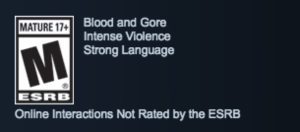
    I recommend that this game is reserved for those over the age of 17, just like the rating says. Blood and gore, drugs/alcohol, violence, nudity, language, and sexual content all make the highlights list and for good reason. The playthrough I watched exhibited multiple examples of each of these themes and they are presented in ways that are very much geared towards an adult audience. When your 13-year-old asks for an Assassin’s Creed game for Christmas, this is what he is wanting. Maybe redirect him to something a bit more age appropriate.


  • Parent Guide: Call of Duty World War 2

    Parent Guide: Call of Duty World War 2


    Call of Duty World War 2 S.A.F.E. Rating
    
    Violence: 1 out of 5
    Language: 2 out of 5
    Sexual Content: 4 out of 5
    Positive Message: 5 out of 5

    The Game

    Call of Duty has been the “Belle” of the FPS (first person shooter) ball since day Halo. COD games are created with extremely high budgets and make intense amounts of money for the developers. These games are released on nearly every gaming platforms and each version seems to outsell the previous. Needless to say, many parents are being asked by their young teen or even pre-teen kids if they can go out and get the game for Christmas. Be sure to read this post before you decide to stuff their stocking with this Rated-M game. Here’s my breakdown.

    Violence/Gore (1)

    Call of Duty is a war game. You’d expect a fair amount of pew pew pew gun action and bloody gore and that’s exactly what you will get. In the first few minutes you see someones face blown off, arms and legs missing, and a explosions blowing people and pieces of people into the air. When you have a chance to fire back you see the brute force of your weapon as people’s faces and bodies become covered in blood when you shoot them. The level of gore is dependent on the weapon you are using but it never truly lets up. There is continuous shooting, explosions, stabbing (bayonets and knives), and hand to hand combat. Some of the violence isn’t just to soldiers, there’s discussion about how prisoners are handled, as well as civilians being killed.


    Zombies

    The gore does pick up, however, when you play the Zombie portions of the game. So does the language. Imagine half decomposed, limbless bodies coming after you over and over again in increasing numbers. Then imagine you have nothing but a shovel to defend yourself. The gore STARTS there and just gets more brutal as the game continues. In the Zombie levels you have to get past puzzle like obstacles while fighting off these waves of the undead. You get stronger weapons and unlock traps and boosts to kill the onslaught in more affective, yet, gruesome ways. The Zombie section isn’t a separate purchase or something you can lock or unlock, it’s a part of the game.

    Language (2)

    The language is rated R from the very beginning. You’ll hear F—, Sh–, D—, H—, G–D—, and D— throughout the game. It’s your basic FPS, war game vocabulary. While I can’t guarantee I’d be saying gosh and golly gee during hardcore WWII combat, that doesn’t change the fact that we have to look out for our younger kids and young teens and decide if the language in games like Call of Duty World War 2 is something we want them to take in.

    Sexual Content (4)

    No sexual content besides a bit of “locker room” talk between a few of the soldiers. There is discussion of girlfriends and fiancé as well as some chatter about meeting women when they get to Paris. Any sexual content or conversation pretty much ends at jokes and innuendo.

    Positive Message (5)

    This was the most surprising part of Call of Duty World War 2 for me. I wasn’t expecting such positive vibes from the game. The focus on the heroism, the discussion on PTSD, commitment, sacrifice, and what you must withstand to face combat. It was all very very interesting and quite emotional at times. If you play the story mode you will get a sense of belonging to the unit you fight with during the game. You play as a soldier named Red Daniels, and live a bit of his history, future, and present day life in combat. This story takes you from D-Day until you secure the bridge across the Reign, the river that you must cross to get into Germany and eventually Berlin. The epilogue takes you a bit beyond that even. (Don’t want to spoil it.)

    The generation of men and women who fought in WW2 are looked upon with honor in this game. There are speeches given by some characters in the game that really emphasize the sacrifice the young (and old) people of that day had to face as they fought the evil that was the Nazi regime. I was impressed by the attention given to the human sacrifice during the time of WWII and feel like, if a teenager or adult is old enough to handle the content, the message will be a good one for many of us to hear.

    MULTIPLAYER

    I didn’t test multiplayer in this game but I will say simply that there are no ratings listed for multiplayer on any video game. The reason for that is that the conversations had while you play online with other people can and will turn ADULT very and very quickly. My recommendation is that online, multiplayer, gaming be something is only approved for your older teenage kids that you trust can handle the onslaught of adult language and innuendo.

    Final Thoughts

    This game is rated M for Mature. That means it was CREATED for people aged 17 and older. No doubt, your younger teen will be asking permission to play this game. Hopefully you will take all the information in this article into account before blindly allowing them to play a game with content that’s intended for users up to five years older than they are. There’s a big difference in the mental maturity of at 12 year old and an 18 year old.

    I absolutely wouldn’t recommend games like this for kids with any kind of attention problems or anxiety. The game is very stressful and barely lets up for cut scenes and story elements. Shortly after any kind of break in the action, though, you’re right back into it and the fighting is very intense. This action includes explosives going on all around you, being shot at, meeting objectives before you lose members of your squad. It’s all very high impact and the “fight or flight” response would be very very extreme during this game. The drama during some of the cut scenes could even be a bit much for some kids and teens because it deals with heavy and dark topics like PTSD, losing friends in combat, and the mistreatment of civilians and prisoners.

    Be wise with games that have an M rating. Know what your kids are getting into and don’t buy them the game just because they wear you down and you give in. Be smart enough to protect them from content they may not be ready to see. It will definitely be worth it.

  • iPhone X Face ID Won’t Keep Your Kids Out of Your Phone

    iPhone X Face ID Won’t Keep Your Kids Out of Your Phone

    One of the best ways to keep your phone safe is to make sure it’s locked so your kids can’t get into it without you knowing. This allows us, as parents, to have apps or games we wouldn’t let them use without worrying that they’re going to get into them. Maybe you keep your kids off your phone because your filters aren’t as strict, maybe you don’t want them reading all of your messages, maybe you just don’t want them resetting your Mario Run scores. Whatever your reasons for locking down your phone, the new iPhone X’s facial ID feature isn’t your best option. Here’s why.


    The statistical probability is different for twins and siblings that look like you and among children under the age of 13, because their distinct facial features may not have fully developed. If you’re concerned about this, we recommend using a passcode to authenticate. – support.apple.com

    What Parents Should Know

    Apparently, young undeveloped faces can trick the facial recognition software on the iPhone X and let a child get access to your phone. If your phone isn’t locked down then your kids will have access to those in-app purchases, unfiltered searches, and accessing unapproved entertainment or social media you’ve blocked on their devices. Apple recommends you use a passcode if you have small children. This recommendation seems to hint that they’ve just accepted that this will be a limitation of their Face ID feature. My tip is to take Apple’s advice. Use a passcode if you have an iPhone X. If you want an iPhone X mostly because of Face ID then you may reconsider.


  • More Violence on Youtube Kids; Here’s Youtube’s Answer

    More Violence on Youtube Kids; Here’s Youtube’s Answer

    Another week, another story about Youtube kids not removing junk before some kids have seen it. The most recent claim is that videos featuring Paw Patrol characters showed them dying and mourning each other at their graveside. This is obviously a startling discovery for any parent to come across on Youtube but especially when it shows up on an app that has been marketed as being safe for kids.  The good news is that updates on YouTube’s review policies may help keep some of that content off the app.

    The policy is using Youtube’s existing “restricted-content” feature to protect our kid’s eyes from videos of their favorite characters doing bad things. Restricted content is automatically not allowed on Youtube kids. This means that if a video has been approved to be on Youtube but not for viewers under 18, then it won’t automatically show up on YouTube kids just because it was uploaded to the main site.

    Some videos don’t violate our policies, but may not be appropriate for all audiences. In these cases our review team may place an age restriction when we’re notified of the content. Age-restricted videos are not visible to users who are logged out, are under 18 years of age, or have Restricted Mode enabled. – Youtube Help

    I am always cautious of trusting apps that use a “restriction” mode because their restrictions are always based on user reports. If enough people see something and flag it as inappropriate then the content is removed. The problem is that people have to see the video, image, or post in the first place. Youtube thought of that too, though, and have a pretty simple solution for YouTube kids. Videos won’t show up on Youtube Kids until a few days after they’ve been uploaded to Youtube’s main site. This, hopefully, will help weed out many of the videos that look like they’re intended for children but truly aren’t.

    What Parents Should Know

    It’s important to understand how the video streaming services we use filter their content. Youtube Kids recently added profiles and age-based video recommendations to help parents use the app more effectively. Limiting the ability for restricted videos to make money and keeping them off of a logged out, underage, or restricted user’s feed is another major step in the right direction. The best feature, in my opinion, is giving newly uploaded videos a couple of days to be reported before they are put on Youtube Kids.

    My advice remains the same when it comes to viewing videos online. Parents should always know what your kids are watching. Keep an eye on what they are doing on their tablet or another screen. Have them use their device nearby where you are or in a common area so that you can hear what they’re watching and even go in and put your own eyes on it every now and then. It isn’t always the most convenient thing to keep checking in on what your kids are watching but it isn’t smart to trust algorithms and the reporting of strangers for our kids’ safety and mental health. Put in the effort. You’ll be glad you did.

  • Snapchat Outage Reveals Some Serious Priority Concerns

    Snapchat Outage Reveals Some Serious Priority Concerns

    A Snapchat outage on Monday left millions unable to send disappearing filtered messages to their friends. This was a bad enough problem for users of Snapchat but the problem intensified when service resumed and they realized their “Streaks” had ended. Snapchat has used a system they call “Snap Streaks” to encourage users to send messages to each other more consistently. Every day you send a message adds a number to your streak. When the app was down for nearly an entire day, some people were unable to send messages within the 24hr deadline. This caused their streaks to end.

    People took to Twitter to address their concerns with Snapchat. They complained that their streaks of 25, 100, and some even 500 days had been lost and they were not happy about it. Snap Inc’s support division stated that they were working on restoring streaks that were lost during the outage and asked folks to be patient and report if they had lost their records.

    What Parents Should Know

    The focus on streaks is simply another symptom of a culture that is telling our kids that the highest form of acceptance is being accepted socially by your peers. My full thoughts on this topic are on a video on our Facebook page but I’ll summarize here. Many of our kids are very very serious about their social media accounts. They are highly concerned with the number of followers they have and how many likes their pictures and videos get. Some of them have separate accounts, on one of which they post the version of themselves they want everyone to see, and the other is used for their silly, nerdy, or even sexy side. This social media self-image focus can be cause for serious concerns. It’s important for us as parents to help our kids understand who they are, what they should be focusing on, and what healthy use of social media looks like. Their friends are “all doing it.” But you may have to be the first parent to decide to put your guard up.


    (External Link) You can watch my video here:

  • Update the YouTube Kids App, You’ll Be Glad You Did

    Update the YouTube Kids App, You’ll Be Glad You Did

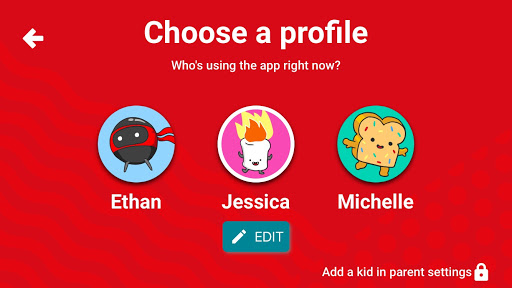
    We are big fans of YouTube Kids. While it isn’t foolproof, it is the best option available right now to let your kids enjoy their favorite videos on YouTube.The newest version makes it even more useful for parents. This update allows you to add profiles with a birthdate and a new avatar to ensure your kids are getting content appropriate for their age and interests. This will be super helpful for parents like us, who have multiple kids using one device. My recommendation is that you update your YouTube Kids apps as soon as possible and if you haven’t used it yet, what are you waiting for? Go download it.

    Stay tuned for a video review of the YouTube Kids update soon.


  • Digital Tools for Halloween Safety

    Digital Tools for Halloween Safety

    Halloween is a bit of a crazy holiday. We take our kids out to do all of the things we almost never let them do at any other time. “Let’s go walk around in the cold, talk to strangers, take candy from them, and then eat most of it in one night.” It may sound a bit crazy to let our kids do all that, but we do it. I’m recommending, though, that you don’t throw all of your safety concerns out the window. Use these three “tech guy” tips to help your family be safe during this Halloween.

    Get GPS Tracking

    First of all, it’s important to know where you are and where your kids have run off to. In the hustle and craziness of Halloween trick or treating it’s easy for our kids to get lost in the fun of it all and get out of sight. Also, your older kids want to head out with friends and enjoy a Halloween party or maybe just go trick or treating but you could be concerned about where they’ll end up going. Technology has you covered. Start tracking their location with the GPS chip that’s already included on their mobile device.

    Accountable2You has a great GPS tracking option that you can set up easily within their mobile browser app. It will send location reports and allow you to check in at any time from the dashboard on their site. This feature is available for Android AND iOS.

    On your iOS devices, you can use the built-in messaging app to share location as well. You just have to use their phone to set up permissions for that device to share their location with you. When you go to your messaging app you’ll be able to click on the (i) on the upper right-hand corner and it will take you to their information. There will be a map with their current location on it right up top. 

    Have a Good Flashing Light

    Walking around in the dark can be scary at Halloween. Not just because of ghosts and ghouls but cars driving and not paying attention. My advice is to shed some light on the situation. Don’t bother heading to buy some kind of flashing light when a simple app can give you the same effect from the LED in your smartphone. Here is one we found forAndroid and one for iOS.

    LED Flashlight Selene & Flash (Android)

    Full disclosure, I’m not able to test this app since I don’t have an Android device. It is, however the highest rated strobe app in the Google Play store. This app features adjustable strobe speed. It has simple controls and, according to reviews, just works. GET IT HERE

    “Light” LED Flashlight and Strobe (iOS)

    I did try this app out and it works well enough to use on Halloween. If you depended on your phone to multitask while you’re using your strobe light, this isn’t the app for you. When you close the app, the light stops. I didn’t find an app that didn’t shut off when closed, though, so this one made my list. I mostly decided to recommend it because the controls are simple, intuitive, and very responsive. You can set the brightness of the light and adjust the speed of the strobe with simple buttons on the right and left of the on-off switch. There are also settings to make the light flash to music and translate type to morse code. This is, overall, a pretty neat app. CHECK IT OUT

    Light your nighttime neighborhood trick or treating with some kind of strobe light. This will keep you and your kids visible and safe.

    Go “Old School” with a Walkie-Talkie

    No, don’t buy some cheap thing that won’t let you communicate unless you’re still in earshot anyway. Get an app. Really, I have one recommendation for this one, it’s Heytell. This app works cross-platform which means you can use your Android phone to send a quick voice message to someone with an iPhone, no problem. A walkie-talkie app is perfect for Halloween because it uses your data connection, so you’re never out of range. It lets you ask for that quick location update or schedule that meeting time with your kids by sending them a notification when you’ve sent a message. The message is then saved until they open the app to listen to it. Just like a voicemail, just without the annoyance of a phone call.

    Install HeyTell or the walkie-talkie app of your choice onto your and your kids’ phones and be amazed at how connected you can be while they’re out having fun, getting candy, and talking to strangers. Just make sure they’re visible in the darkness with some sort of flashing lights, and of course, have that GPS connected so you can get an update on their location with a simple glance at your phone.

    Have a safe and fun Halloween! 

  • Superzoom on Instagram and Share Links in Snapchat

    Superzoom on Instagram and Share Links in Snapchat

    Every update announced by the developers of the apps your kids use isn’t earth shattering but you should still know what’s going on. This week has been a pretty slow internet safety update week but some teen favorite social media platforms have released some updates in the last couple of days.  These updates are mostly cosmetic seasonal features but they’ll be interesting to your kids so they’re worth learning about.


    Instagram Superzoom

    Remember the dramatic chipmunk? He’s the cute little guy on the youtube video that gave an epic, three-level zoom, dramatic (and comical) look. There was a song and everything. Instagram has added a feature to their camera that can give you that same hilarious zoom in effect. The product manager for Instagram said they’ve seen users making funny “zoom in” videos in their story and wanted to give them a tool to make this easier. The feature zooms into whatever you’ve told the camera to focus on, it will work on the front or rear facing camera, and even features the dramatic orchestration you’d expect to hear from such an epic shot. This feature comes today along with some Halloween filters and masks.

    Snapchat Link Sharing

    Snapchat will now let you share links from other apps in iOS. Pulling up the “share sheet” or sharing menu will now show you the option to share in Snapchat. This is a pretty big change for Snapchat who previously didn’t do much to affect usage outside of the app itself. Links will still open within Snapchat’s web browser but more and more content can now make its way into the app through the accessibility of link sharing. Also, Snapchat is changing the way you view Snaps from within the app by letting you press and hold a friend’s name anywhere in the app to open their Story. Finally, there is a new feature that will allow you to go into “Ghost mode” temporarily, setting your location to stay hidden for 3 hours, 24 hours, or “until I turn it off.”

    What Parents Should Know

    Every update brings more features that our kids love on their social media apps. We should know what these features are and what they mean for how our kids use the app. Camera effects and modes add interest and fun but may cause the young kid you’ve been keeping off of social media to ask you even more if they can join. Truthfully, Snapchat is late in the game when it comes to link sharing. It’s been possible in so pretty much every other social media app out there for a long time. Being able to bring links into Snapchat from any other app increases the potential for it to be used to share different sites between users. This could include sites you’d consider inappropriate. My advice is to turn on built-in filters on your iOS devices as they should make it harder if not impossible to access adult content on any browser on the phone.


  • PODCAST: The Myth of Online Anonymity

    PODCAST: The Myth of Online Anonymity

    PODCAST: Michael talks about how to use blacklists and whitelists on your web filters, the polling app craze, and how the myth of anonymity is hurting our kids.

    Social Media Links

    Facebook: http://facebook.com/becausefamily

    Instagram: http://instagram.com/becausefamily

    Twitter: http://twitter.com/becausefamily

    Newsletter Sign-up

    Ministry Updates:: http://eepurl.com/R7Btr

    Weekly Blog Posts:: http://eepurl.com/cvnhXD

    Websites

    Ministry Site:: http://becausefamily.org

    Tech Blog:: https://safe.becausefamily.org

    Michael’s Speaking Info:: http://kmichaelprince.org

    Donate and Affiliate Links

    Accountable2You.com Affiliate Link: https://www.accountable2you.com/?code=19877592

    http://BecauseFamily.org/partnership

  • VIDEO: Three iOS 11 Features Parents Need to Know

    VIDEO: Three iOS 11 Features Parents Need to Know

    More than half of all iPhone users are now using iOS 11 and there are some major changes. The biggest change is the control center. This has become a lot more useful with the iOS 11 update and there are some features that parents should know so that they can use them to further protect their kids.

    Screen Recording

    Screen recording hasn’t been built into iPhone until this update. It’s a way to capture what’s happening on your screen and then save it as a video in your photos. This feature is cool and very useful for projects like making this video but there is a bit of a concern with kids sending messages and them being recorded without their knowledge. Keep your eye on this one.

    Quick Guided Access Button

    Guided access is an awesome way to keep you younger kids safe. The quick access button allows you to get to you GA settings quickly and use the feature to keep your kids safe. Do Not Disturb While Driving

    Do Not Disturb While Driving

    This is one that’s been needed for a while. The Do Not Disturb While Driving feature lets you just tap a simple button in your control center and not be distracted by texts until you turn it off. Pretty good idea, even if it has been a long time coming.

    There are more details and some screen capture of these features in use in the video below: