Tag: stories

  • Are You on Your Kids’ Instagram “Close Friends List?”

    Are You on Your Kids’ Instagram “Close Friends List?”

    Instagram is rolling out another update today and this one gives users the ability to build a “Close Friends List.” This category of friend creates a list of names that will see stories that you post and designate for that group only. This allows you to post more private or personal posts and trust that it will only be seen by a pre-approved group of friends. This feature should roll out today and will be available through the settings menu on your profile page in the Instagram app.

    You set up your list and then choose, in your stories posts, to designate that post only for your “Close Friends.” The update shows a green badge to notify those seeing it that it is from your Close Friends list. Those on your list will also see a green circle around your “Stories” icon.

    What Parents Should Know

    This update can be a really good thing. It is important to know who is seeing your posts and keeping your audience in mind. A way to separate those who you are ok with seeing certain things could be a way to eliminate the “finsta” or “Spam” instagram account. My advice, though, is to make sure your child has you on their Close Friends list. If they’ve been posting Close Friends posts and you aren’t seeing a green circle around their stories post, you aren’t on their list and you should have a conversation with them about why you don’t want them hiding posts from you.

    Remember that you should be a safe place for your kids to come if they have serious issues to discuss. They shouldn’t be afraid that you won’t understand their depression or that you won’t believe them if they are having problems with people at school or work. You should be THE place that they know they’ll be heard, believed, and understood. I truly believe that if you create that culture in your family your children will automatically think to add you to their Close Friends list because you actually belong there.


  • Instagram and Snapchat go Full Consumer Sales, Will Your Kids Migrate?

    Instagram and Snapchat go Full Consumer Sales, Will Your Kids Migrate?

    If it seems like every time you find the social media platform you like it gets ruined by marketers and salespeople that’s because that is exactly what is happening. First it was advertising, random ads showing up in between your friend’s IG Stories about their kids and coffee shop visits, now we’re seeing actual shopping being added to social media. Snapchat and Instagram seem to be going the way of Facebook by adding ways for companies to add products to their stories so you can shop right inside the app. 

    Instagram has expanded their discover section (when you tap the search icon) to include a shopping tab. This tab will be populated with products that are relevant to your activity on Instagram and will lead you to story posts that allow you to tap on products directly to make a purchase. Snapchat is also going to be adding in-app shopping with “Collections.” Collections will show up in between your friend’s stories and on the Discover page. These posts will give you the ability to actually select items you’d like to buy from within the app.

    What Parents Should Know

    You can expect to see these new shopping features roll out on Instagram and Snapchat over the next several days. Some have already been added. Your kids will notice them too and I expect a couple of different responses. First, kids are used to being advertised to. It happens to them all day long every single day. There is advertising in social media, in their games, and between all of the YouTube videos they watch. Many kids won’t be phased and may even find some useful stuff to buy in Instagram or Snapchat. 

    Secondly, I can see kids getting annoyed with the over focus on ads and migrating to a different option for their social media experience. Many kids already enjoy messaging through ad lite options like WhatsApp and Kik. They video chat with their friends through Houseparty, WhatsApp, GroupMe, or WeChat instead of Snapchat, IG, and Facebook messenger. I imagine their social media profiles will become more of a place to present the best versions of themselves instead of where they go to mindlessly scroll a timeline and connect with friends. 

    As parents, we should always know what apps our kids are using to connect with their friends. Do these apps require age verification are the default settings open and public so that anyone on the app can contact our kids? These are the questions we have to ask ourselves and our kids when they move from one social media platform to the other. Instagram is already so full of moms and dads that many kids are setting up secret “spam” accounts to avoid their oversight. The shopping features being added could lead to more kids moving on to other apps. Keep an eye on their downloads and on this site to see what they’re downloading. 

  • Instagram’s Comment Controls Can Help Parents Breathe a Little Easier

    Instagram’s Comment Controls Can Help Parents Breathe a Little Easier

    Cyberbullying and suicide are two of the most dangerous symptoms of our digital culture. Suicide is now the third leading cause of death among teens and half of all teens admit to having been bullied online. One of the major ways these bullies find their foothold is through comments on social media. My advice to parents is always to keep their kids away from online comments as much as possible. Instagram’s new comment control feature will help moms and dads be more effective. Their new live video reporting feature could even save lives.

    Comment Controls

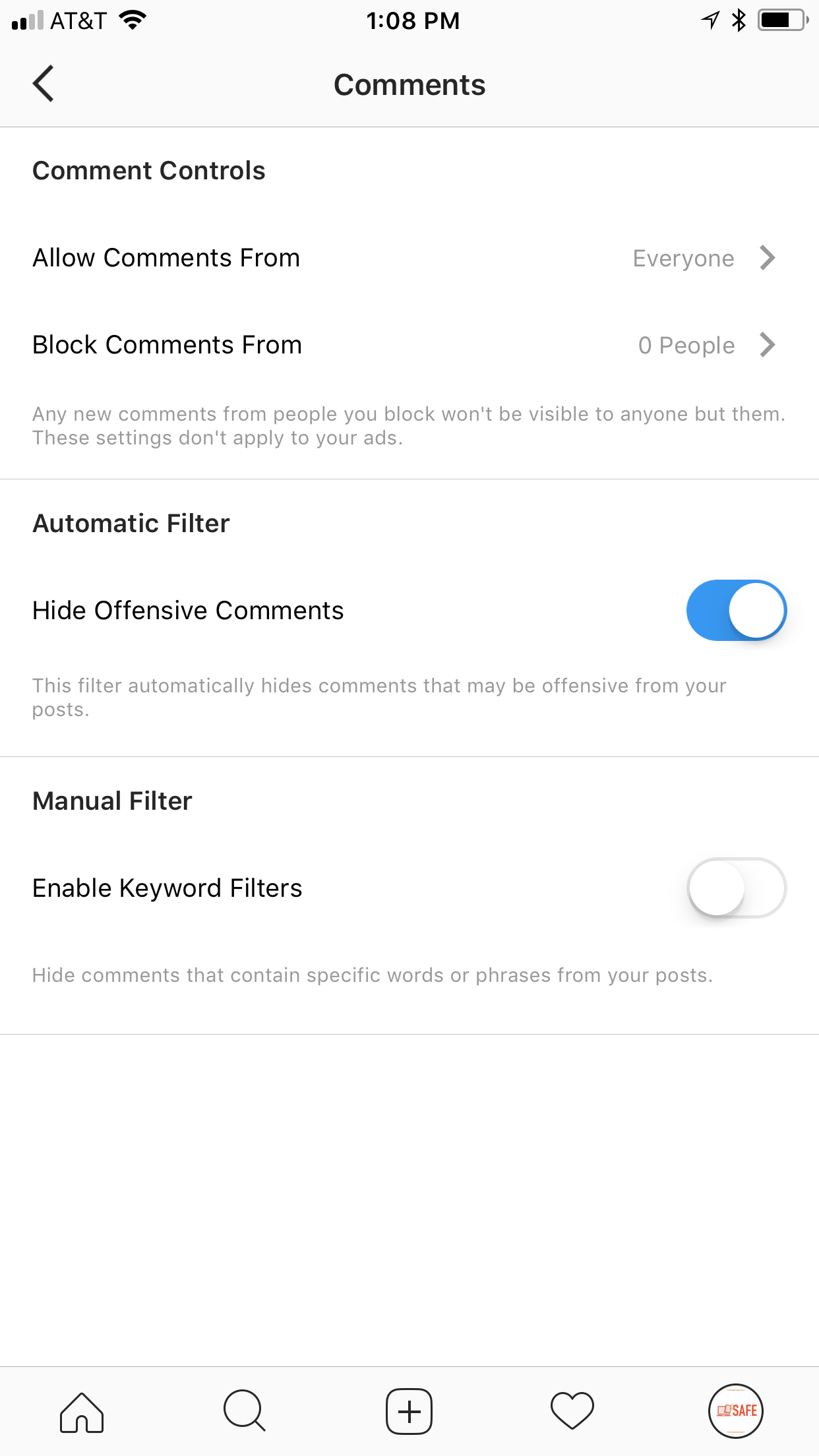
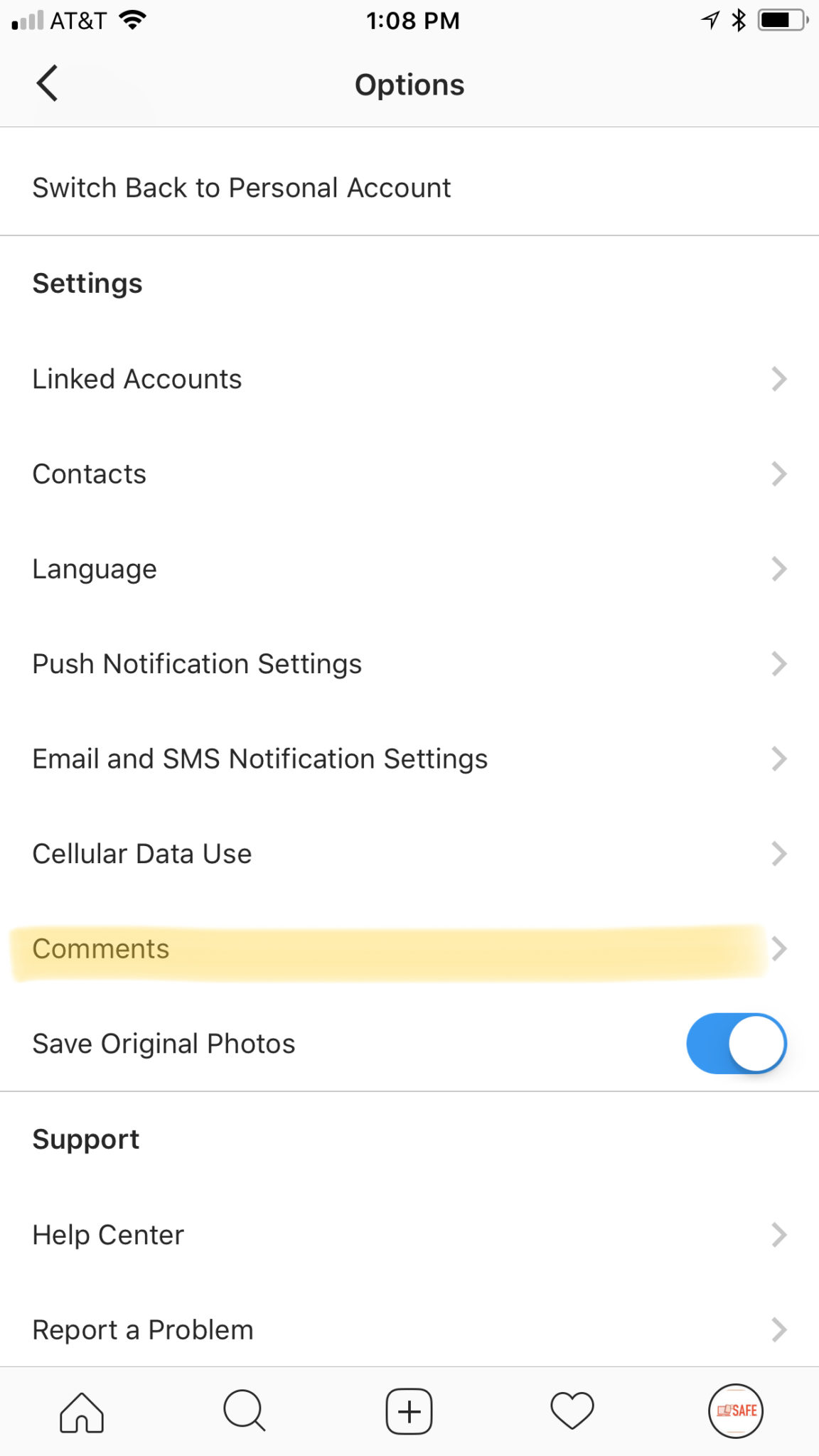
    Instagram wants you to have control over who sees what you post. They’re also giving you control over what people say about your selfies and food pics. Well, not as much what they say but who is saying it. If you are concerned about random strangers contacting your kids on Instagram through their comments section you can have them set their post comments to private. There are actually four settings, Everyone, Your Followers, People You Follow, or People You Follow and Your Followers. These settings allow you to set a smaller group of folks who can comment on your kids’ posts. This can be very helpful but only if your kid agrees with your motives. These settings aren’t password protected so they can be reset at any time. The best way to ensure they’re keeping their settings as you’d want them is to check in on who’s commenting on them. If you don’t recognize them from your child’s account then you should ask about it.

    Live Video Reporting

    Instagram has also added a reporting feature to highlight when someone may be considering self-harm or harming others while filming a live video. If the video is reported they’ll be shown a message that encourages them to reach out for help. Instagram has trained staff available 24/7 to accept messages from people who reach out via the Instagram Live reporting feature. Their hope is to give friends a way to help friends stay safe and maybe even choose to stay alive. What a great way to be encouraged that people care about you. This feature is also available on Facebook Live.

    What Parents Should Know

    Some social media sites are leaning towards the most public and open atmosphere possible (here’s looking at you Snapchat) which can be dangerous for our kids. Instagram and Facebook seem to be taking notice of our desire to keep some things private or in our chosen circle of friends. Understanding and using these features is very important for parents as we work to keep our kids safe online. Be sure to keep yourself informed.

    If you’re looking for even more info about how to protect your children online, you can contact me (Michael) about hosting a workshop to train you and your friends on family internet safety. Home workshops are free and are available all over the country through Skype. Email me at BecauseFamily@gmail.com to learn more.

  • You May Soon Share Your Instagram Stories on Facebook

    You May Soon Share Your Instagram Stories on Facebook

    Facebook Stories still hasn’t taken off. Despite putting them on the desktop site and constantly encouraging you to use the feature in the app, Facebook hasn’t been able to increase usership of their stories feature. In fact, if you look at the top of your Facebook timeline you will probably notice that only one or two of your six hundred Facebook friends have actually posted a story for you to look at. In their latest attempt to lure users onto stories, Facebook may soon allow you to share your Instagram story to Facebook. 

    Instagram is testing a “share to facebook” feature in the story camera. Once you’ve taken your video or photo for Instagram stories, you’ll then be able to share it to Facebook or share screenshots to Twitter. This is one of the first times we’ve seen Instagram test a feature that will integrate directly into Facebook, even though both networks are run by the same company. We haven’t seen them cross over much since Facebook bought Instagram in 2012.

    What Parents Should Know

    Instagram stories is still the most popular feature of its kind in social media. Hundreds and millions of teens and adults alike use stories every day to share what’s been going on and what they’re into. Facebook, while they are obviously reaping the benefits of Instagram’s success, they’re also wanting to block Snapchat out of the picture completely. Pulling the 2 billion Facebook users into the story feature could go a long way to make Facebook’s social media selections stand far above those of Snapchat. Most likely, however, your kids are still going to be using the service that their friends are on and the fact that parents don’t really “get” Snapchat makes it more appealing to them. Be sure you spend some time using Snapchat, Instagram, and Facebook so you’re familiar with all of the social media options available to your kids and teens. Set notifications so you’ll know when your kids are posting, and you can even log in as their accounts on some of the social media services. Whatever method you use, don’t be outside of the loop when it comes to your kids’ social media preferences. Talk to them about it, follow them on their favorite social media accounts, and use their login information to stay informed as they post and receive private messages.

  • Facebook Adds GIFs and Live Video to the in App Camera

    Facebook Adds GIFs and Live Video to the in App Camera

    If your Facebook feed is like mine there are only one or two people using the FB Stories feature at any given time. Instagram and Snapchat pretty much own the story market but Facebook is still chasing that “all inclusive social media app” unicorn.  Today, the app updated to include the ability to go live from the FB Story camera, to turn your images/video into a nifty GIF, and to share text over a colored background. (Much like the text status backgrounds available on your FB timeline.) It’s a bit surprising that the story feature hasn’t caught on as quickly on Facebook as it did on Instagram which has more users on Stories than Snapchat has over their entire app. There are more people using Facebook every day but they seem to prefer the timeline method to the 24-hour stories.

    One thing is certain, however, the apps that are popular with the younger crowd are the ones that get the most out of their stories feature. Facebook is, obviously, trying to attract that same crowd again since their average user’s age has increased over the past several years. Buffing up Facebook Stories is an attempt to reach out to that exact demographic. We’ve seen a small surge in the number of younger users to join or re-join Facebook but it’s nowhere near the growth that we’ve seen on Instagram and Snapchat.

    What Parents Should Know

    You still can’t take Facebook off of your apps to watch list. Your kids most likely prefer Instagram or Snapchat (if you allow them to use it) but some of these new features, which are designed to attract the teen and pre-teen demographic, could draw some kids back to Facebook. My advice is for parents to have their teen’s login information and to check in every now and then. You’ll want to see what messages they’ve received and what is showing up on their and their friend’s story. For many younger people, the fact that their parents use Facebook is a deterrent for them but some of the camera features and other new additions could cause them to change their minds. It’s important that you know if they have a Facebook account and keep an eye on what is going on there.

  • Facebook Stories is Going Public

    Facebook Stories is Going Public

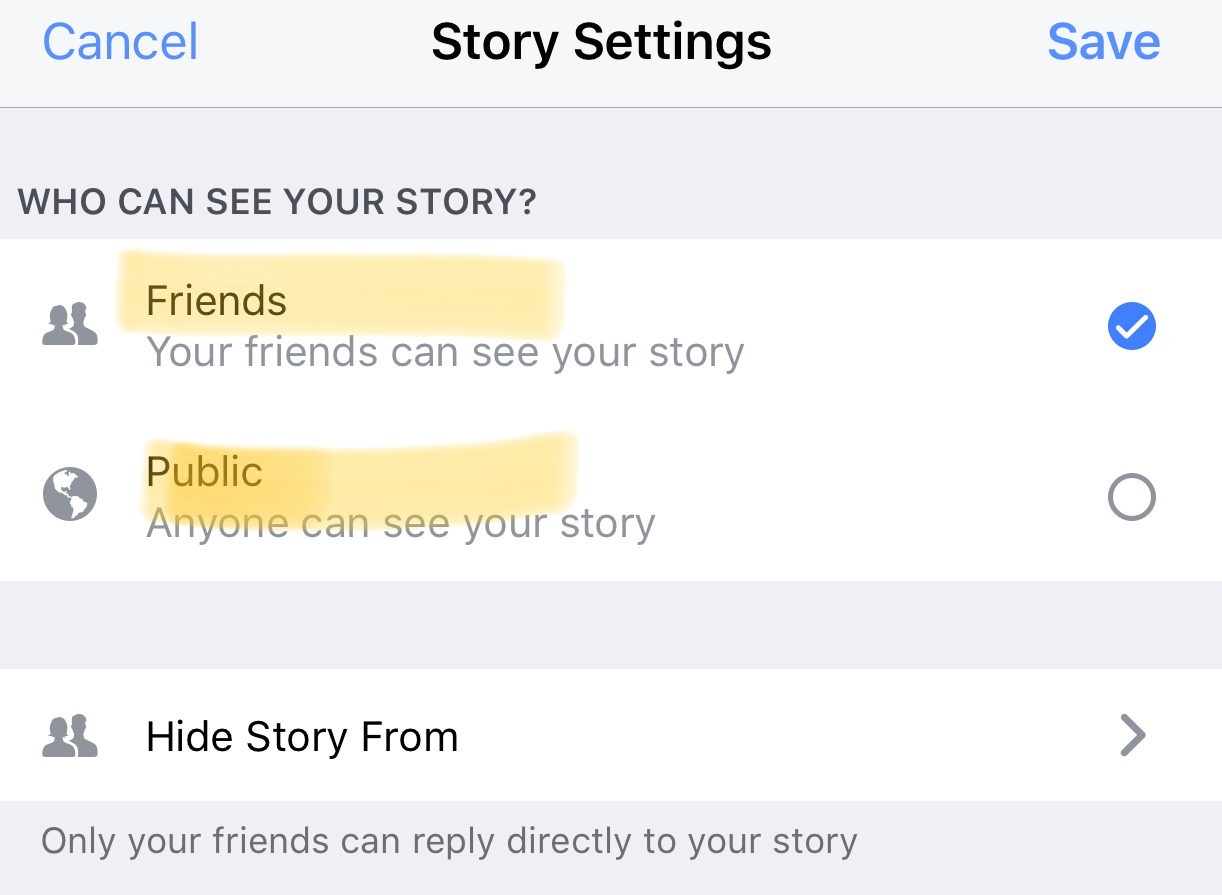
    Instagram, WhatsApp, and Snapchat have proven that 24-hour disappearing story feeds are the latest social media trend. Facebook is trying to increase user-ship of their stories feature by allowing people to post publicly. After a recent Facebook update, you can now change the privacy settings on your story posts to make them visible to anyone on Facebook. 

    Facebook Stories is really the only version of the daily posts feature that has been lagging behind in user-ship. Celebrities and brands will now be able to use Facebook stories to promote publicly just as easily as they can on Instagram and Snapchat. This may be an attempt for Facebook to increase the number of people using their stories feature but it’s likely, also, a way to entice more advertisers into using the feature.

    What Parents Should Know

    Any option to share something publicly should be known to parents. If your kids use Facebook and enjoy posting their daily activities on their Story feed you should know how to check and see if they’re posting publicly. Below is a slideshow of how to check the privacy settings on Facebook Stories.

    Be sure to check out what your kids have been sharing publicly and talk to them about the permanence of anything shared online. It’s also a good idea to talk to them about what to do if they receive contact from people they don’t know on any social media platform. As parents, we are the ones responsible for our kids’ safety and privacy online. Learn the ways these social media services have provided for you to keep them safe and private.

  • Instagram Rolls Out Major Updates to Direct Messaging

    Instagram Rolls Out Major Updates to Direct Messaging

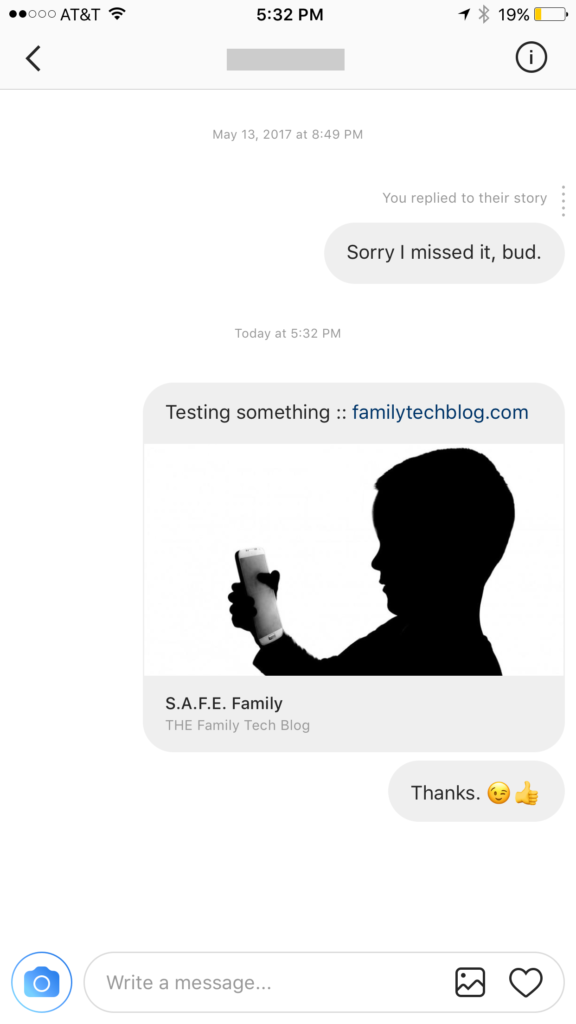
    Instagram has launched their seemingly weekly major update today with a focus on their direct messaging feature. Now it’s possible to see previews of links and to send full size images. (Not just squares.) While most of Instagram’s updates have focused on it’s Stories feature, the DM gets quite a bit of attention every now and then too. There seems to be a race between Instagram and Snapchat to develop the best private messaging option out there. Features like link previews and removing the image dimension limits will go a long way to make Instagram a serious contender for direct messages.


    Link previews look a lot like in FB Messenger.


    What Parents Should Know

    Obviously it’s important to know who your kids are talking to online. Private messages open up the possibility for kids to contact people they don’t really know very well. This can lead to full, private conversations with videos and images that are difficult for parents to monitor. There is no way to disable direct messaging in the Instagram app so if your kids are using the service they have the ability to contact people in private. These messages won’t show up on their image timeline and images won’t be stored on their phones unless they manually save them. This can result in private messaging that may cross your line of what’s appropriate.

    Links that show up in Instagram will open in the Instagram browser when clicked. This means some accountability software and filters won’t take affect. You should keep that in mind when deciding whether or not to allow them to use Instagram.

    My advice, as always, is to take whatever measures you’re most comfortable with to monitor your kids Instagram activity. The only way to monitor their private messaging is to have their login information. I show you how to log in as them on your own device in a video here. Prevention, monitoring, and conversation are the most important things you can do to keep your kids from unwanted material online.

  • Location and Hashtag Search Makes Instagram Stories Unending

    Location and Hashtag Search Makes Instagram Stories Unending

    Instagram has added the ability to search Stories by hashtag and location. This means that your explore tab will now give you access to basically unlimited Instagram story content. Instagram is going to feature location tagged stories by people you follow and also from people you don’t. If you search for your town, or any town for that matter, you’ll see a small map, the posts featured from that town, and if it’s been tagged in a story you’ll see that above the map as well. This will give more access to more stories and may lead to following more people on Instagram. Hashtag results will work in much the same way. You’ll be able to search stories by topic with the hashtag. It will also highlight the posts you and your friend’s made by featuring them first in the results.

    What Parents Should Know

    There’s always a bit of a red flag for me when there’s more potential to be connected with strangers on Social Media. Location and Hashtag filters allow you to find people you’ve never met and see what they’ve posted. Granted, the explore feature already makes that pretty easy. Instagram’s algorithm will gather these people and posts and present them to you from a simple search. These explore and search results aren’t going to be monitored by any accountability software since they’re not technically in a browser. You should take steps to monitor what your kids do in Instagram yourself. You should also lead the conversation with them about Instagram as these new updates come out.

  • The Hooked App is as Addictive as it Sounds

    The Hooked App is as Addictive as it Sounds

    We all want our kids to read more so an app that claims to have had users reading for over 500,000 hours sounds like a godsend. It is, in fact, a great idea and a pretty original way to get it’s users to read. The Hooked app isn’t new, having launched in 2014, but it’s rating number 6 in the iOS app store today. It’s popularity is growing fast.

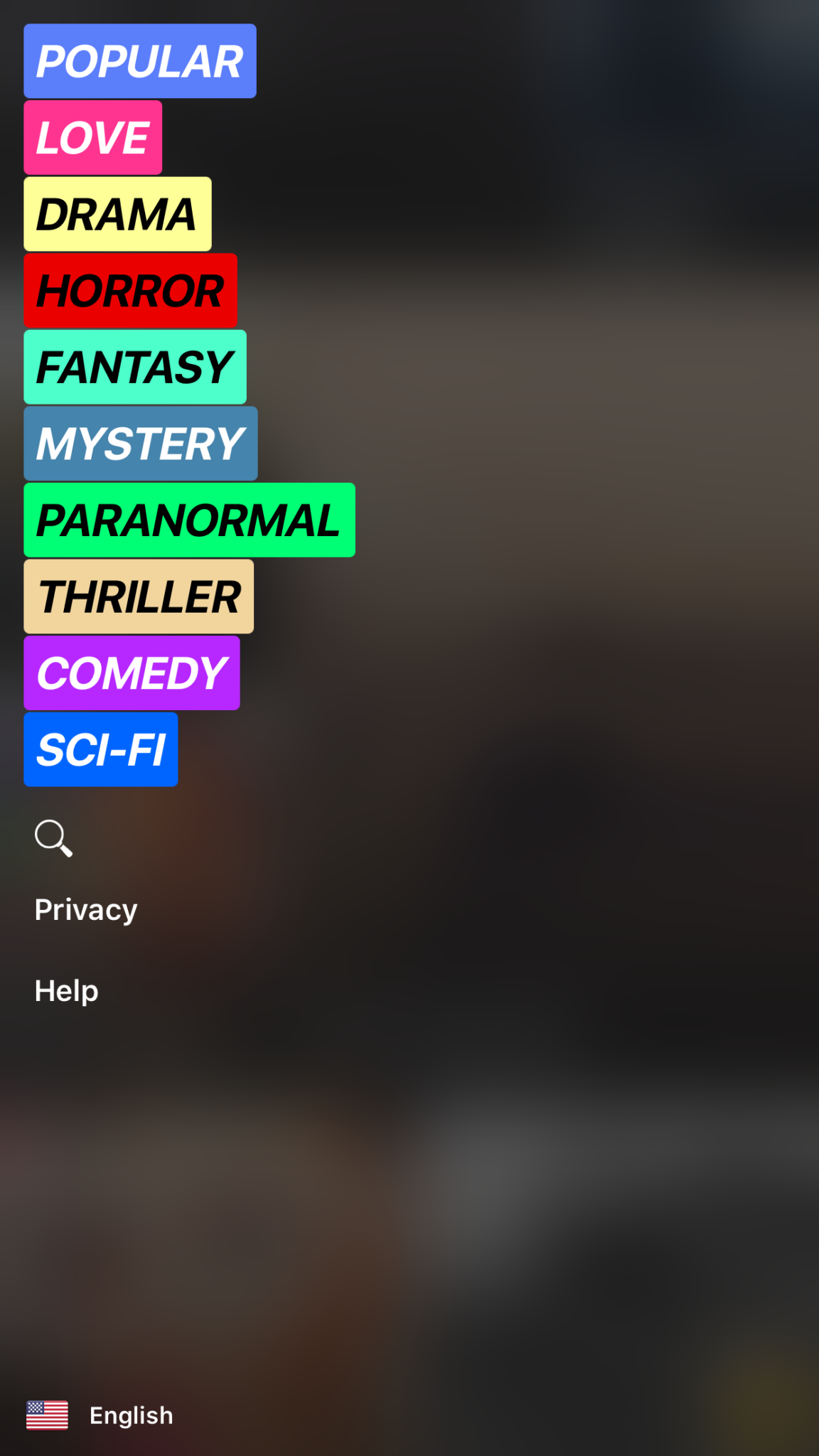
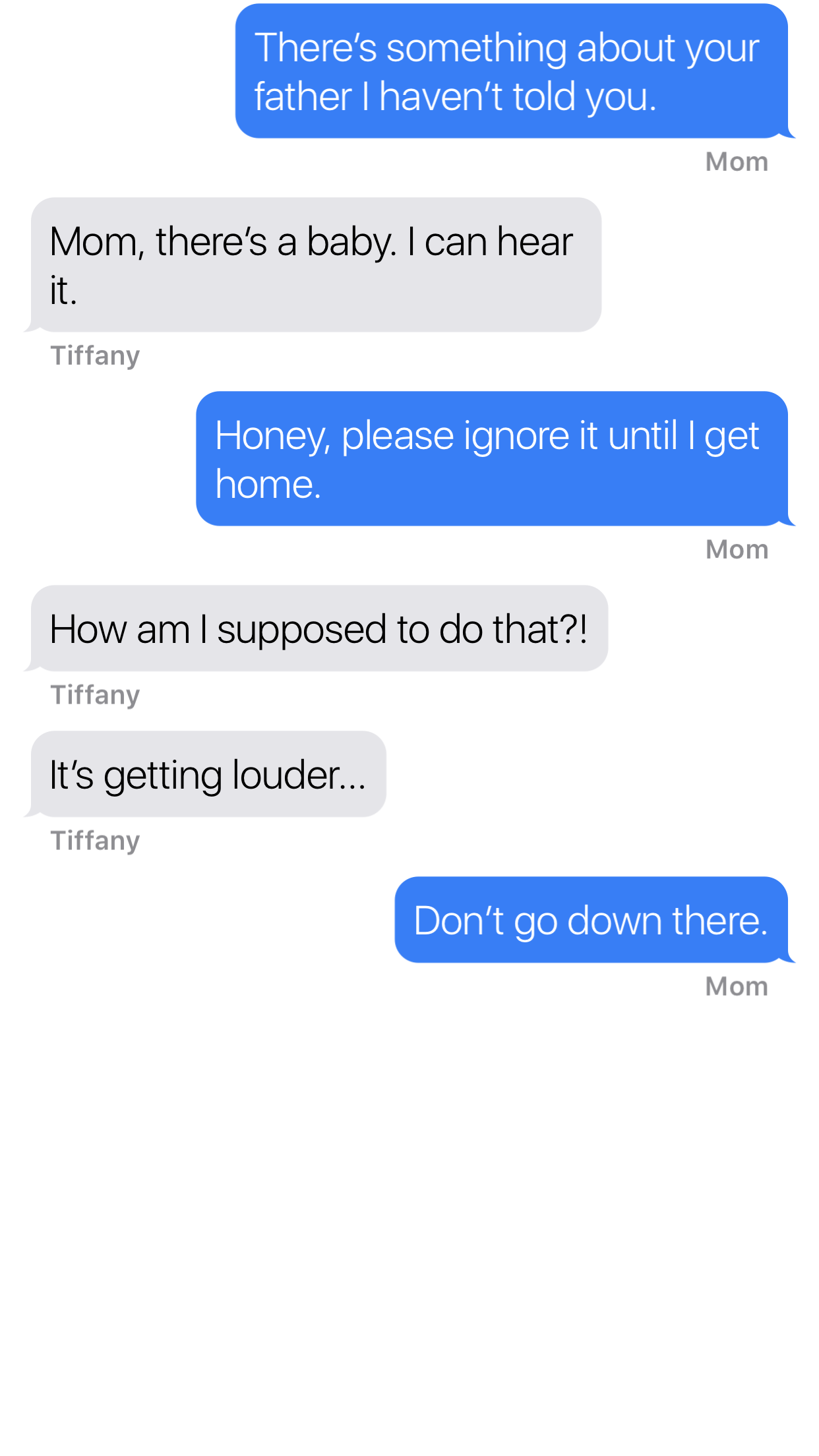
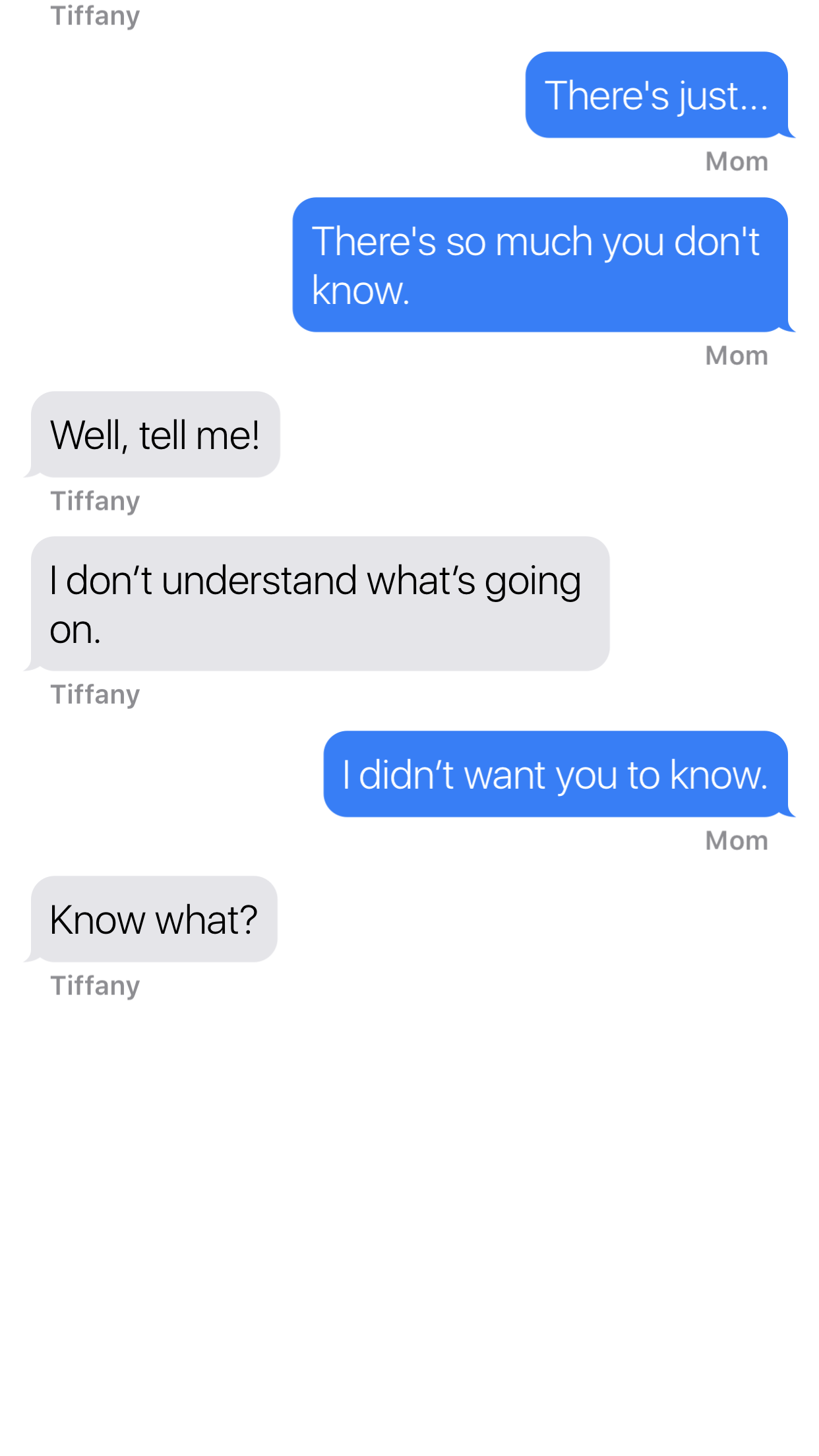
    Hooked is an app that tells stories in the form of text messaging conversations. The story topics include comedy, horror, fantasy, and sci fi. Each story has a title page photo, many of which feature a pretty girl or couple in a romantic or suggestive pose. When you’ve made your choice the story unfolds one text message at a time, usually in the form of a conversation between a couple of people. You can tap the screen to reveal the next message and you may find yourself in a tapping frenzy to reach the next plot twist. Then, however, you’ll suddenly be halted by the Hooked Owl asking you to pay for more “Hoots.” A “Hoot” is a click/tap and you only have a certain amount of them every hour. Once you’ve used them up you’ll be prompted to buy more or sign up for a weekly or monthly subscription to get unlimited “Hoots.” If you’re like me and not ready to invest fiscally in finding out the next line of the story you can just wait until the next hour begins.

    The Hooked app cashes in on the obvious popularity of texting by using it as a storytelling venue. This makes it very appealing to the younger aged adults and teenagers. The target audience for the Hooked app is ages 13-24 but I wouldn’t just look over the app if I saw it on my teen’s phone.

    What Parents Should Know

    The Hooked app consists of some very mature themed stories but is targeting younger teens.  The stories are delivered in a way that your teens and tweens will definitely find appealing. I found myself anxious to find read the next message as the story progressed. Obviously the story really started to climax right before I ran out of “Hoots” so I would have to wait a while to continue reading. While this did get me to close the app for a while, the $7.99 per month for unlimited “Hoots” is a low price tag for being able to sit all day long and click through these stories.

    My issue isn’t really with the way the stories are delivered, it’s actually a creative way to tell these tales. The “one post at a time” method lends itself to a lot of suspense and a pretty entertaining read. The problem I have is the addictive nature of this app, if you can tap an unlimited number of times and go from story to story you’d very easily find yourself reading through a hundred of these stories in just a few days. Also, these stories can be pretty mature, dramatic, and suspenseful. The categories feature love and thriller options and the stories get quite intense at times. The texting storytelling method also makes them a bit more eerie. Users can also write stories which makes for a completely new potential problem there. Any time you’re dealing with User Generated Content it’s hard to be sure what your kids may read.

    My advice is to know your child and their maturity level well before you let them use Hooked. I wouldn’t go by the 9+ rating it has in the app store, I would assume your child should be a bit older. Keep in mind that many of these stories are written by users of the app. Since the content can’t be guaranteed to be safe for any age group, you should help your teen or tween by involving yourself in their decision to use Hooked. If they do read on the app, I recommend asking them what the stories are about and what they like about them. Keep yourself in the loop and informed as much as possible.

  • Everyone You Know Uses Instagram Stories

    Everyone You Know Uses Instagram Stories

    There are those who made fun of Instagram for copying the Snapchat stories feature. Some of us saw it as a step towards saving Instagram from going the way of MySpace. Today, they’ve announced that the stories feature has 200 million daily users. That’s 40 million more than Snapchat announced this winter when they took their company public. To celebrate this momentous occasion they’ve added a few more features that Snapchat has had for a while. You can now add more stickers to your stories and even pin them to something in your video so they’ll move with you. They’ve also included Geostickers for several new cities.

    These stickers, no matter what social media platform they’re on, are causing a term to enter the conversation that may have some parents scratching their heads. AR. AR stands for augmented reality which is exactly what it sounds like. Using your camera, these apps view the real world and then change it in whatever way you choose. Whether it’s a dog mask that pants when you open your mouth or stickers of bunny ears to celebrate easter, AR allows you to apply animation or illustrations to your images and videos. This is a popular feature that folks have been using for a while and it’s now been spotted by advertisers as a major opportunity for promotions. That’s why you’ll see masks featuring the latest movie release or a filter that has the logo of a make up product or beverage in the corner. AR is the new Television commercial but people are actually paying attention to it. Instagram’s celebration of these numbers with more AR features is guaranteed to bring in more users and more advertisers.


    What Parents Should Know

    Your kids and teens love nothing more than making silly faces in their selfies and sharing them with their friends. It’s good fun and usually not a big deal. Obviously advertising is everywhere and it was only a matter of time (it’s already been happening for a while) until marketing companies caught on that this was the best way to gain access to young people. I would expect more and more advertisers to jump on this bandwagon in the near future. The thing for parents to keep in mind is that these social media options allow marketers to identify their niche audience more easily and reach them more frequently. They can target age groups, locations, and even specific likes and dislikes to cater their marketing for that audience. 

    AR is just where entertainment is right now for our young people. Advertisers have always looked to target them in the cheapest and most direct way possible. My advice is simply to be aware of the amount of time your kid is spending on social media. There are always dangers that we want to keep them from but, while I wouldn’t call it dangerous, the constant barrage of advertising can become worrisome for some kids. My strongest advice is for you to get an account on the social media services your children use and get to know them a little bit. At worst you’ll have to see some dumb ads and lots of dog faces, at best you could have something in common to talk with your teenager about.