I have written nearly 400 articles since 2016. Most of them are still relevant in today’s social media and internet safety climate. While we are all being asked to limit our social contact and kids are staying home from school I thought it would be helpful to put together some Family Tech Safety Tips. Here is a list of articles that can help in this time of social distancing. These articles speak for themselves as to how they can help your family during this time. Feel free to contact me on our Facebook Page if you have questions about keeping your family safe online during the next few weeks. Please use these links to help you keep your kids healthy and safe during this time. Our prayers are with you and your family as we all work together to make the right decisions to protect each other.
Listen to any of the current top ten songs and you’ll find all sorts of content that may not be considered appropriate for children. Profanity, sexual content, violence, and suicidal ideation abound in today’s popular music. How can we, as parents, keep an eye on what our children are listening to without having to go through and read lyrics for every song on every playlist? Bark is offering a pretty good solution with their latest update. The AI-based message monitoring system now monitors lyrics on Spotify.
Connecting your accounts to Bark is pretty simple with the Android app but demands a bit more tech expertise to connect to iOS (due to Apple’s strict anti-monitoring policies.) You have to download Bark’s software to your computer and then set your child’s iPad or iPhone to back up to that same computer in order for Bark to monitor the device. Spotify, however, connects on the account level which means set up is a simple as logging in to Spotify and giving Bark permission to access data in the app. That does mean that shared accounts will be monitored as one so your listening habits will be monitored as well and then reported to you as if your kids listened. We raised our Spotify subscription to the 14.99 price in order to set up separate accounts for our kids. This means they can be monitored separately giving us more accurate reports.
Reports from Bark are notifications about specific songs with the lyrics listed along with recommendations for discussing the songs with your children. We saw immediately that some of the songs our son was listening to had some lyrics that were a bit more violent than we would approve of. We were able to discuss this with him and he removed them from one of his playlists immediately. The songs were in no way “explicit” since we have turned off access to explicit content on his Spotify app but the Bark system allows you to set the sensitivity so that it will report songs that even hint at innuendo, violence, or other adult content. Our approach is to always err on the side of caution so we have sensitivity turned all the way up.
Bark’s message monitoring has also resulted in quality conversations with our children, even within just a few days of activating the software. We were notified that our daughter had been “bullied.” It turned out she was just telling her brother to stop texting her over and over again. The AI noticed that she was asking him to stop and he was continuing to message her and it flagged it. That is EXACTLY the kind of thing we want to be notified of. Her brother was just being annoying but if that was some older boy asking for pictures or a friend telling her something inappropriate or mean, we want to be notified. For us, a false alarm is evidence that the software is working and we are happy to weed through false reports so that we’ll be sure to get the one that could save us and our children from a lot of trouble.
Song lyrics, videos, messages, and social media posts are helping shape our kids’ worldviews. We should be on guard against the kinds of content that don’t meet our family’s standards. Bark allows you to do that without your kids’ privacy being interfered with. You don’t see all their messages, just the ones that Bark flags as potential dangers. This means they can have their phone or tablet, message their friends, watch their shows, and listen to their music without you always asking what they’re doing. You won’t have to ask because you’ll be alerted if they do something you don’t approve of. Just remember that we never recommend spying on our kids without their knowledge. Talk with them about Bark and any other software you use to report content. Let them know why you are using the software and talk with them about any reports you receive. This is how we help them build a healthy attitude towards tech.
You can get Bark by clicking THIS LINK, using the promo code: BF56WBD, or clicking the banner near the top of this article. We are an affiliate of Bark and will receive a small donation when you pay Bark for your subscription. Thank you for protecting your kids and for supporting this blog and our ministry.
One of the easiest ways to protect your kids online is to monitor their internet activity. Accountability software is the most effective way to do that. Accountability software does not block anything, it will report when something inappropriate has been viewed so you can talk to your child or significant other about what they spend their time doing online.
Our favorite Accountability Software is Accountable2You. I love it for a lot of reasons, probably the biggest reason is their support base. I have had a great experience when I have had to contact their support team to help me figure out setting up new devices. Some of the best features of Accountable2You are their GPS tracking (included,) their iOS VPN settings, and their time management tracking.
The video above will walk you through how to sign up and use Accountable2You. We are an affiliate of this software and you’ll get 30 days free if you use our promo code: BECAUSEFAMILY.
If your kid doesn’t play Fortnite, they’ve asked if they can. It’s a battle royale game that combines the third person shooter genre with crafting and resource gathering. You parachute onto an island and battle against 99 other players to the last man. Along the way, you collect resources, weapons, and armor. You use your resources to craft walls, towers, and such to help you fight against other players. Fortnite is made with cartoon style graphics and no blood or gore. You do, however, play against or with players online from all over the world.
Player Unknown’s Battleground started the battle royale genre hype. It follows the same model as Fortnite, minus the crafting and resource collection. The biggest difference, however, is the realism. While it still plays like a game, it is a third person shooter with plenty of violence and blood. You don’t build and craft, you just run around avoiding enemies until you have to battle it out. Then, the choice is to kill or be killed. The game wasn’t made for young kids. It is now available for free in mobile app stores so more kids can have access to it.
My advice is to use something like Family Share or Android FamilyLink (if available) to keep an eye on what apps your kids are downloading. I’m not one to say that kids playing violent video games will immediately lead to them committing violence themselves, but I do know that there are psychological effects on young boys who experience the intensity of simulated battle while their brains are developing. I recommend not allowing your kids to download this app. Fortnite is questionable, but to me, PUBG is a definite no.
We all want our kids to read more so an app that claims to have had users reading for over 500,000 hours sounds like a godsend. It is, in fact, a great idea and a pretty original way to get it’s users to read. The Hooked app isn’t new, having launched in 2014, but it’s rating number 6 in the iOS app store today. It’s popularity is growing fast.
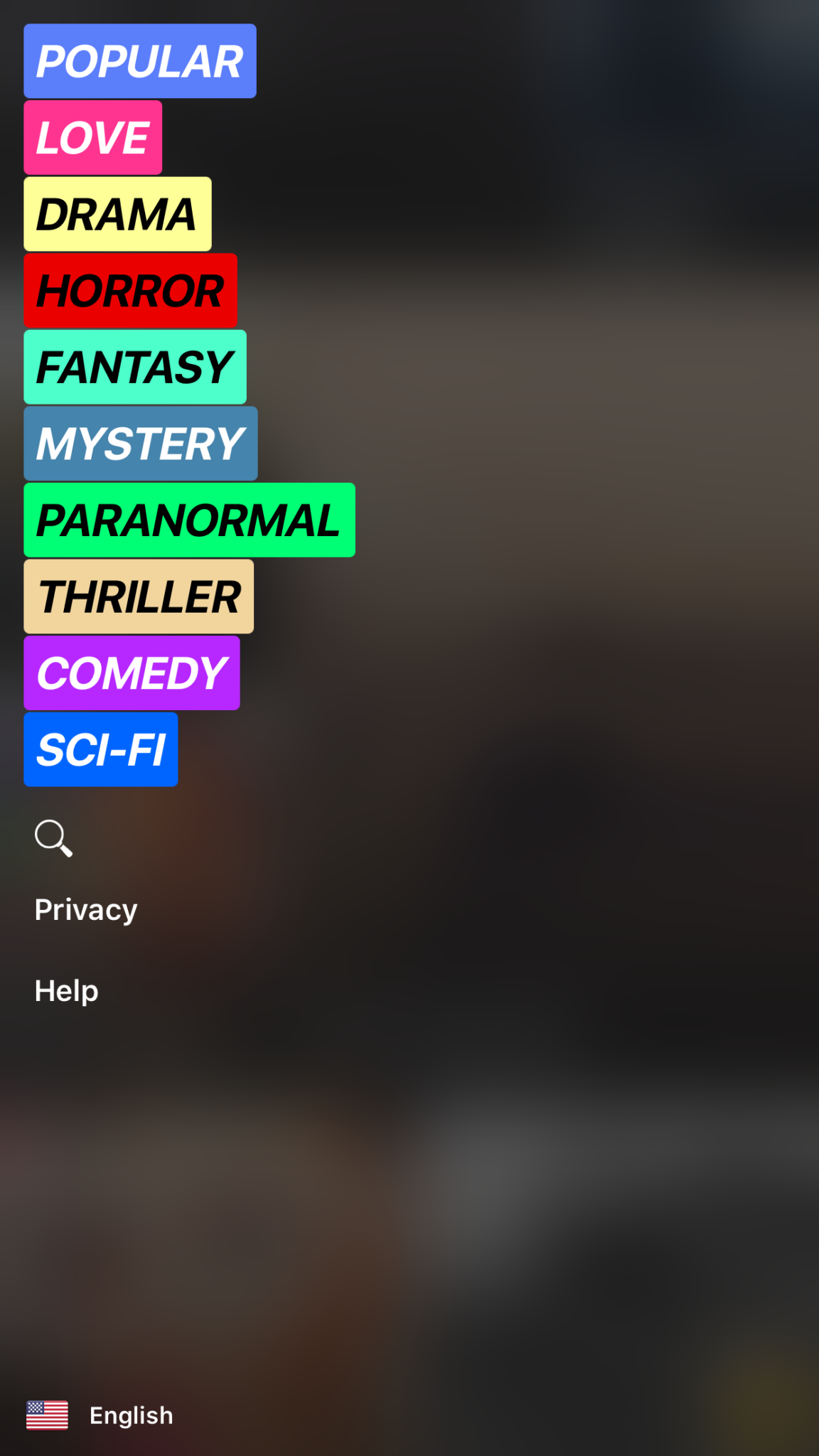
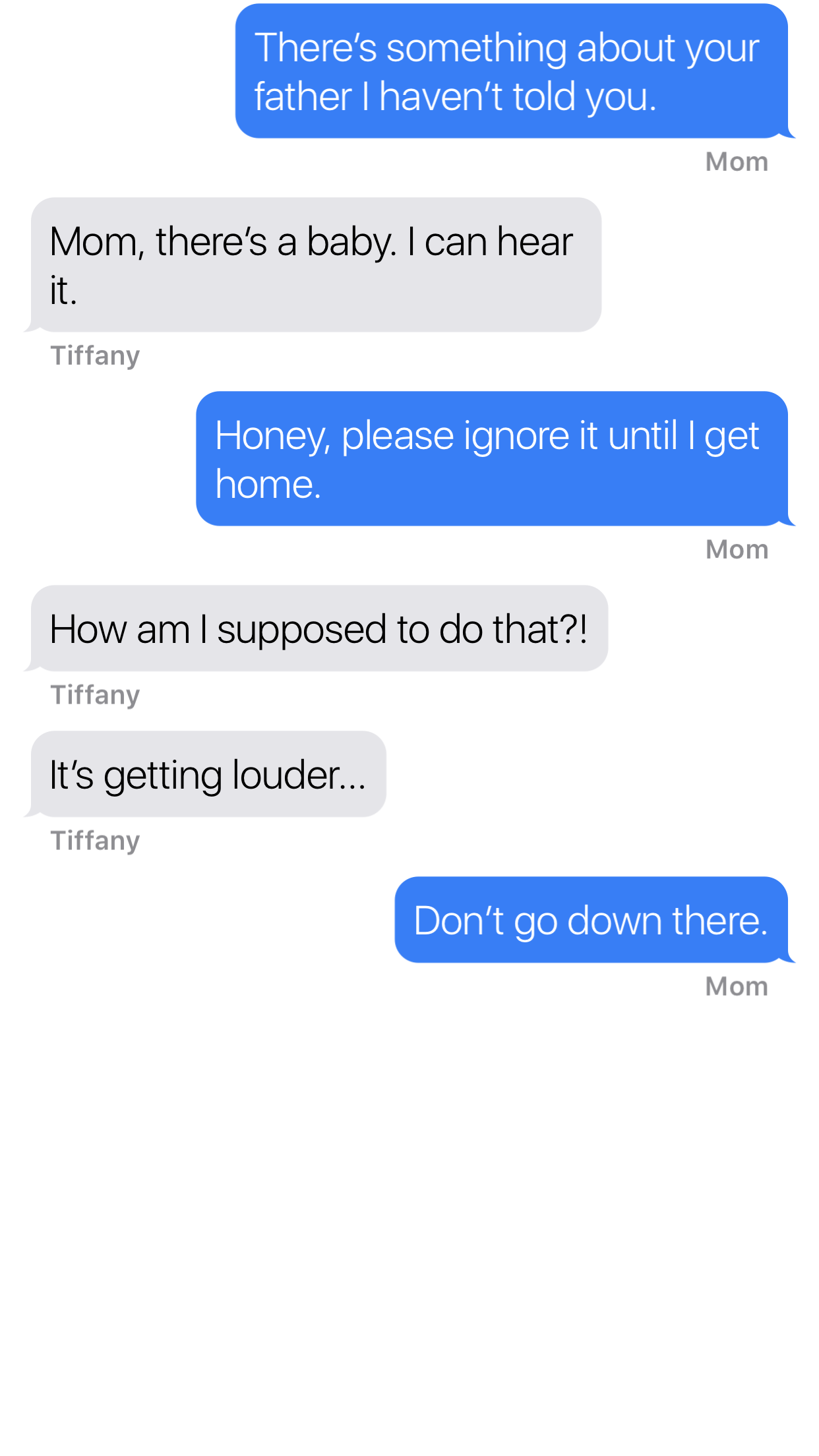
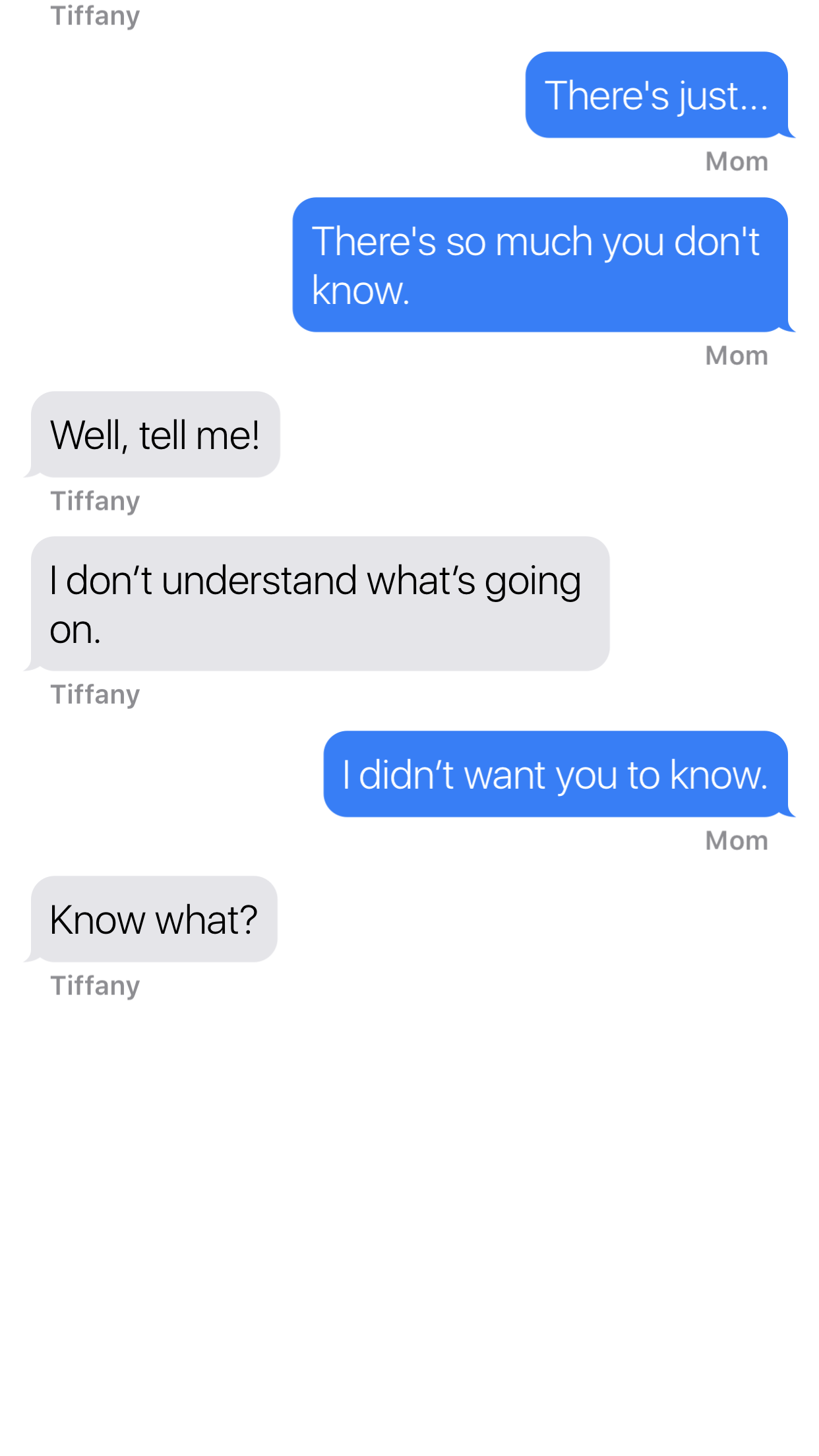
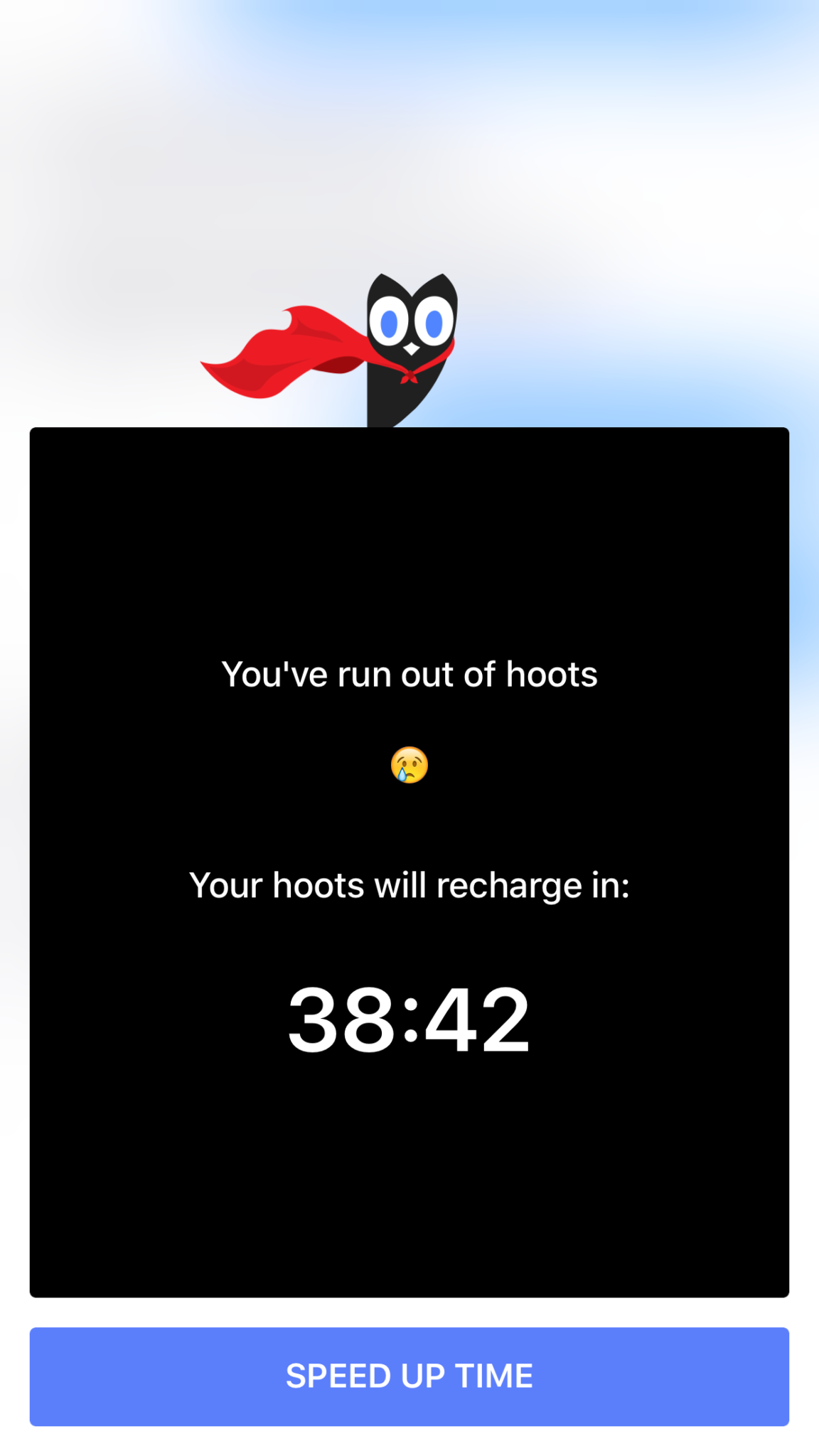
Hooked is an app that tells stories in the form of text messaging conversations. The story topics include comedy, horror, fantasy, and sci fi. Each story has a title page photo, many of which feature a pretty girl or couple in a romantic or suggestive pose. When you’ve made your choice the story unfolds one text message at a time, usually in the form of a conversation between a couple of people. You can tap the screen to reveal the next message and you may find yourself in a tapping frenzy to reach the next plot twist. Then, however, you’ll suddenly be halted by the Hooked Owl asking you to pay for more “Hoots.” A “Hoot” is a click/tap and you only have a certain amount of them every hour. Once you’ve used them up you’ll be prompted to buy more or sign up for a weekly or monthly subscription to get unlimited “Hoots.” If you’re like me and not ready to invest fiscally in finding out the next line of the story you can just wait until the next hour begins.
The Hooked app cashes in on the obvious popularity of texting by using it as a storytelling venue. This makes it very appealing to the younger aged adults and teenagers. The target audience for the Hooked app is ages 13-24 but I wouldn’t just look over the app if I saw it on my teen’s phone.
What Parents Should Know
The Hooked app consists of some very mature themed stories but is targeting younger teens. The stories are delivered in a way that your teens and tweens will definitely find appealing. I found myself anxious to find read the next message as the story progressed. Obviously the story really started to climax right before I ran out of “Hoots” so I would have to wait a while to continue reading. While this did get me to close the app for a while, the $7.99 per month for unlimited “Hoots” is a low price tag for being able to sit all day long and click through these stories.
My issue isn’t really with the way the stories are delivered, it’s actually a creative way to tell these tales. The “one post at a time” method lends itself to a lot of suspense and a pretty entertaining read. The problem I have is the addictive nature of this app, if you can tap an unlimited number of times and go from story to story you’d very easily find yourself reading through a hundred of these stories in just a few days. Also, these stories can be pretty mature, dramatic, and suspenseful. The categories feature love and thriller options and the stories get quite intense at times. The texting storytelling method also makes them a bit more eerie. Users can also write stories which makes for a completely new potential problem there. Any time you’re dealing with User Generated Content it’s hard to be sure what your kids may read.
My advice is to know your child and their maturity level well before you let them use Hooked. I wouldn’t go by the 9+ rating it has in the app store, I would assume your child should be a bit older. Keep in mind that many of these stories are written by users of the app. Since the content can’t be guaranteed to be safe for any age group, you should help your teen or tween by involving yourself in their decision to use Hooked. If they do read on the app, I recommend asking them what the stories are about and what they like about them. Keep yourself in the loop and informed as much as possible.
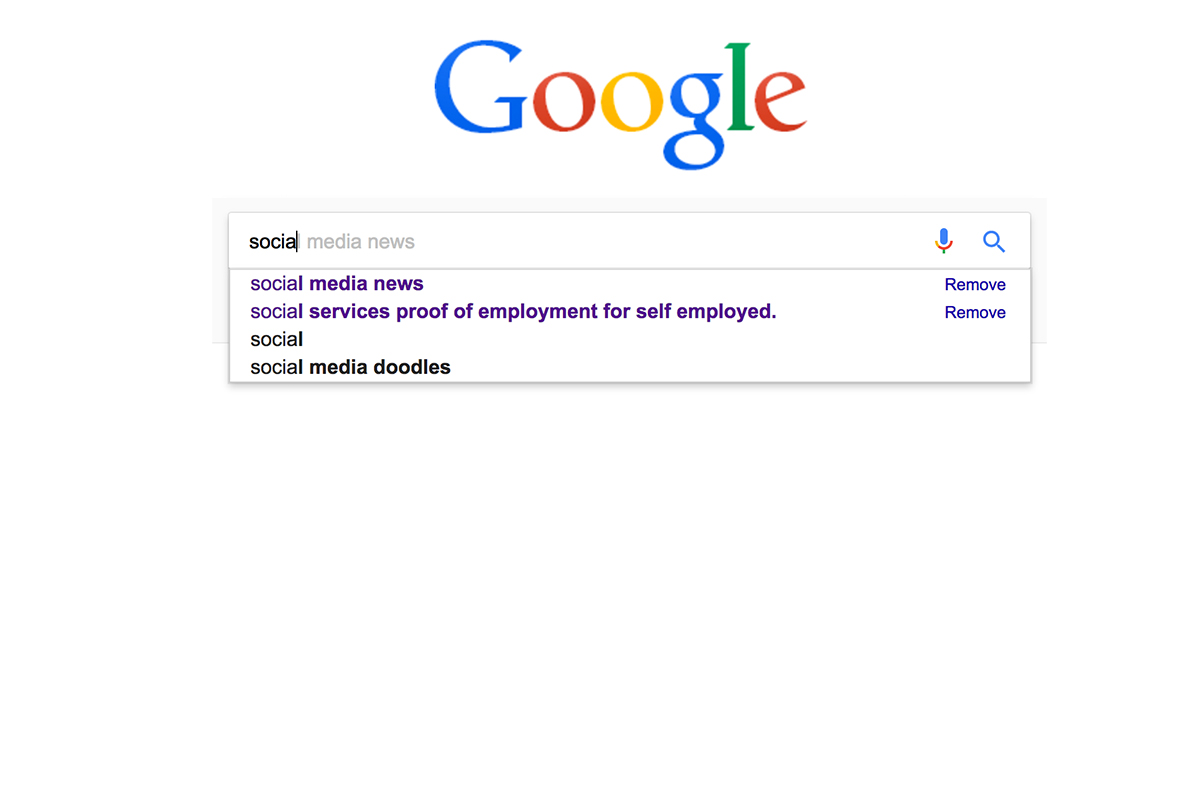
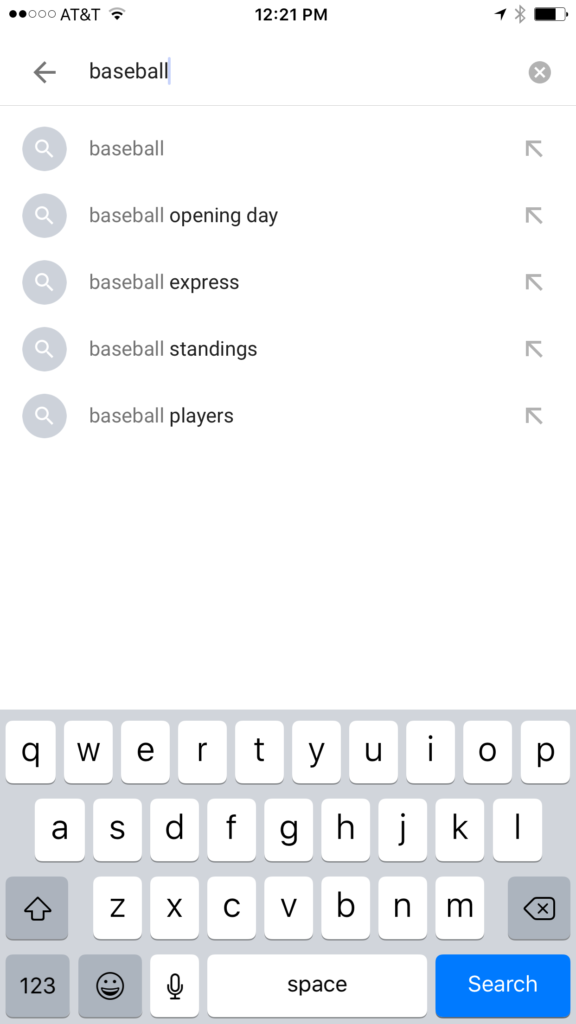
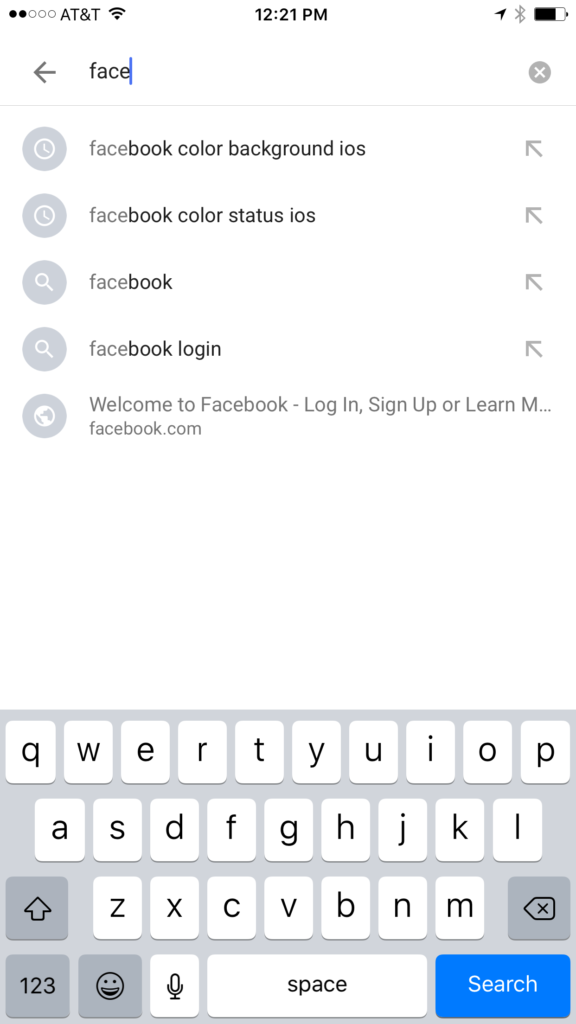
I have no better advice for parents than putting your eyes on the devices your kids use as often as possible. As long as you’re communicating with your child it isn’t spying to take a peek at what their friends are posting on social media or what they’ve been searching for in their web browser. I do not, however, advise that you let yourself get too worked up over the recommended search results or auto-complete results in the social media apps your kid/teen uses. It can be frightening to type in a couple of letters and get a dropdown full of accounts you’re unsure of or search terms you wouldn’t want them to be searching for. The initial reaction of parents is usually to be concerned that this means their child has been looking for something inappropriate in the past. That isn’s always the case and I’ll try to explain why.
Instagram, Facebook, Pinterest, and other photo or video sharing sites use algorithms that combine your past searches, popular items on their site, and your location to recommend the search results that may interest you. I don’t recommend parents take suggestions from these apps as evidence that their child was doing something inappropriate. You can, however, on many of those sites go find a search history and actually see what they have typed in the search bar in the past. This information is also deletable though. Regardless, looking at the search history is a much better way to monitor what your child is doing on these sites than assuming something from the first two letters you type in to the search bar.
All based on popular searches.
Recommended from previous searches.
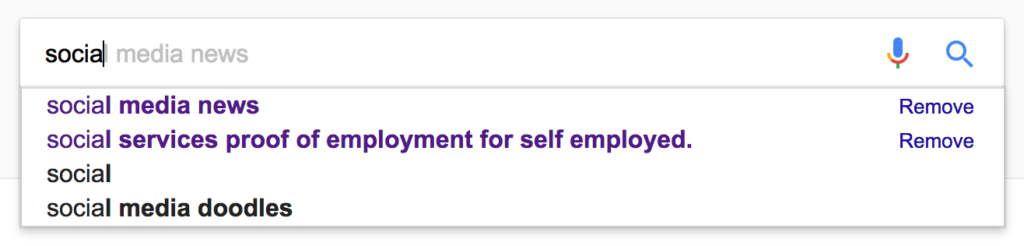
Google and YouTube are the two most popular search engines on the internet. Thankfully, they’re a bit easier to monitor. The Google app has identifiers to help you know why it’s recommending certain things. You’ll see a clock icon if the recommendation is from search history and a magnifying glass icon if it is just recommended based on other data. On your browser the auto-complete results are a different color and you receive an option to remove them if they’re from history. YouTube, being a part of Google, uses the same methods to identify auto-complete search items.
What Parents Should Know
There is a lot to consider when you’re trying to monitor your child or teen’s online activity. Because so much of the internet is now consumed with photo and video sharing it goes without saying that some of the content you wouldn’t want your child accessing makes it’s way to those platforms almost immediately. This being said, there are better ways to monitor than trying to creep through search histories. I recommend using a good accountability software like Accountable2You or a filter like NetNanny. Another option is to install the social media apps they’re using and get to know how the search bars work for yourself. Find out if it’s using your history to establish the items it recommends for you or not. As you get used to it you’ll be able to get a better feel for what’s happening in your child’s account when you check their device.
Remember that communication is key. Your kids should know you’re looking at their devices and social media accounts. Rules are good but without conversation and relationship they create conflict. Your goal is to set boundaries that will help your children develop healthy habits. A healthy approach to monitoring and regulating their internet usage will speak volumes to them about your family’s online safety standards.
We spend a lot of time on this site talking about what apps you shouldn’t let your kids have. For this Friday post I would like to share a little bit about some apps you should get for yourself. I found as I dig around the internet that there are new resources for parents being released all the time. Digital resources are a new way to help you be safer, more organized, and more efficient.
Mothership is a great way to organize all the tasks that you need done in your home. It will pair with other apps like chore monster to distribute some of the needed duties to the members of your family. Mothership is a great idea for the family who is looking for ways to reward kids for doing chores and ways to organize the things everybody needs to get done. There’s even an app I can help mom and dad’s reward each other for accomplishing the tasks they need to do, it’s called Honeydo. We just recently wrote about the fact that Disney circle will connect with mothership to use screen time as a reward.
If you have young children like we do and you may find yourself constantly watching Daniel Tiger. That’s not so bad since some of the songs Daniel tiger sings can help you convince your kids to do the right thing. This app takes that into account. With songs, ideas for conversation starters, and follow up questions, The Daniel tiger for parents app gives you some cool tools to help you bring their love of the character into their learning. The Daniel tiger for parrots app is free on iTunes or android.
As your kids get older you’ll find yourself off and wanting to keep track of where they might be. The life 360 app makes that as simple as opening a map and see for yourself. This app is created to help you stay connected to your family runs on a mobile device and let you if you found the numbers on the map communicate with them, and receive alerts when they arrived at their destination. You can even pay for more features that will allow you to get an alert if they use the phone while driving and many other cool features. These features only cost you about $2.99 a month or $25 a year. That is a small price to pay always know where your kids are and if they’re safe.
The internet can be a dangerous place. But it also can be very useful. If we as parents learn how to leverage the benefits of digital life we can help our family be more organized, safer, and smarter. Keep informed of the latest trends in social media and other family relevant tech news by subscribing to our mailing list. You’ll also get free access to the online version of our Setting Digital Boundaries Workshops.
Security and advertising are the most obvious concerns when it comes to connecting your appliances and devices via smarthome technology. We must take precautions to protect our identity and our privacy. We should also be careful in our new wifi connected homes with the content that can come across these connections. In this final part of our Connected Home series we’ll talk about the content available on our smarthome devices and what we can do to filter that content.
Unsupervised Content
After a recent Setting Digital Boundaries workshop a mother asked me what I knew about the parental controls on Amazon Echo. I hadn’t ever set one up and hadn’t really looked into them so I didn’t have many answers for her at the time. She told me why she had asked: her daughter likes to ask Echo to play songs that she likes but she’s young and her words don’t always come out sounding like they should. This causes the Echo to mis-hear what is said and the devices has, more than once, played a song that is not from any playlist they’ve set up and is not at all appropriate for a young toddler. With the increasing popularity of the Amazon Alexa and Google Home parental controls are becoming a major topic on tech forums and blogs. The reason it’s such a major part of the discussion is because there aren’t (yet) any real parental controls.
On the Amazon products you can set a pin to make purchases. This will keep your child from making an order and you being shocked to find a two hundred dollar doll house at your door. That’s about it, though. There aren’t any music or video rating limits that you can set. There aren’t any separate voice commands that will let Alexa know the child is in the room. So far, there isn’t much. Google only has the filter settings you’ve given YouTube to protect from inappropriate content. These filters are strictly for video content though and won’t block explicit lyrics.
It’s likely that more effective parental controls will become a reality on these popular products sooner rather than later but until then you should take precautions to keep your children from encountering more of the internet then you’re ready for them to connect to.
What Parents Should Know
My advice is to hold off on extensive use of Alexa, Echo, or Google Home until real parental control options are made available. If you have already been using these devices or you’ve decided you can’t live without them I recommend setting up what restrictions are available. Protect yourself from surprise purchases with a pin on your Alexa or Echo and set your YouTube filter to protect your children from videos you wouldn’t want them to see. Other apps or web video and audio services that have parental controls may protect your family when connected through your smarthome device as well. Right now this is about all you can do but if you’re going to use these devices then something is better than nothing.
Should Your Home Be Connected?
The level of connectivity in your home is obviously a choice your family has to make. There are absolute benefits to having your house connected to a network and working together to make your life easier. The reality, though, is that these conveniences could come at a cost. Some may feel the cost isn’t that high and some may say it’s unfounded fear or foil hat conspiracy theory. My advice is to just stay informed. No matter your decision become a student of the way your connected home works. Reset passwords often, and don’t store your personal data somewhere that is easily accessible through your smart home device network. If you just use common sense and think ahead of the potential risks you may be able to be wired up like it’s the year 2025. Just do it with wisdom.