Tag: social media

  • Snapchat Spectacles: Now You CAN Document Every Meaningless Second

    Snapchat Spectacles: Now You CAN Document Every Meaningless Second

    People are waiting in line for hours to get a pair of Snapchat Spectacles. These sunglasses allow you to take 10 second videos of whatever you’re seeing. It’s a first person view of your world that you can then share on your Snapchat Stories to allow your friends to take part in every second of your life. Meaningful or not.

    Spectacles are only available from a vending machine that is currently touring the country causing a big stir. Having set up for a day each in Venice Beach and Big Sur California and today in Tulsa, Oklahoma, the exclusivity of these sunglasses is already evident in the fact that the $129 social media accessory is going for a few thousand dollars on EBay already. These things are especially popular with the teen and young adult crowd and all I have to say is “Oh boy. Get ready for even more useless oversharing.”

    How do Spectacles Work? (more…)

  • WhatsApp Update Adds Video Calling

    WhatsApp Update Adds Video Calling


    We recently wrote about WhatsApp and explained a few things parents should know about the messaging app. Now, a new updated requires we update our information as well. This new update brings video calls to the app that is owned by Facebook.
    Video Chat is Awesome!

    WhatsApp is largely considered safe because of its authentication and encryption settings but with the addition of video calls the app enters a completely new realm. Video calling is very convenient and a great way to stay connected to family and friends that you aren’t always near. Apps like Skype and Facetime have been mainstays in allowing you to use WiFi to talk to someone while looking at their face. Something that is priceless for someone as easily distracted from a phone call as I am. The concern with this new feature, though, is how it could be used by those who have ill intentions.

    What Parents Should Know

    I’ll say it like I do in so many articles, you have to be monitoring what your children do in any messenger app. With new features like GIFs and video calling being added all the time we are just seeing more and more opportunities for our kids to get into trouble. Will all kids use these features for evil? Of course not, but it’s too likely that someone they know (or worse, they don’t know) will be using it to cause harm.

    I don’t necessarily recommend not allowing your teenager to use WhatsApp. I do, however, recommend using something (even if it’s just your own eyes) to monitor what conversations your kids are having. If you aren’t comfortable with video chatting being available to your teen then you need to disable it or ask them to use a different app for messaging.

    We did a whole write-up on some key terms related to messaging. These terms and the rest of the terms in our Mobile Device Vocabulary series are too important to miss. I recommend you subscribe to this site so you can check it out. Only $60 per year will get you full access to this site. Sign up now.

  • Google Play AI and Music Customization Could Cause Privacy Concerns

    Google Play AI and Music Customization Could Cause Privacy Concerns

    Music streaming programs like Spotify and iTunes Music have been using your activity to recommend music for a long time. It’s cool to look at your phone to open a playlist and see some relevant artists you’ve never heard before. I’ve discovered some of my new favorite bands that way. Well, Google Play Music is going to be using some new tools to recommend this music and I don’t know how I feel about our kids and teens using them.
    Google Play AI

    The first major new feature is an AI system that is assisting your search in the Google Play store. When you type in a certain search term, your previous searches and the “language” you use to look for new apps will be taken into account while accessing your search results. Pretty complicated, I know, but it’s pretty neat. Basically, if you search for a photos app and you have looked for social sharing apps like Snapchat in the past, it’s going to include apps like that in your results. It will assume your use of the photo app will include social sharing based on your past searches. It may not be long before you have a totally personalized app store based on only your own interests. That’ll be interesting.

    Google Play Music Personalization

    You know that feeling when you walk into work and you just wish you had the right playlist to accompany you? Remember when you got in your car and wanted music but not the stuff you usually listen to, something new, yet perfect (according to someone) for driving? Ya. Me neither but apparently Google Play Music is going to start using location data and previous activity to recommend new music for you in their app.

    Yes, the app could become more customized and even more useful but won’t these changes amplify just how much of your information and activity is being tracked by Google? The app will know what you’re doing, where, and when, and all in the name of giving you some relevant music suggestions. I don’t know about you, but that seems a bit much.

    What Parents Should Know
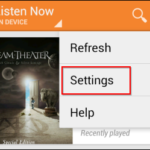
    settingsI’m all for using a AI to help me have a more intuitive user experience. I even enjoy being recommended new albums to check out. I don’t think, though, that I need to be tracked 24/7 in order to provide me with new, relevant music options. I think we are tracked enough and there has to be a time when we say, that’s enough. Especially for our kids.

    Google Play will allow you to turn off the location history tracking, which I recommend doing on your kids’ phones and tablets. There is a link in the settings menu in your Google Play Music app. You’ll be seeing this update to GP Music this week, so keep your eyes open and go turn off that location history.

  • Facebook Messenger “Public Chats” Could Be a Problem for Parents

    Facebook Messenger “Public Chats” Could Be a Problem for Parents

    Fewer and fewer teens are on Facebook these days, which isn’t necessarily a bad thing. They’ve left the social media platform because of their parents and grandparents being on there so often, that is a bad thing. When Facebook launched their messenger app they made it possible to never use Facebook itself but still have conversations in messenger. Soon it may be possible to have those conversations in a public chat room. That, could be the new problem.

    Messenging is something that has commonly caused concern for the involved mom or dad. It’s easy to have conversations that parents never hear about and to get into discussions with people you don’t even truly know. The age old rule “don’t talk to strangers” doesn’t seem to apply online these days even though it really should. Facebook will soon be offering “Rooms,” in which users can discuss different topics and be connected by their interests. Rooms will be shared with a link and can be posted publicly to allow anyone to join the conversation.

    These rooms are different than group chats in that they allow more people than just Facebook friends and family to join. Literally anyone can join your “Room” if they have the link. Users will, however, have the option to set rooms to private and require administrator approval for a user to join. Facebook Messenger Rooms is currently being tested in Austrailia and Canada but look for it to be availible in the US before too long.

    What Should Parent’s Know?

    Obviously your children need to understand the dangers of chatting in public rooms on any social media service. Facebook messenger is one of the most common and popular so be sure to include it in your discussion. Also, pay attention to your child’s social media accounts. If you see them posting links that you aren’t familiar with or posting that they are opening up a public chat room, click through to that link and see what is going in in the “Room.” Again, you won’t be seeing this feature in messenger in the United States just yet, but be aware that other apps like WhatsApp have this feature already and you should be keeping track of what your children are doing in those apps.

    We have written extensively about mobile messaging and different terms you should know in our mobile device vocabulary series which is available with a subscription. Go sign up today and learn all you can to be ready for this coming update. 


  • Mobile Device Vocabulary Lesson 5: Gaming (2)

    Mobile Device Vocabulary Lesson 5: Gaming (2)


    We’ve made it to our final vocabulary post. We are visiting gaming again. We discussed several gaming terms in lesson one but I thought we should cover a few more in this final vocabulary lesson. These terms have to do with gaming and monetization (a word you learned in lesson 1.) Learning about how money works in the mobile gaming world can really help you understand how game companies market to your kids. If you aren’t subscribed to the site, be sure to register so that you can access all of the great content in this series and so much more.  (more…)

  • Instagram Update Proves they’re Serious About “Stories”

    Instagram Update Proves they’re Serious About “Stories”


    Stories is Here to Stay

    Not long ago instagram added a new feature that looked strangely similar to Snapchat’s “stories.” In fact it wasn’t just similar, it was the same thing. They even used the same name for the feature. After about two days of people calling Facebook (who runs instagram now) a bunch of copycats, users were posting multiple stories a day to their instagram accounts and loving it. Funny how we adopt things so quickly after being so “put off” by them.

    boomerangWell, with an update to intagram this week, the focus on stories has been increased. The new update brings boomerang, (a service where you make mini video loops) mentions or tags, and links for “verified” accounts to the stories feature. So you can now make a mini video, tag your friends in your story post, and if your account is verified (only available to celebrities and brands) you can post links to your latest content.

    What does this mean for parents?

    It’s quite simple, really. Stories cashes in on the concept that young people want to post something that is seemingly temporary. The posts in your account’s story only last for twenty four hours. This keeps updates fresh and keeps users coming back to post more and more content. It also causes young persons to feel like they aren’t posting something permanent. We all know this isn’t true. Anything posted online is there to stay.

    Along with a false sense of security, stories is now yet another way for brands and celebrities to alert your kids that they have some sort of message for them. You know that we at BecauseFamily advocate for parents to be the first influence in their children’s lives. It can be difficult to be the first influence when other influences are notifying your child every time they have something new to show them. This update gives the ability to notify your kids with a link to take them out of the app to some other content elsewhere on the internet.

    Don’t Uninstall but Have a Conversation

    seemoreWhile I don’t recommend instagram for kids under 16, I know many parents have children who use the service. My advice is to talk to them about this update and let them know that they maybe shouldn’t click on links in instagram when they aren’t sure where they’ll lead. Remember to have your accountability software (Like Accountable2You) installed so that if they end up somewhere inappropriate you will know about it and can have a conversation. Just be smart and encourage them to be smart. It’s important for parents to stay as ahead of the social media game as they can.

    A subscription to this site is a great way to let us help you stay ahead. You can sign up for just $60 for 12 months. (Normally $180) This offer is only available until the first of 2017 so sign up today and get the most out of SAFE.BecauseFamily.org.

  • Mobile Device Vocabulary Lesson 3: Messaging

    Mobile Device Vocabulary Lesson 3: Messaging


    Our kids and teenagers are communicating more differently than ever before. The note being passed from desk to desk has been replaced with words typed on a screen. Long phone conversations with friends every evening have given way to short, emoji laced text messages with pictures, videos, animated images, and links to other online content. Communication has evolved, or at least changed and it’s more common than you may have ever imagined. Just look at these statistics from April of 2015.

    73% of teenagers have a smartphone and 91% of those teens text. Teenagers send and recieve and average of 30 text per day. (PEW Research Center)

    More than nine out of ten teens who own a smartphone give and receive an average of 30 text messages every single day. That means, your child texts. The following abbreviations/phrases will give you greater insight to what messenger apps are capable of.  (more…)

  • Mobile Device Vocabulary Lesson 2: Gaming (1)

    Mobile Device Vocabulary Lesson 2: Gaming (1)


    Smartphones and tablets have brought a whole new set of tools to game developers. It’s critical that you, as a parent, understand some of the language used in the descriptions of these games. Since you know your kids you’re the only one that can decide if a certain game is dangerous for your child or not. For instance, our oldest is pretty analytical and has an addictive personality. Because of these traits we are very careful how much time he has in front of a screen, especially in un-controlled, purely recreational activity. We know that he can get obsessive very quickly so we have some pretty strict boundaries on his screen time. Hopefully the following terms (the first three of six gaming terms) will help you better understand some game descriptions so you can pick the right ones for your kids.  (more…)

  • Pokemon GO Update: What you should know.

    Pokemon GO Update: What you should know.


    The conversation about Pokemon GO has settled down quite a bit lately but a new update this week has caused a bit more discussion to begin again. I think parents need to hear some of what is being said. While this update adds a new 8 mph maximum speed to keep you from playing while driving and a few new Pokemon to catch, the issue most relevant to parents is the addition of Daily Bonuses to the app. (more…)

  • What in the What is WhatsApp?

    What in the What is WhatsApp?


    WhatsApp is all over the tech news sites today with the announcement of GIF support in their app. This is pretty cool news for users of WhatsApp but as parents keeping an eye on our children’s online activity this news makes it more and more interesting to our kids. So, what is WhatsApp and what should parents know? (more…)