
Tag: social media

  • 2020 Back To School Tech Safety Checklist

    2020 Back To School Tech Safety Checklist

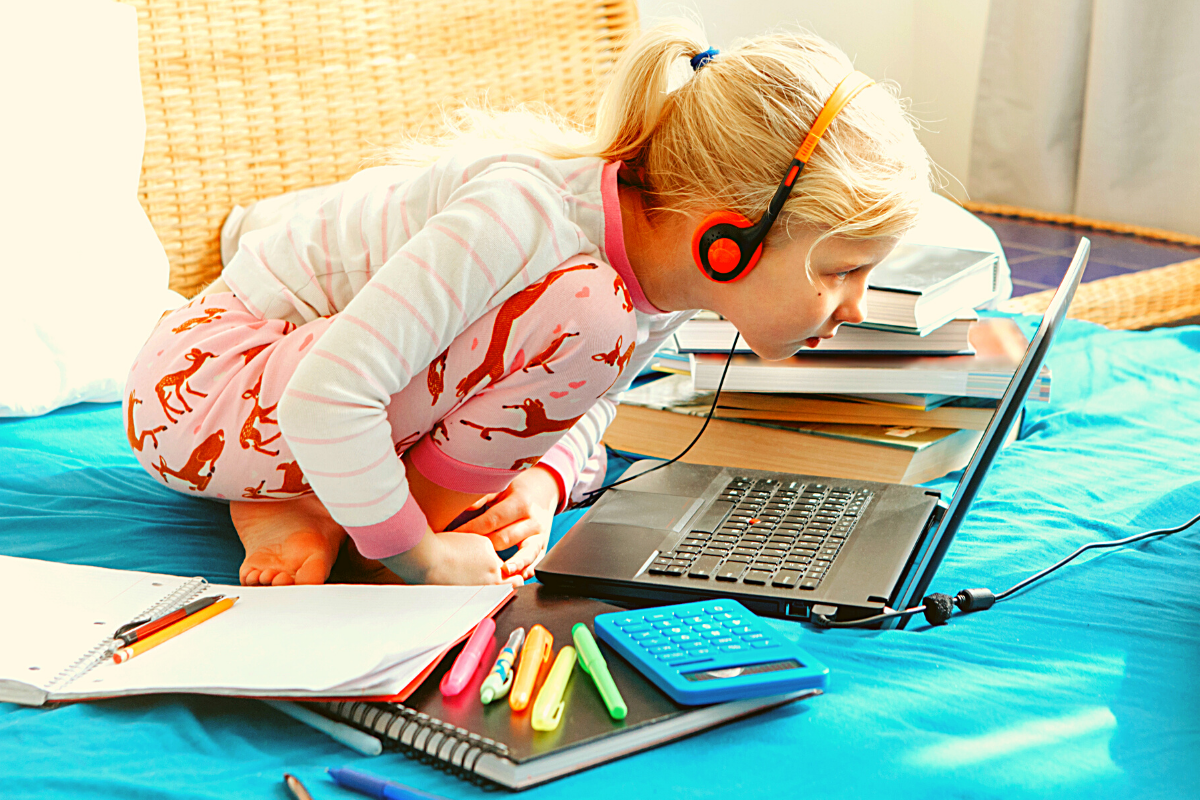
    This school year is sure to be unlike any other. We are facing a global pandemic causing many schools to shut down and send students online. Parents shaming others for their decisions to send or not to send kids to the classroom. Political upheaval in an election year, and racial outrage all over the country are causing stress levels to increase too. There has never been a time when protecting our kids’ minds and hearts has been so critical for their education. This Back to School Tech Safety Checklist can help you enjoy the 2020 school year with your kids instead of losing your mind.

    Back to School Tech Safety Checklist

    Accountability Software

    I hardly ever write an article about protecting your children on the internet without mentioning accountability software. This software will securely monitor the sites being visited on a computer or mobile device and report anything inappropriate. Most of the time this software allows you to customize the sensitivity of the system so that you aren’t being alerted for things that aren’t actual threats. Our favorite software, Accountable2You, allows you to adjust settings on multiple devices and will send you an email or text when something you don’t approve of has been visited. If the site wasn’t what the algorithm thought it was, simply login to the Accountable2You site and adjust the settings for that site so you won’t be alerted for it anymore.

    Your child will likely be doing more and more work for school on their computer. (As if they weren’t already doing a ton of schoolwork online.) This means that they’ll be searching the web and using web based cirriculum. Accountability software allows you to give them the freedom to use their Chromebook or PC knowing you’ll be alerted if they happen upon something not intended for kids or education. You can even set up certain sites on “blacklists” that will alert you. This means their favorite gaming site or YouTube can be put on the list so you’re notified if they’re wasting more time than they should be.

    Home Network Filter

    Monitoring what your kids see online is a good start. It is definitly step one, in my opinion. Step two, or maybe step 1.5, is a content filter for your home network. A lot of newer internet routers and modems come with content filters that can easily be set up from an app on your phone. These filters will block most adult content from showing up on your child’s device. We’ve all had that experience where a seemingly innocent Google search resulted in an assault on our eyeballs with some crazy adult site that seems to have been intentionally named to show up if you had a typo in the search bar. Filters can keep those nafarious sites from showing up. Even if they are sought out intentionally.

    Remember that a home network filter will protect your child on your home wifi connection. When they disconnect from it and use cellualar data, the protection will be gone. There are filter options for that, though. Circle is one of my favorite options. Bark is also a good resource since they have added time limits and content filters recently.

    Screen Time Limits

    Speaking of time limits, that is also something you need to consider while your kids are spending so much time using technology for school. The good news is that not all screen time is created equal. Experts are saying that creative or educational screen time for our elementary aged and older kids can be beneficial compared to time spent playing games or consuming video content. This means you can probably still give your son a bit of time on Minecraft or Fortnite after they’ve already been doing school work on the computer for four hours.

    Gaming can relieve stress, playing games online with friends can provide some social interaction that they aren’t getting if they’re not going to school every day. These things are benefits of recreational screen time. Also, creativity can be stimulated by use of their screens. Minecraft is a great example, if your child is building a world in the game they’re doing a lot of important critical thinking and creative reasoning which is good for them. I encourage you to be aware of how much time your kids are spending on a screen and use features like Screen Time or Family Link to limit social media, entertainment, and gaming but don’t freak out about the extra time spent learning online.

    Plenty of “Green Time”

    Green Time is simply defined as time spent outside. Our kids need to run around, play, and enjoy the outdoors. Your younger kids can enjoy time on a playground or just running around playing kid games at the park while your older kids enjoy a sport, hike, or some other recreational activity. There has been research to show that green time improves attention span, relieves stress, and we have known for years that it helps kids’ physical health as well. Build in “Green Time” breaks for your kids during their online school day. If the school schedules their day for them, make sure you allow for time outside when the school schedule has ended. You’ll see them have better health, get better grades, and even have a better attitude. If you’re spending all day at home with them this year, you’ll be super grateful for that last benefit.

    Communication

    I emphasise the importance of communication in nearly every post I write, podcast episode I record, and in person presentation that I do. You have to talk to your children about their digital wellbeing. Kids are smarter about these things than you think. You may be surprised at how much they want to do the right thing. Encourage them to come to you when they see something inaproppriate, tell them you’re on their team and want them to have the best school year possible despite the crazy circumstances. Help them know you are a safe place to come about their digital lives and they’ll be grateful to know you are there to support them.

    Adapt and Enjoy!

    If I have learned anything during this crazy year its that you have to adapt and be abe to enjoy life right where you are. Hopefully these tips can help you enjoy this extra time with your kids. After all, when you count how long you have with them by school years rather than days, you may be happy that you got this time with them during this crazy phase of life.

  • Important Message on Social Media and Censorship

    Important Message on Social Media and Censorship

    Show Notes:

    WELCOME to Raising Connecting Kids the podcast that answers your questions about the connected world your kids are growing up in. 

    Thank you to everyone for partnering with BecauseFamily and making these resources possible. Visit BecauseFamily.org/partnership to help us continue to protect your family by making free content like this podcast. 

    QUESTION OF THE WEEK

    I get multiple questions a week. Sometimes through email or FB messages and sometimes face to face at an event or meeting. In this podcast, I’ll be answering the most common questions I’ve had and even, your questions. Email me at BecauseFamily@gmail.com to get your question read and answered on the Podcast.

    Question: How do Social Media Sites censor content?

    User-Generated Content

    Generally accepted standards.

    • Nudity/Sexual Content
    • Extreme Violence
    • Hate Speech
    • Harmful content disguised as kid content.

    Keep in Mind:

    • Location of the company. 
    • Lawsuits and bad PR
    • More than one reviewer.
    • Usually flagged by users.

    Protecting viewers from dangerous false facts, visual content, and messages is not censorship. It is the company’s right to protect their image and intellectual property.

    These companies can make decisions based on their own guidelines. They are not government entities. The CAN censor content if they want as long as they have put reasons in their terms and agreements.

    CONCLUSION

    Thank you again for listening to Raising Connected Kids, the podcast that answers your questions about the connected world your kids are growing up in.  Subscribe on iTunes, Stitcher, YouTube, Spotify, Google Podcasts, and anywhere else you listen to podcasts. Like/Follow us on Facebook, Twitter and InstagramShare the show with your friends and leave a review on your favorite podcast app to help spread the word. Remember to visit BecauseFamily.org/partnership to partner with us as we protect children and teenagers by bridging the technology gap between them and their parents.

    Full Episode available here: 


  • Tik Tok Parental Controls | What You Need to Know

    Tik Tok Parental Controls | What You Need to Know

    TikTok is the biggest app right now in every app store with over 2billion downloads. They have added some parental controls. This video and podcast episode outline some things you should know while setting these controls up. Below is a link to a great step by step for using these parental controls.

    Bark App Management: TikTok

    The parental controls on TikTok allow you to lock privacy settings, keeping strangers from making friend requests, sending messages, and even seeing videos. You must use your child’s account to give yourself permission to set up parental controls. This means you must have a TikTok account yourself if you’re going to use the parental control settings. Previously your child’s account could be set to private, but they could change the settings per video and post publically regardless of your settings.

    Do TikTok Parental Controls Allow you to be Hands Off?

    No parental control is a substitute for parental involvement in their child’s online experience. Be sure they know they can come to you to discuss things that make them feel uncomfortable or go against your rules. Should your kids use TikTok? If they are under 13 no. If they are under 16, maybe yes but with parental controls. If they are over 16, then you should be discussing their digital health with them and trusting them to make quality decisions as they grow into adults.

    Thanks for checking out this article. You can visit BecauseFamily.org/partnership to support our work to protect children and teenagers by bridging the technology gap between them and their parents. You can donate, support our affiliates, or just share our ministry with your friends. Thank You.

  • 2020 Kid and Family Tech Trends

    2020 Kid and Family Tech Trends


    This is an audio article from BecauseFamily and Family Tech Blog. Listen to the full article below.


    Highlights and Links:

    Kid Online Media Trends

    • Roblox has 120mil users and is worth 4bil dollars
    • Games are shifting to social 
    • Kids are a new audience online, companies are discovering ways to attract them.
    • Kids see no difference in life online vs offline

    Tech Crunch Interview: https://techcrunch.com/2020/04/07/techcrunch-live-childrens-media/

  • Kids, Social Media, and COVID-19

    Kids, Social Media, and COVID-19

    Instagram bans Coronavirus filters.

    There is a lot going on these days. We have to have some clarity for our kids when it comes to Social Media and COVID-19. As with any modern trend, Coronavirus has gone viral. Not just in the obvious sense. Filters on Instagram, which can be created and posted by nearly anyone, have been featuring images of the Coronavirus strain or filters that turn your face green and put the word Coronavirus above your forehead. Instagram has stated that they are afraid these filters are insensitive and possibly promote false facts about the virus. Because of this, the social media service is blocking all filter search results that use COVID-19 or Coronavirus.

    Facebook, Google, and Instagram bringing CDC and WHO information to top of feed and search results.

    “To help people get relevant and up-to-date resources, we will start showing more information from WHO and local health ministries at the top of Instagram’s Feed in some countries.”

    Social media feeds have been used by companies to highlight certain relevant news stories like election days and disaster response information over the past few years. COVID-19 information is now being offered through these in-feed posts on your social media thread. The major difference is that these posts are being highlighted and placed at the top of your feed. The idea is that the best way to fight misinformation on social media is by providing instant access to correct information.

    Google’s home page features an animated “DO THE FIVE” link that leads you to the five steps to prevent the spread of COVID-19 along with search results relevant to learning more about the virus.  These tips are intended to stop the spread of false ideas about the virus that put people in danger. It is critical that we work together to explain the truth about COVID-19 and only get our information for trusted sources. I write this blog for parents and guardians to help them protect kids but many people simply need to know how to protect themselves from false information. Be wise during this unique time in our history.

    Kids, Social Media, and COVID-19 Facts

    Articles and Memes

    There is a lot of nonsense going around concerning COVID-19 and much of it is in the form of memes. Images touting super cures or false prevention measures. Some are claiming government conspiracy and ways that they are lying to us. It can be difficult to weed out who is sharing facts and who is just making stuff up. The key is in the source. We have to check the sources of our information. Some guy in Texas isn’t going to have the super cure for COVID-19, some older lady in Wyoming doesn’t have an inside scoop on what the government is doing to distract us during this election cycle. If there is no source mentioned at all, ignore the content.

    Memes play on our sense of humor or lack of trust. It is easy to believe someone telling us the government made a virus to distract us from something else when we kind of believe that sort of thing already. When our expectations are developed by the movies and tv shows we’ve seen, articles and memes can point us down the wrong path simply by appealing to those expectations.

    Memes: A Parent’s Guide


    Articles can be just as dangerous in times like this. We must know the difference between a news report and an opinion piece. When it comes to things like viral outbreaks opinion writing is next to irrelevant. If the opinion is from someone with relevant credentials who has been commissioned to write something to help the general public during this time, that’s one thing. Some guy on Medium, however, writing about how we should ignore certain CDC advice shouldn’t be taken seriously. He’s writing his opinion and it being on the internet doesn’t make it useful, especially in such a volatile time.

    Once we learn to pay attention to the sources of our information we should be teaching our children to do the same. They need to know that there are people out there writing for entertainment or even with malicious motives in mind. Those people shouldn’t be used to form our opinions on anything, much less something as dangerous as a viral pandemic. Use wisdom, teach your children to do the same, and say a little prayer for those who have to be out and about protecting the rest of us.


  • Snapchat to Offer Mental Health Support to Users

    Snapchat to Offer Mental Health Support to Users

    The post on Snapchat’s blog says they are trying to “create a safer internet.” Snapchat will offer mental health support to their users through a feature called “Here for You.” This feature will provide mental health resources and other information as a result of searches within the app that involve mental health topics. 

    “Here For You, which will roll out in the coming months, will show safety resources from local experts when Snapchatters search for certain topics, including those related to anxiety, depression, stress, grief, suicidal thoughts, and bullying.” Snapchat Blog

    They are also adding features that promote a healthy mental state, with lenses, creative tools, filters, and a quiz. Snap claims to have always had their users privacy and security at the forefront of the design of their platform. The addition of “Here for You” is another step to promote safety and security for their users.

    What Parents Should Know

    What would cause Snapchat to offer mental health support to their users? Could it possibly be the outcry about social media being terrible for your mental health? Comparing yourselves to others, being called out for your own faults, bullying, and many other issues have caused our young people to be more susceptible to depression and negative self image. Snapchat, Instagram, and Facebook, with their story features have allowed people to post with a false sense of ephemerality. This is the belief that what you post is temporary and therefore you’re safe to post what you want. Ephemerality is a myth on the internet and social media. When you post something online, it is forever. Snap Inc. is touting themselves as a pioneer of privacy and safety in Social Media but truthfully, they’ve created an ecosystem that allows more bullying, sexting, and bad advice than ever before.

    Pointing users in the direction of professional mental health advice is a very good step in the right direction. In my opinion, however, it is just an attempt to cover themselves for a problem they’ve caused. It’s like a mechanic taking a part out of your car accidentally and then telling you they decided to replace it for you for free. You didn’t have as much of a problem until they caused it in the first place. Shouldn’t we expect that they would do whatever they can to make it right?

    It’s Up to Us!

    We, as parents, are the only ones truly looking out for the safety of our children. Every one of these tech companies has a fiscal reason to provide “solutions” to mental health problems. They all have shareholders screaming at them to keep their company out of the news except for the right reasons. Hearing that depressive symptoms is linked to social media is the kind of thing that will cause stock prices to drop. It makes sense that they would scramble to provide some kind of “band aid” for that issue. Be smarter than the average consumer and protect your own and your children’s mental health by keeping them from overuse of social media. Make your plan, set your limits and don’t be afraid to have the hard conversations with your kids.

  • These Apps Aren’t as Harmless as they Seem

    These Apps Aren’t as Harmless as they Seem

    Our kids use all kinds of different apps for many different reasons. Some for socializing, some for fun, and some for school and productivity. We don’t think twice about letting our kids use Google Documents or even the Bible app. Yet many of these apps aren’t as harmless as they seem. I receive messages from parents a lot asking if I have seen the latest awful thing people have done online. The answer is usually yes, and I am not surprised. For the last five years I’ve been learning about the digital/connected world our kids are growing up in and how it impacts our children and our families.

    Something I’ve learned is that if there is a system or an app that can be exploited to do harm, those who wish to cause harm will use it to do so. You see it yourself in your Facebook comments as some friends think it is the perfect forum for their disruptive thoughts. Worse still is the story from Bark’s project that put a 37 year old mom on instagram posing as a 13 year old girl. The response was shocking with inappropriate pictures and requests filling her direct messages just minutes after posting her first picture. The social function in the YouVersion Bible App being used to groom potential predatory victims. Google docs being used by young people for bullying, secret messaging, and sexting.

    It is shocking but I’m not surprised.

    What is our response to this tendency for people to use something meant for good and using it for the worst intentions. We can’t hide our head in the sand and keep our kids from using technology at all. This just isn’t realistic. We won’t be writing paper letters and saying no to laptops for school projects. The only reasonable response is to take responsibility for our children’s safety ourselves. We can no longer trust the apps that they use blindly, imagining that no harm can come to them simply because the app wasn’t meant for harm.

    We have to help our kids remember that the same stranger danger that is true when you’re six and at the playground is just as real when you’re fifteen and connected in direct messages by people you don’t know. I am not surprised by the nonsense that is happening on these apps. I just know that we, parents, are the only answer. People always find a way to ruin things that were meant for productivity or good. My advice is to talk to your kids. Help them know that. Tell them that if they are contacted by a stranger, even in an app like the Bible App they take caution. Remind them that they should say something if they see bullying online, even in a class Google Document.

    Our children are surrounded by voices telling them all kinds of truths. If you aren’t creating a safe place for them to come and be open with you about their concerns then you’re making it hard for them to live in this connected world. Do your best to be who they need you to be. I’m here to help.

  • Instagram is Adding Useless Age Verification to Comply with Child Privacy Laws

    Instagram is Adding Useless Age Verification to Comply with Child Privacy Laws

    Users on most social media platforms are supposed to be 13 years old or older. Some apps have had a form of age verification available for a long time. This allowed them to collect data on all of their users without failing to comply with child privacy laws since you can’t have an account if you’re 12 or younger. They then, as much discussed on this blog and elsewhere, sell that data to advertisers or use it to sell targeted advertising on their own platform. Instagram hasn’t had age verification since it started. That is changing as of this week.

    You may have already seen your birthday show up on your profile in the Instagram app. Don’t worry, that information isn’t public, only you can see it. All users will have their birthday information on their profile as of this week. If the birth year used to create your profile shows that you are under the age of 13, your account will be suspended. When setting up a new Instagram account, the app will now ask for you to put in your birth date.

    “Asking for this information will help prevent underage people from joining Instagram, help us keep young people safer and enable more age-appropriate experiences overall,” the company wrote. “In the coming months, we will use the birthday information you share with us to create more tailored experiences, such as education around account controls and recommended privacy settings for young people.”

    Asking for users ages has already been a part of major social media apps like Snapchat but Instagram hadn’t added it to their sign up process yet. TikTok added age verification after being fined nearly 6 million dollars by the Federal Trade Commission. The problem with these age verification practices is that they are fully reliant on users being honest about their age. All you have to do is a little bit of math to determine when you have to have been born to be over 12 years old. When you enter your new determined birth-date you would be allowed into the app just like anyone else. Parents have been known to lie about their kids ages to allow them to have social media accounts, this is allowed by COPPA as it counts as parent permission. The problem is that developers of these apps can’t tell the difference between a parent making an an account for their child or the kid making their own and lying about their age.

    What Parents Should Know

    Age verifications on social media apps are a hand wave towards regulations that depend solely on users to take the rules into account when using the apps. This means that they aren’t concerned with the safety of users as much as their own ability to skirt around fines and other regulations from the Federal Trade Commission. It is very obvious that these apps are meant to be open and as public as possible. The want as many users as they can get because they aren’t social media companies, these are advertising companies. They sell ads, plain and simple. When you sign up to use social media you are signing up to be advertised to specifically and aggressively. When we sign our kids up and lie about their age we are telling these companies to treat them just like any other consumer.

    If you are honest with yourself, the reason you’re allowing your young kids to use social media is pretty weak. Because their friends have it? Because a teacher says that’s how they contact students? There are ways around any of the reasons you think lead to your hands being tied. All it takes is your own knowledge of what being on these social media apps means for your kids and then a little bit of confidence to just say no. Stand up to your kid, you are the parent after all, or stand up to that teacher or coach. Ask them why they want to contact your 12 year old on social media anyway, does that sound appropriate to you? I submit that in nearly any other context it would not be acceptable.

    You are the first line of defense. Advertising and data collection is the main issue that the government leans on when saying they are trying to protect children online. There are, however, so many other issues to be concerned with. Pornography is rampant on apps like Snapchat, Instagram, and TikTok. You se report after report of young people discussing suicide, mental health problems, and eating disorders on these apps. This information is just sitting there for our children to see. When you give in and allow them to use social media at an early age simply because you think it’s no big deal, or you trust your child, you are allowing things into their minds that cannot be unseen. You’re giving them access to a world that cannot be left behind. Once you know about or begin to contemplate these things, they are permanently a part of your psyche. We must do better. We have to be smarter about our children’s access apps with user generated content. Whether it be games, social media, or any other software. We cannot trust software companies to do the right thing. They are looking after their bottom line first. It is up to us to protect our children. Not the government, not app developers, not the schools, or even police departments and social workers. It is up to you, mom, dad, aunt uncle, grandma, and grandpa. Only you.

  • Dangerous Random Live Video Chatting Apps are Dominating Social Media

    Dangerous Random Live Video Chatting Apps are Dominating Social Media

    A reader sent me this article written in the Washington Post today and I wanted to post my response. The article outlines the problems that Apple is having keeping “unwanted sexual content” out of apps on their iOS App Store. Apps like Monkey, Yubo, and ChatLive are all apps that allow you to chat live with random people, often only connecting you based on the gender you say you’d like to chat with. The problem with these apps is that most of them have no way to verify your identity, gender, age, or anything. This means that kids who use these apps are chatting with random strangers, many of whom are much older than them and have nefarious intentions.

    The complains in the article are centered specifically around “unwanted sexual material.” As you can imagine, the consequences of this content is often our young kids seeing images of people in mature circumstances whether they were seeking that kind of content or not. When you can just chat with someone randomly, you never know who is going to show up on your screen. When the person that shows up is in a compromising position, you’ve already seen it and it is impossible to unsee it at that point. Our kids are being shown this nonsense and the developers of apps are monetizing some of the only ways you can filter the content. (i.e. Monkey making you spend their in-app currency called “bananas” to select what gender you want to chat with). Those who run the app stores (Google or Apple) often say they do their best to keep apps with inappropriate content off of their stores, especially when it comes to apps that children use, but once they’ve labeled the app 17+ they pretty much shift the responsibility to the adult who is caring for the child.

    The Monkey App will be a Hotbed for Predators

    What Parents Should Know

    Two years ago I wrote an article about the dangers of the app Monkey and how it would become a hotbed for predators and “unwanted sexual content.” Today, Monkey is mentioned in the Washington Post article as one of the main companies with this content in their app, citing: “About 2 percent of all iOS reviews of Monkey, ranked 10th most popular in Apple’s social networking category earlier this month, contained reports of unwanted sexual experiences, according to The Post’s investigation.” Does 2% constitute a “hotbed?” I don’t know. But I will say it is a cause for great concern, especially since this is only a percentage of the reviews that mentioned the problem, mostly parents who saw that their children had been assaulted with adult content in the app. It doesn’t measure those who saw it and didn’t report it for one reason or another. I had been contacted by Allen Loh, head of global expansions for the Holla Group, operators of the Monkey App, six months ago or so and he assured me that they were working to address some of the safety and content concerns within the app. I have reached out again to get updated information about these issues but have not, as of yet, received a response.

    iOS 12’s Screen Time App Changes Everything!| Video

    The only real way to ensure your child is protected from the unwanted content in apps like these is to use the restriction settings built in to your operating system. Apple’s Screen Time has a restrictions setting in which you can set a maximum age rating for apps that your child can download. If your 15 year old has an iPhone, you can set the restriction to 12+ to ensure that apps rated 17+ won’t be available. Android users can use FamilyLink to set App Store restrictions for their younger children. These restrictions, however, will be automatically set to “adult” when your child turns 13.

    As I always say, the most important thing is communication with your child. You have to make them aware of the dangers of chatting with random strangers on the internet. As obviously dangerous as that sounds, these apps are branded and marketed as a fun way to meet new people. They build an environment that is like going to the mall or the movies back in our day, but instead it is all within the anonymity an app. Unfortunately, within an app, the weirdo who wouldn’t go out into public and make advances at your kids is there waiting to find someone he can groom, send adult pictures to, or violate in some other way. Parents need to create a safe space for our kids to come when they feel threatened or violated by someone online or in an app they use. Many of the stories of parents finding unwanted sexual content within an app were made known only because their child knew to come to them when they saw something that made them uncomfortable or feel violated. Do everything you can to protect your children’s hearts, eyes, and minds and then be sure they know they can come to you if something inappropriate comes across their screen.


  • This Digital Citizenship Curriculum May Not Be as Helpful as You Think

    This Digital Citizenship Curriculum May Not Be as Helpful as You Think

    I end every workshop and nearly every video and podcast telling parents to talk to their kids about digital citizenship, screen time balance, and internet safety. I often point them to videos or articles I have made or written that will help them with these topics. Cornell University, in partnership with Common Sense Media, have put together a resource for schools that claims to be perfect to help you, the parent, talk to your kids about these critical topics.

    “Social Media Test Drive” is a curriculum created to help teachers and parents guide their kids through healthy internet use and digital citizenship. The lesson plans for younger children were good. They featured fun videos with cartoon characters singing about what to do if you see a bully and why you shouldn’t talk to strangers online. Some of the curriculum for older kids, however, gave me some red flags.

    Minimizing Research

    The videos that I watched that were created for older kids and teenagers did a good job of presenting research that shows how dangerous too much social media or screen time can be. Unfortunately, most of the videos then downplayed the research by comparing it to anecdotal evidence that is gained simply from the way they know kids feel about using their devices and social media. It felt as if the video was pandering to young people, encouraging them that there aren’t many dangers online as long as they know how to use the internet properly.

    “Find Your Tribe”

    One of the things that is increasingly dangerous about social media and internet usage is exactly the same thing that many will say is a great benefit. The ability for kids (or anyone for that matter) to go online and find a group of people who think exactly like they do and believe exactly the same things they do. This seems like it would be a good thing. In fact, one of the Common Sense Media training videos called it “Finding your tribe.” The problem comes when you surround yourself with so many like minded people that you are no longer encouraged or even able to think critically about the things you see, hear, and experience. We should be hearing voices that contradict each other sometimes so that we can grow in our understanding of the world. The internet can be good for that. We can learn about new ideas, new places, and new types of people. The problem is that when we dive into social media by clicking like or double tapping every post of every person who agrees with us on everything we think, we are telling the algorithms to feed us more and more of the same thing. This is tricking us (not just our children or teens) into thinking that everyone who is right thinks exactly like we do. This is a dangerous attitude and if “your tribe” means people who won’t challenge you when you’re wrong. I hope my kids never find theirs.

    Relevance to the Point of Irrelevance

    Unfortunately these videos remind me of the after school specials we all made fun of when we were kids. The young guy standing in front of motion graphics and reading a script about how to use the internet wisely. It’s been done before. It was done with cigarettes, it was done with drinking and driving, now it’s being done with the internet. It all reminds me of the end credits scene for Spiderman Homecoming where Captain America shows up give a speech on patience. As I mentioned above, it seems to be pandering and I can imagine it being laughed off by most kids in the age group it is intended for. Even with the obsolescence of the “after school special concept” these videos attempt to be cool, especially by downplaying the dangers of phone usage and encouraging kids to just “be careful.” They try so hard not to say anything that will make students shut down that they barely say anything helpful at all.

    It Falls to the Parents

    Ultimately these issues are the responsibility of us as the parents of our children. Only we know what it will take to get them to understand the truth about their time online. We are the only ones that can set the standards of internet use in our families. We are the ones who can set the limits we feel are best and do it in a way that helps our children feel that they are partners with us as we work towards developing healthy tech habits together as a family.

    We should use the resources at our disposal, accountability software, filters, message monitoring, and built in parental control settings can all go a long way to help us keep our kids safe and teach them how to protect themselves. There are truly dangerous things on the internet. These things shouldn’t be glorified or blown out of proportion but they shouldn’t be ignored or downplayed either. We, as the gatekeepers of our homes, must decide what level of discretion we will use in protecting our children. We can rely on our schools or other companies or organizations to do it for us.