Tag: snapchat

  • Facebook Stories is Going Public

    Facebook Stories is Going Public

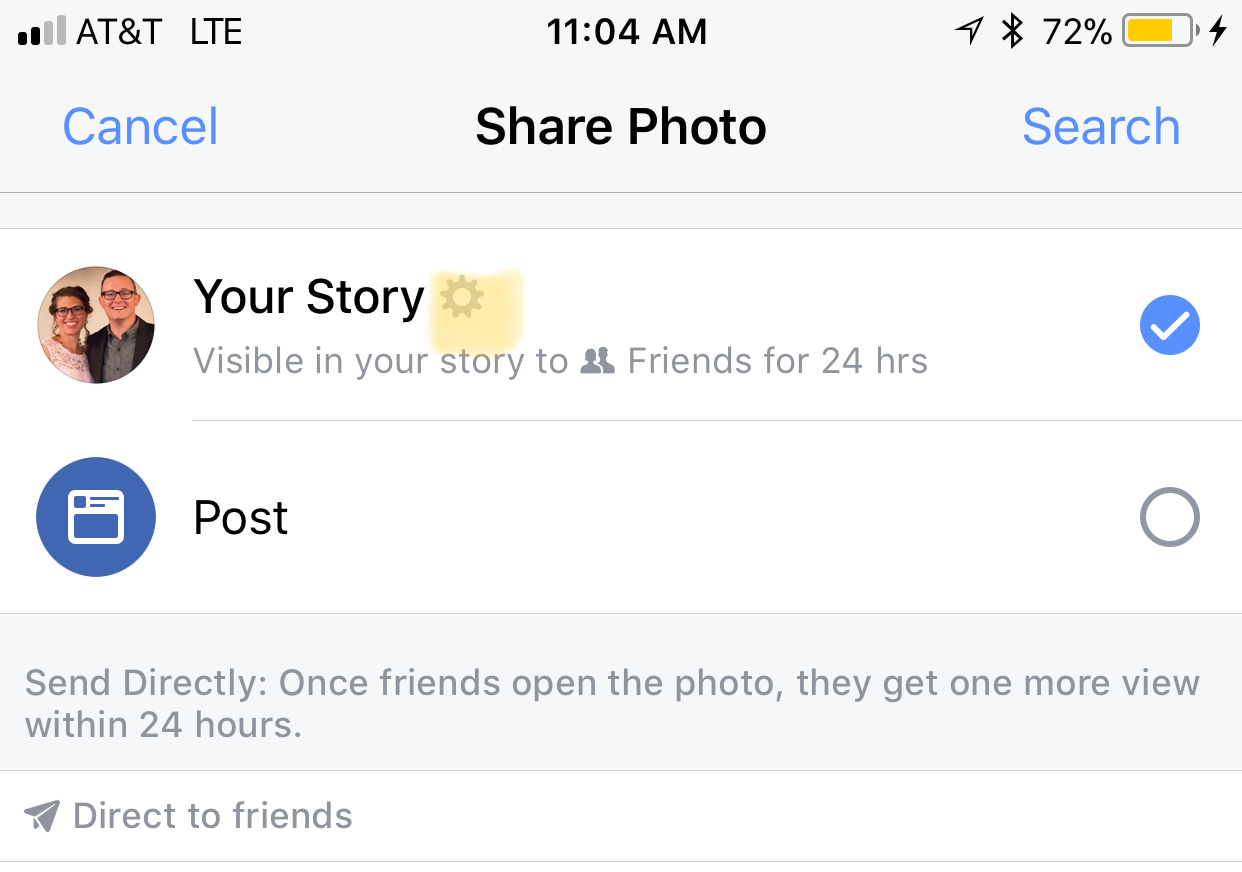
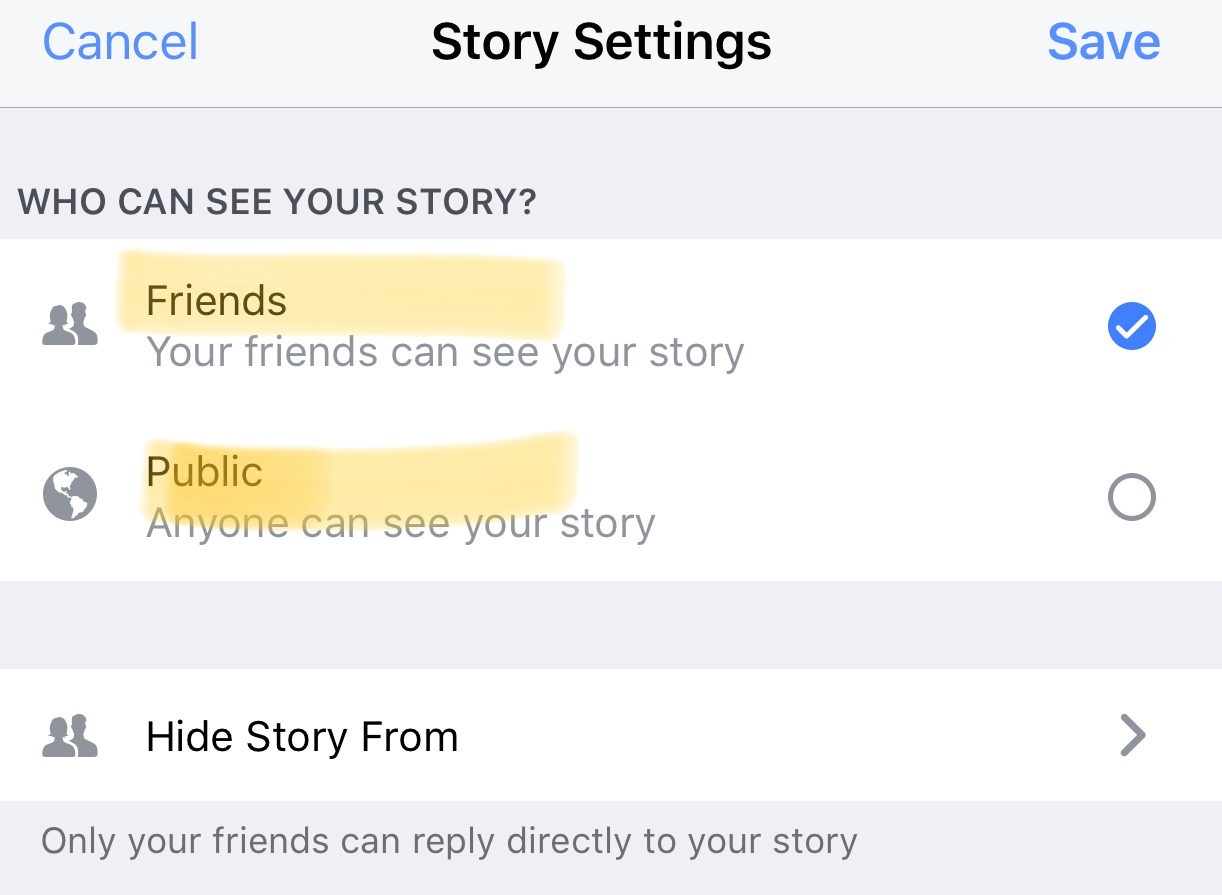
    Instagram, WhatsApp, and Snapchat have proven that 24-hour disappearing story feeds are the latest social media trend. Facebook is trying to increase user-ship of their stories feature by allowing people to post publicly. After a recent Facebook update, you can now change the privacy settings on your story posts to make them visible to anyone on Facebook. 

    Facebook Stories is really the only version of the daily posts feature that has been lagging behind in user-ship. Celebrities and brands will now be able to use Facebook stories to promote publicly just as easily as they can on Instagram and Snapchat. This may be an attempt for Facebook to increase the number of people using their stories feature but it’s likely, also, a way to entice more advertisers into using the feature.

    What Parents Should Know

    Any option to share something publicly should be known to parents. If your kids use Facebook and enjoy posting their daily activities on their Story feed you should know how to check and see if they’re posting publicly. Below is a slideshow of how to check the privacy settings on Facebook Stories.

    Be sure to check out what your kids have been sharing publicly and talk to them about the permanence of anything shared online. It’s also a good idea to talk to them about what to do if they receive contact from people they don’t know on any social media platform. As parents, we are the ones responsible for our kids’ safety and privacy online. Learn the ways these social media services have provided for you to keep them safe and private.

  • Snapchat Update Adds New Effects and Sharable Links

    Snapchat Update Adds New Effects and Sharable Links

    Snapchat’s latest update will give the camera background effects and allow you to change your voice without using one of their filters. The other major feature is the ability to share links and open them within Snapchat’s very own browser. While you can’t type a url into the address bar at the top of the browser you can click around online and end up at any website you’d like. That’s right, that means your kids can now browse the internet within Snapchat. This has always been possible in other social media apps like Twitter, Instagram, and Facebook but now Snapchat will allow users to tap right on a picture and open a link without leaving the app.

    What Parents Should Know

    If the Discover Page, disappearing photos, private video chat, and SnapMap isn’t enough to put this on your uninstall list, perhaps the ability to access the entire internet without leaving the app will help you pull the trigger. Yes, this feature is available in other social media apps but when you factor in all of the other features that can be a detriment to your internet safety plan it puts Snapchat at the top of my uninstall list.

  • Turn Off Snapchat’s SnapMap NOW!

    Turn Off Snapchat’s SnapMap NOW!

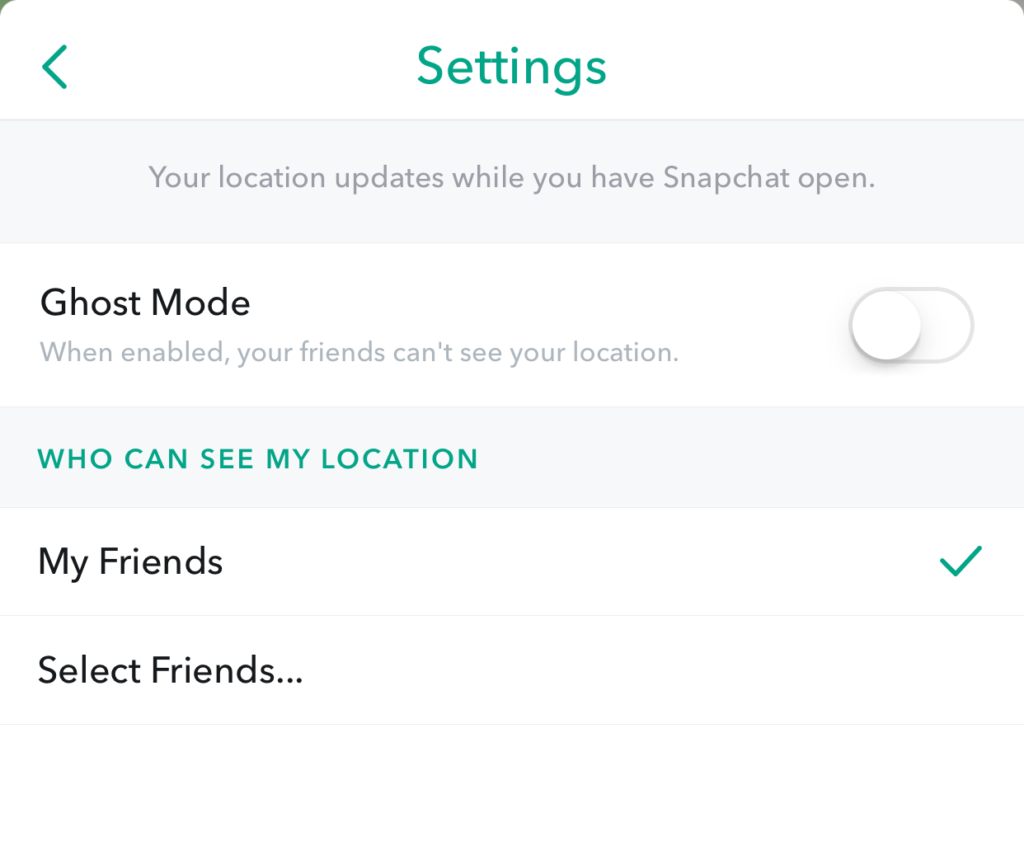
    Snapchat’s newest addition to it’s offerings is SnapMap. This feature shares your location on a map so that other’s can see snaps from similar places or events in real time. This all sounds well and good but what’s really happening is causing tech experts everywhere to warn against using SnapMap. SnapMap shares your location every time you open the app, not just when you post something. This isn’t concerning for just tech safety writers like myself but everyone who spends any time learning about the latest Tech trends is warning that users should disable this feature on their SnapChat account.

    I heard a story last week of a mother who’s daughter and her group of friends had been targeted by a sex trafficking ring using snapchat. The predator befriended a large group of related friends all at the same time and just watched their posts for a while. They all thought they were befriending someone who went to school with them since they had a bunch of friends in common. This person got very close to my friend’s daughter and started talking about a meet-up. Mom saw the posts during a check-in of her daughter’s phone and decided this “friend” was a bit shady. She contacted the police and found out that this predator was part of a larger ring of sex traffickers who use Snapchat to locate and abduct their victims. These guys had to work for months to learn more about where these teens spent their time. The SnapMap would give them that information in seconds.

    SnapMap’s initial setup is only a four step process, if you decide to turn on SnapMap you won’t be warned that your location will always be available. You’ll only be told how your friends can see where you are when you post. If you aren’t sure who all of your friends are and if you don’t know that SnapMap is pinging your location every time you open the app whether you post or not, you’re eliminating every privacy setting you’ve ever set on your phone. Your teenagers don’t know this!

    What Parents Should Know

    Teenager’s brains are developing in such a way that they’ll always fire before they aim. They’ll see the SnapMap option and opt-in just because they want to have everything set up like their friends do. You MUST talk to your kids about what SnapMap is and why it’s dangerous. You’ll want to advise (or demand) them to put their SnapMap on “GhostMode” which will hide their location on their friend’s map. If you’re allowing them to use Snapchat (which is on my uninstall list) you can’t expect them to see the SnapMap for the red flag that it is. You have to protect them by setting that boundary on their behalf.


    Don’t miss a single post. Get a list of our top posts every Friday in your email.

    Subscribe to our mailing list

    * indicates required


  • PODCAST: Is My Kid Safe on Tumblr?

    PODCAST: Is My Kid Safe on Tumblr?

    FAMILY TECH WEEKLY: Tumblr “safe mode” is a joke, Musical.ly is bringing original show content, and you can now hide images in Instagram.

    Social Media Links

    Facebook: http://facebook.com/4pointfamilies
    Instagram: http://instagram.com/becausefamily
    Twitter: http://twitter.com/becausefamily

    Newsletter Signup

    Ministry Updates:: http://eepurl.com/R7Btr
    Weekly Blog Posts:: http://eepurl.com/cvnhXD

    Websites

    Ministry Site:: http://becausefamily.org
    Tech Blog:: https://safe.becausefamily.org
    Michael’s Speaking Info:: http://kmichaelprince.org

    Donate and Affiliate Links

    http://patreon.com/becausefamily
    http://BecauseFamily.org/partnership

    Music by Kevin MacLeod at http://Incompetech.com

  • Musical.ly’s New Original Shows Could Undermine Your Internet Safety Goals

    Musical.ly’s New Original Shows Could Undermine Your Internet Safety Goals

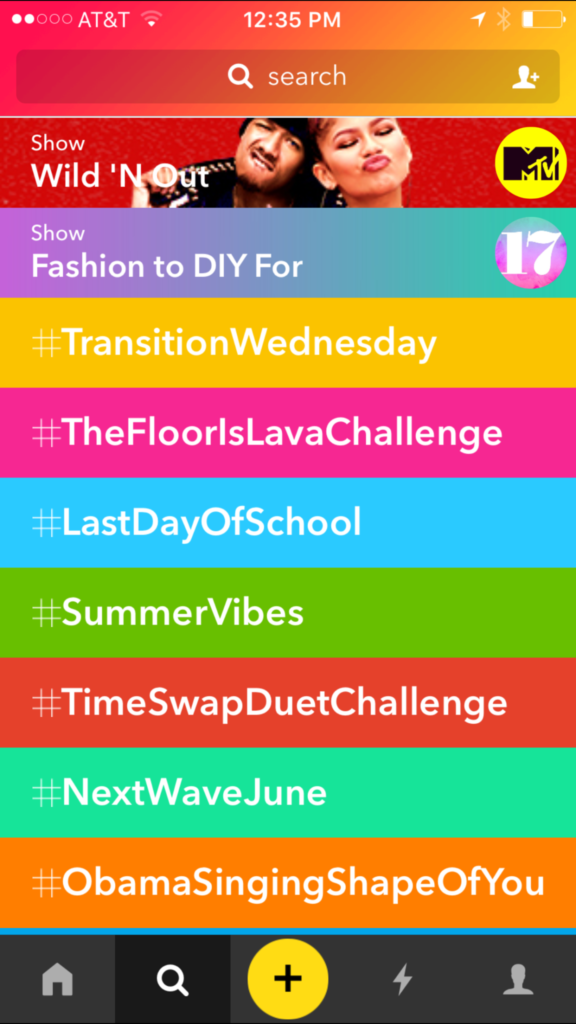
    Musical.ly has joined the ranks of the social media apps that are bringing original show content to user’s feeds. The lip sync music video producing platform launched a couple of shows today. One of the shows is from MTV/Viacom and one is from Seventeen Magazine, with two more from the same companies coming out on Saturday.  New shows are also coming from NBC, E!, and Telemundo. Musical.ly isn’t charging networks for this content or even selling ads for it, they’re really just using it as a test for future network deals. Whether or not this programming will provide value to the social media platform is yet to be seen. What is very apparent, however, is that there will be more content for your kid to watch than just the lip sync videos they’ve enjoyed thus far.

    What Parents Should Know

    Musical.ly is on my uninstall list because there is no age verification. Users can log in and watch other people’s videos without telling Musical.ly how old they are. This means you don’t know who’s watching you or sending you private messages. Most of the trending video sections are filled with tween and teen girls and boys acting out the different challenges or songs. The lack of age verification has brought some criticism to Musical.ly and many didn’t like their CEO’s response to such criticism. It seems they’re happy to allow people of any age to use the service without proving their age.

    My advice is pretty obvious. I recommend you uninstall Musical.ly. Mostly because I wouldn’t allow my kids to use an app where they can be contacted by anyone and everyone regardless of age and gender. The addition of these new shows just strengthens my belief that Musical.ly can undermine your internet safety goals. Content on these shows can reach outside the boundaries of what is allowed on TV. Unless you’re watching every episode of the original shows Musical.ly puts on their trending feed, you have no real way of knowing what your kids are consuming. Musical.ly will stay on my uninstall list and if I had the list in any particular order it would probably move up the rankings as well.

  • This Social Media Parody App May Cause You to Re-Think Everything

    This Social Media Parody App May Cause You to Re-Think Everything

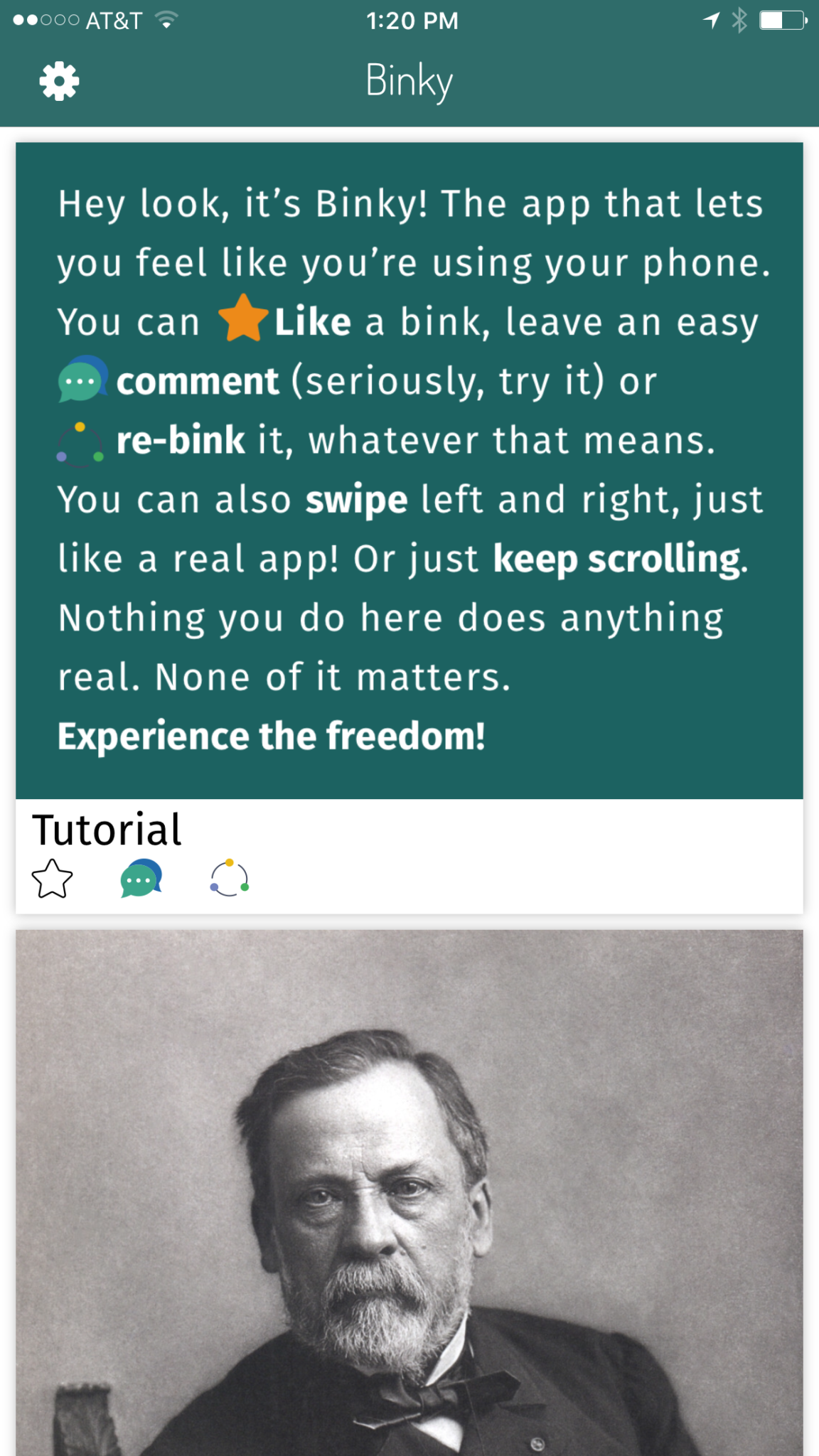
    There are more articles on this site about social media than any other topic. I truly believe that social media is not a part of the internet, it is the reality of what the world wide web is now all about. Every site you visit has a social aspect, even if it’s just a way to connect to your favorite social media platform. Our businesses are run through social media and advertising is more prevalent and successful on our newsfeeds than nearly anywhere else. Social media isn’t a fad or a trend. It’s the world we live in and for some, it’s an addiction.  A new app, Binky, is providing a bit of a caricature of the social media lifestyle and it may just be something you should check out.

    Binky is a social media simulator (more like a parody) app that started as a joke. It simulates the features of most status and photo sharing social media platforms by giving you a seemingly endless stream of fake posts to scroll through. As you scroll you’ll see absolutely random and unrelated images with captions that may or may not make sense. You have the option to “Bink,” (read: Like) comment or “Re-Bink” (read: Share) the images that you’re scrolling through. When you click the Bink button you get an explosion of stars from under your tapping finger and a delightful bloop bloop sound. Commenting is my favorite feature of this app because it doesn’t actually let you say anything. Every letter you type after tapping the comment icon automatically puts in a word to form a randomly generated comment of text and emoji complete with meaningless hashtags. Finally, when you share the app you’ll receive a notice that asks if you are sure you want to “Re-Bink” this post. You’re reminded that the Re-Bink doesn’t actually do anything but it actually does. You get an explosion of thumbs up icons. That’s it though, there is not really anyone to  share with in Binky.

    What is the point?

    There really isn’t a point, except for satire and parody. You may be able to say that using this app is a bit eye opening, however. I think it was for me. As I mindlessly scrolled through Binky and clicked on the meaningless buttons and commented the automatically generated sentences on each post I couldn’t help but think about how not far from actual social media this was. What difference does what I do on Instagram or Facebook actually have? Is it any more that my activity on Binky today? I don’t know for sure but I think thinking this way is a good thing. We tend to be so concerned about how we look online that many of us, especially your teen and young adult children, may actually put on a false persona on our social media pages. Binky was a way for me to see the ridiculousness of working so hard to get more likes, comments, and shares.

    What Parents Should Know

    As I said before this app isn’t a real social media app. There is no social aspect to it at all. It’s more like a simulation of social media. Something to give us another perspective on what our behavior online truly looks like. I recommend spending some time messing with this app and encouraging your young teens and teens to install it and play around on it. It’s not only humorous but could lead to some conversations on the futility of living your life and finding your worth on social media. Maybe, just maybe, you can use an app like Binky to start a conversation that could help you make some good decisions with your kids on what healthy social media use looks like in your family.

  • Instagram Rolls Out Major Updates to Direct Messaging

    Instagram Rolls Out Major Updates to Direct Messaging

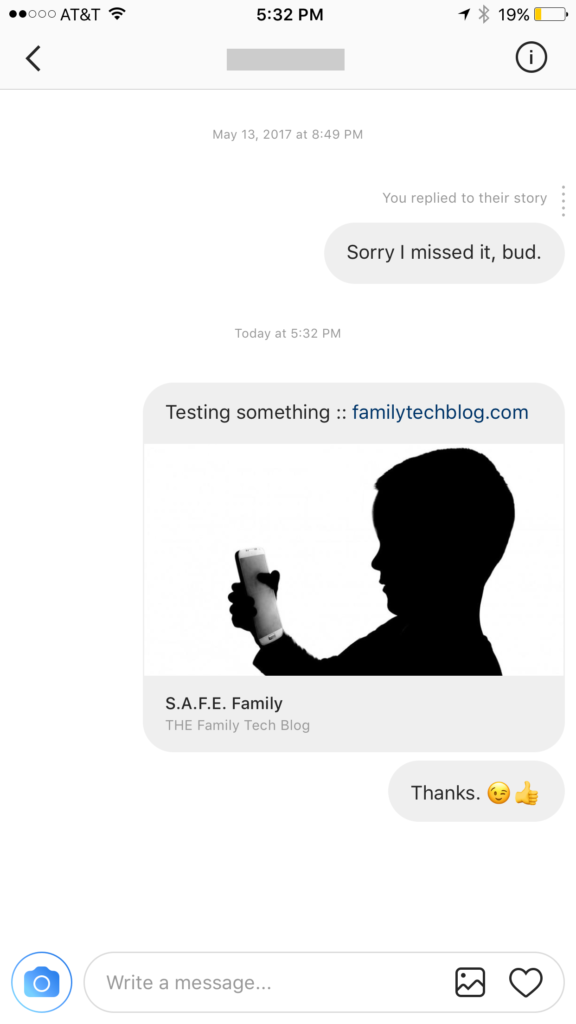
    Instagram has launched their seemingly weekly major update today with a focus on their direct messaging feature. Now it’s possible to see previews of links and to send full size images. (Not just squares.) While most of Instagram’s updates have focused on it’s Stories feature, the DM gets quite a bit of attention every now and then too. There seems to be a race between Instagram and Snapchat to develop the best private messaging option out there. Features like link previews and removing the image dimension limits will go a long way to make Instagram a serious contender for direct messages.


    Link previews look a lot like in FB Messenger.

    What Parents Should Know

    Obviously it’s important to know who your kids are talking to online. Private messages open up the possibility for kids to contact people they don’t really know very well. This can lead to full, private conversations with videos and images that are difficult for parents to monitor. There is no way to disable direct messaging in the Instagram app so if your kids are using the service they have the ability to contact people in private. These messages won’t show up on their image timeline and images won’t be stored on their phones unless they manually save them. This can result in private messaging that may cross your line of what’s appropriate.

    Links that show up in Instagram will open in the Instagram browser when clicked. This means some accountability software and filters won’t take affect. You should keep that in mind when deciding whether or not to allow them to use Instagram.

    My advice, as always, is to take whatever measures you’re most comfortable with to monitor your kids Instagram activity. The only way to monitor their private messaging is to have their login information. I show you how to log in as them on your own device in a video here. Prevention, monitoring, and conversation are the most important things you can do to keep your kids from unwanted material online.

  • PODCAST: How Does a Tech Safety Expert Protect His Kids Online?

    PODCAST: How Does a Tech Safety Expert Protect His Kids Online?

    How does a tech safety expert keep his own kids safe online? Is Instagram accessible without the app? What was in the big Snapchat update? What’s with fidget spinners in the app store?

    book info at: http://becausefamily.org/book

    subscribe on http://iTunes.com 

    FAMILY TECH WEEKLY 7

    Social Media Links

    Facebook: http://facebook.com/4pointfamilies
    Instagram: http://instagram.com/becausefamily
    Twitter: http://twitter.com/becausefamily

    Newsletter Signup

    Ministry Updates:: http://eepurl.com/R7Btr
    Weekly Blog Posts:: http://eepurl.com/cvnhXD

    Websites

    Ministry Site:: http://becausefamily.org
    Tech Blog:: https://safe.becausefamily.org
    Michael’s Speaking Info:: http://kmichaelprince.org

    Donate and Affiliate Links

    http://BecauseFamily.org/partnership

    Music by Kevin MacLeod at http://Incompetech.com

  • Location and Hashtag Search Makes Instagram Stories Unending

    Location and Hashtag Search Makes Instagram Stories Unending

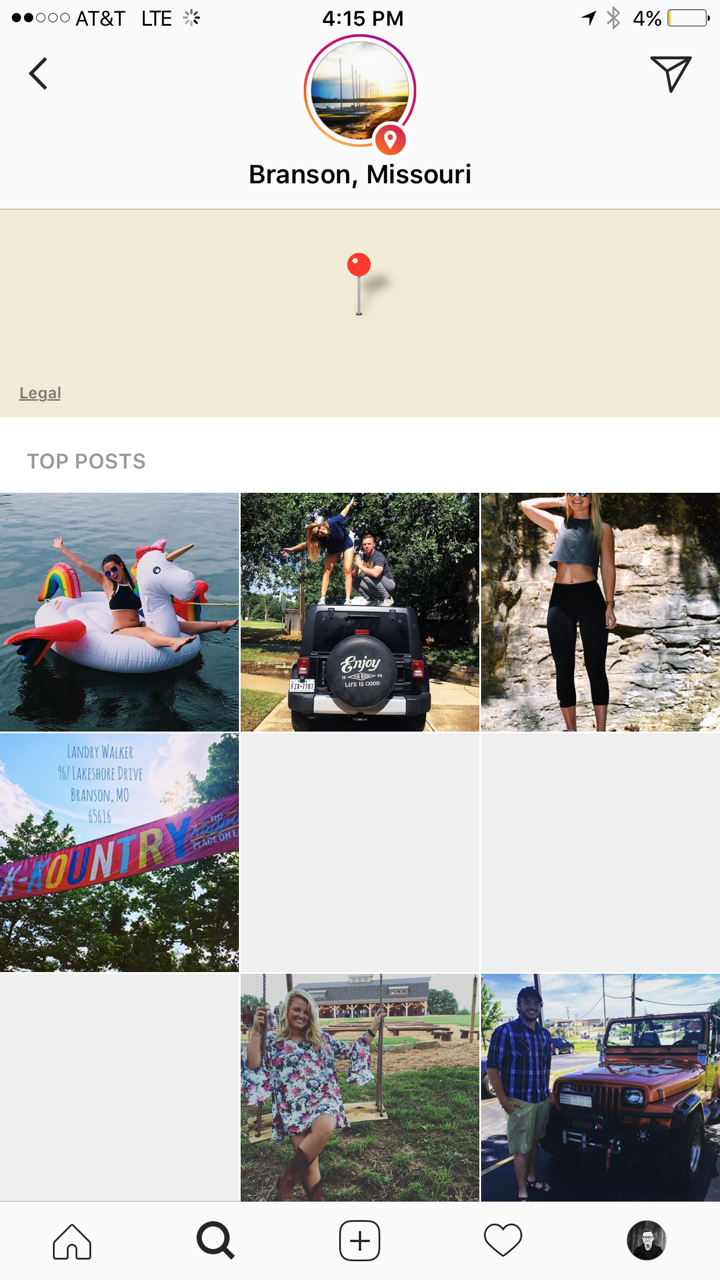
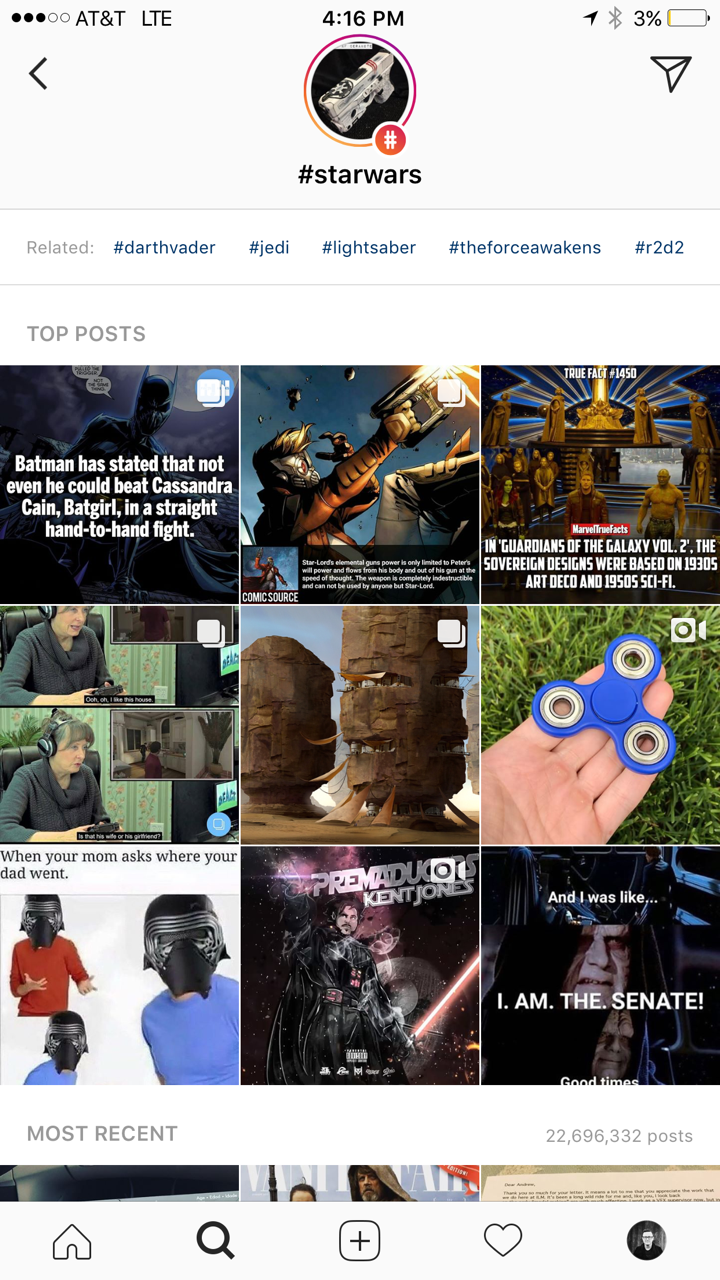
    Instagram has added the ability to search Stories by hashtag and location. This means that your explore tab will now give you access to basically unlimited Instagram story content. Instagram is going to feature location tagged stories by people you follow and also from people you don’t. If you search for your town, or any town for that matter, you’ll see a small map, the posts featured from that town, and if it’s been tagged in a story you’ll see that above the map as well. This will give more access to more stories and may lead to following more people on Instagram. Hashtag results will work in much the same way. You’ll be able to search stories by topic with the hashtag. It will also highlight the posts you and your friend’s made by featuring them first in the results.

    What Parents Should Know

    There’s always a bit of a red flag for me when there’s more potential to be connected with strangers on Social Media. Location and Hashtag filters allow you to find people you’ve never met and see what they’ve posted. Granted, the explore feature already makes that pretty easy. Instagram’s algorithm will gather these people and posts and present them to you from a simple search. These explore and search results aren’t going to be monitored by any accountability software since they’re not technically in a browser. You should take steps to monitor what your kids do in Instagram yourself. You should also lead the conversation with them about Instagram as these new updates come out.

  • Interactive Advertising Coming to Snapchat

    Interactive Advertising Coming to Snapchat

    I’ve heard marketers say that it is their job to ruin everything. Well, the cameras and filters built into our favorite social media platforms are proving that. Today Snapchat announced they’re launching advertiser access to their Geo filters and camera “lenses.” This means that you can use the augmented reality settings to not just make yourself look like a puppy but also to advertise for your favorite restaurant, the latest movie coming out, or a special event.

    A few weeks ago Facebook announced that they would be opening up the lenses to more developers. This will also increase advertiser use of these products. So now Instagram, Snapchat, and Facebook will all be serving up interactive advertising to our kids.


    What Parents Should Know

    These updates are just one more way that advertising can get to our kids. We know that marketers are only after our money, that’s no surprise and should be expected. However, we have to know our kids and decide if we are OK with them being advertised to in this way.

    My advice is that parents take a look at these Geo filters and lenses and see what they could potential be advertising to your kids. Again, Snapchat is on our uninstall list and advertising is the main reason. Today’s news only strengthens that position.