
Please consider keeping resources like this free to you by donating $5 to our non-profit organization.
Visit BecauseFamily.org/partnership to give.
Please consider keeping resources like this free to you by donating $5 to our non-profit organization.
Visit BecauseFamily.org/partnership to give.

I have a list that you can download here of all the apps I recommend you remove from your kids’ phones if you see them. Tumblr is on that list because of the overwhelming amount of easily accesible explicit content. A few months ago Tumblr launched a way to turn off the automatic safe search required by apple on all iOS devices. Now they’ve added a “safe mode” to their app and website to keep NSFW (not safe for work) content from appearing in your Tumblr feed. This mode is available in the settings of the app and website in your browser. It will be automatically on for people who’s age is under 18 and who aren’t logged in to Tumblr when accessing content.
The safe mode works, not as a filter to keep out content, but as a cover to hide NSFW images so any onlookers won’t see. The feature adds a cover on posts with explicit content that can be removed by tapping or clicking “show post.” The goal isn’t to keep sensitive material from appearing in your feed, it’s meant to keep you from getting caught looking at the sensitive content. The safe search option, together with this safe mode setting could lead you into a false sense of security with what is available for your kids to see on Tumblr but these settings aren’t meant to keep this content away from people trying to find it. They are more suited to keep folks from scrolling past something on accident. Both security modes can easily be bypassed in settings that can’t be protected by a password.

The fact remains that pornography is by far the most commonly searched content on Tumblr (over 20% of all searches are for porn the next most popular is literature at just over 7% of all searches.) Explicit content is easily available on Tumblr and because of that I caution parents about this app all of the time. This is one app that I recommend be uninstalled and a social media platform that I would keep my kids from altogether. My advice is that you add Tumblr to your filter blacklist and your accountability software red flag list. This will keep the entire site off of your kids phones and computers and give you peace of mind that they won’t find any of the easily accesible images so prevalent on the site.

Is there porn on Pinterest? Does Pinterest allow porn? I’ve heard both of these questions many times and the answers are very very different. Today, as Pinterest announced their new approach to advertising videos on their site and app, I’m reminded of the many parents who have discussed the potential dangers of Pinterest with me at workshops and other events. Lets unpack a few of those dangers, what Pinterest’s approach is, and what parents can do about it.
I can confirm that there is pornography on Pinterest in two ways. First of all, I started some searches for inappropriate topics and (without having to click through to results) could see that there was porn available. Just typing the first few letters of these search terms produced recommended searches that told the entire story.


These results pretty much let you know what is available on the site and in the app. Searching more specific terms would, obviously, produce more specific results.
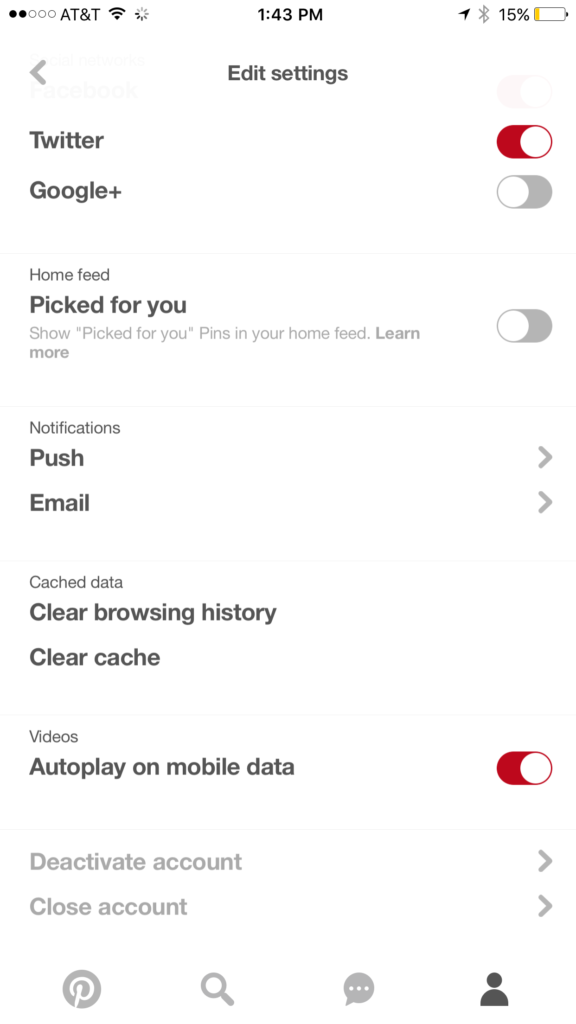
While this covers intentionally searching for content, your kids may not be the type to have been in to that before so you don’t expect them to go searching for it. This is where it gets a bit tricky. Pinterest feeds you new content in two different ways. They show you pins from people you’ve decided to follow and they show you pins that have been “picked for you.” Pinterest uses what you do in their app and site as well as what you do on other websites to recommend different things to you. If you’ve liked art before then you’ll start to get more art posts. If you’re into geeky quotes, you’ll see pins from people you don’t follow based on what you’ve pinned or viewed in the past. This can lead to being shown pinners who’s pins may not line up with what you’d consider “safe” for your kids. There is, however, a way to turn off the “picked for you” option. See the image below:
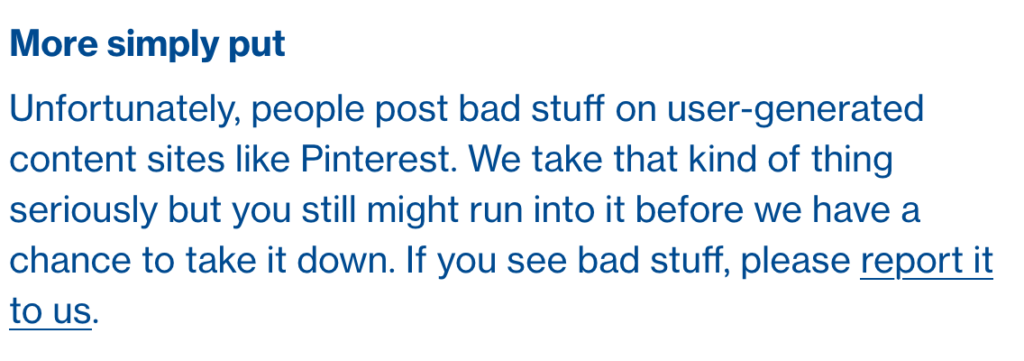
Pinterest’s rules don’t allow explicit pornography to be posted but it relies on reporting from users to identify and remove the offending pins. This means that the post can be up for days or weeks before it gets enough reports to have it taken down. Another thing to keep in mind is that Pinterest will still use their own definition of “explicit.” You may think something is not good for your 14 year old son to view while they view it as art or expression. This means you have to truly stay on top of what they’re seeing.
Again, much is left to interpretation. Some parents may say a photo of a nude statue is artistic and cultural and some might say it’s inappropriate. While some folks think any nudity should be considered explicit, there are parents who would disagree unless it’s in a sexual situation or atmosphere. There are many factors that keep photo sharing sites like Pinterest from making a blanket NO NUDITY rule.
I would prefer if there were some way to turn off nudity as an option for users but as of right now that isn’t possible. It also isn’t easy to monitor what content is being viewed in the Pinterest apps. Yes, the service is built to work best on the mobile apps, my recommendation is that you limit your younger teen (over 13 to comply with the service agreement) to using Pinterest on a browser. Use something like Accountable2You to monitor their activity so you can be alerted if they’ve come across something inappropriate. This could help keep you from difficult situations stemming from your kids happening upon something adult oriented on Pinterest.
So, to answer the question, is Pinterest safe for your kid or teen? The answer is no and yes. No it isn’t recommended for your child. The age restriction to get an account is 13. I would, however, begin to ease up on a strict anti-Pinterest rule as my kids enter their teen years but I would monitor their usage in the most effective way possible. Just because you’ve never seen anything when you creep Pinterest doesn’t mean it isn’t there. Know that this risk is real and that your kids are as susceptible as any. Take precautions BEFORE anything regretful happens.

I was doing research for an app to write about when an ad came up. The ad was for a game called Episode and it featured cartoon animated teen girls in situations that would only come from some mid-day television show. For example there was one girl deciding whether or not to perform CPR on her shirtless and handsome male companion. He winks at the “camera” and she thinks he may be faking so the player gets to chose her next move. “Perform CPR” or “Kiss him to find out.” This scenario is one of thousand available on these games that are developed by a company called Episode Interactive.
Their apps are all interactive story games that put the player in control of the choices of the main characters. Each app features thousands of stories to play out. The scenarios feature romance, mystery, comedy, family, and a bunch more. The situations that the character is placed in during the stories can often be very adult oriented. Decisions whether or not to have sex. A choice to run away from a potential mugger or try to attack them back. There are some very dramatic and grown up themes in these games. A look at the description will tell you that the games are rated for ages twelve and over for various reasons including, sexual themes, drugs and alcohol, violence, and nudity.
These games are a choose your own adventure of sorts for the new generations. They target young tweens with the glam of what it’s like to be a teenager or what High School life is like. It’s all obviously very fictitious but our kids buy these messages hook, line, and sinker. Think of apps like this as romance novels that are targeting your ten to twelve year old daughter. I say it’s targeting tweens because the app I was reviewing when I saw the ad for Episode was one that is obviously mostly populated with young girls. Your daughters will believe a message about who they are and what gives them value. Apps like this are speaking to a certain version of that message. We as parents must play defence against the wrong message to successfully teach the correct message.

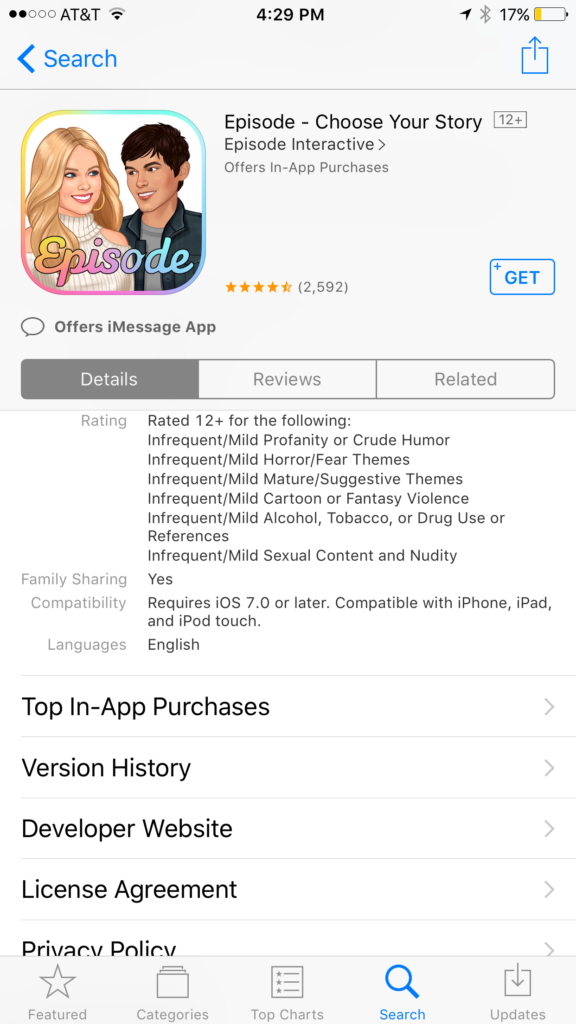
My advice is to make sure your child is far older than the recommended age for these games before you let them play. They are obviously meant to mimic the soap operas of our parent’s days and they feature exactly the same types of themes. The maturity of your child is best understood by you, their parent. It is usually not a good idea to take the age recommendation of an app, game, or other form of entertainment as the law and gospel. You have to use your own judgement. Unfortunately for some kids these themes are mild compared to things they’ve dealt with in real life. But for many of our ten, eleven, and twelve year olds, these games can introduce topics that they may not be mature enough yet to navigate. That’s why it’s so important for you as a parent to step in and see what they’re doing on their phone or tablet.
Apps like Episode are easy to spot because they don’t hide their themes in the ads on the app store. It’s pretty obvious what they feature in your game. My advice is to use something like Google Play’s parental settings, or Apple’s Family Sharing to ensure you’re seeing every app being installed by your kids. If you see something that looks like it could be a choose your own adventure style of soap opera game then think seriously about the potential questions your child will be asked while they play it.

I think Snapchat is a bad idea, and not for the reasons you may think.
The video below gives a pretty good description of my feelings and what I think parents should do when they see Snapchat on their kids’ phone. (more…)