Tag: setup

  • Do You Really Own Your Phone?

    Do You Really Own Your Phone?

    The ordeal with the exploding Galaxy Note 7 has brought about an interesting topic as of late. In case you’re a bit behind, I’ll remind you that early in 2016 some Samsung Galaxy Note 7s began to explode. The phone was recalled and many people began to return it for a replacement. Many, however, did not. In order to increase the number of returns Samsung started to roll out updates to the operating system that would eventually render the phone ineffective. The idea is that if phones wouldn’t charge all the way, or eventually at all, then users would have no choice but to turn the phone in and get something that wasn’t just screaming POTENTIAL LAWSUIT for Samsung. This is what started the conversation about who owns the phone we paid for and use every single day.

    The Phone is Yours, Sort Of…

    We pay good money for our smartphones. iPhones can cost up to eight hundred dollars when first released and the cost of a good Android phone is comparable to that. Since we pay so much it stands to reason that we should have complete control over what happens to and in our phone. The truth, though, is that we don’t. In fact, we sign away that right when we purchase, or now lease, our smart device. The terms and agreements page that we sign without reading spells out the fact that the physical device we just bought belongs to us but the software that makes it more than just plastic, glass, and metal, still belongs to the company that developed it.

    This is why Samsung can “brick” a phone with software updates in order to get people to bring them back. They can’t require you to physically bring your phone back because they want it back but they can make it so useless that you can’t stand to use the thing anymore. If it has any use anymore at all. Technically you are using software that belongs to someone else because they allow you to. That doesn’t stop with operating systems, it goes for the apps you download too.

    Here Come the App Police

    Twitter has been flexing their “terms and agreements muscles” recently as they try to crack down on bullying and abuse in their popular social media site and app. Some of their most recent changes include adding the ability to explain why you’ve blocked a user or hidden a post on your feed. With an even larger step, Twitter is using algorithm and moderators to recognise users of previously banned accounts and keep them from setting up a new account to continue their abuse. These steps and some more they’re not being as open about may seem controversial to some but they are definitely allowed under the terms you agreed to when you signed up to use their service.

    What Parents Should Know

    There are a couple of major ways that the ownership of our digital devices is an important topic for parents to understand. First of all you must know that the use of any software, be it an operating system, an app, or computer game, is considered a privilege given to you by the developer of that software. Even if you paid for the right to use it. Your kids need to understand that behavior contrary to what is acceptable in those apps or software can cause them to lose the ability to play or use the software anymore. Secondly, it’s important to update your device when an update becomes available. While it may seem like recent updates slow down your phone or cause other apps or software not to work properly, the developer created that update for important reasons. Security is a major reason that updates come as frequently as they do. Hackers or identity thieves are always working to find ways to sneak through security settings set up in your phone or computer. Updates by the developer allow them to keep up with the new ways those hooligans have discovered to breach your digital defenses.

    Be sure your kids and teens understand that the digital lives we live are a privilege. There are right ways to use our smartphone and wrong ways. When their account is banned in an app it happened for a reason. This means you should be having a conversation with them about what led to that action being taken by the developers of the app. Was it because of other users “flagging” him for his posts? Was there something she posted that she admits crossed the line and caused her account to be shut down. This DOES happen and should be taken very seriously. There are some online behaviors that are as illegal as anything you can do offline. One major example is the distribution of child pornography. This is a felony and punishable by years in prison and the remainder of your life labeled as a sex offender. Sexting, or sending a nude picture of yourself or someone else, if you are under eighteen years old is considered distribution of child pornography. The activities we are involved in online have very real consequences. We may own the device we use but we have agreed to use them in a certain way, and if we fail to meet those standards the privilege can, and will, be revoked.


     

  • DirecTV NOW is Not Family Friendly Yet

    DirecTV NOW is Not Family Friendly Yet


    It’s the future! I have been saying for years that paying for cable tv service is ridiculous. What if I could just stream the channels I want and not have to buy a whole package of useless Home Improvement and Movie Channels? Well, they aren’t exactly there yet but DirecTV is getting closer with DirecTV NOW.  AT&T announced yesterday that they’re offering a television streaming service called DirecTV NOW; it’s available for purchase in bundles starting today, November 30th.

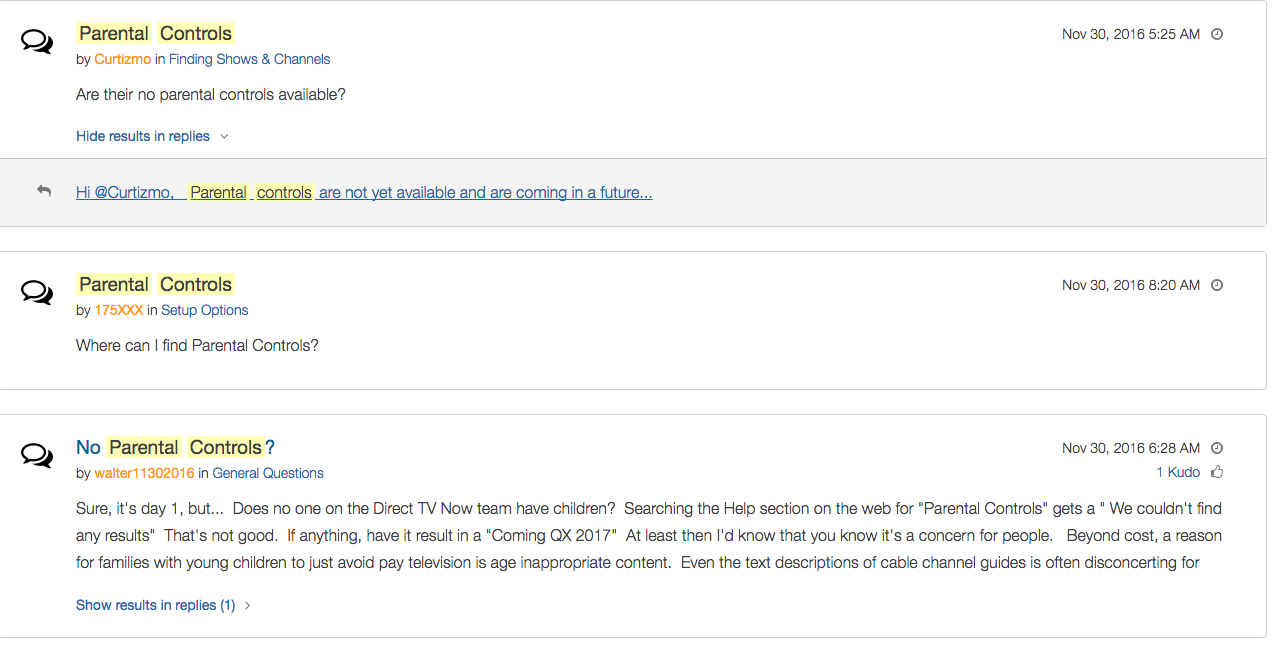
    Yes! It’s exciting to see that our TV options are expanding and even keeping up with the times a bit more. With ChromeCast, Apple TV, RoKu, and mobile access available we are finally being offered a version the tv service we wanted. Unfortunately, however, after some time with my free trial I have noticed that there is absolutely no parental control options built in for DirecTV NOW. I looked at the menus and in my account settings (there’s no option to create separate profiles, i.e. a kid profile, either.) I also tried to find a “block” option per channel to no avail. Then, a search for “parental controls” on the support and FAQ page led to no results and that was pretty much my final clue. There is currently no way to protect your kids from unwanted content on DirecTV NOW.

    That’s a deal breaker for me, especially with so much of what has become acceptable on cable television lately. Sexual activity, language, and increasing violence are mainstays in both broadcast and cable television shows. Even the commercials seem to highlight all of the features we would like to protect our young children from. I guess “keeping up with the times” comes with its costs as well.

    What’s a Parent to Do?

    screenshot-2016-11-30-12-15-35I would say wait. Just wait for a while and I’m betting we will see parental controls rolled out on DirecTV NOW before too long. In fact, a quick search on the AT&T Community Forums showed several concerned parents had already begun asking about this feature and it’s in development.

    DirecTV NOW looks to be a great way to save some money while still getting the entertainment content we want. Thankfully parental controls and content restrictions are becoming commonplace these days and this will be no exception. It is literally “day one” for this service so we’ll give them some time and the benefit of the doubt. You can join the future too if you’d like, I would just recommend keeping your kids off of it until you can set up some restrictions. 

  • Firefox “Focus” Private Browsing Poses a New Risk for Your Kids

    Firefox “Focus” Private Browsing Poses a New Risk for Your Kids


    Private browsing has been around for a long while now.

    Whether incognito mode, private mode, or InPrivate, there has long been a way to visit whatever sites you’d like without worrying about being tracked or accumulating a history of sites visited. Mozilla has released a new browser called “Focus” that is designed to allow users to browse privately. The idea is to keep advertisers from storing information on your computer or phone and using it to target their ads while you surf the internet. This can be a good thing, but it’s important to understand some risks involved with private browsing.

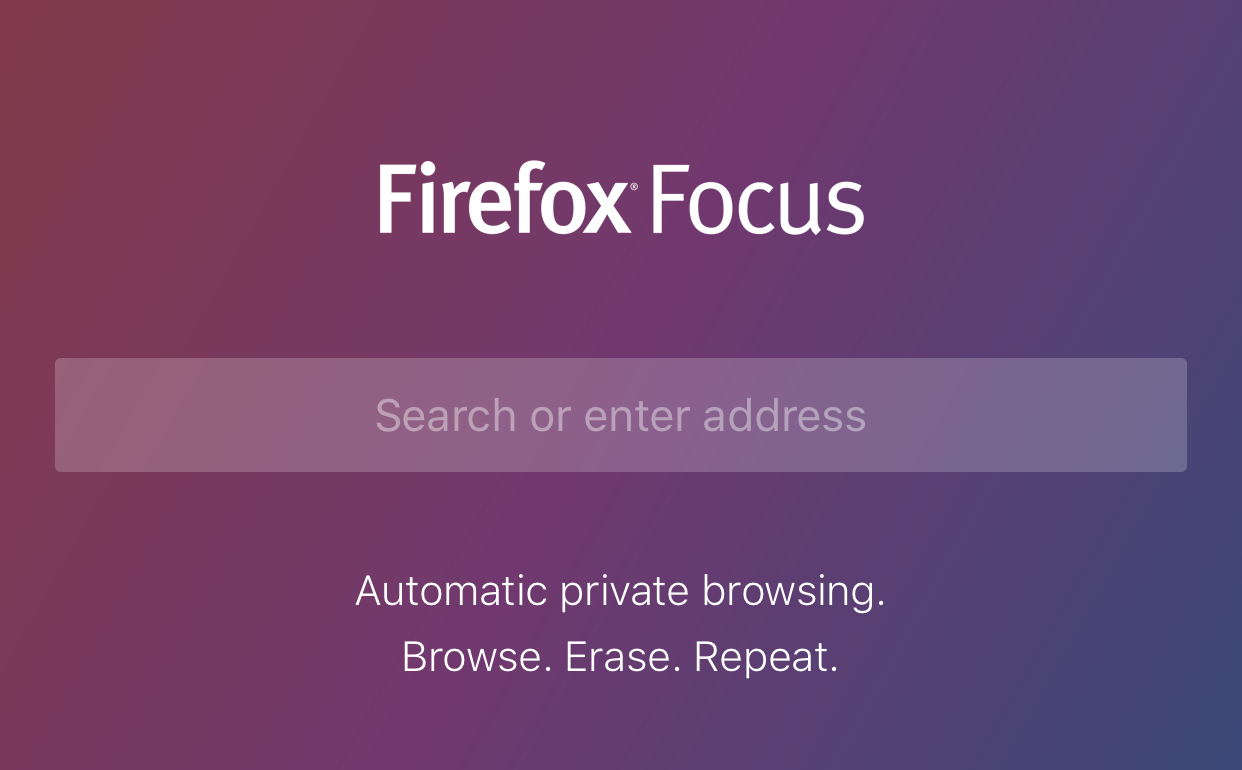
    Focus is designed to block ad trackers, analytics, social trackers, and can seek out and block other trackers as well. It can also integrate into Safari on ios (the ios standard browser) and Firefox on your computer. After downloading the app you just open it and begin browsing, searching (on Yahoo,) or surfing as needed. There are no extra tabs or any bells and whistles at all but when you are done you just close the window with the “Erase” button and start again at the first screen. All the data is gone at that point. Like you were never there.

    What Parents Should Know

    focussettingsWhile I am all for the battle for internet privacy and freedom from being tracked by marketers, private browsing presents a major problem when trying to protect our kids from inappropriate online content. Keep in mind that a popular name for private browsing is “Porn Mode.” The ability to view sites without anything being stored on your computer, including a history of your surfing habits, is, of course, a way for our kids to view adult content without us knowing.
    Part of setting protections for your kids on their smartphone or tablet is turning off the ability to install a different browser. If you have installed an accountability or filtered browser then a new way to surf the web will completely undermine your attempts to protect them. While on the computer, filters like NetNanny will continue to block sites and accountability software such as Accountable2You will continue to report (though, with less detail) inappropriate activity. Even in private mode. While on mobile devices, however, especially ios devices, the accountability and filter app should be the only browser available to our kids.

    Learn more about privacy and security from our Mobile Device Vocabulary Series.


  • Houseparty App Gives Your Teens a Chance to “Unwind” with Friends Online

    Houseparty App Gives Your Teens a Chance to “Unwind” with Friends Online


    Everyone needs their “third place.”

    The third place is explained by sociologists as

    “the coffeehouse, the bar, the mall — a public space for relaxing, socializing, sharing ideas, or goofing off.” –TechCrunch

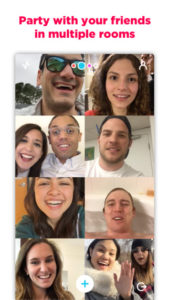
    Your kids are finding an online version of that public space and it’s in an app called Houseparty. Houseparty is a group live “hangout” or video chat app and it’s been increasingly popular in high schools since May. This app provides a way for teens to connect with friends away from the pressures of school, work, or even parents. It gives them that “third place” to unwind. It gives them an opportunity to be social, but is it really social?

    “Despite the positive impact of emerging communication technologies on scientific research, our results provide striking evidence for the role of physical proximity as a predictor of the impact of collaborations.” – Harvard Medical School

    Relationships are better built in person. More and more research is showing that time spent near your friends is more important even than time spent talking with them. While video chatting allows for group conversation, it doesn’t allow for the mannerism cues and continuous turn taking. (Bejing Normal University) To say that using a video chat to build relationships is good for our kids, or at least better than nothing, is not really accurate.

    How It Works

    screen322x572The Houseparty app uses your contact list to automatically log you in with up to eight friends who are online when you open the app. You don’t set up or invite people to conversations, it just puts you in a room to hangout with whoever is on. So using your contacts list ensures that you’re hopefully only chatting with friends. You may, however, have the contacts of some folks you aren’t interested in chatting with. There is a “stranger danger” feature that will alert the user if someone joins the chat that isn’t on their contact list. This is a pretty good feature.



    What Parents Should Do.

    I think this app is trying to get a lot right. While there can always be concern with video chatting, simply because anything created with good intentions can easily be used to do something inappropriate. Similar to the AfterSchool app, I would say Houseparty is something that parents should be aware of and talk to their kids about but I wouldn’t advise uninstalling on sight, necessarily. Whether or not your are ok with your children building their relationships through online communication is up to you.

  • Your Kids Use “AfterSchool” So You Should See This

    Your Kids Use “AfterSchool” So You Should See This


    Some apps come out and there is no way to know the intentions of the developer. AfterSchool is not one of those apps. The vision behind this app is to turn online activity into real world interaction. In a good way. AfterSchool is an app that lets students connect with other teens in their school. Here’s what their site says about what you can do on the AfterSchool app:

    “After School’s innovative features channel students toward making new connections and friendships, and engaging in positive offline activities. …On After School, students can share openly and honestly, without fearing judgment or ridicule. They choose whether to reveal their name or remain private.” – afterschoolapp.com/about

    While these apps allow you to stay private, a lot of students choose to make their identities known. Most of the “testimonials” from teens about why they like these apps speak to being able to hear what people really think about you. They talk about everyone being open and honest on the app. Honesty and openness is good but if you are saying “what you really think” about someone, that could cause problems in the teen world.

    Yes, the creators of AfterSchool designed this app to ban bullying and hateful behavior but I still say that as a parent, we need to understand how this app works. What it does and what our kids are using it for. If they are wanting to meet up, what are they meeting to do? The app has built in features to block explicit content but there are ways around those filters. They also claim to have live moderators who keep cyberbullying and inappropriate posts to a minimum. While this is all great, there is no better moderator than mom and dad talking to their teens about what they’ve seen on the app.

    Even the creators of AfterSchool understand this and so they’ve put together an extensive guide for parents. I’ve included a link to their PDF below. I recommend you go check out the site. They boast that teens in 80% of US High Schools use AfterSchool. That means your kids are most likely using it to. You should read this:

    Click to Download the PDF
    Click to Download the PDF
  • The ONE Thing You Can Do to Protect Your Family Online

    The ONE Thing You Can Do to Protect Your Family Online


    I’m often asked what my “diagnosis” is for a family’s internet safety. I usually have them fill out a one page form and it tells me what I need to know to give them the basic steps I would take to help them protect their family. Sometimes, though, parents want to make the most minimal changes possible. Maybe it’s a budget/financial thing, maybe it’s just time, or it’s a lack of true motivation. I don’t know. What I do know is that there are two major tools that no family should be without when it comes to being protected online.

    The first tool is a filter. 

    A filter blocks content that you don’t want accessible on your device. These filters are usually specific to a browser and so you should keep track of any new browsers that may have been installed on a device you are trying to protect. I recommend that you use  filter that “reads web content in real time.” This means that instead of just looking at the address or ip of a site, they are actually using the content to decide if the page should be blocked or not. This is critical because of a workaround called proxies, that can bypass filters that only look at the web address or ip.

    When choosing a filter you get what you pay for. The more controls and user friendly the UI (user interface) the more it’s going to cost you. You usually pay for the filters annually or monthly. There are also filters that come built into hardware that you may use. Some routers are now including basic filters in their “back-end.” Or something like circle will allow you to set up controls on any device using your wifi.

    “Giving your kids a smartphone without a filter is like putting them in an adult book store and saying, ‘Be good!’ It’s a bad idea.” -Joe White

    The second tool is accountability software. 

    Imagine a high security building. They have the laser grids on the doors and windows and an alarm system that will go off if someone tries to break in. Security guards patrol outside to keep an eye out for any possible intruders. With all of that work to keep anything unwanted from getting in you’d think they’d be satisfied, right? No, they’re not. You will always see security cameras in high security buildings. This is because things can slip through. This is why I always recommend accountability software.

    accountable2you
    Click to Sign Up for Our Favorite Accountability Software

    Accountability software will identify any unwanted online content and send a report to the person set to be notified. Some even send text messages immediately when something was accessed. This is the security camera inside your online safety net. It’s another layer of protection that will allow you to see when something you aren’t expecting slips through your safeguards. Conversations with your kids are more important than any software or hardware you can use and accountability software allows you to know exactly what conversations you need to have.

    Not either-or, both-and. 

    The answer to “what is the ONE thing I should do to protect my family online” is to do TWO things. Install accountability software and use the filters built into your operating system. If you have had some problems with catching someone viewing things they shouldn’t you may be concerned they would go looking for it again. In this case I recommend purchasing and downloading a more feature filled filter software.

    These steps are really just the beginning. Obviously staying informed on what is happening in your kids’ digital world is critically important which is why an annual membership to this site would be a major help. Click to go register. 

  • Snapchat Spectacles: Now You CAN Document Every Meaningless Second

    Snapchat Spectacles: Now You CAN Document Every Meaningless Second

    People are waiting in line for hours to get a pair of Snapchat Spectacles. These sunglasses allow you to take 10 second videos of whatever you’re seeing. It’s a first person view of your world that you can then share on your Snapchat Stories to allow your friends to take part in every second of your life. Meaningful or not.

    Spectacles are only available from a vending machine that is currently touring the country causing a big stir. Having set up for a day each in Venice Beach and Big Sur California and today in Tulsa, Oklahoma, the exclusivity of these sunglasses is already evident in the fact that the $129 social media accessory is going for a few thousand dollars on EBay already. These things are especially popular with the teen and young adult crowd and all I have to say is “Oh boy. Get ready for even more useless oversharing.”

    How do Spectacles Work? (more…)

  • WhatsApp Update Adds Video Calling

    WhatsApp Update Adds Video Calling


    We recently wrote about WhatsApp and explained a few things parents should know about the messaging app. Now, a new updated requires we update our information as well. This new update brings video calls to the app that is owned by Facebook.
    Video Chat is Awesome!

    WhatsApp is largely considered safe because of its authentication and encryption settings but with the addition of video calls the app enters a completely new realm. Video calling is very convenient and a great way to stay connected to family and friends that you aren’t always near. Apps like Skype and Facetime have been mainstays in allowing you to use WiFi to talk to someone while looking at their face. Something that is priceless for someone as easily distracted from a phone call as I am. The concern with this new feature, though, is how it could be used by those who have ill intentions.

    What Parents Should Know

    I’ll say it like I do in so many articles, you have to be monitoring what your children do in any messenger app. With new features like GIFs and video calling being added all the time we are just seeing more and more opportunities for our kids to get into trouble. Will all kids use these features for evil? Of course not, but it’s too likely that someone they know (or worse, they don’t know) will be using it to cause harm.

    I don’t necessarily recommend not allowing your teenager to use WhatsApp. I do, however, recommend using something (even if it’s just your own eyes) to monitor what conversations your kids are having. If you aren’t comfortable with video chatting being available to your teen then you need to disable it or ask them to use a different app for messaging.

    We did a whole write-up on some key terms related to messaging. These terms and the rest of the terms in our Mobile Device Vocabulary series are too important to miss. I recommend you subscribe to this site so you can check it out. Only $60 per year will get you full access to this site. Sign up now.

  • Google Play AI and Music Customization Could Cause Privacy Concerns

    Google Play AI and Music Customization Could Cause Privacy Concerns

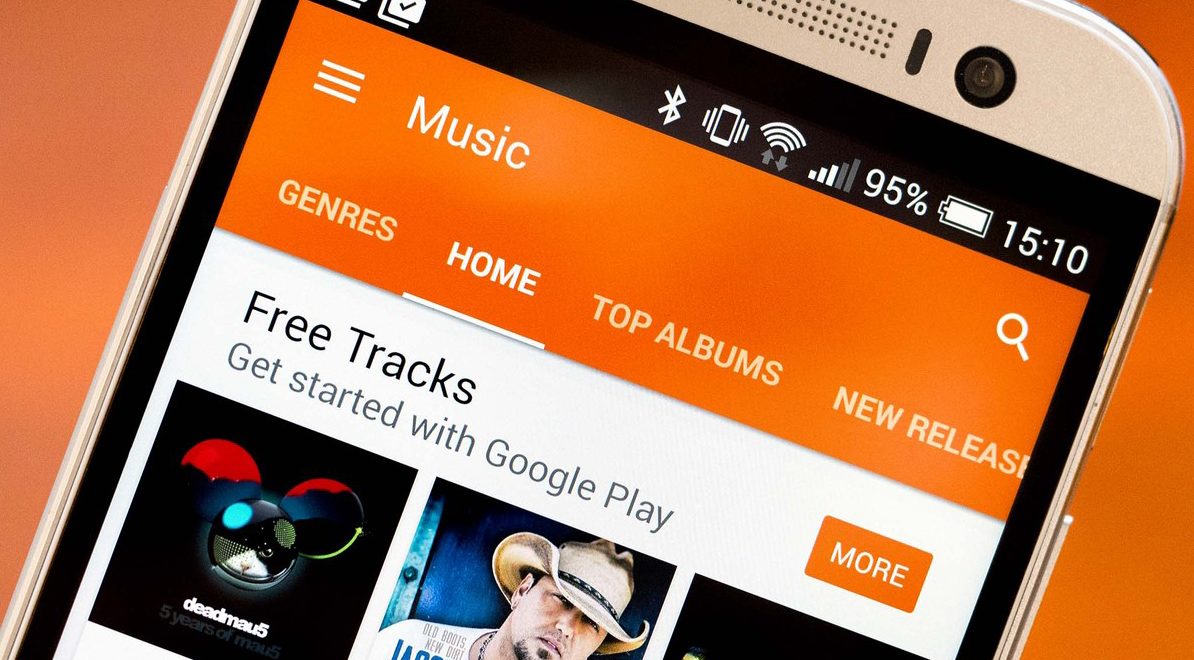
    Music streaming programs like Spotify and iTunes Music have been using your activity to recommend music for a long time. It’s cool to look at your phone to open a playlist and see some relevant artists you’ve never heard before. I’ve discovered some of my new favorite bands that way. Well, Google Play Music is going to be using some new tools to recommend this music and I don’t know how I feel about our kids and teens using them.
    Google Play AI

    The first major new feature is an AI system that is assisting your search in the Google Play store. When you type in a certain search term, your previous searches and the “language” you use to look for new apps will be taken into account while accessing your search results. Pretty complicated, I know, but it’s pretty neat. Basically, if you search for a photos app and you have looked for social sharing apps like Snapchat in the past, it’s going to include apps like that in your results. It will assume your use of the photo app will include social sharing based on your past searches. It may not be long before you have a totally personalized app store based on only your own interests. That’ll be interesting.

    Google Play Music Personalization

    You know that feeling when you walk into work and you just wish you had the right playlist to accompany you? Remember when you got in your car and wanted music but not the stuff you usually listen to, something new, yet perfect (according to someone) for driving? Ya. Me neither but apparently Google Play Music is going to start using location data and previous activity to recommend new music for you in their app.

    Yes, the app could become more customized and even more useful but won’t these changes amplify just how much of your information and activity is being tracked by Google? The app will know what you’re doing, where, and when, and all in the name of giving you some relevant music suggestions. I don’t know about you, but that seems a bit much.

    What Parents Should Know

    settingsI’m all for using a AI to help me have a more intuitive user experience. I even enjoy being recommended new albums to check out. I don’t think, though, that I need to be tracked 24/7 in order to provide me with new, relevant music options. I think we are tracked enough and there has to be a time when we say, that’s enough. Especially for our kids.

    Google Play will allow you to turn off the location history tracking, which I recommend doing on your kids’ phones and tablets. There is a link in the settings menu in your Google Play Music app. You’ll be seeing this update to GP Music this week, so keep your eyes open and go turn off that location history.

  • Facebook Messenger “Public Chats” Could Be a Problem for Parents

    Facebook Messenger “Public Chats” Could Be a Problem for Parents

    Fewer and fewer teens are on Facebook these days, which isn’t necessarily a bad thing. They’ve left the social media platform because of their parents and grandparents being on there so often, that is a bad thing. When Facebook launched their messenger app they made it possible to never use Facebook itself but still have conversations in messenger. Soon it may be possible to have those conversations in a public chat room. That, could be the new problem.

    Messenging is something that has commonly caused concern for the involved mom or dad. It’s easy to have conversations that parents never hear about and to get into discussions with people you don’t even truly know. The age old rule “don’t talk to strangers” doesn’t seem to apply online these days even though it really should. Facebook will soon be offering “Rooms,” in which users can discuss different topics and be connected by their interests. Rooms will be shared with a link and can be posted publicly to allow anyone to join the conversation.

    These rooms are different than group chats in that they allow more people than just Facebook friends and family to join. Literally anyone can join your “Room” if they have the link. Users will, however, have the option to set rooms to private and require administrator approval for a user to join. Facebook Messenger Rooms is currently being tested in Austrailia and Canada but look for it to be availible in the US before too long.

    What Should Parent’s Know?

    Obviously your children need to understand the dangers of chatting in public rooms on any social media service. Facebook messenger is one of the most common and popular so be sure to include it in your discussion. Also, pay attention to your child’s social media accounts. If you see them posting links that you aren’t familiar with or posting that they are opening up a public chat room, click through to that link and see what is going in in the “Room.” Again, you won’t be seeing this feature in messenger in the United States just yet, but be aware that other apps like WhatsApp have this feature already and you should be keeping track of what your children are doing in those apps.

    We have written extensively about mobile messaging and different terms you should know in our mobile device vocabulary series which is available with a subscription. Go sign up today and learn all you can to be ready for this coming update.