Tag: security

  • New Operating Systems Coming for iPhone and Android

    New Operating Systems Coming for iPhone and Android

    The last few weeks have been loaded with updates from the two major tech brands in the industry. Google’s I/O event was May 17-19th and they had some major announcements including virtual reality, augmented reality, and a brand new operating system for Android, Android O. Apple’s Worldwide Developer’s Conference (WWDC) was this week, June 5-9th, and they’ve made similar announcements including a new version of their smartphone operating system that they’ve branded iOS 11. These two new systems will run the majority of the newer phones and tablets being released so it’s important to understand what each is offering. Here’s a rundown:

    Android O

    Android’s newest system should be made public this Fall. The most significant features are design changes in the Settings Menu and User Interface (UI.) Many of the smaller changes are things users won’t notice such as changes in how the OS will handle security and background operations, as well as channels or categories for notifications. Also, picture-in-picture support, notification badges that will appear on app icons, and better bluetooth support will definitely be features that makes Android O a step up for it’s users.

    iOS 11

    A new dock, multitasking with drag and drop, a files app, and better Apple Pencil support make iOS 11 a major upgrade for iPad. iPhone users will notice more apps in messenger, an app store that looks and works completely differently, and a new and improved Siri, including a new voice. The control center, the lock-screen, notifications screen, maps, Apple Music, and AirPlay are all getting improvements as well. iOS 11 is also slated to release this fall.


    What Parents Should Know

    There haven’t been any announcements on Parental Control improvements for either of these operating systems. When the test version of iOS 11 is released I’ll be giving it a full look-over and writing a review for you. One thing that parents will enjoy from iOS 11 is the ability to turn on an automatic Do Not Disturb while driving. The phone will sense your movement and speed and automatically silence any notifications until you’ve stopped. This will be a good way to keep your older kids safe while they are on the road. As for Android, they recently put out a new Parental Control option for their OS and it’s proving to be a pretty good setup. It’s only available on newer devices, however, and we still don’t know what changes have been made for when Android O is released.

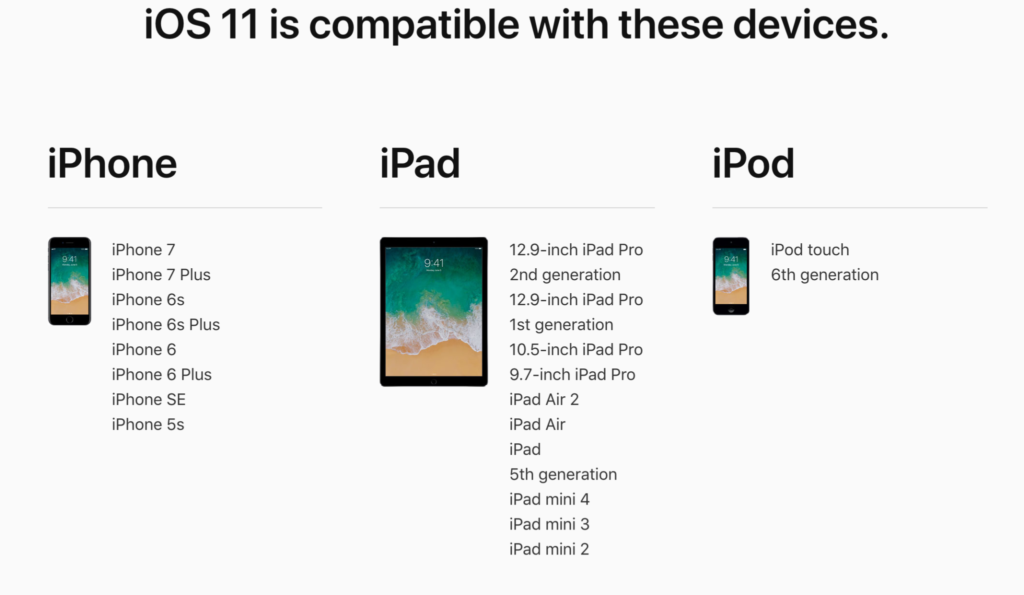
    I always recommend keeping on top of updates when they are made available. Both of these new Operating Systems should be available this fall and you should be sure, if your devices are compatible, that you’re upgrading soon after release.  This isn’t just important to get any of the new features but also because security and privacy updates come with these new systems. The apps you use, including the ones you use for internet safety and monitoring will update to keep up with the latest software and if your devices are behind you’ll start to see holes in your security. Keep your eye on the update section of your settings menu and when it shows that a new version is available you should install immediately. You can also keep checking in to this site as I will keep you informed on the latest releases as well as how they can affect your family.

  • Tumblr App Installs “Adult Content On Switch”

    Tumblr App Installs “Adult Content On Switch”

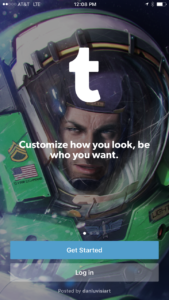
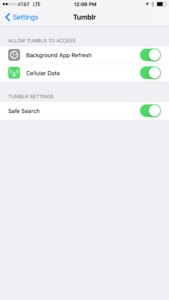
    Tumblr has lost some traction over recent years. It’s not so much a social media platform as a blog host and not really even that. It’s more used for GIF (animated images) posting than anything nowadays. Apple has always had a pretty strict standard on adult content in the apps in their app store. They require developers to have adult content disabled by default. This usually means that image searches on your browser should be without any blatant pornography unless your search is specifically for that. Tumblr has updated their iOS app with a workaround for this rule. There is now a switch that will allow users to turn adult content back on in Tumblr. It’s actually a “safesearch switch” and it’s set to on by default, thus following the rules set up by Apple. All it takes, however, is for someone to go to the settings page of the app and turn the safesearch option off. This will unleash the cacophony of adult content that is available on Tumblr (many say that pornographic images and gifs have become it’s main purpose) on the user.

    What Parents Should Know

    The Tumblr app is basically a browser in which anyone with an account can see any of the user generated blog content posted on the site. As mentioned above, the app has become inundated with adult content and is not safe for anyone you’d like to keep from those sort of images or videos. The safe search switch isn’t located in the restrictions settings on your iPhone. It is just in the settings for the app. This means safesearch changes can be made without a password. This app is an easy way for your child who has been looking at inappropriate images or videos to access more of that. Now that the safesearch can be turned off, you’ll want to add this app to the uninstall list.

    Our children can be greatly harmed by pornography. Studies are showing it’s addictive nature and the ability it has to alter a person’s sexuality and preferences, creating what they call an “arousal template.” This causes kids to be attracted only what they’ve seen online and can create serious problems for them in the future. They also say that kids who view pornography are six times more likely to force others into sexual behavior. Many in our culture view online adult content as only entertainment but it’s being proven that it’s detrimental to the mental health of our kids. If there is anything you can do to protect your children from adult online content, you must take steps to do so. Uninstalling Tumblr just became one of those steps.

  • The Monkey App will be a Hotbed for Predators

    The Monkey App will be a Hotbed for Predators

    You can often tell a lot about an app or product by their logo. (See Instagram or YouTube) They often use the small icon to entice you into using their app based on the style or the creative way the image can explain what the app is used for. Sometimes, though, you can be lured into a false sense of security by the playfulness of an app’s logo or icon. Monkey is a perfect example of this. When I saw Monkey listed as number 51 on the app store’s top downloads I was expecting to see some kid’s social media platform that would allow you to chat privately or play games or something. That’s not at all what I found.

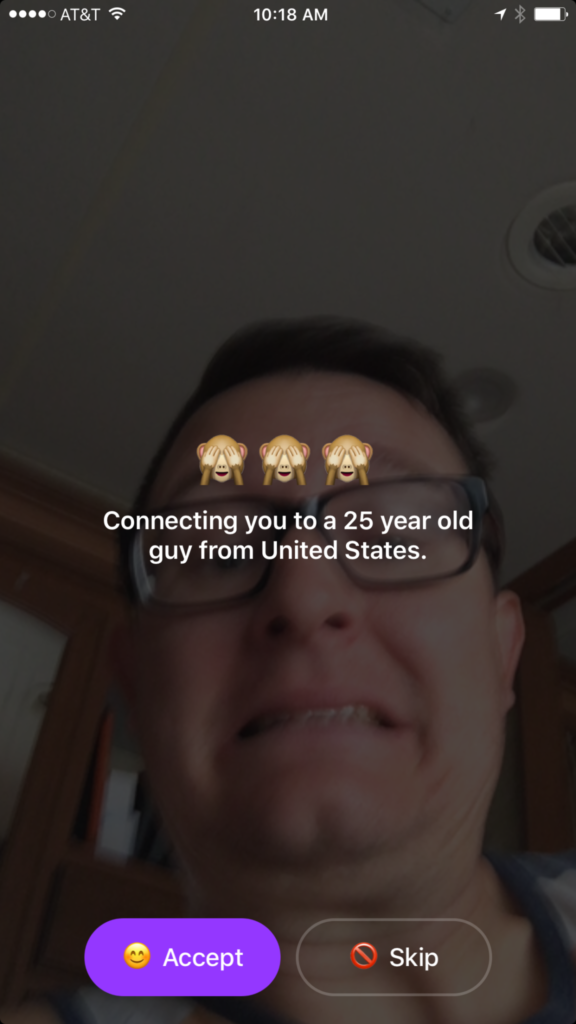
    In reality Monkey is a chat roulette type of video chatting app. Once you’ve downloaded the app it will ask you your age. You set your age to whatever you’d like it to be, provide your phone number and your snapchat username and you’re in. It immediately begins connecting you with someone to video chat with. While it’s connecting it shows your face dimly in the background and says who it’s connecting you to. You have the option to skip the connection or accept. If you accept you’ll be shown their video feed and they’ll see yours. In the short time I tested the app I was connected with all males ranging from ages 22-45.

    Once you have connected with someone a countdown clock begins. You can tap the clock to add time and keep talking but if they don’t tap their clock you’ll be disconnected. This is another “swipe right” concept that gives each user the option to continue the connection with a simple gesture on their smartphone. To be honest I never accepted a connection. I still just don’t get a good feeling about the gamble of finding random video chatting partners. I don’t know what I”ll see when I connect. You also don’t know what your kids might see.


    What Parents Should Know

    The dangers of a roulette style video chat app should be pretty obvious. The potential for unwanted material and contact with dangerous people is real. While there is a report button to flag any inappropriate content, that method takes the “after the damage is done” approach to keeping their app free from pornography and bullying. The app is rated for users aged twelve and over and the terms and agreements explain how the company takes no responsibility for the content that may be displayed on the app.

    YOU FURTHER UNDERSTAND AND ACKNOWLEDGE THAT, WHILE THE SERVICES ARE NOT PROVIDED FOR PORNOGRAPHIC PURPOSES OR FOR MAKING SEXUALLY EXPLICIT CONTENT AVAILABLE, YOU MAY BE EXPOSED TO CONTENT THAT YOU DEEM TO BE OFFENSIVE, INDECENT, OBJECTIONABLE, OR SEXUALLY EXPLICIT, AND YOU AGREE TO WAIVE, AND HEREBY DO WAIVE, ANY LEGAL OR EQUITABLE RIGHTS OR REMEDIES YOU HAVE OR MAY HAVE AGAINST MONKEYSQUAD WITH RESPECT THERETO. – Monkey Terms of Use (All caps theirs.)

    This app was developed by two sixteen year old kids from Australia. They said that they designed the app to allow teens to build more random online relationships. Ben Pasternak and Isaiah Turner told Mashable “…Snapchat is for your real life friends and Monkey is for your internet friends.” These teenagers saw a line between their real world relationships and the ones they could make with people all over the world through the internet. This is exactly what parents need to consider. While living in a more globalized world has many positives there are also very real risks to exposing our young teens and kids to the entire globe. 

    My advice is to put this app on your uninstall list. Never trust an app based on their branding or icon. Have a real conversation with your teen about the potential of seeing body parts or other unsightly things on this app. Remind them of the problem of connecting with random people online. There are always people who will lie about their age or their gender in order to connect with someone they’d like to prey on. Even if they know they’re only going to be connected for a few seconds. Sometimes a few seconds is enough to cause major problems for our young kids. Don’t let the cute monkey emoji logo fool you. Uninstall on sight!


    Does your family have an internet safety plan? Sign up for our email list to get a free checklist that will guide you to family internet security.  

    Get Our Latest Posts in Your Inbox

    * indicates required


  • Use Twitter’s New Tools to Protect Your Kids from Trolls

    Use Twitter’s New Tools to Protect Your Kids from Trolls

    Surprisingly, more of our teenagers are using twitter than you may think. The common attitude among young people is it’s a good place to express yourself even if you’re not sure anyone is listening. Twitter is still a place for teens to go public with their thoughts and opinions. The potential problem with such expression is that there are always those out there wanting to counter your opinion. Often this takes on the form of trolling or bullying. Twitter has released some tools that can help their users filter out some of those trolls and parents need to learn how to use them.
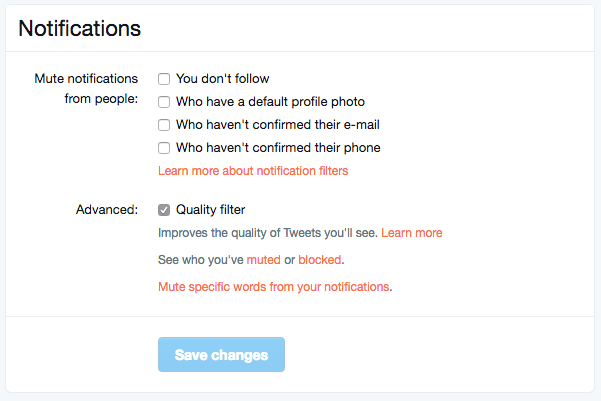


    Twitter was in the news last year because of a common theme of internet trolls bullying users, especially celebrities. This caused Twitter to begin working on some new ways to “clean up” what you see in your feed. In the last several days Android and Desktop Twitter users were given the power to block notifications of posts from certain types of accounts, including those who haven’t verified their email address and phone number. The common practice of these trolls is to create fake accounts just for the sole purpose of messing with someone. They don’t verify the account or even include a profile picture, displaying the default bird’s egg logo instead. The new tools developed by Twitter will allow these trolls to be filtered out by simply clicking a couple of checkboxes.


    What Parents Should Do

    Suicide is now the third leading cause of death among teens and a teen that is cyberbullies is ten times more likely to think about killing themselves. These statistics are a reality in this digital world and are a wake up call that parents need to take the opportunity to filter content in their kids social media feeds seriously. These notification filters can help remove some of the negative and hurtful people that just seem to want to make trouble on Twitter.


    Take note of the above picture. If you go to the notifications tab on twitter you’ll see a Settings link on the upper right. Click that link and you should see something similar to this image. It’s pretty straight forward but if you turn off notifications for anyone who hasn’t set up their profile picture, validated their email, or linked their phone number you’ll eliminate many of those troll accounts that cause so much trouble. Remember that Twitter and other social media sites contain “User Generated Content” and therefore, can’t be considered safe for anyone under 17. This means you should keep an eye on what your child or teen seeing on Twitter and have conversations with them about it. As them why they use Twitter. Find out if they’ve ever been teased or bullies on the app. If so, ask what they did about it and who they told. Kids who talk about being bullied are far less likely to take drastic measure as a result of it so open the lines of communication and be present when they need you. You should be that safe place they can come to with any problem. Bullying on social media is no exception.

    Follow all of our posts to keep in the loop on family relevant tech topics. Sign up for our weekly update newsletter. 


    Get Our Latest Posts in Your Inbox

    * indicates required


  • The Risks of a Fully Connected Home Part 2

    The Risks of a Fully Connected Home Part 2

    The Internet of Things has made its way into our homes and we are becoming increasingly used to being tracked and monitored. In this, part two, of our connected home series, we’ll look at advertising and what it means to our privacy, our homes, and our families.

    Advertising

    Our society has become so accustomed to our data being used to advertising that we aren’t even creeped out by the ads on Facebook reflecting our Amazon searches last night. When we get spam email based on what we did online last week, we just hit the delete button and think nothing of it. Individualised targeted advertising is a part of everyday life now and that’s probably not ok. When everything in our home is connected to the network we are feeding data miners with so much advertising fodder that it will become impossible to ignore the onslaught of targeted ads we will recieve. Imagine when your fridge can tell that you’re out of milk, so you get an advertisement for a coupon at Walmart in your email fifteen minutes after you’ve poured the last bit into your cereal. That sounds a bit creepy to me.

    When products like Google Home are “always listening” we have to wonder what some of that innocent conversation data can be worth to advertisers. Currently the policy is to not store any of that information but will the financial bottom line ever outweigh the disapproval of consumers? Is it possible that we will get so used to this targeted advertising that we won’t be phased by it anymore? Imagine standing on your back porch talking to your spouse about wanting to enclose it someday to make a screened in sitting area. What if, the following day, you saw advertisements for builders, finish carpenters, and handymen? Would that freak you out? Right now it may but if we continue to adapt to the “internet of things” we will soon take, even that level of targeted advertising, in stride. It will just become normal, everyday life. Especially for our children.

    What Parents Should Know

    Keep in mind that your children are a multi-billion dollar industry. Every time they play a game online or watch a video, they’re being marketed to. There is no way to avoid some of that marketing but there are ways to be smart about how we allow the corporations that sell us everything we use to come in contact with our children. As mentioned in part one, experts advise that if you are concerned about potential breaches in privacy while using a smarthome or digital personal assistant you should just avoid getting one. If you’re someone who thinks that the conveniences outweigh the potential concerns then take the steps necessary to shield your kids from targeted advertising as much as possible.

    Set parental controls if your devices have them. Make sure your usernames and passwords have been changed from the default ones and that you have read and understand the privacy terms of the product you have purchased. Set any privacy settings that may be available with your children in mind, not just yourself or other adults. Always remember that your child can activate Alexa, Echo, or Google Home as easily as you can. They aren’t equipped with voice recognition (yet) so you must have the safety features set up before you allow your child to use your digital PA. More on those safety settings in part three, tomorrow.

  • The Risks of a Fully Connected Home Part 1

    The Risks of a Fully Connected Home Part 1

    If there’s one thing that CES 2017 showed us last month, it’s that the “internet of things” is our future. Our world is becoming increasingly more connected and so are our homes. Everything from your television or thermostat to your mirror or even your toaster can be intertwined in a web of wireless connectivity. These advances in technology offer new and exciting levels of convenience but what are the risks involved in being so connected all the time? This three part series of posts will help you weigh the potential risks of home connectivity and make a knowledgeable decision for your family.

    Internet Privacy

    There have been news reports about hackers playing with people’s wifi enabled thermostats, unlocking their smartphone controlled door locks, turning on closed circuit security cameras and even baby monitors. Many of these connected home appliances come with basic, easy to guess passwords and usernames and can be messed with very easily. The best advice for these types of products is to always change the username and password from the one that comes pre-designated. Now, however, more families are inviting a new digital personal assistant product into their home.

    Many experts are looking at smart home and “PA” devices such as Amazon Alexa/Echo and Google Home with some caution due to their microphone “always listening.” There has been much conversation among internet privacy and security experts about the risks involved with a device in your home that can hear every conversation you’re having. Amazon and Google both say that their products were designed with privacy in mind and that they don’t store any information you say that wasn’t preceded by the command words. (i.e. Ok Google or Hey Alexa) What you say after you activate the devices is stored on an encrypted server but spokespersons for the companies are silent on what happens to the data after that. They only admit that your voice patterns and speech is being monitored to help the devices become better at recognizing you.

    What Parents Should Know

    “These devices are microphones already installed in people’s homes, transmitting data to third parties,” Joel Reidenberg, director of the Center on Law and Information Policy at Fordham Law School in New York City, told USA Today. “So reasonable privacy doesn’t exist. Under the Fourth Amendment, if you have installed a device that’s listening and is transmitting to a third party, then you’ve waived your privacy rights under the Electronic Communications Privacy Act.” – Tec.Mic

    Using a device like Alexa or Google Home effectively waives your right to privacy in your home. While you can mute the device to turn off the microphone, that decreases the convenience and usefulness of the product. When you use the product, however, you are accepting the terms and agreements and are allowing a microphone to be “always listening” (Google’s words) during all of your conversations. Be sure, if you think you need to be this connected, to read all of the legal documentation and make sure you feel confident that the risks you may be taking are outweighed by the benefits of having a “smarter,” more connected home.

  • How Social Media Sites Use Your Photos to Learn About You

    How Social Media Sites Use Your Photos to Learn About You

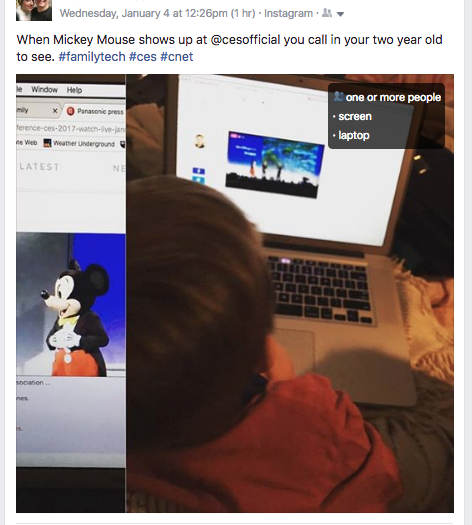
    A new extension (plugin or addon for a web browser) has just highlighted an issue we all probably won’t be surprised by but have never thought about. Our social media sites are scanning our photos to learn more about us. The extension is called, get ready it’s a mouthful, “Show Facebook Computer Vision Tags Extension” and it displays the detailed tags that Facebook has used to label your photos when you post them to the site. The tag information is built by automatically scanning every image you post and using the information to create trackable details about that image. So, for instance, if you post an image of you and your kids at the zoo it may show tags that say: “3 people, smiling people, animals, nature.”


    This may seem like no big deal but when you think about just how much information can be obtained from a simple thoughtless upload of a family photo, it can get a bit creepy. Most likely this info is used to help Facebook target you better with those advertisers who pay for the privilege to use the data to identify potential customers. It also is used to help with search results when someone is looking for photos of you or somewhere you’ve been.

    Use this as a tool!

    Oversharing online is more than just annoying. When you post a picture of your food that nobody cares about you are identifying yourself as a consumer who wants to be advertised to about that type of food. When you post that bad blurry picture of your kids in their princess dress, you’re highlighting that you should be targeted with more Disney advertising. Use this extension as a tool to help you learn that lesson, and teach it to your kids.

    This extension can be a pretty cool way to help you and your kids see how much information about you is available when you post online. I always advocate for parents to teach their kids that the internet is a public place. Whatever you post can and will be used against you IRL (in real life) and so you should think about that before you post. This extension may be a great way to drive that advice home with your kids.

    If you want to see for yourself, you can download the chrome extension HERE.

  • Protect Your Whole Family for A Buck a Month with Net Nanny

    Protect Your Whole Family for A Buck a Month with Net Nanny

    I recommend two major tools for protecting your children online. Accountability software and an internet filter. You know about our connection with Accountable2You but now I’m excited to have partnered with one of the best internet filter options out there, Net Nanny. The best part is that for the next couple weeks, they’re offering their best deal at an even bigger discount, %35 off.

    What is Net Nanny?

    Net Nanny is an internet filter and time management software. With customizable filters, remote management, and filter reports it’s one of the best options on the market.


    You create your admin account and can set up everything from there. With different users you’re able to customize your filters depending on who you’re protecting. Social media monitoring will report cyberbullying, sexting, privacy concerns, and any unexpected contacts by potential predators.

    Internet filters are critical for protecting your children and teens from unwanted content online. There are, however, ways to get around many filters. Some of the most common ways are image searches, i.p. address lookups, and proxies. These things are all problems for some filters because of the way that filter works. Many filters use the name, address, or metadata (informational tags built into web pages) to know if the content on the site is inappropriate. If the site is one that is trying to engage young users, they can often hide their content with unrelated metadata. They can also put their sites behind something called a proxy. The proxy will disguise the address and i.p. of the site so a filter doesn’t know what kind of content is on it.

    Net Nanny can’t be fooled so easily. Their system’s specialty is the ability to read the content on the page in real time to determine whether or not the site contains adult images or language. This allows them to block web pages no matter how you get to them. If you have younger kids it may not seem as big of a deal to have such a foolproof system. Unfortunately it’s getting harder and harder to protect them from content that may try to get through. If, however, you have caught your teen or child looking at something inappropriate you will definitely want to equip your computers and devices with the best filter software available. I think Net Nanny is one of the best.

    If you click the link you can sign up for their “Family Protection Pass.” A year of access to Net Nanny for just $60. That’s 12 bucks a month to cover up to five devices. $.99 per month per device. If you have more to cover you can get their next level to protect 10 devices for $89.99. There is also an option for coverages for 15 computers, smartphones and tablets for $119.99. Whichever option you choose, the link below will include us as affiliates and contribute a portion of your payment to BecauseFamily. This will help us continue to do free workshops and educate parents on how to protect their families online.


  • VIDEO TUTORIAL: iCloud FamilyShare Set-Up

    VIDEO TUTORIAL: iCloud FamilyShare Set-Up

    Apple has a great way to help families keep track of what their children are downloading on their ios devices. Your kids can even have their own profiles. It allows for families to share the apps they have downloaded without having to purchase multiple copies. It lets the administrator see what apps the other accounts have downloaded. Best of all, though, it lets you set requirements for young users to ask permission before an app can be downloaded. If you have specific requirements and standards for the apps you want your kids to use, this feature will help you keep those standards in tact.

    The video below is a simple walkthrough on my Macbook of how to set up your iCloud FamilyShare settings. I will add one new child account and even give some information about why you may want to use this feature.


  • Google Play AI and Music Customization Could Cause Privacy Concerns

    Google Play AI and Music Customization Could Cause Privacy Concerns

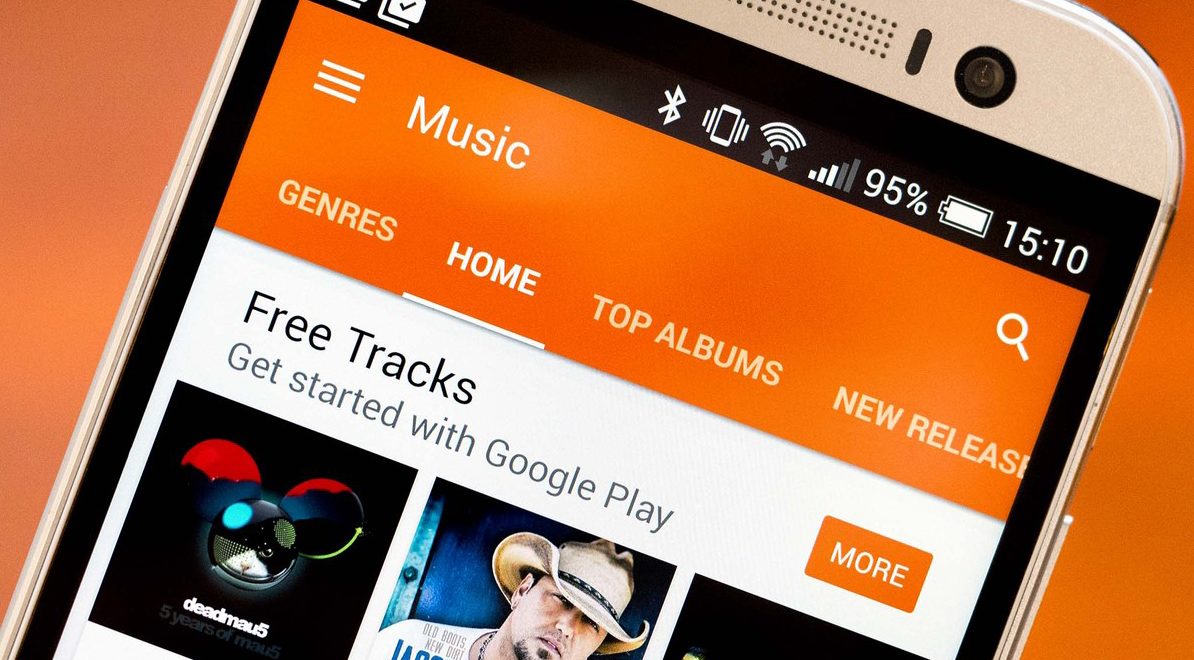
    Music streaming programs like Spotify and iTunes Music have been using your activity to recommend music for a long time. It’s cool to look at your phone to open a playlist and see some relevant artists you’ve never heard before. I’ve discovered some of my new favorite bands that way. Well, Google Play Music is going to be using some new tools to recommend this music and I don’t know how I feel about our kids and teens using them.
    Google Play AI

    The first major new feature is an AI system that is assisting your search in the Google Play store. When you type in a certain search term, your previous searches and the “language” you use to look for new apps will be taken into account while accessing your search results. Pretty complicated, I know, but it’s pretty neat. Basically, if you search for a photos app and you have looked for social sharing apps like Snapchat in the past, it’s going to include apps like that in your results. It will assume your use of the photo app will include social sharing based on your past searches. It may not be long before you have a totally personalized app store based on only your own interests. That’ll be interesting.

    Google Play Music Personalization

    You know that feeling when you walk into work and you just wish you had the right playlist to accompany you? Remember when you got in your car and wanted music but not the stuff you usually listen to, something new, yet perfect (according to someone) for driving? Ya. Me neither but apparently Google Play Music is going to start using location data and previous activity to recommend new music for you in their app.

    Yes, the app could become more customized and even more useful but won’t these changes amplify just how much of your information and activity is being tracked by Google? The app will know what you’re doing, where, and when, and all in the name of giving you some relevant music suggestions. I don’t know about you, but that seems a bit much.

    What Parents Should Know

    settingsI’m all for using a AI to help me have a more intuitive user experience. I even enjoy being recommended new albums to check out. I don’t think, though, that I need to be tracked 24/7 in order to provide me with new, relevant music options. I think we are tracked enough and there has to be a time when we say, that’s enough. Especially for our kids.

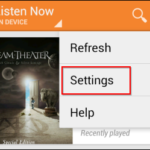
    Google Play will allow you to turn off the location history tracking, which I recommend doing on your kids’ phones and tablets. There is a link in the settings menu in your Google Play Music app. You’ll be seeing this update to GP Music this week, so keep your eyes open and go turn off that location history.