Tag: security

  • Movie Pass Reveals that They Collect Much More of Your Data than You Thought

    Movie Pass Reveals that They Collect Much More of Your Data than You Thought

    Several websites and apps have recently gone viral through facebook posts. These apps allow you to connect your Facebook account and see pictures of yourself be changed in some way. Maybe to look like a movie star or a politician or a model. Sure, we all want to see ourselves as celebrities or as the latest magazine cover model but there is a price to pay. If these things seem too free or cheap to be a good idea, it’s because that’s exactly what’s going on. They don’t have to charge for access to those little images or services because they make their money by selling your data.

    MoviePass made waves several months ago with their inexpensive movie theater subscription service. Their app was super successful because ten bucks per month is a super low price for up to one movie per day in the theater. I remember seeing this offer shared online numerous times over the past several months. People were amazed that it actually worked and in a world where there are mega blockbuster movies being released every month, an all-access pass is a value that seems too good to be legit. The truth is, it isn’t as legit as you may think.
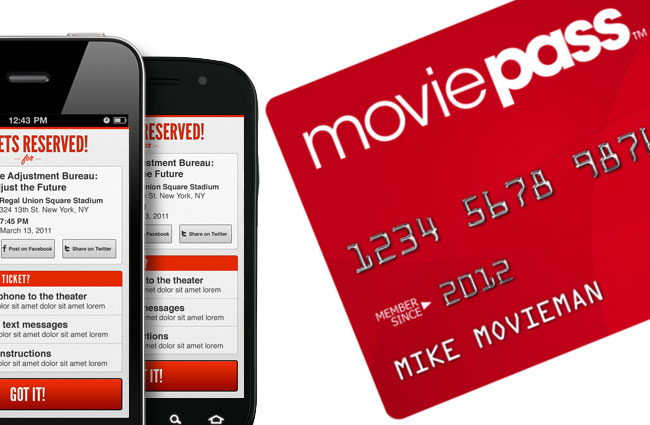
    At a recent event, Mitch Lowe, the CEO of Movie Pass gave a talk called “Data is the New Oil: How MoviePass will Monetize It.” In it he bragged about the amount of data the app received from its users:

    “We get an enormous amount of information. We watch how you drive from home to the movies. We watch where you go afterwards.” he even said, “We know all about you.”

    Data mining isn’t new, in fact, it has been happening almost since the dawn of the internet. The difference is how little information the companies are required to give users about the amount of data they’re tracking and what they do with it. Terms of Service and Privacy policies are rarely read by users and even if they were, they give the most bare-bones information about the practices of the company. MoviePass claims to ping your location data once when you search for movies in your local theater. It seems they do a bit more than that.

    We are all a bit used to our data being tracked by the sites we use. We’ve seen ads from Amazon show up on our Facebook feeds every single day for years now. Unfortunately, however, not all of the data that companies like Viralemon and MoviePass receive is about what we’re shopping for. This data can be sold to other advertisers and be used to add promotional options to their apps or websites. The biggest concern is the often less than effective security protocols these companies have. If their site is compromised for some reason, all of that data can get into the hands of hackers with less than wholesome intentions.

    My Advice

    First of all, don’t give random sites access to your social media pages. If a site, game, or activity redirects you to a link that asks you to click ALLOW in Facebook then click away immediately. If you want to upload a picture, that’s up to you but letting a sill site like that access your Friends list, timeline photos, profile photos, videos, page clicks, likes, and who knows what all else is just a bad idea. Always.

    Don’t upload pictures of your kids to these sites. Photos of kids are prime real estate. It sounds sick but you wouldn’t believe the use for random pictures of your son or daughter in the marketing, advertising, and much worse industries.

    If it sounds too cheap to be legit…IT IS NOT LEGIT! This one speaks for itself, if they aren’t making money by charging you to use their service or buy their product then they’re making money some other way. In the internet/connected age, they’re almost always making money by selling your information.

    Share and don’t Share! Cool, you are now well aware of the risks of giving these sites access to your social media accounts. Now you need to share this knowledge with your friends. Remember that if they give away their info, much of that info could include you. Let them know it isn’t safe and then stop sharing these dumb, clickbait, data mining apps and websites so that they’ll stop going viral, stop making money, and have to shut down. That would make the internet a much safer place.


  • Google Has Proof they’re Finally Taking App Store Security Seriously

    Google Has Proof they’re Finally Taking App Store Security Seriously

    The Google Play app store has been known to be a bit of the wild wild west. There were copycat apps, apps with adult content, and apps with malware or spyware. Google now has some proof that they’ve been hard at work putting an end to all of the nonsense. In a recent report, Google said they removed more than 700,000 malicious apps last year. That’s 70% more than they removed in 2016. They say that most of the removed apps were copycats and many contained pornography or extreme violence, both of which are against the Play store policies. Most importantly of all, of the apps that were removed, 90% were rejected before they even made it to the store. This means they were never able to deceive users.

    This is very good news for Android users. It means that Google’s algorithms, AI, and “machine learning, techniques are working well and keeping apps that could put your security at risk from ever being installed on your phone. The openness of Google’s play store was always a major reason I wouldn’t own an Android phone. This update, as I said, is proof of how serious Google is taking security. There is still, however, a major risk associated with the use of an Android phone. It is a popular reason some folks prefer Android even though it is against their recommended usage policies. No matter how secure the Google Play store becomes, you aren’t protected if you are downloading apps and other files from other sites and apps. “Sideloading” apps is not recommended by Google and can put your security at risk.

    What Parents Should Know

    I spoke with a mom of a young teenager a few months ago about some strange stats on her monitoring software on his Android phone. It turns out, while she had turned off app downloads to keep him from installing adult apps or time wasters, he had been finding other ways to install apps on his phone. The Google Play Store removing unsecured and malicious apps can keep your kids safe from some of the dangers out there but if they are installing apps in other ways, you’ve lost all confidence that they’re protected. You should have some sort of monitoring software installed. Use something like unGlue, Accountable2You, or Circle to monitor what your kids are doing on their phones and keep an eye out for apps that don’t seem legit.

    A good way to know if they are sideloading apps is by looking for the term “APK Installer” in their recent activity. If you have the phone set to ask for permission or to disallow app installation and you see the “APK Installer” running, they may be sideloading. My advice is to keep an eye out for this and if you see it, ask them about what apps they are using. Maybe even have a look at what is installed on their phone. If you don’t recognize the app, do some research and uninstall it if you don’t approve. Most importantly, talk to your child about the importance of only downloading approved apps from the Google Play store. Let them know is as much about internet privacy and security as it is keeping them away from inappropriate content. Google is doing their part by monitoring and managing their app store, you can do yours as a parent by keeping an eye on what your kids are using on their Android device. 


  • Soon, All Tech Will Know Your Face…Get Used to It!

    Soon, All Tech Will Know Your Face…Get Used to It!

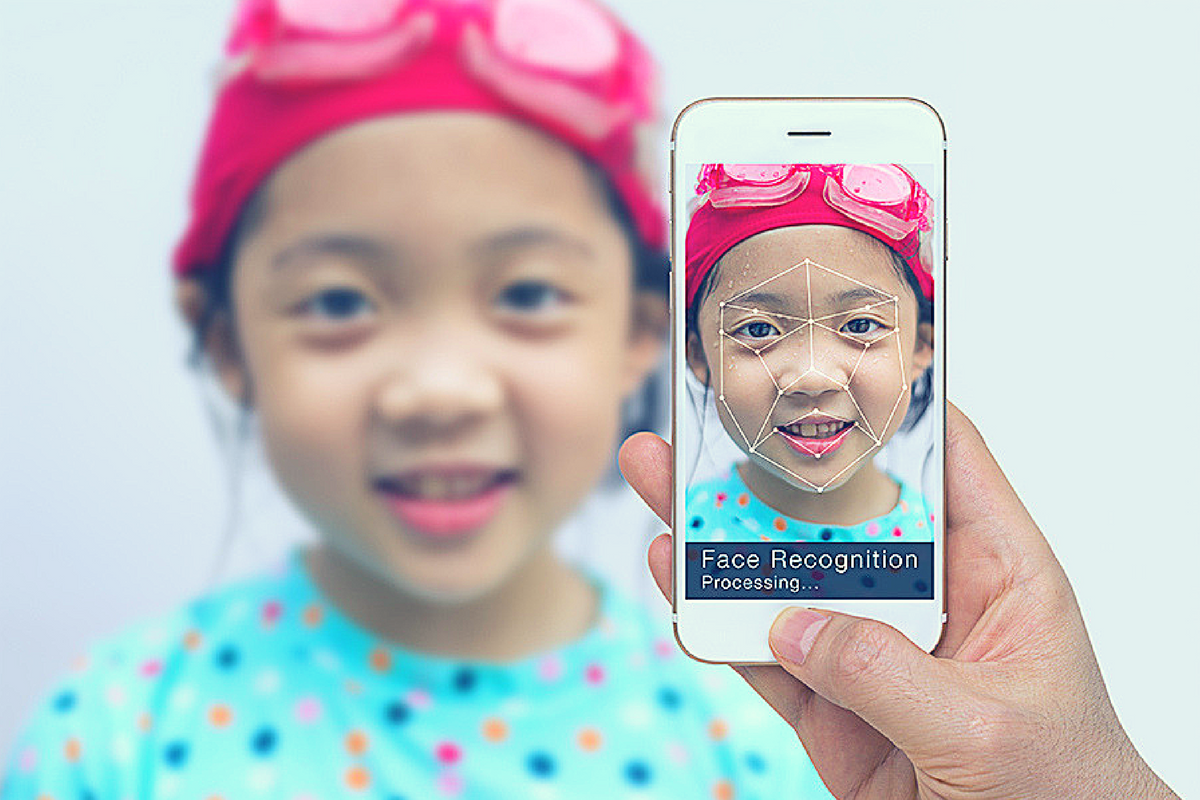
    Facial recognition is one of the hot-button topics of 2017. iPhone is featuring it now, several social media platforms have been using it for a while to help you tag your friends in photos. In fact, Facebook has just announced how they’re using facial recognition to help the blind learn more about photos on their timeline. Artificial intelligence in our social media timeline tells us what images and posts we want to see first, it identifies who is in our photos, it even decides what ads we will be most likely to click on. Social media isn’t the end of facial recognition AI, though. As I prepare to head to Las Vegas for the Consumer Electronics Show (thank you, by the way, your readership of this blog made that possible) I see more and more smart-home and gaming tech using facial recognition for their main functionality.

    Security

    The application of facial recognition in security tech should be pretty obvious. Amazon has a camera that you mount outside your door that will only allow approved delivery people into your home to drop off your packages. Smart security tech will use motion sensors and facial recognition to identify who enters a room and determine if they belong or not. If you aren’t approved, an alert goes to the homeowner and they can decide to alert the authorities or not based on seeing the picture that the security device took of you.

    Smart Home Tech

    Smart home technology isn’t early market anymore, it’s actually becoming more of a mainstay in the American household. People are calling out to Alexa, Google, and even Cortana more an more every day. The latest technology will be featuring the ability to recognize you and adjust the “settings” of your home accordingly. Think lights dimmed, music on to your playlists, coffee part started, and your tv turned on to your favorite channel. Most of the latest smart home tools are putting cameras on their devices and making facial recognition standard in their algorithms. That means that more and more “affordable” or “budget” devices will be scanning your face. When you pay less for similar tech, what you usually save money on is the privacy and security side of things. You have to be careful to understand the security settings and privacy policies of any “smart” device you purchase.

    What Parents Should Know

    Every single new tech development has the challenge of balancing convenience and progressiveness with security and privacy. Having your lights come on because a device saw your face walk into a room sounds like a really convenient thing. Being alerted by Facebook when someone uploads a picture of you is a great idea. It can help you keep photos you don’t like of yourself off of the internet or just help you make sure you are tagged in the photo you’re in. If all of these new technologies can ensure that your identity is secure then it’s a great way to use the latest developments to add convenience to your life. 

    My advice with the newest releases is always to wait a while. Let the lawsuits and hackers do what they will before you own one of the devices and your personal data is in jeopardy. Once it’s been out for a while then maybe integrate it into your life, but only if you know how to set it up and secure it properly.

  • PODCAST: 2017 in Review and What’s to Come in 2018

    PODCAST: 2017 in Review and What’s to Come in 2018

    Exciting new things coming in 2018 for BecauseFamily. This episode rounds out the rest of 2017 and gives you a heads up as to what to look out for in the coming year.

    Social Media Links

    Facebook: http://facebook.com/4pointfamilies
    Instagram: http://instagram.com/becausefamily
    Twitter: http://twitter.com/becausefamily

    Newsletter Signup

    Ministry Updates:: http://eepurl.com/R7Btr
    Weekly Blog Posts:: http://eepurl.com/cvnhXD

    Websites

    Ministry Site:: http://becausefamily.org
    Tech Blog:: https://safe.becausefamily.org
    Michael’s Speaking Info:: http://kmichaelprince.org

    Donate and Affiliate Links

    http://BecauseFamily.org/partnership

  • Snapchat’s New Filters Can Recognize Items in your Photos

    Snapchat’s New Filters Can Recognize Items in your Photos


    Snapchat’s new camera filters can now identify items in your photo and recommend AR graphics, borders, or stickers for you to add. The action is automatic and will insert recommendations into the filter carousel. To my knowledge you cannot turn off this feature, it is now a stock part of the Snapchat camera. The camera can recognize pets, sports equipment or events, food, and even specific locations.

    These are powerful tools for Snapchat users, especially paired with their geofilters which is strictly based on your location data. Besides just making your recommended filters more relevant, these new filters will make it easier for advertisers to target their ads more specifically. Turning off your location information won’t be enough anymore, your camera can now give advertisers clues (automatically based on software and algorithms) as to where you spend your time. This is big news for advertisers and even bigger news for tech safety and security specialists. 

    What Parents Should Know

    My advice is to always turn off the location data on your kid and young teen’s phone. I recommend only sharing location information when you’ve left somewhere, never while you’re there. There are many reasons for that advice, including not alerting people that you aren’t home and not making it easier for predators to figure out where you spend your time. If your camera is using the things in your photos to tag your location then you have lost control over your location data. That, to me, is a problem. Snapchat has been on my uninstall list for a while and this news just strengthens my case against it. Snapchat’s goal is to service financially and they are now making decisions to make their product the best advertising tool available to brands all over the world. This means forsaking the privacy and security of their users and most of their users are your teens. Uninstall Snapchat now. There…I said it.

  • Amazon for Teens will Teach Your Kids to Shop with Them

    Amazon for Teens will Teach Your Kids to Shop with Them

    Amazon has launched a new service that will allow you to set up a dedicated login for your teenager so that they can shop on the Amazon app. The goal is, first of all, to give parents a way to allow their kids more freedom to shop for things they’d like online while providing some realistic boundaries. It’s most likely, also, a great way to get your kid used to just buying whatever they need on the Amazon app.

    Amazon for Teens will allow your children to shop on the Amazon app and make purchases for themselves. You have the option to allow them to shop for whatever they’d like with a budget that you set or ask permission for every item they select to buy. If you choose the budget option you will have access to their purchase history and be able to cancel a purchase or request a return. So far there is no way to have teens use their own money within your family account. Currently, all shopping is done with a shared credit/bank card.

    The service is available to set up for your kids’ ages 13-17. They’ll be able to select whatever items they’d like to purchase and attach a note for you. You will be notified when they’ve made a purchase and you have 30 minutes to cancel the order if you don’t approve. Of course, if you’ve set it up to ask permission you’ll be able to approve or deny the order before it’s completed. Also, the default privacy settings will hide parent’s purchase history and credit card information.

    What Parents Should Know

    Amazon.com/teen is a way for Amazon to introduce your teen to their shopping app. For some, this may seem like a great way to teach your kids about finances and shopping. For others, there’s an obvious stench of commercialism and consumerism. If you’re so inclined, Amazon Prime for Teens seems to have a pretty good handle on what parents need to feel confident that their teens can shop on their own. In fact, they claim they used focus groups of parents in order to help them create the service.

    I say that if you’re going to use this service, be sure to keep the default settings to not allow your credit card and purchase info to be shared. I also think it will be even better when you’re able to set an Amazon Prime exclusive allowance for them to use with this service. Boundaries are the key to allowing your teenager to have independence while keeping them safe from their inability to make quality and safe decisions. Amazon for Teens could provide the exact boundaries you’re looking for to keep from having to order those new boots for the coming fall weather while making sure she orders the ones that are on sale.

  • Snapchat Brings the “Real World” to Your Story with Context Cards

    Snapchat Brings the “Real World” to Your Story with Context Cards

    Snapchat is hoping to make your Snaps and public story even more beneficial to advertisers. This is becoming more and more possible as they continue to update. The recent addition of “Context Cards” may be the feature that sets Snapchat apart as a social media advertising. Context Cards is an informational feed that highlights content from Snapchat’s partners. This content will include information like phone numbers, menus, maps, and ratings.

    Context Cards display information about the Snap you’re viewing – powered by amazing content from our partners like TripAdvisor, Foursquare, Michelin, and goop. – SnapInc.com

    Here’s how it will work. You will see a Snap shared to a public story and it will say “More” at the bottom. When you swipe up you’ll see the timeline style list of different information cards. Continue swiping up to see more or tap on the information to learn more or perform an action. You can hail an Uber or Lyft ride, make a call, view a menu, or see reviews or a website. The goal is to take you to the information you need without leaving Snapchat, as well as to encourage advertisers to build more ads for Snapchat Stories.

    What Parents Should Know

    These new features in Snapchat are meant to encourage more real-world engagement. You probably noticed the video featured college kids going all over town joining their friends at their current party location. They use Context Cards to know exactly where their friends are and what they’re doing there and even how to get there themselves. The problem for parents is that your kids aren’t members of the age group that is featured in this video. Decisions made to strengthen a company’s advertising abilities can often introduce more safety or privacy concerns for our younger users.

    I recommend encouraging your kids’ to have location information turned off for Snapchat. The especially should turn their SnapMap to ghost mode. Young users should always set location and sharing settings to as private as possible. Leaning towards privacy is going to render Context Cards basically useless on Snapchat. This may annoy your kids. (It may not because it may just look like annoying advertising.) If it does annoy your kids I recommend you stand your ground and still encourage them to keep their online presence as private as possible.

  • Update Your iPhone Today or Get Hacked Tomorrow

    Update Your iPhone Today or Get Hacked Tomorrow

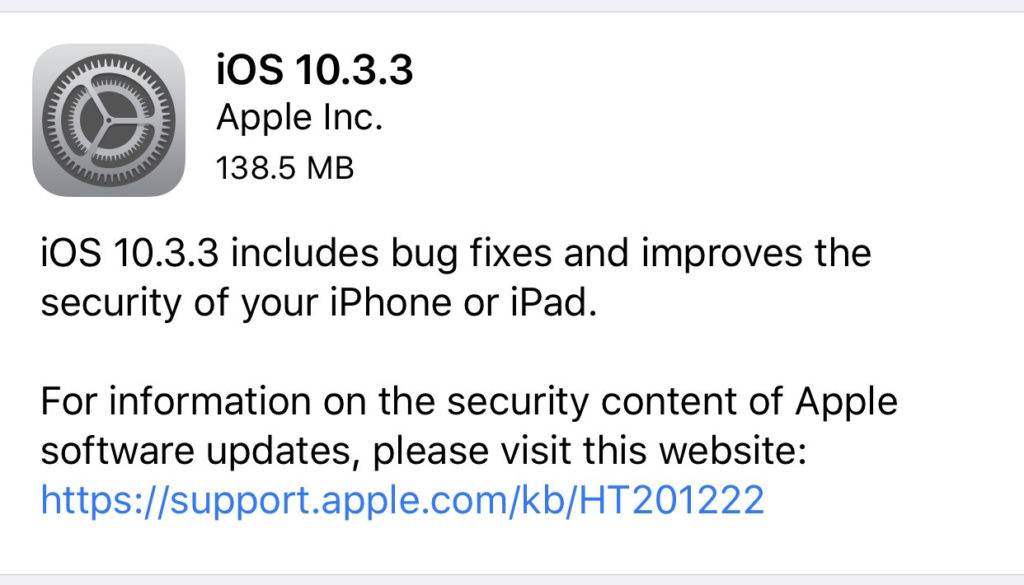
    Most of the posts on this blog are about how to keep your kids safe from pornography, cyberbullying, predators, and other threats like that. However, protecting your and your children’s devices from hackers is equally as important. That’s why you need to know about yesterday’s iPhone update. The latest version of iOS 10 will sure up a gap in security that would allow hackers to use the wifi chip in your device to gain access to your iPhone or iPad. This means that you don’t have to do anything to allow them access, just be close enough to their wifi network with your phone’s wifi connection turned on. That’s a crazy easy hack.

    Here’s what you should do. Install the latest update TODAY. You should have been asked yesterday (Wednesday July 20th) if you’d like to update, if you ignored it then it’s time to go into your settings, tap on general, and then software update. On the update page click install now and plug your phone in to power. This will get you all secure. If you have an Android phone you received an update a couple of weeks ago that should have fixed the issue. If you’ve been ignoring that update then stop doing that and install now. I’ve written in the recent past about the importance of updating your operating system and this news is just more evidence of how urgent some of these updates can be.

  • You Should Ditch Your Windows Phone, Microsoft Is!

    You Should Ditch Your Windows Phone, Microsoft Is!

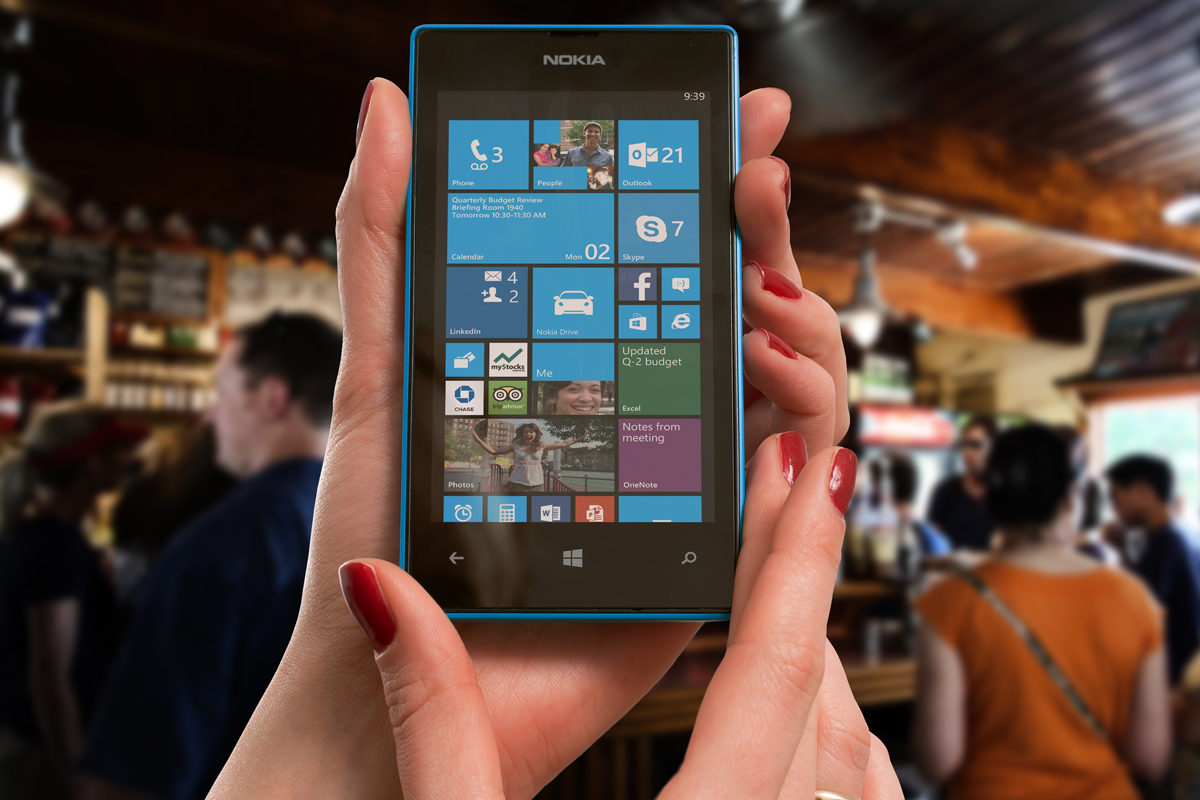
    Yesterday marks Window’s Phone’s “end of support” classification with Microsoft which means they will not be updating the phones anymore, not even for security.  While Windows 10 Mobile is still available there aren’t many phones that are compatible with this OS. What does this mean? It means that if you have a Windows phone, it’s time to switch to Android or iPhone. Security is one of the most important reasons to allow your operating system to update, if those updates aren’t available then all of the personal data you put on your phone is at risk. This is a real problem and not only for Windows phone users.

    There is a new operating system coming for Apple and Android towards the end of the year and you shouldn’t use a phone that will not be included in these major updates. Yes, the new features and designs of these operating systems are cool but they aren’t the only reasons you should tap ok when the update notification pops up. These updates protect your personal data from theft, hacking, phishing, and spamming. Updates to your OS are often responses to new security threats that developers have become aware of so while the notification every few months to instal version 1.2.4.3.2 can be obnoxious it’s too important to ignore.

    Here’s a list of some of the devices that WILL BE recieving the new Android OS called Android O:

    • Pixel
    • Pixel XL
    • Nexus 5X
    • Nexus 6P
    • Pixel C
    • Nexus Player
    • Galaxy S8 and S8+
    • HTC U11 (Maybe older devices but it’s still unclear.)
    • Z-Droid
    • Z Play
    • Moto Z
    • Z Play Droid
    • Z Force Droid ( Verizon exclusive in the USA)
    • Z2 (2017)
    • G4
    • G5 Plus
    • Moto G5
    • G4 Plus
    • G4 Play (Not Confirmed)
    • OnePlus3
    • OnePlus3T
    • OnePlus5 (Rumored)

    Rollout dates for Android O differ for every device and there are some devices who’s companies have yet to confirm an Android O rollout at all.

    As for your Apple Device, here’s the list of the phones and tablets that will receive the new iOS 11 update when it’s fully available:

    iPhone

    • iPhone 5s
    • iPhone SE
    • iPhone 6
    • iPhone 6 Plus
    • iPhone 6s
    • iPhone 6s Plus
    • iPhone 7
    • iPhone 7 Plus

    iPad

    • iPad mini 2
    • iPad mini 3
    • iPad mini 4
    • iPad (5th generation)
    • iPad Air
    • iPad Air 2
    • 9.7-inch iPad Pro
    • 12.5-inch iPad Pro
    • 12.9-inch iPad Pro (1st generation)
    • 12.9-inch iPad Pro (2nd generation)

    iPod touch

    • iPod touch (6th generation)

    If your device isn’t going to be updated this fall or early next year it may be time to consider upgrading. While some of the older phones will still get OS updates from time to time it won’t be long before they go the way os Windows Mobile and become more of a risk to use. Yes, I know it can be annoying to get used to a new phone and a new user interface and system but the safety and security is too important to ignore. Just take the leap or, if all else fails, faxing can be a pretty safe way to communicate. I kid because I care.

  • Just Be Nice!

    Just Be Nice!

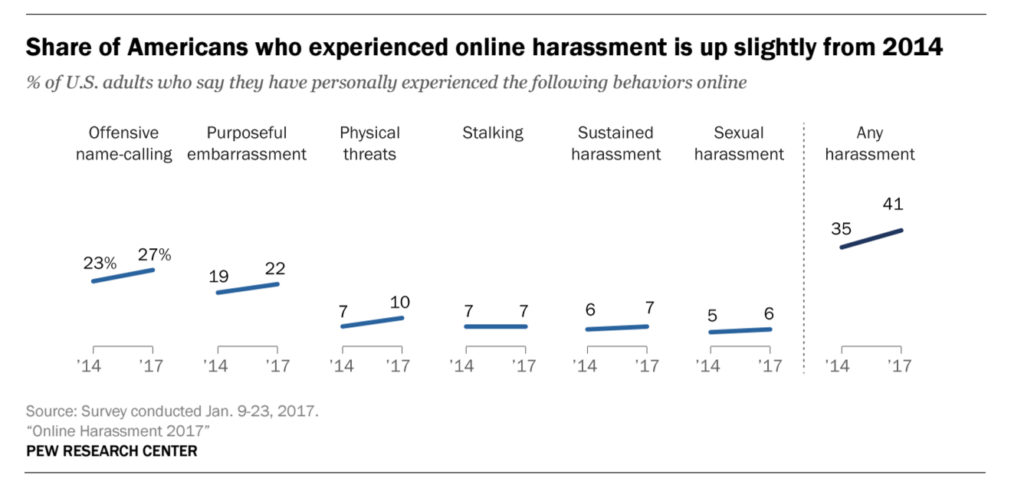
    A new study by the pew research center has highlighted that online harassment and bullying isn’t isolated to kids and teens. It seems that adults have become more comfortable with speaking their mind online even if what’s on their mind isn’t very nice. The study shows 27 percent of adults admit to being called “names” on social media and as many as 41 percent say they’ve been harassed in some way. This was up from 23% being called names and 35% being harassed in 2014.

    Obviously social media was the most popular platform that people reported seeing harassment. Men were the most harassed except for sexual harassment cases, more women admitted to being victims of unwanted sexual content including images sent over messaging. You can see more of the results in the chart below.

    What Parents Should Know

    How can we expect our kids and teens to stop or report bullying if we are participating as well? What example are we showing our kids when we profane someone because they disagree with something we said or shared online? Just because we aren’t face to face doesn’t mean the words don’t have an effect. These are things we should be teaching our kids but we obviously need to heed these warning ourselves.

    We’ve all heard the old adage, “If you can’t say anything nice, don’t say anything at all.” Apparently we have forgotten that what we say online still has consequences. This is the exact message that I have shared with teenagers and kids all over the country and I can guarantee I’ll be sharing the same message with adults now as well.