
Tag: search

  • Kids, Social Media, and COVID-19

    Kids, Social Media, and COVID-19

    Instagram bans Coronavirus filters.

    There is a lot going on these days. We have to have some clarity for our kids when it comes to Social Media and COVID-19. As with any modern trend, Coronavirus has gone viral. Not just in the obvious sense. Filters on Instagram, which can be created and posted by nearly anyone, have been featuring images of the Coronavirus strain or filters that turn your face green and put the word Coronavirus above your forehead. Instagram has stated that they are afraid these filters are insensitive and possibly promote false facts about the virus. Because of this, the social media service is blocking all filter search results that use COVID-19 or Coronavirus.

    Facebook, Google, and Instagram bringing CDC and WHO information to top of feed and search results.

    “To help people get relevant and up-to-date resources, we will start showing more information from WHO and local health ministries at the top of Instagram’s Feed in some countries.”

    Social media feeds have been used by companies to highlight certain relevant news stories like election days and disaster response information over the past few years. COVID-19 information is now being offered through these in-feed posts on your social media thread. The major difference is that these posts are being highlighted and placed at the top of your feed. The idea is that the best way to fight misinformation on social media is by providing instant access to correct information.
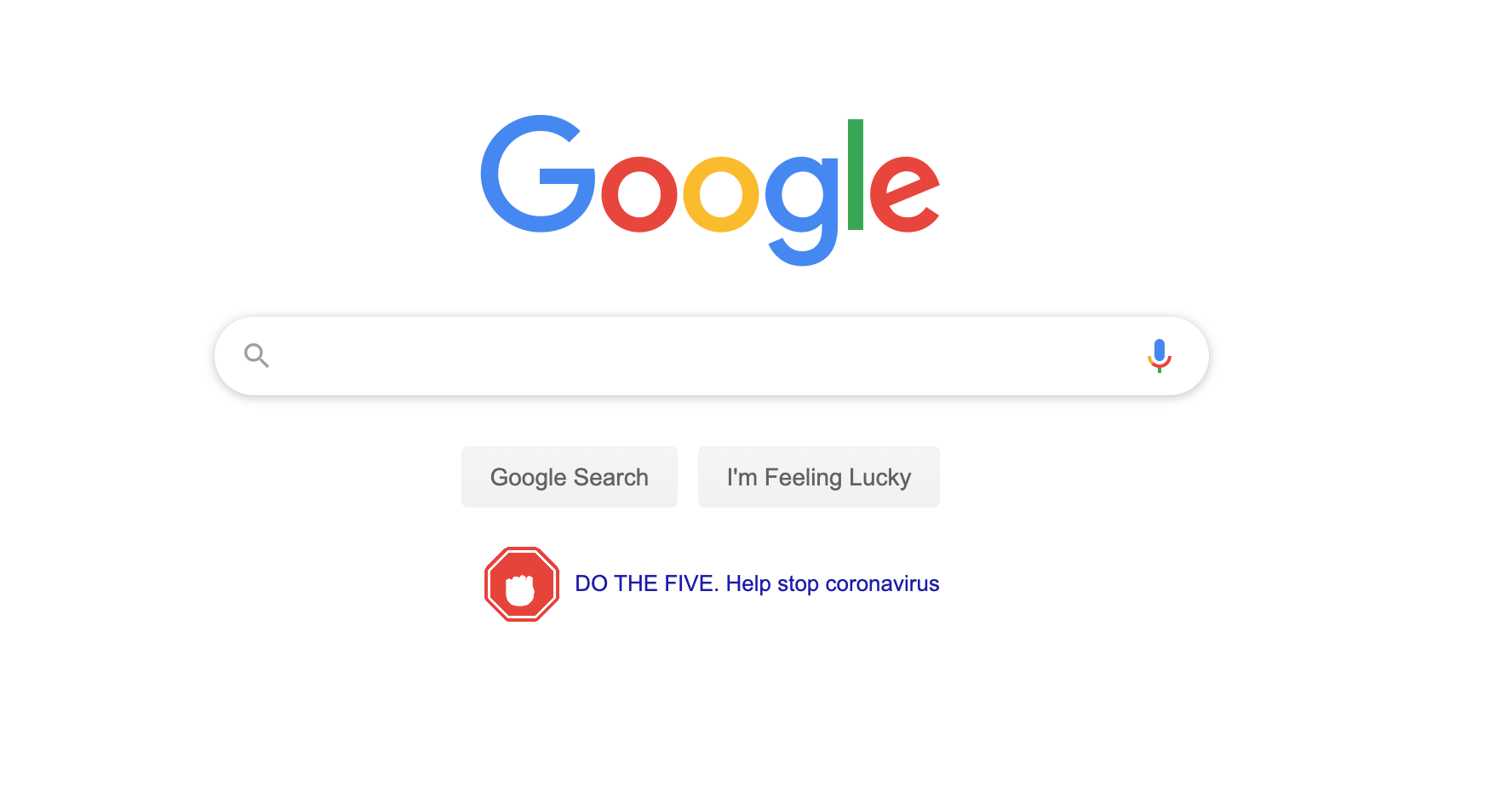
    Google’s home page features an animated “DO THE FIVE” link that leads you to the five steps to prevent the spread of COVID-19 along with search results relevant to learning more about the virus.  These tips are intended to stop the spread of false ideas about the virus that put people in danger. It is critical that we work together to explain the truth about COVID-19 and only get our information for trusted sources. I write this blog for parents and guardians to help them protect kids but many people simply need to know how to protect themselves from false information. Be wise during this unique time in our history.

    Kids, Social Media, and COVID-19 Facts

    Articles and Memes

    There is a lot of nonsense going around concerning COVID-19 and much of it is in the form of memes. Images touting super cures or false prevention measures. Some are claiming government conspiracy and ways that they are lying to us. It can be difficult to weed out who is sharing facts and who is just making stuff up. The key is in the source. We have to check the sources of our information. Some guy in Texas isn’t going to have the super cure for COVID-19, some older lady in Wyoming doesn’t have an inside scoop on what the government is doing to distract us during this election cycle. If there is no source mentioned at all, ignore the content.

    Memes play on our sense of humor or lack of trust. It is easy to believe someone telling us the government made a virus to distract us from something else when we kind of believe that sort of thing already. When our expectations are developed by the movies and tv shows we’ve seen, articles and memes can point us down the wrong path simply by appealing to those expectations.

    Memes: A Parent’s Guide


    Articles can be just as dangerous in times like this. We must know the difference between a news report and an opinion piece. When it comes to things like viral outbreaks opinion writing is next to irrelevant. If the opinion is from someone with relevant credentials who has been commissioned to write something to help the general public during this time, that’s one thing. Some guy on Medium, however, writing about how we should ignore certain CDC advice shouldn’t be taken seriously. He’s writing his opinion and it being on the internet doesn’t make it useful, especially in such a volatile time.

    Once we learn to pay attention to the sources of our information we should be teaching our children to do the same. They need to know that there are people out there writing for entertainment or even with malicious motives in mind. Those people shouldn’t be used to form our opinions on anything, much less something as dangerous as a viral pandemic. Use wisdom, teach your children to do the same, and say a little prayer for those who have to be out and about protecting the rest of us.

     

  • Snapchat Update Adds New Effects and Sharable Links

    Snapchat Update Adds New Effects and Sharable Links

    Snapchat’s latest update will give the camera background effects and allow you to change your voice without using one of their filters. The other major feature is the ability to share links and open them within Snapchat’s very own browser. While you can’t type a url into the address bar at the top of the browser you can click around online and end up at any website you’d like. That’s right, that means your kids can now browse the internet within Snapchat. This has always been possible in other social media apps like Twitter, Instagram, and Facebook but now Snapchat will allow users to tap right on a picture and open a link without leaving the app.

    What Parents Should Know

    If the Discover Page, disappearing photos, private video chat, and SnapMap isn’t enough to put this on your uninstall list, perhaps the ability to access the entire internet without leaving the app will help you pull the trigger. Yes, this feature is available in other social media apps but when you factor in all of the other features that can be a detriment to your internet safety plan it puts Snapchat at the top of my uninstall list.

  • Is Pinterest Safe for Your Kids and Teens?

    Is Pinterest Safe for Your Kids and Teens?

    Is there porn on Pinterest? Does Pinterest allow porn? I’ve heard both of these questions many times and the answers are very very different. Today, as Pinterest announced their new approach to advertising videos on their site and app, I’m reminded of the many parents who have discussed the potential dangers of Pinterest with me at workshops and other events. Lets unpack a few of those dangers, what Pinterest’s approach is, and what parents can do about it.

    There IS porn on Pinterest.

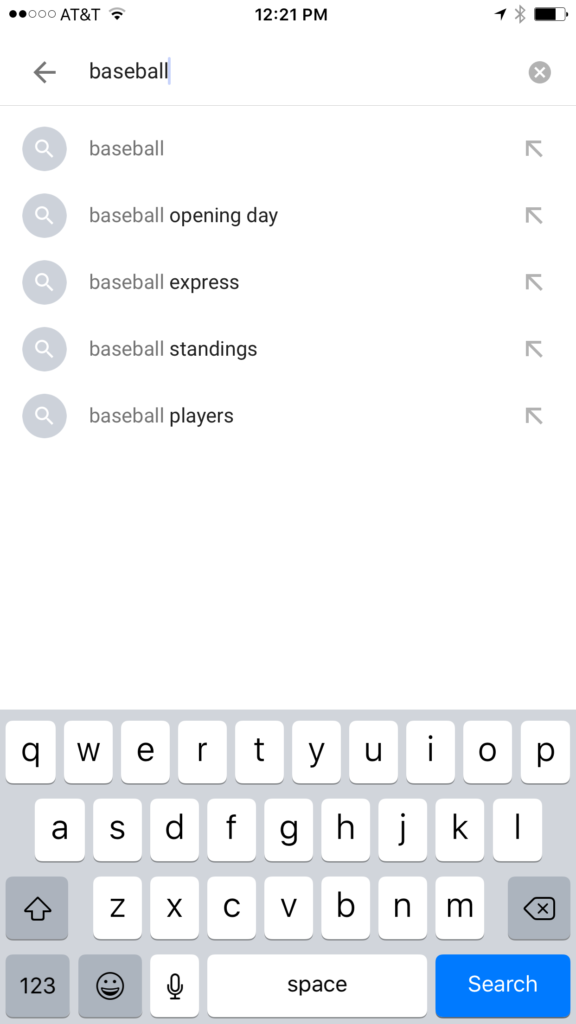
    I can confirm that there is pornography on Pinterest in two ways. First of all, I started some searches for inappropriate topics and (without having to click through to results) could see that there was porn available. Just typing the first few letters of these search terms produced recommended searches that told the entire story. 

    These results pretty much let you know what is available on the site and in the app. Searching more specific terms would, obviously, produce more specific results.

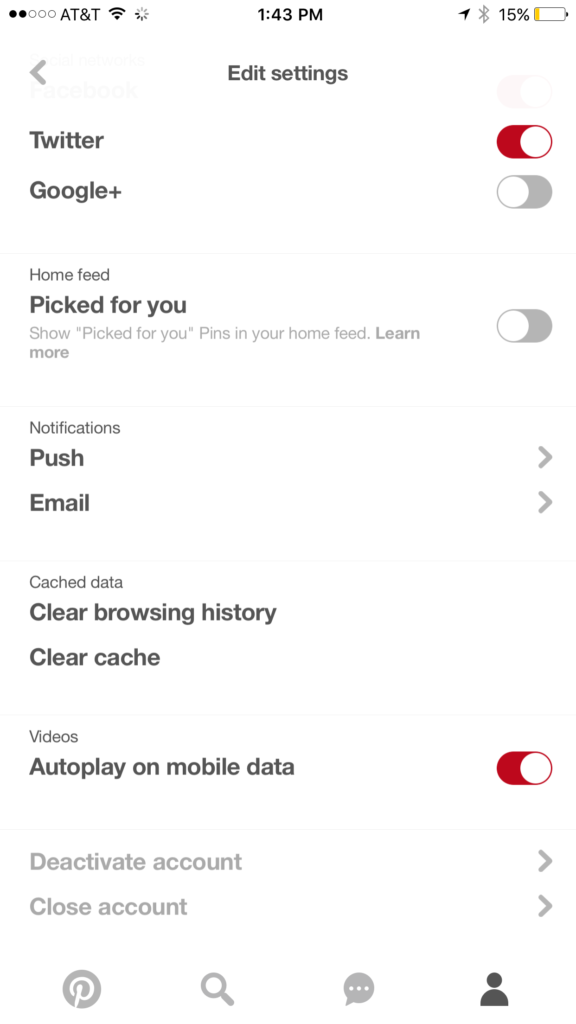
    While this covers intentionally searching for content, your kids may not be the type to have been in to that before so you don’t expect them to go searching for it. This is where it gets a bit tricky. Pinterest feeds you new content in two different ways. They show you pins from people you’ve decided to follow and they show you pins that have been “picked for you.” Pinterest uses what you do in their app and site as well as what you do on other websites to recommend different things to you. If you’ve liked art before then you’ll start to get more art posts. If you’re into geeky quotes, you’ll see pins from people you don’t follow based on what you’ve pinned or viewed in the past. This can lead to being shown pinners who’s pins may not line up with what you’d consider “safe” for your kids. There is, however, a way to turn off the “picked for you” option. See the image below:

    Go into your profile, then settings, and you can turn off personalization AND picked for you.

    Pinterest Doesn’t Allow “Explicit Content.”

    From Pinterest’s terms of service.

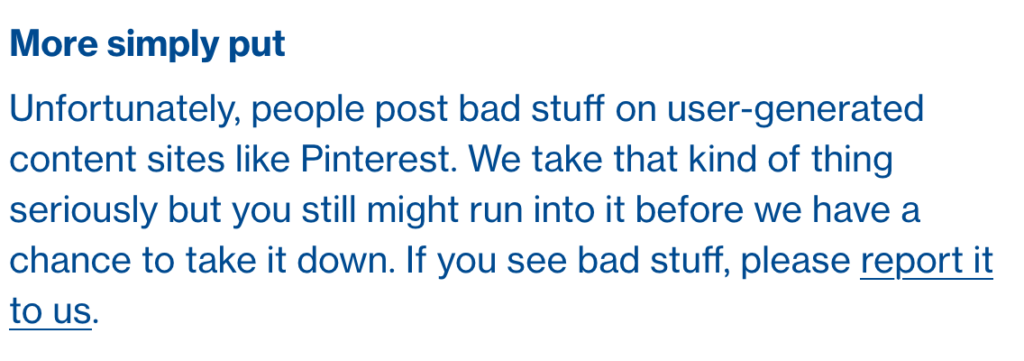
    Pinterest’s rules don’t allow explicit pornography to be posted but it relies on reporting from users to identify and remove the offending pins. This means that the post can be up for days or weeks before it gets enough reports to have it taken down. Another thing to keep in mind is that Pinterest will still use their own definition of “explicit.” You may think something is not good for your 14 year old son to view while they view it as art or expression. This means you have to truly stay on top of what they’re seeing.

    What Parents Should Know

    Again, much is left to interpretation. Some parents may say a photo of a nude statue is artistic and cultural and some might say it’s inappropriate. While some folks think any nudity should be considered explicit, there are parents who would disagree unless it’s in a sexual situation or atmosphere. There are many factors that keep photo sharing sites like Pinterest from making a blanket NO NUDITY rule.

    I would prefer if there were some way to turn off nudity as an option for users but as of right now that isn’t possible. It also isn’t easy to monitor what content is being viewed in the Pinterest apps. Yes, the service is built to work best on the mobile apps, my recommendation is that you limit your younger teen (over 13 to comply with the service agreement) to using Pinterest on a browser. Use something like Accountable2You to monitor their activity so you can be alerted if they’ve come across something inappropriate. This could help keep you from difficult situations stemming from your kids happening upon something adult oriented on Pinterest.

    So, to answer the question, is Pinterest safe for your kid or teen? The answer is no and yes. No it isn’t recommended for your child. The age restriction to get an account is 13. I would, however, begin to ease up on a strict anti-Pinterest rule as my kids enter their teen years but I would monitor their usage in the most effective way possible. Just because you’ve never seen anything when you creep Pinterest doesn’t mean it isn’t there. Know that this risk is real and that your kids are as susceptible as any. Take precautions BEFORE anything regretful happens.

  • Location and Hashtag Search Makes Instagram Stories Unending

    Location and Hashtag Search Makes Instagram Stories Unending

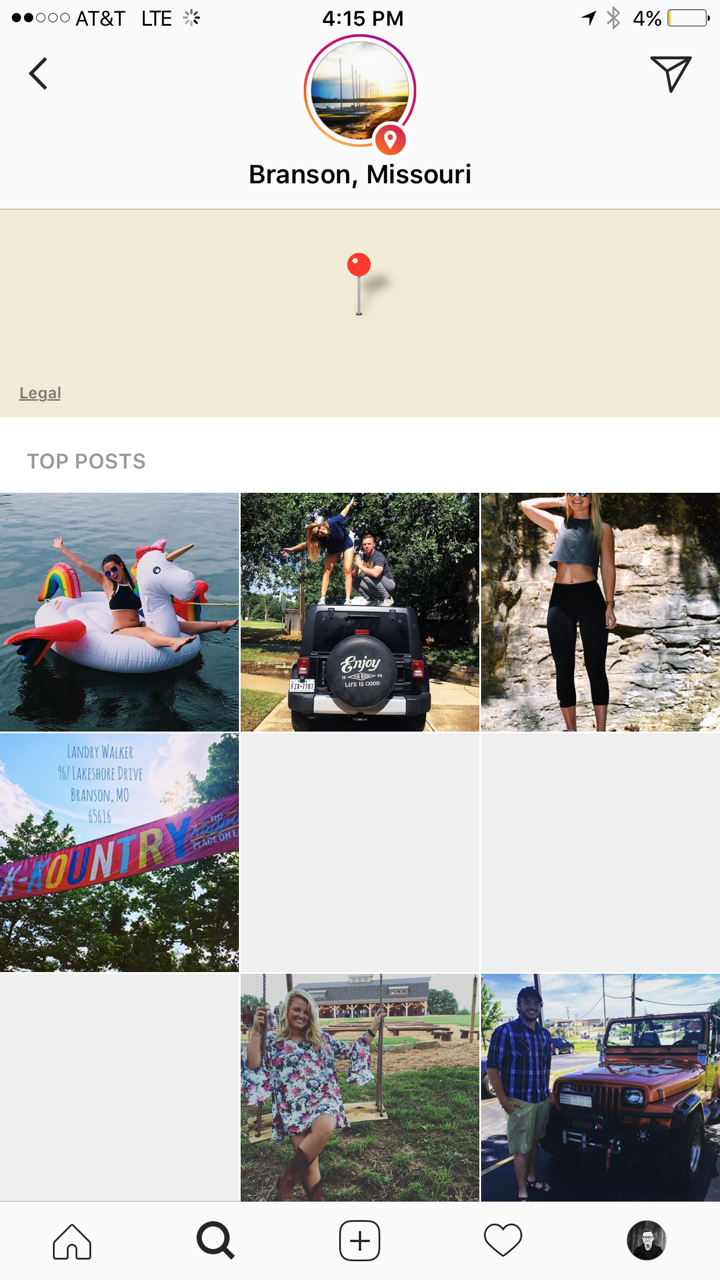
    Instagram has added the ability to search Stories by hashtag and location. This means that your explore tab will now give you access to basically unlimited Instagram story content. Instagram is going to feature location tagged stories by people you follow and also from people you don’t. If you search for your town, or any town for that matter, you’ll see a small map, the posts featured from that town, and if it’s been tagged in a story you’ll see that above the map as well. This will give more access to more stories and may lead to following more people on Instagram. Hashtag results will work in much the same way. You’ll be able to search stories by topic with the hashtag. It will also highlight the posts you and your friend’s made by featuring them first in the results.

    What Parents Should Know

    There’s always a bit of a red flag for me when there’s more potential to be connected with strangers on Social Media. Location and Hashtag filters allow you to find people you’ve never met and see what they’ve posted. Granted, the explore feature already makes that pretty easy. Instagram’s algorithm will gather these people and posts and present them to you from a simple search. These explore and search results aren’t going to be monitored by any accountability software since they’re not technically in a browser. You should take steps to monitor what your kids do in Instagram yourself. You should also lead the conversation with them about Instagram as these new updates come out.

  • What Can You Learn from Search Bar Auto-Complete

    What Can You Learn from Search Bar Auto-Complete

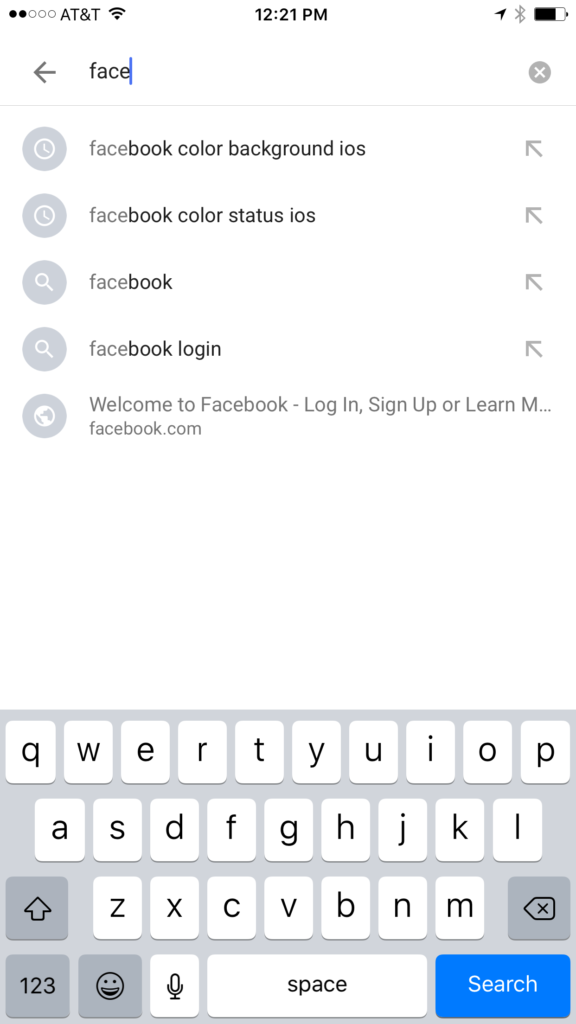
    I have no better advice for parents than putting your eyes on the devices your kids use as often as possible. As long as you’re communicating with your child it isn’t spying to take a peek at what their friends are posting on social media or what they’ve been searching for in their web browser. I do not, however, advise that you let yourself get too worked up over the recommended search results or auto-complete results in the social media apps your kid/teen uses. It can be frightening to type in a couple of letters and get a dropdown full of accounts you’re unsure of or search terms you wouldn’t want them to be searching for. The initial reaction of parents is usually to be concerned that this means their child has been looking for something inappropriate in the past. That isn’s always the case and I’ll try to explain why.

    Instagram, Facebook, Pinterest, and other photo or video sharing sites use algorithms that combine your past searches, popular items on their site, and your location to recommend the search results that may interest you. I don’t recommend parents take suggestions from these apps as evidence that their child was doing something inappropriate. You can, however, on many of those sites go find a search history and actually see what they have typed in the search bar in the past. This information is also deletable though. Regardless, looking at the search history is a much better way to monitor what your child is doing on these sites than assuming something from the first two letters you type in to the search bar.


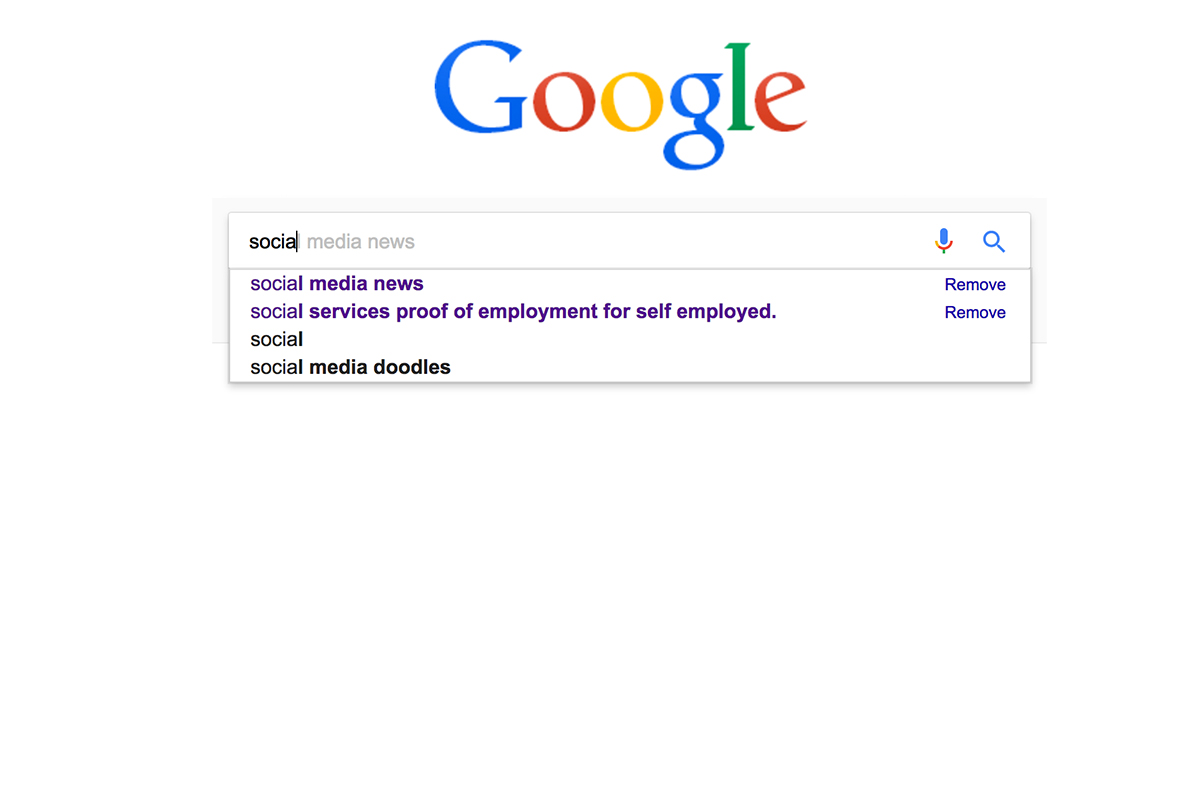
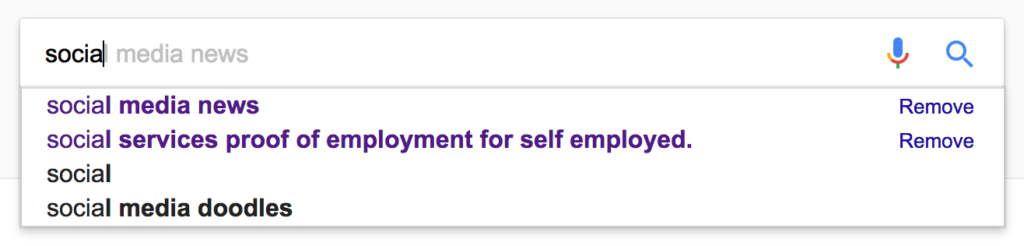
    Google and YouTube are the two most popular search engines on the internet. Thankfully, they’re a bit easier to monitor. The Google app has identifiers to help you know why it’s recommending certain things. You’ll see a clock icon if the recommendation is from search history and a magnifying glass icon if it is just recommended based on other data. On your browser the auto-complete results are a different color and you receive an option to remove them if they’re from history. YouTube, being a part of Google, uses the same methods to identify auto-complete search items.


    What Parents Should Know

    There is a lot to consider when you’re trying to monitor your child or teen’s online activity. Because so much of the internet is now consumed with photo and video sharing it goes without saying that some of the content you wouldn’t want your child accessing makes it’s way to those platforms almost immediately. This being said, there are better ways to monitor than trying to creep through search histories. I recommend using a good accountability software like Accountable2You or a filter like NetNanny. Another option is to install the social media apps they’re using and get to know how the search bars work for yourself. Find out if it’s using your history to establish the items it recommends for you or not. As you get used to it you’ll be able to get a better feel for what’s happening in your child’s account when you check their device.

    Remember that communication is key. Your kids should know you’re looking at their devices and social media accounts. Rules are good but without conversation and relationship they create conflict. Your goal is to set boundaries that will help your children develop healthy habits. A healthy approach to monitoring and regulating their internet usage will speak volumes to them about your family’s online safety standards.


  • Kiddle is the Safe Search Your Family is Looking For 

    Kiddle is the Safe Search Your Family is Looking For 

    It’s next to impossible, once your kids reach a certain age, to keep them off of the internet completely. Schoolwork requires online research and so do many other activities that kids enjoy these days. What you need is a solution that will help you fully protect your kids while they search. That’s where Kiddle.co comes in.

    These days we need to be parents and educators in the online world as well as the real world. The internet is a great educational and recreational resource that can help children learn and satisfy their curiosity about life.

    The websites included in Kiddle search are recommended by educators, librarians and parents from across the globe as well as websites our own editors have used in schools or for homework within the K-12 age range. – Kiddle.co/internetsafetytips


    Kiddle is a safe search engine powered by Google. The beauty of Kiddle is that, for most searches, it features curated, kid relevant results. While google ad results do often show up first, they’ll be family friendly and related to the topic searched.

    Obviously, inappropriate searches are blocked with an angry looking robot telling you to try again. It will also filter out inappropriate results to searches that should be safe but sometimes aren’t. For example a search for some pop star they’ve heard of will produce results but the images shouldn’t be adult oriented and news articles about their indecent activities at the club won’t show up.

    What Parents Should Know

    Kiddle is branded and designed for children but it’s a good solution for your kid or teen who needs to do some research while you aren’t looking. I recommend using sites like Kiddle to help kids with homework so that you can be sure they’re only seeing results that are safe.
    Also, Kiddle has some pretty good advice and tips for parents and educators on their site as well. Just head over and take a look. I’m confident you’ll be pulling it up the next time your child has a science project or history paper due.

  • Snapchat’s Search Update Can Connect Your Kid to their Favorite Celebrity Influence

    Snapchat’s Search Update Can Connect Your Kid to their Favorite Celebrity Influence

    Snapchat’s interface has been a topic of conflict for some users of the app. It’s a bit counter-intuitive and there hasn’t been any simple way to find and connect with other users. Discover, Stories, and group chat have been parts of recent updates that seem to be an attempt to attract more users to the app. Their newest update is an attempt to simplify the experience with a search bar.

    The development team has used this update as an opportunity to replace the search bars located at different sections of the app with one centrally located search tool that will search the entire app. Not only will users be able to find their friend’s most recent stories, the group chats and stories they’ve been apart of, and stories related to the same event or location, but they’ll also be able to find users they don’t yet follow and stories from “Discover Media” partners as well. That crazy article they heard their friends talking about is now just a search away, whether they follow the poster or not.

              Also Check Out: Snapchat Spectacles: Now You CAN Document Every Meaningless Second

    The update is starting slow and rolling out to Android users first. It will be available on iOS very soon though. Snapchat’s user-base is growing steadily and the majority of their users (sixty percent) are under 24 years old. While it’s popularity with millennials is growing their teen user numbers aren’t dwindling so your son or daughter are likely to use Snapchat or if they don’t they probably want to.

    What Parents Should Know


    Whether or not Snapchat is a no-go for your family is obviously up to you. It’s important, either way, to understand the functions and purpose of the app. The main goal of Snapchat is social connection. That’s all well and good between your kids and their friends, the concern is the access that brands have to the users of the app. Gone are the days when you could go to the bathroom and miss or just sit and ignore a commercial. We are raising our children in a world where the brands they use allow them to become fans and communicate directly to them.

    This new update will make it even easier for your kid or teen to become a follower of their favorite celebrity or product. If you prefer to have some kind of say over what products and famous people are able to share their “message” with your children then you should pay very close attention to Snapchat and apps like it. (Instagram, Musical.ly) On iOS you can use Family Sharing to keep an eye on what your kids are downloading. If you don’t want to or can’t set-up Family Sharing then the old fashion take the phone and give it a look is always a good option as well. Either way, don’t ignore the messages your children are getting through their social media accounts. You may be surprised how different those messages may be than the lessons you try to teach them every day.