Tag: screen time

  • New Research Includes Screen Time Limits as Critical for Childrens’ Cognitive Health

    New Research Includes Screen Time Limits as Critical for Childrens’ Cognitive Health

    The elements that create a healthy environment for our children are ever-changing. We want them to understand how to eat right, get exercise, get an education, stay off drugs, and so much more. A new study in Canada has isolated three critical factors for our kids’ health, and not surprisingly, the amount of time they spend on a screen is one of the major players.

    Jeremy J Walsh of the Children’s Hospital of Eastern Ontario published the study that surveyed more than four thousand children ages eight to eleven. They measured cognitive abilities and the amount of time kids spent in active play, sleeping, and on screens. These three factors proved key to high cognitive health in children. The strongest results were from children who slept for 9 to 11 hours per night, spent at least 1 hour per day in active play, and spent less than two hours per day on screens. The study did not differentiate between types of screen time (entertainment/education) but researches say they are continuing their studies in that direction. 

    The report stated that sleep and screen time were the categories most strongly related to cognitive health and that only five percent of children surveyed met the requirements on all three categories. Sadly, nearly one third of the children in the study didn’t meet any of the requirements at all. 

    What Parents Should Know

    You’ve probably heard the fact that many of the developers of the most popular tech products have strict screen time limits for their kids. As do family tech safety experts, myself included. Research is continuing to show that unlimited access to screens can be detrimental to our health and especially to our children’s health. Childhood obesity, mental health, and even suicide rates are rising in the United States, right alongside the number of people who would consider themselves addicted to their screens and to social media. 

    I am looking forward to seeing what the researchers conclude concerning the types of screen time children are having. Smaller studies have shown that young kids learn less when they learn on screens, so I wouldn’t be surprised if cognitive health is affected just as negatively by screen time used for education as it is for entertainment. We will have to wait and see. 

    In the meantime I recommend using Apple’s Screen time, Accountable2You, or UnGlue to monitor the amount of time your child is using their screens. Include the amount of time you know they spend in front of a screen at school as well. Remember that four rounds of Fortnite is about two hours (if you’re pretty good at it) and that game is available on every device your kid has. YouTube videos, social media scrolling, and messaging all add up to two hours of screen time rather quickly too. This is why it is so important to monitor their time spent and even limit it with software or hardware on your wifi and data connection. 

  • iOS 12’s Screen Time App Changes Everything!| Video

    iOS 12’s Screen Time App Changes Everything!| Video

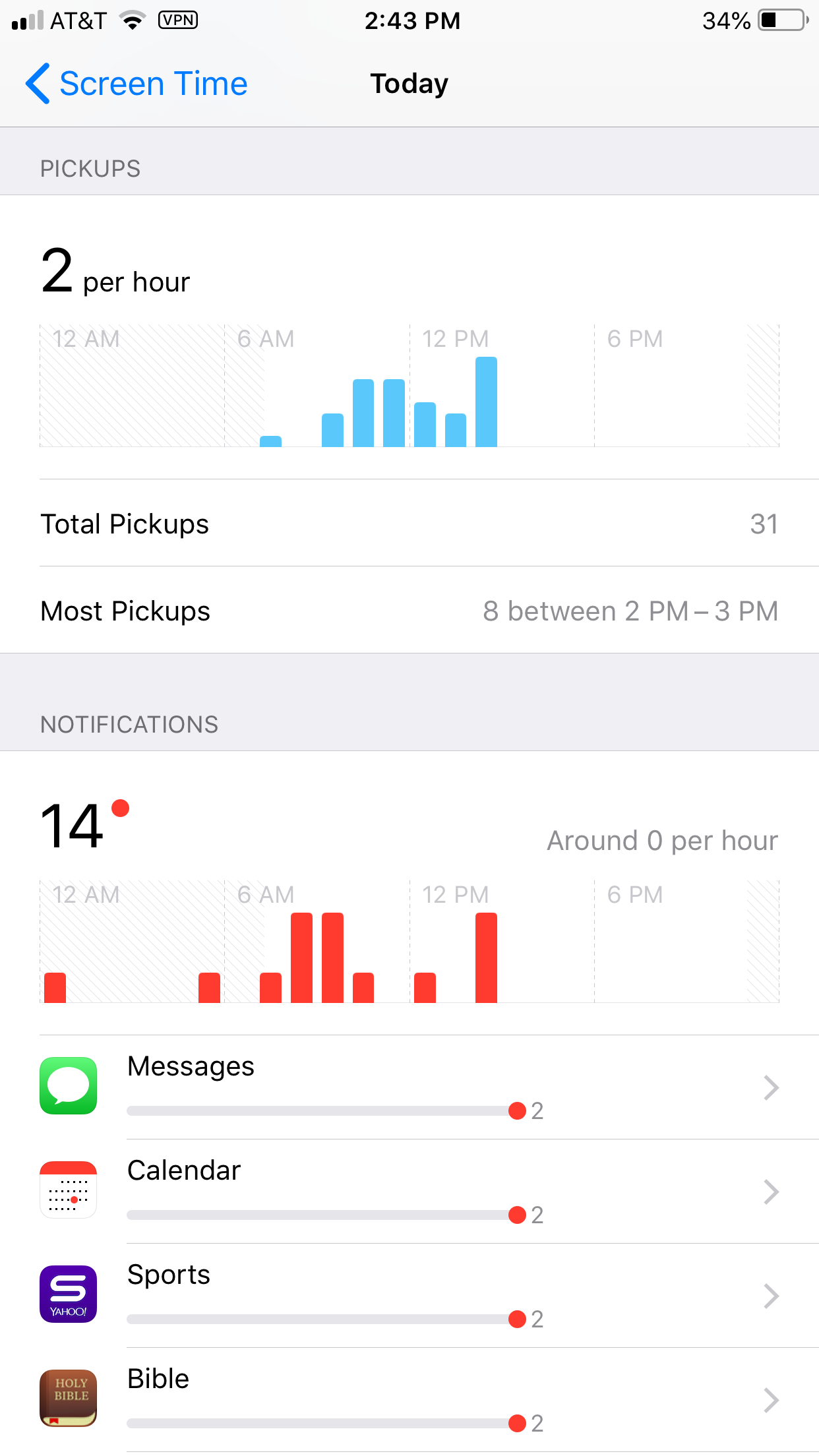
    Apple’s latest operating system is out and features something parents have needed to see for a while. Screen Time is a way to monitor the amount of time spent on your device and set limits for yourself as well. You can set limits for certain apps, schedule time off, and even check to see how often you get notifications and from what apps.

    Scheduling “Downtime” is as simple as an on and off switch but is customizable as well with the ability to set apps to “always allow” change privacy and restrictions. Yes, restrictions have been moved from their own category in the General settings to a sub category within Screen Time. Don’t worry, though. All of your screen time settings can be password protected. App usage and data can be seen without a password but settings can’t be changed unless you enter your four digit code.

    There is much more about how Screen Time works in the video above.

    What Parents Should Know

    This is one of the biggest steps toward the total parental control package built in to a phone. If the filter was a bit stronger (it can be improved through usage) it would almost have it all. I still recommend an accountability software and something to monitor messaging.

    This addition by Apple is a step towards taking responsibility for the risks and addictive nature of their products. Speaking, myself, as one who feels like I’m missing a body part when I don’t have my phone, it is really good to have a reminder of how much time we actually spend looking at our screens. Set up screen time for your kids and teach them how to be mindful of the time they spend on their devices. Set it up for yourself too and hold yourself responsible for the amount of time you spend on your devices. Lead by example and put the phone down every now and then.

  • Instagram Has Added 4-Way Group Chat

    Instagram Has Added 4-Way Group Chat

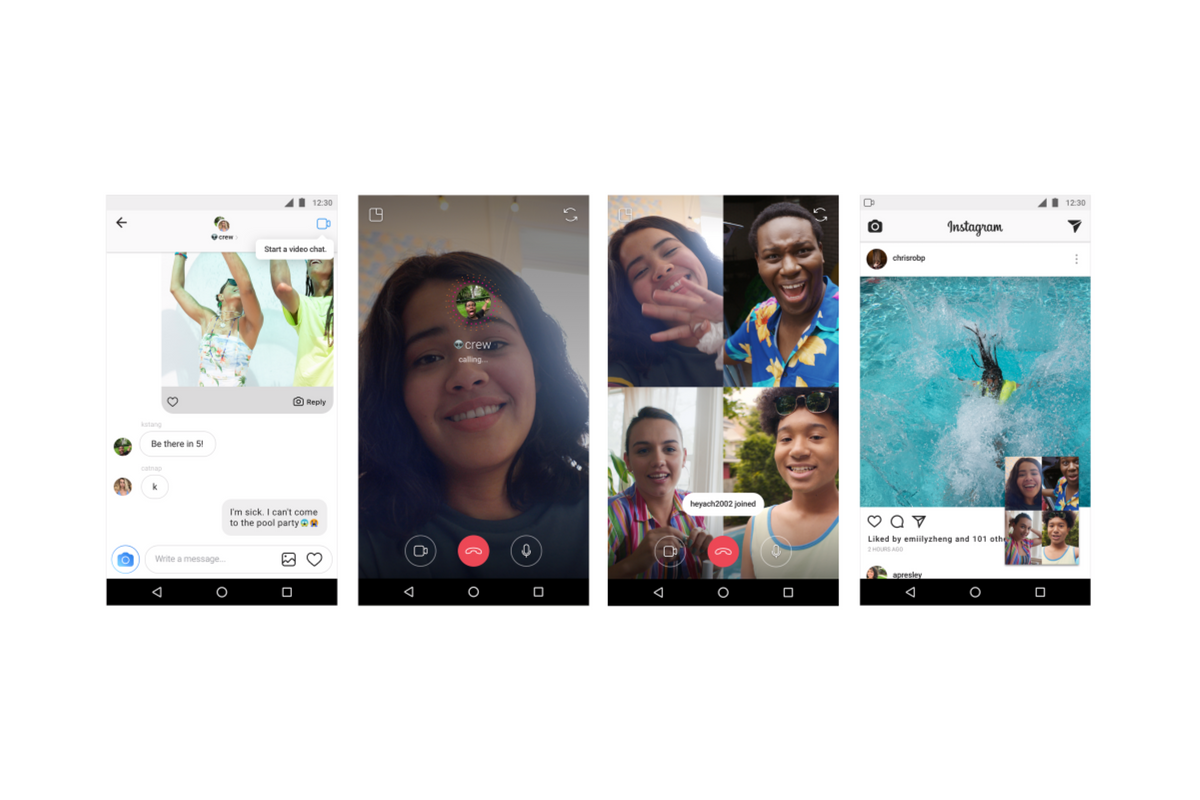
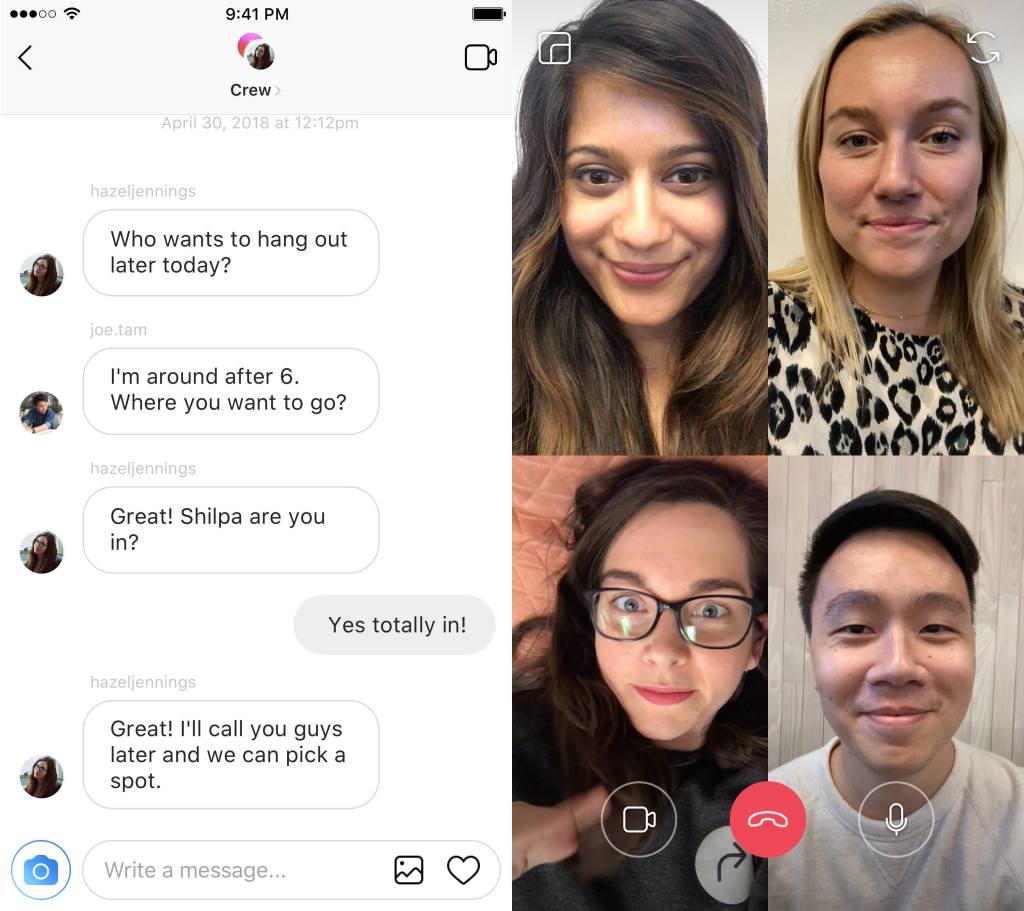
    Available today, Instagram has added a way to chat with your friends while simultaneously creeping the app. Instagram is allowing users to chat with up to four friends over video as well as multitask within the app by minimizing the chat screen. You can call friends directly and they will be notified of the call they can then accept or if they go into your group chat feed and see the icon is blue that means you’re chatting with someone and they can just join.

    Instagram has hit 1 billion users this month and they are doing their best to make it the app that people spend the most of your time in. This update allows users to meet the video chatting need that especially so many young people have and then doubles down with the ability to explore the app while you chat. This makes using Instagram an even more social experience.

    Instagram has also added new camera effects and channels that you can explore that highlight different topics.

    What Parents Should Know

    Video chatting is available in many apps including Snapchat, Facebook, HouseParty, and FaceTime. This is becoming the most common way for our young people to spend time with each other. Retail stores and malls are closing movie theaters are adding features to attract an older audience all because our kids don’t have to go anywhere to spend time with each other.

    Whether this is good or bad is up for you to decide. It is true that studies have been done showing that even video chatting does not meet the same social needs as being in the same room with somebody. So my advice is simply to monitor the amount of time your kids spend on their social media apps. Whether they are chatting with friends, just scrolling through images, or posting their own information. There’s a lot that needs to happen to keep them secure but all experts agree we have to be careful with how much time they spend on their devices.

    UNGLUE CAN HELP!

    Video Chatting Apps You Should Uninstall NOW

  • T-Mobile Customers Can Now Get a Rebranded Circle, They’re Calling it FamilyMode

    T-Mobile Customers Can Now Get a Rebranded Circle, They’re Calling it FamilyMode

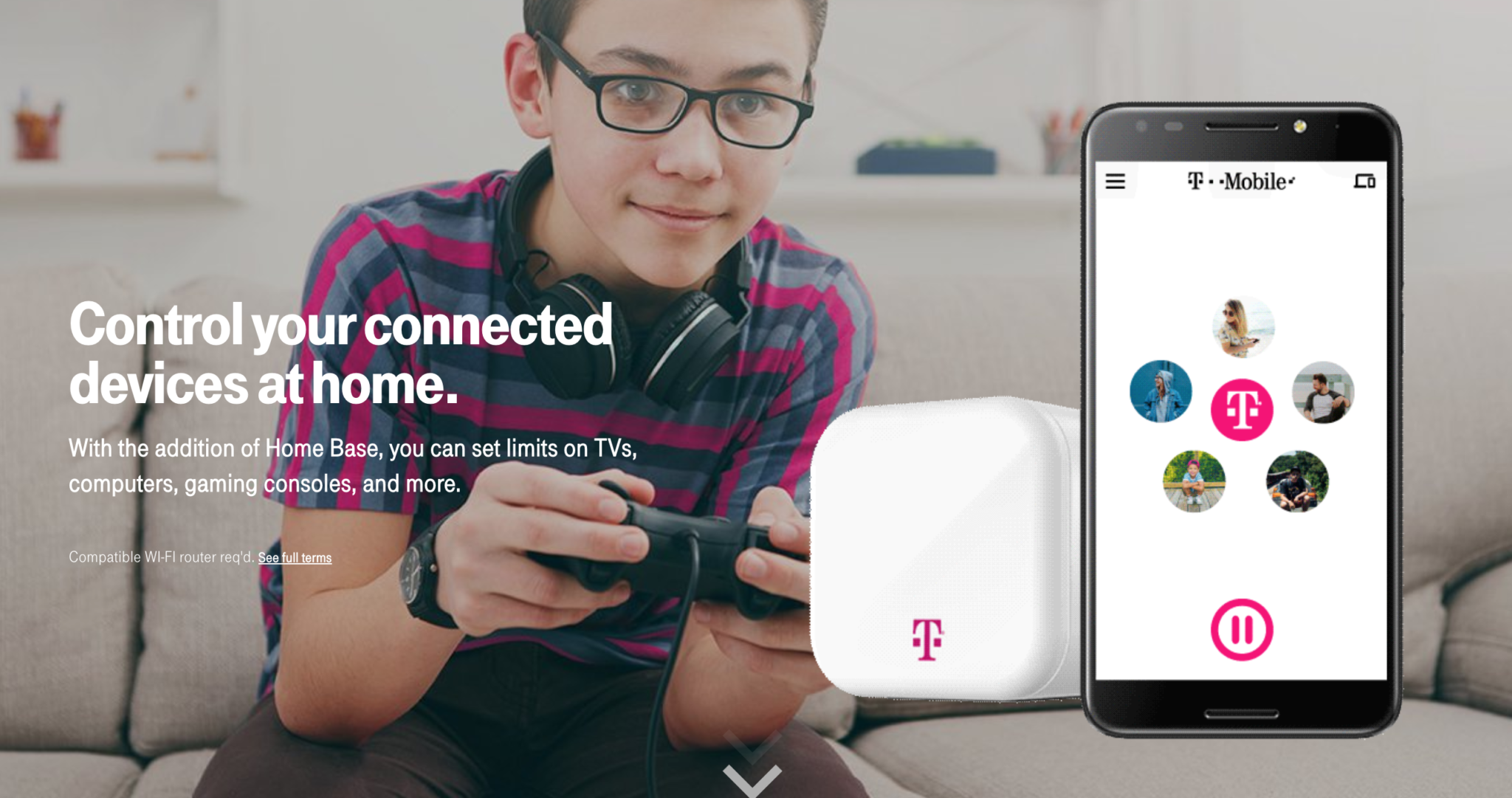
    Circle is one of my favorite parental control solutions to recommend to families. It’s easy to set up and the settings really work well. T-Mobile has caught on to this great service and is adding it to the offerings to their wireless customers. Verizon also added pressure controls recently and now T-Mobile is joining the club. The app is completely rebranded with T-Mobile is pink and black color scheme and the image of the Circle device itself even has a T-Mobile logo on it.

    Circle allows you to build profiles for each family member and set parental controls and filters for their profile. This protects your home Wi-Fi and with CircleGo you’re able to protect them over data no matter where they are as well. Time limits, usage reports, and tons of other information are also available on the Circle app. T-Mobile has patched into these resources and is offering them to their customers.

    What Parents Should Know.

    If you’re a T-Mobile customer the $20 price point for the device plus $10 a month to take the safety with you is well worth it. We highly recommend circle and even use it ourselves. My advice is to take advantage of this deal and this great opportunity to protect your family on their devices.

  • PODCAST: Does Your Kid Even Need a Phone?

    PODCAST: Does Your Kid Even Need a Phone?

    Family Tech Update:

    Snapchat’s new message delete feature, new video games going to mobile for free, and John Wilkerson joins me to discuss getting your kids started with screen time and when (or if) thet need their own phone.

    Links Mentioned:

    Accountable2You.com (Promo Code: BecauseFamily)

    Dumb Phones for Your Kids

    John Wilkerson

    The Wired Homeschool

    Project Movie Time

    Social Media Links

    Facebook: http://facebook.com/becausefamily
    Instagram: http://instagram.com/becausefamily
    Twitter: http://twitter.com/becausefamily

    Newsletter Sign up

    Ministry Updates:: http://eepurl.com/R7Btr
    Weekly Blog Posts:: http://eepurl.com/cvnhXD

    Websites

    Ministry Site:: http://becausefamily.org
    Tech Blog:: https://safe.becausefamily.org
    Michael’s Speaking Info:: http://kmichaelprince.org

    Donate and Affiliate Links

    http://BecauseFamily.org/partnership


  • Instagram Updates Give You More Control Over Your Feed

    Instagram Updates Give You More Control Over Your Feed

    So many people found themselves migrating their photo sharing to Instagram several years ago because of their chronological timeline. As Facebook became more algorithm based, people felt like they had no control over what they were seeing on their timelines so they opened Instagram accounts. A few years ago Instagram went the way of the algorithm as well trying to give posts you are most interested in a higher priority in your feed. This was met with mixed reactions and now Instagram is working to give you more control.

    external link…

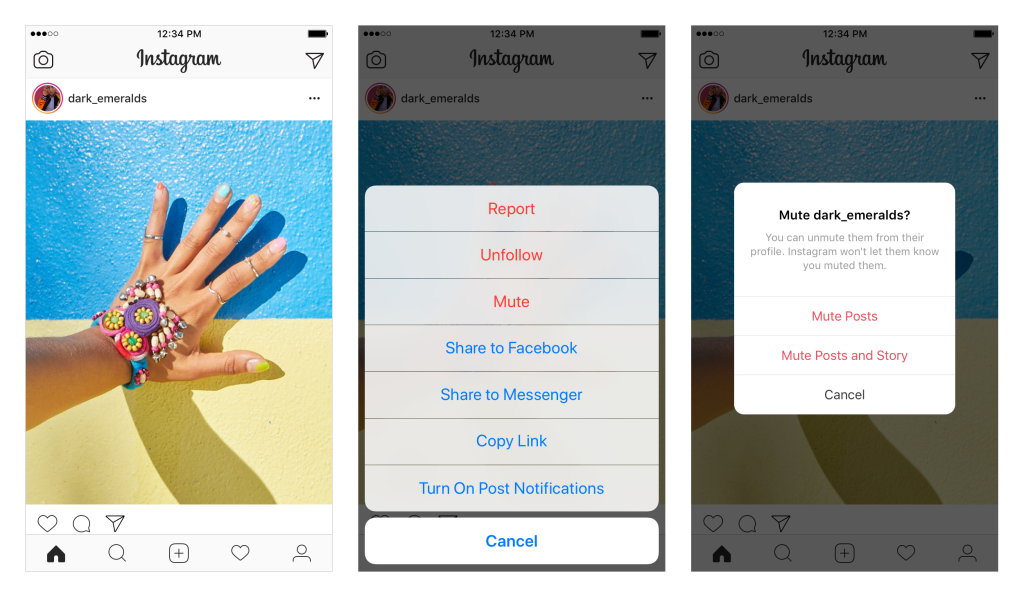
    The first addition, effective now, is the “Mute” feature. This allows you to hide posts from your feed without completely unfollowing them. This could be useful for hiding bullies without letting them see that you’ve unfollowed (which could encourage even more bullying) and just helping the algorithm know your preferences even better. To mute someone simply press the three dots to open the menu on a post. Select Mute in the menu and that’s it, you shouldn’t see posts from that user anymore.

    The second announcement is for updates that haven’t made their way to users yet. Soon, Instagram will include an insights feature that will allow you to see how often and how you use the social media service as well as a notification when you’ve seen all the posts from the previous 48 hours. Instagram and parent company Facebook are hoping that these features will improve the user experience by helping them develop better usage habits. There has been more of a focus recently on improving the “overall well-being” of their users. Some of the recent updates on YouTube, Facebook, Snapchat, and Instagram have been attempts to encourage more engagement within their communities without having to spend as much time using their services.

    What Parents Should Know

    Any changes made to social media sites that encourage breaks from screens are good changes. But nothing will replace a parent setting limits for their children. Remember, also, that there is no better lesson than your own example. Monitor your own screen time and make healthy choices so that you can advise your kids from a place of leadership. Instagram’s new mute feature will help moms and dads keep unwanted posts away from their kids as well as help older kids silence those they don’t longer want to hear from.

    My hope is that as parents we can guide our children into proper use of social media. Statistics are showing that the chance of depression increases the more our children use social media. More depression increases the rate of suicide among young people. In fact, suicide is now the second leading cause of death among teenagers. With these facts in place, even the social media services themselves are taking notice and making changes. Parents, do not allow yourself to be caught in the dark when it comes to your kids and safe use of their technology. While Facebook, Instagram, and Youtube have been making changes, the responsibility does not fall to these companies to protect our children. It falls to us, their parents.

  • Screen Free Week Tips and Tricks

    Screen Free Week Tips and Tricks

    Scheduled post.

    It’s the middle of the week. How have you done so far with no screen time? I can guarantee my family and I have been struggling as much as anyone. I thought it would be good to give you some tips for celebrating this screen fast week. Here are some of our ideas:

    1. Go to a theme park
    2. Go Put Put
    3. Read Some Books
    4. Cook Together
    5. Play Basketball or Another Sport
    6. Play a Board Game
    7. Go Roller Skating
    8. Play a Trivia Game
    9. Play Charades
    10. Take a Hike

    Those are ten of our ideas, here are some resources from ScreenFree.org: http://www.screenfree.org/additional-resources/

    Good job sticking to your screen free challenge so far. Shoot us an email and let us know how you’re doing. BecauseFamily@gmail.com.

  • Celebrate Screen Free Week

    Celebrate Screen Free Week

    April 30-May 6 is Screen-Free Week!

    You won’t be seeing many posts this week because we are celebrating Screen-Free Week. You can learn about our Screen-Free Week Event at BecauseFamily.org/events/screen-free-week. We are celebrating with a local roller skating night on May 6. ScreenFree.org has events listed. Go see if there are any in your area.

    From ScreenFree.org:

    “Screen-Free Week is an annual, international celebration when families, schools, and communities swap digital entertainment for the joys of life beyond the screen. Instead of watching TV, surfing the web, or playing with apps and video games, they read, play, think, create, get active, and spend more time with family and friends.

    Remember, Screen-Free Week is about taking a break from digital entertainment. You can celebrate, and still use devices for work or school. But if screens of any kind interfere with family time (including meals), you may want to rethink how and when you’re using them.”

    It is a great idea to take a break from your screens. Whether you do the whole week or just a couple of days during the week, I encourage you to take some time to get out and do something besides use screens with your family.

  • Netflix Testing “Patches” to Reward Kids’ Binge Watching

    Netflix Testing “Patches” to Reward Kids’ Binge Watching

    Saying they are trying to achieve a more “interactive experience,” Netflix has begun testing patches on kids shows. These digital badges will be given as rewards for watching certain episodes or a certain number of episodes of a Netflix original show. Patches don’t unlock any extra content. They are meant to be their own reward.

    There has been some backlash from parents and others on Twitter who are concerned about kids binge-watching more shows. I can attest to the difficulty of convincing your kids that it’s time to turn off their shows and move on to some other activity. I agree that the last thing we need is the collection of badges or patches as another excuse for our kids to get sucked into episode after episode.

    Netflix has tried in the past to increase interactivity for viewers with their choose your own adventure content. These movies contained built-in pauses to ask the viewer what the main character should do. The story developed into different scenes based on the choices of the viewer. While the end of the story seemed to be the same no matter your choice, it provided a bit of interactivity as opposed to just sitting and watching a story play out on the screen. There haven’t been very many more of these shows since the original test episodes came out.

    What Parents Should Know

    Too much screen time is always a concern for parents these days and I would be surprised if the response to badges for watching shows is positive at all. The goal is pretty obvious: Netflix wants to increase viewership. I imagine that the testing phase will end with the removal of patches and badges. Parents are becoming more and more aware of the amount of time their kids are spending online and watching video content and setting stricter boundaries. Hopefully, Netflix gets wise to that fact and allows it to inform their decisions.

  • Botley the Screen Free Coding Ed Robot

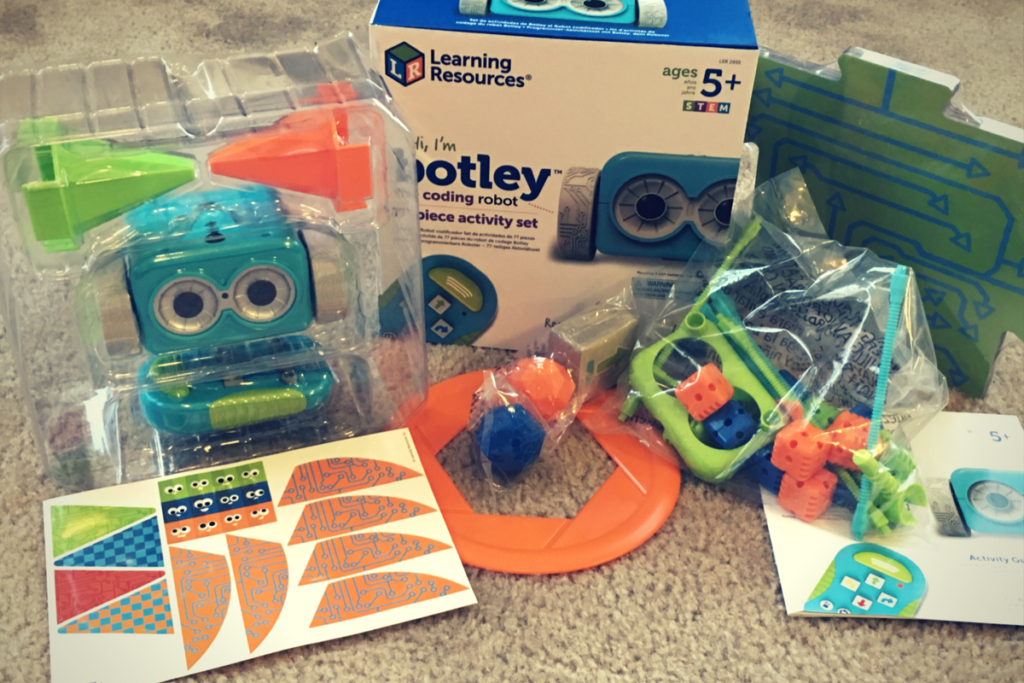
    Botley the Screen Free Coding Ed Robot

    Coding education was one of the hottest topics at CES2018. The conversation was led by toy makers, psychologists, media producers, and educators alike. They all agree that if your children aren’t learning the basics of programming logic, they’re not laying the foundation that they need to function in the future they will be living in. The other major highlight of CES was the problem with too much screen time. Kids are spending too many hours every day looking at their screens and it isn’t good for their development. These two conversations pose a serious problem. How can our kids learn to program computers if they don’t use any screens? Well, there were some pretty creative answers to that question at CES and BOTLEY was probably my favorite one.

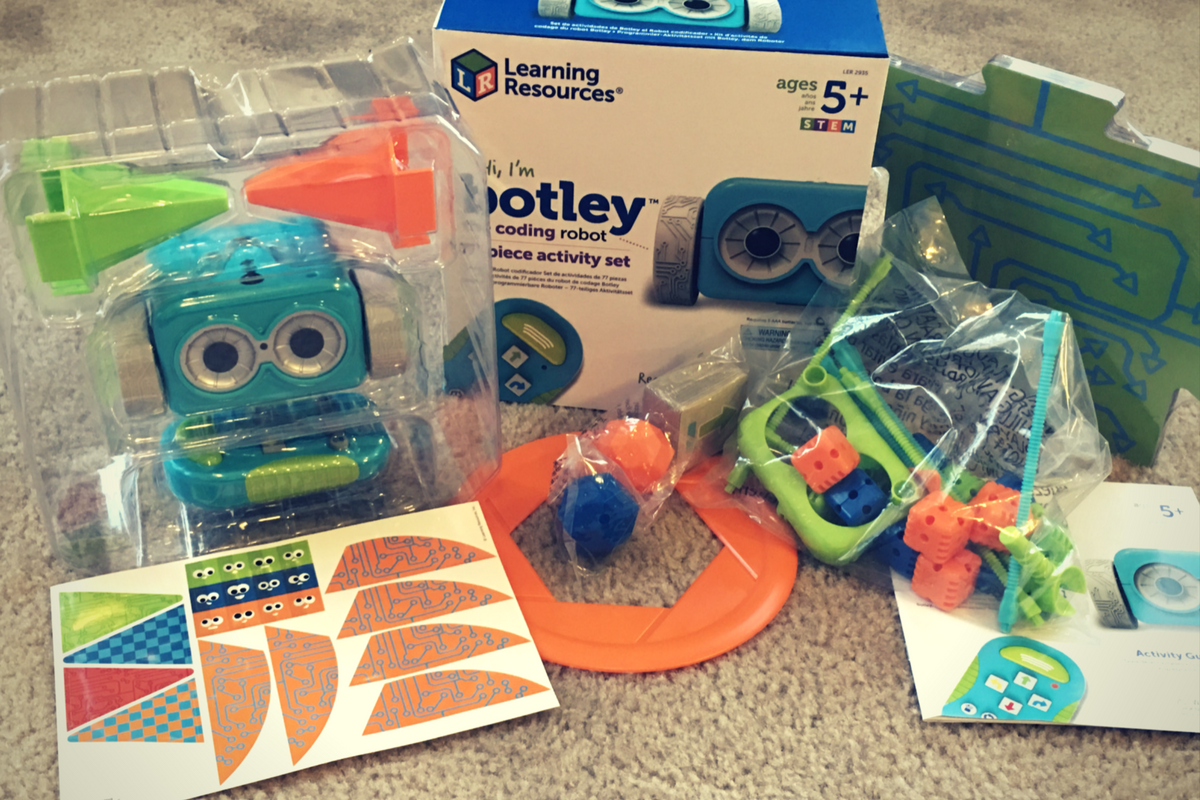
    Botley is a screen-free coding education robot. He can do up to 80 commands issued to him from a single remote control device. He has object recognition and awareness and can trace lines with the sensor on his “belly.” His basic 77 piece set comes with an instruction manual full of tips, tricks, and even a curriculum style guide to help parents set their kids up to learn from the beginnings of coding to more advanced sequences. Best of all, there is no app or software to program him. No screen needed at all.

    His kit contains toys for Botley to play with so that you can create games for him. Have Botley drive over a maze you create with the included puzzle tiles, have him bust through the wall you make from the blocks, or have him push a ball into the goal. All the games advance children through different techniques they can use to program Botley to complete different tasks. These techniques are the basis for the same programming tools used by professionals to create games, websites, and software.

    You can see more about my family’s experience with Botley in the video below. You can get Botley at learningresources.com and tell them FamilyTechBlog.com sent you.