Tag: safe tech

  • Dauntless: A Parent’s Guide

    Dauntless: A Parent’s Guide

    Dauntless Parent’s Guide

    The rating below is based on the game content. Online interactions will always increase the risk of unwanted content.

    Violence – 3
    Language – 4
    Sexual Content – 5
    Positive Message – 2

    Total Score – 14  out of 20
    (The higher the rating, the safer the game is for kids.)

    ESRB Rating – T for Teen [for blood and violence]


    The Game

    Dauntless is made by Epic Games, the same developers who made Fortnite. The world is called “The Shattered Isles,” floating islands make up the landscape and the Behemoth are too close to civilization. You are a Slayer, one of the defenders of the cities, you must hunt and kill these beasts, using their parts and armor to create new weapons and armor of your own, thus making you more effective at slaying the monsters of the Shattered Isles.

    Violence

    The violence in Dauntless is player vs monster or monster vs player. You go out on missions to destroy these monsters and swing your sword, hammer, axe, or pike or shoot your blaster at it. There are some sprays of blood sometimes but mostly it is just to add flavor, there is no gore to speak of in this game. Even when you slice off a part of the behemoth, the appendage looks more like a T-bone steak than any kind of disgusting severed body part. The intensity of the violence can be high but it always (at least early on) feels like you’re going to succeed at defeating the monster. You just want to score as highly as possible while you do it.

    Language

    There is some minor (Rated PG) language during the intro cinematic of the game. Beyond that, you aren’t going to hear any language at all, except for other players while playing online. Most of the communication with non-player characters in the game is through text and it is usually just lore and mission details. Not a lot of flavor text, therefore, not much by way of adult language. Language doesn’t make the list of reasons Dauntless received a T for Teen rating.

    Sexual Content

    There is no sexual content to speak of in Dauntless. Unless you come across another player being inappropriate in the chat or on voice chat, you won’t see or hear anything sexual. I was even impressed at the design of the costumes and armor. All of the female characters are tastefully dressed. There is some “mid-drift” here and there but nothing over the top, sexually.

    Positive Message

    Besides fun, the message of this game could be teamwork. Hunts are measurably easier with friends. It is also easier if you learn how to strategize your weapons and armor so that your team can work together in the best way to defeat the monsters. The “freemium” model for this game is par for the course for Epic Games since they’ve made so much money off of their “free” title, Fortnite. You will be asked by your kids if they can buy something within the game.

    What Parents Should Know

    Remember that this game is online. It is easier and more fun to fight monsters and level up when playing with other people. You can hunt alone or create a hunting party full of your friends but random matchmaking is the default mode for going out on a hunt. Kids should be a bit older or at least know how to handle themselves properly on the internet before playing games with strangers online. Talk to them about their behavior and that of others online before allowing them to play a game like Dauntless.

    You should also be careful if your credit card number is accessible on your child’s game system or computer. The items that you can purchase for Dauntless give you a really fun edge in the game and look super cool so kids will want to buy them. Like in Fortnite, they sell a pass that gives you a bunch of content and bonus loot for defeating monsters. These are all appealing and will cause your kids to ask you over and over again if they can spend some money in the game.

    Finally, keep an eye on screen time. I found myself wanting to play “just one more hunt” over and over again late into the night. It is easy to pour hours and hours into a game like Dauntless and not realize how long you’ve been playing. You can use built-in parental controls to set time limits or limit internet access to the game system or computer. Since the game is fully online, disconnection from the internet will make it impossible to play Dauntless.

    I think Dauntless is a pretty good alternative to the battle royale shooter games that are so popular today. I even think some of us parents can get involved, play with our children, and flex those video game muscles we built playing so much Zelda when we were young. 

    Listen to this story on the Family Tech Update Podcast below:


  • Facebook’s “Messenger Kids” App Launches on Android

    Facebook’s “Messenger Kids” App Launches on Android

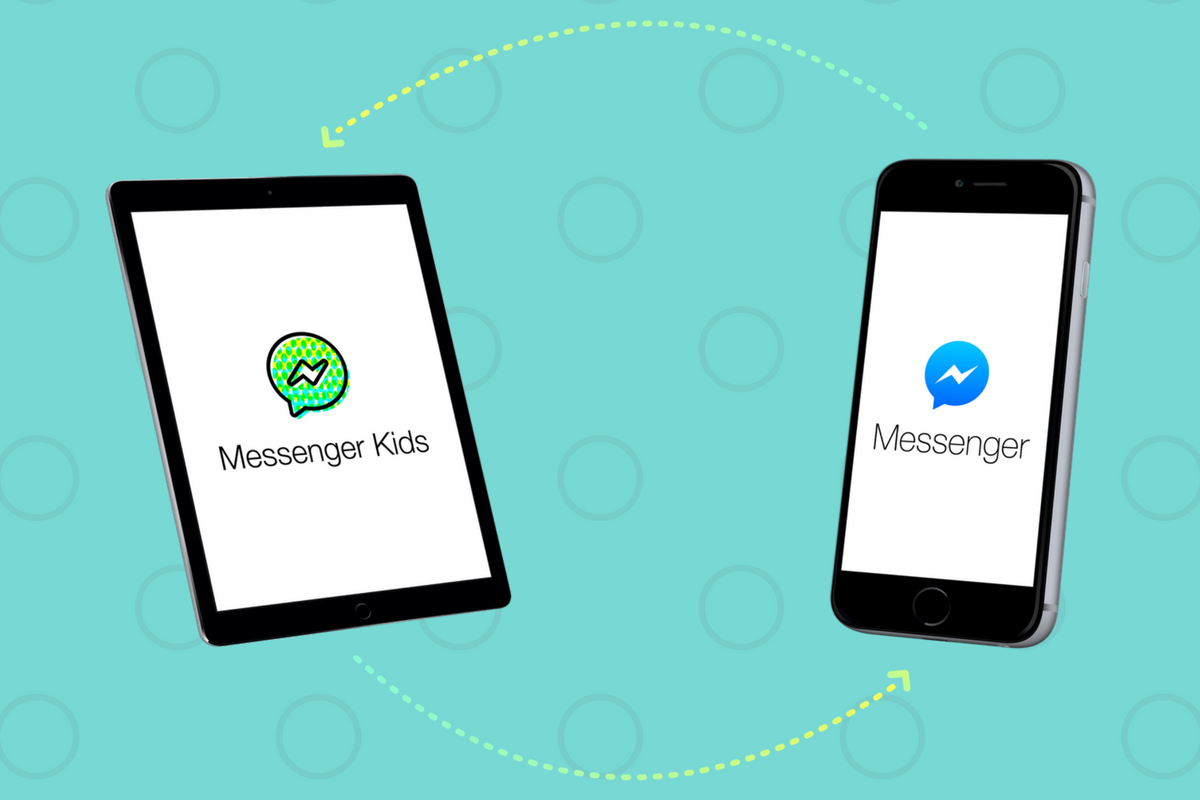
    Today, Facebook released the Android version of their Messenger Kids app. This means it’s available on iOS, Android, and Kindle now. That should pretty much cover most families. Facebook Messenger Kids puts the control in the parent’s hands, making it easy by building it into the Facebook App and Messenger App that you likely already use. You can decide who they are allowed to chat with and approve or deny friend requests.

    CHECK OUT: Facebook Messenger for Kids! for even more info about the app.

    My family uses Messenger Kids, albeit with some strict time limits (1hr per day) which we enforce through Circle (all devices) and unGlue (our older child.) It is a great way to help them get a feel for chatting through a messenger without strangers, bullies, or the constant notifications or FOM0 (Fear of Missing Out) that can accompany tech addiction. Facebook built in a lot of the controls and made the app kid-friendly by not allowing gifs that don’t originate in the Kids Messenger app and not allowing messages to be sent to unapproved friends.

    What Parents Should Know

    Since settings are controlled through your Facebook account, parents don’t have to have the same type of device as their child. You can set up your kids’ messenger app on his Android through your iPhone, for example. Keep in mind how addicting it can be to message your friends. Remember not to give them access to approve or disapprove of their friends on Messenger, this defeats the entire purpose. I know it can get tiresome to always have to sign off on everything they want to do online but Facebook makes it pretty easy with notifications on your own app.

    Use something to manage their time, like unGlue.  Talk to your kids about only messaging people they know in person and let them know what to do if someone asks them something they aren’t comfortable with. They should know that they can come to you when there is trouble. Messenger Kids is a good idea from Facebook and they did a lot of work to learn what parents would want out of a messaging app for their kids. Now the app is available on all devices so, if your kids have people they want to talk with, use this as a way to keep them in touch safely.

  • More Violence on Youtube Kids; Here’s Youtube’s Answer

    More Violence on Youtube Kids; Here’s Youtube’s Answer

    Another week, another story about Youtube kids not removing junk before some kids have seen it. The most recent claim is that videos featuring Paw Patrol characters showed them dying and mourning each other at their graveside. This is obviously a startling discovery for any parent to come across on Youtube but especially when it shows up on an app that has been marketed as being safe for kids.  The good news is that updates on YouTube’s review policies may help keep some of that content off the app.

    The policy is using Youtube’s existing “restricted-content” feature to protect our kid’s eyes from videos of their favorite characters doing bad things. Restricted content is automatically not allowed on Youtube kids. This means that if a video has been approved to be on Youtube but not for viewers under 18, then it won’t automatically show up on YouTube kids just because it was uploaded to the main site.

    Some videos don’t violate our policies, but may not be appropriate for all audiences. In these cases our review team may place an age restriction when we’re notified of the content. Age-restricted videos are not visible to users who are logged out, are under 18 years of age, or have Restricted Mode enabled. – Youtube Help

    I am always cautious of trusting apps that use a “restriction” mode because their restrictions are always based on user reports. If enough people see something and flag it as inappropriate then the content is removed. The problem is that people have to see the video, image, or post in the first place. Youtube thought of that too, though, and have a pretty simple solution for YouTube kids. Videos won’t show up on Youtube Kids until a few days after they’ve been uploaded to Youtube’s main site. This, hopefully, will help weed out many of the videos that look like they’re intended for children but truly aren’t.

    What Parents Should Know

    It’s important to understand how the video streaming services we use filter their content. Youtube Kids recently added profiles and age-based video recommendations to help parents use the app more effectively. Limiting the ability for restricted videos to make money and keeping them off of a logged out, underage, or restricted user’s feed is another major step in the right direction. The best feature, in my opinion, is giving newly uploaded videos a couple of days to be reported before they are put on Youtube Kids.

    My advice remains the same when it comes to viewing videos online. Parents should always know what your kids are watching. Keep an eye on what they are doing on their tablet or another screen. Have them use their device nearby where you are or in a common area so that you can hear what they’re watching and even go in and put your own eyes on it every now and then. It isn’t always the most convenient thing to keep checking in on what your kids are watching but it isn’t smart to trust algorithms and the reporting of strangers for our kids’ safety and mental health. Put in the effort. You’ll be glad you did.

  • “Anonymous” Polling Apps Your Kids ARE Using

    “Anonymous” Polling Apps Your Kids ARE Using

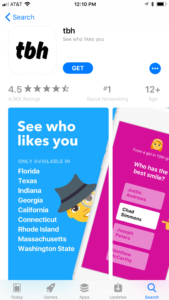
    I wrote about Sarahah and even discussed it on our podcast a while back but there are competitors for the anonymous messaging app now and they’re climbing the App Store charts. Polly and TBH (To Be Honest) are taking the social media category by storm. These apps are made to allow people to communicate with each other anonymously and share their deepest secrets. They encourage downloads with phrases like “Learn who likes you.” or “What do your friends really think?” Are these apps harmless or is this a disaster waiting to happen?

    Polly

    Polly is a polling app that allows you to create a link to questions you want your friends to answer and share a link in Snapchat. Polls are recommended at random and range from “What’s my spirit animal?” to “What is something I’m really good at?” Or you can create your own. One of the samples on the app store images is the question “What am I to you?” with answers like “Friend, Enemy, and Crush.” Polly boasts the following features:

    • Create a Polly lightning fast
    • Add your Bitmoji to be more stylish
    • Customize your Polly’s look & feel to reflect your vibe
    • Just 1-tap to add it to your Snapchat Story
    • Get notified when your friends vote
    • Track the results to all of your Pollys in one place
    • Share a screenshot of the results with your friends

    Polly is rated for ages 4 plus. 


    TBH

    TBH, which stands for To Be Honest, calls the app a combination of ask.fm and Sarahah. TBH allows you to ask people questions about you and allow them to answer anonymously. You can add yourself and your friends as answers to the questions so you can be voted on by your friends. The testimonials in the app highlight the fact that users feel good about themselves because they’ve been picked in the polls they’ve set up.

    From the app store description: “That tbh app makes me feel so good about myself”
    “tbh is really having a positive impact on people”

    TBH is only available in ten states because you have to choose your school from a list when you sign up for the app. This means you’re polling the people who attend school with you. The app basically sets up a network of high school and college kids who attend the same school and allows them to secretly say what they really feel about each other.

    What Parents Should Know

    The question stands, what do we, as parents, think about our teens posting anonymous messages about each other. Is it a good idea for our kids to be revealing their deepest thoughts about their friends. Sometimes, yes, it could lead to kids starting or strengthening their friendships, but how likely is that to be the norm? Remember what it was like when you were a teenager. Remember the jealousy and shallowness of your feelings toward the other kids around you? In a world ruled by hormones and feelings, it’s tough for me to see anonymous messages, question and answer sessions, and polls as a good way for our kids to communicate. Maybe we should be encouraging them to make eye contact and speak to their friends and potential romantic interests in a way that puts everything on the line.

    Your kids need to understand two things. First of all, nothing is ever truly anonymous online. The sense of secrecy in these apps is really a facade and someone knows who they are. Secondly, the words they say and the votes they cast may seem fun and silly but they can have very real consequences. The teenage psyche can be fragile. Putting someone’s emotions out there waiting to be crushed with too many negative votes in an anonymous poll seems, at least to me, to be a very dangerous proposition. I’m going to recommend uninstalling these apps if you see them. Disagree? Leave me a comment. I’d love to hear why.

  • Facebook Adds GIFs and Live Video to the in App Camera

    Facebook Adds GIFs and Live Video to the in App Camera

    If your Facebook feed is like mine there are only one or two people using the FB Stories feature at any given time. Instagram and Snapchat pretty much own the story market but Facebook is still chasing that “all inclusive social media app” unicorn.  Today, the app updated to include the ability to go live from the FB Story camera, to turn your images/video into a nifty GIF, and to share text over a colored background. (Much like the text status backgrounds available on your FB timeline.) It’s a bit surprising that the story feature hasn’t caught on as quickly on Facebook as it did on Instagram which has more users on Stories than Snapchat has over their entire app. There are more people using Facebook every day but they seem to prefer the timeline method to the 24-hour stories.

    One thing is certain, however, the apps that are popular with the younger crowd are the ones that get the most out of their stories feature. Facebook is, obviously, trying to attract that same crowd again since their average user’s age has increased over the past several years. Buffing up Facebook Stories is an attempt to reach out to that exact demographic. We’ve seen a small surge in the number of younger users to join or re-join Facebook but it’s nowhere near the growth that we’ve seen on Instagram and Snapchat.

    What Parents Should Know

    You still can’t take Facebook off of your apps to watch list. Your kids most likely prefer Instagram or Snapchat (if you allow them to use it) but some of these new features, which are designed to attract the teen and pre-teen demographic, could draw some kids back to Facebook. My advice is for parents to have their teen’s login information and to check in every now and then. You’ll want to see what messages they’ve received and what is showing up on their and their friend’s story. For many younger people, the fact that their parents use Facebook is a deterrent for them but some of the camera features and other new additions could cause them to change their minds. It’s important that you know if they have a Facebook account and keep an eye on what is going on there.

  • YouTube Adding Private Messaging

    YouTube Adding Private Messaging

    I spoke to a mother just a few days ago who was lamenting the idea of her son having his own YouTube channel. He didn’t post much but she was concerned about people finding him or learning about him through his videos. She was also concerned about bullying in the comments of his videos which is a real concern since YouTube commenters are notoriously ruthless. YouTube’s most recent update is going to either help solve or intensify these problems.

    YouTube begins rolling out a new update today that will bring private messaging to the video streaming app. The feature is an attempt to keep people on the YouTube app to discuss and share videos they’re viewing on YouTube. Currently, these videos are shared on other social media sites and discussed there but YouTube wants to play a larger role in the social game. Private sharing and chat will allow users to discuss videos and respond with more comments and even reply with another video. The biggest concern with this feature is that you can’t block users who try to contact you. You can, however, deny their requests to chat.

    What Parents Should Know

    Any app that allows private messaging should be taken seriously by parents. Kids of all ages love YouTube and the dangers of allowing them unsupervised access to user uploaded internet videos have been well documented. Adding the ability to send and receive private messages, while it can allow them to discuss videos with people they know without the risk of comment trolls bullying them, provides an opportunity for strangers or who knows who to contact our kids through YouTube. Since predators use social media to learn about and groom their victims, YouTube’s private messages could be a way for those ill meaning individuals to do their work.

    I advise that you allow your kids to watch YouTube on YouTube Kids only. If the videos they like aren’t available there then only let them watch on a browser on a computer. The other option is to share the YouTube account with your children and install the app on your own device. This way you can see who they’re messaging, what they’re talking about, and even be alerted when they receive a new message. I don’t ever recommend spying on your kids. My advice is that you discuss your parental control and monitoring methods with them so they know you’re there to look out for them. You’re supposed to be the safe place.

  • Internet Safety Training in Your Home

    Internet Safety Training in Your Home

    I approached the mother of a family we have been friends with for a while and asked if she would be willing to host one of our first Digital Boundaries Workshops. She immediately began to tear up and say absolutely yes. I was thrilled but concerned and confused by her tears. She confessed that, while we had discussed setting up internet safety solutions in her home nearly a year earlier, we had never made the scheduling work and she felt horrible. Especially because her son, who was in third grade, had just been caught searching for information on some very adult topics online. A younger child on the school bus had told him what he should search for and curiosity immediately took over. “We need to do something as soon as possible.” she said, “I wish we hadn’t waited, I hope it’s not too late.” We did a workshop for her just a couple weeks later.

    This response is all too common. Our work for families gets far more attention from parents who’ve been through some kind of related struggle than those who want to set up preventative measures to keep their family from such a story becoming their reality. Our children are being called digital natives by psychologists. This is a label that identifies them as a generation that’s so used to technology, it’s like it’s their native tongue. If you’ve spent any time with a young child or teen you’ve probably been impressed with their ability to maneuver digital devices. It’s hard for parents to keep up. It’s even harder if you’re an older parent or a grandparent who feels left behind by the online world. My “Setting Digital Boundaries” living room workshop is an easy way to get some training that will set you on the path towards understanding the digital world your kids are growing up in. Starting next month (August 2017) these workshops will be available both live and through skype.

    What Happens at a Workshop?

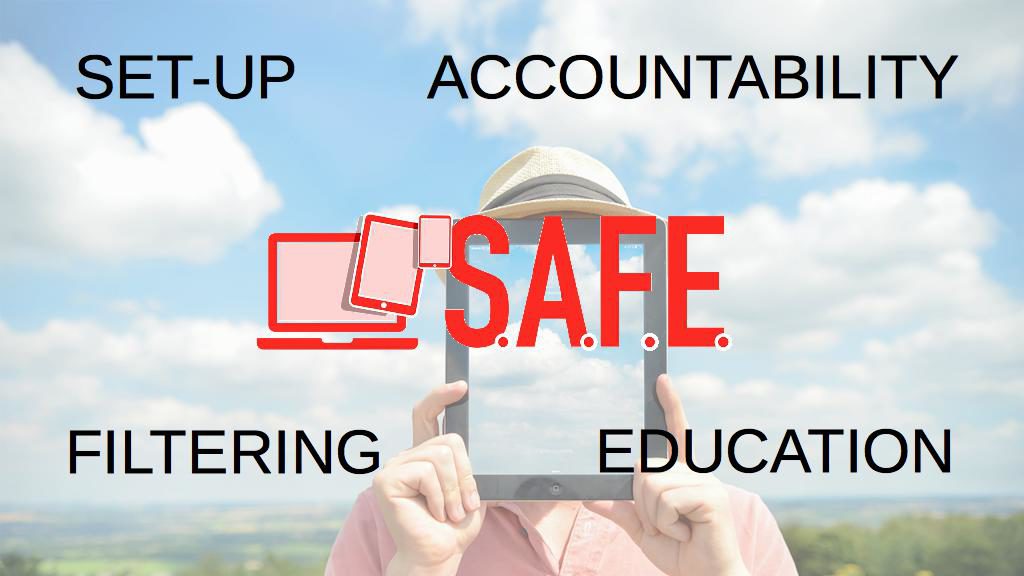
    I jokingly tell people that our Setting Digital Boundaries Workshop is like a Mary Kay party. You invite your friends over and serve up some snacks. After everyone has had some time to arrive and say hello we begin the presentation. Instead of selling you make up I’ll be teaching you and your friends how to protect your children online. After updating you on some of the latest dangers and threats available to your kids online I teach you our internet safety plan that I call S.A.F.E. (Setup Accountability Filtering and Education)


    Each section of this presentation will be spent unpacking the four keys of our S.A.F.E. plan all the while highlighting some of the best resources you can use to protect your family. Each section ends with a time for questions. The sessions last anywhere from 40 to 60 minutes and afterward, I always stay available to answer more questions and give feedback on some of yours and your friends’ tech safety needs.

    These workshops are so valuable because of how quickly the internet safety atmosphere changes. Our book is helpful for getting you started and teaching you some of the terms that you need to understand to protect your kids online. A book, however, can’t give you step by step help with your internet safety goals. A blog post or YouTube video can’t listen to your specific internet safety needs and diagnose the best plan for protecting your family. That’s what makes Setting Digital Boundaries Workshops so critical.

    Email Us to book a workshop and go to BecauseFamily.org to learn more about what we teach and how you can partner with us financially to help us keep these workshops free.

  • Snapchat Update Adds New Effects and Sharable Links

    Snapchat Update Adds New Effects and Sharable Links

    Snapchat’s latest update will give the camera background effects and allow you to change your voice without using one of their filters. The other major feature is the ability to share links and open them within Snapchat’s very own browser. While you can’t type a url into the address bar at the top of the browser you can click around online and end up at any website you’d like. That’s right, that means your kids can now browse the internet within Snapchat. This has always been possible in other social media apps like Twitter, Instagram, and Facebook but now Snapchat will allow users to tap right on a picture and open a link without leaving the app.

    What Parents Should Know

    If the Discover Page, disappearing photos, private video chat, and SnapMap isn’t enough to put this on your uninstall list, perhaps the ability to access the entire internet without leaving the app will help you pull the trigger. Yes, this feature is available in other social media apps but when you factor in all of the other features that can be a detriment to your internet safety plan it puts Snapchat at the top of my uninstall list.