Tag: safe online

  • Five Internet Safety Mistakes Parents Make

    Five Internet Safety Mistakes Parents Make

    I spend most days trying to help parents make and implement an internet safety plan. Too often I run into hurdles that I have to jump over in order to help them out. Here are five of the most common mistakes that get in the way of parents’ internet safety strategy.

    1. Secrecy

    Parents of older kids want to give their kids freedom on their devices but keep an eye on them at the same time. I’m often asked how to do that without the kids knowing mom and dad are watching. My answer is usually, “don’t do that.” The goal is building trust and a better understanding of responsible technology use and internet accountability. Sneaking around and spying on your kid, while it may seem like a good way to see what they’re actually in to, is an even better way to ensure they won’t ever come to you when they need to talk to someone about what they’ve seen or experienced online. Obviously, if they know you’re watching and you approach them about something you didn’t approve of then they’ll know it’s coming and will be ready to have that discussion. If you have to talk with them about something you caught them doing while you were sneaking around they’ll see that as a breach of trust and you’ll find yourself with a much harder road to travel from then on. The best thing about transparency is that your kids are more likely to make better decisions when they know they’ll be held accountable for those decisions. Telling them you’re watching them can lead to better responsibility.

    2. Giving Up

    Setting digital boundaries is not easy. There will be arguments, sneaky kids, tutorial videos, and lots and lots of research. The key is to never give up. Things change fast and it truly is difficult to keep up. You have to find the resources that you trust that can help you stay informed. You should find the people you know can help you set your boundaries up to fit your needs. You have to keep reading up on what’s going on in the digital world your kids live in. If you give up you will get left behind and that means you’re not keeping your children safe.

    3. Sharing Passwords

    As obvious as this may seem, I have to say it. You must resist the temptation to reveal passwords to your kids. What happens is that kids (especially the younger ones) get tired of what they’re doing very quickly. When they are playing a game and you have it set with guided access or something like it that won’t allow them to back out of the app you will have to be the one who has to switch apps for them. Unless you just tell them the password. More convenient? Maybe. Safe? Absolutely not! There is honestly no reason at all to have any kind of boundaries set up if you are easily urged to hand over the passwords to the tools you use to establish those boundaries. Passwords are meant to keep the parental controls within the controls of the parents. Again, seems obvious, but you would be shocked at how many people have to be reminded of this truth.

    4. Not Starting

    The hardest step to take in protected your family online is the first one. Creating your internet safety plan begins with assessing the current situation in your home. That can be overwhelming at best, and extremely discouraging at worst. Some families don’t even know how many devices are in their home or who they all belong to. I worked with a family once that was shocked when their kids kept bringing phones down out of their rooms over and over again. Come to find out, their friends would give them their old phones and they’d use them on wifi when they were grounded from their own. Yes, it is discouraging but it is absolutely necessary. You need to have a plan and you must have conversations with your kids about that plan. You can’t do anything, though, if you never start. Begin today! Email me if you’d like. I will help you get started.

    5. Never Updating Software

    I covered this in a recent post but I have to reiterate because its one of the most common mistakes I see parents make. If your accountability software, filter, or devices are not updated regularly then they aren’t as secure as you’re needing them to be. If you pay monthly for these apps and software then you aren’t getting what you’re paying for, you’re only getting part of it. Updating the software when you see the notification is critical for keeping your internet safety tools in full working order. Filters use updates to load the latest information that lets the filter know what sites should be blocked and what shouldn’t, other apps like accountability software use the updates to keep their “red-flagged sites” lists up to par with what’s out there. If you aren’t updating you are eliminating an entire piece of your digital boundaries puzzle.

    Don’t let yourself fall victim to any of these blunders of internet safety planning. Read all you can on this site and subscribe to our mailing list so you see the latest news. Keep track of internet safety news with other blogs and websites as well. Keep your software updated, talk to your kids about your plan, and for the love of facepalm emojis, get started as soon as you can.


  • YouTube’s Restricted Mode to Allow Non-Graphic LGBTQ Content

    YouTube’s Restricted Mode to Allow Non-Graphic LGBTQ Content

    Restricted Mode Guidelines for YouTube have been updated to allow for content from the LGBTQ community as long as it doesn’t contain content deemed graphic. YouTube restated their firm support for those in the LGBTQ community and apologized for content from that community being blocked by their previous restriction guidelines. The update has specifically unblocked over 12 million videos that were previously blocked by the restrictions for some reason. The statement says that the goal was never to keep the voices of those in the LGBTQ community silent but only to provide an option to institutions that would prefer to keep the “adult” side of YouTube off their screens.

    Restricted Mode was originally designed as an optional feature for public institutions like libraries and schools to prevent the viewing of mature content on YouTube. But in looking more closely at the feature, we found that there was LGBTQ (and other) content that should have been included in Restricted Mode but was not, like kissing at weddings, personal accounts of difficult events, and speaking out against discrimination. – YouTube Creator Blog

    You can read YouTube’s full statement here. 

    What Parents Should Know

    These different guidelines have taken effect immediately and some previously blocked content will already be available. Parents should know what their kids are watching. This is the only way to uphold the values you have decided your family should live by. YouTube and other companies have an obligation to provide content for every member of their audience. It is not their obligation to keep any message from your child’s ears and mind. Depending on your stance, you should be the one making the decisions for what your children are allowed to watch, whether you use monitoring software or keep your eyes on the content with them.

  • Post Father’s Day Challenge for All of You Dads

    Post Father’s Day Challenge for All of You Dads

    I had some deep thoughts during Father’s Day yesterday. As always they concerned my work with families and internet safety and so I posted the following status on Facebook. I want to make it available to our blog readers here too. Moms, please share this with the fathers of your children; dads, please be challenged and let me know what steps you’ve taken to protect your kids online.  

    From Facebook on Father’s Day, Sunday, June 18, 2017.

    It’s Father’s Day and I’m thinking about some of the greatest opposition I face in our work to help parents protect their children online. You would think that kids would hate me. I’m the guy that comes in and sets up restrictions on their phones and computers. They’re not the ones giving me the stank eye, though, it’s the dads.

    Too often, the worst critic of my attempt to block pornography from the family computer or phones is the father. “Well, is this going to block dumb stuff?” “Is YouTube going to be useless now?” I am constantly hearing concern that in my attempt to protect their children from cyber bullying, adult content, porn, or sexting I’ll inconvenience dad in some way.

    Please understand that there have been many dads who were totally onboard and even some who have admitted to wanting better accountability for themselves but those dads aren’t the norm. I hear moms who are exasperated, sometimes to tears, because they want to keep their kids safe while dad is calling it “no big deal.” Again, the father too often seems to be more concerned about facing limitations of his own than the digital health and boundaries he’s setting for his family.

    Step up dads. If your kids need accountability then so do you. You should have it installed on your devices first. You should set the filters more strict than necessary and tell your kids that it’s annoying sometimes but it’s worth it because the alternative is something you don’t want to face. I wish I got more emails or calls from dads (I’ve had some) that are desperate to set boundaries for their kids’ internet use. I pray that it will change. Dads, we MUST be the example of the change we want to see. Call me. Let’s get your family a gift this father’s day. The gift of your commitment to higher standards while online.

    If you need help. Let me know EMAIL ME or contact me on Facebook or Instagram. I’d love to give you a hand.

  • How YOU Can Keep the FamilyTechBlog Alive

    How YOU Can Keep the FamilyTechBlog Alive

    We are not at risk of shutting down. We do, however, have hopes of becoming more and more affective in reaching families with the latest internet safety and family tech news. We are writing several articles a week and producing podcasts, tutorial videos, and other resources for you to use as tools to keep your family safe online. Offline we also reach out to schools, police departments, churches, and other organizations with internet safety workshops. We often don’t charge for these workshops because the groups we are working with wouldn’t be able to have us in if we did. This means our greatest resource is you, our reader/viewer/listener.

    There are several ways to support this blog. The easiest and most helpful to you is to use one of our affiliates. Accountable2You is a great accountability software resource, NetNanny is a filter that we recommend, and MobiCip is another, affordable, filtering and reporting option. Another way to help us out while helping yourself is to buy our book, “What’s in Your Pocket? A parent’s guide to protecting your children online.” The book is only $10.50 from this site and we’ll ship it the day you order it. It’ll really help us out while giving you the confidence and knowledge you need to protect your kids online. Finally, you can partner with us directly through a couple of ways, fist of all is Patreon. Patreon.com/becausefamily is where you can sign up to support our blog and podcast and be listed as a partner in the credits of our video and audio resources. You can also donate a special gift using Square or Paypal. Sharing our articles is also a wonderful way to show your support. Help us spread the word.

    Our vision is to reach as many families as we can with informative and relevant information to keep them up to date on the digital world their kids are growing up in. This blog and the podcast is and always will be free to the reader and listener but it isn’t free to produce. Your gift and the use of our affiliate links keep us writing and recording so that you and the parents you know can have more tools that you can use to keep your families safe.

    Thanks for your partnership and for putting up with this plea for support…now to your regularly scheduled tech safety information.

  • Here is Everything Snapchat Added in it’s Big Huge Update

    Here is Everything Snapchat Added in it’s Big Huge Update

    Snapchat’s fastest growing demographic is young adults but it still built it’s success on the short lived selfies of High School kids. Your High School kids. Today Snapchat released a major updates that adds some very new, never before seen features. While I don’t expect these new additions to make Snapchat more of a problem. I do think its smart for parents to understand what the apps their kids use are capable of. Here’s what’s new:


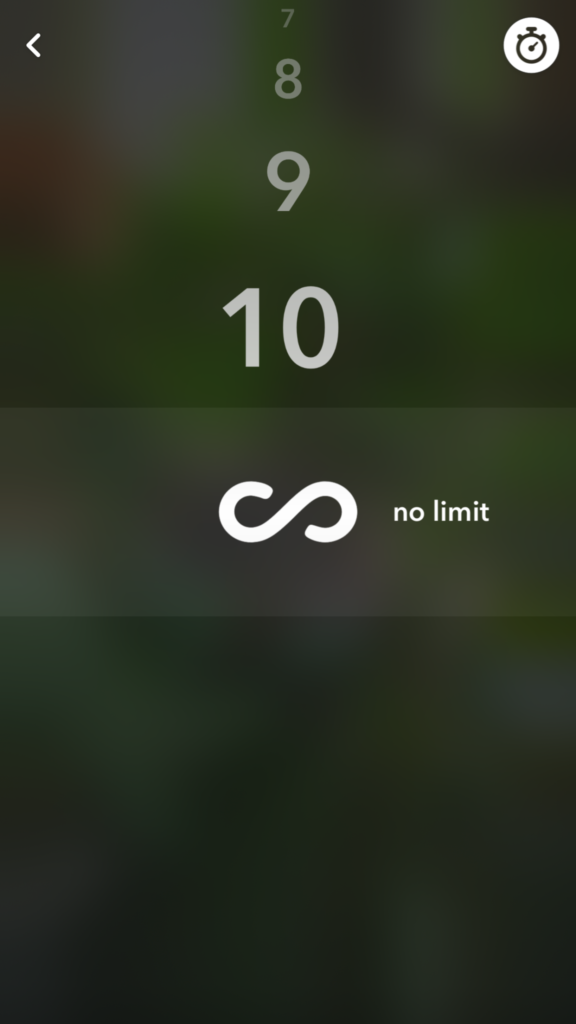
    No Time Limit

    You can now post you images without a time limit counting down until transitioning to the next photo. Videos also have a “play forever” option that will loop your videos. The “disappearing” images is what made Snapchat such a novelty at the beginning. This is a major step away from that.


    Emoji Brushes

    This is pretty much just a way to draw with emojis. Dumb? Maybe. Annoying? Definitely. Will it be used like crazy? Absolutely. You’ll be seeing emojis plastered all over snapchat images now. Enjoy!


    Magic Eraser

    This is just what it sounds like. It’s probably the coolest new feature in this update. It allows you to cut out sections of your photo and replaces the background automatically. This makes whatever you erased disappear like it was never in the photo in the first place. Features like this have been available in photo editing software but it’s the first time we’ve seen it in a social media camera.

    What Parents Should Know

    As I already mentioned these features don’t necessarily make Snapchat a more dangerous app. (It’s already on our uninstall list, mostly because of the potentially adult themed articles in the Discover section.) If you’ve been telling your teen they can’t install Snapchat this update might make it a bit more difficult. You are sure to hear “but mom, so and so has it” or “all of my friends..” just remember that while these updates are cool, there are other reasons you may not think this app is smart for your teen to have. This update doesn’t change any of that.


  • Android’s New Instant Apps Can Undermine Your Monitoring Software

    Android’s New Instant Apps Can Undermine Your Monitoring Software

    If you follow my recommendations on this site you’ve got some sort of monitoring software installed to allow you to see what your kids are doing on their devices. This is important because you can’t help you children navigate the digital world they’re growing up in if you don’t know what they’re doing online. Every now and then, though, a super cool new update comes out for our phones, computers, or tablets that will undermine the goals you have for monitoring your kid’s devices. Android’s “Instant Apps” is one such update.

    Instant apps is a great idea. It’s a really cool way to share new apps and a great way for app developers to give brief access for someone who wants to see something that’s been shared but doesn’t want to download an app to see it. Usually when you see a cool post on social media or someone sends you a link in a direct message you have to use a browser to see the mobile website version of what they’re sharing, Instant Apps makes it easier to see the what’s being shared. For example if I’m creeping Amazon and see the Blu Ray for that super cool movie we saw together and want to share it with you. I can text you a link and when you open it the product will open in the “instant” version of the Amazon app. This will provide you with a much easier and smoother transition to possibly purchasing that product. The instant app permissions won’t allow it to run in the background and will disable some features that would be available if you downloaded the full app but it’s a cool intro to software you haven’t installed yet. Cool idea, yes, but maybe not for our kids.

    What Parents Should Know

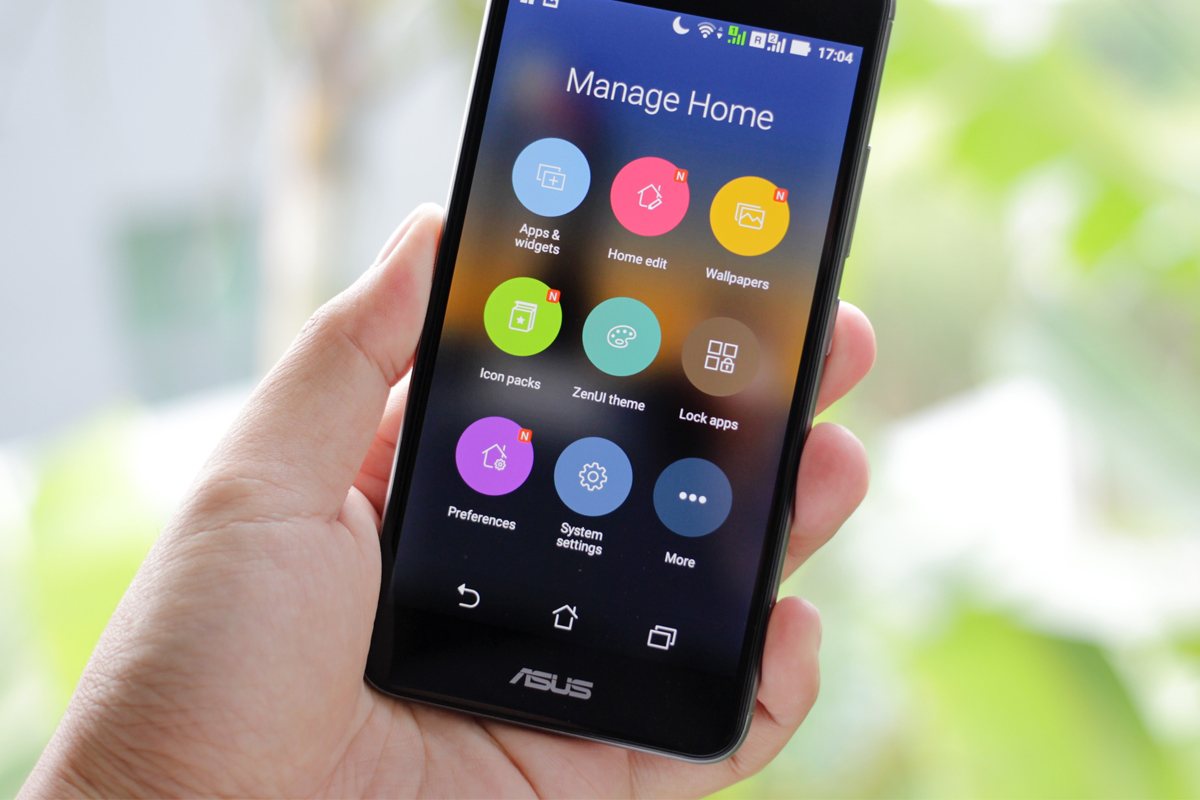
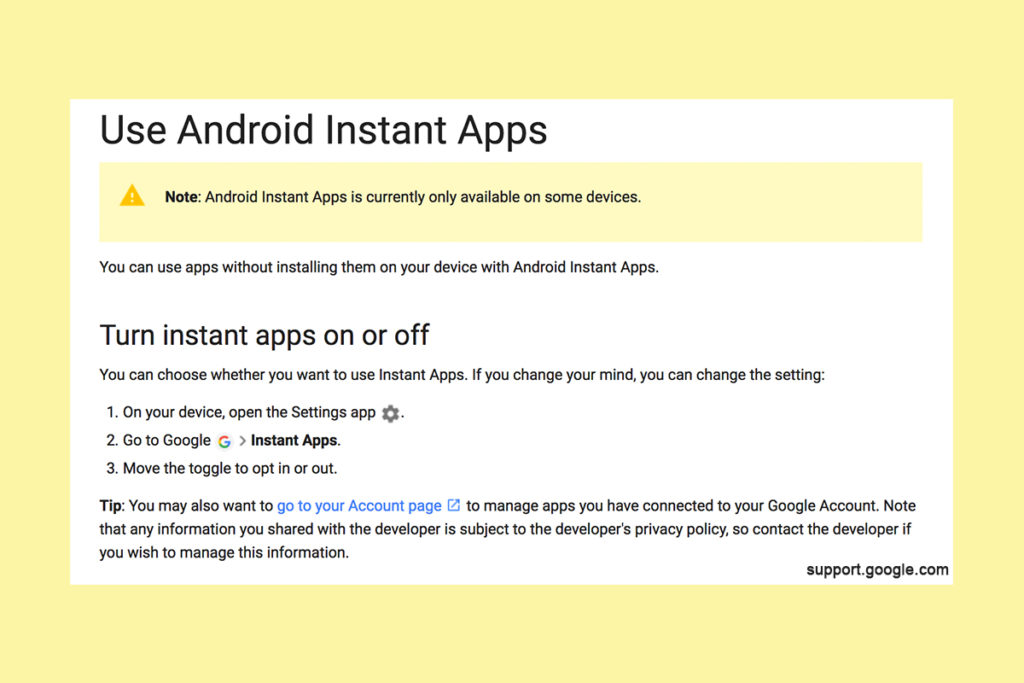
    Being able to see content from an app that isn’t even installed could be troublesome for parents who are trying to monitor their kids online activity. If you have uninstalled apps from your kids’ devices to keep them from seeing what is shared in that app you aren’t going to want them to be able to see the content in instant apps. I recommend disabling Instant Apps in on your kids’ devices if they have it. If you can’t find anything about Instant Apps in the settings of their phone or tablet then it isn’t available for their device and you don’t have to worry about it. If you do see it, follow the steps below to turn it off.


    Whether you’re using an accountability software like Accountable2You, a filter like NetNanny, or monitoring the entire device with something like Mobicip, the Instant App feature could give your child access to the very content you are trying to keep away from them. Be sure to give yourself opportunity to look over their phone or tablet whenever possible and check for the Instant App option. There aren’t very many apps developed with the feature yet but it has been opened up to most developers. More and more apps will be using Instant Apps to allow folks to share content in the near future. Turn it off now and get ahead of the game.


  • Tumblr App Installs “Adult Content On Switch”

    Tumblr App Installs “Adult Content On Switch”

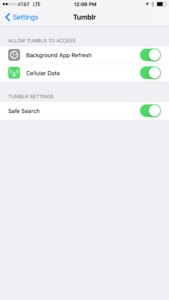
    Tumblr has lost some traction over recent years. It’s not so much a social media platform as a blog host and not really even that. It’s more used for GIF (animated images) posting than anything nowadays. Apple has always had a pretty strict standard on adult content in the apps in their app store. They require developers to have adult content disabled by default. This usually means that image searches on your browser should be without any blatant pornography unless your search is specifically for that. Tumblr has updated their iOS app with a workaround for this rule. There is now a switch that will allow users to turn adult content back on in Tumblr. It’s actually a “safesearch switch” and it’s set to on by default, thus following the rules set up by Apple. All it takes, however, is for someone to go to the settings page of the app and turn the safesearch option off. This will unleash the cacophony of adult content that is available on Tumblr (many say that pornographic images and gifs have become it’s main purpose) on the user.

    What Parents Should Know

    The Tumblr app is basically a browser in which anyone with an account can see any of the user generated blog content posted on the site. As mentioned above, the app has become inundated with adult content and is not safe for anyone you’d like to keep from those sort of images or videos. The safe search switch isn’t located in the restrictions settings on your iPhone. It is just in the settings for the app. This means safesearch changes can be made without a password. This app is an easy way for your child who has been looking at inappropriate images or videos to access more of that. Now that the safesearch can be turned off, you’ll want to add this app to the uninstall list.

    Our children can be greatly harmed by pornography. Studies are showing it’s addictive nature and the ability it has to alter a person’s sexuality and preferences, creating what they call an “arousal template.” This causes kids to be attracted only what they’ve seen online and can create serious problems for them in the future. They also say that kids who view pornography are six times more likely to force others into sexual behavior. Many in our culture view online adult content as only entertainment but it’s being proven that it’s detrimental to the mental health of our kids. If there is anything you can do to protect your children from adult online content, you must take steps to do so. Uninstalling Tumblr just became one of those steps.

  • YouTube Kids Coming to Your Smart TV

    YouTube Kids Coming to Your Smart TV

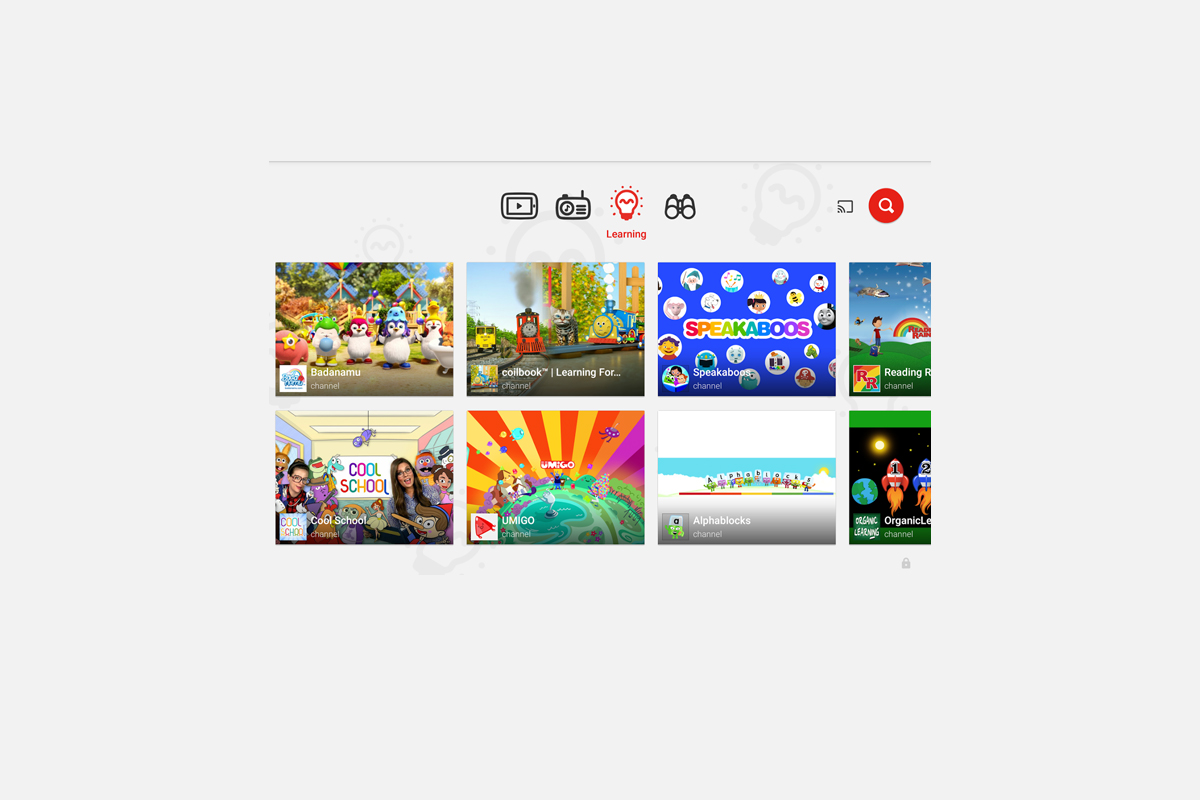
    The kids version of YouTube kids has been talked about a lot. Mostly because of breaches in their algorithm based filtering system. Cartoons are disguised as silly kid shows and take a turn towards the inappropriate. The way YouTube Kids governs their content has been under scrutiny for months with mere apologies as a response. Well, now this service may be coming to your Smart TV.

    Specifically, the app will come to the following TVs: all 2015-2017 LG webOS TVs (via the LG content store); all 2013-2017 Samsung Smart TVs and Blu-ray players (via the Samsung App Store); and, following a firmware update, 2016-2017 Sony TVs (with the exception of Android TV, which is coming soon). – Techcrunch

    YouTube Kids is an effort to allow children to gain access to the content that’s appropriate for them without coming in contact with more inappropriate videos. YouTube has even launched some original content, featuring some successful kid related YouTube entertainers. Millions have adopted this service and use it as a way to entertain their children. As mentioned above, there is always a concern when algorithms are used to filter adult content. I recommend parents eyes are on YouTube Kids often. In fact, I had a little rant about it the other day.

    Follow Us On Facebook

    What Parents Should Know

    As I said, Parents shouldn’t accept YouTube’s algorithm as a foolproof way to keep your kids from seeing something they don’t want them see. There are those out there who disguise their more adult oriented entertainment as kid shows for whatever reason. Moms and dads should be checking in on what their kids are watching. I think the move to smart tvs is a good thing because making the screen bigger allows parents to more easily see what is being viewed. If YouTube Kids is available on your tv, maybe you could let them watch their toy unboxing videos on there next time and peak in on what they’re watching every now and them.