Tag: review

  • App Review: Noah’s Elephant in the Room

    App Review: Noah’s Elephant in the Room


    App Review: Ride the elephant around the Ark collecting peanuts. Just try not to get caught by your sons. They’ll put the elephant back in its cage and ruin your fun. This game features fun gameplay, easy controls, awesome animation, and a great scripture memory element. Check out Noah’s Elephant in the Room here.

    Tell them BecauseFamily sent you.

    Social Media Links

    Facebook: http://facebook.com/becausefamily
    Instagram: http://instagram.com/becausefamily
    Twitter: http://twitter.com/becausefamily

    Newsletter Sign-up

    Ministry Updates:: http://eepurl.com/R7Btr
    Weekly Blog Posts:: http://eepurl.com/cvnhXD

    Websites

    Ministry Site:: http://becausefamily.org
    Tech Blog:: https://safe.becausefamily.org
    Michael’s Speaking Info:: http://kmichaelprince.org

    Donate and Affiliate Links

    http://BecauseFamily.org/partnership

    Music by Kevin MacLeod at http://Incompetech.com

    Download the game here.

  • Superzoom on Instagram and Share Links in Snapchat

    Superzoom on Instagram and Share Links in Snapchat

    Every update announced by the developers of the apps your kids use isn’t earth shattering but you should still know what’s going on. This week has been a pretty slow internet safety update week but some teen favorite social media platforms have released some updates in the last couple of days.  These updates are mostly cosmetic seasonal features but they’ll be interesting to your kids so they’re worth learning about.


    Instagram Superzoom

    Remember the dramatic chipmunk? He’s the cute little guy on the youtube video that gave an epic, three-level zoom, dramatic (and comical) look. There was a song and everything. Instagram has added a feature to their camera that can give you that same hilarious zoom in effect. The product manager for Instagram said they’ve seen users making funny “zoom in” videos in their story and wanted to give them a tool to make this easier. The feature zooms into whatever you’ve told the camera to focus on, it will work on the front or rear facing camera, and even features the dramatic orchestration you’d expect to hear from such an epic shot. This feature comes today along with some Halloween filters and masks.

    Snapchat Link Sharing

    Snapchat will now let you share links from other apps in iOS. Pulling up the “share sheet” or sharing menu will now show you the option to share in Snapchat. This is a pretty big change for Snapchat who previously didn’t do much to affect usage outside of the app itself. Links will still open within Snapchat’s web browser but more and more content can now make its way into the app through the accessibility of link sharing. Also, Snapchat is changing the way you view Snaps from within the app by letting you press and hold a friend’s name anywhere in the app to open their Story. Finally, there is a new feature that will allow you to go into “Ghost mode” temporarily, setting your location to stay hidden for 3 hours, 24 hours, or “until I turn it off.”

    What Parents Should Know

    Every update brings more features that our kids love on their social media apps. We should know what these features are and what they mean for how our kids use the app. Camera effects and modes add interest and fun but may cause the young kid you’ve been keeping off of social media to ask you even more if they can join. Truthfully, Snapchat is late in the game when it comes to link sharing. It’s been possible in so pretty much every other social media app out there for a long time. Being able to bring links into Snapchat from any other app increases the potential for it to be used to share different sites between users. This could include sites you’d consider inappropriate. My advice is to turn on built-in filters on your iOS devices as they should make it harder if not impossible to access adult content on any browser on the phone.


  • You May Soon Share Your Instagram Stories on Facebook

    You May Soon Share Your Instagram Stories on Facebook

    Facebook Stories still hasn’t taken off. Despite putting them on the desktop site and constantly encouraging you to use the feature in the app, Facebook hasn’t been able to increase usership of their stories feature. In fact, if you look at the top of your Facebook timeline you will probably notice that only one or two of your six hundred Facebook friends have actually posted a story for you to look at. In their latest attempt to lure users onto stories, Facebook may soon allow you to share your Instagram story to Facebook. 

    Instagram is testing a “share to facebook” feature in the story camera. Once you’ve taken your video or photo for Instagram stories, you’ll then be able to share it to Facebook or share screenshots to Twitter. This is one of the first times we’ve seen Instagram test a feature that will integrate directly into Facebook, even though both networks are run by the same company. We haven’t seen them cross over much since Facebook bought Instagram in 2012.

    What Parents Should Know

    Instagram stories is still the most popular feature of its kind in social media. Hundreds and millions of teens and adults alike use stories every day to share what’s been going on and what they’re into. Facebook, while they are obviously reaping the benefits of Instagram’s success, they’re also wanting to block Snapchat out of the picture completely. Pulling the 2 billion Facebook users into the story feature could go a long way to make Facebook’s social media selections stand far above those of Snapchat. Most likely, however, your kids are still going to be using the service that their friends are on and the fact that parents don’t really “get” Snapchat makes it more appealing to them. Be sure you spend some time using Snapchat, Instagram, and Facebook so you’re familiar with all of the social media options available to your kids and teens. Set notifications so you’ll know when your kids are posting, and you can even log in as their accounts on some of the social media services. Whatever method you use, don’t be outside of the loop when it comes to your kids’ social media preferences. Talk to them about it, follow them on their favorite social media accounts, and use their login information to stay informed as they post and receive private messages.

  • PODCAST: Kindle Fire/Amazon FreeTime App Review

    PODCAST: Kindle Fire/Amazon FreeTime App Review

    FAMILYTECHWEEKLY: Is the kindle fire the answer to all of your parental control questions? We don’t think so…here’s why.

    Sponsor this podcast! http://patreon.com/becausefamily

    Social Media Links

    Facebook: http://facebook.com/becausefamily
    Instagram: http://instagram.com/becausefamily
    Twitter: http://twitter.com/becausefamily

    Newsletter Signup

    Ministry Updates:: http://eepurl.com/R7Btr
    Weekly Blog Posts:: http://eepurl.com/cvnhXD

    Websites

    Ministry Site:: http://becausefamily.org
    Tech Blog:: https://safe.becausefamily.org
    Michael’s Speaking Info:: http://kmichaelprince.org

    Donate and Affiliate Links

    http://BecauseFamily.org/partnership

    Music by Kevin MacLeod at http://Incompetech.com

  • Parental Control Hardware “Circle” Announces Integration with “FamilyTech” Apps

    Parental Control Hardware “Circle” Announces Integration with “FamilyTech” Apps

    Circle is one of our favorite resources to recommend to families. With its simple to use app and customizable, profile based filters Circle is one of the most accessible parental control options out there. At a price tag of only $99 it’s affordable too. Today, Circle announced Circle Connections, the roll out of integrations of some new resources to make it one of the most extensive filter and time management apps available. These integrations will soon add the ability to stop notifications from social media apps while your child is driving and allow you and your kids to use Amazon Alexa to set and monitor your time limits. Launching first, however, is a partnership with FamilyTech.

    The new platform, Circle Connections, allows Circle users to connect other partner apps, devices, and services to offer rewards, automate features, and much more. These other pieces of Circle help leverage some of the biggest drivers of family life: screens, physical activity, teen driving, and social media.

    FamilyTech launched late last summer and is a chore/time management system developed by CEO Chris Bergman. The system features four apps. Mothership, the hub for setting chores and giving rewards. ChoreMonster, an app for kids that rewards them for meeting their chore goals. Honeydo, a way for couples to communicate what needs to be done and get more accomplished. And Landra, the home productivity solution for older kids and teenagers. This partnership is going to set Circle up to be one of the most extensive time management and parental control options available to parents.

    For Example

    With Circle’s time limits, the integration with FamilyTech can do a lot for parents. Imagine your child has an excellent week of chores. The choremonster app asks what reward they would like and they choose to extend their bedtime. ChoreMonster will communicate with Circle and their bedtime will be extended to whatever reward time you’ve set up. Pretty much automated rewards. That sounds awesome.

    As mentioned, some of the functionality will be released in future updates but the integration with FamilyTech is rolling out now. If you have circle, be sure to update often and take a look at what FamilyTech’s apps can do for you. If you don’t have Circle yet, maybe this will be a pretty good reason to give it a go.

  • Kids Online Too Long? Put the Power of Time Limits in Their Hands with UnGlue

    Kids Online Too Long? Put the Power of Time Limits in Their Hands with UnGlue


    Every now and then a resource comes along that we can’t wait to tell you about. Today, we are excited to show you UnGlue. We are always looking for the newest and simplest way to protect your kids online and UnGlue is answering the time limit question with some pretty great new ideas. Check out the video below to see the heart behind their cool new time limits software.


    “Kids are the ones that are hooked… they’re the ones using these devices …  And it’s not even their fault… they’re fighting with the best minds in the industry that are set on having them scroll just a little bit more. Just one more like, one more picture, one more chat, one more Pokémon, one more level. And they’re losing,” – Alon Schwartz (CEO of UnGlue

    UnGlue runs with the idea that kids truly want to do better at managing their screen time by placing the power in their hands. In fact, the founder of UnGlue doesn’t like to call their service “Parental Controls.” While parents do set the time limits, the kids are able to decide what they do with that time. UnGlue doesn’t only turn off internet access at a certain time, it designates between productive and “entertainment” internet activity. Parents establish the amount of time their kids are allowed to spend being entertained on a screen and their child is then able to use the time as they choose. They can even store up unused time to use later for some good ol’ fashion binge watching or playing. The UnGlue concept is a new one and, I think a great one.

    The only thing more important than keeping kids safe from the dangers of internet use and over use of the internet is teaching them how to be responsible in those areas for themselves. UnGlue puts the power in their hands and allows you to show them, through their own experiences, how they can better manage their time and be more effective and productive every day. In fact, I would go as far as to say that most of us parents could use an education on screen time management.

    I could go through all of the ways UnGlue allows you to set up their mobile app but I’ll just point you to their website and let you watch this video below. UnGlue is FREE to use so go check it out and email us at BecauseFamily@GMail.org to let us know how your experience was.


  • This App Turns Deleting Bad Photos into Good Clean Fun

    This App Turns Deleting Bad Photos into Good Clean Fun

    The Struggle is Real

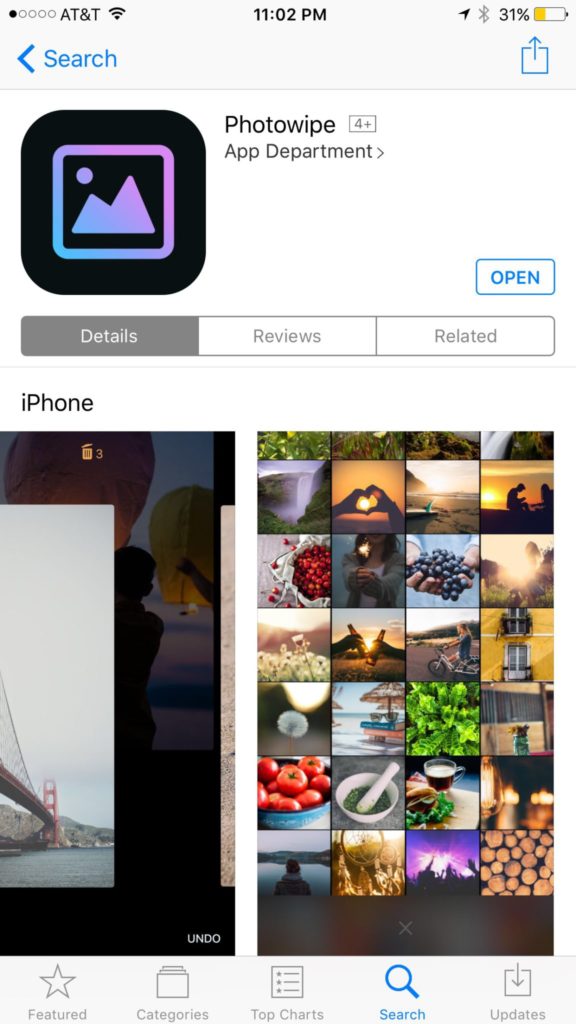
    Taking photos of a two year old, five year old, seven year old, and nine year old is a process. We’ll take six to ten to find the one that looks good. The result of this is our phones filling up with a crazy number of unusable pictures that don’t get deleted because, well, it’s a pain in the butt. Photowipe is a new app that will make deleting those unintentionally motion blurred pics easier and maybe a little bit fun.

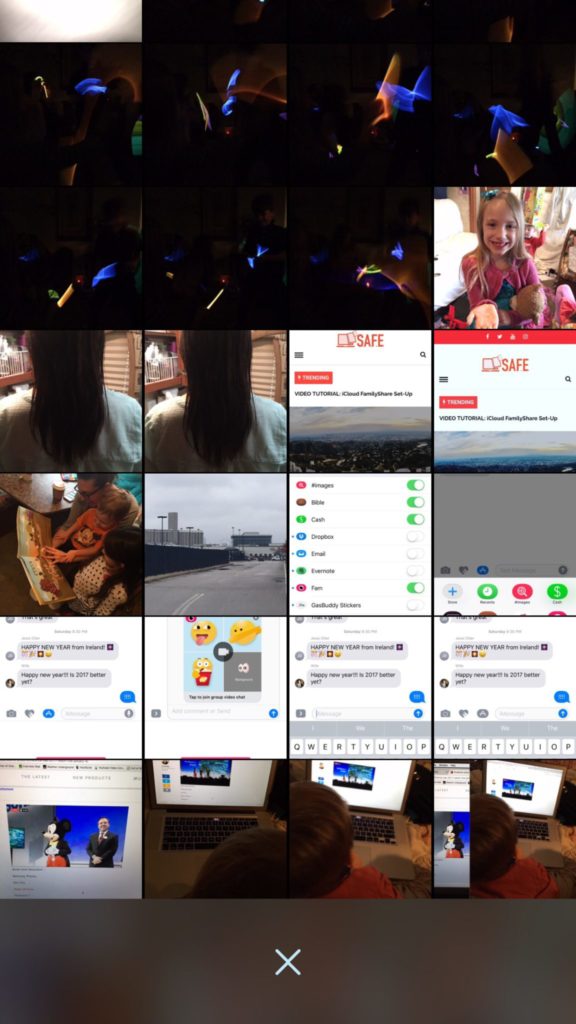
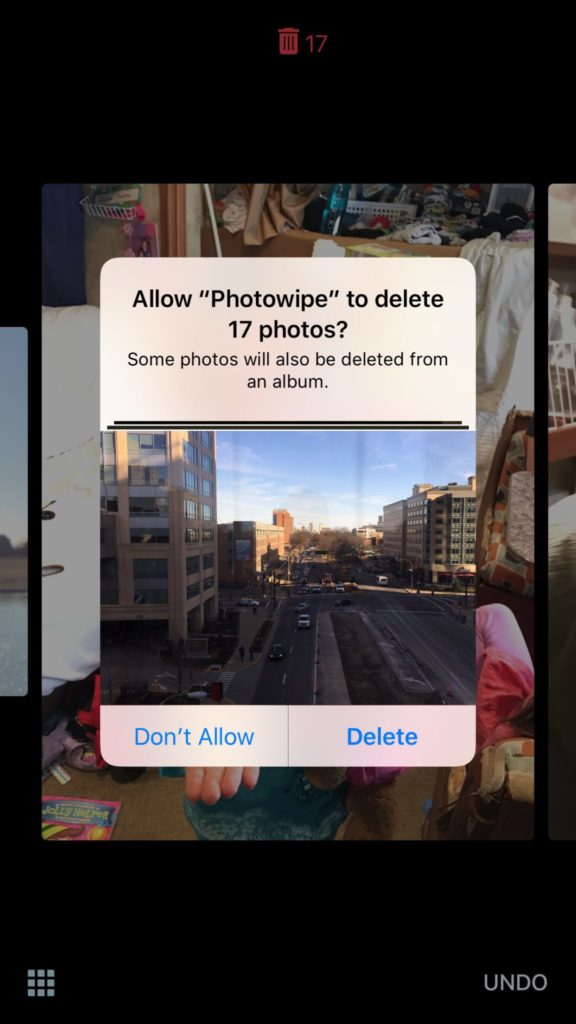
    The app will show you large versions of the pictures on your camera roll and will delete them based on your gestures on the phone. Simply swipe to the side to see the next photo or swipe up to add the current picture to the “trashcan.” The deleted photos will be stored for thirty days in a trash folder unless you force delete them all, which I will be doing every time.

    Also Read: Are your teens hiding photos in a calculator?

    We Say Give it a Try

    It’s a pretty good idea and actually a bit crazy that it’s just now come to be. Now it’s super simple to get rid of those pictures of your toddler’s nasty spaghetti face that you took because you thought it would make a good text message to your husband or all the memes you’ve saved to your camera roll to post in Facebook comments. You can use the slideshow below to get started.


  • Google Play AI and Music Customization Could Cause Privacy Concerns

    Google Play AI and Music Customization Could Cause Privacy Concerns

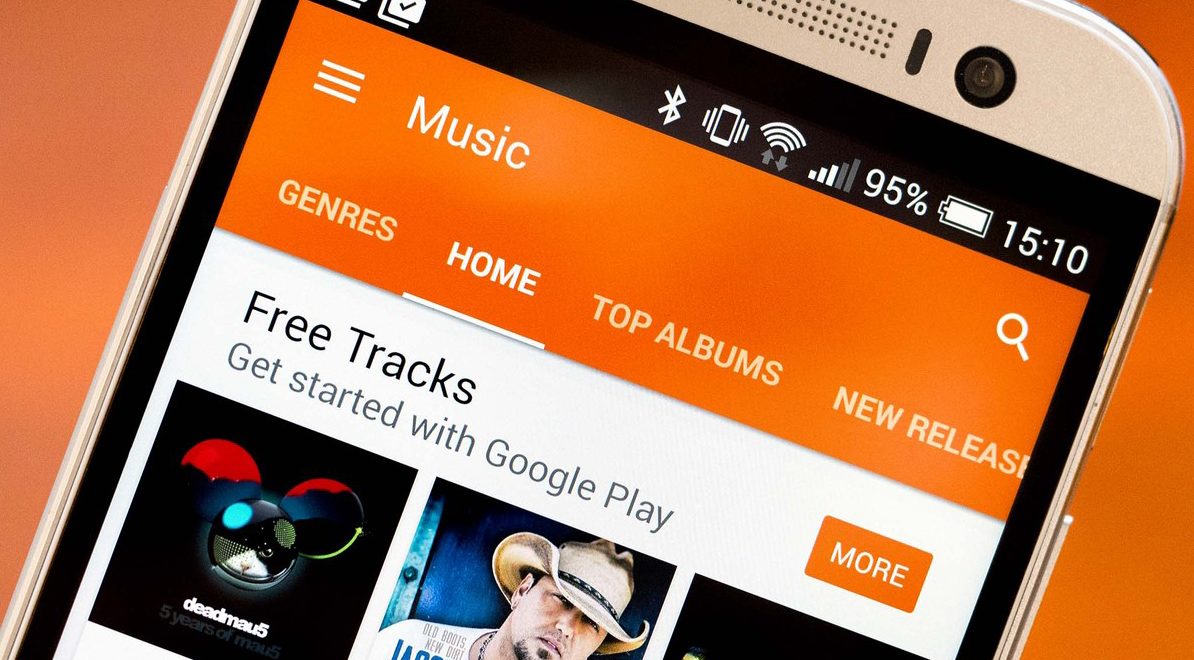
    Music streaming programs like Spotify and iTunes Music have been using your activity to recommend music for a long time. It’s cool to look at your phone to open a playlist and see some relevant artists you’ve never heard before. I’ve discovered some of my new favorite bands that way. Well, Google Play Music is going to be using some new tools to recommend this music and I don’t know how I feel about our kids and teens using them.
    Google Play AI

    The first major new feature is an AI system that is assisting your search in the Google Play store. When you type in a certain search term, your previous searches and the “language” you use to look for new apps will be taken into account while accessing your search results. Pretty complicated, I know, but it’s pretty neat. Basically, if you search for a photos app and you have looked for social sharing apps like Snapchat in the past, it’s going to include apps like that in your results. It will assume your use of the photo app will include social sharing based on your past searches. It may not be long before you have a totally personalized app store based on only your own interests. That’ll be interesting.

    Google Play Music Personalization

    You know that feeling when you walk into work and you just wish you had the right playlist to accompany you? Remember when you got in your car and wanted music but not the stuff you usually listen to, something new, yet perfect (according to someone) for driving? Ya. Me neither but apparently Google Play Music is going to start using location data and previous activity to recommend new music for you in their app.

    Yes, the app could become more customized and even more useful but won’t these changes amplify just how much of your information and activity is being tracked by Google? The app will know what you’re doing, where, and when, and all in the name of giving you some relevant music suggestions. I don’t know about you, but that seems a bit much.

    What Parents Should Know
    settingsI’m all for using a AI to help me have a more intuitive user experience. I even enjoy being recommended new albums to check out. I don’t think, though, that I need to be tracked 24/7 in order to provide me with new, relevant music options. I think we are tracked enough and there has to be a time when we say, that’s enough. Especially for our kids.

    Google Play will allow you to turn off the location history tracking, which I recommend doing on your kids’ phones and tablets. There is a link in the settings menu in your Google Play Music app. You’ll be seeing this update to GP Music this week, so keep your eyes open and go turn off that location history.


  • Mobile Device Vocabulary Lesson 4: Privacy and Security

    Mobile Device Vocabulary Lesson 4: Privacy and Security


    Conversations about internet privacy and security have been in the news a lot lately. Questions about who has the right to track you on your smartphone and who doesn’t. Terms and agreements that don’t really help you understand how companies use your information once they’ve gained if from your device usage. Below are three common terms that will help you walk through the minefield that is internet security and privacy. Learn what these terms mean so that you can make the right choices for your child’s online safety as well.  (more…)

  • Mobile Device Vocabulary Lesson 2: Gaming (1)

    Mobile Device Vocabulary Lesson 2: Gaming (1)


    Smartphones and tablets have brought a whole new set of tools to game developers. It’s critical that you, as a parent, understand some of the language used in the descriptions of these games. Since you know your kids you’re the only one that can decide if a certain game is dangerous for your child or not. For instance, our oldest is pretty analytical and has an addictive personality. Because of these traits we are very careful how much time he has in front of a screen, especially in un-controlled, purely recreational activity. We know that he can get obsessive very quickly so we have some pretty strict boundaries on his screen time. Hopefully the following terms (the first three of six gaming terms) will help you better understand some game descriptions so you can pick the right ones for your kids.  (more…)