Tag: restrictions

  • HOW TO: Set Parental Controls on Macbook and iMac (OSX)

    HOW TO: Set Parental Controls on Macbook and iMac (OSX)

    The tutorial video above will walk you through the steps necessary to set up parental controls on your Macbook Pro, Macbook Air, or iMac. These settings work with OSX High Sierra or OSX Mojave. Below is a brief summary of the steps necessary to set up these parental controls.
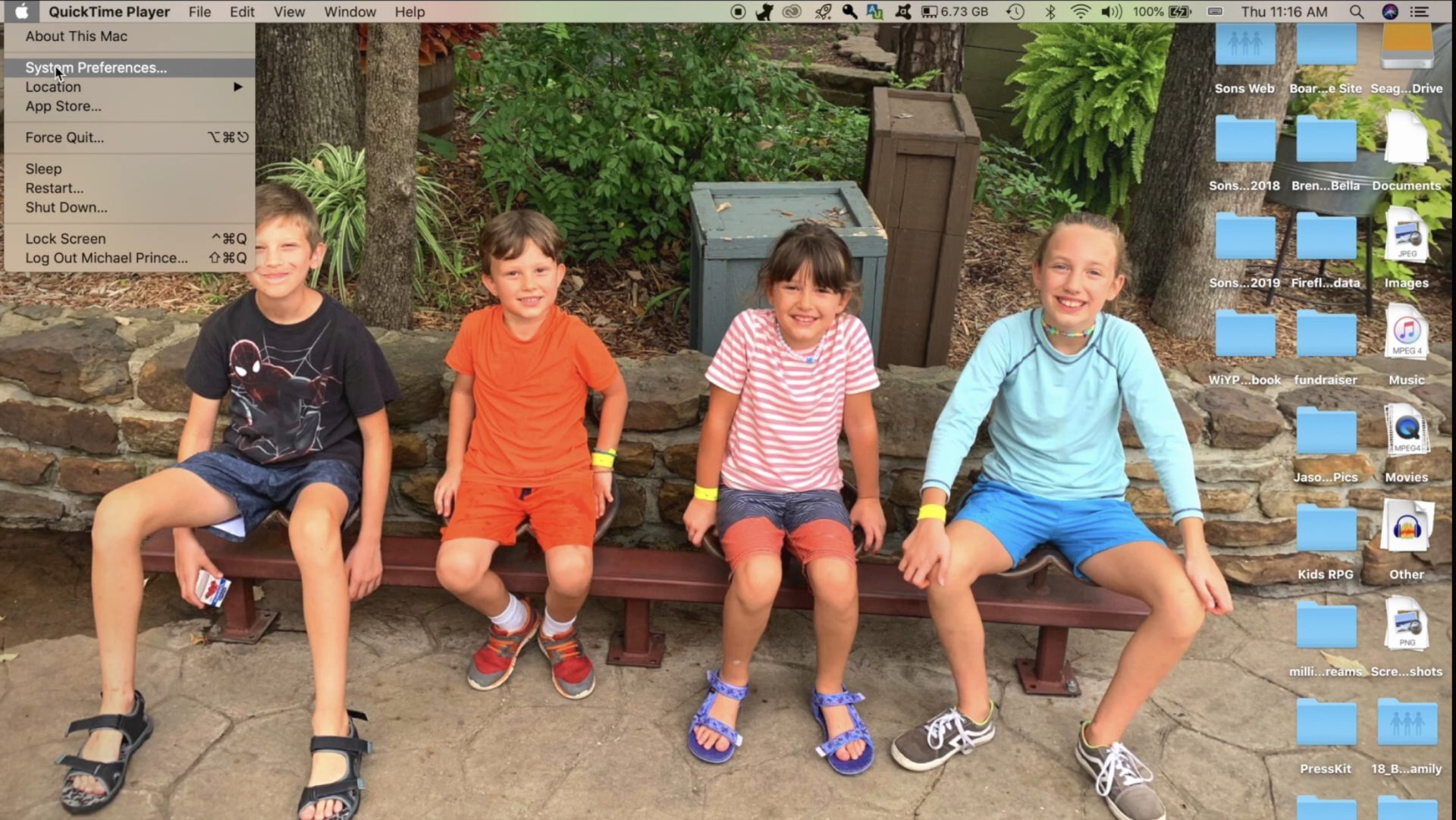
    Open Preferences by clicking the apple logo in the upper left corner of your Macbook desktop and then clicking Preferences.
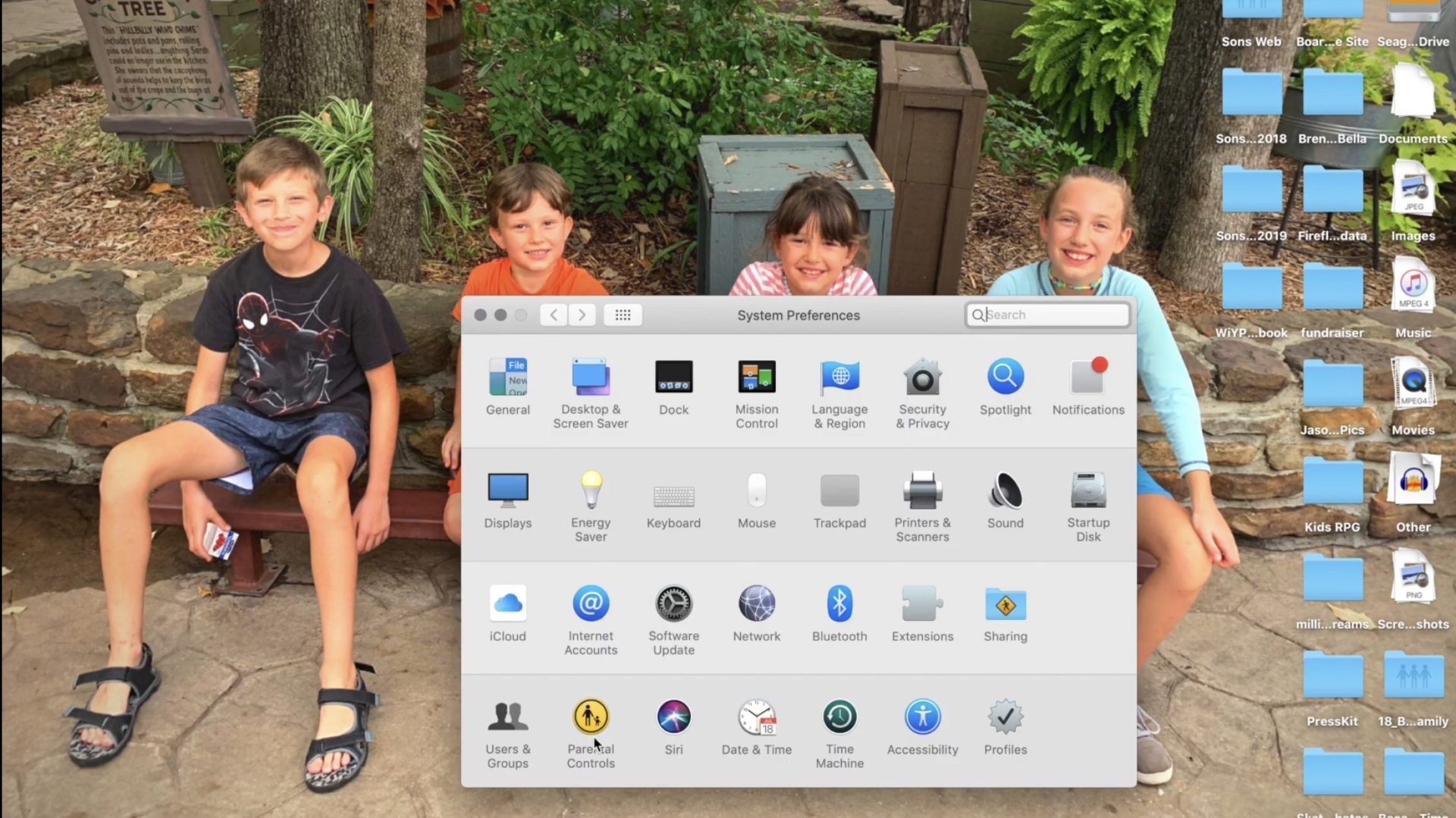
     

    Click on Parental Controls on the bottom row of icons in the Preferences menu.
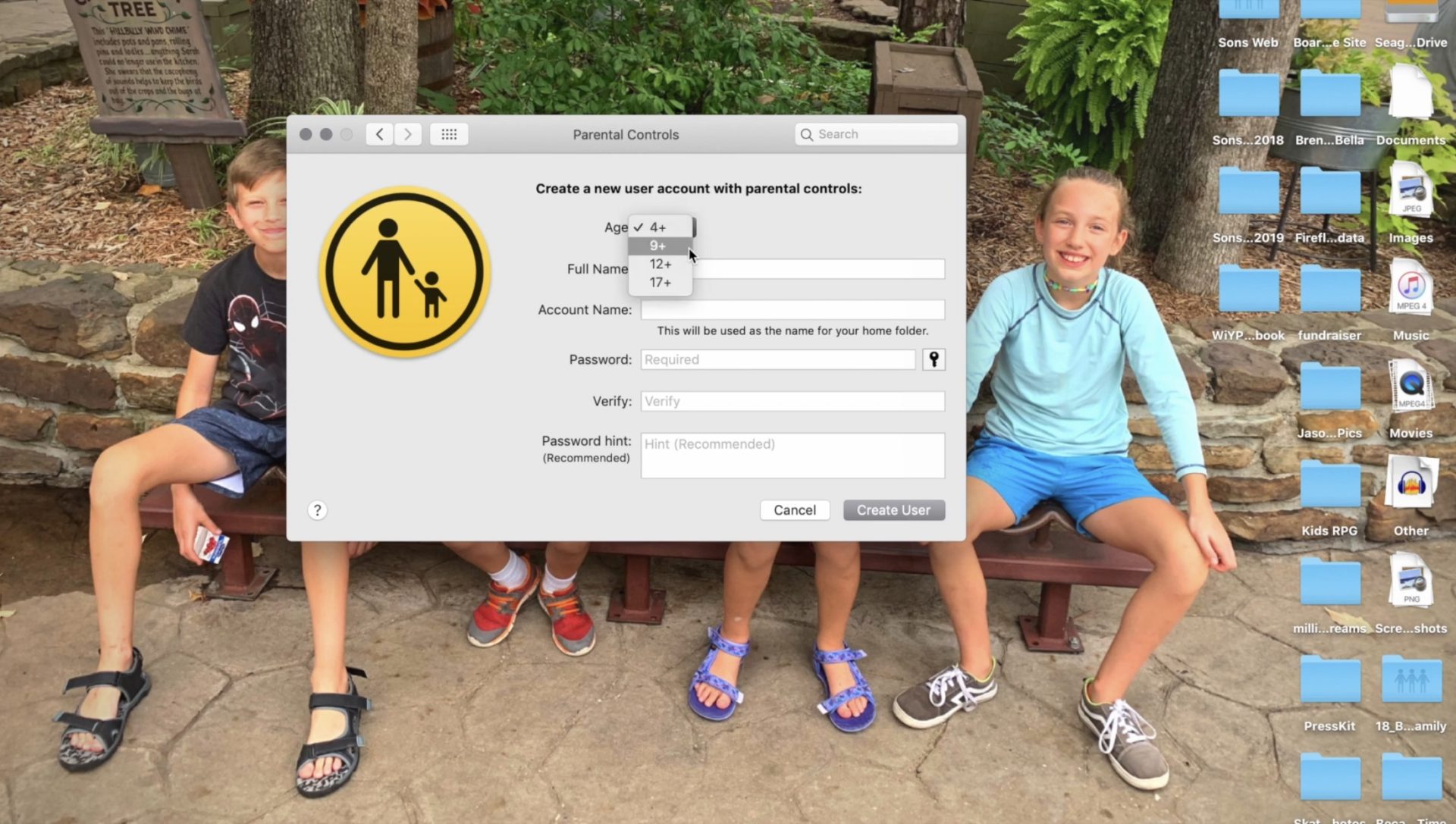
     

    Follow the steps for creating a new account with the information of the person you are trying to set filters and restrictions for.
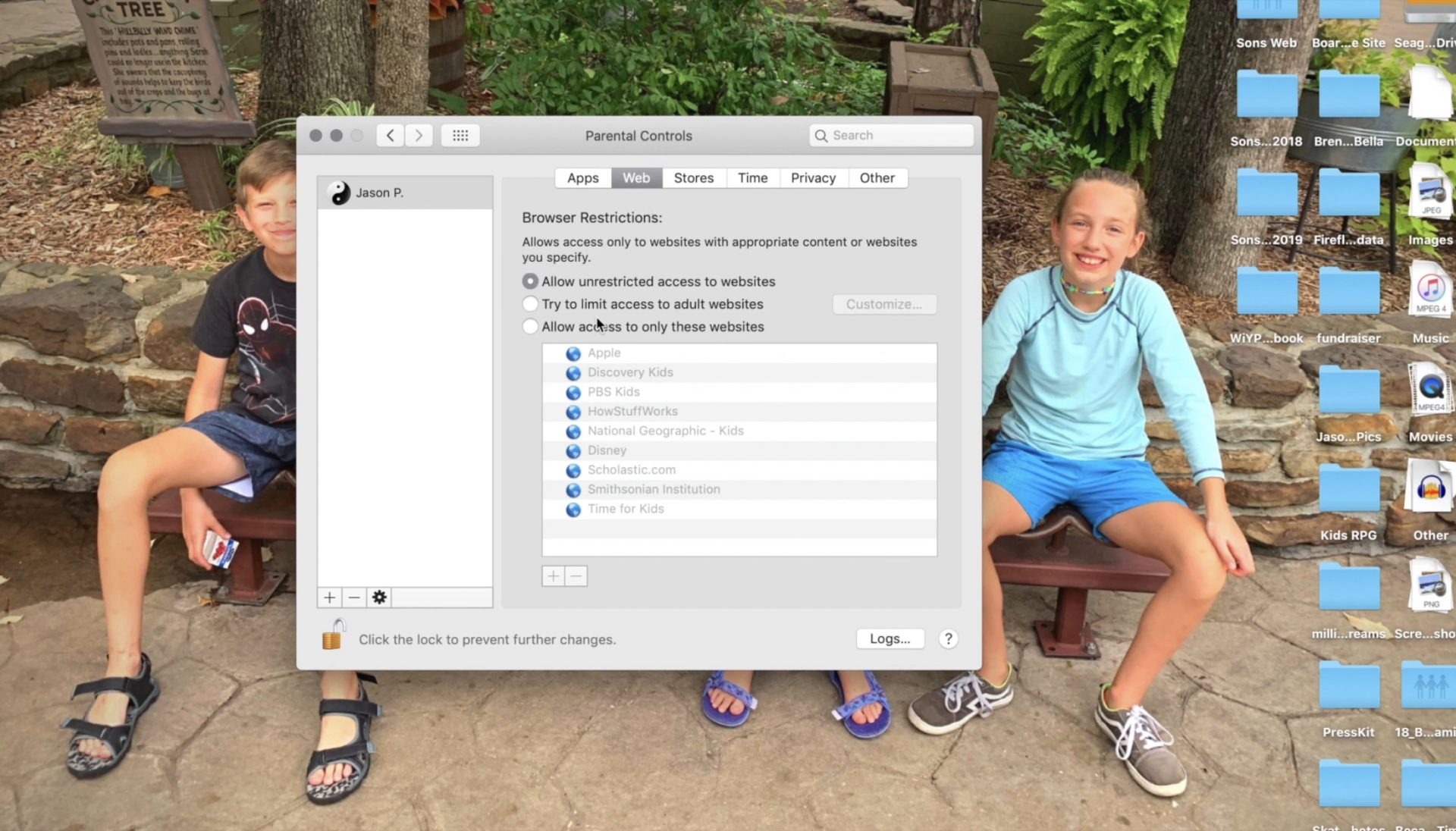
     

    Set Restrictions for apps and web content.
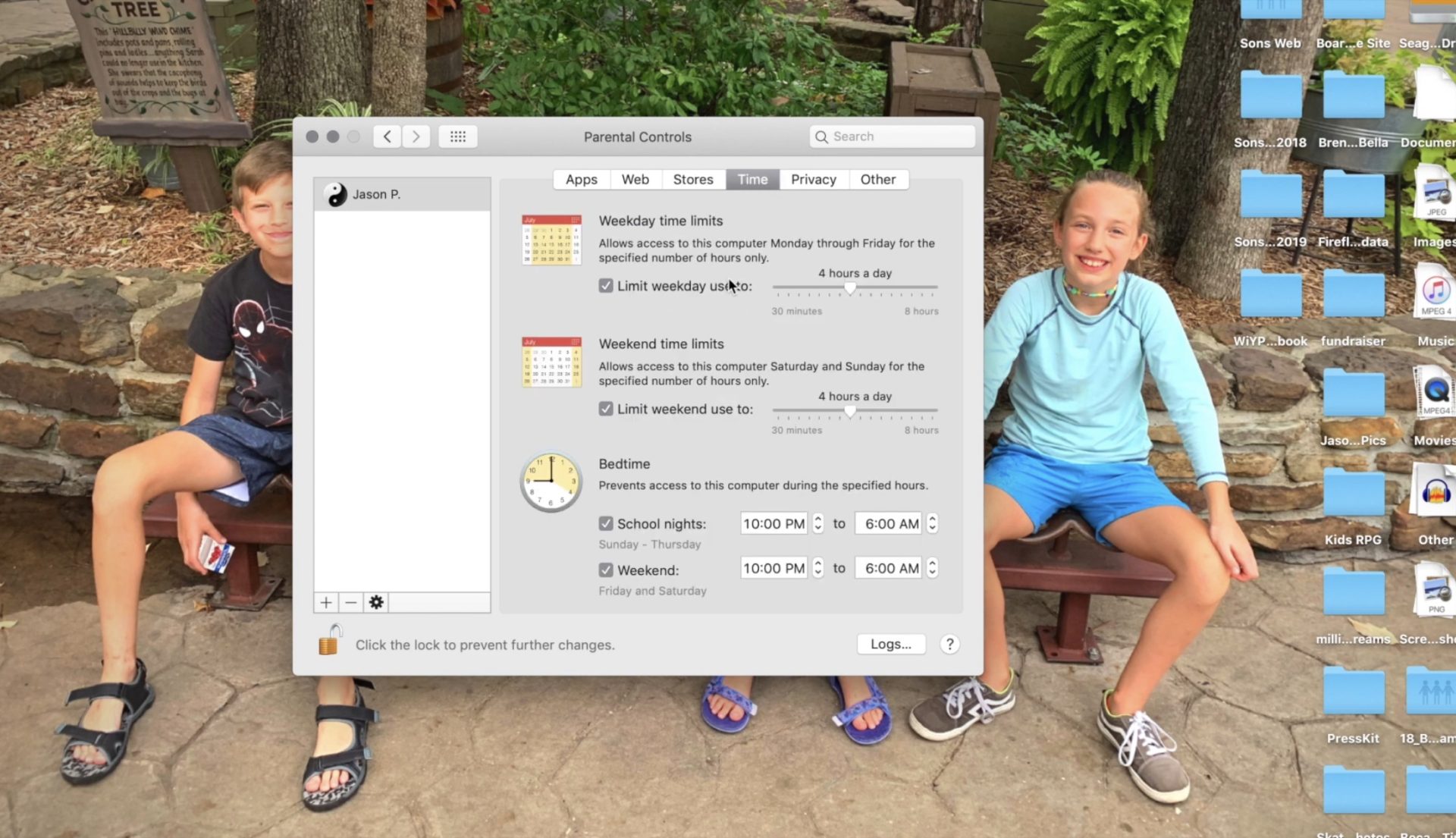
     

    Set desired time restrictions and bedtime hours.
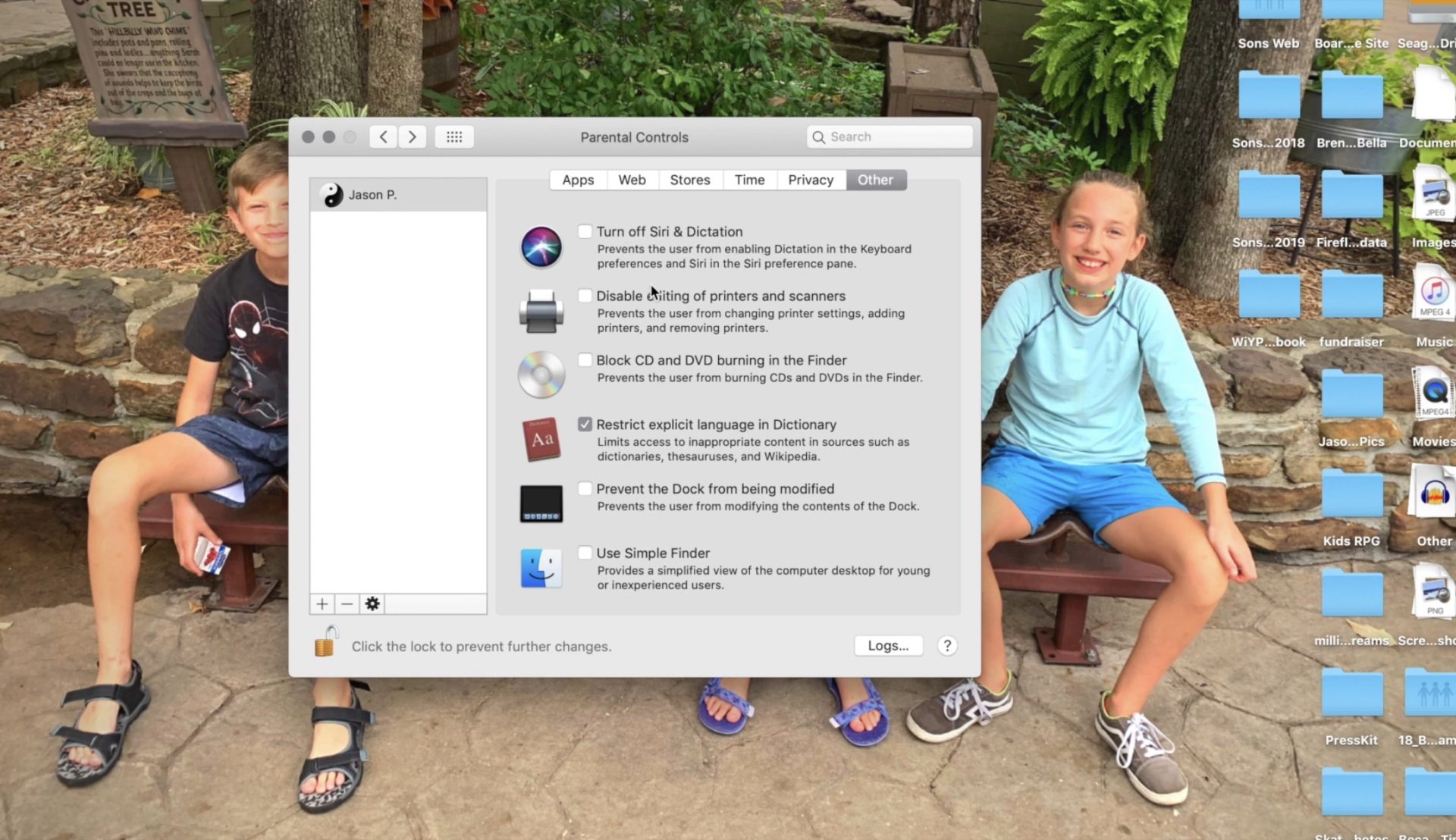
     

    Adjust settings for other content such as Siri and the OSX dictionary.
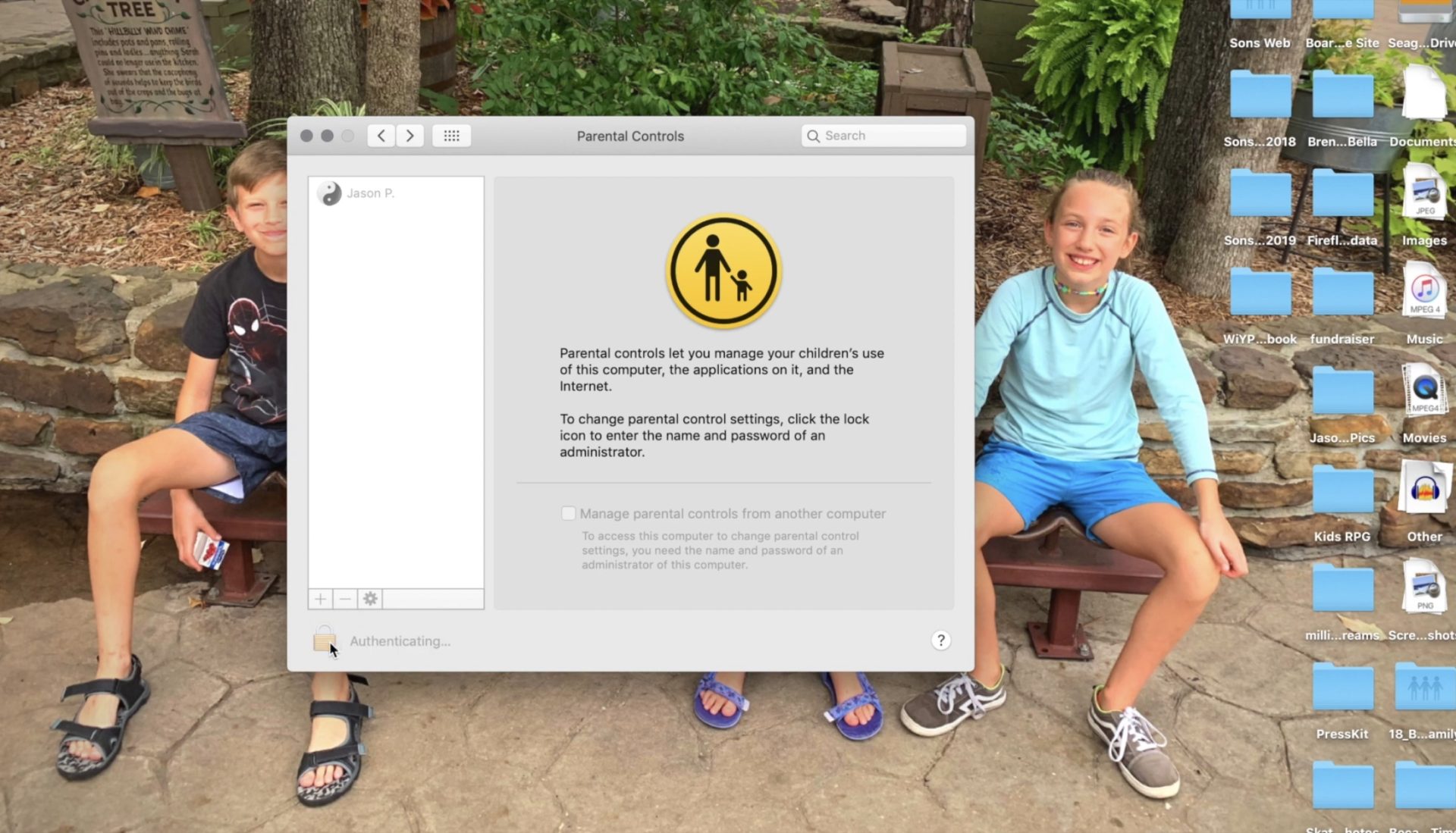
     

    Clicking the lock with set the changes and password protect the settings you adjusted.

    Setting these restrictions will help you have peace of mind while your child or teen uses their OSX device. If you would like further confidence that they are only seeing things that they should be seeing, look into an accountability software like Accountable2You. Also, if you come across any problems or have any questions please comment below or send us a message on Facebook.

     

  • YouTube’s Restricted Mode to Allow Non-Graphic LGBTQ Content

    YouTube’s Restricted Mode to Allow Non-Graphic LGBTQ Content

    Restricted Mode Guidelines for YouTube have been updated to allow for content from the LGBTQ community as long as it doesn’t contain content deemed graphic. YouTube restated their firm support for those in the LGBTQ community and apologized for content from that community being blocked by their previous restriction guidelines. The update has specifically unblocked over 12 million videos that were previously blocked by the restrictions for some reason. The statement says that the goal was never to keep the voices of those in the LGBTQ community silent but only to provide an option to institutions that would prefer to keep the “adult” side of YouTube off their screens.

    Restricted Mode was originally designed as an optional feature for public institutions like libraries and schools to prevent the viewing of mature content on YouTube. But in looking more closely at the feature, we found that there was LGBTQ (and other) content that should have been included in Restricted Mode but was not, like kissing at weddings, personal accounts of difficult events, and speaking out against discrimination. – YouTube Creator Blog

    You can read YouTube’s full statement here. 

    What Parents Should Know

    These different guidelines have taken effect immediately and some previously blocked content will already be available. Parents should know what their kids are watching. This is the only way to uphold the values you have decided your family should live by. YouTube and other companies have an obligation to provide content for every member of their audience. It is not their obligation to keep any message from your child’s ears and mind. Depending on your stance, you should be the one making the decisions for what your children are allowed to watch, whether you use monitoring software or keep your eyes on the content with them.

  • VIDEO TUTORIAL: Setting Restrictions in iOS

    VIDEO TUTORIAL: Setting Restrictions in iOS


    Step one of the BECAUSEFAMILY S.A.F.E. plan is Set Up. Setting up the parental controls on your kids devices is the beginning of this important process. If you need to set up an iphone or ipad this video will walk you through the initial setup of the restrictions. This is a video tutorial available for subscribers. Subscribe below… (more…)