Tag: purchases

  • You Can Finally Get a Refund for those Old Amazon Purchases Your Kids Made

    You Can Finally Get a Refund for those Old Amazon Purchases Your Kids Made

    Remember those unintended charges your kid racked up on your Amazon account? You can finally get a refund for that. Amazon announced this week, after teasing in April, that they’re opening up their refund system for those old charges. You may recall that Amazon got in to some trouble with the Federal Trade Commission for being too lax on in app purchases. This caused thousands of parents to see charges show up on their accounts that they weren’t responsible for. Their kids could buy gems, gold pieces, upgrades, or whatever else in the games they were playing with no secret pin or passcode required. At the time Amazon added the parental restrictions but were still working on a way to give out all of the refunds.

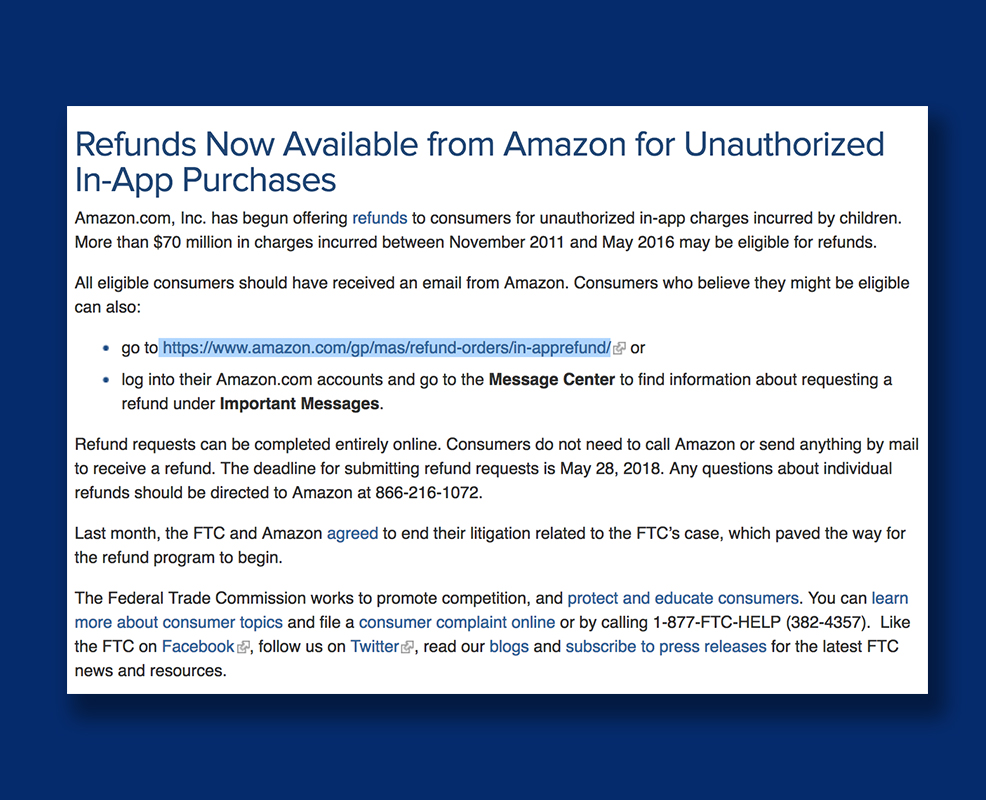
    They will be emailing users who are eligible for a refund and you can follow the steps from there. There is a one year deadline to submit for your refund and them the time is up. These refunds will cost Amazon up to $70 million dollars and are available to users who had this problem from 2011 through 2016. If you think you’re eligible but didn’t get an email you can visit https://www.amazon.com/gp/mas/refund-orders/in-apprefund/ to find out if you qualify.
    The Federal Trade Commission’s Official Statement

    What Parents Should Know

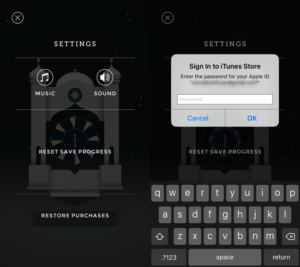
    Obviously you should get your refund if you qualify but these charges can still happen if you don’t have your settings right. You can set up purchase permissions on iTunes, Amazon, or Android’s Google Play store. You also have to set individual permissions on most of your devices. This will allow you to require passwords and pins in order to make a purchase, thus keeping you from seeing strange charges on your credit card or bank statements. I’ve made a video to help you with your Apple devices. Hopefully you can use these steps to keep from having to apply for any refunds for purchases you didn’t make yourself.

  • Minecraft Update will Add a Marketplace and Virtual Currency

    Minecraft Update will Add a Marketplace and Virtual Currency

    Minecraft is still one of the most popular video games on any platform. What started as a small building game has become a National phenomenon with billions of dollars (2.5 billion in 2016) made every year on downloads and merchandise. Microsoft is soon launching another avenue for profit and an opportunity for Minecraft content creators to split that profit. Later this month they will be launching the Minecraft Marketplace.

    The Minecraft Marketplace will feature user made products such as maps, skins, and textures. The items in the store will be curated so it won’t be filled with tons of useless products made by just anybody. In fact, they aren’t allowing random users to upload content, just creators with an established and registered business. Products in the store will be purchased with a virtual currency called Minecraft Coins that can be bought with real money. This currency will be purchased through your XBox Live account. There is no way to earn these coins in the game. Microsoft is launching the store on Android public beta (a test version) this month with several content packs already available. These packs include pirate, fairy tale, and stone age map packs and some pastel textures among other items. The full public release is coming later this spring to pc and mobile platforms. It isn’t clear if and when the Marketplace will be available on console platforms.

    What Parents Should Know

    Obviously it’s important to know any time the apps your children use have an in-game way to spend money. Minecraft adding a Marketplace will undoubtedly lead to more of kids asking parents if they can buy something on their computer or mobile device. Since true money will only be spent on purchasing coins it is likely that a message will pop up when you tap an item to purchase that will lead you to a way to buy coins. If in app purchases are disabled on your device it shouldn’t be much of a problem. If they are not disabled then you’ll want to be sure that a password is required to make purchases.

    The fact that the content on the marketplace will be curated is a good thing. This means that your child won’t be spending money on something that isn’t guaranteed to work in-game. It also means that they should keep any adult themed or inappropriate content from making it’s way into the store. While I’m sure that’s a goal, it’s still important for parents to look at the store every now and then to see what kind of content is available. If there’s something you wouldn’t want your kid to see then you should consider disabling the marketplace if and when that feature is available.

    The Minecraft Marketplace won’t be available to everyone right away but a public beta means that it’s coming soon. Be sure to be talking to your children about the time they spend on Minecraft, explain to them what virtual currency is and that purchasing those coins costs real actual money. Also, be sure that if your kid wants to download a new skin or texture pack that they know how to implement it so they won’t be buying something they don’t even know how to use. Start the conversation now so you’ll have a head start when the Marketplace launches to everyone.

  • Apple’s App Store Changes May Cost You a few Bucks

    Apple’s App Store Changes May Cost You a few Bucks

    One of my favorite things to do on my phone is search the App Store. I enjoy seeing what new releases are out, what apps might be discounted, and what apps I should add to my wish list. I often download an app to try it out just because I can easily see that it’s free. Apple’s new rules will block App developers from putting price information in the titles of their app. 


    This change means that apps that produce a free version won’t be able to use the title to illicit more installs. The game of making money through mobile app development has taken many turns over the past several years. You may have noticed that most of the top grossing apps are considered “Freemium” which means downloads are free but they sell content to you within the app. Having FREE in the title has long been a useful strategy for this type of software. Eliminating the price in the title could decrease the number of downloads for these apps and in turn, they’re revenue.

    Please remove any references to your app’s price from your app’s name, including any references to your app being free or discounted. If you would like to advertise changes to your app’s price, it would be appropriate to include this information in the app description. – App Store Submission Rejection Notice 

    These changes will immediately affect new apps being submitted to the App Store. There is no word if changes will be required for apps that are already listed in the store.

    What Parents Should Know

    We have all started to get used to the freemium model of app development and how to educate our kids about it. This update could change a few things. First of all it may not be as easy for younger kids to know if the app they’re looking at is free or costs something. Of course the price is listed right next to the app but this wouldn’t be the first time a kid accidentally spent some of their parent’s money.

    Secondly, if developers aren’t gaining more installs they may be required to raise prices on their in app purchases. This would mean that apps you may pay a little bit for would cost you extra. Alternatively, you could end up with fewer freemium apps and more that just charge you upfront for initial access.

    Whatever the result of these changes by the Apple App Store, the most important thing is, as always, that your children understand what has happened and know how to navigate the store properly. Teach them that money spent in these apps is often real money and usually your money. Set up your parental controls so that they have to ask permission to install anything. This will help you keep your money safe as well as your children.

  • Amazon is Paying the Piper, or at Least His Parents

    Amazon is Paying the Piper, or at Least His Parents


    We have to protect our children from inappropriate content online but we also have to protect ourselves. Thankfully most developers give us tools to keep us from unexpected content and unwanted charges. We learned today what happens if a developer neglects those protections. They pay.

    Amazon is in the news today for a case that began in 2011. Thousand of parents were shocked to find that their kids had racked up in-app purchases that they hadn’t known about. Amazon made $86 million dollars on in-app purchases but it’s estimated that 42 percent of that was from unapproved purchases made by kids in the app store. The Federal Trade Commission said that Amazon’s system allowed for unlimited charges on apps and the courts sided with them in April of 2016, saying their methods of informing parents of purchases was “not sufficient.”

    enter-passwordThe software store on Kindle simply didn’t have a password protection setting for their in-app purchases. This is what got them in to trouble. Children could log in to make purchases on these apps and there was nothing built in to stop them. Shortly after complaints started coming in, Amazon updated software to include a password and had already refunded money but the FTC said that wasn’t enough.

    The courts decided today that Amazon had to pay back the money to parents directly. In order to receive re-payments parents must submit individual claims. They did say that Amazon must notify parents affected of the availability of the refunds.

    My Advice

    I always recommend setting your in-app purchase password and keeping that password a secret. You can’t ever tell when some freemium game is going to convince your child that they need that cool hat for their character or that if they buy that ten thousand pack of rubies they can build their village faster. We have to use our common sense because sometimes our children don’t.