Tag: privacy

  • How to Turn Off Hidden Location Access in iOS

    How to Turn Off Hidden Location Access in iOS

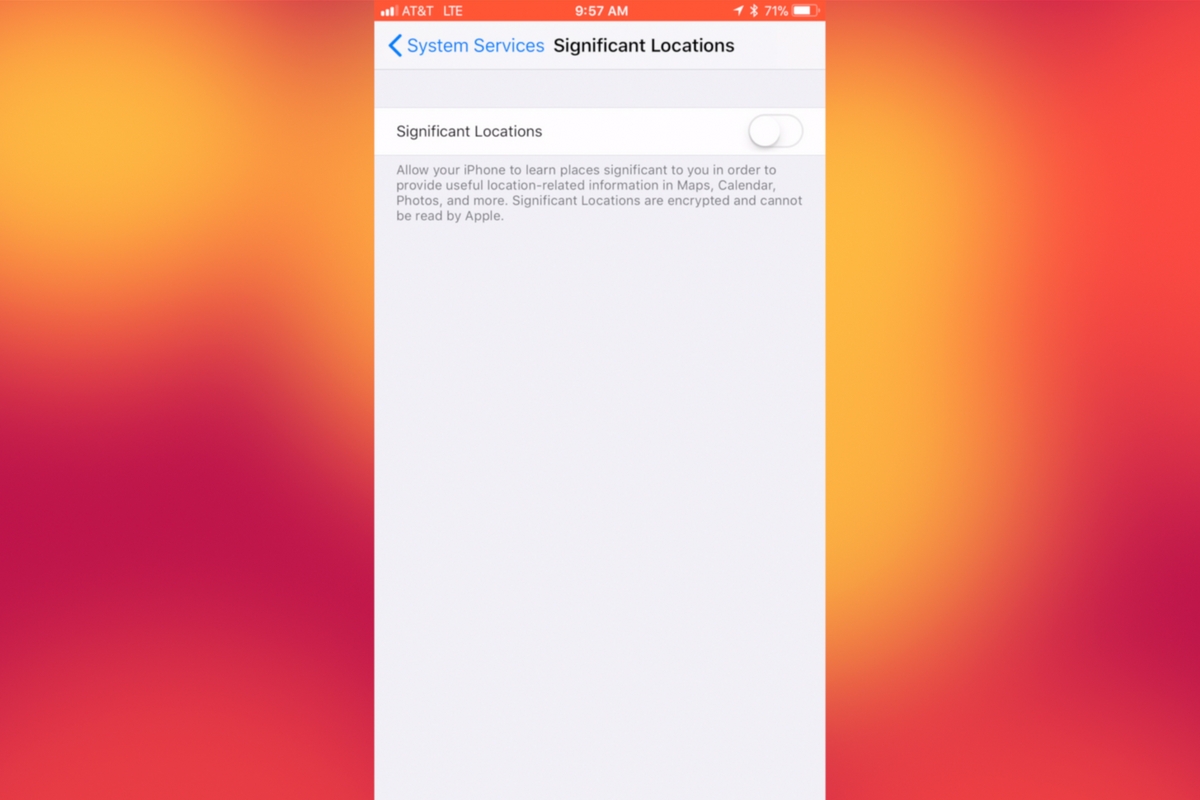
    I recently noticed that some of my photos and videos were still being tagged with a location. One of the most common pieces of advice I give to parents is to turn location access off to their cameras. I was a bit annoyed because I never saw location information in my Photos app before, but now I was. Well, I did a bit of digging and found the culprit. It’s about five taps deep into your privacy settings and, therefore, easy to miss. Below is a short video tutorial to help you be sure location info on your phone stays as private as possible.

    Why Turn This Off

    Your location information is easy to track and very easy to gather from the data in the videos and pictures that you upload to social media. There have been instances of kids being harassed by predators who learned where they were through images their parents had shared online. Common sense tells us never to post pictures or videos that show an address number, school name, or sign of a place you frequently go with your family. The problem is that some of the apps on our phones tag our locations by default. I recommend you look at every app’s location request and ask yourself, “Does this app HAVE TO know where I am to function properly?” If it does not, then turn off access to your location.

    Hopefully, this short video helps you make the changes you need to feel like your privacy is even more secure. I know I feel better.

  • Movie Pass Reveals that They Collect Much More of Your Data than You Thought

    Movie Pass Reveals that They Collect Much More of Your Data than You Thought

    Several websites and apps have recently gone viral through facebook posts. These apps allow you to connect your Facebook account and see pictures of yourself be changed in some way. Maybe to look like a movie star or a politician or a model. Sure, we all want to see ourselves as celebrities or as the latest magazine cover model but there is a price to pay. If these things seem too free or cheap to be a good idea, it’s because that’s exactly what’s going on. They don’t have to charge for access to those little images or services because they make their money by selling your data.

    MoviePass made waves several months ago with their inexpensive movie theater subscription service. Their app was super successful because ten bucks per month is a super low price for up to one movie per day in the theater. I remember seeing this offer shared online numerous times over the past several months. People were amazed that it actually worked and in a world where there are mega blockbuster movies being released every month, an all-access pass is a value that seems too good to be legit. The truth is, it isn’t as legit as you may think.
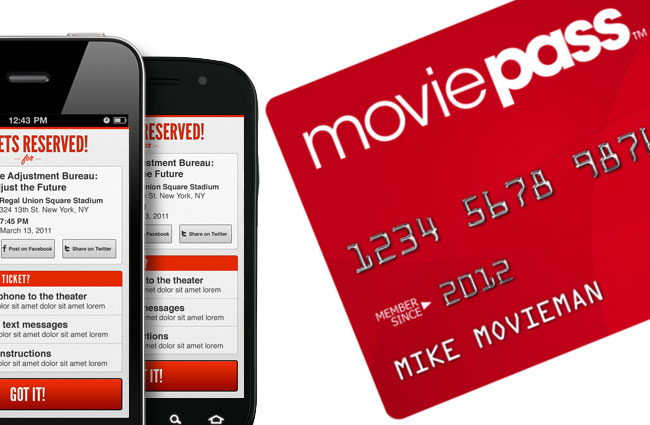
    At a recent event, Mitch Lowe, the CEO of Movie Pass gave a talk called “Data is the New Oil: How MoviePass will Monetize It.” In it he bragged about the amount of data the app received from its users:

    “We get an enormous amount of information. We watch how you drive from home to the movies. We watch where you go afterwards.” he even said, “We know all about you.”

    Data mining isn’t new, in fact, it has been happening almost since the dawn of the internet. The difference is how little information the companies are required to give users about the amount of data they’re tracking and what they do with it. Terms of Service and Privacy policies are rarely read by users and even if they were, they give the most bare-bones information about the practices of the company. MoviePass claims to ping your location data once when you search for movies in your local theater. It seems they do a bit more than that.

    We are all a bit used to our data being tracked by the sites we use. We’ve seen ads from Amazon show up on our Facebook feeds every single day for years now. Unfortunately, however, not all of the data that companies like Viralemon and MoviePass receive is about what we’re shopping for. This data can be sold to other advertisers and be used to add promotional options to their apps or websites. The biggest concern is the often less than effective security protocols these companies have. If their site is compromised for some reason, all of that data can get into the hands of hackers with less than wholesome intentions.

    My Advice

    First of all, don’t give random sites access to your social media pages. If a site, game, or activity redirects you to a link that asks you to click ALLOW in Facebook then click away immediately. If you want to upload a picture, that’s up to you but letting a sill site like that access your Friends list, timeline photos, profile photos, videos, page clicks, likes, and who knows what all else is just a bad idea. Always.

    Don’t upload pictures of your kids to these sites. Photos of kids are prime real estate. It sounds sick but you wouldn’t believe the use for random pictures of your son or daughter in the marketing, advertising, and much worse industries.

    If it sounds too cheap to be legit…IT IS NOT LEGIT! This one speaks for itself, if they aren’t making money by charging you to use their service or buy their product then they’re making money some other way. In the internet/connected age, they’re almost always making money by selling your information.

    Share and don’t Share! Cool, you are now well aware of the risks of giving these sites access to your social media accounts. Now you need to share this knowledge with your friends. Remember that if they give away their info, much of that info could include you. Let them know it isn’t safe and then stop sharing these dumb, clickbait, data mining apps and websites so that they’ll stop going viral, stop making money, and have to shut down. That would make the internet a much safer place.

  • Two Ways Your Snaps Can End Up Anywhere On the Web

    Two Ways Your Snaps Can End Up Anywhere On the Web

    One of my initial internet safety tips for parents is to turn off location data for their camera. Many of them do this immediately upon hearing my advice. The problem, however, is that they then jump over to Facebook and Snapchat to use that camera and their location settings are as public as can be. Today’s news gives us even more information about how your location data is used by Snapchat and Snapmap.

    Embedding

    Snap has opened up the ability to “embed” a snap into a website. This means that if your snap is public, a code can be copied and pasted so that your post shows up on the site that contains the embed code. It’s easy to do and really isn’t a new concept since public Facebook videos and photos can be embedded by default as well. I’ve embedded a snap from Disney on Ice in Des Plaines, Illinois:

    SnapMap

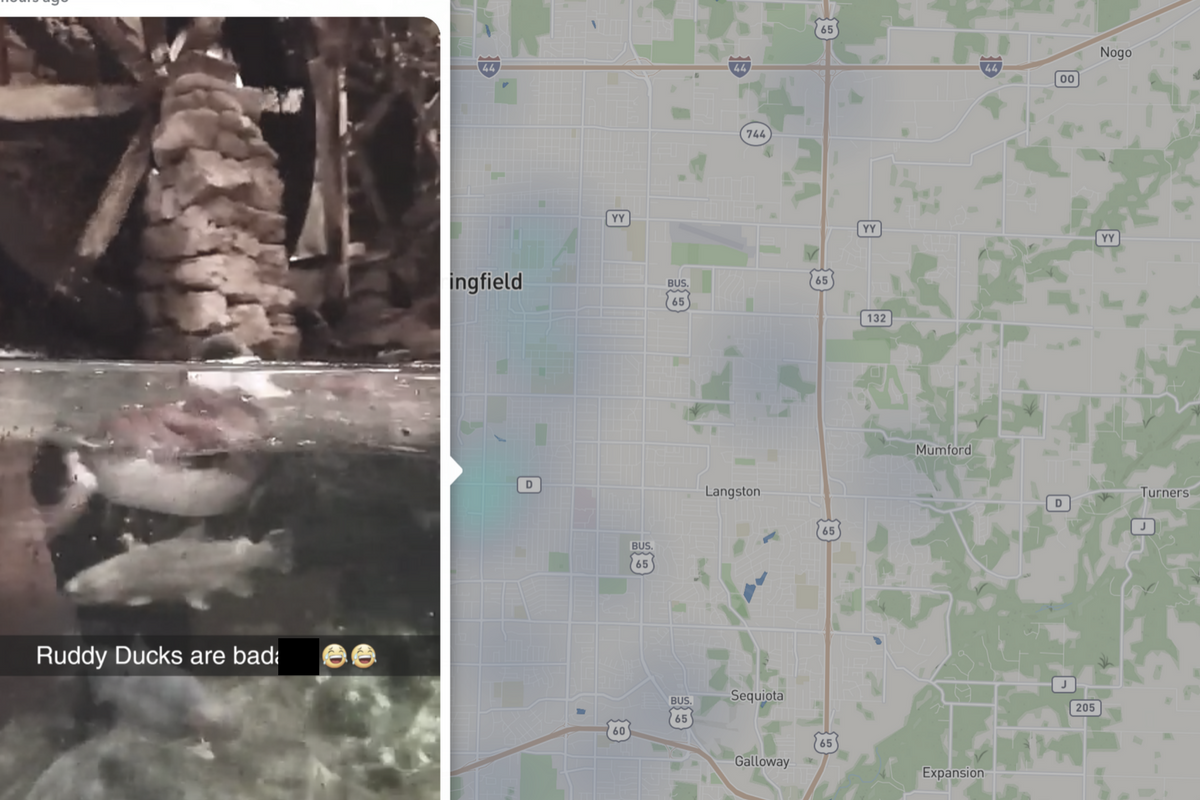
    Snapmap went into browsers today. This means that you don’t have to have the Snapchat app to see public posts overlayed onto a map of anywhere in the world. Concentrations of Snaps show up as colored dots that range from light blue (few Snaps) to bright red (high concentration of Snaps.) When you click on these colors you see the Snaps in a slideshow style format. They appear as most recent first and move to the past as you click or watch until the end of each post.

    Most of the Snap-map posts highlight breaking news (i.e. the recent ice storm in my area or a basketball game or concert) but it will sometimes feature posts from the general user if their posts are relevant and set to public. Posts are curated by a team of news editors. The idea is that Snapchat wants news organizations and sites to use their map to highlight current events and breaking news in real time. This offers a real opportunity to see real news, as it happens. It could also be dangerous if your kids aren’t setting their Snapchat settings to private or friends only.

    What Parents Should Know

    Location privacy is a major concern for parents. We post more of our private lives online than ever before and a map that highlights where we are and what we are up to can be considered a privacy disaster. Especially when it comes to our kids. Users of Snapchat are meant to be 13 years old or older. Some kids under than 13 spend a lot of time on the app, though, and their snaps are, therefore, available to be used as news coverage on this public map. I consider this a real problem for parents.

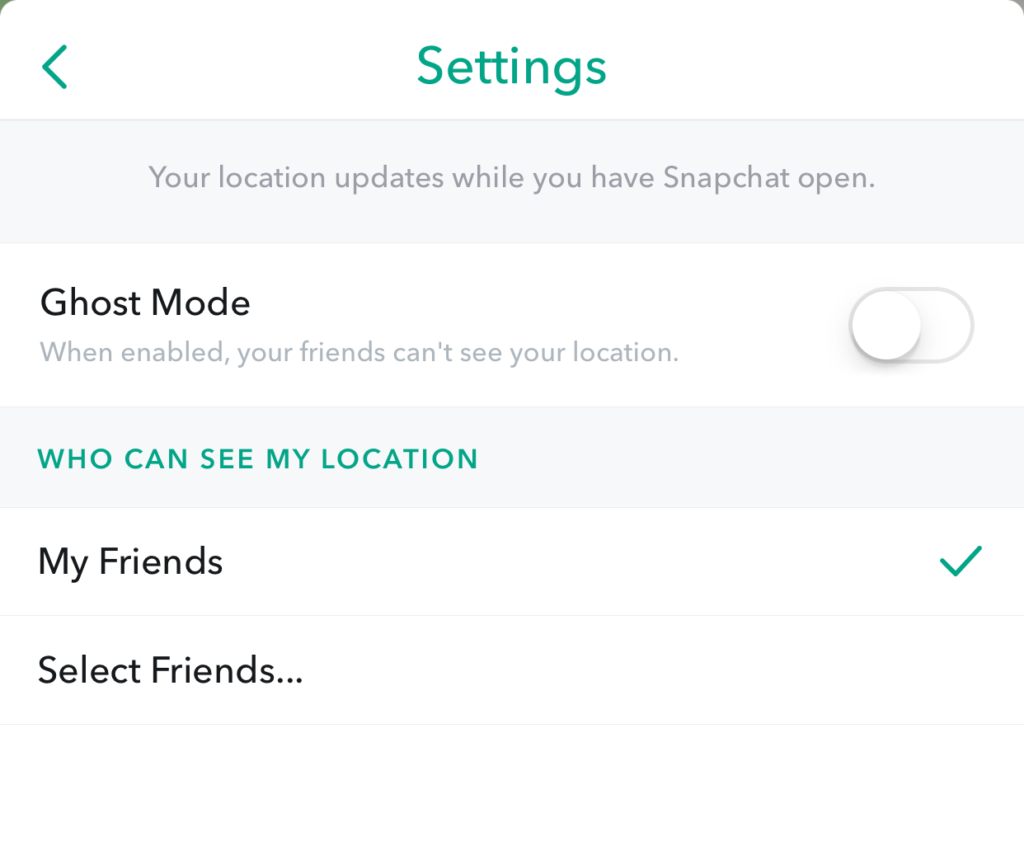
    I would recommend that if your kids use Snapchat, you ensure that they have their profiles set to private or friends only. Disable the Snapmap (put it in Ghost Mode) so that what they are posting won’t show up. Not taking these precautions could lead to your home address being featured on Snapchat’s map and even someone else’s website. Take location privacy serious. Talk to your kids about staying private, encourage them to never post anything they wouldn’t be comfortable being seen by anyone in the world. The internet isn’t private and social media is growing increasingly more public. Your kids need to understand that.

  • Snapchat Brings the “Real World” to Your Story with Context Cards

    Snapchat Brings the “Real World” to Your Story with Context Cards

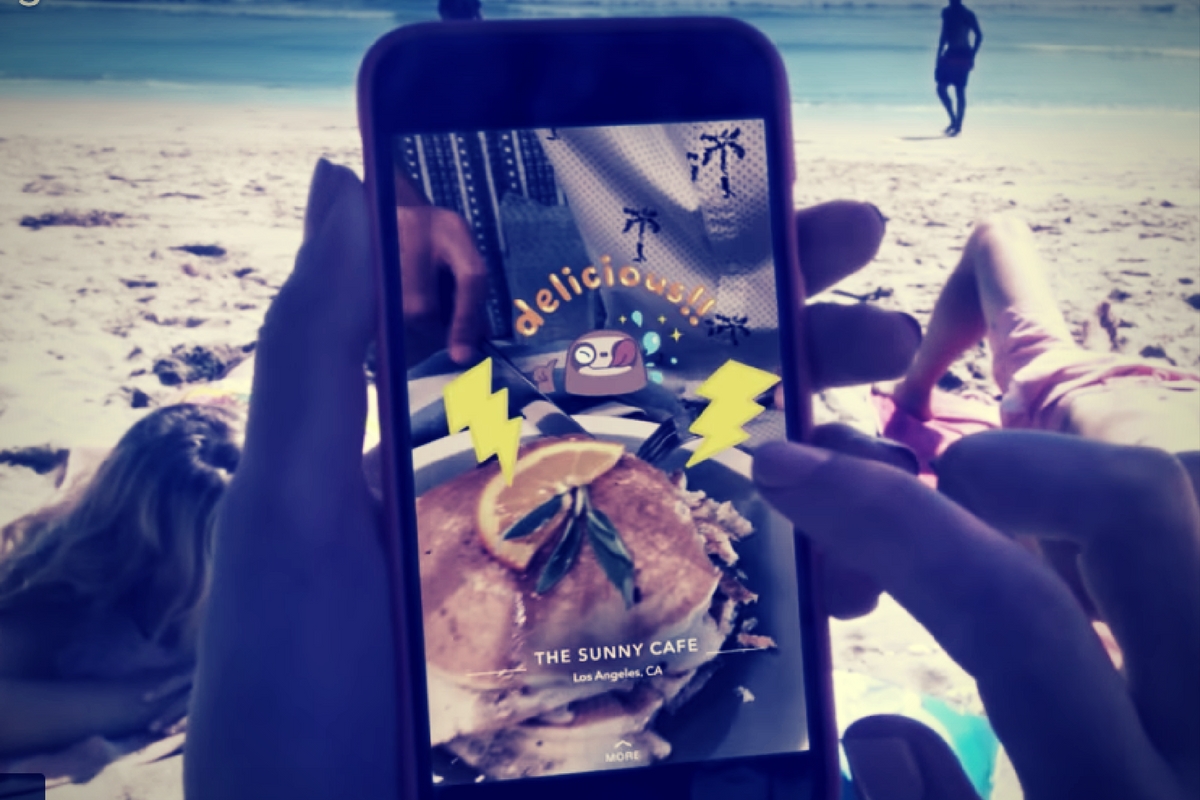
    Snapchat is hoping to make your Snaps and public story even more beneficial to advertisers. This is becoming more and more possible as they continue to update. The recent addition of “Context Cards” may be the feature that sets Snapchat apart as a social media advertising. Context Cards is an informational feed that highlights content from Snapchat’s partners. This content will include information like phone numbers, menus, maps, and ratings.

    Context Cards display information about the Snap you’re viewing – powered by amazing content from our partners like TripAdvisor, Foursquare, Michelin, and goop. – SnapInc.com

    Here’s how it will work. You will see a Snap shared to a public story and it will say “More” at the bottom. When you swipe up you’ll see the timeline style list of different information cards. Continue swiping up to see more or tap on the information to learn more or perform an action. You can hail an Uber or Lyft ride, make a call, view a menu, or see reviews or a website. The goal is to take you to the information you need without leaving Snapchat, as well as to encourage advertisers to build more ads for Snapchat Stories.

    What Parents Should Know

    These new features in Snapchat are meant to encourage more real-world engagement. You probably noticed the video featured college kids going all over town joining their friends at their current party location. They use Context Cards to know exactly where their friends are and what they’re doing there and even how to get there themselves. The problem for parents is that your kids aren’t members of the age group that is featured in this video. Decisions made to strengthen a company’s advertising abilities can often introduce more safety or privacy concerns for our younger users.

    I recommend encouraging your kids’ to have location information turned off for Snapchat. The especially should turn their SnapMap to ghost mode. Young users should always set location and sharing settings to as private as possible. Leaning towards privacy is going to render Context Cards basically useless on Snapchat. This may annoy your kids. (It may not because it may just look like annoying advertising.) If it does annoy your kids I recommend you stand your ground and still encourage them to keep their online presence as private as possible.

  • Families Receive Threatening Messages after Iowa School Network Hacked

    Families Receive Threatening Messages after Iowa School Network Hacked

    A school district in Iowa canceled a day of classes after a network breach allowed hackers to send hateful messages to families from the public school. The messages contained personal details about students and threatened to do harm to them and their families. Apparently, the threats weren’t credible except to stir up fear and make a show of their ability to access the information. There is a theory that this could be an attempt to threaten people as to warn the FBI to stop investigating them.

    The group is called “thedarkoverlord” and they’ve been responsible for recent info leaks and hacks of organizations like Netflix and Larson Studios. They have been under investigation for these hacks and could have performed this recent “attack” as a warning. They even tweeted out links to the contact information of the students from the school district, stating that predators can now use that information to plan their targets.

    With the student directory from JCSD we released, any child predator can now easily acquire new targets and even plan based on grade level.

    — thedarkoverlord (@tdo_hackers) October 5, 2017

    What Parents Should Know

    Network security is becoming a more and more serious issue. We live in a world where all of your personal information is available in multiple locations online. If you, as a digital citizen, aren’t thinking about important tools like passwords and usernames your information can end up in dangerous hands. The best advice I can give you is to ask your school district if they have someone responsible for the security of their network and if so if they can keep something like what happened in Iowa from happening at your school. Then make sure you follow some simple network security rules yourself. Use different passwords for different sites. Use passwords or passphrases that, while easy for you to remember, aren’t easy to guess, and don’t ever use default passwords on websites, routers, modems, or computers. 

  • PODCAST: Is Sarahah Meant for Your Teens?

    PODCAST: Is Sarahah Meant for Your Teens?

    Subscribe on iTunes: https://itunes.apple.com/us/podcast/family-tech-weekly/id1231177225?mt=2 

    Sarahaha is an interesting app and it’s still gaining in popularity. In this episode, Michael and Melinda discuss the appeal of Sarahaha, the meaning of the word, and what we think parents should do about it.


    Social Media Links

    Facebook: http://facebook.com/4pointfamilies

    Instagram: http://instagram.com/becausefamily

    Twitter: http://twitter.com/becausefamily

    Newsletter Signup

    Ministry Updates:: http://eepurl.com/R7Btr

    Weekly Blog Posts:: http://eepurl.com/cvnhXD

    Websites

    Ministry Site:: http://becausefamily.org

    Tech Blog:: https://safe.becausefamily.org

    Michael’s Speaking Info:: http://kmichaelprince.org

    Donate and Affiliate Links

    http://patreon.com/becausefamily

    http://BecauseFamily.org/partnership

  • Turn Off Snapchat’s SnapMap NOW!

    Turn Off Snapchat’s SnapMap NOW!

    Snapchat’s newest addition to it’s offerings is SnapMap. This feature shares your location on a map so that other’s can see snaps from similar places or events in real time. This all sounds well and good but what’s really happening is causing tech experts everywhere to warn against using SnapMap. SnapMap shares your location every time you open the app, not just when you post something. This isn’t concerning for just tech safety writers like myself but everyone who spends any time learning about the latest Tech trends is warning that users should disable this feature on their SnapChat account.

    I heard a story last week of a mother who’s daughter and her group of friends had been targeted by a sex trafficking ring using snapchat. The predator befriended a large group of related friends all at the same time and just watched their posts for a while. They all thought they were befriending someone who went to school with them since they had a bunch of friends in common. This person got very close to my friend’s daughter and started talking about a meet-up. Mom saw the posts during a check-in of her daughter’s phone and decided this “friend” was a bit shady. She contacted the police and found out that this predator was part of a larger ring of sex traffickers who use Snapchat to locate and abduct their victims. These guys had to work for months to learn more about where these teens spent their time. The SnapMap would give them that information in seconds.

    SnapMap’s initial setup is only a four step process, if you decide to turn on SnapMap you won’t be warned that your location will always be available. You’ll only be told how your friends can see where you are when you post. If you aren’t sure who all of your friends are and if you don’t know that SnapMap is pinging your location every time you open the app whether you post or not, you’re eliminating every privacy setting you’ve ever set on your phone. Your teenagers don’t know this!

    What Parents Should Know

    Teenager’s brains are developing in such a way that they’ll always fire before they aim. They’ll see the SnapMap option and opt-in just because they want to have everything set up like their friends do. You MUST talk to your kids about what SnapMap is and why it’s dangerous. You’ll want to advise (or demand) them to put their SnapMap on “GhostMode” which will hide their location on their friend’s map. If you’re allowing them to use Snapchat (which is on my uninstall list) you can’t expect them to see the SnapMap for the red flag that it is. You have to protect them by setting that boundary on their behalf.


    Don’t miss a single post. Get a list of our top posts every Friday in your email.

    Subscribe to our mailing list

    * indicates required


  • New Operating Systems Coming for iPhone and Android

    New Operating Systems Coming for iPhone and Android

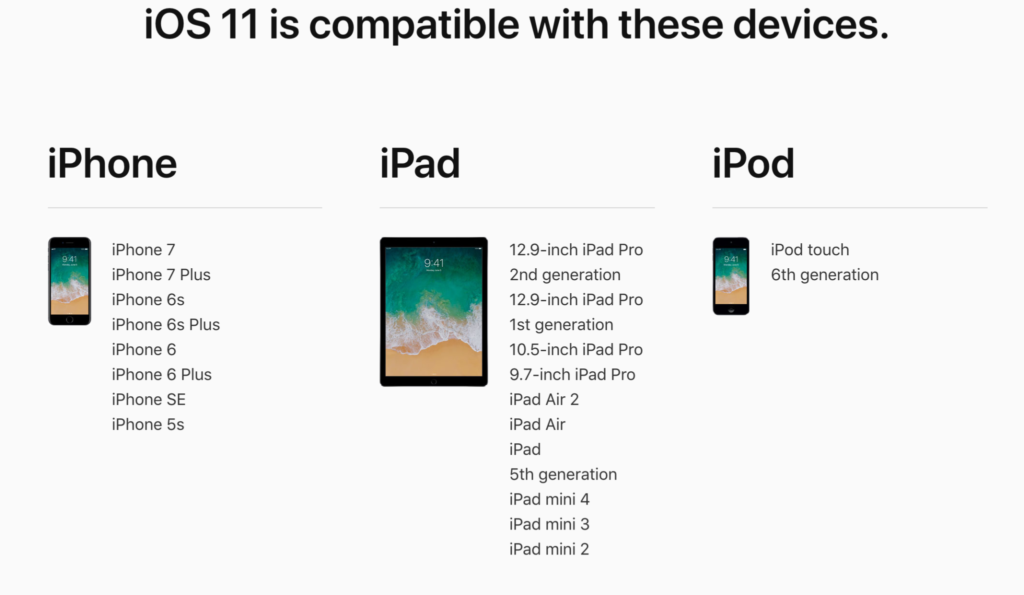
    The last few weeks have been loaded with updates from the two major tech brands in the industry. Google’s I/O event was May 17-19th and they had some major announcements including virtual reality, augmented reality, and a brand new operating system for Android, Android O. Apple’s Worldwide Developer’s Conference (WWDC) was this week, June 5-9th, and they’ve made similar announcements including a new version of their smartphone operating system that they’ve branded iOS 11. These two new systems will run the majority of the newer phones and tablets being released so it’s important to understand what each is offering. Here’s a rundown:

    Android O

    Android’s newest system should be made public this Fall. The most significant features are design changes in the Settings Menu and User Interface (UI.) Many of the smaller changes are things users won’t notice such as changes in how the OS will handle security and background operations, as well as channels or categories for notifications. Also, picture-in-picture support, notification badges that will appear on app icons, and better bluetooth support will definitely be features that makes Android O a step up for it’s users.

    iOS 11

    A new dock, multitasking with drag and drop, a files app, and better Apple Pencil support make iOS 11 a major upgrade for iPad. iPhone users will notice more apps in messenger, an app store that looks and works completely differently, and a new and improved Siri, including a new voice. The control center, the lock-screen, notifications screen, maps, Apple Music, and AirPlay are all getting improvements as well. iOS 11 is also slated to release this fall.


    What Parents Should Know

    There haven’t been any announcements on Parental Control improvements for either of these operating systems. When the test version of iOS 11 is released I’ll be giving it a full look-over and writing a review for you. One thing that parents will enjoy from iOS 11 is the ability to turn on an automatic Do Not Disturb while driving. The phone will sense your movement and speed and automatically silence any notifications until you’ve stopped. This will be a good way to keep your older kids safe while they are on the road. As for Android, they recently put out a new Parental Control option for their OS and it’s proving to be a pretty good setup. It’s only available on newer devices, however, and we still don’t know what changes have been made for when Android O is released.

    I always recommend keeping on top of updates when they are made available. Both of these new Operating Systems should be available this fall and you should be sure, if your devices are compatible, that you’re upgrading soon after release.  This isn’t just important to get any of the new features but also because security and privacy updates come with these new systems. The apps you use, including the ones you use for internet safety and monitoring will update to keep up with the latest software and if your devices are behind you’ll start to see holes in your security. Keep your eye on the update section of your settings menu and when it shows that a new version is available you should install immediately. You can also keep checking in to this site as I will keep you informed on the latest releases as well as how they can affect your family.

  • Fake News and Your Family

    Fake News and Your Family

    I’ve been hesitant to write about the fake news issue. While there have been plenty of stories come out about how the tech world is battling the fake news problem I have yet to be able separate the issue from people’s political feelings and so I’ve left it alone. Today, tech news sites are talking about the latest shot fired in the fake news war and it centers around the most popular site on the internet, Google.

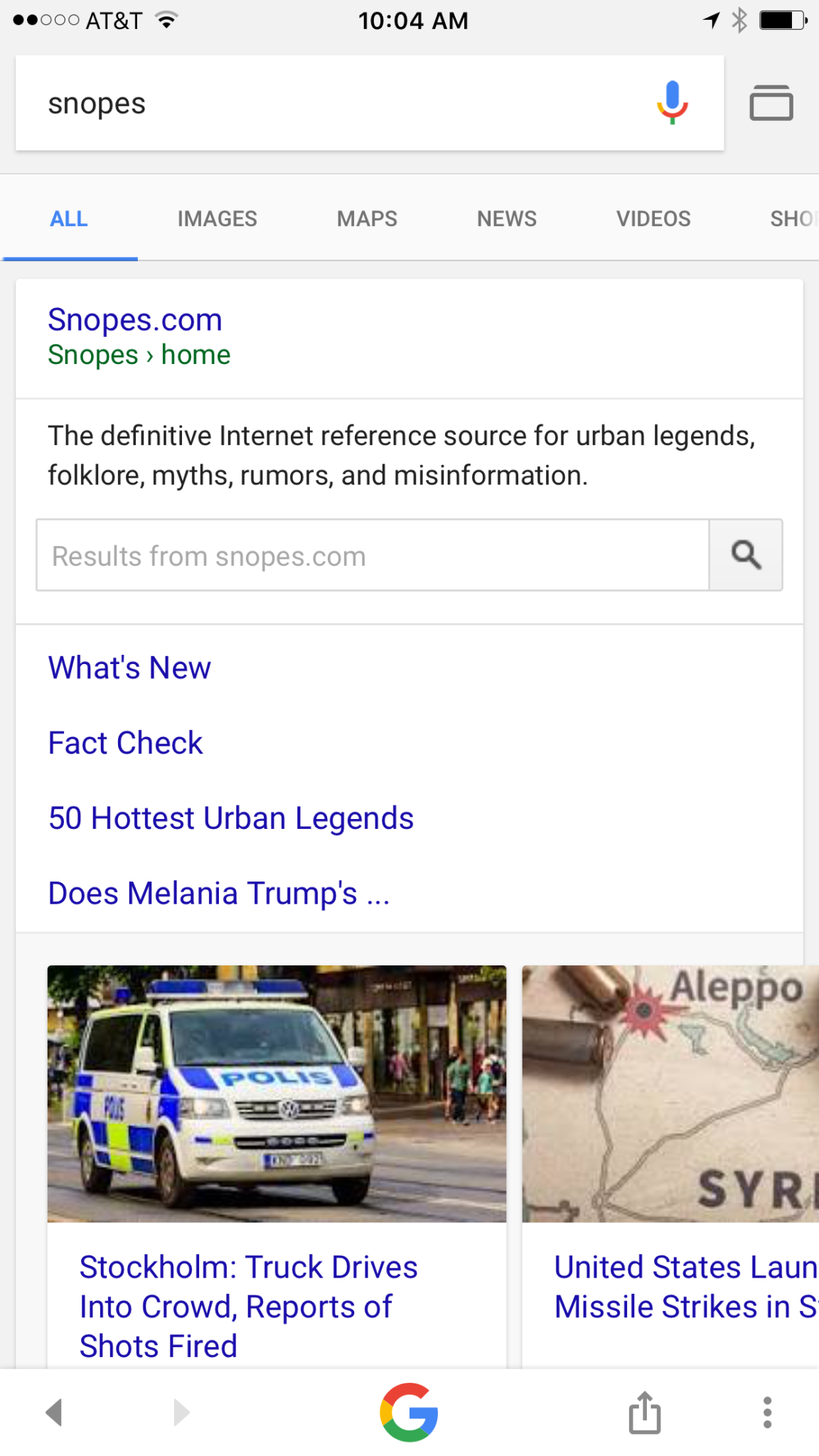
    Google is going to be featuring fact check links on many news stories in your search results. The need for more fact checking has become more and more obvious as the internet becomes full of user generated content. The issue with UGC is that you can say whatever you want and, until recently there weren’t a lot of ways to prove your story right or wrong. Links underneath some Google search results will now feature fact check information from sites like Politifact and Snopes. These should help those seeking true news and information to have a better understanding of the sources for the articles they’re using for their research.


    What Parents Should Know

    Fake news isn’t a kids and teens problem. Many adults share stories without finding out where the information came from. It isn’t difficult to recognize a satirical news site from a real news site. Fake news sites work to disguise themselves as real news. Satire is an obvious attempt at humor while fake news is usually just created to get clicks and sell advertising. You see, the more clicks a site gets the more money they make from advertisers on their sites. Writers on these sites will write a story based on the number of clicks it will get and not the accuracy of their information. Often these stories will be twists on something that is true while sometimes it’s just a completely made up article with a “clickbait” headline. We can’t continue to share these articles for so many reasons; the biggest reason is that it further confuses our society and divides us.

    Your children deserve a world where news is actual news. No matter your beliefs or political leanings you don’t want your kids to have to function in a society where there is no difference between factual news and an inflated false story written by some kid in a basement in Ohio (no offense to Ohio.) You should learn to fact check. Spend some time on Politifact.com or Snopes.com and dig around for the issues that are most important to you. Teach your kids what it means to site sources and look for the purest form of information or news. Yes, you can read about the latest tech news from me and I’ll related it to parenting and protecting your children online; that’s great, but if want to know more about Google’s fact checking search results you can go read their blog to get the information straight from the source.

  • Facebook Creepers Beware!

    Facebook Creepers Beware!

    Anonymity on the internet is and has always been a myth. Facebook, however, has become a place where people can search for others and learn all about their lives without revealing their creepy behavior. Facebook’s new Stories feature is changing that a bit. In a move to keep and attract younger users Instagram and Facebook messenger added their own version of Snapchat’s stories. That feature has now been rolled out to the main Facebook app and it gives people an way to see who’s been watching. 

    Facebook’s stories are photos and videos that post in vertical-full screen format on your phone. They last only 24 hours and you can add text or drawings on the screen and the in-app camera has filters, masks, and overlays that you can add to your photos as well. There is also an option to see who looked at your photo or watched your video. This is a major difference for Facebook since the standard has been to go see what folks are up to with no threat of them finding out you’ve been watching. This may be good news for you because you don’t like the idea of people looking at your stuff without you knowing. Or, this may be disturbing because you, my friend, are the creeper. 

    What Parents Should Know

    Facebook is trying to become a real social media contender for young people again, so parents should be keeping tabs on the moves their making. The stories on Facebook add another way for people to show the reality of their life and world which is what your kid or teen likes to see and do on social media. You should encourage your son or daughter to keep an eye on who’s watching their story. Let them know that the feature is there and that if they’re using Stories they should go check out who’s been following their Story.

    Remind them, also, that anonymity online is a myth and that everything that is posted online can be there forever. Just because their Story disappears from Facebook after a day doesn’t mean it’s truly gone. Screenshots can capture an image and then it can be uploaded anywhere else on the internet. The rule should be that you never post anything on the internet that you don’t want the entire world to see and that you don’t want to be there forever. I say that these rules are good for us to teach our kids but some of us parents may need to remember these warnings as well.


    Get Our Latest Posts in Your Inbox