Tag: prime

  • Get Parental Control Tools for Cheap on Amazon’s Prime Day

    Get Parental Control Tools for Cheap on Amazon’s Prime Day


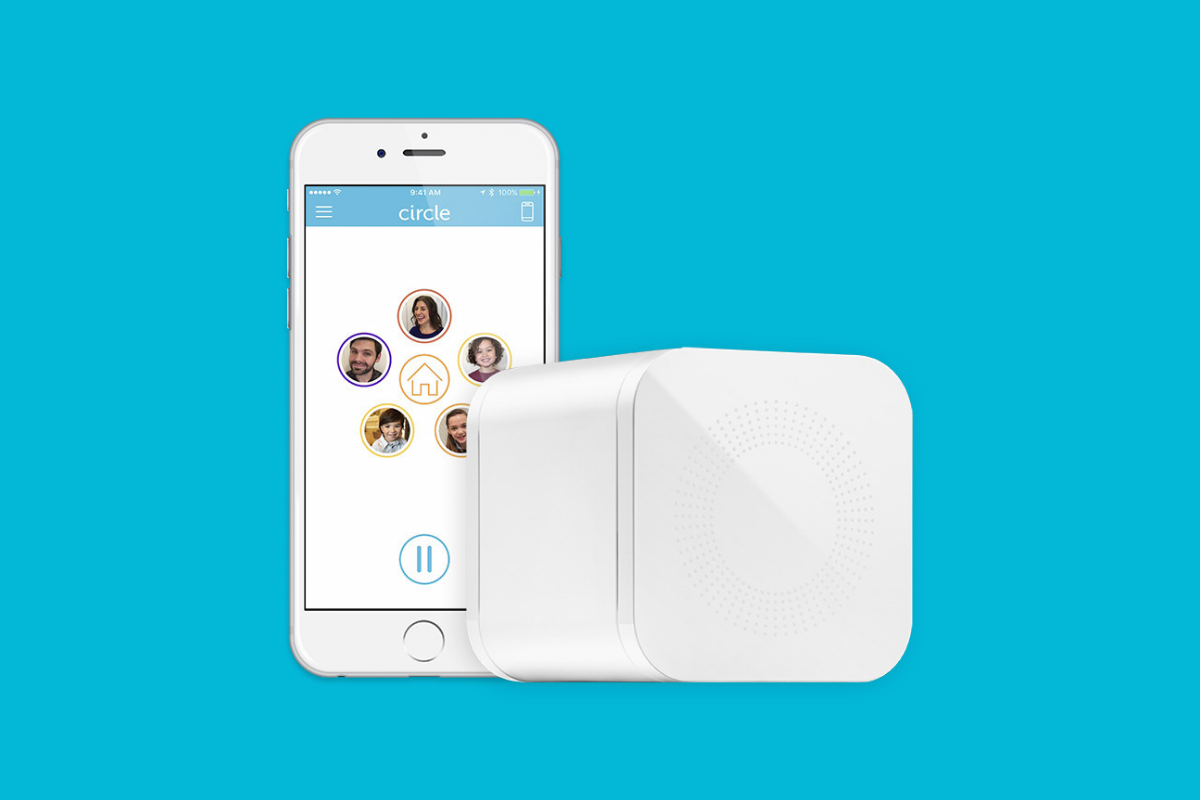
    Meet Circle, Our Favorite Home WiFi Parental Control Solution

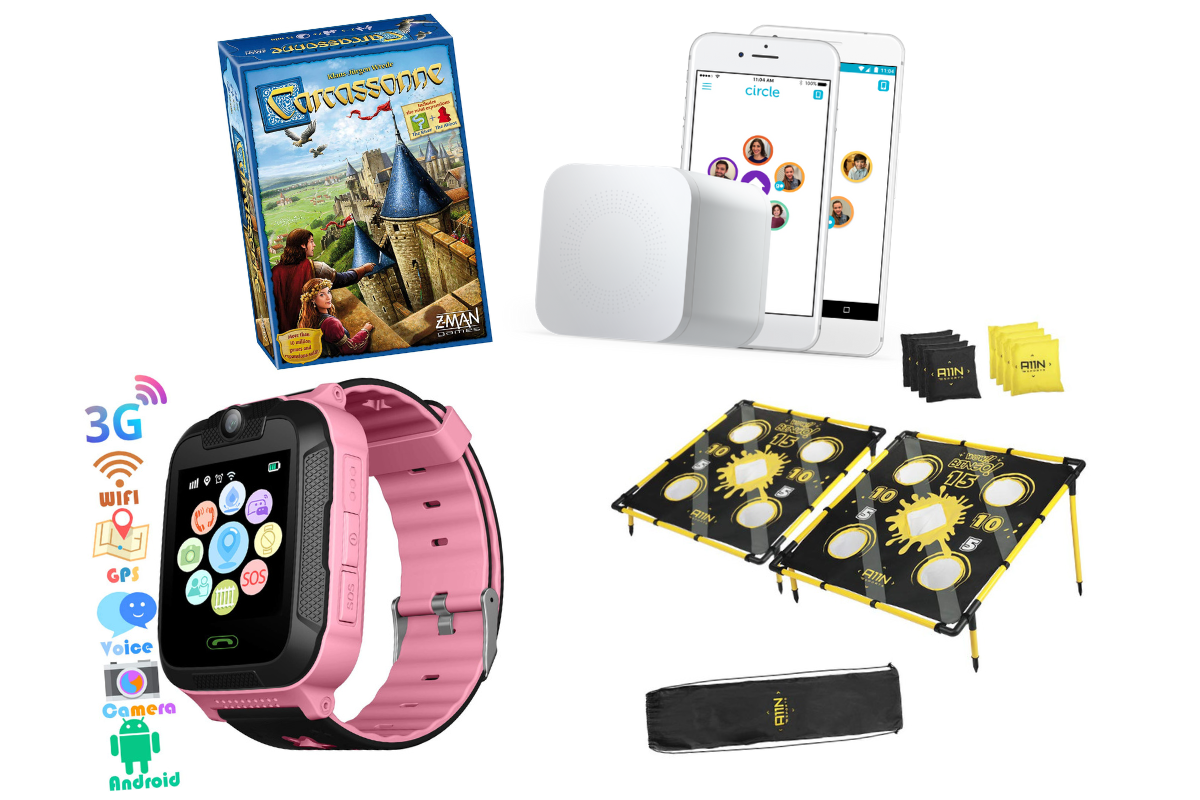
    We love Circle. It monitors our kids online activity and protects them from happening upon websites they should be avoiding. I recommend Circle everywhere I go and to everyone I talk to. They have released a NEW VERSION of Circle that includes a year of premium features when you buy the device. If you are ok with having the older version (which is still supported, at least for now) you can get it for a third of the original price on Amazon right now.
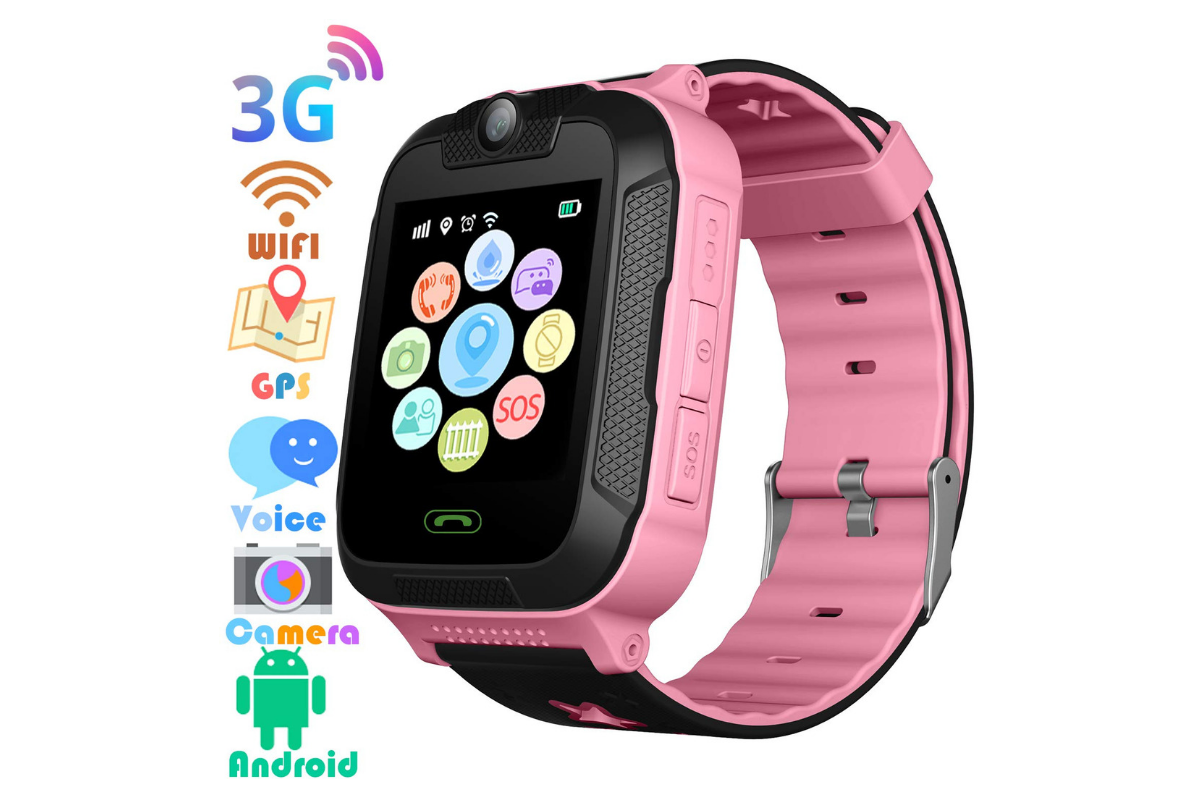
    A Kid Friendly Watch with Messaging

    You may not want your child to have their own phone but need them to be able to contact you when necessary. This watch uses the Android operating system and allows GPS tracking, WiFi, Calls and Messaging. It also has a camera. The watch is kid sized, made for children ages 4-12. If you want the phone call option you will need to get a sim card from your cell service provider (Verizon and Sprint not supported.)

    Have Some Screen Free Fun!

    Parental Control doesn’t always mean keeping them safe while on technology. Sometimes it means keeping them off of tech completely. Board games are a great way to achieve the goal of entertaining your kids without screen time.

    Whatever age your kids are, there are some awesome off screen games available on Amazon’s Prime Day today. Whether you want to build a Unicorn Army, expand civilization through villages and farms, or collect jewels to earn more points than your opponents, these games are a ton of fun! Check out the deals on these tabletop games and sit down with your family, with no screens, and have a good time. Board games encourage eye contact, communication, healthy competition, and creative/critical thinking. They are good for learning as well as fun.

     

    Enjoy Each-other Outdoors

    Sometimes you just have to get outside. These activities will give you a chance to leave the technology indoors and head out for some “green time.”  Use your aim and dexterity to score as many points as possible in the classic Ladder Toss game which is on sale at a special Prime Day price for then next couple of days. If you’d rather toss Horse Shoes, this kid safe version of the outdoor favorite is also priced for Prime Day. If you want a new twist on an old classic, check out this Cornhole/Golf Chipping Target combo. It’s only $40 today.

    Thanks for partnering with BecauseFamily (Four Point Families 501c3)

    BecauseFamily exists to protect children and teenagers by bridging the technology gap between them and their parents. As we work to provide resources to parents and kids alike, you partnership helps us continue our mission to keep kids safe. Your options for supporting BecauseFamily are available at BecauseFamily.org/partnership and include direct donation through PayPal, ongoing support of our media content through Patreon, using our affiliate links, and signing up to support us on smile.amazon.com. The links above all direct you to the smile.amazon.com page for those products. You may be asked to sign up for who to support, search Four Point Families to elect us as the benefactor of your Amazon Smile donations. We are eternally grateful for your support!

  • Amazon for Teens will Teach Your Kids to Shop with Them

    Amazon for Teens will Teach Your Kids to Shop with Them

    Amazon has launched a new service that will allow you to set up a dedicated login for your teenager so that they can shop on the Amazon app. The goal is, first of all, to give parents a way to allow their kids more freedom to shop for things they’d like online while providing some realistic boundaries. It’s most likely, also, a great way to get your kid used to just buying whatever they need on the Amazon app.

    Amazon for Teens will allow your children to shop on the Amazon app and make purchases for themselves. You have the option to allow them to shop for whatever they’d like with a budget that you set or ask permission for every item they select to buy. If you choose the budget option you will have access to their purchase history and be able to cancel a purchase or request a return. So far there is no way to have teens use their own money within your family account. Currently, all shopping is done with a shared credit/bank card.

    The service is available to set up for your kids’ ages 13-17. They’ll be able to select whatever items they’d like to purchase and attach a note for you. You will be notified when they’ve made a purchase and you have 30 minutes to cancel the order if you don’t approve. Of course, if you’ve set it up to ask permission you’ll be able to approve or deny the order before it’s completed. Also, the default privacy settings will hide parent’s purchase history and credit card information.

    What Parents Should Know

    Amazon.com/teen is a way for Amazon to introduce your teen to their shopping app. For some, this may seem like a great way to teach your kids about finances and shopping. For others, there’s an obvious stench of commercialism and consumerism. If you’re so inclined, Amazon Prime for Teens seems to have a pretty good handle on what parents need to feel confident that their teens can shop on their own. In fact, they claim they used focus groups of parents in order to help them create the service.

    I say that if you’re going to use this service, be sure to keep the default settings to not allow your credit card and purchase info to be shared. I also think it will be even better when you’re able to set an Amazon Prime exclusive allowance for them to use with this service. Boundaries are the key to allowing your teenager to have independence while keeping them safe from their inability to make quality and safe decisions. Amazon for Teens could provide the exact boundaries you’re looking for to keep from having to order those new boots for the coming fall weather while making sure she orders the ones that are on sale.

  • Amazon is Changing the Parental Controls Game

    Amazon is Changing the Parental Controls Game

    Many parents purchase their children a tablet without taking built in parental controls into consideration. Amazon’s addition of the Parent Dashboard should cause most parents to lead towards a Kindle Fire tablet. Amazon FreeTime has been available for a little while and allows parents to set child profiles, manage content, set time limits and bedtimes, and feature’s curated content. The Parent Dashboard, launching today, takes FreeTime to the next level by giving parents a breakdown of their kids digital habits. The app will allow parents who have set up FreeTime to see the time your kids have spent on certain apps. You can see what they’ve been reading and watching and it even suggests discussion starters for the content your children have been consuming.

    FreeTime features tens of thousands of apps, books, websites, and videos. The built in web browser only allows pre-approved content and features age appropriate Amazon prime videos. All of this content is curated by an actual editorial team. They watch videos through to the end and read every page of every book to be sure it’s suitable for the age group it’s listed under. This is not filtering based on algorithms, it’s work done by live people to help you protect your kids. They’re keeping in mind that you don’t want your kids to run in to something online that they’re not ready to see. In factKurt Beidler, director and general manager of Amazon FreeTime, told Digital Trends: “We take a conservative approach.” 

    What Parents Should Know

    It seems like the internet safety market is always trying to play catch-up with the latest online and social media trends. The stuff we don’t want our kids to see always seems to creep its way onto every platform. The only true way to keep inappropriate content away from our kids is for human eyes to make the distinction between what is suitable and what is not. The human editorial team for Amazon FreeTime is one of the first of its kind, surveying content with a conservative, kid’s health comes first mindset that we can hopefully take comfort in.

    I don’t usually recommend getting devices for our young children but I understand that many parents or grandparents will insist. If that is you or someone you love, may I suggest the Kindle Fire Kid Edition. This thing comes pre-loaded with the kid friendly content and a 12 month subscription to FreeTime. Yes, FreeTime is a pay subscription based service. It’s $2.99 per child or $6.99 per family. That’s not a lot to pay for your own team of content curators working to help your children be safer online. No, I don’t have an affiliate link to promote. I just think this is a great option for families.

    I do recommend, as always, talking to your children about what is appropriate online and what is not. I recommend they know that you are the safe place to come to if they see something that they shouldn’t see. Obviously the goal is to keep this from happening and using Amazon FreeTime with the Parent Dashboard is a great step in that direction.