Tag: posting

  • Now ANYONE Can Make a Facebook Camera Filter!

    Now ANYONE Can Make a Facebook Camera Filter!

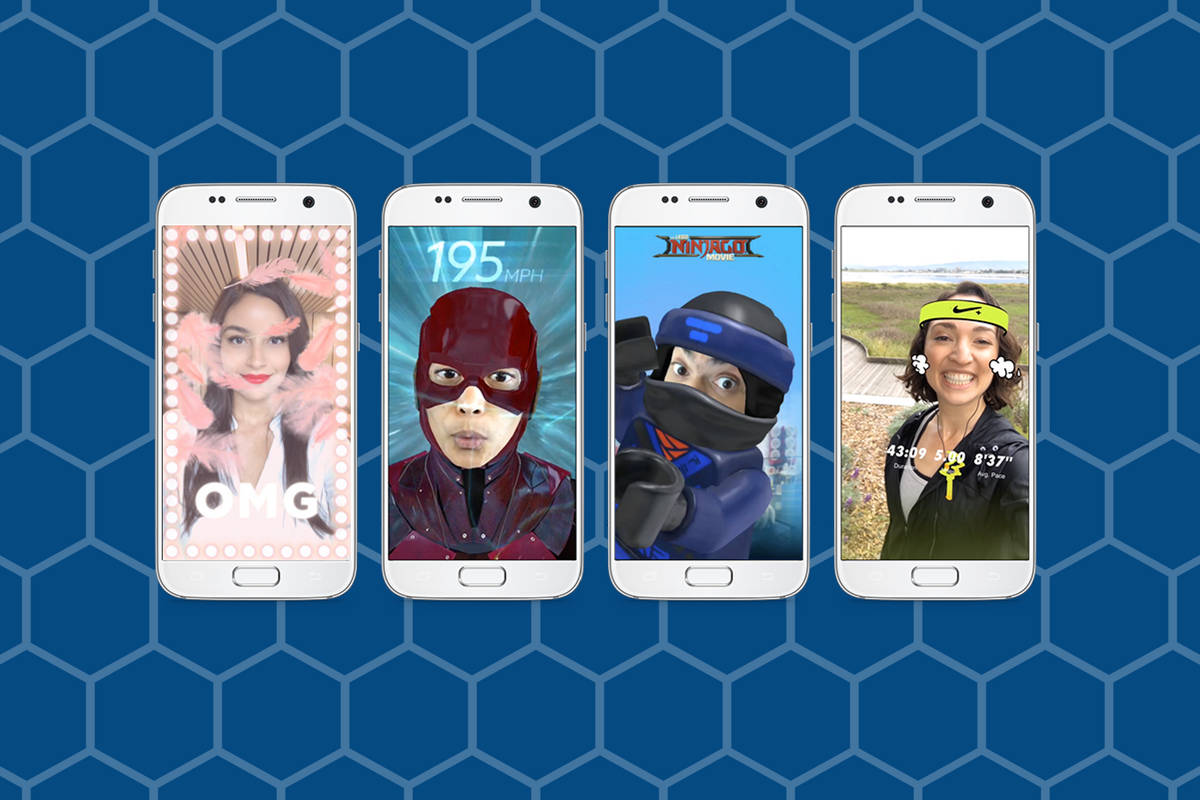
    Augmented Reality (AR) and Location Filters have become a mainstay of the social media camera. Snapchat started and Instagram, Facebook quickly followed suit, and before you know it, we’re all posting images and videos of ourselves with animated beards, mustaches, and hats. Your favorite fancy additions to your photos have always been created by select developers or advertisers so that those who run our favorite social media outlets can keep tabs on what’s being allowed on their platform. That has now, officially, changed. Facebook has opened up their public Filter and AR creator tools.

    “Starting today, we’re expanding availability of the platform and the AR Studio creative tool to everyone.” – https://www.facebook.com/FacebookforDevelopers/

    It’s truly as simple as going to the facebook developers site and downloading the AR software. Making non-AR overlays is even easier. The tool is built into the website. You simply upload your images and move them around wherever you’d like on the screen. You can use the tools to resize and edit your image as well as to remove the background so you get a transparent effect. While making a 3D mask takes some coding and design experience, making an overlay is a pretty simple process that just about anyone should be able to do.



    What Parents Should Know

    Obviously, there is no stopping the “AR train.” We all love taking photos with those crazy filters and it’s so neat to put some strange creature on your countertop and film it playing the guitar. Until now, we could trust that content being posted as filters on the Facebook camera had been created by legitimate developers and didn’t contain anything that wasn’t allowed by Facebook’s guidelines. Allowing public access to these tools basically makes filters and AR User Generated Content. I made one for FamilyTechBlog in about six minutes. There was no approval process (as far as I could tell) which leads me to believe that inappropriate content will only be identified by a “user flag and review” system. This could lead to who knows what kind of violent or adult-oriented filters showing up on our Facebook (and most likely eventually Instagram) camera.

    My advice for parents is to continue to talk to your kids about what content they use and see on their social media accounts. User Generated Content means that most of what has been posted hasn’t been edited or reviewed by anyone who can pull down non-approved posts. Algorithms and a flag system can only get so far in protecting our families from dangerous content. Parents should always be seeing what is posted by their kids and what their kids are seeing in the apps they use.

     

  • Uninstall Instagram? Your Kid Can Still Use It!

    Uninstall Instagram? Your Kid Can Still Use It!

    Many of the tools parents use to protect their children depend on being notified what apps they have and are using most often. When it comes to social media, being able to monitor posts and direct messages is critical. Sometimes, finding something you didn’t want to see will result in forcing your child to uninstall the app from their device. Until recently, Instagram has been a social media platform that only allows users to post from within the app. Therefore, uninstalling was a good solution for parents who wanted to give their kids some sort of time out. Instagram has just updated their mobile site and it’s going to ruin everything.

    Instagram’s mobile browser update allows users to post photos and use the explore feature without having the app installed. This means that the most major features of the app are available. You still aren’t able to send direct messages through the mobile site, which is a good thing, but posting, viewing posts and accounts, and finding new accounts through search and explore are now accessible. This update is meant to give access to Instagram in countries and areas who have limited  access to app stores or network services. Being able to use Instagram without an app means that more and more people across the country and the world will have an opportunity to share pictures of their lunch or coffee.

    What Parents Should Know

    There is a simple way to monitor what your kids are doing on Instagram, whether it’s on the app or in the browser. I recommend installing Instagram on your own device and adding their account. Even if you have an account of your own, you can add another one and see everything they have been doing. Using the mobile browser will definitely affect your ability to “ground” your kid from social media but there are ways to avoid that to. Here are a couple of options.

    1. Remove access to browsers within the parental controls or restrictions of their device or your parental control apps.
    2. Put instagram.com on the blacklist in your filters or in the “red flag list” on your accountability software.
    3. Take the entire device from your child until the grounding is over. Make them use the family computer for any online activities they must do. This will really give an extra impact to the punish.

    Instagram isn’t inherently bad, of course. Just like any site or app with user generated content you’re going to find inappropriate content. These things can’t usually be filtered so monitoring what they are doing is critical. The most common issue is time spent on social media. Teens are spending upwards of six hours a day online and many of those hours are on some form of social media. If time is your concern, then a simple uninstall of the app won’t cut it anymore. You have to lock down some of the browser options as well. Otherwise, you’re only keeping them from a couple of the features of Instagram, not the entire platform.