Tag: pornography

  • Snapchat Allows Cosmo to Include X-Rated Content in the App

    Snapchat Allows Cosmo to Include X-Rated Content in the App

    *This article is for parents and there is discussion of x-rated content. You have been warned.

    The Snapchat Discover page has been my main source of concern for kids and teens when it comes to the photo-sharing app. I posted a video over a year ago announcing that Snapchat was being added to my uninstall list because of the Discover page. This magazine rack style page featured articles from all kinds of magazines and other publications that highlighted sexuality, drug use, and other adult themes. As I began to understand the discover page, it became obvious to me that this app was intended for adults even though it’s used by High School and even Junior High students all over the country.

    Another Report on Cosmo After Dark

    The latest source of concern with Snapchat for parents is, as I’ve been saying, the Discover page. A new feature from Cosmo, called “Cosmo After Dark” features content that Cosmo themselves calls X-Rated. These articles are about everything from how to masturbate properly, to truth and dare ideas, and pornography site recommendations. I won’t say much more about this because the video below says it all.


    Remember, this video is from a year and a half ago, I saw this content coming from a mile away!


    Parents, PLEASE, pay attention to this news and require your child to uninstall Snapchat NOW. Use your parental control software to block data access to the app, do whatever you can to keep them away from the over-sexualization that social media is instilling in our children. Snapchat has really always been about sex, they seem to be really going for it now with this new “after-hours” content.

  • Your Gun Video Searches May Take You to Pornography Sites

    Your Gun Video Searches May Take You to Pornography Sites

    After the shooting in February, many user generated content sites are making changes to how they handle media about firearms. YouTube is the latest to make changes to their guidelines with an emphasis on videos about assembling, building, and customizing guns.

    Videos that feature “instructions on manufacturing a firearm, ammunition, high capacity magazine, homemade silencers/suppressors, or certain firearms accessories … This also includes instructions on how to convert a firearm to automatic or simulated automatic firing capabilities.” are not permitted on YouTube. – Youtube Guidelines

    Since these changes have taken effect, some of the channels that feature firearms are going to be making changes to how they broadcast their content. Obviously, their videos are no longer welcome on YouTube so some are looking for a different outlet. PornHub, one of the leading adult video sites on the internet, is the destination of one popular firearm focused channel. InRangeTV, stating that “YouTube’s newly released vague and one-sided firearms policy makes it abundantly clear that YouTube cannot be counted upon to be a safe harbor for a wide variety of views and subject matter,” has begun to upload new and past content to PornHub as of this week.

    What Parent’s Should Know

    People of all ages are fascinated by guns. I’ve had dads and teens and even older elementary aged kids ask me if filters that they have installed would block their favorite gun videos and sites. The fact, now, is that more of those niche interest videos will be moving onto sites like PornHub.

    Even Google searches for gun videos will likely now result in links to sites that feature pornography and other extreme content. This brings a subject that is often considered interesting by many conservatives of all ages into the world of content that they would not consider appropriate. So what should parents do?

    My recommendation, if your kids enjoy watching videos about guns and will follow them anywhere the Internet takes them, is to install accountability software and a filter to any of their devices. A filter will block content you don’t want them to see. Accountability software will help you find if they got a hold of any websites you don’t approve of. I recommend Accountable2You because they have frequent updates and their iOS app will scan any browser on an iPhone or iPad. And as far as filters go, Net Nanny is also a good quality option.

    Whatever your views on guns and the age appropriateness of videos about guns I think we can all agree that putting content kids may be interested in viewing on sites made explicitly for adults is a dangerous proposition. Be vigilant and do something to keep your kids off of the sites.

  • Facebook’s “Messenger Kids” App Launches on Android

    Facebook’s “Messenger Kids” App Launches on Android

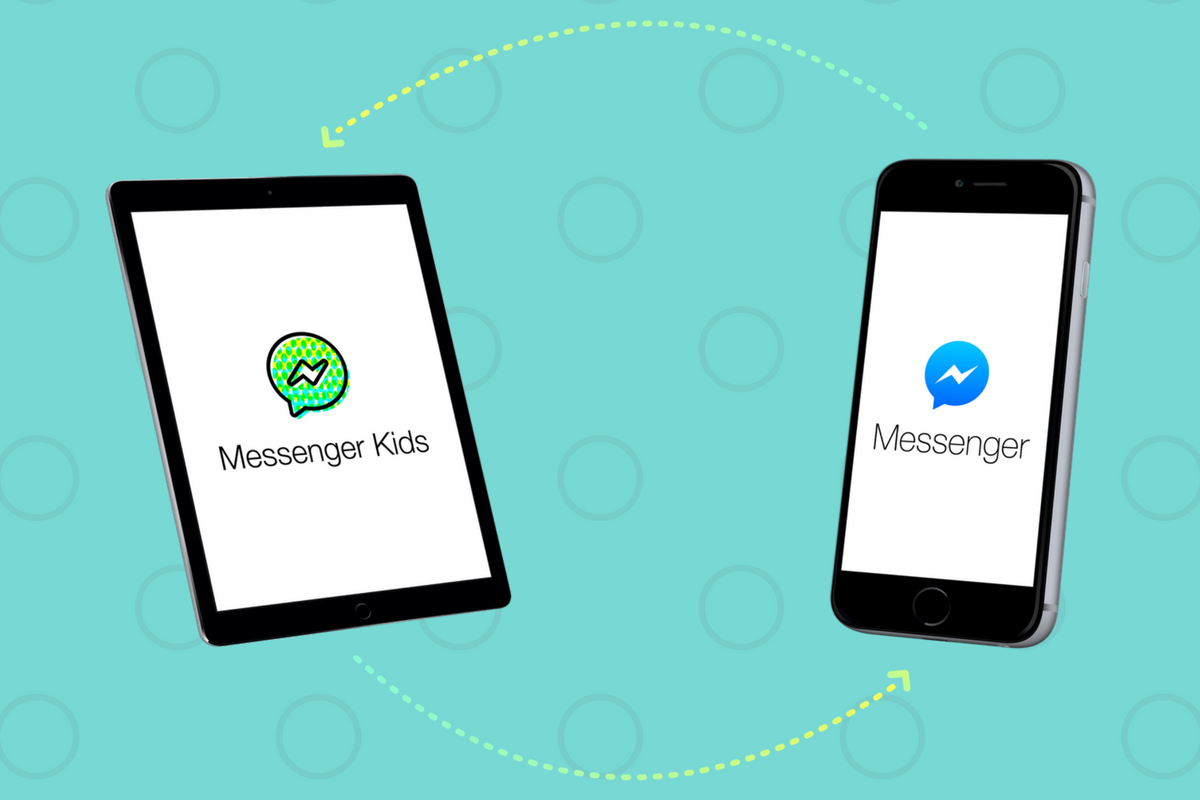
    Today, Facebook released the Android version of their Messenger Kids app. This means it’s available on iOS, Android, and Kindle now. That should pretty much cover most families. Facebook Messenger Kids puts the control in the parent’s hands, making it easy by building it into the Facebook App and Messenger App that you likely already use. You can decide who they are allowed to chat with and approve or deny friend requests.

    CHECK OUT: Facebook Messenger for Kids! for even more info about the app.

    My family uses Messenger Kids, albeit with some strict time limits (1hr per day) which we enforce through Circle (all devices) and unGlue (our older child.) It is a great way to help them get a feel for chatting through a messenger without strangers, bullies, or the constant notifications or FOM0 (Fear of Missing Out) that can accompany tech addiction. Facebook built in a lot of the controls and made the app kid-friendly by not allowing gifs that don’t originate in the Kids Messenger app and not allowing messages to be sent to unapproved friends.

    What Parents Should Know

    Since settings are controlled through your Facebook account, parents don’t have to have the same type of device as their child. You can set up your kids’ messenger app on his Android through your iPhone, for example. Keep in mind how addicting it can be to message your friends. Remember not to give them access to approve or disapprove of their friends on Messenger, this defeats the entire purpose. I know it can get tiresome to always have to sign off on everything they want to do online but Facebook makes it pretty easy with notifications on your own app.

    Use something to manage their time, like unGlue.  Talk to your kids about only messaging people they know in person and let them know what to do if someone asks them something they aren’t comfortable with. They should know that they can come to you when there is trouble. Messenger Kids is a good idea from Facebook and they did a lot of work to learn what parents would want out of a messaging app for their kids. Now the app is available on all devices so, if your kids have people they want to talk with, use this as a way to keep them in touch safely.

  • Why I Told My 10 Year Old EVERYTHING About Pornography

    Why I Told My 10 Year Old EVERYTHING About Pornography

    Disclaimer: This post is a bit different than usual but it hits to the heart of why this blog exists. Thank you for understanding.

    Yesterday my 10-year-old son asked me what pornography is. Honestly, I thought he knew. I talk about it a lot when I speak and in podcasts and videos. I was surprised at his question but I answered him. I told him what porn is and why we avoid it.

    I told him that it affects your brain like drugs and causes your synapses to stop firing properly. I told him that what you see sticks in your mind and imprints as a template for what you prefer sexually. I explained, also, that the pornography industry is well known for abuse and sex trafficking. I told him EVERYTHING. Even though he’s only 10. Why did I tell him these things?

    First, because he asked. If we don’t take advantage of our kids’ curiosity we miss a chance to help them learn in a way that they’ll never forget. What’s worse is when we say “Ill tell you when you’re older” so they go find another way to learn about it now. Then we find out they googled “porn” or asked a friend about it and we come down on them. We get scared and explode at them and the shame cycle begins.

    I know this cycle well. That’s the second reason I told him the whole truth. I was 10 when my friend’s older brother brought in a VHS tape and said: “You guys HAVE to check this out.” From then on it was years of seeking out scrambled HBO or Cinemax. Sneaking up to the living room late at night to try and find something online to meet the insatiable appetite. Years of shame, of hiding, of never being satisfied. I was getting more broken with every video and every image. My mind was fracturing and I was losing who I was.

    When I was 18 I got busted. A super high phone bill (because that’s how the internet used to work) caused my mom to ask questions and I told her the truth. I told her I couldn’t sleep at night until I had “fed the beast.” That’s what it was like for me. I couldn’t function until that urge was given a release. She took away the computer and I started digging into scripture. I would read a verse and then write eight to ten pages about how it could apply to my life. I would dig into word meanings and unpack the context so I could fully understand what The Word said about who I am. That new habit changed me.

    Fast forward four or so years and now I am married. This is the third reason I am not shy to talk to my kids about sexuality and pornography. I married the most pure and righteous woman I’ve ever met. She had been taught to be pure and guard her heart while I was watching adult videos in secret. We are an incredible match but our intimacy wasn’t a match made in heaven. Imagine the confusion that comes from the two different ideas we had about sex. My mind was still wrecked from the fictional, abusive things I had seen. I had no clue how to respect and honor my wife in our intimacy. It has taken ten years to work all of it out and issues still surprise us every now and then.

    Our society isn’t afraid of sex. The culture your kids live in isn’t waiting for them to “come of age” before teaching them their truth about sexuality. The church isn’t helping. They’re too scared to speak up because people get uncomfortable. I fielded many frustrated parents when we, as a youth ministry, would try and teach healthy attitudes about relationships and sexuality. Moms and Dads HAVE to educate their kids and let them know how to understand purity, not as the absence of desire or sex, not as a discomfort with their body and what it needs, but as a healthy knowledge of why God created sex and in what context it can contribute to the overall wholeness of who you are and the relationship you have with your spouse.

    Share this to spread the word and if you feel the need to discuss this more, feel free to comment or send me an email. Let’s get this thing right. Let’s raise children who are less broken than we were.

  • Instagram Update Could Open the Door for Porn and Predators

    Instagram Update Could Open the Door for Porn and Predators

    Instagram has just released an update that adds the ability to follow hashtags. This feature allows you to keep tabs on interests or events that you’re interested in without having to search for the tag every few minutes. It’s easy to follow a hashtag. Just search for the tag and then a follow button appears with the results. Or you can click on a hashtag in a post or story and then click follow when that result appears. From then on the hashtag will show up in your instagram timeline just like the people you follow. When you are done seeing everything posted under that tag appear in your Instagram feed, you can just go back to the hashtag search result and tap “Unfollow.”


    What Parents Should Know

    Being able to follow hashtags has been a “thing” for a while now on Twitter. It has long been a way for events or products to feature themselves and allow attendees or fans to keep up with what’s going on. The problem with our kids blindly following hashtags is the potential for other users to abuse the tag and use it to get attention on their content. Some of that content may not be very wholesome. Pornography is fairly easy to access on Instagram if your kids know where to look. The potential for these adult-oriented posts to add a non-related hashtag so that followers will see their content is cause for concern.

    Imagine your teen follows #pokemon on Instagram. All someone would have to do is put the #pokemon tag on their innapropriate photo and it would, likely, show up on your his Instagram feed.

    Also, sharing the hashtag for an event you’re currently attending is, in essence, the same as sharing your location information. If you kids are sharing a Prom Night hashtag, then whoever wants to can follow that hashtag and see all the activity and who knows what plans could come from that. Unfortunately, with every great new feature, there seems to be a new danger that accompanies it. My advice is to encourage your kids to post with hashtags after an event has ended. Kind of like posting the memories of the event instead of live-photo-blogging every little thing they’re currently doing. Including where they’re headed next. You don’t have to have too big of an imagination to think of some ways that could be dangerous.

  • Video Chatting Apps You Should Uninstall NOW

    Video Chatting Apps You Should Uninstall NOW

    Chat Roulette was a challenge that became its own website. The idea was that people could log on to the site and be connected with someone from around the world at random. The website isn’t as popular as it once was but there are many apps that simulate that experience and some of those apps are gaining popularity. Here are some of the ones climbing the app store charts. The ranking listed is for the Social Media category in the iOS App Store as of the publishing date of this article. I’ve only listed the live video or random connection chatting apps in the top fifty.

    Melon #14

    Melon is making the news as the latest video chatting fad. It connects you with new people based on social media friends and offers private messaging, video chat, and a people search feature. It’s gaining popularity and being featured in articles that are blasting it for the frequency of cyberbullying and the high concentration of males looking for girls that will do whatever they ask on camera.


    Live.Me #16

    Live.Me touts the ability to chat with stars and celebrities and broadcast to anyone all over the world. You can find anyone from anywhere or just look to see who is broadcasting around you. There is also the ability to search by topic or interest. Live.Me uses “gifts” and “diamonds” to allow you to share things with other users and even advertises the ability to “date” virtually through the app.


    Monkey #25

    I’ve written about Monkey before. This app was created by a couple of teens who dropped out of high-school to launch a tech startup. It quickly gained a reputation for having too much nudity and not taking some of the responsibility for the content found in the app. This app has been on the FamilyTechBlog uninstall list for a while now.


    MeetMe #35

    Formerly called “MyYearbook,” MeetMe is a app that advertises itself as a way to “meet new people.” The app uses your location to find people near you and information that you’ve entered to connect you with people who share your interests. It’s popular in the app store as it’s been around for quite a while and has the largest fan base. MeetMe offers private chat and video chatting as well as live video broadcasting.


    Climbing the Charts:

    YouNow #52

    Live stream video chat is pretty much all YouNow is about. You can broadcast yourself, find broadcasters, and even join the broadcast as a video guest. The app store listing calls for you to build your fanbase and become a YouNow celebrity. There are some complaints on in the reviews about accounts that have been reported for inappropriate content not being removed because they are popular on YouNow.


    CAM #56

    CAM is popular because it allows you to select the gender you’d like to chat with. It automatically connects you with someone and even automatically texts an invite to everyone on your contacts list without your permission. This practice has caused it to dip in the standings but some continue to use the app because they like the ability to chat or flirt with people they are attracted to.


    What Parents Should Know

    I don’t usually recommend any of these type of app for your teens or kids. Not only is it dangerous to connect with random people who could be broadcasting whatever they’d like for you to see. It’s also a problem because of the potential for predators. Any connection with strangers is dangerous. Some of these apps use your location to connect you and it’s therefore possible to meet people online that you may meet up with later. My advice is to uninstall any of these apps if you see them on your kids phones or tablets. There is no reason to use one of these apps to connect with friends since you can use Instagram or Facebook Messenger to do that now. Uninstall on sight.

  • Five Internet Safety Mistakes Parents Make

    Five Internet Safety Mistakes Parents Make

    I spend most days trying to help parents make and implement an internet safety plan. Too often I run into hurdles that I have to jump over in order to help them out. Here are five of the most common mistakes that get in the way of parents’ internet safety strategy.

    1. Secrecy

    Parents of older kids want to give their kids freedom on their devices but keep an eye on them at the same time. I’m often asked how to do that without the kids knowing mom and dad are watching. My answer is usually, “don’t do that.” The goal is building trust and a better understanding of responsible technology use and internet accountability. Sneaking around and spying on your kid, while it may seem like a good way to see what they’re actually in to, is an even better way to ensure they won’t ever come to you when they need to talk to someone about what they’ve seen or experienced online. Obviously, if they know you’re watching and you approach them about something you didn’t approve of then they’ll know it’s coming and will be ready to have that discussion. If you have to talk with them about something you caught them doing while you were sneaking around they’ll see that as a breach of trust and you’ll find yourself with a much harder road to travel from then on. The best thing about transparency is that your kids are more likely to make better decisions when they know they’ll be held accountable for those decisions. Telling them you’re watching them can lead to better responsibility.

    2. Giving Up

    Setting digital boundaries is not easy. There will be arguments, sneaky kids, tutorial videos, and lots and lots of research. The key is to never give up. Things change fast and it truly is difficult to keep up. You have to find the resources that you trust that can help you stay informed. You should find the people you know can help you set your boundaries up to fit your needs. You have to keep reading up on what’s going on in the digital world your kids live in. If you give up you will get left behind and that means you’re not keeping your children safe.

    3. Sharing Passwords

    As obvious as this may seem, I have to say it. You must resist the temptation to reveal passwords to your kids. What happens is that kids (especially the younger ones) get tired of what they’re doing very quickly. When they are playing a game and you have it set with guided access or something like it that won’t allow them to back out of the app you will have to be the one who has to switch apps for them. Unless you just tell them the password. More convenient? Maybe. Safe? Absolutely not! There is honestly no reason at all to have any kind of boundaries set up if you are easily urged to hand over the passwords to the tools you use to establish those boundaries. Passwords are meant to keep the parental controls within the controls of the parents. Again, seems obvious, but you would be shocked at how many people have to be reminded of this truth.

    4. Not Starting

    The hardest step to take in protected your family online is the first one. Creating your internet safety plan begins with assessing the current situation in your home. That can be overwhelming at best, and extremely discouraging at worst. Some families don’t even know how many devices are in their home or who they all belong to. I worked with a family once that was shocked when their kids kept bringing phones down out of their rooms over and over again. Come to find out, their friends would give them their old phones and they’d use them on wifi when they were grounded from their own. Yes, it is discouraging but it is absolutely necessary. You need to have a plan and you must have conversations with your kids about that plan. You can’t do anything, though, if you never start. Begin today! Email me if you’d like. I will help you get started.

    5. Never Updating Software

    I covered this in a recent post but I have to reiterate because its one of the most common mistakes I see parents make. If your accountability software, filter, or devices are not updated regularly then they aren’t as secure as you’re needing them to be. If you pay monthly for these apps and software then you aren’t getting what you’re paying for, you’re only getting part of it. Updating the software when you see the notification is critical for keeping your internet safety tools in full working order. Filters use updates to load the latest information that lets the filter know what sites should be blocked and what shouldn’t, other apps like accountability software use the updates to keep their “red-flagged sites” lists up to par with what’s out there. If you aren’t updating you are eliminating an entire piece of your digital boundaries puzzle.

    Don’t let yourself fall victim to any of these blunders of internet safety planning. Read all you can on this site and subscribe to our mailing list so you see the latest news. Keep track of internet safety news with other blogs and websites as well. Keep your software updated, talk to your kids about your plan, and for the love of facepalm emojis, get started as soon as you can.


  • PODCAST: Is There Really a Porn On/Off Switch on Tumblr?

    PODCAST: Is There Really a Porn On/Off Switch on Tumblr?

    How can you see what you want on your social media timeline? Is there a porn on/off switch for tumblr? Android instant apps will screw up your accountability software.

    CLICK HERE TO SUBSCRIBE ON ITUNES (a review would be cool too.)

    FAMILY TECH WEEKLY EPISODE SIX

    Social Media Links

    Facebook: http://facebook.com/4pointfamilies
    Instagram: http://instagram.com/becausefamily
    Twitter: http://twitter.com/becausefamily

    Newsletter Signup

    Ministry Updates:: http://eepurl.com/R7Btr
    Weekly Blog Posts:: http://eepurl.com/cvnhXD

    Websites

    Ministry Site:: http://becausefamily.org
    Tech Blog:: https://safe.becausefamily.org
    Michael’s Speaking Info:: http://kmichaelprince.com

    Donate and Affiliate Links

    http://BecauseFamily.org/partnership

    Music by Kevin MacLeod at http://Incompetech.com

  • Tumblr App Installs “Adult Content On Switch”

    Tumblr App Installs “Adult Content On Switch”

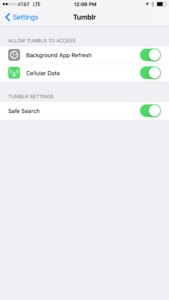
    Tumblr has lost some traction over recent years. It’s not so much a social media platform as a blog host and not really even that. It’s more used for GIF (animated images) posting than anything nowadays. Apple has always had a pretty strict standard on adult content in the apps in their app store. They require developers to have adult content disabled by default. This usually means that image searches on your browser should be without any blatant pornography unless your search is specifically for that. Tumblr has updated their iOS app with a workaround for this rule. There is now a switch that will allow users to turn adult content back on in Tumblr. It’s actually a “safesearch switch” and it’s set to on by default, thus following the rules set up by Apple. All it takes, however, is for someone to go to the settings page of the app and turn the safesearch option off. This will unleash the cacophony of adult content that is available on Tumblr (many say that pornographic images and gifs have become it’s main purpose) on the user.

    What Parents Should Know

    The Tumblr app is basically a browser in which anyone with an account can see any of the user generated blog content posted on the site. As mentioned above, the app has become inundated with adult content and is not safe for anyone you’d like to keep from those sort of images or videos. The safe search switch isn’t located in the restrictions settings on your iPhone. It is just in the settings for the app. This means safesearch changes can be made without a password. This app is an easy way for your child who has been looking at inappropriate images or videos to access more of that. Now that the safesearch can be turned off, you’ll want to add this app to the uninstall list.

    Our children can be greatly harmed by pornography. Studies are showing it’s addictive nature and the ability it has to alter a person’s sexuality and preferences, creating what they call an “arousal template.” This causes kids to be attracted only what they’ve seen online and can create serious problems for them in the future. They also say that kids who view pornography are six times more likely to force others into sexual behavior. Many in our culture view online adult content as only entertainment but it’s being proven that it’s detrimental to the mental health of our kids. If there is anything you can do to protect your children from adult online content, you must take steps to do so. Uninstalling Tumblr just became one of those steps.

  • What Can You Learn from Search Bar Auto-Complete

    What Can You Learn from Search Bar Auto-Complete

    I have no better advice for parents than putting your eyes on the devices your kids use as often as possible. As long as you’re communicating with your child it isn’t spying to take a peek at what their friends are posting on social media or what they’ve been searching for in their web browser. I do not, however, advise that you let yourself get too worked up over the recommended search results or auto-complete results in the social media apps your kid/teen uses. It can be frightening to type in a couple of letters and get a dropdown full of accounts you’re unsure of or search terms you wouldn’t want them to be searching for. The initial reaction of parents is usually to be concerned that this means their child has been looking for something inappropriate in the past. That isn’s always the case and I’ll try to explain why.

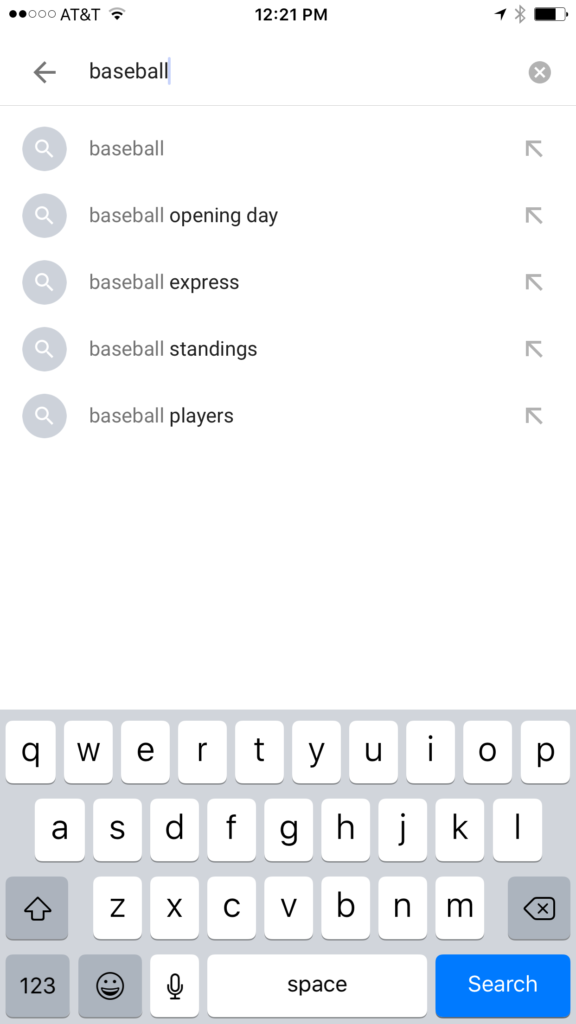
    Instagram, Facebook, Pinterest, and other photo or video sharing sites use algorithms that combine your past searches, popular items on their site, and your location to recommend the search results that may interest you. I don’t recommend parents take suggestions from these apps as evidence that their child was doing something inappropriate. You can, however, on many of those sites go find a search history and actually see what they have typed in the search bar in the past. This information is also deletable though. Regardless, looking at the search history is a much better way to monitor what your child is doing on these sites than assuming something from the first two letters you type in to the search bar.


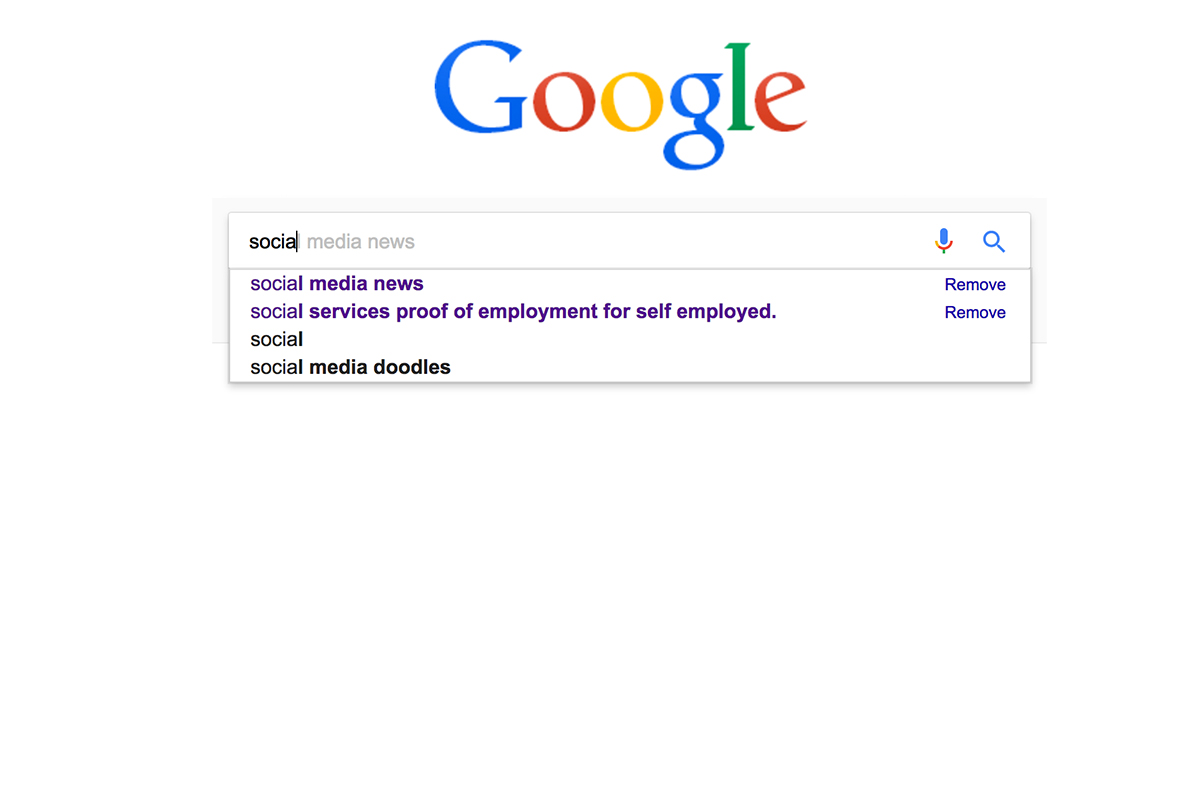
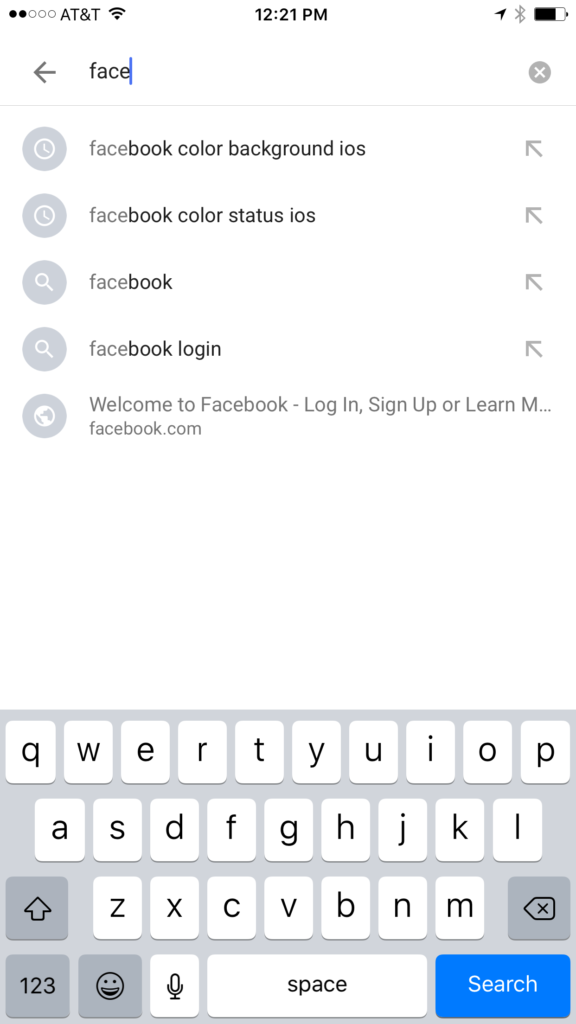
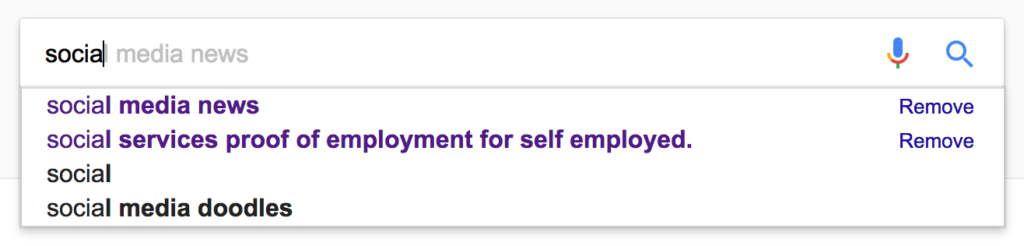
    Google and YouTube are the two most popular search engines on the internet. Thankfully, they’re a bit easier to monitor. The Google app has identifiers to help you know why it’s recommending certain things. You’ll see a clock icon if the recommendation is from search history and a magnifying glass icon if it is just recommended based on other data. On your browser the auto-complete results are a different color and you receive an option to remove them if they’re from history. YouTube, being a part of Google, uses the same methods to identify auto-complete search items.


    What Parents Should Know

    There is a lot to consider when you’re trying to monitor your child or teen’s online activity. Because so much of the internet is now consumed with photo and video sharing it goes without saying that some of the content you wouldn’t want your child accessing makes it’s way to those platforms almost immediately. This being said, there are better ways to monitor than trying to creep through search histories. I recommend using a good accountability software like Accountable2You or a filter like NetNanny. Another option is to install the social media apps they’re using and get to know how the search bars work for yourself. Find out if it’s using your history to establish the items it recommends for you or not. As you get used to it you’ll be able to get a better feel for what’s happening in your child’s account when you check their device.

    Remember that communication is key. Your kids should know you’re looking at their devices and social media accounts. Rules are good but without conversation and relationship they create conflict. Your goal is to set boundaries that will help your children develop healthy habits. A healthy approach to monitoring and regulating their internet usage will speak volumes to them about your family’s online safety standards.