A vulnerability discovered by Check Point security researchers, could have allowed hackers access to over 80 million accounts on the popular Battle Royale game Fortnite. The breach would allow hackers to see account information, use the account credit card to make in game purchases, and even listen in on player’s in game chats. The vulnerability has been fixed by Epic Games but they are making recommendations for users to secure their accounts in the future. Since the hack that was discovered didn’t need a password, changing your password on your Epic account regularly wouldn’t have saved you from this leak. Epic recommends using “two factor authentication” to keep you from being vulnerable to attacks like this. A few months ago they even provided a free avatar emote for those who opt in to two factor authentication.
What Parents Should Know
First of all, it is important to understand security and how breaches like this happen. Your children are using games, social media accounts, and web services that collect tons of data on them. Much of it is kept stored by the companies that are collecting it but the servers that this data is stored on aren’t always as secure as you would like them to be. The hack that affected Fortnite was found by accessing accounts through a website that was published by Epic Games fourteen years ago. Hackers could access player’s logins through the site and then listen in on their conversations and use their payment information. These vulnerabilities are there because the internet is so big and so open that who can blame Epic Games for forgetting about a little stats site it put up in 2004? This is why it falls to the consumer to protect our own information.
What is Two Factor Authentication?
It’s really simple. You enter your password to access a website. If you’re like me you have passwords stored on your computer and in an app on your phone so you can get to them easily and login as quickly as possible. Two factor authentication seems annoying because it adds a step. If used properly, however, it should only ask you to enter your second form of identity verification if you are logging in from a new device or location and it is really one of the safest forms of security available right now. When you get that email that asks you why you had a login from your mom’s computer across town and you roll your eyes because you know it was you checking your Facebook page because your phone died, just remember, this form of verification is one of the only ways to keep your data safe nowadays.
Passwords are infamously weak and often saved to the point that we have forgotten them. Our kids likely have learned their password creation skills from us and therefore their abilities to form a strong, memorable, but secure password or passphrase is embarrassing. Remember that you should always use multiple different forms of characters like numbers, letters. symbols, and a combination of caps and non-caps. Make your passphrase longer than you’d like and save it somewhere. Teach your kids to have different passwords on all of their accounts, not just variants of the same password either. I use a password generator and storage software to keep track of mine. I have a really really long passphrase that I have memorized to log in to my password storage software so that my other passwords can be unique and secure.
Final Advice
Finally, I recommend talking to your kids about the kind of information they post online and store on their online accounts. Remind them that what happens online is permanent. Photos will exist forever, social media posts will come back to haunt them, and that conversation they’re having while playing Fortnite may not be as private as they thought. Many adults are just now learning about how to keep our information secure online, I feel that it’s critical that we teach our kids how to do the same thing. Their data is more valuable that any of us ever imagined it would be.

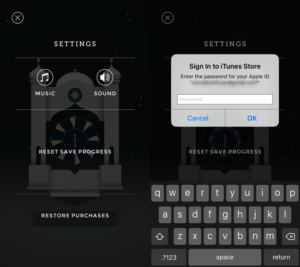 The software store on Kindle simply didn’t have a password protection setting for their in-app purchases. This is what got them in to trouble. Children could log in to make purchases on these apps and there was nothing built in to stop them. Shortly after complaints started coming in, Amazon updated software to include a password and had already refunded money but the FTC said that wasn’t enough.