Tag: parents

  • How Social Media Sites Use Your Photos to Learn About You

    How Social Media Sites Use Your Photos to Learn About You

    A new extension (plugin or addon for a web browser) has just highlighted an issue we all probably won’t be surprised by but have never thought about. Our social media sites are scanning our photos to learn more about us. The extension is called, get ready it’s a mouthful, “Show Facebook Computer Vision Tags Extension” and it displays the detailed tags that Facebook has used to label your photos when you post them to the site. The tag information is built by automatically scanning every image you post and using the information to create trackable details about that image. So, for instance, if you post an image of you and your kids at the zoo it may show tags that say: “3 people, smiling people, animals, nature.”
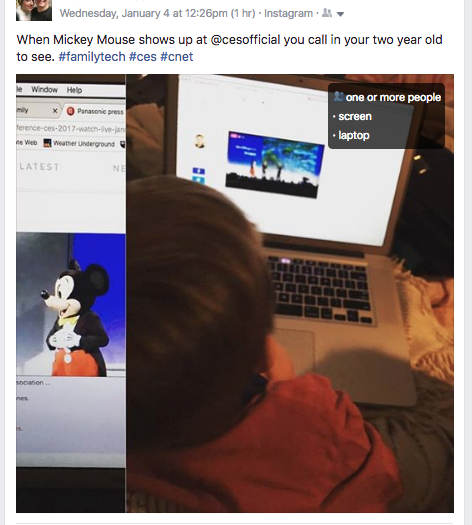


    This may seem like no big deal but when you think about just how much information can be obtained from a simple thoughtless upload of a family photo, it can get a bit creepy. Most likely this info is used to help Facebook target you better with those advertisers who pay for the privilege to use the data to identify potential customers. It also is used to help with search results when someone is looking for photos of you or somewhere you’ve been.

    Use this as a tool!

    Oversharing online is more than just annoying. When you post a picture of your food that nobody cares about you are identifying yourself as a consumer who wants to be advertised to about that type of food. When you post that bad blurry picture of your kids in their princess dress, you’re highlighting that you should be targeted with more Disney advertising. Use this extension as a tool to help you learn that lesson, and teach it to your kids.

    This extension can be a pretty cool way to help you and your kids see how much information about you is available when you post online. I always advocate for parents to teach their kids that the internet is a public place. Whatever you post can and will be used against you IRL (in real life) and so you should think about that before you post. This extension may be a great way to drive that advice home with your kids.

    If you want to see for yourself, you can download the chrome extension HERE.

  • Group Video Chat is Everywhere! Now, even in iMessage.

    Group Video Chat is Everywhere! Now, even in iMessage.

    Kik has been popular with kids and pre-teens for some time. It’s a messenger that allows them to chat over wifi using a made up profile or “display name.”  The app recently joined the likes of Snapchat, Instagram, WhatsApp, and FB Messenger by adding group video to the mix.

    Then, a few days ago, a new app called Fam came onto the scene. Fam allows group video chats within iPhone’s iMessage. When iOS 10 released for iPhones it came with the ability to add and utilize apps, stickers, and games within the app itself. This has opened up the ability to put in GIFs, use emojis that aren’t available on your keyboard, and even share music or money with just a few taps in the iMessage app. Now, Fam is capitalizing on those abilities.

    How Does it Work?

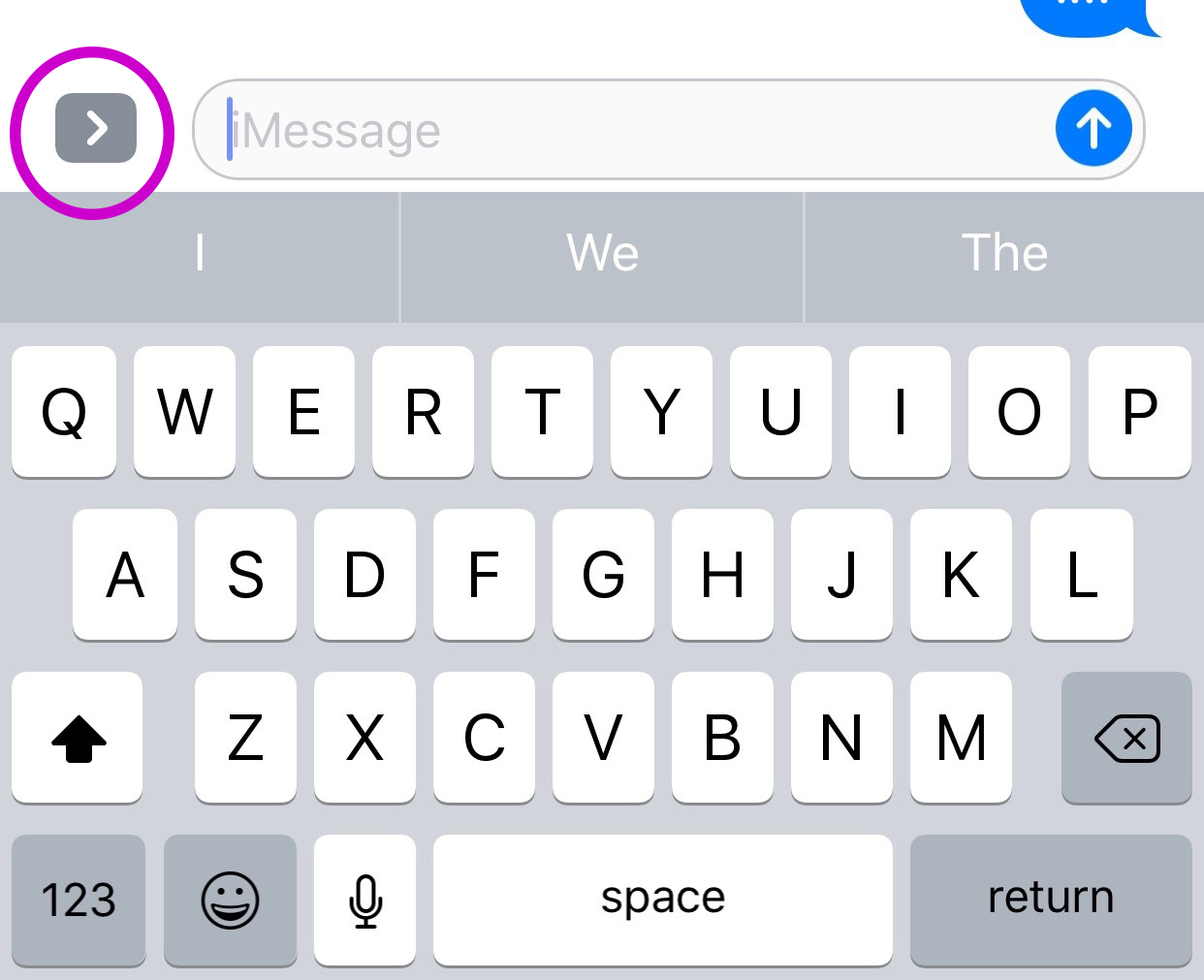
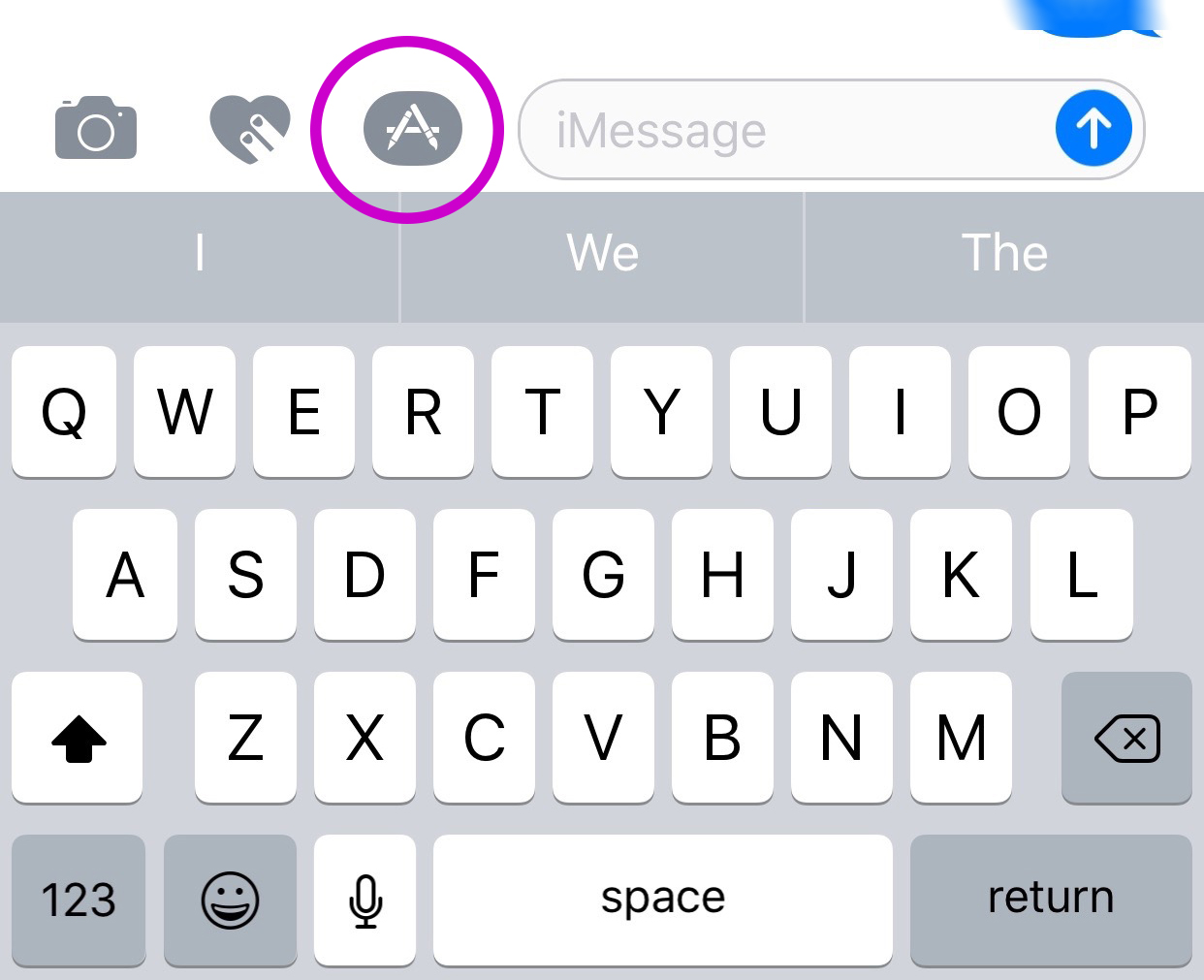
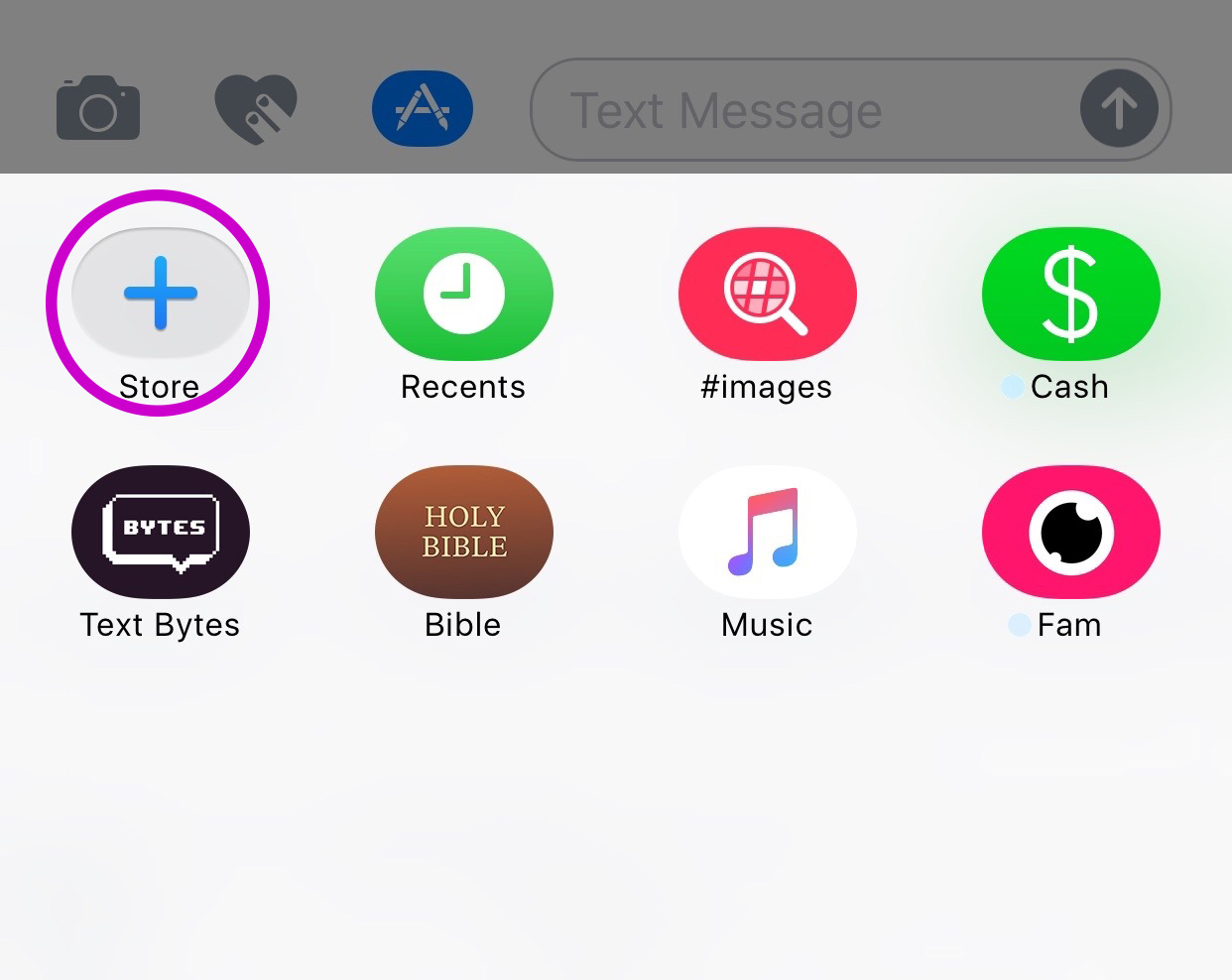
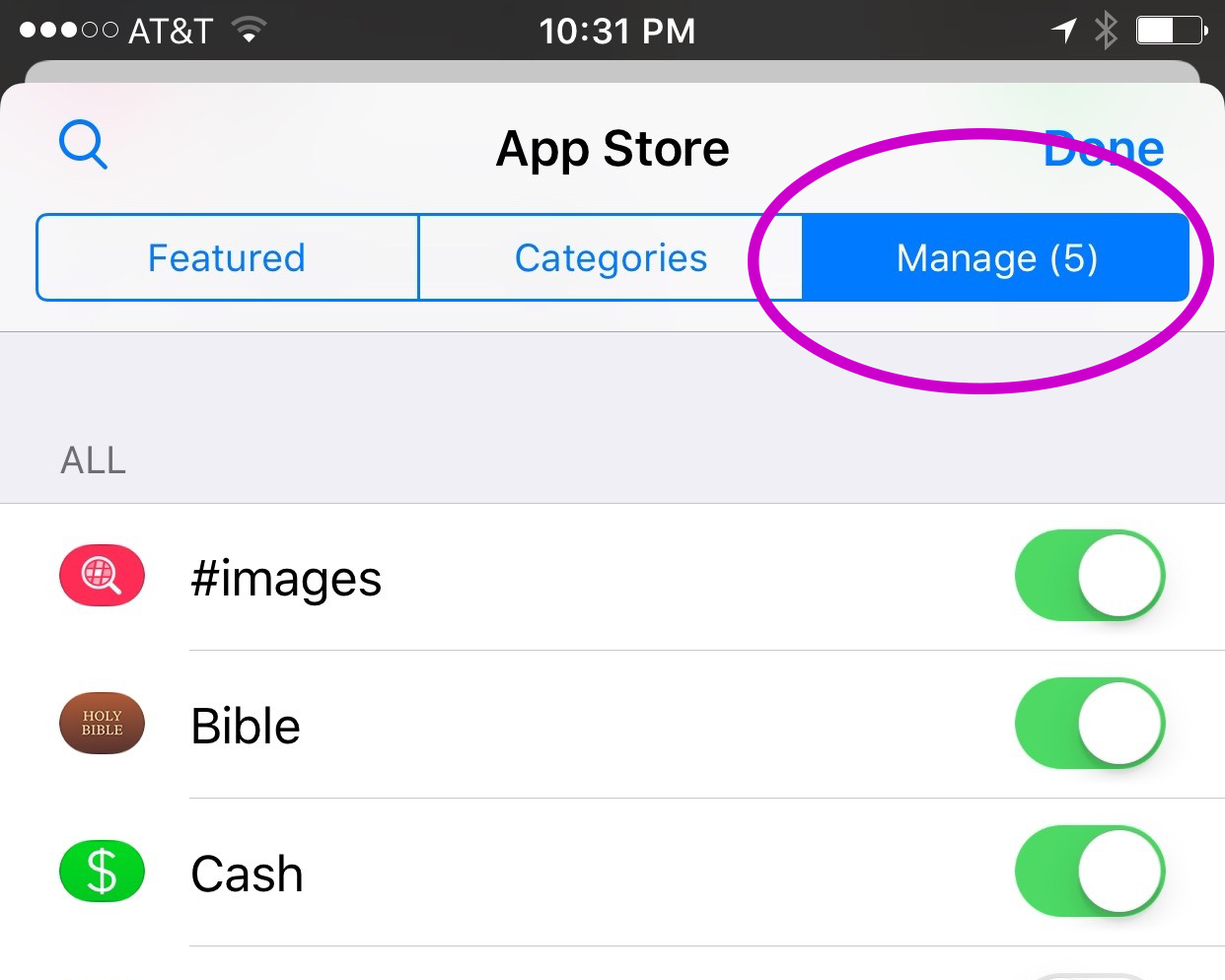
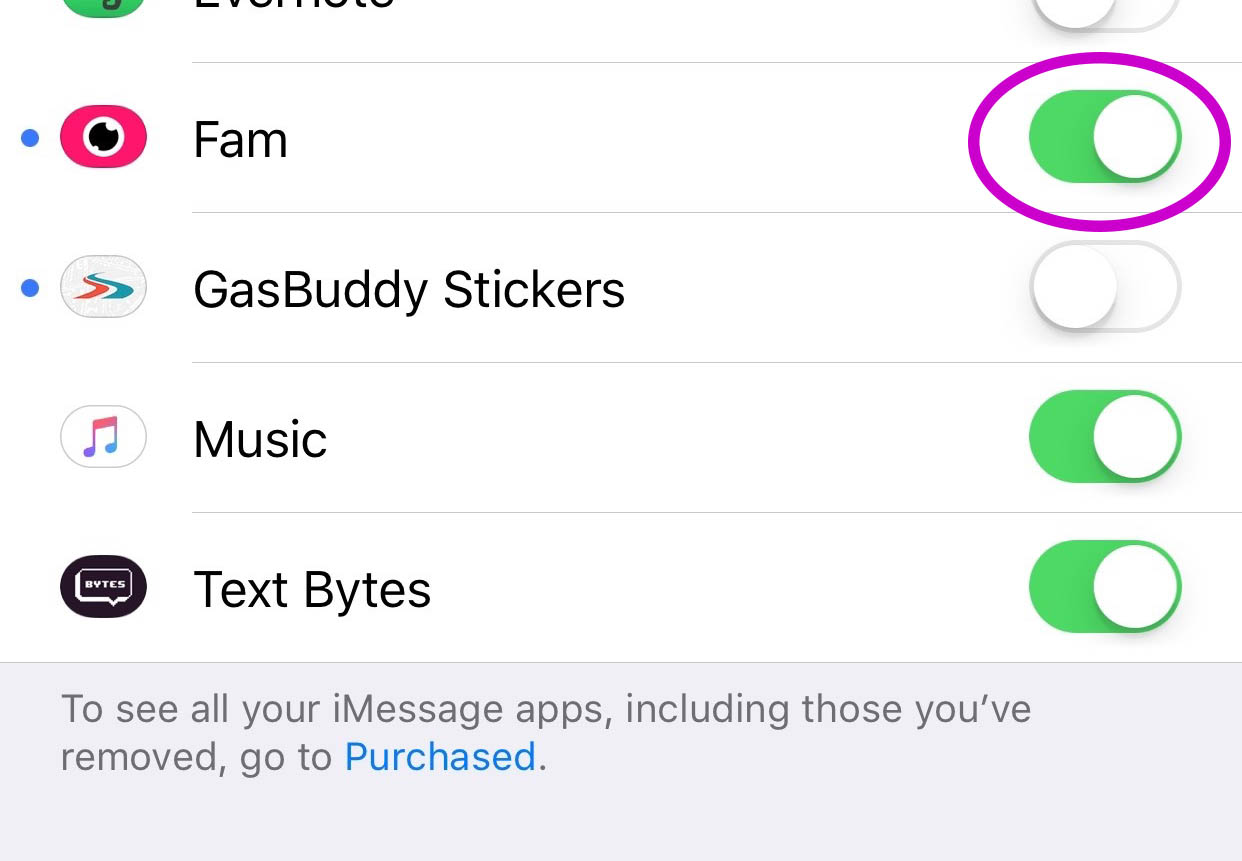
    You’ll have to find the Fam app in the app store and install it. Once it’s on your phone you can activate it by selecting the apps icon next to your text box and then the small icon that looks like a group of app buttons on the bottom left.  Next you’ll tap store, and then the manage tab on the upper right. Once you toggle Fam to be active it will show up within iMessage (your text messaging app) alongside your other apps. Once you have it you just have to tap the “Create Video Chat” button and it will send an invite to up to 8 people in your iMessage thread. (See the gallery below for those instructions with some photos.) If your friends have the app installed then they’ll be able to join right away, otherwise they’ll have to go install and activate the app too.


    What Should Parents Know?

    The dangers with video messaging are pretty obvious. If your teen is wanting to have an inappropriate video conversation with someone there are plenty of options to do that. The truth is that group video has become a mainstay. The conversation in social media and tech circles is that having group video chat available is now expected on any and every social media platform. As a parent we have to understand what apps can do what and know how to disable certain features if you decide it’s best for your family.

    That said, Fam is a pretty neat addition to iMessage. I was excited when they added the ability to put apps in iMessage and apps like Fam are precisely why. This is a way to communicate over video with the folks you contact the most. I will most likely use it, that is, if the people I talk to would be willing to install it.

    I recently spoke to a father who was trying to make the best decision to let his daughter get her cell phone back after losing it due to some behavior her parents didn’t approve of. My recommendation was that they take baby steps and I advised him to not let her have any messaging apps, to only allow her to use the basic text messaging on her phone. There was a time when that would keep you away from a lot of the danger. The dangers of some of those messaging apps is the creation of often anonymous accounts. Your kids may not always know who they’re talking to. A video messaging app in iMessage (which uses only their contacts) can help keep that from being as much of a fear.With apps like Fam stepping into the light, though, I have to emphasise the importance of checking out your child/teen’s phone every now and then. Look at the apps they use and even the apps they use in their messenger. Read through some of their conversations and make sure you know everyone on their contacts lists. If you don’t you should be finding out who they are immediately. Especially since they can now have a video conversation with your kid.

  • VidAngel Plays “The Devil’s Advocate”

    VidAngel Plays “The Devil’s Advocate”

    Streaming Filtered Hollywood Movies Sounds Awesome!

    A few weeks ago I downloaded an app that allows users to view movies with filters set. Cutting out nudity, language, suggestive themes, violence, all at your discretion, VidAngel turns some of the most “raunchy” movies into near family friendly entertainment. The problem is that, under current copyright laws, their methods are illegal.

    A recent ruling by a California federal judge has ordered VidAngel to stop their service immediately. The ruling states that the service provides content illegally and that their claim that they’re allowing users to “purchase” the film only applies to a physical copy of the DVD. That means they don’t have the right to stream a filtered copy (illegally copied according to the claims of Fox and Warner Bros) to their app’s users.

    “Subscribers view a stream from a master copy stored on a server, not a DVD temporarily “owned” by the user. Furthermore, lawful ownership of a DVD only conveys authorization to view the DVD, not decrypt it for the purpose of viewing it on an alternative platform. Therefore, VidAngel’s customers are not lawful “owners of possessors” of the digital content that is streamed via VidAngel’s service”. – US District Judge Andre Birotte Jr.

    The company claims that their service is using a loophole to remain legal. Subscribers “buy” a movie for $20, set their desired filters and view the film within 24 hours, and then “sell” it back for $19, resulting in a $1 rental of a filtered hollywood blockbuster. The US District Court in California has said this isn’t legal and their loophole isn’t valid. This doesn’t mean viewers are breaking the law, but it does mean that VidAngel is dangerously close to having to close down its service. In fact, they’ve already been asked to do just that, but they aren’t backing down.

    “We will aggressively pursue an appeal and take this case to a higher level where we have always believed we will ultimately prevail. – CEO Neal Harmon (VidAngel)

    VidAngel has not shut down their service as requested. They are trying to fight the legal battle and keep their service going. They have even raised millions from investors and subscribers to help with legal costs of the battle. Warner Brothers and Fox have recently filed to ask the court to find VidAngel in contempt. We will keep an eye on this continuing battle.

    Our Thoughts

    I am an advocate for filtering entertainment as long as it’s customized by the viewer themselves. I’ve always maintained that it’s up to the viewer or parent to decide what is and isn’t “too much” for their family’s standards. That said, I also believe in the right of a director, producer, and studio to protect their property. Streaming services such as Netflix and HULU pay for the rights to stream movie and TV content to their subscribers. This keeps the income flowing to the studios who produce these movies and allows quality content to be accessed by the users of the services. The problem comes when filtering is mentioned. Most studios and filmmakers don’t want their movies altered in any way. They even try, in this lawsuit, to make the case that VidAngel’s filtering isn’t legal. The judge ruled that allowing users to filter out unwanted content isn’t the same as adding material that changes the film altogether. That’s a win for VidAngel but it’s unlikely that permission to stream filtered movies will ever be given by movie studios and major motion picture companies. It’s just too close to breaking their creative rules.

    I don’t think VidAngel will be allowed to continue unless the laws are changed to make it possible. As these laws seem to be stated now, VidAngel isn’t handling copyrights properly and are misinterpreting a loophole to try to justify it. I will uninstall the app and not rent movies from VidAngel for the same reason I don’t watch live sports streamed illegally online and don’t download software illegally. It makes me feel icky knowing that it even though it may not be technically illegal it isn’t technically legal either.


  • Your Kids Use “AfterSchool” So You Should See This

    Your Kids Use “AfterSchool” So You Should See This


    Some apps come out and there is no way to know the intentions of the developer. AfterSchool is not one of those apps. The vision behind this app is to turn online activity into real world interaction. In a good way. AfterSchool is an app that lets students connect with other teens in their school. Here’s what their site says about what you can do on the AfterSchool app:

    “After School’s innovative features channel students toward making new connections and friendships, and engaging in positive offline activities. …On After School, students can share openly and honestly, without fearing judgment or ridicule. They choose whether to reveal their name or remain private.” – afterschoolapp.com/about

    While these apps allow you to stay private, a lot of students choose to make their identities known. Most of the “testimonials” from teens about why they like these apps speak to being able to hear what people really think about you. They talk about everyone being open and honest on the app. Honesty and openness is good but if you are saying “what you really think” about someone, that could cause problems in the teen world.

    Yes, the creators of AfterSchool designed this app to ban bullying and hateful behavior but I still say that as a parent, we need to understand how this app works. What it does and what our kids are using it for. If they are wanting to meet up, what are they meeting to do? The app has built in features to block explicit content but there are ways around those filters. They also claim to have live moderators who keep cyberbullying and inappropriate posts to a minimum. While this is all great, there is no better moderator than mom and dad talking to their teens about what they’ve seen on the app.

    Even the creators of AfterSchool understand this and so they’ve put together an extensive guide for parents. I’ve included a link to their PDF below. I recommend you go check out the site. They boast that teens in 80% of US High Schools use AfterSchool. That means your kids are most likely using it to. You should read this:

    Click to Download the PDF
    Click to Download the PDF
  • Mobile Device Vocabulary Lesson 1

    Mobile Device Vocabulary Lesson 1


    Lesson 1 – Why you should know this basic Mobile Device Vocabulary

    To handle a language skillfully is to practice a kind of evocative sorcery.  – Charles Baudelaire (Poet)

    Working with digital devices requires the knowledge of a certain language. If you understand what certain words mean you are able to know what is happening in a certain device with just a glance. As parents, it is imperative that we can understand the activities our children are engaging in on their smartphones, tablets, and computers. This is why the thirteen words in this tutorial, of sorts, will be so powerful in your hands as a parent. (more…)