Tag: parents

  • Meet Sprinkles, Microsoft’s New Fun Camera App

    Meet Sprinkles, Microsoft’s New Fun Camera App

    Here’s what you need. You need a new camera app that will allow you to put text, stickers, and emojis on top of your photos. That’s what we all need, right? What? You already have six apps on your phone that do that? Well, nobody told Microsoft because they’ve just released their own. Ignoring the fact that they released it on April 1st (it’s still there so no, not entirely a joke) we should spend some time looking at what this app does and who the target audience is. 

    First of all it’s just a camera. This is not a photo sharing app with a built in social experience. When you take and edit your photo you can share it on any of the social media sites you have connected on your phone but there no native sharing system. The app uses a basic AI (artificial intelligence) to recommend what you could put on your picture. The choices are mostly text overlays and are based on what you took a photo of. You don’t have to post what it recommends, you can add your own text, stickers, or emojis by swiping the screen and hitting a few buttons.


    What Parents Should Know

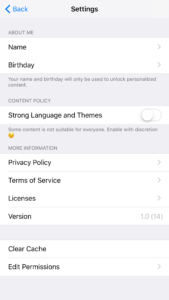
    This app is geared toward young users. The quotes or sayings are silly and there is a high volume of illustrated overlays and emojis to chose from. This app could be a good option for kids who want to take photos and put silly stuff over the top but shouldn’t share online. Just be sure to look at the settings by clicking the gear in the top left of the camera screen. The settings will give you the option to activate or deactivate more mature overlays. (Mostly language.) You can also set the permissions it has, such as location and notifications. You can enter your name and birthdate to allow the app to recommend certain overlays on your special day or with your name on them. Remember that photos taken on this app are scanned so that overlays can be recommended. Encourage your children that even if they aren’t posting online, they don’t want to take a photo of something they don’t want anyone else to see. It is a good idea to familiarize yourself with this app if you’re going to let your younger kids use it. Take it seriously, even though it was released on April Fool’s Day.

  • PODCAST: Why is the Instagram Search Bar Recommending Porn

    PODCAST: Why is the Instagram Search Bar Recommending Porn

    The Wishbone App could be an bad idea for your tween daughter. Apple is making some changes in the app store. Amazon Prime Video now has parental controls. What can you learn from search bar auto-fill terms?


    Video Version

    – Social Media Links

    Facebook: http://facebook.com/4pointfamilies
    Instagram: http://instagram.com/becausefamily
    Twitter: http://twitter.com/becausefamily

    – Newsletter Signup

    Ministry Updates:: http://eepurl.com/R7Btr
    Weekly Blog Posts:: http://eepurl.com/cvnhXD

    – Websites

    Ministry Site:: http://becausefamily.org
    Tech Blog:: https://safe.becausefamily.org
    Michael’s Speaking Info:: http://kmichaelprince.org

    – Donate and Affiliate Links

    http://BecauseFamily.org/partnership

    Music by Kevin MacLeod at http://Incompetech.com

  • These Games Let Your Tween Play Out Their Own Soap Opera

    These Games Let Your Tween Play Out Their Own Soap Opera

    I was doing research for an app to write about when an ad came up. The ad was for a game called Episode and it featured cartoon animated teen girls in situations that would only come from some mid-day television show. For example there was one girl deciding whether or not to perform CPR on her shirtless and handsome male companion. He winks at the “camera” and she thinks he may be faking so the player gets to chose her next move. “Perform CPR” or “Kiss him to find out.” This scenario is one of thousand available on these games that are developed by a company called Episode Interactive.

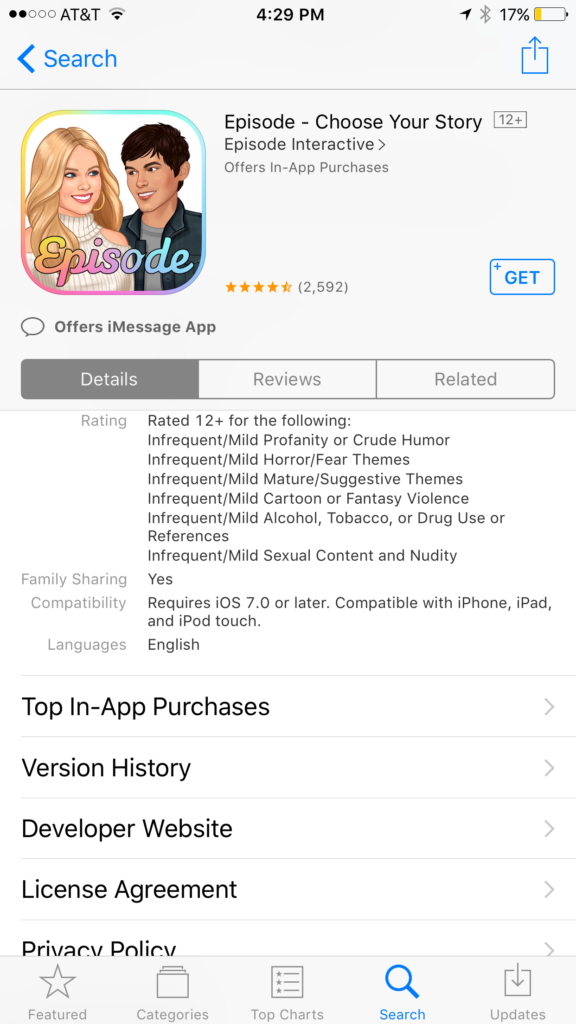
    Their apps are all interactive story games that put the player in control of the choices of the main characters. Each app features thousands of stories to play out. The scenarios feature romance, mystery, comedy, family, and a bunch more. The situations that the character is placed in during the stories can often be very adult oriented. Decisions whether or not to have sex. A choice to run away from a potential mugger or try to attack them back. There are some very dramatic and grown up themes in these games. A look at the description will tell you that the games are rated for ages twelve and over for various reasons including, sexual themes, drugs and alcohol, violence, and nudity.

    These games are a choose your own adventure of sorts for the new generations. They target young tweens with the glam of what it’s like to be a teenager or what High School life is like. It’s all obviously very fictitious but our kids buy these messages hook, line, and sinker. Think of apps like this as romance novels that are targeting your ten to twelve year old daughter. I say it’s targeting tweens because the app I was reviewing when I saw the ad for Episode was one that is obviously mostly populated with young girls. Your daughters will believe a message about who they are and what gives them value. Apps like this are speaking to a certain version of that message. We as parents must play defence against the wrong message to successfully teach the correct message.

    What Parents Can Do

    My advice is to make sure your child is far older than the recommended age for these games before you let them play. They are obviously meant to mimic the soap operas of our parent’s days and they feature exactly the same types of themes. The maturity of your child is best understood by you, their parent. It is usually not a good idea to take the age recommendation of an app, game, or other form of entertainment as the law and gospel. You have to use your own judgement. Unfortunately for some kids these themes are mild compared to things they’ve dealt with in real life. But for many of our ten, eleven, and twelve year olds, these games can introduce topics that they may not be mature enough yet to navigate. That’s why it’s so important for you as a parent to step in and see what they’re doing on their phone or tablet.

    Apps like Episode are easy to spot because they don’t hide their themes in the ads on the app store. It’s pretty obvious what they feature in your game. My advice is to use something like Google Play’s parental settings, or Apple’s Family Sharing to ensure you’re seeing every app being installed by your kids. If you see something that looks like it could be a choose your own adventure style of soap opera game then think seriously about the potential questions your child will be asked while they play it.


    Get Our Latest Posts in Your Inbox

    * indicates required


  • Three Apps that Can Help Any Parent

    Three Apps that Can Help Any Parent

    We spend a lot of time on this site talking about what apps you shouldn’t let your kids have. For this Friday post I would like to share a little bit about some apps you should get for yourself. I found as I dig around the internet that there are new resources for parents being released all the time. Digital resources are a new way to help you be safer, more organized, and more efficient.

    1. Mothership (by FamilyTech)

    Mothership is a great way to organize all the tasks that you need done in your home. It will pair with other apps like chore monster to distribute some of the needed duties to the members of your family. Mothership is a great idea for the family who is looking for ways to reward kids for doing chores and ways to organize the things everybody needs to get done. There’s even an app I can help mom and dad’s reward each other for accomplishing the tasks they need to do, it’s called Honeydo. We just recently wrote about the fact that Disney circle will connect with mothership to use screen time as a reward.

    2. Daniel Tiger App for Parents

    If you have young children like we do and you may find yourself constantly watching Daniel Tiger. That’s not so bad since some of the songs Daniel tiger sings can help you convince your kids to do the right thing. This app takes that into account. With songs, ideas for conversation starters, and follow up questions, The Daniel tiger for parents app gives you some cool tools to help you bring their love of the character into their learning. The Daniel tiger for parrots app is free on iTunes or android.

    3. Life 360

    As your kids get older you’ll find yourself off and wanting to keep track of where they might be. The life 360 app makes that as simple as opening a map and see for yourself. This app is created to help you stay connected to your family runs on a mobile device and let you if you found the numbers on the map communicate with them, and receive alerts when they arrived at their destination. You can even pay for more features that will allow you to get an alert if they use the phone while driving and many other cool features. These features only cost you about $2.99 a month or $25 a year. That is a small price to pay always know where your kids are and if they’re safe.

    The internet can be a dangerous place. But it also can be very useful. If we as parents learn how to leverage the benefits of digital life we can help our family be more organized, safer, and smarter. Keep informed of the latest trends in social media and other family relevant tech news by subscribing to our mailing list. You’ll also get free access to the online version of our Setting Digital Boundaries Workshops.


    Get all the latest family tech news in your inbox.

    * indicates required


  • Kids Online Too Long? Put the Power of Time Limits in Their Hands with UnGlue

    Kids Online Too Long? Put the Power of Time Limits in Their Hands with UnGlue


    Every now and then a resource comes along that we can’t wait to tell you about. Today, we are excited to show you UnGlue. We are always looking for the newest and simplest way to protect your kids online and UnGlue is answering the time limit question with some pretty great new ideas. Check out the video below to see the heart behind their cool new time limits software.


    “Kids are the ones that are hooked… they’re the ones using these devices …  And it’s not even their fault… they’re fighting with the best minds in the industry that are set on having them scroll just a little bit more. Just one more like, one more picture, one more chat, one more Pokémon, one more level. And they’re losing,” – Alon Schwartz (CEO of UnGlue

    UnGlue runs with the idea that kids truly want to do better at managing their screen time by placing the power in their hands. In fact, the founder of UnGlue doesn’t like to call their service “Parental Controls.” While parents do set the time limits, the kids are able to decide what they do with that time. UnGlue doesn’t only turn off internet access at a certain time, it designates between productive and “entertainment” internet activity. Parents establish the amount of time their kids are allowed to spend being entertained on a screen and their child is then able to use the time as they choose. They can even store up unused time to use later for some good ol’ fashion binge watching or playing. The UnGlue concept is a new one and, I think a great one.

    The only thing more important than keeping kids safe from the dangers of internet use and over use of the internet is teaching them how to be responsible in those areas for themselves. UnGlue puts the power in their hands and allows you to show them, through their own experiences, how they can better manage their time and be more effective and productive every day. In fact, I would go as far as to say that most of us parents could use an education on screen time management.

    I could go through all of the ways UnGlue allows you to set up their mobile app but I’ll just point you to their website and let you watch this video below. UnGlue is FREE to use so go check it out and email us at BecauseFamily@GMail.org to let us know how your experience was.


  • The Risks of a Fully Connected Home Part 2

    The Risks of a Fully Connected Home Part 2

    The Internet of Things has made its way into our homes and we are becoming increasingly used to being tracked and monitored. In this, part two, of our connected home series, we’ll look at advertising and what it means to our privacy, our homes, and our families.

    Advertising

    Our society has become so accustomed to our data being used to advertising that we aren’t even creeped out by the ads on Facebook reflecting our Amazon searches last night. When we get spam email based on what we did online last week, we just hit the delete button and think nothing of it. Individualised targeted advertising is a part of everyday life now and that’s probably not ok. When everything in our home is connected to the network we are feeding data miners with so much advertising fodder that it will become impossible to ignore the onslaught of targeted ads we will recieve. Imagine when your fridge can tell that you’re out of milk, so you get an advertisement for a coupon at Walmart in your email fifteen minutes after you’ve poured the last bit into your cereal. That sounds a bit creepy to me.

    When products like Google Home are “always listening” we have to wonder what some of that innocent conversation data can be worth to advertisers. Currently the policy is to not store any of that information but will the financial bottom line ever outweigh the disapproval of consumers? Is it possible that we will get so used to this targeted advertising that we won’t be phased by it anymore? Imagine standing on your back porch talking to your spouse about wanting to enclose it someday to make a screened in sitting area. What if, the following day, you saw advertisements for builders, finish carpenters, and handymen? Would that freak you out? Right now it may but if we continue to adapt to the “internet of things” we will soon take, even that level of targeted advertising, in stride. It will just become normal, everyday life. Especially for our children.

    What Parents Should Know

    Keep in mind that your children are a multi-billion dollar industry. Every time they play a game online or watch a video, they’re being marketed to. There is no way to avoid some of that marketing but there are ways to be smart about how we allow the corporations that sell us everything we use to come in contact with our children. As mentioned in part one, experts advise that if you are concerned about potential breaches in privacy while using a smarthome or digital personal assistant you should just avoid getting one. If you’re someone who thinks that the conveniences outweigh the potential concerns then take the steps necessary to shield your kids from targeted advertising as much as possible.

    Set parental controls if your devices have them. Make sure your usernames and passwords have been changed from the default ones and that you have read and understand the privacy terms of the product you have purchased. Set any privacy settings that may be available with your children in mind, not just yourself or other adults. Always remember that your child can activate Alexa, Echo, or Google Home as easily as you can. They aren’t equipped with voice recognition (yet) so you must have the safety features set up before you allow your child to use your digital PA. More on those safety settings in part three, tomorrow.

  • The Risks of a Fully Connected Home Part 1

    The Risks of a Fully Connected Home Part 1

    If there’s one thing that CES 2017 showed us last month, it’s that the “internet of things” is our future. Our world is becoming increasingly more connected and so are our homes. Everything from your television or thermostat to your mirror or even your toaster can be intertwined in a web of wireless connectivity. These advances in technology offer new and exciting levels of convenience but what are the risks involved in being so connected all the time? This three part series of posts will help you weigh the potential risks of home connectivity and make a knowledgeable decision for your family.

    Internet Privacy

    There have been news reports about hackers playing with people’s wifi enabled thermostats, unlocking their smartphone controlled door locks, turning on closed circuit security cameras and even baby monitors. Many of these connected home appliances come with basic, easy to guess passwords and usernames and can be messed with very easily. The best advice for these types of products is to always change the username and password from the one that comes pre-designated. Now, however, more families are inviting a new digital personal assistant product into their home.

    Many experts are looking at smart home and “PA” devices such as Amazon Alexa/Echo and Google Home with some caution due to their microphone “always listening.” There has been much conversation among internet privacy and security experts about the risks involved with a device in your home that can hear every conversation you’re having. Amazon and Google both say that their products were designed with privacy in mind and that they don’t store any information you say that wasn’t preceded by the command words. (i.e. Ok Google or Hey Alexa) What you say after you activate the devices is stored on an encrypted server but spokespersons for the companies are silent on what happens to the data after that. They only admit that your voice patterns and speech is being monitored to help the devices become better at recognizing you.

    What Parents Should Know

    “These devices are microphones already installed in people’s homes, transmitting data to third parties,” Joel Reidenberg, director of the Center on Law and Information Policy at Fordham Law School in New York City, told USA Today. “So reasonable privacy doesn’t exist. Under the Fourth Amendment, if you have installed a device that’s listening and is transmitting to a third party, then you’ve waived your privacy rights under the Electronic Communications Privacy Act.” – Tec.Mic

    Using a device like Alexa or Google Home effectively waives your right to privacy in your home. While you can mute the device to turn off the microphone, that decreases the convenience and usefulness of the product. When you use the product, however, you are accepting the terms and agreements and are allowing a microphone to be “always listening” (Google’s words) during all of your conversations. Be sure, if you think you need to be this connected, to read all of the legal documentation and make sure you feel confident that the risks you may be taking are outweighed by the benefits of having a “smarter,” more connected home.

  • Who is To Blame for the Dangers of Technology?

    Who is To Blame for the Dangers of Technology?

    Someone is Suing Apple…Again.

    Who’s to blame when the dangers that technology can present become a reality? A series of lawsuits filed in California against Apple claim that we can blame the developers of that tech. California resident Julio Ceja is suing Apple to force them to apply a feature that will lock out an iPhone when you reach a certain speed. He says that they have already filed a patent for the technology to use gps speed to lock a phone. Ceja isn’t suing for any money, except for legal costs and court fees. Apple is claiming that the responsibility for safety lies with the user of the phones to turn off notifications or use “Airplane Mode” while driving.

    Texting and driving are frowned upon everywhere and even illegal in many states but the responsibility has traditionally lied with the driver, not the company who made the phone. Developers of smartphones will say that they can’t ensure that their product will be used as they recommend and therefore they can’t be blamed for any dangers that come from the use of their phone or tablet. These cases are pretty important because they will set a precedent for what safety concerns companies will have to think about as they design, produce, and update their products. We will also learn how much responsibility is considered by law to be personal.

    Parents Should be the First Layer

    …Ceja alleges that Apple willfully did not implement a lock-out mechanism out of a choice to emphasize its business over customer safety, a choice that he believes is an example of “unfair business acts and practices” under California’s Unfair Competition Law. – TechCrunch

    The courts will decide whether or not Apple is guilty of unfair business acts but as parents, we have to look closely at the question of responsibility with tech.  Yes, there is a level of concern that is acceptable for a company to consider when they are producing a product, however, the first layer of responsibility should lie with parents. No, your kids shouldn’t text and drive and they are hearing that from all over. The question is “are they hearing it from you?” Are they seeing something different from you? If you are texting and driving while your kids are hearing the message that it’s wrong and dangerous, then you are removing a layer of education that can be critical to your child or teen’s safety. Our example is very important.

    Texting and driving isn’t the only issue. Frustration with video game addiction or contact with adult content online is understandable but if mom and/or dad aren’t setting any boundaries to help their kids learn healthy behavior, the company who made the video game can’t be blamed. Neither can the pornography industry. The message we send our kids about healthy media and technology practices will set them up for their own behavior in the future. Pay close attention to not only what you say, but even more importantly, what you do.

  • QUICK! Go Set Up a Kids’ Profile on Your HULU Account

    QUICK! Go Set Up a Kids’ Profile on Your HULU Account

    The benefits of having a kids’ profile on your video streaming services are many. Keeping their eyes off of some of the obviously adult oriented content, collecting all of their favorite shows in one place so they’re easy to access, and most importantly (not really) keeping your recommended shows list clear of Daniel Tiger and Lalaloopsy. While the convenience of these profiles has been known for a while, some streaming services have yet to offer the option. Well, today Hulu has been added to the list of streaming options that will make it easier to protect your kids while they watch.

    While Kids profiles aren’t meant to be parental controls, they are a place for children to browse Hulu without accidentally running into mature content. A user with a Kids profile won’t be able to access Watchlist, search, recommendations, and auto-resume functions. – HULU Help Center

    Profiles will be available right away on hulu.com and soon on their mobile apps, smart tv, and media player apps. Just select the “Add a Profile” on the welcome screen or from the “Account” dropdown on the website then follow the steps to create your account. You can create up to six profiles and you will receive the option to label them “Kids” accounts. This will, as mentioned in the quote above, allow your kids to watch their favorite shows on HULU without the chance of running into adult oriented programs and suggestions. Some other features, including auto-resume (which is a bummer,) will be disabled but you’ll have a bit more peace of mind.


    Hulu is a monthly subscription streaming service that has many HBO and NBC shows as well as movies and original programming. Similar to Netflix, HULU has been creating their own shows for a little while now and have exclusive rights to become the only place to view some shows and movies. Hulu is allowing new users to sign up and receive a month for free, after the first thirty days they will be charged $7.99 per month for access with “Limited Commercials” or $11.99 for a commercial free account. Why not go create an account and a few profiles and take the next thirty days to see what you think about it. We’re just happy more services are jumping on the “Kid Profile’s bandwagon.”

  • The Connectivity of Your Home is a Main Feature at CES 2017

    The Connectivity of Your Home is a Main Feature at CES 2017

    If this year’s Consumer Electronics Show is any indication, your home is going to get smarter and smarter. The idea is that the things you used most can help you become better at what you use them for. If they can all communicate with each-other they can do even more, including lower your energy use and costs, increase convenience, and educate you and your family. Check out some of the smart home products, some great, some kind of silly, that you may be buying in the next several years.

    Smart Mirror

    The smart mirror is a connection hub for you to start your day with the info you want to see most. You set it up to show you what you’d like to see. Maybe your instagram and twitter feeds, perhaps you want to know the weather or news, or just watch your favorite YouTube channel. The smart mirror will respond to your hand gestures or voice commands to provide you with the convenience level you desire.

    Smart Bed

    Sleep number is at CES showing off their smart bed. Yes, apparently a bed can be smart. This bed will warm your feet, decrease the mattress firmness if you toss and turn, and even tilt your head up if you start to snore. You didn’t know you needed a smart bed did you?

    Smart Hairbrush

    File this one under more stuff you didn’t know you needed. A smart hairbrush will track your hair brushing technique and teach you how to brush your hair better. The designers of the brush say it will help keep your hair healthier and look better. Maybe this will go in the “stuff you definitely don’t need” file. That’s just my opinion though.
    Smart Toothbrush

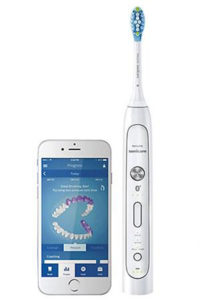
    This toothbrush has computer components built in that will track your brushing habits and give you recommendations to do a better job. The verge’s article says it’s “you-missed-a-spot for dental hygiene.” For someone like me who thinks brushing my teeth is boring, it’s a struggle to do it for as long as is recommended. A smart toothbrush would be pretty good accountability for me. Plus, since I’m a tech nerd, it would probably make me a bit less annoyed to stand in one spot for two minutes with a brush in my mouth.

    Toothbrush Game Controller

    There’s also a smart toothbrush option for the kids but theirs has a game built in. I know, the kids get all the good stuff. The game helps coach the kids to brush all of their teeth and take all the time necessary. It will distract them from the time they are spending brushing by letting them battle monsters by moving the brush to different areas of their mouths. The app on a phone or tablet provides the instructions and how well they follow those instructions will determine if they win the game or not.

    Connected Appliances 

    Another major product being featured at CES is the connected appliance. I wrote about the washer and dryer yesterday but there are refrigerators, ovens, trash compactors, dishwashers, and even a toaster that will communicate with each-other and allow you to control them from your smartphone or other controller. The apps will let you adjust settings on your washer and dryer, monitor your home while you’re away, and even turn off the off the oven if you’re coming home late. It’s all connected and it’s becoming the majority of what these appliance companies are producing.


    Should Your Family Be So Connected?

    I look at a smarthome like social media. There are things that make sense for some folks that don’t for others. Is it cool to be on the fringe beginnings of the latest trend? Sure it is, but it isn’t always practical. I, for instance, use Facebook to promote our ministry and this blog and I use Instagram to keep track of friends, Twitter is where I turn for professional growth and information. These smarthome and connected appliances fall into a similar category for me. There are those who are going to feel like they need a smart hairbrush, I will never see the need but some will. I may like having my kitchen all connected and controllable from an app on my phone but you may not. Chalk it up to “different strokes for different folks.”

    As for safety and security, the more connected you become,  the more you’ll have to keep an eye on how you’re protecting your family. This entire site is dedicated to the fact the being connected online comes with risks. While your oven may not lead your kids down a road to temptation, what if you daughter uses that smart mirror to compare herself with photos of people she thinks is more beautiful? What if your son is using it to watch videos you wouldn’t normally allow him to watch. Some of these smart products are just new screens and new screens mean new parental controls to set up. Do you know how to do that? You should.