Tag: parenting

  • Three Apps that Can Help Any Parent

    Three Apps that Can Help Any Parent

    We spend a lot of time on this site talking about what apps you shouldn’t let your kids have. For this Friday post I would like to share a little bit about some apps you should get for yourself. I found as I dig around the internet that there are new resources for parents being released all the time. Digital resources are a new way to help you be safer, more organized, and more efficient.

    1. Mothership (by FamilyTech)

    Mothership is a great way to organize all the tasks that you need done in your home. It will pair with other apps like chore monster to distribute some of the needed duties to the members of your family. Mothership is a great idea for the family who is looking for ways to reward kids for doing chores and ways to organize the things everybody needs to get done. There’s even an app I can help mom and dad’s reward each other for accomplishing the tasks they need to do, it’s called Honeydo. We just recently wrote about the fact that Disney circle will connect with mothership to use screen time as a reward.

    2. Daniel Tiger App for Parents

    If you have young children like we do and you may find yourself constantly watching Daniel Tiger. That’s not so bad since some of the songs Daniel tiger sings can help you convince your kids to do the right thing. This app takes that into account. With songs, ideas for conversation starters, and follow up questions, The Daniel tiger for parents app gives you some cool tools to help you bring their love of the character into their learning. The Daniel tiger for parrots app is free on iTunes or android.

    3. Life 360

    As your kids get older you’ll find yourself off and wanting to keep track of where they might be. The life 360 app makes that as simple as opening a map and see for yourself. This app is created to help you stay connected to your family runs on a mobile device and let you if you found the numbers on the map communicate with them, and receive alerts when they arrived at their destination. You can even pay for more features that will allow you to get an alert if they use the phone while driving and many other cool features. These features only cost you about $2.99 a month or $25 a year. That is a small price to pay always know where your kids are and if they’re safe.

    The internet can be a dangerous place. But it also can be very useful. If we as parents learn how to leverage the benefits of digital life we can help our family be more organized, safer, and smarter. Keep informed of the latest trends in social media and other family relevant tech news by subscribing to our mailing list. You’ll also get free access to the online version of our Setting Digital Boundaries Workshops.


    Get all the latest family tech news in your inbox.

    * indicates required


  • Snapchat isn’t Just a Messenger Anymore

    Snapchat isn’t Just a Messenger Anymore

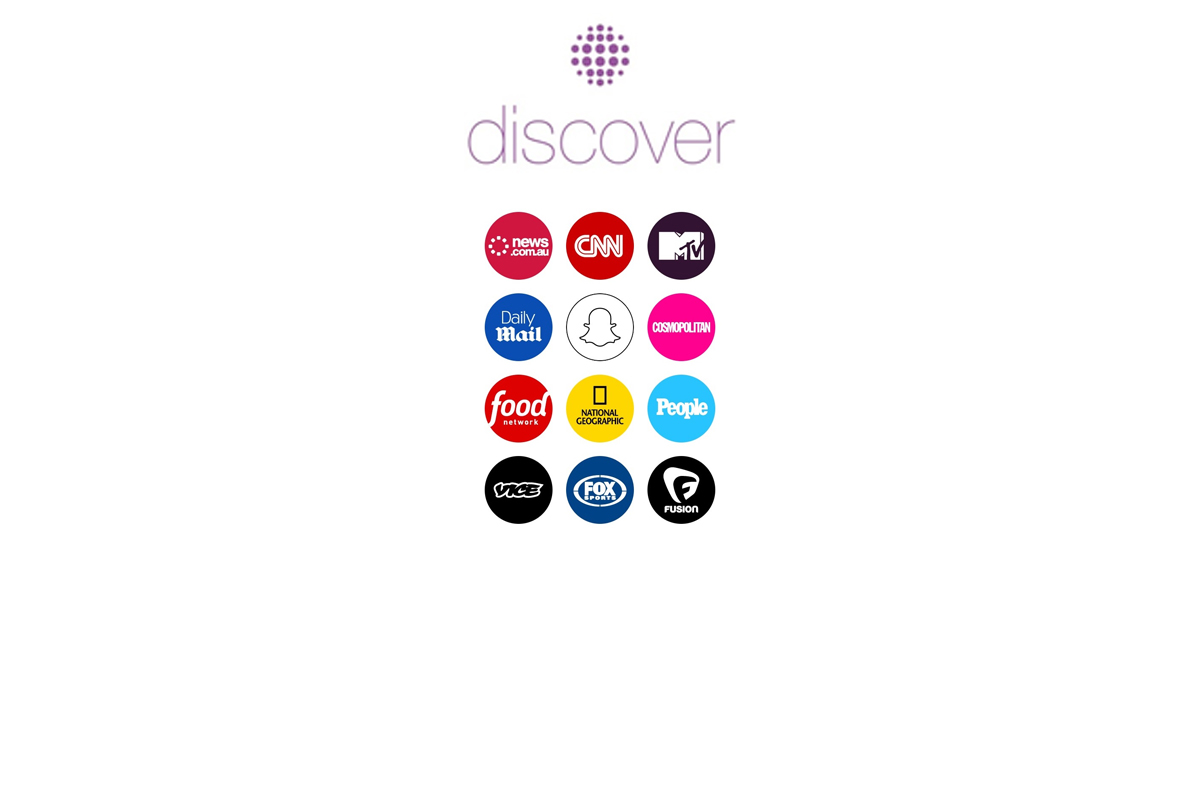
    It may have all started with “secret” messaging but it hasn’t stopped there. Soon public sharing became the norm on Snapchat, a feature that was copied by many other Social Media networks soon after it’s release. Then, Snapchat’s “Discover” page was released, this was a way for news and media corporations to reach the users of Snapchat with their messages and advertising. Lately, Snap Inc. has been working towards becoming a serious form of entertainment for it’s users, incorporating videos and even original show content into their network. Today, VICELAND has announced they’re producing several new shows exclusively for Snapchat. They’re starting with a “reality” dating show titled “Hungry Hearts with Action Bronson.”

    VICELAND Productions is following several other studios in making original shows for Snapchat. Networks including NBC, CBS, and A&E have already announced that they’re making versions of their existing shows for viewing on Snapchat. These studios are seeing the growing adoption of Snapchat as an opportunity to reach a broader audience with their shows and content. One of the fastest growing demographics on Snapchat is the 18-35 age-group, one of the main target audiences for the late night and primetime television networks. With this trend towards entertainment content on our social media apps, it’s important that parents are aware of what these apps are becoming, we have to make good decisions on whether or not we want our kids consuming the media they’re producing.

    What Parents Should Know

    Snapchat isn’t a trend and it’s not just a messenger anymore. What was once the “Secret Message App” or the “Sexting App,” as some called it, is now a major source of media for those who use the social media platform. This means we have to treat it differently than we do many social media apps. Keeping track of who they are friends with on these networks isn’t enough anymore. We have to keep a few things in mind if we are going to allow our kids to use Snapchat, Instagram, or any of these other apps that give advertisers and media content creators a direct outlet to our kids.

    Same Media as TV, Movies, YouTube, or Games.

    The creators of the content that will be made available through social media (Facebook has been signing agreements with media companies too) aren’t producing special more family appropriate shows. They will be making content that will reflect every other media outlet they produce for. Think YouTube Red, Netflix, or Amazon Prime. In fact, some of the rules that apply to broadcast television don’t apply to shows that are streamed online. This means that you’re more likely to see content like on Game of Thrones or Orange is the New Black than something with more restrictions like Blacklist or CSI. Don’t let the fact that these programs are being produced for free public streaming online fool you. They won’t be family friendly or edited for content.

    No Parental Control

    Snapchat currently has no parental control options. Their app is geared towards teenagers so they most likely won’t feel the need to add parental restrictions any time soon. The terms and agreements on most social media services allow for accounts to be created as long as you’re 13 years old or older. The question you have to ask is whether or not you’re ok with your 14-15 year old watching online reality dating shows or politically fueled sketch comedy. If you aren’t ok with these things then you have to make a choice about whether or not snapchat is welcomed on your kid’s phones or tablets.

    All or Nothing

    Social media apps are basically creating an “all or nothing” atmosphere for content created by these media outlets. Once you have an account on Snapchat, you have access to all that is contained in the app. Every person can be a friend or follower, every feed can be found and viewed, and every original show, no matter the target audience, will be available for viewing. With no parental control options the question isn’t what Snapchat content will be allowed, it’s “all or nothing.” They can see all of it, or none of it, those are your only choices. 

    Whatever you choose, you need to be educated about what these social media apps are producing. Keep checking in to Safe.BecauseFamily.org for up to date tech news that’s relevant for your family. Also, sign up for our Safe Online Newsletter. Just fill in the short form below.


    Sign Up for the Latest Family Tech News in Your Inbox

    * indicates required


  • Kiddle is the Safe Search Your Family is Looking For 

    Kiddle is the Safe Search Your Family is Looking For 

    It’s next to impossible, once your kids reach a certain age, to keep them off of the internet completely. Schoolwork requires online research and so do many other activities that kids enjoy these days. What you need is a solution that will help you fully protect your kids while they search. That’s where Kiddle.co comes in.

    These days we need to be parents and educators in the online world as well as the real world. The internet is a great educational and recreational resource that can help children learn and satisfy their curiosity about life.

    The websites included in Kiddle search are recommended by educators, librarians and parents from across the globe as well as websites our own editors have used in schools or for homework within the K-12 age range. – Kiddle.co/internetsafetytips


    Kiddle is a safe search engine powered by Google. The beauty of Kiddle is that, for most searches, it features curated, kid relevant results. While google ad results do often show up first, they’ll be family friendly and related to the topic searched.

    Obviously, inappropriate searches are blocked with an angry looking robot telling you to try again. It will also filter out inappropriate results to searches that should be safe but sometimes aren’t. For example a search for some pop star they’ve heard of will produce results but the images shouldn’t be adult oriented and news articles about their indecent activities at the club won’t show up.

    What Parents Should Know

    Kiddle is branded and designed for children but it’s a good solution for your kid or teen who needs to do some research while you aren’t looking. I recommend using sites like Kiddle to help kids with homework so that you can be sure they’re only seeing results that are safe.
    Also, Kiddle has some pretty good advice and tips for parents and educators on their site as well. Just head over and take a look. I’m confident you’ll be pulling it up the next time your child has a science project or history paper due.

  • The Risks of a Fully Connected Home Part 3

    The Risks of a Fully Connected Home Part 3

    Security and advertising are the most obvious concerns when it comes to connecting your appliances and devices via smarthome technology. We must take precautions to protect our identity and our privacy. We should also be careful in our new wifi connected homes with the content that can come across these connections. In this final part of our Connected Home series we’ll talk about the content available on our smarthome devices and what we can do to filter that content.

    Unsupervised Content

    After a recent Setting Digital Boundaries workshop a  mother asked me what I knew about the parental controls on Amazon Echo. I hadn’t ever set one up and hadn’t really looked into them so I didn’t have many answers for her at the time. She told me why she had asked: her daughter likes to ask Echo to play songs that she likes but she’s young and her words don’t always come out sounding like they should. This causes the Echo to mis-hear what is said and the devices has, more than once, played a song that is not from any playlist they’ve set up and is not at all appropriate for a young toddler. With the increasing popularity of the Amazon Alexa and Google Home parental controls are becoming a major topic on tech forums and blogs. The reason it’s such a major part of the discussion is because there aren’t (yet) any real parental controls.

    On the Amazon products you can set a pin to make purchases. This will keep your child from making an order and you being shocked to find a two hundred dollar doll house at your door. That’s about it, though. There aren’t any music or video rating limits that you can set. There aren’t any separate voice commands that will let Alexa know the child is in the room. So far, there isn’t much. Google only has the filter settings you’ve given YouTube to protect from inappropriate content. These filters are strictly for video content though and won’t block explicit lyrics.

    It’s likely that more effective parental controls will become a reality on these popular products sooner rather than later but until then you should take precautions to keep your children from encountering more of the internet then you’re ready for them to connect to. 

    What Parents Should Know

    My advice is to hold off on extensive use of Alexa, Echo, or Google Home until real parental control options are made available. If you have already been using these devices or you’ve decided you can’t live without them I recommend setting up what restrictions are available. Protect yourself from surprise purchases with a pin on your Alexa or Echo and set your YouTube filter to protect your children from videos you wouldn’t want them to see. Other apps or web video and audio services that have parental controls may protect your family when connected through your smarthome device as well. Right now this is about all you can do but if you’re going to use these devices then something is better than nothing.

    Should Your Home Be Connected?

    The level of connectivity in your home is obviously a choice your family has to make. There are absolute benefits to having your house connected to a network and working together to make your life easier. The reality, though, is that these conveniences could come at a cost. Some may feel the cost isn’t that high and some may say it’s unfounded fear or foil hat conspiracy theory. My advice is to just stay informed. No matter your decision become a student of the way your connected home works. Reset passwords often, and don’t store your personal data somewhere that is easily accessible through your smart home device network. If you just use common sense and think ahead of the potential risks you may be able to be wired up like it’s the year 2025. Just do it with wisdom.

  • The Risks of a Fully Connected Home Part 1

    The Risks of a Fully Connected Home Part 1

    If there’s one thing that CES 2017 showed us last month, it’s that the “internet of things” is our future. Our world is becoming increasingly more connected and so are our homes. Everything from your television or thermostat to your mirror or even your toaster can be intertwined in a web of wireless connectivity. These advances in technology offer new and exciting levels of convenience but what are the risks involved in being so connected all the time? This three part series of posts will help you weigh the potential risks of home connectivity and make a knowledgeable decision for your family.

    Internet Privacy

    There have been news reports about hackers playing with people’s wifi enabled thermostats, unlocking their smartphone controlled door locks, turning on closed circuit security cameras and even baby monitors. Many of these connected home appliances come with basic, easy to guess passwords and usernames and can be messed with very easily. The best advice for these types of products is to always change the username and password from the one that comes pre-designated. Now, however, more families are inviting a new digital personal assistant product into their home.

    Many experts are looking at smart home and “PA” devices such as Amazon Alexa/Echo and Google Home with some caution due to their microphone “always listening.” There has been much conversation among internet privacy and security experts about the risks involved with a device in your home that can hear every conversation you’re having. Amazon and Google both say that their products were designed with privacy in mind and that they don’t store any information you say that wasn’t preceded by the command words. (i.e. Ok Google or Hey Alexa) What you say after you activate the devices is stored on an encrypted server but spokespersons for the companies are silent on what happens to the data after that. They only admit that your voice patterns and speech is being monitored to help the devices become better at recognizing you.

    What Parents Should Know

    “These devices are microphones already installed in people’s homes, transmitting data to third parties,” Joel Reidenberg, director of the Center on Law and Information Policy at Fordham Law School in New York City, told USA Today. “So reasonable privacy doesn’t exist. Under the Fourth Amendment, if you have installed a device that’s listening and is transmitting to a third party, then you’ve waived your privacy rights under the Electronic Communications Privacy Act.” – Tec.Mic

    Using a device like Alexa or Google Home effectively waives your right to privacy in your home. While you can mute the device to turn off the microphone, that decreases the convenience and usefulness of the product. When you use the product, however, you are accepting the terms and agreements and are allowing a microphone to be “always listening” (Google’s words) during all of your conversations. Be sure, if you think you need to be this connected, to read all of the legal documentation and make sure you feel confident that the risks you may be taking are outweighed by the benefits of having a “smarter,” more connected home.

  • YouTube Kids Adding Original Shows and SmartTV Support

    YouTube Kids Adding Original Shows and SmartTV Support

    YouTube Kids has now been around for over two years. I’m still amazed how many parents don’t know about the curated kids streaming app. It is a pretty good safe alternative to YouTube’s more open and unsecure content. An announcement today could make YouTube Kids an even better option for your family.

    Today YouTube announced that they are going to launch four new original shows on the kids app. The shows will use people who already have a strong YouTube presence and be available only to YouTube RED subscribers. Shows like “Fruit Ninja; Frenzy Force” will be designed for younger kids while there will be a couple of shows, such as “Hyperlinked” (starring tween YouTube Music stars L2M) that are geared for children a bit older. There are more shows scheduled for the lineup and they range from animated cartoons to unscripted reality shows.

    Along with this announcement, YouTube has said they will soon be rolling out support for YouTube Kids to be viewed on SmartTVs from Samsung and LG. This will mean that content from YouTube Kids can come to life on a larger screen and be viewed more easily by more of the family at the same time. It seems that YouTube is really working to become a major player in the streaming entertainment world. New YouTube Red shows are coming out all the time and you can see many YouTube stars being interviewed on more mainstream media talk shows like Jimmy Fallon to promote YouTube’s original content. We are entering a new age in digital entertainment so be ready and pay attention.

    What Parents Should Know

    YouTube Kids is a good option for parents whose children enjoy watching videos on the streaming service. It’s a lot better than the YouTube app in which they can be as few as two clicks away from some type of violent or inappropriate adult content. While YouTube Kids is better, it isn’t without it’s faults. You will still want to put your eyes on what your children are watching every now and then. The original content means that, if you’re a RED subscriber, you will have a bit more than the clips from PBS shows, lets play, toy unboxing, and science videos. That’s a good thing but you’ll want to be aware of which shows are designed for what age audience. The trend is for messages in kids entertainment to lean towards kids a few years older than the target age of the shows.  That means you young daughter could be watching a show by music sensation L2M about what it’s like to be in High School. This could lead to eventual trouble if you aren’t aware of the message they are getting from the show.

    I always recommend parents having a total knowledge of what their children are spending their time doing. These original content shows may be designed for children but it’s important to remember that only you can decide if they were designed for your children. Nobody knows your kids like you do so only you can make the right entertainment decision for them. You should just allow unsupervised viewing of anything you’ve never seen, even if it is meant for children. Should your kids watch streaming content on YouTube Kids? If they are already using YouTube then absolutely yes. Should they watch the original content and use your tv to view it like other shows? That’s entirely up to you, just be sure your decision is based on knowledge, not a trust that the term “KIDS” always means safe.

  • Early Spring Cleaning on the Snapchat Discover Page. 

    Early Spring Cleaning on the Snapchat Discover Page. 

    Last fall I shared a video about my distaste for Snapchat. It wasn’t about the images being shared as much as some of the inappropriate things you could find on their Discover page. This week Snap Inc. has announced that they’re going to be cracking down on inappropriate images, clickbait, and fake news in their Discover feed.

    Since the company is soon going to release shares to the public they’ve decided that their Discover page should be more serious about how users get their news. They will be asking publishers to use an age gate for images that might be deemed inappropriate for younger users. This gauge gate will not apply for folks who are older but could help parents keep some of our younger teens from seeing things we don’t want them to see.

    Since the Discover page came out a couple of years ago it is becoming one of the main sources of news for the young users on Snapchat. This fact is another major reason Snap Inc. has decided to clean up some of the content. Publishers like MTV and Cosmopolitan have been accused of posting images that some call obscene. This will have to stop soon since the new regulations take effect this week and the age gate will apply as early as next month.

    What Should Parents Know

    This latest news confirms my concerns about the Snapchat discover page. Thankfully it’s news that includes fixing some of the problems I had with it. My recommendation is that parents keep tabs on what your kids are doing on Snapchat. Take a look at the Discover page every few days yourself and see what news articles are being shared and what images are being used to promote them.

    It is also important to pay attention to how you get your news. Not checking facts and falling for clickbait isn’t just a problem with young social media users. This is something that is been in the news for all people lately. Lead by example and be sure to talk with your kids about how they use social media, where they get their news, and how they can find out if it’s accurate or appropriate before they share.

  • Who is To Blame for the Dangers of Technology?

    Who is To Blame for the Dangers of Technology?

    Someone is Suing Apple…Again.

    Who’s to blame when the dangers that technology can present become a reality? A series of lawsuits filed in California against Apple claim that we can blame the developers of that tech. California resident Julio Ceja is suing Apple to force them to apply a feature that will lock out an iPhone when you reach a certain speed. He says that they have already filed a patent for the technology to use gps speed to lock a phone. Ceja isn’t suing for any money, except for legal costs and court fees. Apple is claiming that the responsibility for safety lies with the user of the phones to turn off notifications or use “Airplane Mode” while driving.

    Texting and driving are frowned upon everywhere and even illegal in many states but the responsibility has traditionally lied with the driver, not the company who made the phone. Developers of smartphones will say that they can’t ensure that their product will be used as they recommend and therefore they can’t be blamed for any dangers that come from the use of their phone or tablet. These cases are pretty important because they will set a precedent for what safety concerns companies will have to think about as they design, produce, and update their products. We will also learn how much responsibility is considered by law to be personal.

    Parents Should be the First Layer

    …Ceja alleges that Apple willfully did not implement a lock-out mechanism out of a choice to emphasize its business over customer safety, a choice that he believes is an example of “unfair business acts and practices” under California’s Unfair Competition Law. – TechCrunch

    The courts will decide whether or not Apple is guilty of unfair business acts but as parents, we have to look closely at the question of responsibility with tech.  Yes, there is a level of concern that is acceptable for a company to consider when they are producing a product, however, the first layer of responsibility should lie with parents. No, your kids shouldn’t text and drive and they are hearing that from all over. The question is “are they hearing it from you?” Are they seeing something different from you? If you are texting and driving while your kids are hearing the message that it’s wrong and dangerous, then you are removing a layer of education that can be critical to your child or teen’s safety. Our example is very important.

    Texting and driving isn’t the only issue. Frustration with video game addiction or contact with adult content online is understandable but if mom and/or dad aren’t setting any boundaries to help their kids learn healthy behavior, the company who made the video game can’t be blamed. Neither can the pornography industry. The message we send our kids about healthy media and technology practices will set them up for their own behavior in the future. Pay close attention to not only what you say, but even more importantly, what you do.

  • This App Turns Deleting Bad Photos into Good Clean Fun

    This App Turns Deleting Bad Photos into Good Clean Fun

    The Struggle is Real

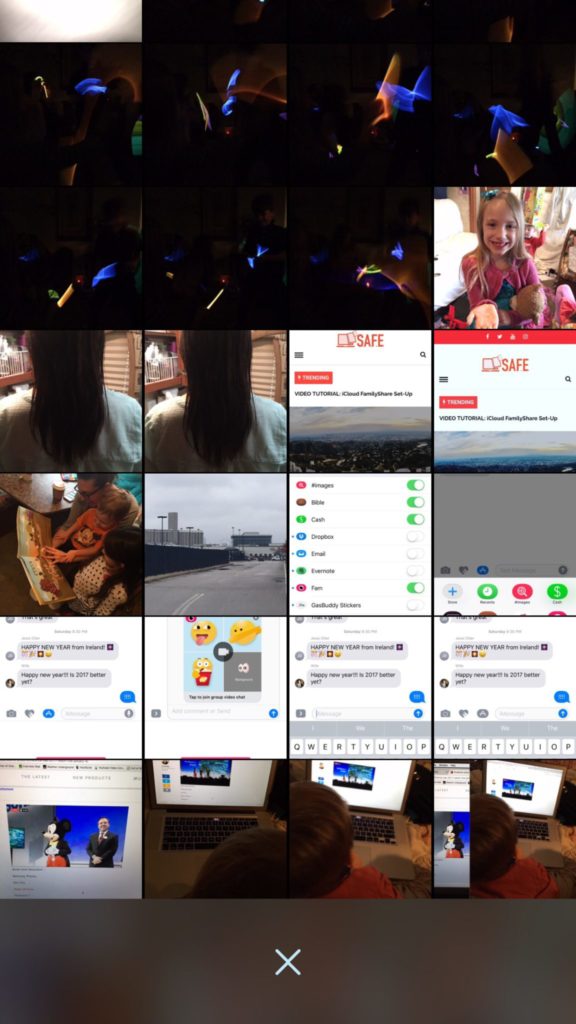
    Taking photos of a two year old, five year old, seven year old, and nine year old is a process. We’ll take six to ten to find the one that looks good. The result of this is our phones filling up with a crazy number of unusable pictures that don’t get deleted because, well, it’s a pain in the butt. Photowipe is a new app that will make deleting those unintentionally motion blurred pics easier and maybe a little bit fun.

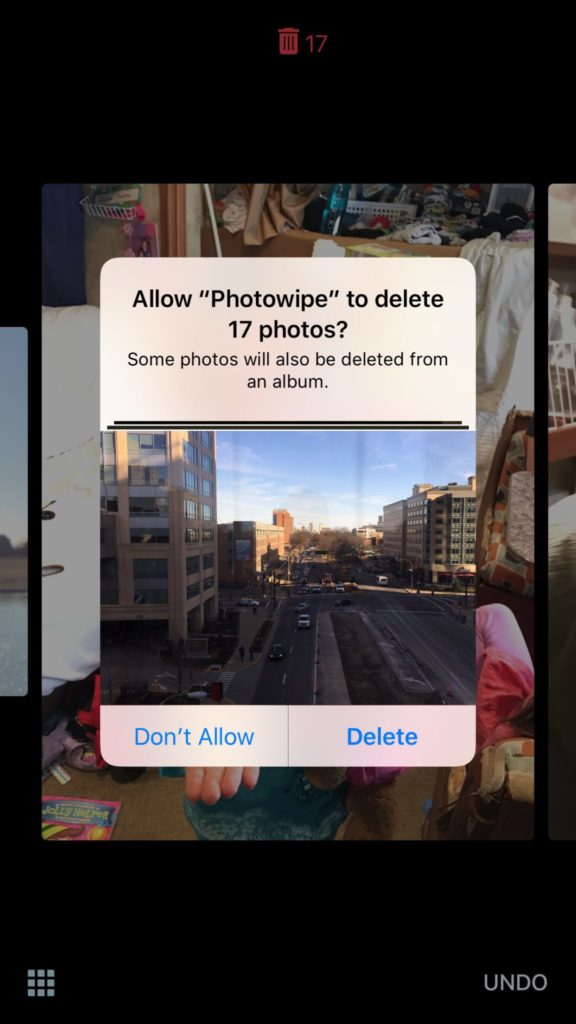
    The app will show you large versions of the pictures on your camera roll and will delete them based on your gestures on the phone. Simply swipe to the side to see the next photo or swipe up to add the current picture to the “trashcan.” The deleted photos will be stored for thirty days in a trash folder unless you force delete them all, which I will be doing every time.

    Also Read: Are your teens hiding photos in a calculator?

    We Say Give it a Try

    It’s a pretty good idea and actually a bit crazy that it’s just now come to be. Now it’s super simple to get rid of those pictures of your toddler’s nasty spaghetti face that you took because you thought it would make a good text message to your husband or all the memes you’ve saved to your camera roll to post in Facebook comments. You can use the slideshow below to get started.