Tag: notifications

  • How to Turn on Social Media Post Notifications

    How to Turn on Social Media Post Notifications

    One of the easiest ways to keep track of your kids activities on Social Media is to follow their accounts yourself. Some social media sites make it even easier to monitor by allowing you to turn on notifications. The major social media apps allow it but the way you set each up is very different. The video below is a walkthrough of how to set up post notifications on Instagram, YouTube, Facebook, and Snapchat. Remember that following your kids is good and being notified when they post is even better. Communication is, however, more important than any of it. Be sure to let your kids know you follow them and that you’re getting these notifications. Hopefully the video below will help you out.


    Give us a hand…

    We are currently raising funds to keep these videos and articles free for you to learn and apply. Please consider checking out our fundraiser by clicking the link below. Thank You.

    BECAUSEFAMILY HUSHATHON

  • PODCAST: Date Night Monkey Business

    PODCAST: Date Night Monkey Business

    Amazon is changing the parental controls game, Instagram has 200 mil users, and MONKEY is a hotbed for predators.

    FAMILY TECH WEEKLY EPISODE 3

    Social Media Links

    Facebook: http://facebook.com/4pointfamilies

    Instagram: http://instagram.com/becausefamily

    Twitter: http://twitter.com/becausefamily

    Newsletter Signup

    Ministry Updates:: http://eepurl.com/R7Btr

    Weekly Blog Posts:: http://eepurl.com/cvnhXD

    Websites

    Ministry Site:: http://becausefamily.org

    Tech Blog:: https://safe.becausefamily.org

    Michael’s Speaking Info:: http://kmichaelprince.org

    Donate and Affiliate Links

    http://BecauseFamily.org/partnership

    Music by incompetech.com

  • Snapchat isn’t Just a Messenger Anymore

    Snapchat isn’t Just a Messenger Anymore

    It may have all started with “secret” messaging but it hasn’t stopped there. Soon public sharing became the norm on Snapchat, a feature that was copied by many other Social Media networks soon after it’s release. Then, Snapchat’s “Discover” page was released, this was a way for news and media corporations to reach the users of Snapchat with their messages and advertising. Lately, Snap Inc. has been working towards becoming a serious form of entertainment for it’s users, incorporating videos and even original show content into their network. Today, VICELAND has announced they’re producing several new shows exclusively for Snapchat. They’re starting with a “reality” dating show titled “Hungry Hearts with Action Bronson.”

    VICELAND Productions is following several other studios in making original shows for Snapchat. Networks including NBC, CBS, and A&E have already announced that they’re making versions of their existing shows for viewing on Snapchat. These studios are seeing the growing adoption of Snapchat as an opportunity to reach a broader audience with their shows and content. One of the fastest growing demographics on Snapchat is the 18-35 age-group, one of the main target audiences for the late night and primetime television networks. With this trend towards entertainment content on our social media apps, it’s important that parents are aware of what these apps are becoming, we have to make good decisions on whether or not we want our kids consuming the media they’re producing.

    What Parents Should Know

    Snapchat isn’t a trend and it’s not just a messenger anymore. What was once the “Secret Message App” or the “Sexting App,” as some called it, is now a major source of media for those who use the social media platform. This means we have to treat it differently than we do many social media apps. Keeping track of who they are friends with on these networks isn’t enough anymore. We have to keep a few things in mind if we are going to allow our kids to use Snapchat, Instagram, or any of these other apps that give advertisers and media content creators a direct outlet to our kids.

    Same Media as TV, Movies, YouTube, or Games.

    The creators of the content that will be made available through social media (Facebook has been signing agreements with media companies too) aren’t producing special more family appropriate shows. They will be making content that will reflect every other media outlet they produce for. Think YouTube Red, Netflix, or Amazon Prime. In fact, some of the rules that apply to broadcast television don’t apply to shows that are streamed online. This means that you’re more likely to see content like on Game of Thrones or Orange is the New Black than something with more restrictions like Blacklist or CSI. Don’t let the fact that these programs are being produced for free public streaming online fool you. They won’t be family friendly or edited for content.

    No Parental Control

    Snapchat currently has no parental control options. Their app is geared towards teenagers so they most likely won’t feel the need to add parental restrictions any time soon. The terms and agreements on most social media services allow for accounts to be created as long as you’re 13 years old or older. The question you have to ask is whether or not you’re ok with your 14-15 year old watching online reality dating shows or politically fueled sketch comedy. If you aren’t ok with these things then you have to make a choice about whether or not snapchat is welcomed on your kid’s phones or tablets.

    All or Nothing

    Social media apps are basically creating an “all or nothing” atmosphere for content created by these media outlets. Once you have an account on Snapchat, you have access to all that is contained in the app. Every person can be a friend or follower, every feed can be found and viewed, and every original show, no matter the target audience, will be available for viewing. With no parental control options the question isn’t what Snapchat content will be allowed, it’s “all or nothing.” They can see all of it, or none of it, those are your only choices. 

    Whatever you choose, you need to be educated about what these social media apps are producing. Keep checking in to Safe.BecauseFamily.org for up to date tech news that’s relevant for your family. Also, sign up for our Safe Online Newsletter. Just fill in the short form below.


    Sign Up for the Latest Family Tech News in Your Inbox

    * indicates required


  • You May Be Shocked by the Top Grossing Mobile Games of 2016

    You May Be Shocked by the Top Grossing Mobile Games of 2016

    The way game developers make their money has changed quite a bit over the past several years. There was a day when you would just purchase a video game and then play the whole thing until you either got tired of it, beat it, or wore it out. Nowadays we have access to so many mobile games on our phones and tablets that don’t ask for any money up front. Somehow, though, these “Freemium” games end up being the ones that make the most money every year. How is that?

    If you have spent any time playing these games you have experienced it yourself. You download a game that looks awesome in the commercial and in the app store. You get started and enjoy the gameplay right away. Soon, however, you seem to stall out a bit, or you’re playing in an open world with other real people and they all seem to be way ahead of you and are destroying your village or blowing you away on the scoreboard. What’s a gamer to do? Never fear, the premium game designers built in a way for you to get a boost to your game score or a new way to skip the long wait to let your in-game work get done so you can collect your reward. All you have to do is spend a few bucks here and there and you can play the game non-stop without any delay. This is how Freemium games make their way to the top of the money makers list. Here’s a screenshot of Statista’s top ten of 2016 list.

    Every game in that top ten list is free to download. Note that the amounts listed are daily revenue. These are dollars made from people who have decided to spend little bits of money here and there to help themselves play these games a little faster or a little better. The top game, Clash Royale, is one where you battle against friends with an army you have built. You have to use gems to build your army so you must either spend money to build your army faster or play a lot and wait for your “chests” to open and give you new soldiers (in the form of cards). Pokemon Go comes in at number two. This one will allow you to keep trying to “catch ’em all” by buying new Pokeballs when you’ve run out. Finally, numbers three and four are Game of War – Fire Age and Mobile Strike. These two games are often advertised on television and have received much criticism about the gameplay in their product being a lot different what they’ve portrayed it to be. For some, the promise of better gameplay causes them to spend money in hopes to gain more levels faster. It’s a new way to do mobile games and has even trickled into the console and computer game markets.

    It’s called DLC and stands for Downloadable Content. This is new features and game content that gamers can spend more money on to enhance gameplay or keep the story of the game going. Obviously, the success of the in-app purchases in mobile games has inspired other game developers to use this model to increase the profitability of their product. The largest difference is that you still have to purchase for the initial version of most console and computer games. As you see below on the screenshot from ThinkGaming.com, the first pay up front mobile game on the top grossing list is Minecraft Pocket Edition at number 35.

    What Parents Should Know.

    Obviously you should know that nothing is truly free. Our kids should understand that too. As I explored in more depth in our Mobile Device Vocabulary Series, there have been instances of parents finding out their kids have made very large in-app purchases without permission. There are ways to protect your accounts from money being spent unintentionally. Make sure your app store account asks for a password every time you make a purchase. If you have Apple products, set up your icloud accounts with family share so you can see what apps your kids have and make them ask permission to download anything new. Also, be sure to discuss with your children that sometimes their favorite games ask for real money. Teach them that they should ask you before agreeing to buy anything “in-game.” You don’t want a surprize charge on your credit card. While iTunes and GooglePlay have pretty good track records of refunding purchases, it’s a hassle I’m sure you’d like to avoid.


  • Instagram Adds Live Video to their Stories Section

    Instagram Adds Live Video to their Stories Section


    It’s no surprise that we are covering more news from Instagram, they’ve been busy keeping up with the likes of Snapchat. Adding Stories and disappearing private messages were just a couple of their latest moves. Today they’ve released the first change that will allow them to pass up Snapchat in the Social Media “engagement” game. Today, they added Live Video!

    Live video has been available on Facebook for a while now so it’s a bit of a no brainer that it’s been added to their other assets. There are a few major differences between Facebook and Instagram’s live video. First, it’s the fact that Instagram’s videos disappear. Unlike making a live video on Facebook, where it will upload to your timeline and allow you to share it, Instagram’s version will end and never be seen again when you hit finish.

    Another major difference is the inability to share while you’re broadcasting. These features may change but for now they set it apart quite a bit from Facebook’s live option. The ability to go live at all is super trendy and sets Instagram apart from Snapchat which is a major win for them. It doesn’t change our view on Instagram but it can teach us a couple of things.

    What Parents Should Know.

    Snapchat is in every Social Media conversation right now, even when we’re talking about a different app. When apps like Instagram work so hard to keep up with what’s popular it’s a major sign for us as parents. We can see that live video is becoming popular on all Social Media platforms. The transparency and realism of Live Video is en vogue these days. Your kids want something real, raw, and in their face.

    As parents we have to keep this in mind while we raise our kids and keep them safe online. They are looking for something real. We have to be real with them when we are teaching them how to make good decisions. Whether it’s decisions online or offline they have to be taught in a way that your kids know is real. Your transparency and openness are critical because they can see through any facade.

    Usually I try to give you tech advice on Safe.BecauseFamily.org, but this post is all about using the trends in technology to help us learn more about our kids.


  • DirecTV NOW is Not Family Friendly Yet

    DirecTV NOW is Not Family Friendly Yet


    It’s the future! I have been saying for years that paying for cable tv service is ridiculous. What if I could just stream the channels I want and not have to buy a whole package of useless Home Improvement and Movie Channels? Well, they aren’t exactly there yet but DirecTV is getting closer with DirecTV NOW.  AT&T announced yesterday that they’re offering a television streaming service called DirecTV NOW; it’s available for purchase in bundles starting today, November 30th.

    Yes! It’s exciting to see that our TV options are expanding and even keeping up with the times a bit more. With ChromeCast, Apple TV, RoKu, and mobile access available we are finally being offered a version the tv service we wanted. Unfortunately, however, after some time with my free trial I have noticed that there is absolutely no parental control options built in for DirecTV NOW. I looked at the menus and in my account settings (there’s no option to create separate profiles, i.e. a kid profile, either.) I also tried to find a “block” option per channel to no avail. Then, a search for “parental controls” on the support and FAQ page led to no results and that was pretty much my final clue. There is currently no way to protect your kids from unwanted content on DirecTV NOW.

    That’s a deal breaker for me, especially with so much of what has become acceptable on cable television lately. Sexual activity, language, and increasing violence are mainstays in both broadcast and cable television shows. Even the commercials seem to highlight all of the features we would like to protect our young children from. I guess “keeping up with the times” comes with its costs as well.

    What’s a Parent to Do?

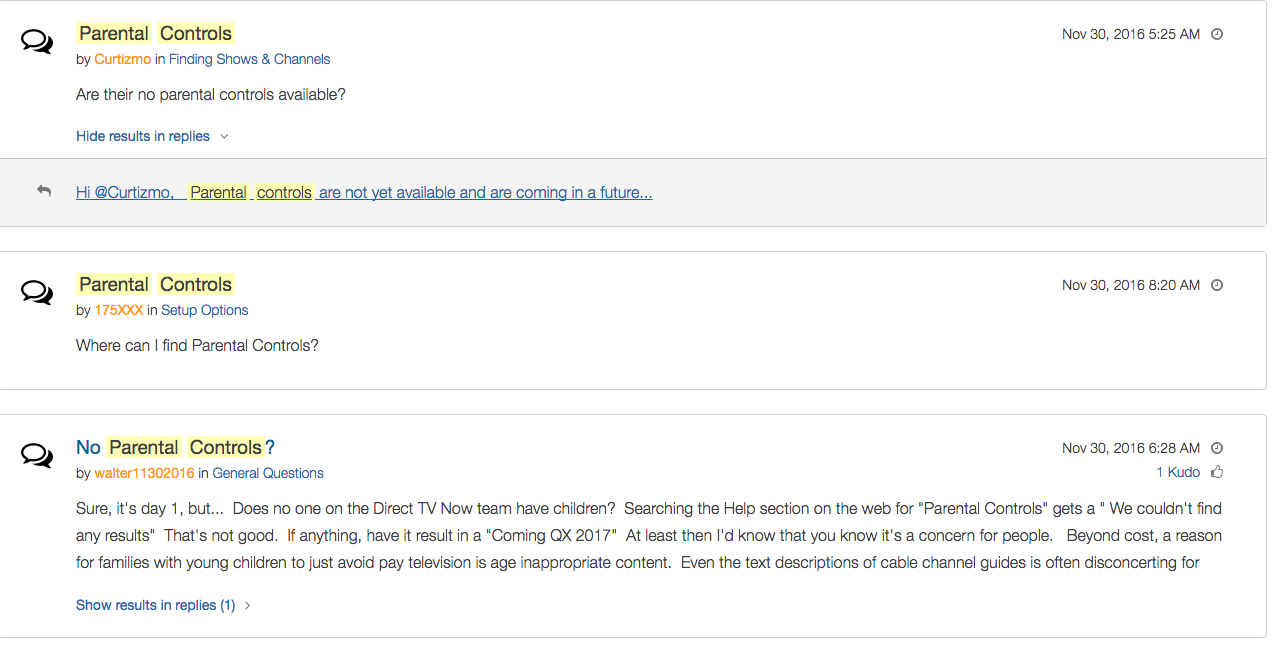
    screenshot-2016-11-30-12-15-35I would say wait. Just wait for a while and I’m betting we will see parental controls rolled out on DirecTV NOW before too long. In fact, a quick search on the AT&T Community Forums showed several concerned parents had already begun asking about this feature and it’s in development.

    DirecTV NOW looks to be a great way to save some money while still getting the entertainment content we want. Thankfully parental controls and content restrictions are becoming commonplace these days and this will be no exception. It is literally “day one” for this service so we’ll give them some time and the benefit of the doubt. You can join the future too if you’d like, I would just recommend keeping your kids off of it until you can set up some restrictions. 

  • VIDEO: FACEBOOK LIVE Q&A

    VIDEO: FACEBOOK LIVE Q&A


    Circle, Accountable2You, YouTube Kids, Young Kids and Internet Safety. All this and more in this Facebook Live video. This #givingtuesday live video was a great way to meet parent’s needs right where they are. Be sure to visit BecauseFamily.org/partnership to learn more about donating.


  • Your Kids Use “AfterSchool” So You Should See This

    Your Kids Use “AfterSchool” So You Should See This


    Some apps come out and there is no way to know the intentions of the developer. AfterSchool is not one of those apps. The vision behind this app is to turn online activity into real world interaction. In a good way. AfterSchool is an app that lets students connect with other teens in their school. Here’s what their site says about what you can do on the AfterSchool app:

    “After School’s innovative features channel students toward making new connections and friendships, and engaging in positive offline activities. …On After School, students can share openly and honestly, without fearing judgment or ridicule. They choose whether to reveal their name or remain private.” – afterschoolapp.com/about

    While these apps allow you to stay private, a lot of students choose to make their identities known. Most of the “testimonials” from teens about why they like these apps speak to being able to hear what people really think about you. They talk about everyone being open and honest on the app. Honesty and openness is good but if you are saying “what you really think” about someone, that could cause problems in the teen world.

    Yes, the creators of AfterSchool designed this app to ban bullying and hateful behavior but I still say that as a parent, we need to understand how this app works. What it does and what our kids are using it for. If they are wanting to meet up, what are they meeting to do? The app has built in features to block explicit content but there are ways around those filters. They also claim to have live moderators who keep cyberbullying and inappropriate posts to a minimum. While this is all great, there is no better moderator than mom and dad talking to their teens about what they’ve seen on the app.

    Even the creators of AfterSchool understand this and so they’ve put together an extensive guide for parents. I’ve included a link to their PDF below. I recommend you go check out the site. They boast that teens in 80% of US High Schools use AfterSchool. That means your kids are most likely using it to. You should read this:

    Click to Download the PDF
    Click to Download the PDF
  • Google Play AI and Music Customization Could Cause Privacy Concerns

    Google Play AI and Music Customization Could Cause Privacy Concerns

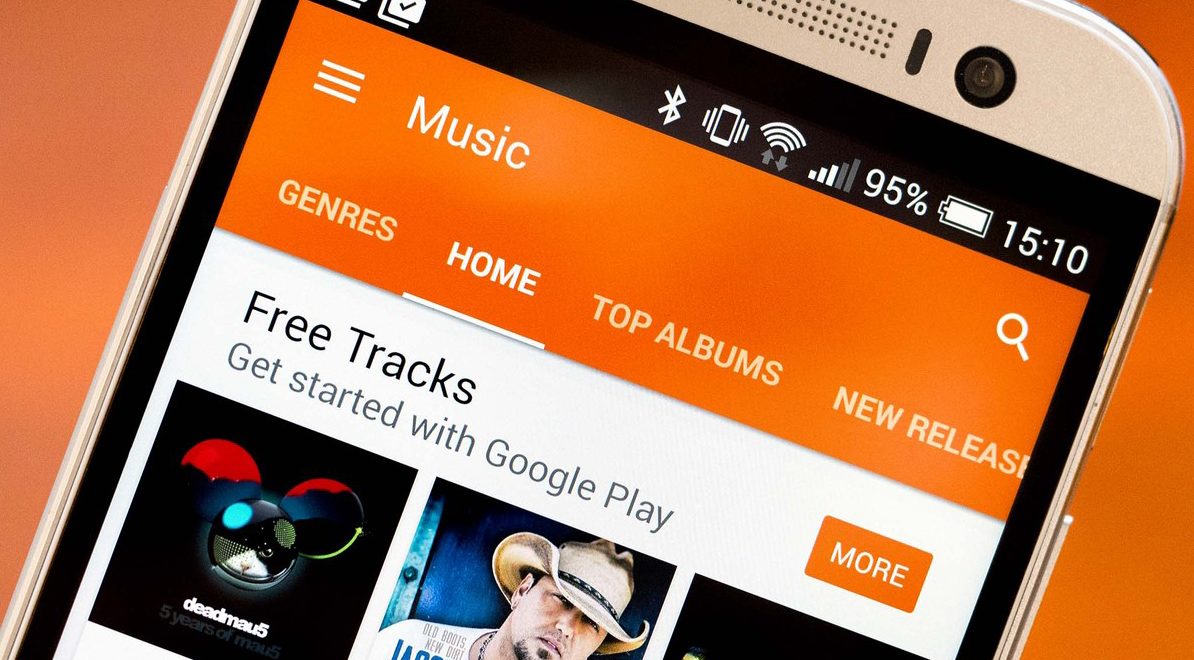
    Music streaming programs like Spotify and iTunes Music have been using your activity to recommend music for a long time. It’s cool to look at your phone to open a playlist and see some relevant artists you’ve never heard before. I’ve discovered some of my new favorite bands that way. Well, Google Play Music is going to be using some new tools to recommend this music and I don’t know how I feel about our kids and teens using them.
    Google Play AI

    The first major new feature is an AI system that is assisting your search in the Google Play store. When you type in a certain search term, your previous searches and the “language” you use to look for new apps will be taken into account while accessing your search results. Pretty complicated, I know, but it’s pretty neat. Basically, if you search for a photos app and you have looked for social sharing apps like Snapchat in the past, it’s going to include apps like that in your results. It will assume your use of the photo app will include social sharing based on your past searches. It may not be long before you have a totally personalized app store based on only your own interests. That’ll be interesting.

    Google Play Music Personalization

    You know that feeling when you walk into work and you just wish you had the right playlist to accompany you? Remember when you got in your car and wanted music but not the stuff you usually listen to, something new, yet perfect (according to someone) for driving? Ya. Me neither but apparently Google Play Music is going to start using location data and previous activity to recommend new music for you in their app.

    Yes, the app could become more customized and even more useful but won’t these changes amplify just how much of your information and activity is being tracked by Google? The app will know what you’re doing, where, and when, and all in the name of giving you some relevant music suggestions. I don’t know about you, but that seems a bit much.

    What Parents Should Know

    settingsI’m all for using a AI to help me have a more intuitive user experience. I even enjoy being recommended new albums to check out. I don’t think, though, that I need to be tracked 24/7 in order to provide me with new, relevant music options. I think we are tracked enough and there has to be a time when we say, that’s enough. Especially for our kids.

    Google Play will allow you to turn off the location history tracking, which I recommend doing on your kids’ phones and tablets. There is a link in the settings menu in your Google Play Music app. You’ll be seeing this update to GP Music this week, so keep your eyes open and go turn off that location history.

  • Facebook Messenger “Public Chats” Could Be a Problem for Parents

    Facebook Messenger “Public Chats” Could Be a Problem for Parents

    Fewer and fewer teens are on Facebook these days, which isn’t necessarily a bad thing. They’ve left the social media platform because of their parents and grandparents being on there so often, that is a bad thing. When Facebook launched their messenger app they made it possible to never use Facebook itself but still have conversations in messenger. Soon it may be possible to have those conversations in a public chat room. That, could be the new problem.

    Messenging is something that has commonly caused concern for the involved mom or dad. It’s easy to have conversations that parents never hear about and to get into discussions with people you don’t even truly know. The age old rule “don’t talk to strangers” doesn’t seem to apply online these days even though it really should. Facebook will soon be offering “Rooms,” in which users can discuss different topics and be connected by their interests. Rooms will be shared with a link and can be posted publicly to allow anyone to join the conversation.

    These rooms are different than group chats in that they allow more people than just Facebook friends and family to join. Literally anyone can join your “Room” if they have the link. Users will, however, have the option to set rooms to private and require administrator approval for a user to join. Facebook Messenger Rooms is currently being tested in Austrailia and Canada but look for it to be availible in the US before too long.

    What Should Parent’s Know?

    Obviously your children need to understand the dangers of chatting in public rooms on any social media service. Facebook messenger is one of the most common and popular so be sure to include it in your discussion. Also, pay attention to your child’s social media accounts. If you see them posting links that you aren’t familiar with or posting that they are opening up a public chat room, click through to that link and see what is going in in the “Room.” Again, you won’t be seeing this feature in messenger in the United States just yet, but be aware that other apps like WhatsApp have this feature already and you should be keeping track of what your children are doing in those apps.

    We have written extensively about mobile messaging and different terms you should know in our mobile device vocabulary series which is available with a subscription. Go sign up today and learn all you can to be ready for this coming update.