Tag: news

  • Snapmap Featured User Sourced Videos of the Florida School Shooting

    Snapmap Featured User Sourced Videos of the Florida School Shooting

    Snapchat’s “Snapmap” feature highlights news stories that are curated by their team of news editors. The team chose to feature posts from the school shooting in Parkland Florida on their map yesterday. It was comprised of Snaps from students in the school, news outlets, and passersby whom the editors thought had posted something that contributed to the viewers understanding of what was going on during the shooting. You can see that editing was done before the Snaps were put on the map because a “Warning Graphic Content” posts start the slideshow, followed by a video of what seems to be the inside of a classroom in which you can hear the gunshots from nearby. Language is bleeped out and there are no actual victims shown but you do see a couple of students who are talking about watching their friends be killed right next to them.

    Snapchat hired a former CNN exec to lead their team of news editors and they say their news team is doing their best to follow the right journalism practices. They are working to remove overly sensitive content and choosing to only feature Snaps that contribute properly to the story they are covering. Snapchat’s main audience is under 18 which likely contributed to the fact that they had so much content to use to cover the shooting in a High School. This also means though that our kids who use Snapchat, and anyone else using their map in a browser, can have access to on the scene footage of what is happening during events like this. A school shooting is a national tragedy and social media is becoming one of the most common ways that people learn about what is happening or has happened. Snapchat is attempting to provide a curated look at this news, but is that what we want our kids to see when they look at their phones?

    What Parents Should Know

    As mentioned above, posts from Snapchat are not automatically sent to the map. These posts are curated and especially selected and edited before being added. While I’m grateful for some oversite from Snapchat when it comes to sharing this news, I have to question whether or not I would want my 13 or 14-year-old to have access to some of the images seen during the shooting on Wednesday. Just seeing something so dangerous portrayed in such a real way can be damaging and cause fear in our kids. We have to look out for this and know if this is something our child can handle or not. For some of them it may be fine but for others, they aren’t mature enough to deal with that much realism.

    (Opinion warning!) I can’t tell you what’s right for your kids, I will, however, give credit to Snapchat for trying to bring some truth to the news by using information from people who are actually there. I will also keep this info from my kids for a while. There are enough things that cause fear in our lives, I wouldn’t want added influences like their social media accounts to increase that fear. Snapchat is on my uninstall list for a lot of reasons, I’m grateful they aren’t just putting every public post from one of these tragic events onto a feed that your and my kids could see but I will think long and hard before allowing my child access to this source of news.
  • Two Ways Your Snaps Can End Up Anywhere On the Web

    Two Ways Your Snaps Can End Up Anywhere On the Web

    One of my initial internet safety tips for parents is to turn off location data for their camera. Many of them do this immediately upon hearing my advice. The problem, however, is that they then jump over to Facebook and Snapchat to use that camera and their location settings are as public as can be. Today’s news gives us even more information about how your location data is used by Snapchat and Snapmap.

    Embedding

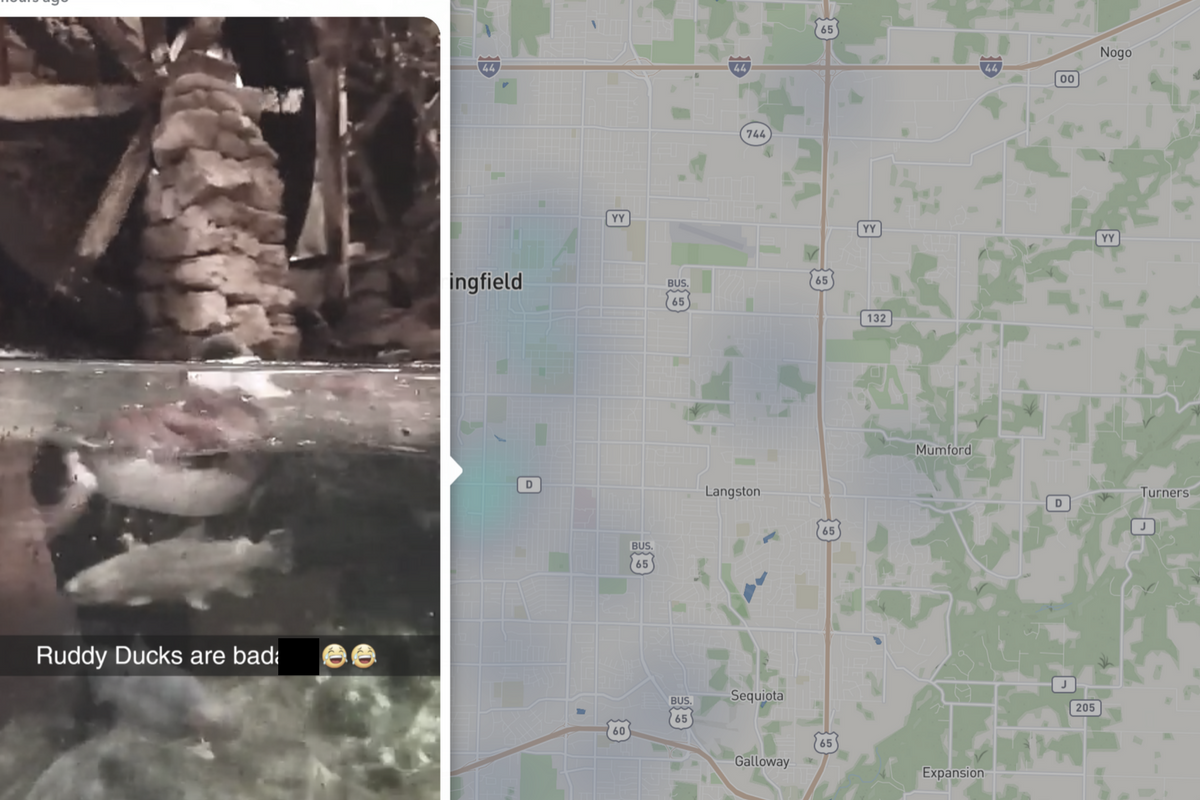
    Snap has opened up the ability to “embed” a snap into a website. This means that if your snap is public, a code can be copied and pasted so that your post shows up on the site that contains the embed code. It’s easy to do and really isn’t a new concept since public Facebook videos and photos can be embedded by default as well. I’ve embedded a snap from Disney on Ice in Des Plaines, Illinois:

    SnapMap

    Snapmap went into browsers today. This means that you don’t have to have the Snapchat app to see public posts overlayed onto a map of anywhere in the world. Concentrations of Snaps show up as colored dots that range from light blue (few Snaps) to bright red (high concentration of Snaps.) When you click on these colors you see the Snaps in a slideshow style format. They appear as most recent first and move to the past as you click or watch until the end of each post.

    Most of the Snap-map posts highlight breaking news (i.e. the recent ice storm in my area or a basketball game or concert) but it will sometimes feature posts from the general user if their posts are relevant and set to public. Posts are curated by a team of news editors. The idea is that Snapchat wants news organizations and sites to use their map to highlight current events and breaking news in real time. This offers a real opportunity to see real news, as it happens. It could also be dangerous if your kids aren’t setting their Snapchat settings to private or friends only.

    What Parents Should Know

    Location privacy is a major concern for parents. We post more of our private lives online than ever before and a map that highlights where we are and what we are up to can be considered a privacy disaster. Especially when it comes to our kids. Users of Snapchat are meant to be 13 years old or older. Some kids under than 13 spend a lot of time on the app, though, and their snaps are, therefore, available to be used as news coverage on this public map. I consider this a real problem for parents.

    I would recommend that if your kids use Snapchat, you ensure that they have their profiles set to private or friends only. Disable the Snapmap (put it in Ghost Mode) so that what they are posting won’t show up. Not taking these precautions could lead to your home address being featured on Snapchat’s map and even someone else’s website. Take location privacy serious. Talk to your kids about staying private, encourage them to never post anything they wouldn’t be comfortable being seen by anyone in the world. The internet isn’t private and social media is growing increasingly more public. Your kids need to understand that.

  • Google Has Taken Away Chromebook’s Native Parental Control Solution

    Google Has Taken Away Chromebook’s Native Parental Control Solution

    What is “Supervised User?”

    I wrote all about your parental control choices for your kids’ Chromebooks a few months ago:

    “Supervised User is an account based system that’s built into the Chrome browser. It allows you to set filters, monitor sites visited, prevent installation of apps, turn on safesearch, and change settings. You do have to use blacklists or whitelists to block websites, there is not an automatic filter built in…”

    This wasn’t a foolproof solution but it was something that could give parents a head start on protecting their kids while they use the computers their schools have given them. Supervised User, however, has been discontinued so that they can focus their attention on another “parental control option to be released later this year.” Having received several calls from parents and principles this past year asking me to help them teach parents about the controls available, I know the need for Chromebooks to be safe while kids are online. Unfortunately, the simplest, most obvious solution is no longer available. At least for a while.

    From “Google Chrome Help”

    But There Are Solutions!

    Mobicip

    For a full-featured filter option, consider Mobicip. One of the only full-service filter and monitoring apps for Chromebook, Mobicip offers a plugin that you can download from the Chrome app store. Mobicip will give you customizable filters, time limit controls, and usage reports and its pretty easy to set up. You just download the extension from the Chrome app store and then log in. It takes you through the setup steps and lets you set your desired filter levels. Once it’s all set up you can make changes from anywhere using their web-based controls dashboard. Their SUPPORT page has good How-To resources to walk you through the process.

    If you want more controls than the Supervised User option gives you then Mobicip is a pretty good choice. It’s $39.99 per year for all of the features mentioned above for up to five devices. If you are going to need to protect more than twenty devices (I’ve met families with upwards of 30) then you’ll have to get a quote for their “Enterprise” option. Mobicip is a good option and will give you quite a bit of control.

    Accountable2You

     This accountability software doesn’t block content. This software will keep an eye on what’s being viewed and then red flag and report anything that it deems inappropriate. This allows you to more easily see when something questionable has been viewed. Otherwise, you’ll spend time sifting through link after unrecognizable link to find something that may be naughty. You can even set up Accountable2You to send you a text message when an inappropriate site was accessed. The software works across all of your devices including Chromebook and is $6.99 per month for six devices and $9.99 per month for twenty devices. They have easy setup instructions on their SUPPORT page and have excellent customer service. (NOTE: Accountable2You just released their lates iOS app that will cover every browser used on an iPhone or iPad. One of the first accountability solutions of it’s kind.)

    Use SOMETHING!

    I advise against waiting for Google to release a different option. Please set something up and do it soon. Kids are using their computers for much more than school work and there is more content showing up every day that would prey on your children’s innocence and even their safety. A Chromebook is basically a machine built only to run the internet. It has little to no other use. Pretending that it’s safe just because the school issued it is foolish. Use one of the affiliate links above and set up a solution. I wouldn’t recommend something I don’t or wouldn’t use myself.

  • Taking Too Many Selfies is Officially the Latest Mental Disorder

    Taking Too Many Selfies is Officially the Latest Mental Disorder

    “Selfitis” is the new term for obsessively taking selfies and it’s being called a symptom of other, more serious, mental disorders. The study by Nottingham Trent University was held in India because of their high population and social media user numbers. Also, because of the high number of deaths caused by taking selfies in a dangerous situation. Researchers studied a focus group of 200 people and asked them questions about their selfie-taking behavior. The results had some surprises and some expected outcomes. The most likely candidates to have selfitis were men, which was unexpected, but as you may have guessed, the youngest group also scored the highest probability to suffer from the disorder.

    The idea for this study came from news stories in 2014 about selfitis becoming a recognized mental disorder. At the time these stories were false but now the term is beginning to get scientific research to back it up. The researchers’ findings are, probably, only the beginning of the information we will get about what our increasingly online lives are doing to our habits and mental condition.

    “Typically, those with the condition suffer from a lack of self-confidence and are seeking to ‘fit in’ with those around them and may display symptoms similar to other potentially addictive behaviors,” – Dr. Janarthanan Balakrishnan

    What Parents Should Know

    It’s obvious how the appeal of Instagram likes and Twitter followers can lead to obsessive behavior. This condition falls under the same category as internet, video game, and media addictions and its actual diagnosability is debatable in some psychological circles. My unprofessional but educated opinion is that anything that becomes obsessive and compulsive should be considered dangerous by parents. It can take conscious effort for many of us to avoid taking a photo or selfie to share during an event. I have often made the distinct decision to not take a photo and just enjoy a moment for myself. The study of selfitis shows that there are increasingly more people out there who cannot make that decision for themselves. The first thing they think about is what a good social media post this moment would make and then they can’t deny themselves the opportunity to share it online and see how many likes it gets.

    Selfitis and other social media related conditions will always be ridiculed because it seems like just making a decision to stop something would solve the problem. Serious professionals, however, are giving these behaviors real attention and I think we, especially parents, should too. Find out what your child’s attitude is about social media. Why do they post? How important is it to them to get likes and followers? Do they take down photos if they don’t get the amount of attention they want them to? Knowing your child’s online and social media habits can go a long way to help them have a healthy attitude towards how they represent themselves online. Mom and dad are the first line of defense and diagnosis. You should be having conversations with your kids.

    You can see the entire study HERE. Including the questions asked to those tested in the study. Maybe you can use these questions (also listed below) to see what your kids think about their selfie habits…or your own.


    Selfitis Behavior Scale

    1. Taking selfies gives me a good feeling to better enjoy my environment
    2. Sharing my selfies creates healthy competition with my friends and colleagues
    3. I gain enormous attention by sharing my selfies on social media
    4. I am able to reduce my stress level by taking selfies
    5. I feel confident when I take a selfie
    6. I gain more acceptance among my peer group when I take selfie and share it on social media
    7. I am able to express myself more in my environment through selfies
    8. Taking different selfie poses helps increase my social status
    9. I feel more popular when I post my selfies on social media
    10. Taking more selfies improves my mood and makes me feel happy
    11. I become more positive about myself when I take selfies
    12. I become a strong member of my peer group through selfie postings
    13. Taking selfies provides better memories about the occasion and the experience
    14. I post frequent selfies to get more ‘likes’ and comments on social media
    15. By posting selfies, I expect my friends to appraise me
    16. Taking selfies instantly modifies my mood
    17. I take more selfies and look at them privately to increase my confidence
    18. When I don’t take selfies, I feel detached from my peer group
    19. I take selfies as trophies for future memories
    20. I use photo editing tools to enhance my selfie to look better than others

    Scoring: Responses are rated on a 5-point Likert scale: (5 = strongly agree; 4 = Agree; 3 = Neither Agree or Disagree; 2 = Disagree; 1 = Strongly Disagree). Scores are summed. The higher the score, the greater the likelihood of selfitis

    Items 1, 7, 13, and 19 relate to environmental enhancement – Items 2, 8, 14 and 20 relate to social competition – Items 3, 9, and 15 relate to attention seeking – Items 4, 10, and 16 relate to mood modification – Items 5, 11, and 17 relate to self-confidence Items 6, 12, and 18 relate to subjective conformity


  • This Week So Far: Social Media News

    This Week So Far: Social Media News

    Youtube want’s 10,000 people making sure their videos are safe.

    YouTube has been blasted recently for allowing inappropriate videos onto their kids app and allowing abusive comments on videos featuring children. They responded by shutting down some abusive channels and working harder to fix their algorithms that identify videos as safe for kids. Their latest change is going to increase the manpower involved in curating kid-safe content.

    YouTube claims that they are aiming at 10,000 new employees whose job it will be to strengthen their algorithms, enforce reviewing policies, watch and remove flagged videos, and respond to concerned users about content. This increase in manpower should be a step towards a safer YouTube but is it too late?

    Several companies have already pulled their advertising from YouTube stating that the platform needs to fix their content policies. YouTube responded fast once their bottom line was affected. This is good for parents since more people responding to problems should keep some of the worst video content off of YouTube.

    You can save your Instagram Stories posts.

    Instagram Stories is in the news again and this time they’re making it permanent. Until now your Story videos and photos lasted 24 hours and then disappeared. Instagram’s latest update now gives you the option to turn on archiving for Stories. Once turned on the archiving feature will save your Story videos and photos alongside the ones you’ve archived from your main Instagram posts.

    Archiving Stories can be a good tool for parents to use to keep their eyes on what their kids have been uploading to Instagram. Have your kid turn on this feature. If you are logged into their account on your phone you can turn the feature on yourself and see what they have shared even if you don’t check every day.

    What Parents Should Know

    With the release of the Facebook Messenger Kids app, YouTube trying to make videos safer, and Instagram making videos and photos more permanent, we are seeing some movement towards a safer social media experience. Still, the dangers exist and we have to be vigilant as parents to know was happening and what our kids are doing on social media. Hopefully, these updates keep you in the loop and help you make quality decisions for your family.

  • Social Media News: Youtube, Snapchat, and Instagram Update Information

    Social Media News: Youtube, Snapchat, and Instagram Update Information

    Here’s a rundown of the social media news for this week thus far.

    Snapchat is changing “everything.”

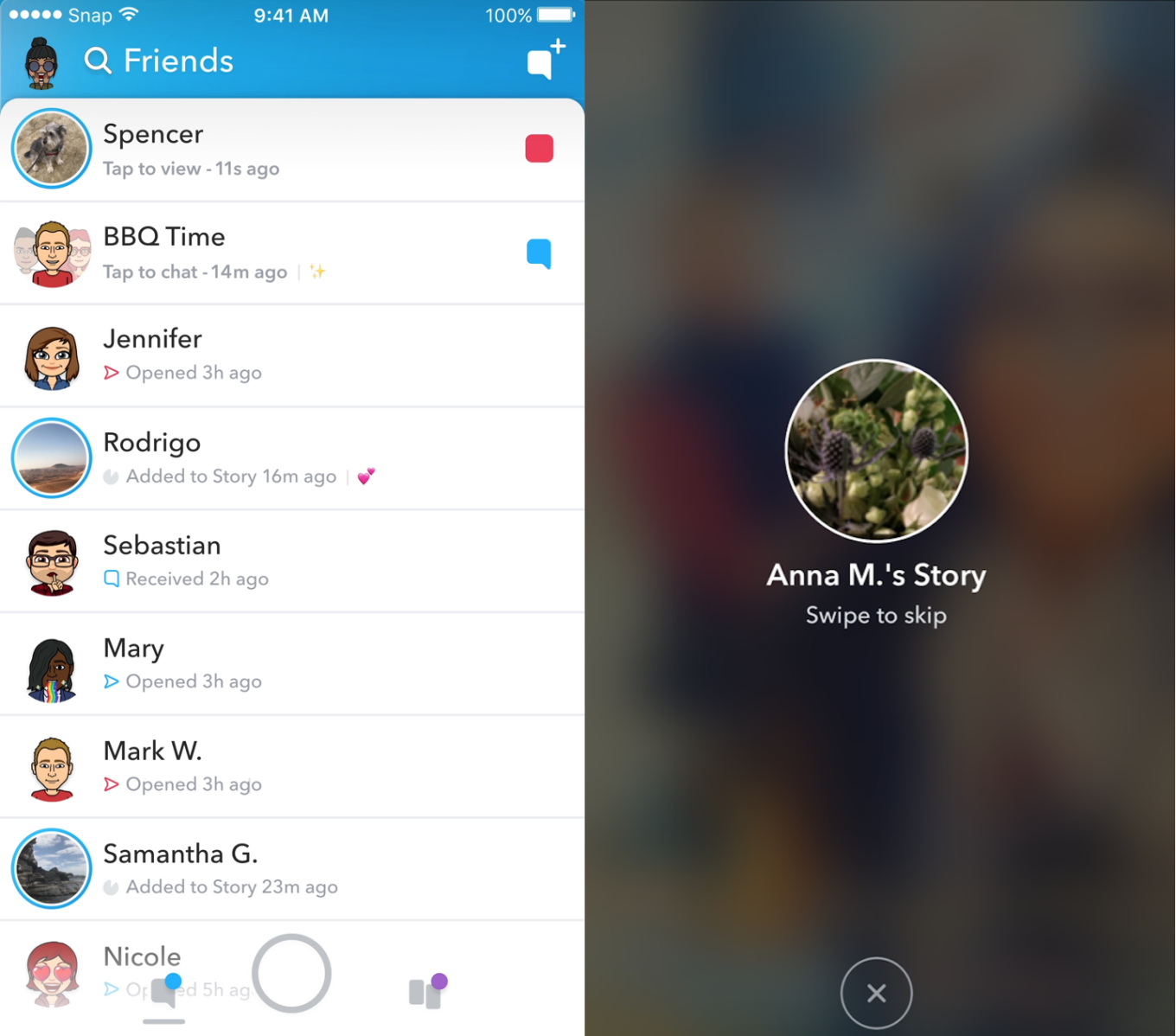
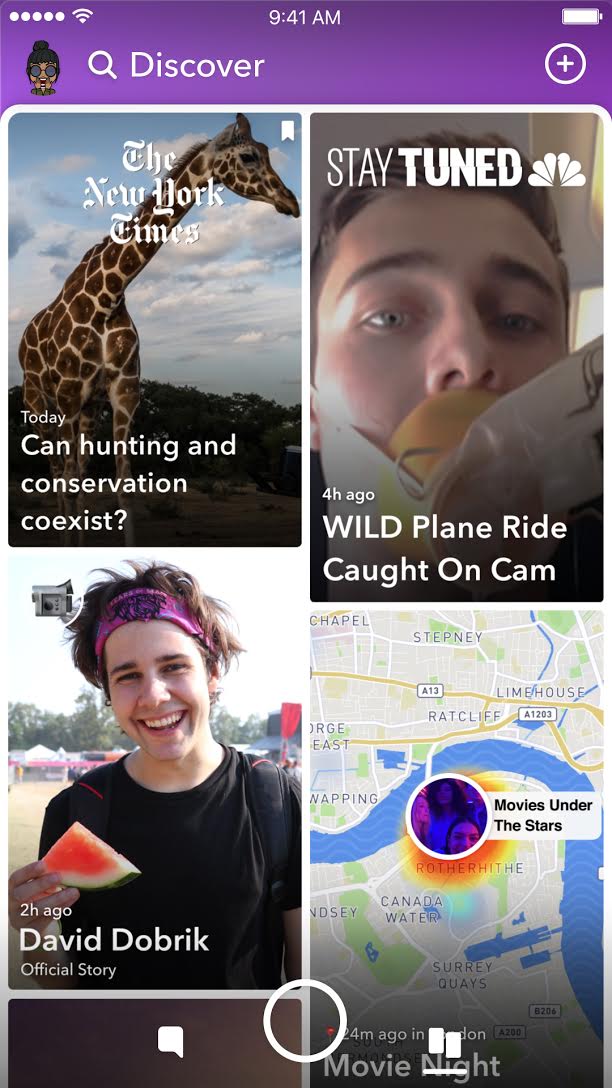
    In an attempt to increase both user numbers and ad revenue, Snapchat is making some major UI (User Interface [the buttons, controls, and setting options on an app or software that allow you to use the app or software.]) changes. In a video by CEO Evan Speigel, he claims that the new Snapchat will separate your social from the media. He says that “your friends aren’t content, they’re relationships” and should be kept separate from the paid advertising and influencer content on the Discover page.

    The app will still feature the “swipe right/swipe left” control style with the left being your friends and right being the Discover page. The Discover page seems to be going through a bit of an upgrade too with animated thumbnails (title images) and including more content from influencers along with the paid media articles. Snap Inc. is hoping this change will make the Snapchat app more appealing to more users and increase buy-in from those who have installed it but don’t use it much. Only time will tell.

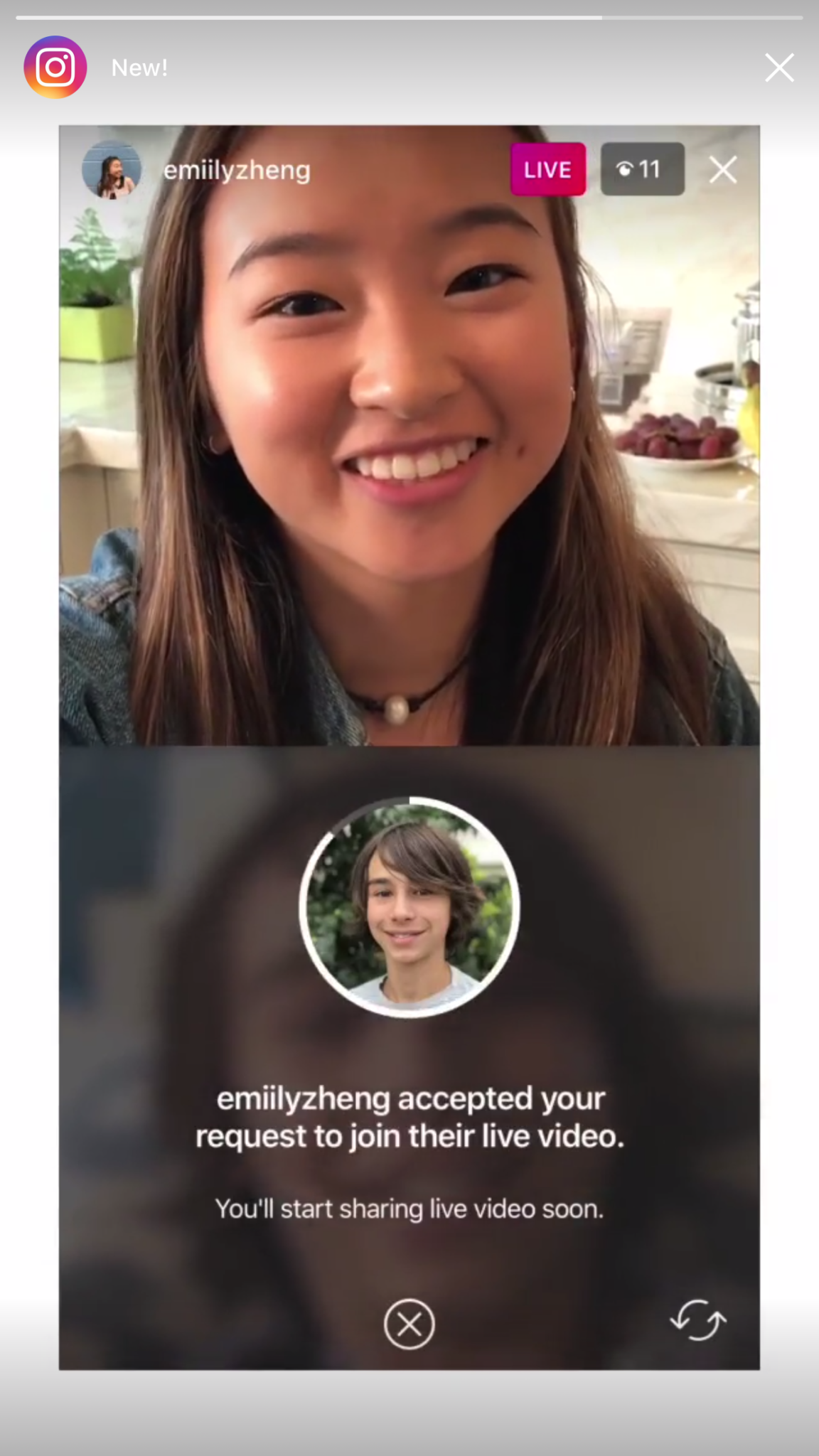
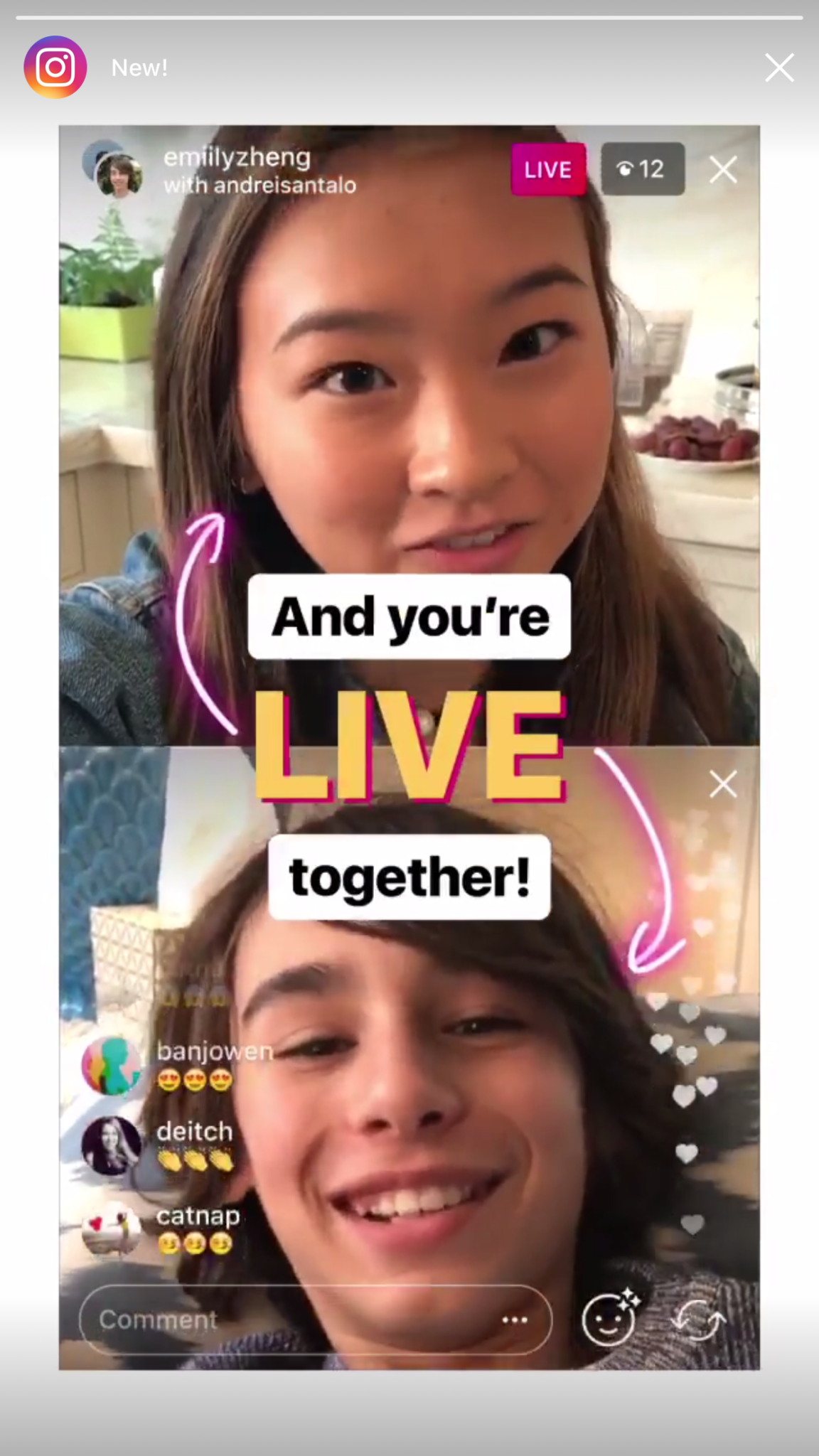
    Instagram now lets you ask to join live stories.

    Instagram released the ability to join a friend’s live story just a few weeks ago. The feature has gained some popularity but they’re hoping that the latest addition will make the Live story an even more integral part of the Instagram experience. The latest update allows audience members to request to join a live video on their friend’s Instagram. It isn’t as much an added feature as it is a streamlining of one they released previously.

    Being able to ask to join a live story will increase the visibility of many Instagram accounts and could cause users to spend more time on Instagram. That, at least is what the company is counting on.

    Youtube is soon adding a “stories” type feature of their own.

    The Story feed was started by Snapchat, perfected by Instagram, and flopped on Facebook. Now Youtube wants in on the action. Reels is Youtube’s answer to the latest social trend. This addition lets content creators create quick 30 second vertical videos to keep their followers updated on what’s happening. It lets vloggers and video creators make more content with less commitment.


    The biggest difference from the other Story features is that Youtube’s Reel videos will not disappear and they can make multiple Reel videos. Youtube has been trying to make their app more social and it’s obvious that Reels are a huge step in that direction. They haven’t announced when Reels will be released but you can count on the S.A.F.E. Family Tech Blog to let you know when they do.

    What Parents Should Know

    It’s always important for parents to understand what their kids’ favorite apps are capable of. For many of our children, Social Media apps are the most commonly used. These recent updates should help you be informed about what your children can do with these apps. My advice is always to download these apps for yourself so you can play with all the features. Talk to your kids about what the apps are best used for and what behavior you believe to be healthy or not healthy on social media. Use examples and share about difficult social experiences you’ve had that would have been even worse if they had been online. Strengthen your child’s sense of self-awareness and confidence to ensure they represent themselves in a healthy way online. Most of all, keep an eye on what your kids are posting on their social media accounts and continue to stay informed so that you can be ahead of the social media curve.

  • Superzoom on Instagram and Share Links in Snapchat

    Superzoom on Instagram and Share Links in Snapchat

    Every update announced by the developers of the apps your kids use isn’t earth shattering but you should still know what’s going on. This week has been a pretty slow internet safety update week but some teen favorite social media platforms have released some updates in the last couple of days.  These updates are mostly cosmetic seasonal features but they’ll be interesting to your kids so they’re worth learning about.


    Instagram Superzoom

    Remember the dramatic chipmunk? He’s the cute little guy on the youtube video that gave an epic, three-level zoom, dramatic (and comical) look. There was a song and everything. Instagram has added a feature to their camera that can give you that same hilarious zoom in effect. The product manager for Instagram said they’ve seen users making funny “zoom in” videos in their story and wanted to give them a tool to make this easier. The feature zooms into whatever you’ve told the camera to focus on, it will work on the front or rear facing camera, and even features the dramatic orchestration you’d expect to hear from such an epic shot. This feature comes today along with some Halloween filters and masks.

    Snapchat Link Sharing

    Snapchat will now let you share links from other apps in iOS. Pulling up the “share sheet” or sharing menu will now show you the option to share in Snapchat. This is a pretty big change for Snapchat who previously didn’t do much to affect usage outside of the app itself. Links will still open within Snapchat’s web browser but more and more content can now make its way into the app through the accessibility of link sharing. Also, Snapchat is changing the way you view Snaps from within the app by letting you press and hold a friend’s name anywhere in the app to open their Story. Finally, there is a new feature that will allow you to go into “Ghost mode” temporarily, setting your location to stay hidden for 3 hours, 24 hours, or “until I turn it off.”

    What Parents Should Know

    Every update brings more features that our kids love on their social media apps. We should know what these features are and what they mean for how our kids use the app. Camera effects and modes add interest and fun but may cause the young kid you’ve been keeping off of social media to ask you even more if they can join. Truthfully, Snapchat is late in the game when it comes to link sharing. It’s been possible in so pretty much every other social media app out there for a long time. Being able to bring links into Snapchat from any other app increases the potential for it to be used to share different sites between users. This could include sites you’d consider inappropriate. My advice is to turn on built-in filters on your iOS devices as they should make it harder if not impossible to access adult content on any browser on the phone.


  • Snapchat Brings the “Real World” to Your Story with Context Cards

    Snapchat Brings the “Real World” to Your Story with Context Cards

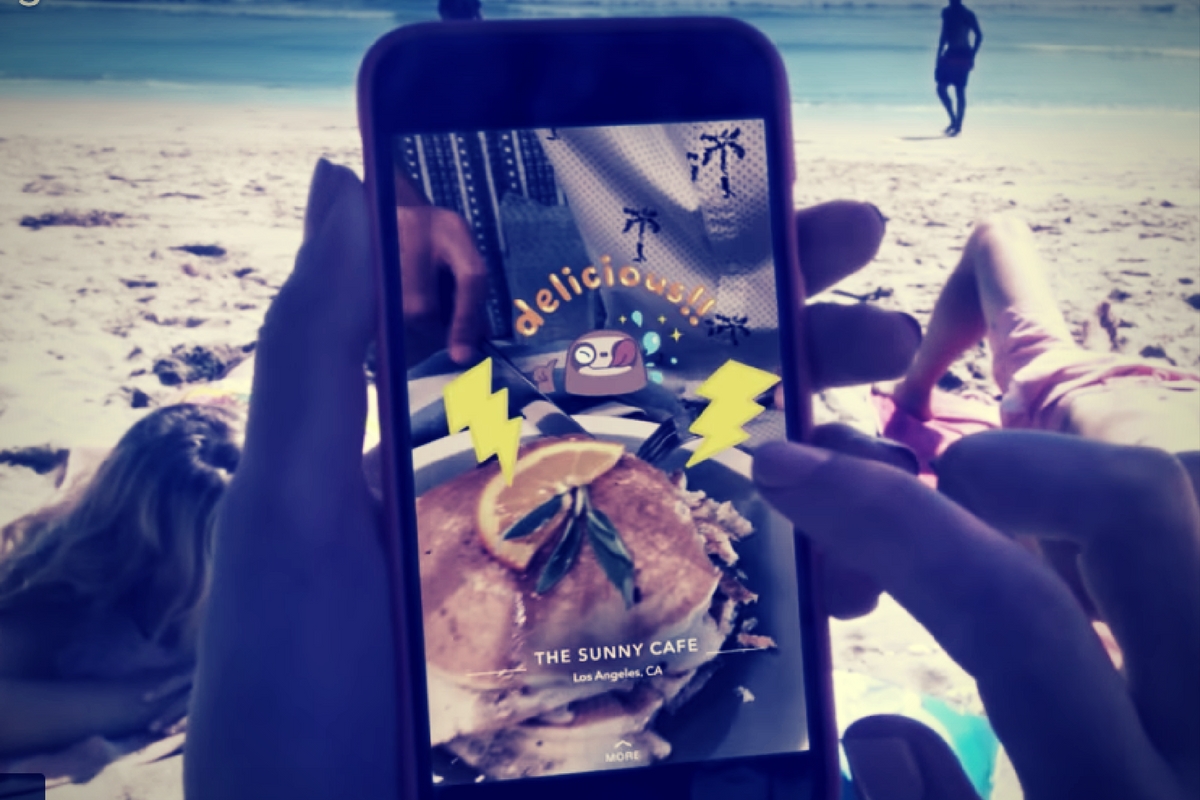
    Snapchat is hoping to make your Snaps and public story even more beneficial to advertisers. This is becoming more and more possible as they continue to update. The recent addition of “Context Cards” may be the feature that sets Snapchat apart as a social media advertising. Context Cards is an informational feed that highlights content from Snapchat’s partners. This content will include information like phone numbers, menus, maps, and ratings.

    Context Cards display information about the Snap you’re viewing – powered by amazing content from our partners like TripAdvisor, Foursquare, Michelin, and goop. – SnapInc.com

    Here’s how it will work. You will see a Snap shared to a public story and it will say “More” at the bottom. When you swipe up you’ll see the timeline style list of different information cards. Continue swiping up to see more or tap on the information to learn more or perform an action. You can hail an Uber or Lyft ride, make a call, view a menu, or see reviews or a website. The goal is to take you to the information you need without leaving Snapchat, as well as to encourage advertisers to build more ads for Snapchat Stories.

    What Parents Should Know

    These new features in Snapchat are meant to encourage more real-world engagement. You probably noticed the video featured college kids going all over town joining their friends at their current party location. They use Context Cards to know exactly where their friends are and what they’re doing there and even how to get there themselves. The problem for parents is that your kids aren’t members of the age group that is featured in this video. Decisions made to strengthen a company’s advertising abilities can often introduce more safety or privacy concerns for our younger users.

    I recommend encouraging your kids’ to have location information turned off for Snapchat. The especially should turn their SnapMap to ghost mode. Young users should always set location and sharing settings to as private as possible. Leaning towards privacy is going to render Context Cards basically useless on Snapchat. This may annoy your kids. (It may not because it may just look like annoying advertising.) If it does annoy your kids I recommend you stand your ground and still encourage them to keep their online presence as private as possible.

  • Facebook Adds GIFs and Live Video to the in App Camera

    Facebook Adds GIFs and Live Video to the in App Camera

    If your Facebook feed is like mine there are only one or two people using the FB Stories feature at any given time. Instagram and Snapchat pretty much own the story market but Facebook is still chasing that “all inclusive social media app” unicorn.  Today, the app updated to include the ability to go live from the FB Story camera, to turn your images/video into a nifty GIF, and to share text over a colored background. (Much like the text status backgrounds available on your FB timeline.) It’s a bit surprising that the story feature hasn’t caught on as quickly on Facebook as it did on Instagram which has more users on Stories than Snapchat has over their entire app. There are more people using Facebook every day but they seem to prefer the timeline method to the 24-hour stories.

    One thing is certain, however, the apps that are popular with the younger crowd are the ones that get the most out of their stories feature. Facebook is, obviously, trying to attract that same crowd again since their average user’s age has increased over the past several years. Buffing up Facebook Stories is an attempt to reach out to that exact demographic. We’ve seen a small surge in the number of younger users to join or re-join Facebook but it’s nowhere near the growth that we’ve seen on Instagram and Snapchat.

    What Parents Should Know

    You still can’t take Facebook off of your apps to watch list. Your kids most likely prefer Instagram or Snapchat (if you allow them to use it) but some of these new features, which are designed to attract the teen and pre-teen demographic, could draw some kids back to Facebook. My advice is for parents to have their teen’s login information and to check in every now and then. You’ll want to see what messages they’ve received and what is showing up on their and their friend’s story. For many younger people, the fact that their parents use Facebook is a deterrent for them but some of the camera features and other new additions could cause them to change their minds. It’s important that you know if they have a Facebook account and keep an eye on what is going on there.