Tag: news

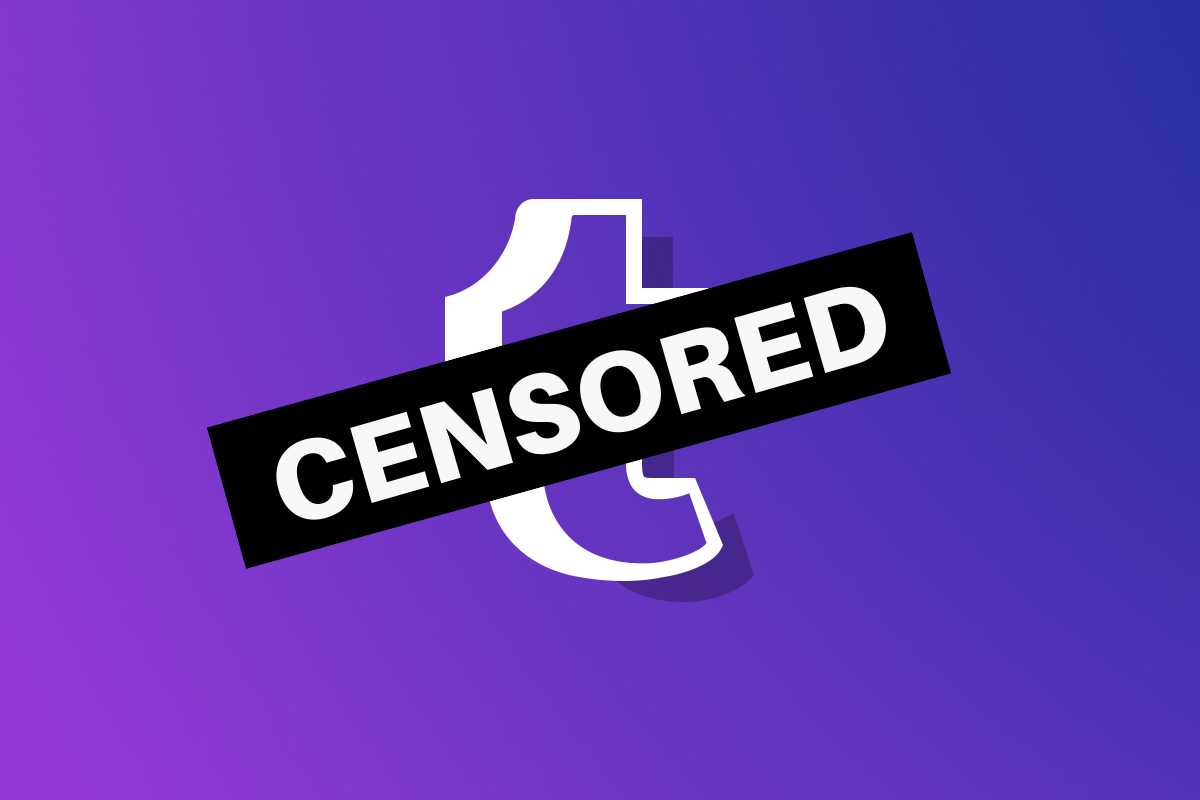
  • Tumblr to FINALLY Ban Adult Content

    Tumblr to FINALLY Ban Adult Content


    *WARNING: this post uses quotes with direct language about pornography and graphic content.

    While most social media sites that allow user generated content have been working to protect their users from unwanted adult images and videos, Tumblr has been happy to be known as “porn GIF central.” Last month, however, their app was pulled from the iOS app store for child pornography and that seems to have caused the developers to reconsider their policies. Earlier this week, Tumblr announced that they are changing their sensitive content guidelines and will be blocking such posts in the future.

    Tumblr defines sensitive content as:

    photos, videos, or GIFs that show real-life human genitals or female-presenting nipples, and any content—including photos, videos, GIFs and illustrations—that depicts sex acts. – Tumblr help center.

    Their guidelines also mentions what type of posts will not cross their line to be considered “sensitive:”

    Examples of exceptions that are still permitted are exposed female-presenting nipples in connection with breastfeeding, birth or after-birth moments, and health-related situations, such as post-mastectomy or gender confirmation surgery. Written content such as erotica, nudity related to political or newsworthy speech, and nudity found in art, such as sculptures and illustrations, are also stuff that can be freely posted on Tumblr. – Tumblr help center.

    Their terms now state that content that is considered sensitive will not be allowed and that any sensitive posts that have been posted previously and not marked as explicit will be flagged and removed. Accounts that have been treated as explicit in the past (you can tag your own account as explicit) will maintain their explicit status and be allowed to continue posting, however, posts, both past and future, that are considered explicit under the new guidelines will be treated as such and removed.

    What Parents Should Know

    Very simply put, Tumblr is still going to allow some forms of sexual content and nudity in their app, as long as it can be labeled as political, newsworthy, or health and social justice related. Many other social media outlets already have these guidelines so Tumblr, while not allowing “hardcore” sexual content, there are still going to be images, videos, and GIFS, that you don’t want your children to see. My advice is, as always to keep an eye on what your children are using social media for, if they are sending messages to friends, you want to be sure they are wholesome and healthy communication and that they are only talking to people they know. If they are using it for artistic inspiration then you should know they could come across content you may consider sensitive, even if Tumblr does not.

    Bark is a good way to keep an eye on what your children are sending in social media messages. It uses an artificial intelligence to watch out for dangerous conversation for you and send you an alert if something about suicide, self harm, sexting, or bullying is sent or received. As I always say, the most important thing you can do is speak to your child about what they do online and what they use their social media for. You may hear from them that Tumblr is all safe now and that they should be allowed to download it, but let this article be your warning that what Tumblr considers safe may not be the same as what you consider safe.


  • The Family Tech Blog Needs You

    The Family Tech Blog Needs You

    As you make your #givingtuesday plans please consider BecauseFamily. As a small startup non-profit I can guarantee that your donation goes to help us protect kids and teens by bridging the technology gap between them and their parents.

    No VP or CEO pockets to line with cash, no big fancy expensive parties or fundraisers to finance. Just a guy doing his best to spread the word about the importance of screen safety for our families. Please donate and share.

    Visit becausefamily.org/partnership to learn more.

  • Surprise! Fortnite for Android is a Security Nightmare!

    Surprise! Fortnite for Android is a Security Nightmare!

    Fortnite is the biggest of big deals in gaming. Kids play it, adults play it, boys play it, girls play it, and it’s making Epic Games tons and tons of money but their desire to not share that money with Google may be putting some of their millions of players at risk. Namely the players who are installing the game on their Android phones.

    “With Fortnite’s influence over more than 125 million players, teaching people to download apps outside of the official store is exposing millions of people to a risky practice, researchers warned.” – CNET

    Experts are warning that Fortnite’s “side loading” method of installation, which bypasses the Google Play Store, is opening up users to a ton of security risks. One such risk was found by Google’s team only two days after the game officially launched on Epic’s site. The flaw allowed hackers to exchange the game file for any file they wanted as long it was named the same thing as the installation file it replaced. This meant hackers could have put whatever malware, spyware, or virus into another file and millions of devices would have been infected. Also, since it’s release, over 1/3 of the malicious files found by Google security experts have been Fortnite themed. 

    The solution to this is obviously to roll out an update, herein lies the biggest issue with side loading software, it is difficult to push a forced security update out without an app store. This means that users will either have to seek out an update or allow it to install when they boot up the game. If someone has the game installed for a while without playing it, any corruption will stay in their phone until an update is found or forced by opening the app. 

    What Parents Should Know

    If your child wants to play Fortnite, I recommend letting them do so on their computer or a console. My advice is to not allow your child to play the game on Android at all. I recommend not allowing side loading of apps at all either as this opens their device up for major security threats. If you are using Android Family Link to manage app installations then sideloading will completely undermine your methods of parent control. If you’re monitoring activity and see something called An .APK file you’ll know that side loading is happening and you should talk to your kids about what they’re installing on their device.

  • TUTORIAL: How To Use Accountability Software

    TUTORIAL: How To Use Accountability Software

    One of the easiest ways to protect your kids online is to monitor their internet activity. Accountability software is the most effective way to do that. Accountability software does not block anything, it will report when something inappropriate has been viewed so you can talk to your child or significant other about what they spend their time doing online. 

    Our favorite Accountability Software is Accountable2You. I love it for a lot of reasons, probably the biggest reason is their support base. I have had a great experience when I have had to contact their support team to help me figure out setting up new devices. Some of the best features of Accountable2You are their GPS tracking (included,) their iOS VPN settings, and their time management tracking. 

    The video above will walk you through how to sign up and use Accountable2You. We are an affiliate of this software and you’ll get 30 days free if you use our promo code: BECAUSEFAMILY. 

  • FB Messenger Kids Will Allow Your Child to Send Friend Requests

    FB Messenger Kids Will Allow Your Child to Send Friend Requests

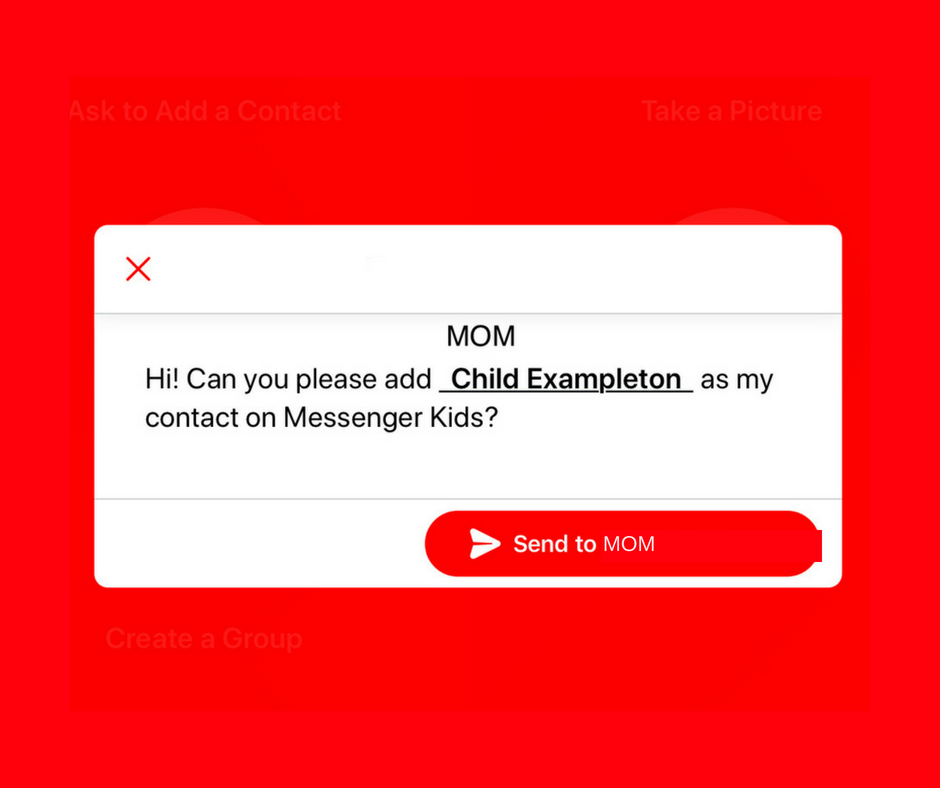
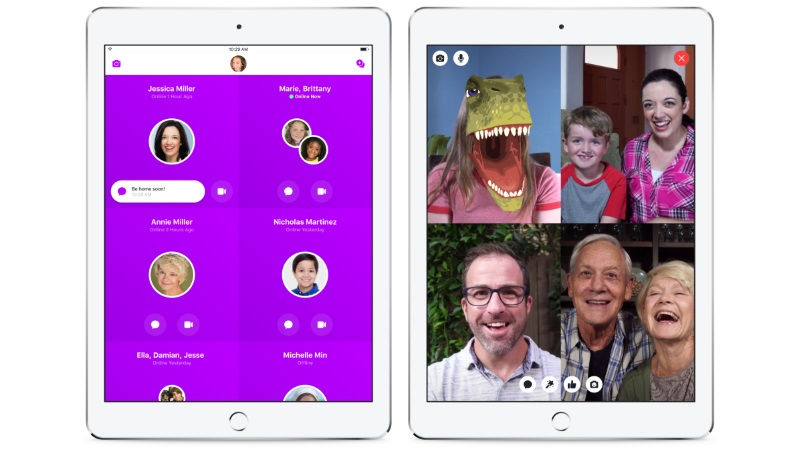
    A parent controlled messenger was the dream of the FB Messenger Kids team when they created their app. They could be finding it a bit tricky to balance the security parents want with the ease of use kids need. Now a code will be available to help your kids identify themselves in the Messenger Kids app. This is a code they can use to send a friend request to other users. Parents will still receive permission requests but it will save the trouble of having to search for the potential contact’s parent’s FB account and send a request.

    Obviously, this method will only work for friends who already use FB Messenger Kids. The code is also an “opt-in” feature, meaning parents will have to turn it on in their own Facebook app for their kids to receive the four-word identifier. The video above features a quick walkthrough of how to turn it on. You can also set up bedtimes in the Messenger Kids controls on your Facebook app’s settings page. 

    What Parents Should Know

    The addition of bedtime settings is a great option for parents whose kids use FB Messenger. The jury is still out on the identifier code, though. It is intended to make adding friends easier but it remains to be seen if that will be the case. Asking your kids to remember their code so they can tell their friends is a bit reminiscent of phone numbers from our own childhoods. If they don’t know their friend’s code, they’ll still receive an option to ask parents to connect them, simply by name. 

    I always recommend limiting screen time for your kids, especially time on social media. The FB Messenger app is still one of the best, most secure options for your kids to keep in touch with friends and family. The stickers, challenges, video chat, and built-in AR games make it a lot of fun albeit easy to throw a lot of time into. This is why the bedtime and screen time limits are so important. 

  • Time Management Dashboard Coming to Instagram and Facebook

    Time Management Dashboard Coming to Instagram and Facebook

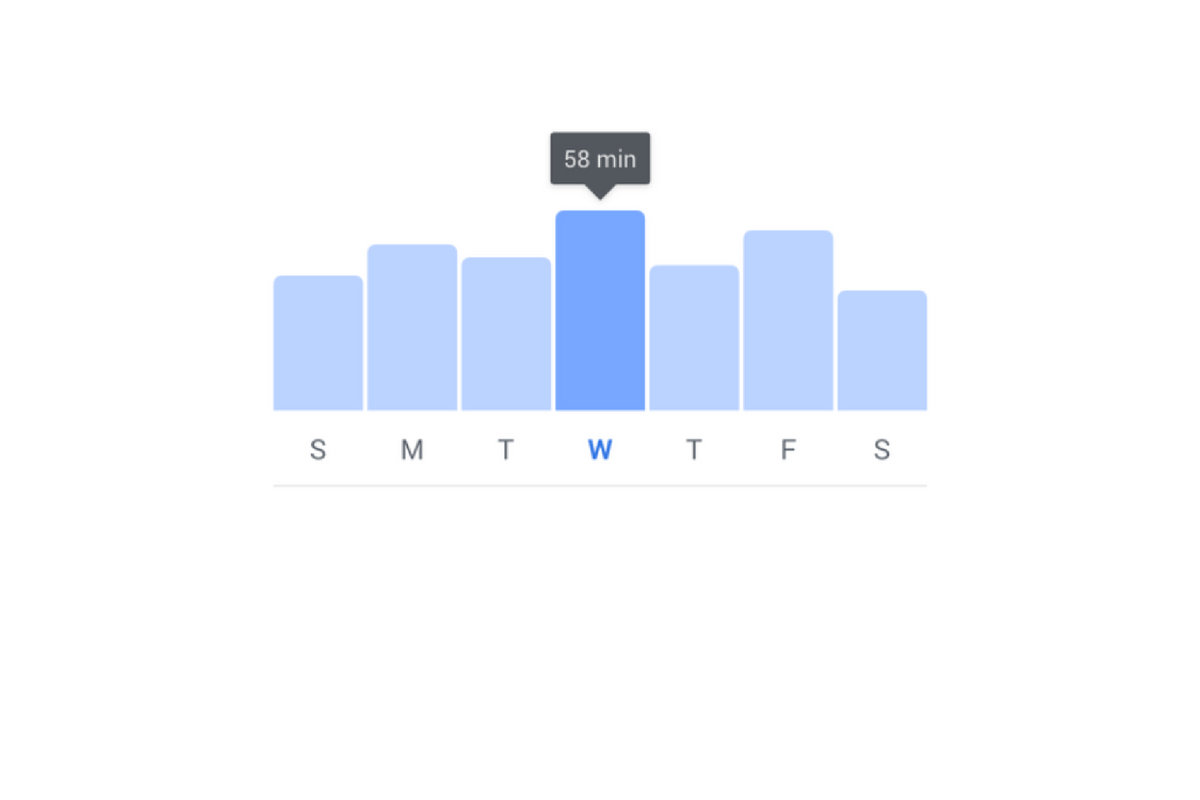
    I have had an extension installed in Google Chrome for a while that limits the amount of time I spend scrolling on Facebook. I can scroll and scroll until eventually hitting a limit that I set for myself. My only frustration is that it didn’t work in the app. Well, now I can breath easier since Facebook is releasing a new system for monitoring and controlling the amount of time you spend in their apps. The folks at Facebook say they want your time in their apps to be interesting and inspiring, not mind-numbing so they’ve introduced some new options and a dashboard.

    The new dashboard will show you how much time you’ve been spending in the app. You’ll also be able to set reminders and schedule a time to turn off notifications. The reports and settings will be found by tapping on the menu on the lower right of the Facebook app and by opening the settings in your Instagram app. You’re looking for the item called “Your Time on Facebook” in the FB app and on Instagram, you’ll open “Your Activity.”

    Facebook is hoping that this will encourage the more thoughtful use of their apps and alleviate the addictive nature of the infinite scrolling social media timeline. Since the “Time Well Spent” movement began, companies have been taking more responsibility to find ways to help people be more intentional with their social media use. The past ten or so years have proven that social media isn’t going away and that folks will use it even to their own detriment.

    NOTE: I, personally, haven’t received the update with these features yet as it is rolling out in batches over the next month or so. As soon as I do, though, you’ll see a tutorial on how to check your time spent and manage your settings on both Instagram and Facebook.

    What Parents Should Know

    This is a good opportunity to discuss the need for online time management with your kids. Since these companies are beginning to take it so seriously, we can use the news to encourage members of our families to do the same. Tell your kids about the features and ask them to use it, even if just to check in on the amount of time they’ve spent. It is amazing what changes you might make when you realize how much of your day is spent mindlessly scrolling a social media feed. If your kids are younger, I advise you to use these and any other resource you can to help them be thoughtful with their time online. Discuss time management with them and help them make healthy decisions so they’ll grow up with good habits.


  • Facebook/Instagram to Ban Users Under 13

    Facebook/Instagram to Ban Users Under 13

    Young Kids on Social Media

    Over the next several months, Facebook will be paying closer attention to profiles that seem to belong to underage users. Some recent attention from politicians and documentaries have highlighted the ineffectiveness of the company’s honor and reporting based age verification system, stating that kids of any age can create a profile and begin using Instagram or Facebook against the company’s age policy and the government’s regulations. COPPA states that kids’ data can’t be collected without the permission of their parents, this is why social media services have age restrictions in effect. The problem has been enforcement. Companies like Facebook and Snapchat have wanted to allow users to create a profile without too much invasion of their privacy or freedom of speech but this leads to an easy way for underage users to cheat the system.

    Facebook now says they are going to be having their content reviewers actively seek out profiles that seem to be run by younger Facebook or Instagram users and require them to present a legal form of identification in order to prove their age. Previously, this was only done if an account had been reported by another user, this meant that the first line of defense against underage usage was simply the other people using the service. Obviously, this hasn’t been effective enough. Even though Facebook’s user age has increased over the past several years, Instagram is still very popular with the younger audience. Whether parents are allowing their kids to use Instagram or whether they are signing up without their parent’s knowledge, Facebook is going to be going to new lengths to remove those underage accounts.

    Also Read: Facebook Messenger for Kids is Actually a Good Option

    What Parents Should Know

    Most social media is not intended for users under the age of 13. This is for legal reasons as well as for safety reasons. I usually recommend waiting until your child is 16 or older before opening them up to the social media world. User-generated content, the potential for meeting strangers, and highly politicised and polarizing material can be hard for younger kids to navigate and digest. It’s good for kids to be exposed to the realities and dangers of the online world while under some sort of supervision but Facebook, Snapchat, Instagram, and most other Social Media outlets don’t offer very helpful options for that supervision.

    I think it’s good that Facebook is cracking down on these underage accounts, even if it is to protect themselves from further scrutiny. In my opinion, we will all benefit from more people looking out for the proper, healthy, and safe usage of the most popular social media services of our time. The first line of defense should always be mom and dad but hopefully, these companies are waking up to see that they have to be of some assistance to families as well.

  • PODCAST: What is eSports and will it be in the Olympics?

    PODCAST: What is eSports and will it be in the Olympics?

    Family Tech Update: What is IGTV? Facebook Messenger Kids wants to teach your kids kindness. What was up with the rocket launch in FORTNITE? Will eSports ever be in the Olympics?

    Social Media Links

    Facebook: http://facebook.com/becausefamily

    Instagram: http://instagram.com/becausefamily

    Twitter: http://twitter.com/becausefamily

    Youtube: http://youtube.com/c/becausefamily 

    Newsletter Signup

    Ministry Updates:: http://eepurl.com/R7Btr
    Weekly Blog Posts:: http://eepurl.com/cvnhXD

    Websites

    Ministry Site:: http://becausefamily.org
    Tech Blog:: https://safe.becausefamily.org
    Michael’s Speaking Info:: http://kmichaelprince.org

    Donate and Affiliate Links

    http://BecauseFamily.org/partnership

    Music by Kevin MacLeod at http://Incompetech.com

  • Facebook Messenger Kids Wants To Teach Your Children Kindness

    Facebook Messenger Kids Wants To Teach Your Children Kindness

    There have been a few important updates in Facebook Messenger Kids lately. The first of which is a focus on kindness and digital citizenship. The app has added features to walk kids through kind online behavior and safety on social media. The app has kids agree to a pledge that asks them to be kind, respectful, safe, and have fun in the app. They’ve also added stickers and other creative content that will encourage sending kind messages.

    Facebook has also added the ability for more than one parent to manage a kids app. This will allow both mom and dad to keep an eye on who is asking their kids to friend them on messenger. They recently removed the requirement for parents to be Facebook friends of each other in order to allow their kids to chat but this feature is a very parent-friendly addition. It is, in fact, a direct response to feedback from parents whose kids use the app.

    Facebook also announced that they’ll be releasing something called “Appreciation Mission” which will introduce children to some ways they can show appreciation to friends and family on Facebook Messenger Kids.

    What Parents Should Know

    Many experts are concerned about the amount of harassment and mistreatment on social media as well as the general overuse of our screens. A feature that helps kids understand the importance of kindness online is a very good idea. Thus far, Facebook Messenger for Kids is the best option out there to give your kids the freedom of a social media messenger within the boundaries you’ve decided are necessary to keep them safe. Be sure to follow the guidelines of the app and set some time limits to be sure your kids aren’t overusing their screens as video and photo messaging can make the time pass very quickly.

  • PODCAST: Does Your Kid Even Need a Phone?

    PODCAST: Does Your Kid Even Need a Phone?

    Family Tech Update:

    Snapchat’s new message delete feature, new video games going to mobile for free, and John Wilkerson joins me to discuss getting your kids started with screen time and when (or if) thet need their own phone.

    Links Mentioned:

    Accountable2You.com (Promo Code: BecauseFamily)

    Dumb Phones for Your Kids

    John Wilkerson

    The Wired Homeschool

    Project Movie Time

    Social Media Links

    Facebook: http://facebook.com/becausefamily
    Instagram: http://instagram.com/becausefamily
    Twitter: http://twitter.com/becausefamily

    Newsletter Sign up

    Ministry Updates:: http://eepurl.com/R7Btr
    Weekly Blog Posts:: http://eepurl.com/cvnhXD

    Websites

    Ministry Site:: http://becausefamily.org
    Tech Blog:: https://safe.becausefamily.org
    Michael’s Speaking Info:: http://kmichaelprince.org

    Donate and Affiliate Links

    http://BecauseFamily.org/partnership