Tag: news

  • We Bought Four Amazon Echo Dots!

    We Bought Four Amazon Echo Dots!

    Well, it is Prime Day and as usual, there are some deeply discounted items available on Amazon. My family usually looks but doesn’t buy on Prime Day, hoping to be able to predict the discounts we may see on Cyber Monday or Black Friday in a few weeks. We especially avoid any smart speaker or digital assistant hardware since we have always had (well informed) privacy issues and concerns. This year it has been different. We caved and bought Amazon Echo Dots for the whole family. Here’s why.

    They’ll Be Perfect for Our New Home

    Our forever family home is being built and we are planning a move-in just a few months from now. We are going to have more space for the six of us than we have ever had, especially in the kids’ rooms, the master suite, and the kitchen/dining great room. We’ll be a bit more spread out than we’ve ever been and the Echo has some great options for communicating throughout your home without having to scream up the stairs or down the hallway. The intercom feature was a deal sealer for both my wife and myself. The kids are pretty excited too.

    Digital Homeschool Help

    More of us are homeschooling than ever now and with four kids, all doing school work nearly every day, we need help sometimes. YouTube can be great to present some complicated concepts in helpful ways (7th-grade math, anyone) but my kids looking at screens and using a Google Search for spelling or calculator solutions isn’t the safest proposition. Alexa (the Virtual Assistant on Amazon Echo) will answer your spelling, language arts, science, and math questions with no risky search results or screen use at all. It is more important for my kids to know how to get information than it is that they know the info when they pass a grade. Alexa and other Virtual Assistants are the new waves of information access and they aren’t going away. They’re only getting smarter and faster.

    Less Screen Time

    My kids, like all kids, love to sit around and look at a phone or tablet. We are constantly having to get on to them about their obsessive behavior. We try to set better examples, we don’t always succeed, but giving them alternatives is very helpful. The Echo Dot is a smart speaker without a screen. At night, when the kids want to listen to a podcast or music for bedtime they can ask Alexa to play it for them instead of having their screens in their faces right up to when they fall asleep. Studies have shown this isn’t good for their sleep and can actually very detrimental to their development. With parental controls on the subscription services we use and on Alexa itself, we can ensure that our kids aren’t looking at their screens and are only listening to music and podcasts we’ve approved of.

    Safety and Security Upgrades

    All of this is great but digital safety and data security are always an issue. Especially with artificial intelligence that is designed to learn about you in order to be more useful to you. There is an obvious trade-off. You’re giving it information in exchange for convenience. I believe most of us consider that an acceptable exchange, considering Alexa and Google Home have been some of the fastest tech product to be integrated into people’s homes. The truth is that we have been making this exchange for a long time without really thinking about it. Every post on Facebook, Twitter, or Instagram, every search on Google, and every purchase or browsing session on Amazon has been used to build a database of advertising information about you. This can be scary to many but in all honesty, that ship has sailed and you raised the sails for it to do so.

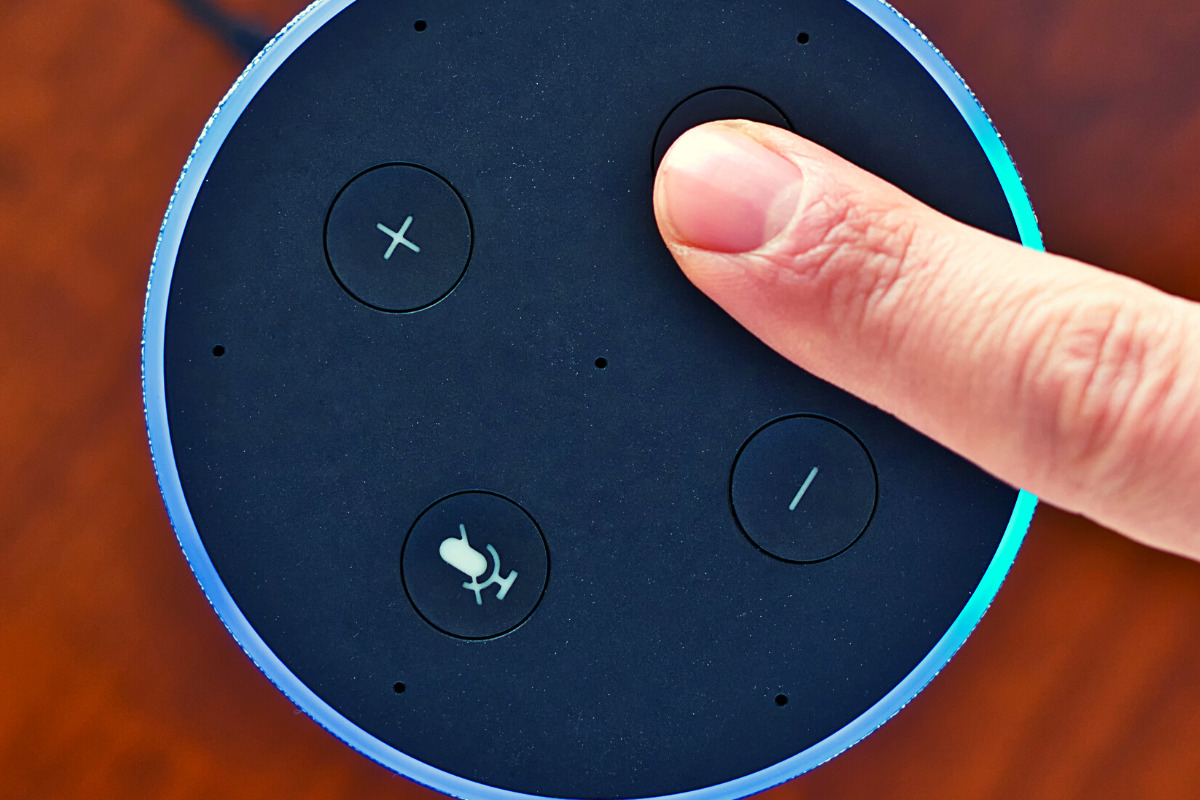
    When you use these sites, you allow them access to your information. Alexa is no different and my family has considered the risks and decided it’s worth it. First of all, we already get targeted ads because we do so much of our shopping on Amazon and searching on Google. Secondly, the latest models of Amazon Echo Dot have added features like a hardware button to turn off the microphone that makes us feel like we can avoid being listened to when we don’t want to be listened to.

    Risk/Reward

    When you narrow it down it is a consideration of opportunity cost. You have an opportunity for convenience but it will cost some of your info. At a $19.99 price point, the Echo Dot is a great deal right now on Prime Day so we bought four of them. They’ll be here in a couple of days and I’ll set one up and let you know how it all goes. Stay tuned for my (late but in-depth) review of the Amazon Echo Dot as a tool for controlling kids’ screen time.

    If you shop the Amazon Prime Day today, consider using http://smile.amazon.com and signing up to support our non-profit, Four Point Families. You’ll have to search for Four Point Families and select it as the organization you’d like to partner with. Then Amazon will send .5% of your purchase our way to help us continue to protect families. Thanks.


     

  • Kids, Social Media, and COVID-19

    Kids, Social Media, and COVID-19

    Instagram bans Coronavirus filters.

    There is a lot going on these days. We have to have some clarity for our kids when it comes to Social Media and COVID-19. As with any modern trend, Coronavirus has gone viral. Not just in the obvious sense. Filters on Instagram, which can be created and posted by nearly anyone, have been featuring images of the Coronavirus strain or filters that turn your face green and put the word Coronavirus above your forehead. Instagram has stated that they are afraid these filters are insensitive and possibly promote false facts about the virus. Because of this, the social media service is blocking all filter search results that use COVID-19 or Coronavirus.

    Facebook, Google, and Instagram bringing CDC and WHO information to top of feed and search results.

    “To help people get relevant and up-to-date resources, we will start showing more information from WHO and local health ministries at the top of Instagram’s Feed in some countries.”

    Social media feeds have been used by companies to highlight certain relevant news stories like election days and disaster response information over the past few years. COVID-19 information is now being offered through these in-feed posts on your social media thread. The major difference is that these posts are being highlighted and placed at the top of your feed. The idea is that the best way to fight misinformation on social media is by providing instant access to correct information.

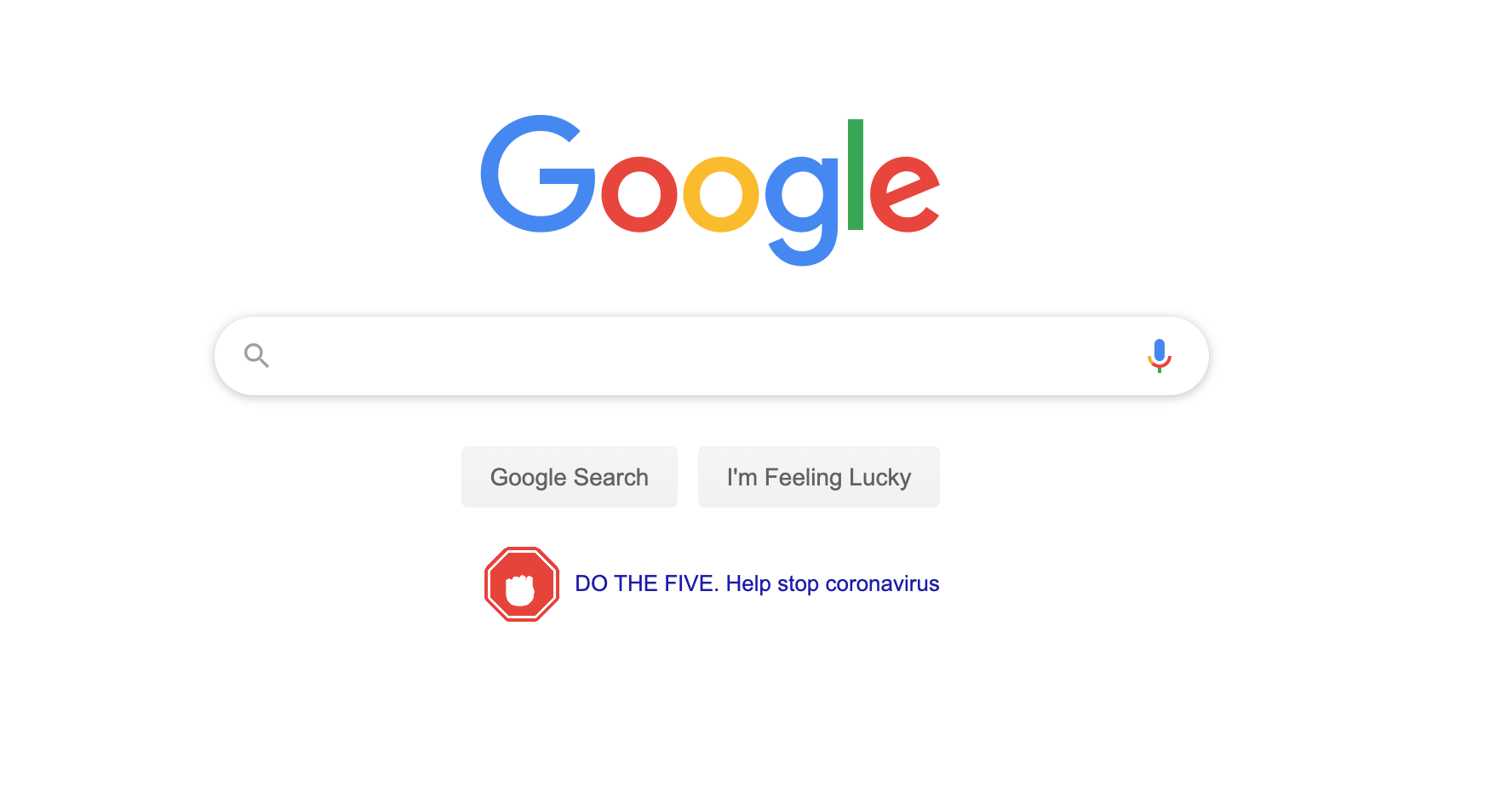
    Google’s home page features an animated “DO THE FIVE” link that leads you to the five steps to prevent the spread of COVID-19 along with search results relevant to learning more about the virus.  These tips are intended to stop the spread of false ideas about the virus that put people in danger. It is critical that we work together to explain the truth about COVID-19 and only get our information for trusted sources. I write this blog for parents and guardians to help them protect kids but many people simply need to know how to protect themselves from false information. Be wise during this unique time in our history.

    Kids, Social Media, and COVID-19 Facts

    Articles and Memes

    There is a lot of nonsense going around concerning COVID-19 and much of it is in the form of memes. Images touting super cures or false prevention measures. Some are claiming government conspiracy and ways that they are lying to us. It can be difficult to weed out who is sharing facts and who is just making stuff up. The key is in the source. We have to check the sources of our information. Some guy in Texas isn’t going to have the super cure for COVID-19, some older lady in Wyoming doesn’t have an inside scoop on what the government is doing to distract us during this election cycle. If there is no source mentioned at all, ignore the content.

    Memes play on our sense of humor or lack of trust. It is easy to believe someone telling us the government made a virus to distract us from something else when we kind of believe that sort of thing already. When our expectations are developed by the movies and tv shows we’ve seen, articles and memes can point us down the wrong path simply by appealing to those expectations.

    Memes: A Parent’s Guide


    Articles can be just as dangerous in times like this. We must know the difference between a news report and an opinion piece. When it comes to things like viral outbreaks opinion writing is next to irrelevant. If the opinion is from someone with relevant credentials who has been commissioned to write something to help the general public during this time, that’s one thing. Some guy on Medium, however, writing about how we should ignore certain CDC advice shouldn’t be taken seriously. He’s writing his opinion and it being on the internet doesn’t make it useful, especially in such a volatile time.

    Once we learn to pay attention to the sources of our information we should be teaching our children to do the same. They need to know that there are people out there writing for entertainment or even with malicious motives in mind. Those people shouldn’t be used to form our opinions on anything, much less something as dangerous as a viral pandemic. Use wisdom, teach your children to do the same, and say a little prayer for those who have to be out and about protecting the rest of us.


  • BecauseFamily 2019 Year in Review

    BecauseFamily 2019 Year in Review

    2019 was an incredible year! Thank you, our readers, for supporting our organization by reading, watching, listening to, and sharing our posts. We have been able to help thousands of families be internet safe in 2019. The infographic below is a celebration of the advancements our organization has made this year. Be sure to watch the video above to hear about all of the exciting new things in the works for 2020.


  • FB Messenger Kids “Error” Allowed Thousands of Kids to Talk to Unapproved Strangers

    FB Messenger Kids “Error” Allowed Thousands of Kids to Talk to Unapproved Strangers


    Facebook Messenger kids was created to give children a safe place to communicate through text, stickers, video, and gifs with friends that are pre-approved by their parents or guardians. This week, however, the kids’ messenger app has had to send notifications to thousands of parents about their children having access to strangers in the app. 

    What happened is that a technical error allowed kids to create a group message with friends who would then invite their own friends who, while approved for them, may not have been approved by the parents of the first child. Confusing? Ya, this is possibly why the flaw was even possible in the first place. Facebook says they have alerted parents whose children may have had this type of interaction and that they’ve disabled any chats that were created, using this flaw. The story isn’t over, though, as some are calling for the FTC to look in to the error since it may have resulted in a COPPA violation.

    Released Today: Facebook Messenger For Kids!

    What Parents Should Know

    The moral of this story centers around trust. It is important that, while we may trust our children, we can’t always trust who our kids are in contact with. We definitely shouldn’t blindly trust the companies who make the hardware and software that our children are using. When our kids use an app like Messenger Kids, the whole point of the app is that it gives parents control. When the control is hindered, even by a “technical error,” that is a severe violation. We can, however, take actions to protect our kids from dangerous effects that could come from these errors.

    I recommend having a copy of the messenger kids app on your phone logged in to your child’s account. My wife and I are each logged in to one of our kids’ messenger kids apps and can see when they get messages and what the messages are about. We are notified when they receive a message and can look to see who it is from and even read it. I have, a time or two, jumped into the app to tell a friend to stop messaging since my son was past his allowed time for social media that day. I received a “yes sir,” and there were no more messages until the next day. We also use BARK to monitor their messages and alert us of any dangerous or inappropriate content.

    Parents are gate keepers. Our job is to be sure our kids are growing up with guidance through every area of life. If they aren’t being taught how to manage social media and internet use safely then they will struggle to make healthy decisions when they are older. Messenger Kids is a good tool to help your kid learn the right way to use a messenger but it won’t work if you are uninvolved, pretending that the creators of the app only have your kid’s best interest in mind. The truth is that they want to provide you a service to make a profit. We cannot overlook that. It is our responsibility, and ours alone, to teach our kids how to be safe online. We should take it seriously. We should hold companies accountably when they have errors that put our kids at risk but ultimately we should be the ones making sure our children are protected on every app, site, and software they use.

  • Memes: A Parent’s Guide

    Memes: A Parent’s Guide

    The term Meme was coined by Richard Dawkins in his book “The Selfish Gene.” It was simply defined as any form of media that was passed from person to person until it reached a massive level of popularity. Nowadays we would call that going viral. It is difficult to put your finger on a single meme as the first one or even to identify how some of today’s most popular memes got their start. In this article we’ll look at the history of memes, how we got to where we are, and what it parents need to know about Memes. Keep in mind that you can see some Meme examples in the video above.

    History of the Meme

    It didn’t take long once the internet was available to most people for Memes to become a major part of how people spent their time online. In 1991 we saw such memes as the dancing baby, motivational posters, and the hamster dance being passed along in emails and forums. These images, videos and gifs were passed from person to person and inbox to inbox, shooting this silly content to Meme stardom.

    Then came the 2000s, some would say this was the golden age for memes due to the rise of YouTube, Social Media, and Viral Videos. This took us from sharing content within a limited access forum or the contact list in our email to sharing them on our public social media page to be re-shared over and over again to thousands or millions of people. This period is where we were blessed with the rick roll, Chuck Norris jokes, turn down for what, cat videos, and Vine videos.

    We are currently living in the age of the modern Meme. Most originating on Reddit before they become popular on other social media sites, Memes are going mainstream in television, radio, politics, and marketing. Memes are used to promote idealogical ideals. Memes like the Harambee meme are an outlet for those who are bothered by certain things in society to express their belief or concern. Politicians even capitalize on the popularity of their own Memes, sharing them on their social media accounts to gain recognition and strengthen support.

    The Dank Meme

    Dank usually means dark, damp, and gross. When it comes to Memes, dank is a positive term. A dank Meme is usually one that can be used and reused with different other Memes added. Sometimes popular sound clips or songs from a Meme will make its way through a whole bunch of different videos. Something like the “oof” of a dying Roblox character being dubbed over videos of people falling or otherwise hurting themselves. This is what a dank meme usually is.

    The Memes you see gain popularity on your social media account. That Condescending Willy Wonka image with someone’s sarcastic comment typed onto it is a dank meme, having been reimagined several times, thus gaining more popularity.

    What Parents Should Know

    Memes are an easy way to express yourself. It can be a fun way for kids to have a laugh or share what they think about certain issues. My problem with some Memes is that they tend to simplify complex concepts. Something as complicated as political beliefs are packaged as Memes and expressed in a shallow, unhelpful way. The Meme is a limited genre, only allowing so much space for sharing what you think. This can cause confusion and can ultimately be polarizing.

    Memes also have a tendency to take us in a circle of reasoning. We share more Memes that we think are funny because of the statement they are making and this tells the algorithm of the social media account we use that we want to see more Memes like this. We then are simply only fed a steady diet of the same thoughts, repackaged as dank Memes and our view is never questioned or challenged in a way that can be healthy and help shape who we are.

    Finally, we have to be careful because Memes can often be very adult oriented. Memes are an expression that has been limited to those who understand them. When we start into the Meme rabbit hole, whether it’s on Reddit or Youtube, we can tend to find ourselves getting to some strange and even dark places. I am not squeamish and there are a lot of Memes that I’m a fan of and I share regularly when I see them repackaged in a way I find humorous. I did, however, get into some content while researching this article that just made me feel stupider for seeing it. See what I go through to help you out?

    Thanks for reading. Share this article with a friend who needs to know what a Dank Meme is.

    You can listen to this post as a Podcast below:

  • Roblox Has Hit 90 Million Users

    Roblox Has Hit 90 Million Users

    That little game your kids like to play, Roblox, has hit 90 million users as of this week. The company is worth more than 2 billion dollars and has expanded globally to add more than twenty million users over the past six months. Roblox is a gaming “platform” more than a game, giving users the ability to create their own levels and share them with others who play the game. When you log in to Roblox you see a list of user-generated levels that you can play. You join with other users and try out the different games which include combat, stealth, mazes, puzzles, and sometimes just overall silliness. Some of the user built levels are just places to hang out and meet new people.

    Roblox has been considered social gaming from the beginning. The entire platform is designed around allowing users to share their content within the game. This requires you to meet new people and possibly even chat with them in order to fully enjoy the game. When you first log in you see multiple games listed that you can choose from. Most of the starting games are curated by the developers but once you start meeting new people you can be invited to their creations and who knows where you’ll end up at that point. This is the concern for many parents when it comes to Roblox.

    Musical.ly is now Tik Tok

    What Parents Should Know

    I played a bit of Roblox recently and could definitely see the appeal. The user made levels are pretty neat and very elaborate. I played a silly banana game, tried a “Wipeout” style obstacle course, and played around in a world of puzzles. Really there is no limit to the amount of fun you can have in the app, the only guideline is imagination. This is a great thing for kids as long as the community rules are followed in the way they are supposed to be.

    There are parental controls available and their password protected but they could hinder some of the options in the game. It is intended to be played in a public and sharable social setting. There have been instances when people have abused some of the settings in the app to perform inappropriate behavior in the game. This will always be a possibility when a game is meant to be so extensively social. There is also no age verification which means you can claim to be whatever age you want when you create your account. I created a 13-year-old girl, just to prove the point.

    Roblox is on my uninstall list because of the social nature of the game. There aren’t really any alternatives that work exactly like Roblox but there are games that will let you craft and build and get creative while staying offline. Games like Toca Builders (Android/iOS)can give you the building features while Toca Life World (Android/iOS) is a game made for older kids that gives a safer environment to explore and play in a world they create on their own. With 90 million users, Roblox has a lot of people creating games and communicating with the kids that are playing. Being careful that your kids can’t just talk to random strangers online is one of the most important things we can do to protect them.

    Listen to this article as a podcast below:

  • Snapchat’s Social Gaming = More Time on Social Media

    Snapchat’s Social Gaming = More Time on Social Media


    It has barely been a year since Snapchat joined Facebook in a movement to help people better manage the amount of time they spend in the social networking apps they develop. Snapchat added the ability to silence notifications from certain conversation and redesigned their app to be more about time with your friends and less about time in the app. Yesterday, however, CED Evan Spiegel announced their new focus on Social Gaming and several new original video series citing a new way to keep young people in their app even longer. 

    The games featured you and your friends’ Bitmojis. In them you play silly games that include pool toy fights, field goal kicking, and keeping your Bitmoji atop a spinning record as your friend DJs for you. In the announcement Spiegel says “On Snapchat, you’re free to be you, with your real friends. As we use the internet more and more in our daily lives, we need a way to make it a bit more human.” Apparently the idea is that as social beings, we need to hang out and since we are all spending so much time on our smartphones, Snapchat wants to be the place your kids hang out in.

    Facebook and Snapchat Join the “Time Well Spent” Movement


    What Parents Should Know

    I have said it several times before, we can’t blame tech companies for wanting people to spend time on their software, that’s how they make their money. Quotes from this announcement boast of a place that people can be themselves, obviously what they truly are creating is a place where we can spend more time, see more ads, and make Snapchat and its shareholders more money. No matter what social media companies say about time well spent, privacy, or security they are protecting their bottom line. They have shareholders that they must impress with the numbers so that’s what shapes their decisions. Knowing this helps us remember that the responsibility for healthy tech use falls to users, and our kids’ tech health is the responsibility of parents.

    Talk to your kids about the amount of time they spend on social media. Don’t allow them on social media that is rated higher than their age. Teach them not to expose sensitive information like their phone number or the name of their school on these apps. Finally, use some sort of filter or time management software to help you enforce your standards. Parents are the first line of defense against the dangers of unlimited and unmonitored internet use. We have to take on that responsibility because nobody else truly will.

    You can listen to this post as a podcast episode below.

  • Does Your Kid Need a Fitness Tracking Smartwatch?

    Does Your Kid Need a Fitness Tracking Smartwatch?

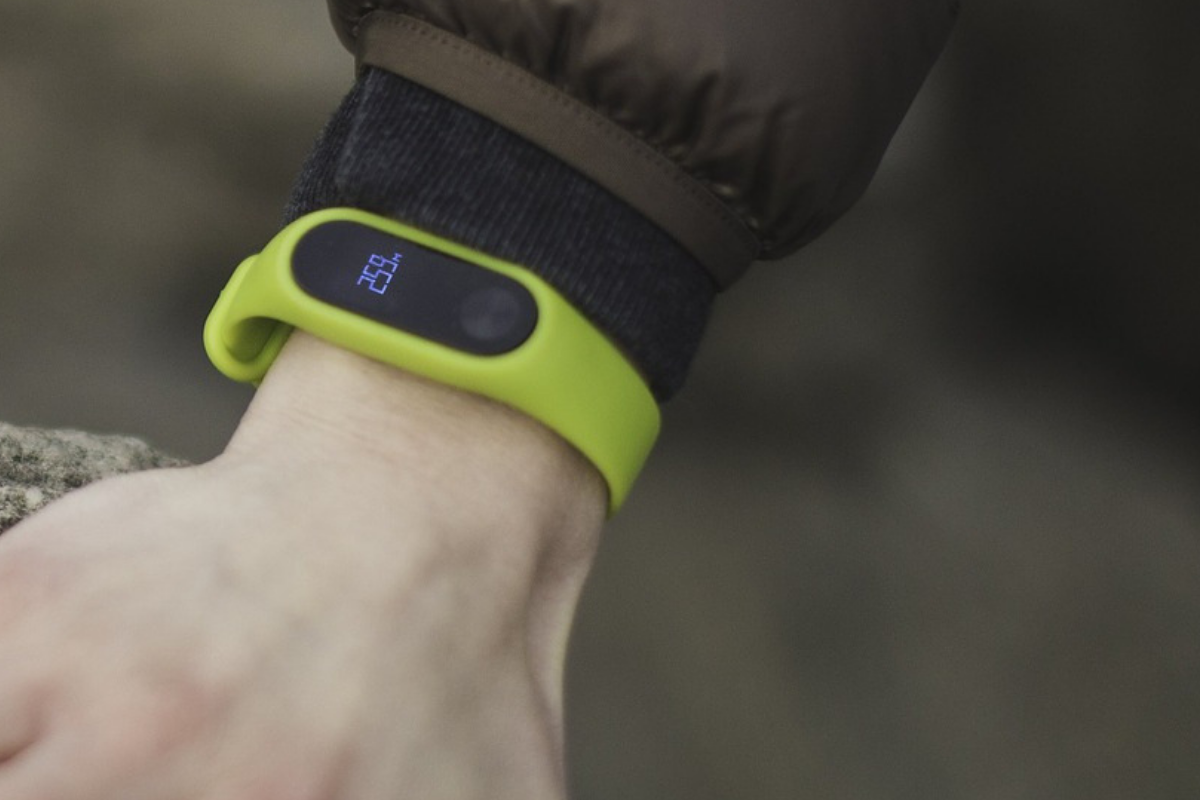
    We all want our kids to be healthy. Parents are always telling me they’re concerned that their kids play video games too much and just need to play outside for a bit. I agree. Couldn’t agree more! The fitness wearable (think Fitbit and Apple Watch) industry has made some huge promises about giving us motivation and inspiration to get out and get moving. The wearable trend is making its way to children now too. Garmin and Fitbit have both put out new products that are made for kids. These wearables serve as a watch, a step tracker, a sleep habit monitor, and even reward your kids for meeting goals with achievements and celebrations. My eleven year old son likes wearing a watch. He doesn’t necessarily care about tracking his steps or heart rate, but I’m sure he would love a Fitbit. Should I get him one. I have to ask a few questions first.

    Do Fitness Wearables Work?

    There have been multiple studies since the invention of the Fitbit that have tested the effectiveness of these health tracking watches. Of course the earliest studies featured products that could only track your steps. These “one trick” smart watches weren’t very smart but they promised to get you out and moving so you’d be healthier. The studies showed that those who were originally committed to fitness stayed pretty committed and were a little bit more effective at working out since they could monitor what they had done. People who were given an incentive to work out using their Fitbit tracker did exercise more but no more than those without a Fitbit who received the same incentives, also they stopped excercising as much when the incentives ended. Finally, the extra activity that was logged didn’t result in increased health outcomes. Basically, you are going to be as committed to fitness with a fitness wearable as you would be without one, the same thing is true about your kids.

    Does Your Kid Need a Fitbit or Garmin?

    These products can help those who use them keep track of the amount of activity they are getting. They can use this information to make better decisions about what they do through their day. As mentioned above, however, awareness doesn’t always equal action. Especially when it comes to fitness. Nobody will tell you you shouldn’t do something to keep your kids from being healthy. You know your child. You know if they will be inspired or intimidated by activity tracking and goal setting. You know if they will use their watch for ten days and then set it down, never to pick it up again. Finally, you are the only one who knows for sure if your child will just loose the Smartwatch within ten minutes of putting on their wrist.

    You have to take all of these factors into account when deciding if a fitness tracker is right for you child. As for which ones work best, I don’t have any data to provide you with a conclusion on that. I do, however, have a few family tech safety tips to encourage you to think about while you decide on a wearable for your kids.

    1. Data Security
      It is pretty obvious that the companies that sell fitness wearables use your data quiet liberally. They have to use it to affectively communicate your health information to you and to keep records for you to access later. Fitbit requires parents to make accounts for their children in order for their kids to use their products. By creating this account parents are giving Fitbit permission to access their children data and us it according to their Privacy Policy for Children.
    2. Smartphone Sync
      Most (basically all) of these devices require you to sync with a smartphone of some kind. While it is possible for you to sync the device up with your own phone, your child will see another opportunity to try and convince you that they need a smartphone of their own. Let’s be honest, none of us need our kids to have more points to support the argument that they need a smartphone. Maybe they already have one, great, maybe they have a device they are only allowed to use at home, that’s good too. Be sure you’re allowing them time to sync and use those apps in junction with the smartwatch or you kind of defeat the purpose.
    3. Location Sharing
      The security policies for Fitbit and Garmin both state that they do not automatically collect location data from Fitbit accounts created for children. However, they do collect IP addresses which often contain location data, and you are able to share your location manually which kids could do without realizing it. It is especially important, if you are concerned about leaked or sold location data, that you don’t allow your kids to use a fitness wearable that is connected to an adult’s account. These accounts do share location information by default.

    Be Fit, With or Without a Fitbit

    I’m not going to tell you what to do. As I said above, you know your child and their habits. You know if they are active or not. Some of these wearables can save lives, for kids with diabetes for example, but those are specific situations and, in my opinion, the absolute best and intended use of these products. Most of us have discipline and motivation problems and a fitness tracker can only bring our lack of a healthy lifestyle to our attention, we still have to do something about it. I speak as one who loves pizza and begrudgingly runs about six miles every two weeks. I am “preaching to the choir” as they say, and while I think an Apple Watch or one of the latest Fitbit Smartwatches would be cool to have, the truth is, there are data security issues to discuss, and the trade off for increased health outcomes aren’t guaranteed. Lets just get our kids to a playground more often, and maybe even get out there and play tag with them.

  • What Parents Need to Know About Stadia by Google

    What Parents Need to Know About Stadia by Google

    On March 19th, Google announced their latest product: Stadia. The promise of Stadia is to allow people to play AAA games (Assassin’s Creed, Fortnite, etc.) without having to buy a dedicated gaming console or PC. How does Google plan to deliver on this promise? With Chrome and YouTube.

    Google has stated that Stadia is “the future of gaming.” I agree. Young adults are used to subscribing to services and streaming their entertainment and Stadia is the next step. Kids already watch hours of gaming content on YouTube every day, why not add the ability to play those games too?

    What We Know Right Now

    We don’t know a lot about Stadia right now but what we do know is pretty impressive.

    • A high-speed Internet connection will be required.
    • Up to 4K HDR at 60fps.
    • Plasy using multiple devices: PCs, laptops, tablets, and smartphones will be supported.
    • No need to download games or wait for updates.
    • You’ll be able to use any USB controller connected to you computer.
    • There will be a dedicated wireless controller.
    • Stadia will be available this year.

    What We Don’t Know Right Now

    Despite all the excitement around this announcement, there are many things we don’t know.

    • The price of the service.
    • The price of the controller.
    • Games available at launch.
    • Supported mobile devices at launch.
    • Release date.
    • Minimum Internet connection speed.

    Podcast Episode:

    What Parents Need to Know

    Your kids are going to want this, especially if they watch gameplay videos on YouTube. Being able to instantly play a game that one of their favorite streamers is playing and try that special move is very appealing.

    If the price is right, this could be an affordable alternative to purchasing a gaming console. Being able to play hundreds of games for $50-$60 a month is more affordable than buying a $600 console and a game or two every month.

    The Stadia controller has a streaming button which means your kids could be online and streaming their game and voice instantly. In fact, they could even join in a game with another person. Parents should be aware of this feature and take measures to block it if they don’t want their kids to live-stream.

    Google has been improving their products with better parental controls every year. Parents should familiarize themselves with those parental controls and enable any restrictions they deem necessary. You may want to consider adding time limits, enabling ratings limits, and disabling some of the streaming and cooperative features. Of course, this

  • Looking Forward to CES 2019

    Looking Forward to CES 2019

    As CES 2019 approaches (my flight leaves in 17 days) I find myself more and more interested in the different topics that will be discussed at the Kids@Play Family Tech Summit. The summit features leaders in the industries of tech, toys, education, psychology, software, and entertainment. Sessions last all day long and the topics discussed are exactly the kind of information we parents need to know as we raise our kids in this digital age. The problem is, those in attendance are all industry people who are making apps, toys, and technology for our kids and families. There is very little to no representation of those who work to educate parents themselves on the connected age we live in. That’s where I come in.

    To my knowledge, BecauseFamily’s FamilyTechBlog, is the only publication in attendance at CES that offers our news and stories exclusively from the viewpoint of helping parents protect their children. While I sit and take notes and record footage of the summit my mind is processing how this information can help parents make quality decisions to keep their kids safe on their tech devices. I am glad that this event exists and happy that leaders in this industry are having serious discussions about how to be responsible while developing their products for children. I am also glad that our donors and readers have made it possible for me to be there, as the only exclusive family tech safety website in attendance, and report back to you.

    Here is some of what I’m looking forward to seeing, learning, and reporting on at CES 2019:

    • Jobs of the Future
    • Coding Without Screens
    • Gaming and Creativity
    • Tech Addiction
    • Data and Privacy for Connected Kid’s Products
    • Augmented and Virtual Reality to Help Kids Get More Active

    There is a ton more that I’m excited to see and learn but these are going to be the highlights for sure. Parents are always asking about things like gaming and tech addiction and the jobs that are available to our children now will be completely different in ten years. Having some insight on these questions will be pivotal to making decisions as parents. Many of us have issues with keeping our kids active as they’d rather play with tech than each other at times. Can the tech increase their activity without impacting them in other negative ways? Finally, coding will soon be a skill that is not optional if you want to have your pick of the jobs of the future. How can we introduce coding logic and principles to our children without exacerbating the screen addiction problems we already see in out kids? I am looking forward to finding answers or at least more insight on these topics and questions at CES 2019.

    You Can Help!

    Very briefly, allow me to ask for your help for this trip to Las Vegas for CES 2019. The costs associated with this event are covered solely by donations from our non-profit partners and donors. If you would like to sponsor a meal, an Uber or Lyft ride, or something like that, please visit BecauseFamily.org/partnership to see how you can donate to BecauseFamily and send your family tech safety representative to CES on your behalf. Thank you.