Tag: new

  • The Weirdest Tech Trends at CES

    The Weirdest Tech Trends at CES


    Attending CES for my second year gave me a completely different outlook on the experience. Not only was I less interested in walking around the major company’s booths to see them talk about the same stuff they were marketing last year, I also noticed some trends that I’m hoping will go away. As I will say in my conclusion, I am a huge fan of new tech and usually want to own the latest products. Some stuff, however, was too silly even for me. It was also too silly not to share with you.

    Smart Pet Tech

    We have had tech for our pets for quite a while now. Microchips identify our dogs and their owners and can help us locate them when they’re lost. Many products have come out that allow us to keep our pets fed without actually having to remember to put food in a bowl more than once or twice a week. It seems, however, that some of the latest pet tech exists just to hop on the trend train. Especially the trend of calling your product smart.

    Dogness JS04 is a smart dog leash. Yep, a retractable dog leash that apparently has enough tech in it to be called “smart.” Truthfully, all this leash does is allow you to connect a speaker, a light, or a container for your poop bag. Other pet tech gave you useful tools like a self cleaning litter box, doggie doors that only open for your dog, and even an indoor doggie toilet. Much of the pet tech, however, was just created to sell something that they could call smart.

    Companion Robots

    Apparently you need a robot companion. Not only do you need one, so do your kids. The CES show floor was loaded with small robots for your kids and many of them were simply plush toys with a built in screen and/or voice assistant. Some companion robots will tell you stories, some help translate languages, many of them dance, and even more can be used to control the smart devices in your home. Most of these companions require you to look at or even touch the screen on their face to use them and only a couple had any parental screen time control built in.

    My question is why do my kids need a robot as a companion? I have four children, the one thing they do not need is another companion. While I guess an expensive stuffed animal with a voice assistant in it is still cheaper than having more kids, can this toy with cheap artificial intelligence actually be a friend to my child? Maybe it can help my kid learn some things, maybe it can be fun, but in reality it’s never going to be more than a toy, is it? The people developing these robots speak of them like they’re the new pet. Like your family is going to buy, name, and care for a stuffed animal robot like it does your dog Fifi…I don’t think so.

    Voice Assistant Bathroom

    Haven’t you ever just walked into your bathroom and wished you could tell your toilet seat to open and it does what you say? Remember the last time to went to the bathroom and just wished the inside of your shower or toilet would glow with green LEDs? No? I haven’t wished any of these things either but apparently CES isn’t about giving people what they wish they had but for showcasing things that people will assume they need since it’s a thing now. I understand that for someone who physically can’t bend down and lift a toilet seat, this product is a game changer. That’s awesome! My point is that they aren’t branding and marketing this tech as health products, this is considered high end technology for your home. I’m sure many will consider it just that and buy a glowing toilet so they can impress their friends at their next cocktail party.

    Foldable Smartphones

    Some products come out because the technology required to make the product is just so darn cool. The foldable phone is one such product. OLED screens are super duper thin and can work while rolled, folded, and bent. They’re being put into televisions and wall hangings and even entertainment centers in which the tv screen rolls up inside the table and then rises at the flip of a switch. As I played with a couple of foldable screens at CES I saw some neat uses for them. I wasn’t impressed with the foldable phone though. The features were pretty neat I guess but I’m just not interested in one tech device becoming all of my tech devices rolled (literally) into one package. If I have a tablet and a phone and a laptop I use them for different things and want them to be different things. I don’t need my tablet to fold down into a phone or vice versa. I truly think this trend is exactly that, trendy, and I don’t think we’ll be talking about foldable phones in five years.

    I Still Love New Tech

    Some of the trends you see at a trade show like CES are ridiculous but the cream truly rises to the top. The market tends to balance out and eliminate products that are too silly to survive. I couldn’t help but laugh, though, as I walked the show floor and looked at the majority of the booths selling smart versions of things that don’t really need to be “smart.” It was entertaining to see products that were mind bogglingly new at last year’s CES be basically copied and rebranded by other, smaller companies. That’s the way things work, I get it, but I see why some tech writers only cover CES every other year.

    What tech trends do you think are silly? What are interesting to you? Would you like your toilet to obey your voice commands? Comment below and tell me the reason you think that “smart” product I think is silly would absolutely change your life. 

  • Call of Duty’s Battle Royale is NOT like Fortnite

    Call of Duty’s Battle Royale is NOT like Fortnite

    The game that you could say “started it all” when it comes to multiplayer first person shooter games is joining the Battle Royale fray. Call of Duty Blackout will be released next month with the newest installment of the franchise, Black Ops 4. Blackout will follow all of the typical Battle Royale tropes and include parachuting onto an island, finding weapons, and killing everyone there to be the last man standing, and thus, the victor!

    The most significant difference between Blackout and Fortnite is going to be realism. The Call of Duty games are known for their realism and more intense warfare simulation. Where Fortnite is silly and feels a bit like a cartoon, Call of Duty is made to feel more like combat. The blood spray when a character is shot, the flailing of bodies when killed, and the sounds of vehicles, explosions, and weapons are likened to more realistic battle simulation than an entertaining game. 

    What Parents Should Know

    I won’t tell you what to do as a parent. I will, however, caution you to be suspicious when your child asks you for Call of Duty because it’s “Basically like Fortnite.” It is not like Fortnite, it is very different and it is rated M for Mature. Mature games are intended for those over the age of 17 and usually obtain that rating for violence and language or nudity and sexual content. In the case of Call of Duty games it is nearly always because of the blood, gore, violence, and language.

    Most kids won’t be able to get past the $60 price tag (Fortnite is free to play with premium in app purchases) and the fact that it has to be purchased through a console or PC. Not being on mobile devices and tablets will also deter many children from getting ahold of Call of Duty Black Ops 4. My overall advice is simple: if you wouldn’t buy a Call of Duty Black Ops game for your child under the age of 17 before Blackout was released, I don’t recommend you buy it for them afterward either. 

  • Time Management Dashboard Coming to Instagram and Facebook

    Time Management Dashboard Coming to Instagram and Facebook

    I have had an extension installed in Google Chrome for a while that limits the amount of time I spend scrolling on Facebook. I can scroll and scroll until eventually hitting a limit that I set for myself. My only frustration is that it didn’t work in the app. Well, now I can breath easier since Facebook is releasing a new system for monitoring and controlling the amount of time you spend in their apps. The folks at Facebook say they want your time in their apps to be interesting and inspiring, not mind-numbing so they’ve introduced some new options and a dashboard.

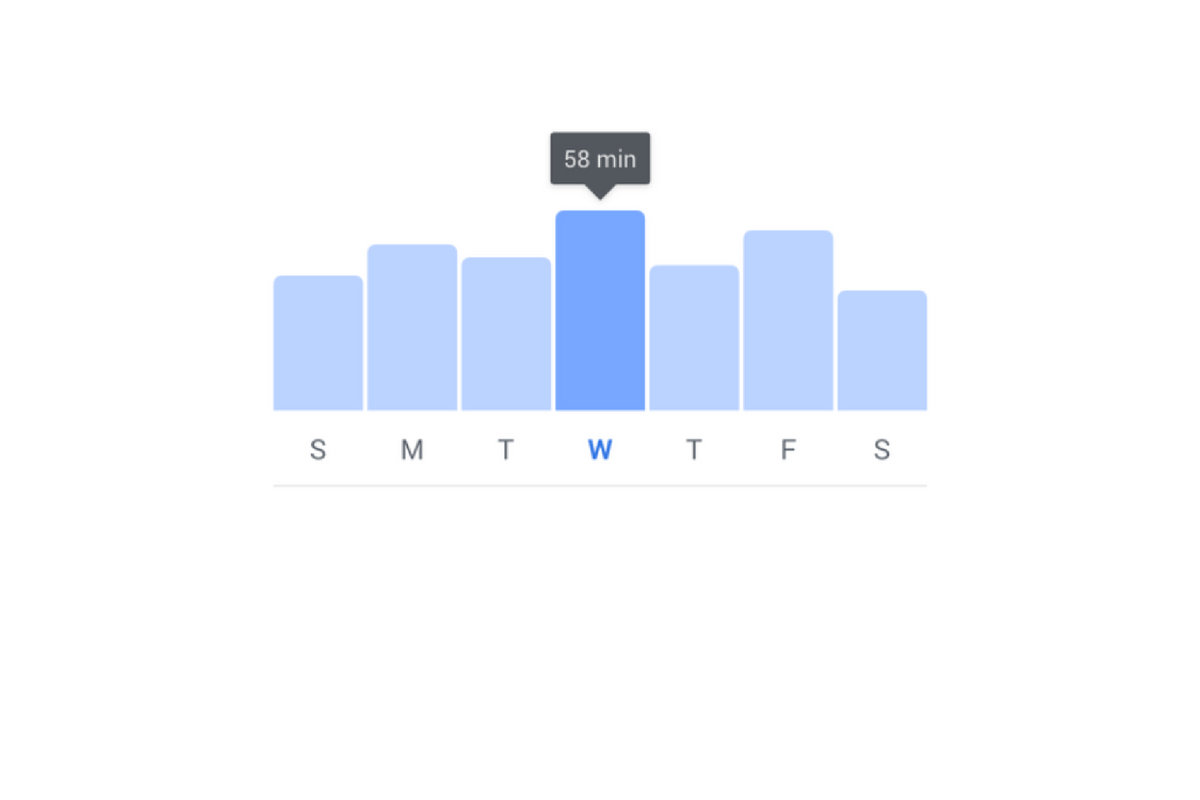
    The new dashboard will show you how much time you’ve been spending in the app. You’ll also be able to set reminders and schedule a time to turn off notifications. The reports and settings will be found by tapping on the menu on the lower right of the Facebook app and by opening the settings in your Instagram app. You’re looking for the item called “Your Time on Facebook” in the FB app and on Instagram, you’ll open “Your Activity.”

    Facebook is hoping that this will encourage the more thoughtful use of their apps and alleviate the addictive nature of the infinite scrolling social media timeline. Since the “Time Well Spent” movement began, companies have been taking more responsibility to find ways to help people be more intentional with their social media use. The past ten or so years have proven that social media isn’t going away and that folks will use it even to their own detriment.

    NOTE: I, personally, haven’t received the update with these features yet as it is rolling out in batches over the next month or so. As soon as I do, though, you’ll see a tutorial on how to check your time spent and manage your settings on both Instagram and Facebook.

    What Parents Should Know

    This is a good opportunity to discuss the need for online time management with your kids. Since these companies are beginning to take it so seriously, we can use the news to encourage members of our families to do the same. Tell your kids about the features and ask them to use it, even if just to check in on the amount of time they’ve spent. It is amazing what changes you might make when you realize how much of your day is spent mindlessly scrolling a social media feed. If your kids are younger, I advise you to use these and any other resource you can to help them be thoughtful with their time online. Discuss time management with them and help them make healthy decisions so they’ll grow up with good habits.


  • New Filters, Reactions, and Screenshot Controls in FB Messenger

    New Filters, Reactions, and Screenshot Controls in FB Messenger

    Facebook is updating their camera in Messenger so you can have some new AR filters while video chatting. The first is Filters which will add color schemes and other effects to your video feed. Reactions will allow you to use the like/love/emoji reactions you can use on FB posts to enhance your live video chat experience. Finally the screenshot button will let you take a still image of your chat with a simple tap of the screen instead of having to fumble around with the hardware buttons on your phone.

    Obviously Facebook is doing its best to separate itself from the rest of the video chatting market. These new features make Facebook live video chatting more interesting than Skype or FaceTime and definitely go a long way to compete against Snapchat’s offerings. What will this all mean for our families? Well, the main thing to remember is that your kids should only be chatting with people they know.

    What Parents Should Know

    It’s important that your kids understand the dangers of video chatting with anyone they don’t know. Messenger uses your friends list to populate your contacts so, in theory, your kids should only be chatting with friends. These augmented reality filters and reactions will add to the reasons to want to upgrade a text messaging session to video chat so if you’re against video chatting by principle then you’ll want to keep them off of FB Messenger. I recommend keeping an eye on who your kids have been messaging no matter what platform they use or if it’s by text, images, or videos. You can do this a number of ways but none is better than having their passwords and checking in on their account regularly. As always I recommend you have a conversation with your children about what they are and aren’t allowed to do on messenger and why. Let them know you’re keeping an eye on things and don’t sneak around. You want your kids on your team.

    Want to get exclusive content and support our work to keep you more informed about your kid’s digital culture? You can partner with us at Patreon.com/BecauseFamily.

  • Nintendo Switch Launches New Parental Controls App

    Nintendo Switch Launches New Parental Controls App

    Nintendo has always provided good gaming console solutions for families with younger kids. Many of their games are family friendly and they were some of the first to try to provide a more active method of gaming. Nintendo Switch is no exception. The popularity of Nintendo Switch is growing and its versatility is one of the features that is feeding that growth. While the number of games available on release was low, the system is still selling well, breaking records in its first weeks. With it’s newest parental control app release, I think Nintendo Switch remains a good game system for families. 

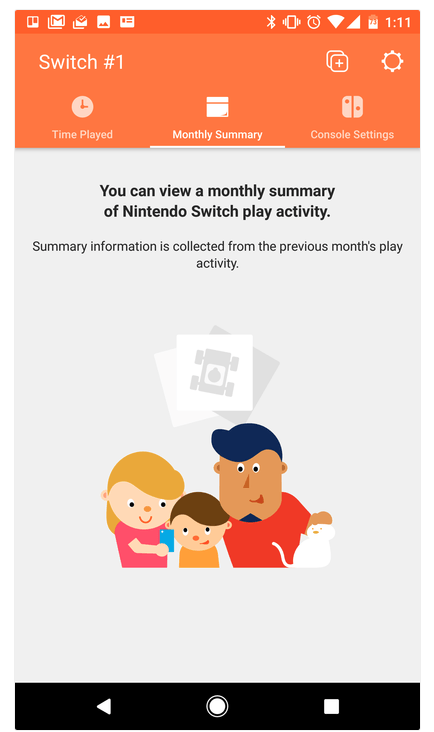
    The parental control app is free and available for iOS and Android. After installing the app you can sync it with the Nintendo account that is on your Switch and begin setting up age requirements, time limits, and sharing restrictions. This article has a good step by step on how to setup the parental controls on the app.  There are other features as well, such as a time played section and a monthly summary. If you have a Nintendo Switch then get this app as soon as you can. It’s another great way to protect your kids while they use technology.

    Don’t Stop the Conversation

    While this app is a great feature for parents it doesn’t eliminate the need for parents to remain actively involved in their child’s online and gaming experiences. Continue to have conversations with your kids about the games they play and how much time they spend on those games. Discuss healthy habits and time management. They need to learn how to make quality decisions in those areas and it’s up to you to teach them.

  • Kids Online Too Long? Put the Power of Time Limits in Their Hands with UnGlue

    Kids Online Too Long? Put the Power of Time Limits in Their Hands with UnGlue


    Every now and then a resource comes along that we can’t wait to tell you about. Today, we are excited to show you UnGlue. We are always looking for the newest and simplest way to protect your kids online and UnGlue is answering the time limit question with some pretty great new ideas. Check out the video below to see the heart behind their cool new time limits software.


    “Kids are the ones that are hooked… they’re the ones using these devices …  And it’s not even their fault… they’re fighting with the best minds in the industry that are set on having them scroll just a little bit more. Just one more like, one more picture, one more chat, one more Pokémon, one more level. And they’re losing,” – Alon Schwartz (CEO of UnGlue

    UnGlue runs with the idea that kids truly want to do better at managing their screen time by placing the power in their hands. In fact, the founder of UnGlue doesn’t like to call their service “Parental Controls.” While parents do set the time limits, the kids are able to decide what they do with that time. UnGlue doesn’t only turn off internet access at a certain time, it designates between productive and “entertainment” internet activity. Parents establish the amount of time their kids are allowed to spend being entertained on a screen and their child is then able to use the time as they choose. They can even store up unused time to use later for some good ol’ fashion binge watching or playing. The UnGlue concept is a new one and, I think a great one.

    The only thing more important than keeping kids safe from the dangers of internet use and over use of the internet is teaching them how to be responsible in those areas for themselves. UnGlue puts the power in their hands and allows you to show them, through their own experiences, how they can better manage their time and be more effective and productive every day. In fact, I would go as far as to say that most of us parents could use an education on screen time management.

    I could go through all of the ways UnGlue allows you to set up their mobile app but I’ll just point you to their website and let you watch this video below. UnGlue is FREE to use so go check it out and email us at BecauseFamily@GMail.org to let us know how your experience was.