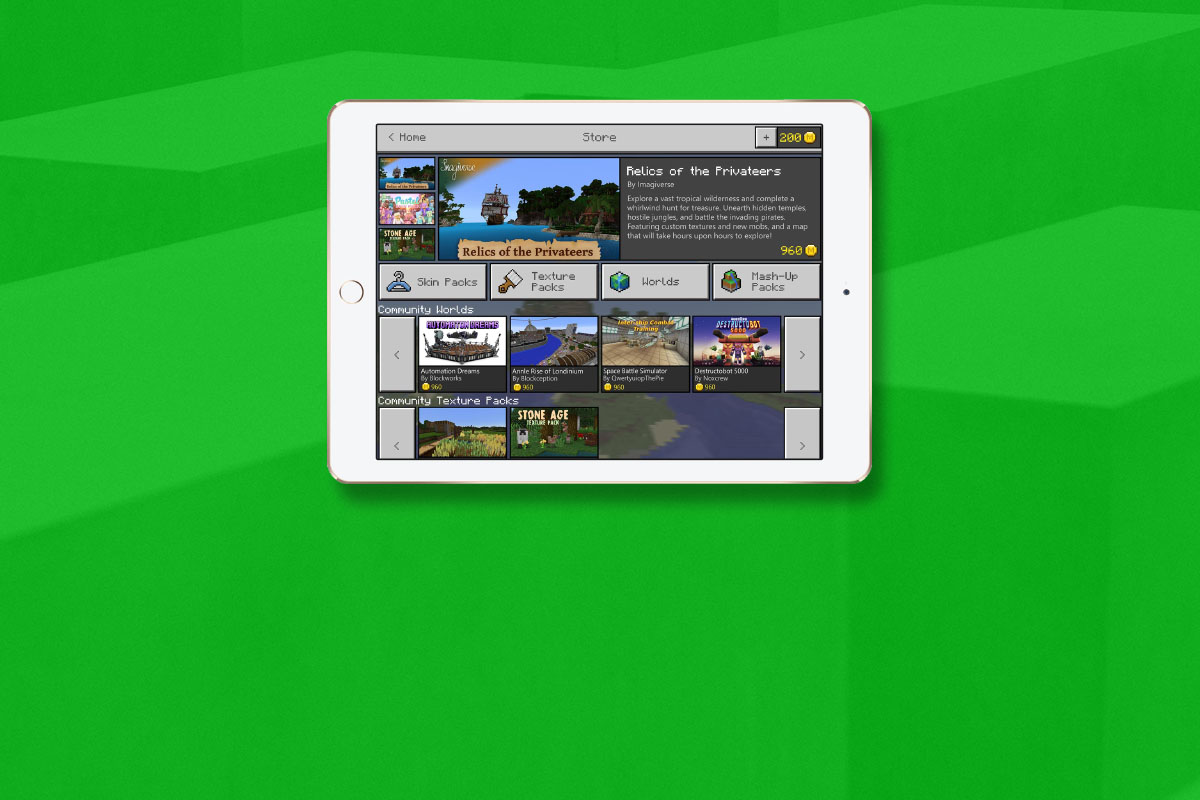
Minecraft is still one of the most popular video games on any platform. What started as a small building game has become a National phenomenon with billions of dollars (2.5 billion in 2016) made every year on downloads and merchandise. Microsoft is soon launching another avenue for profit and an opportunity for Minecraft content creators to split that profit. Later this month they will be launching the Minecraft Marketplace.
The Minecraft Marketplace will feature user made products such as maps, skins, and textures. The items in the store will be curated so it won’t be filled with tons of useless products made by just anybody. In fact, they aren’t allowing random users to upload content, just creators with an established and registered business. Products in the store will be purchased with a virtual currency called Minecraft Coins that can be bought with real money. This currency will be purchased through your XBox Live account. There is no way to earn these coins in the game. Microsoft is launching the store on Android public beta (a test version) this month with several content packs already available. These packs include pirate, fairy tale, and stone age map packs and some pastel textures among other items. The full public release is coming later this spring to pc and mobile platforms. It isn’t clear if and when the Marketplace will be available on console platforms.
What Parents Should Know
Obviously it’s important to know any time the apps your children use have an in-game way to spend money. Minecraft adding a Marketplace will undoubtedly lead to more of kids asking parents if they can buy something on their computer or mobile device. Since true money will only be spent on purchasing coins it is likely that a message will pop up when you tap an item to purchase that will lead you to a way to buy coins. If in app purchases are disabled on your device it shouldn’t be much of a problem. If they are not disabled then you’ll want to be sure that a password is required to make purchases.
The fact that the content on the marketplace will be curated is a good thing. This means that your child won’t be spending money on something that isn’t guaranteed to work in-game. It also means that they should keep any adult themed or inappropriate content from making it’s way into the store. While I’m sure that’s a goal, it’s still important for parents to look at the store every now and then to see what kind of content is available. If there’s something you wouldn’t want your kid to see then you should consider disabling the marketplace if and when that feature is available.
The Minecraft Marketplace won’t be available to everyone right away but a public beta means that it’s coming soon. Be sure to be talking to your children about the time they spend on Minecraft, explain to them what virtual currency is and that purchasing those coins costs real actual money. Also, be sure that if your kid wants to download a new skin or texture pack that they know how to implement it so they won’t be buying something they don’t even know how to use. Start the conversation now so you’ll have a head start when the Marketplace launches to everyone.